Writing Assistant
- Category AI Tools
- Downloads 73
- Compatibility IC5: 5.0.0+
- Updated
Description
Writing Assistant
Plenty of people have something worth saying and stall before they say it. The support question that arrives as "it's broken, help". The reply that reads angrier than it was meant to. The topic somebody starts three times and abandons.
Writing Assistant puts a button in the post editor, next to bold and italic. It fixes what is already written, and it drafts from a sentence when there is nothing written at all.
Seven ways to improve what is there
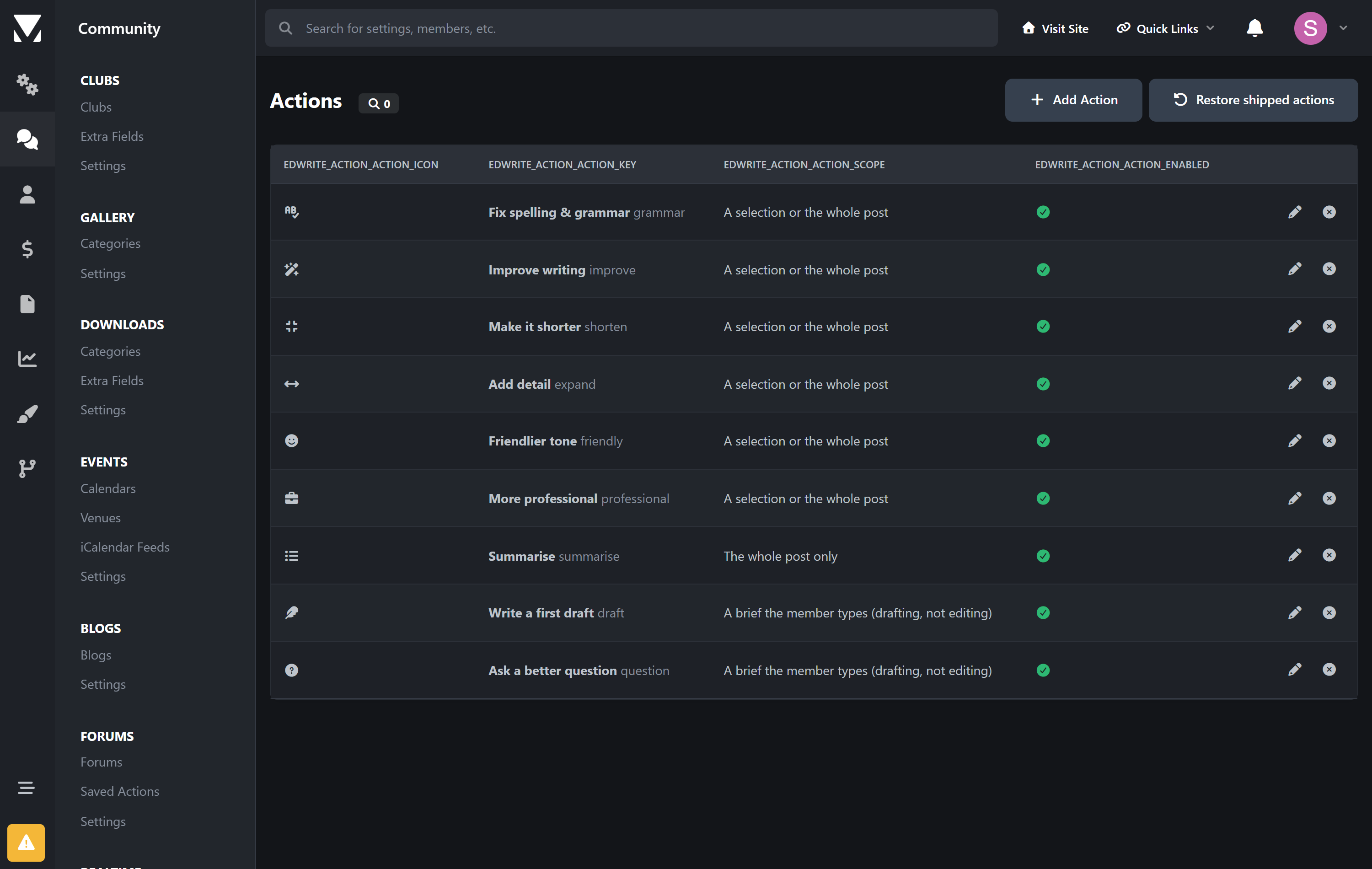
Fix spelling & grammar | Corrections only. It will not quietly rewrite somebody's voice while it is in there. |
|---|---|
Improve writing | Clarity and flow, keeping their vocabulary and register. If they write plainly, it stays plain. |
Make it shorter | Cuts padding and repetition without dropping a point, a question or a caveat. |
Add detail | Develops what is already there. It cannot introduce facts that were not. |
Friendlier tone | Removes the sarcasm and keeps the disagreement. It will not water down what somebody is actually saying. |
More professional | Raises the register without turning it into a press release. |
Summarise | A long post down to its key points. |
And two for the blank page
The member writes a sentence about what they want to say, and gets a draft to edit. Ask a better question is the same idea pointed at your support forum: it turns a vague complaint into something your community can actually answer.
It marks what it does not know instead of inventing it. Every assistant of this kind fills gaps with plausible specifics — a version number, a price, an error message nobody ever supplied. On a forum that means members posting confident details that are false, and your staff correcting them. This one writes [your IPS version], [paste the error here], [what you have already tried], and tells the member the draft has gaps to fill. A draft with three placeholders is useful. A draft with three fabrications is a trap.
It cannot damage a post
Quoted text, code blocks and mentions are removed before the request and put back afterwards. The model never sees them, so it cannot alter them. If one does go missing, the member is warned before they can replace anything.
Nothing is applied without the member pressing Replace. They see the result first, can compare it against the original, and can retry.
Every change goes through the editor's normal undo.
You decide what it costs
Monthly cap | A hard stop in dollars. When the month's estimated spend reaches it, the assistant pauses until the month rolls over. This is the setting that means one member cannot hand you a bill. |
|---|---|
Daily limits | Per member and across the whole site, measured over a rolling 24 hours rather than a calendar day — so somebody who runs out at 11pm is not handed a fresh allowance an hour later. |
Length limits | Nothing is spent rewriting four words, and nobody pastes a novel in. |
Per group | Set globally, and again per action. Let everybody fix their grammar; keep drafting for members who have earned it. |
Spend is an estimate, not a bill. It is calculated from published token prices for models it recognises. A self-hosted model shows as zero, which is accurate — but so does an unrecognised commercial one, and for that the cap cannot protect you. Set a budget limit with your provider as well.
The instructions are yours to change
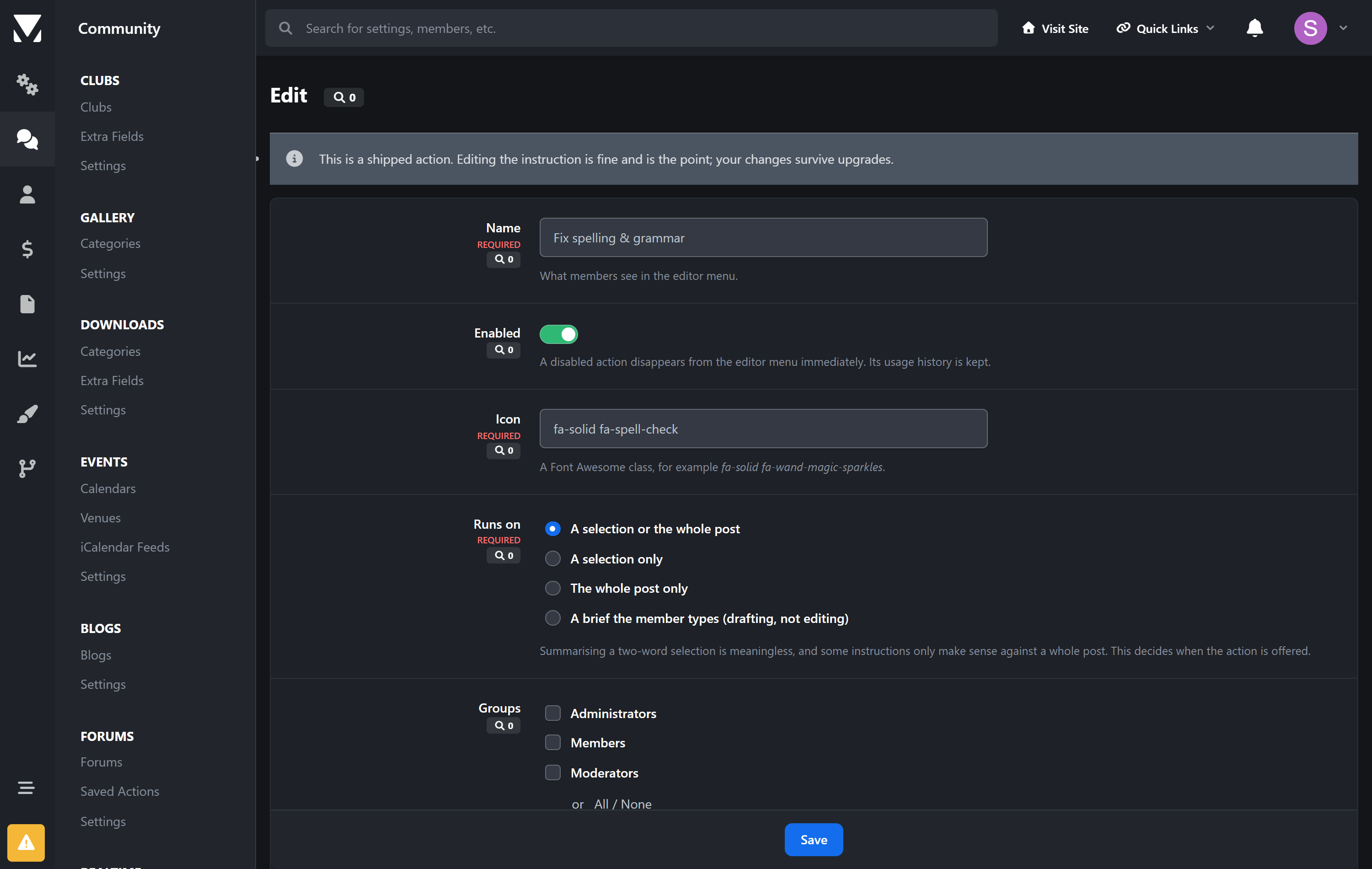
A support forum and a fiction workshop want opposite things from "improve writing". Every instruction is editable in the AdminCP, including the shipped ones, and your edits survive upgrades. You can add your own actions too, with their own icon and group restrictions.
Shared safety rules — never invent facts, return only the text, preserve quotes and code — are applied automatically and cannot be removed by editing an action.
Reporting that tells you something
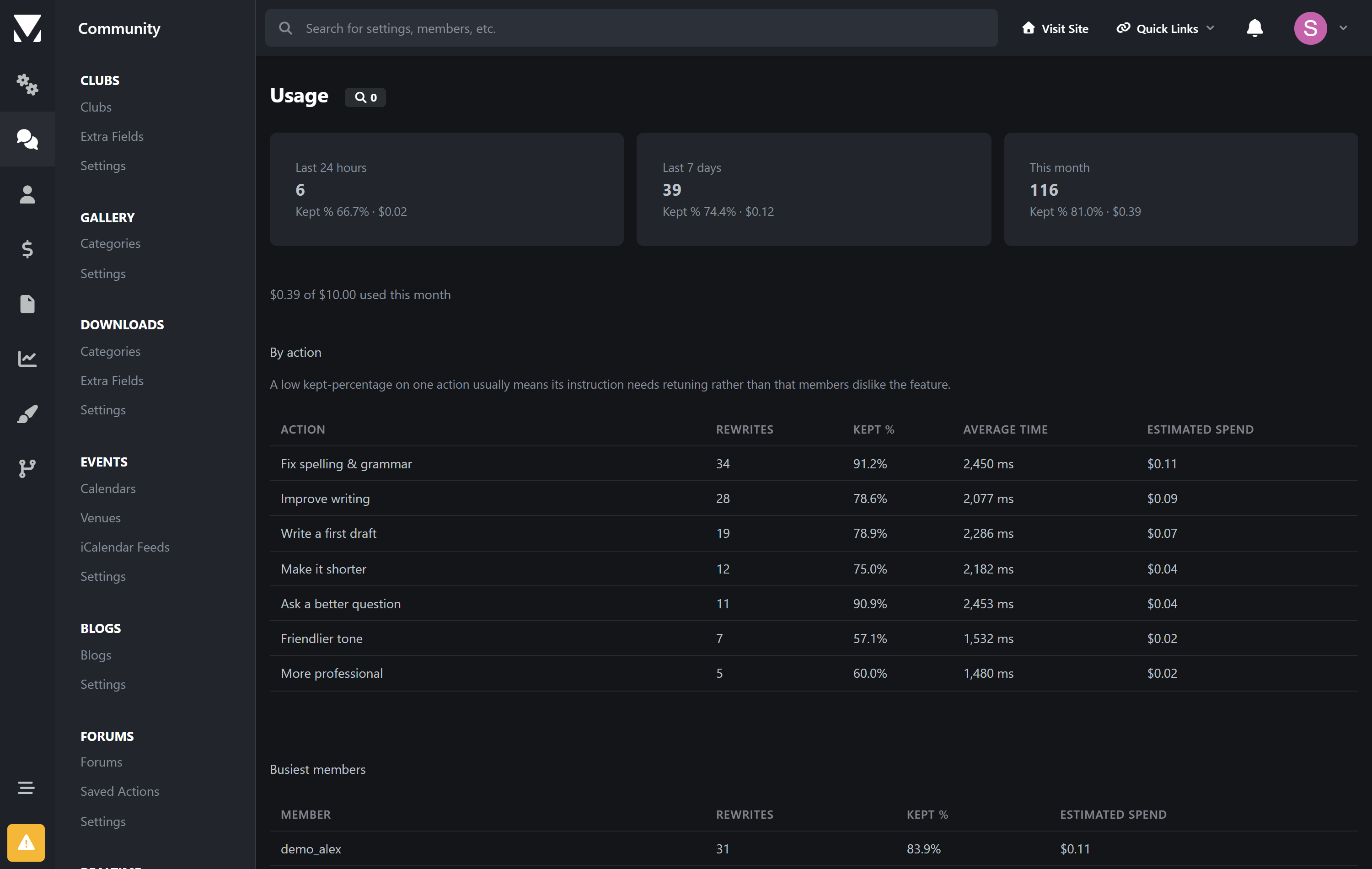
Calls and spend, broken down by action and by member. The number worth watching is how often members keep the result rather than cancelling. Call counts only prove the button is being pressed; a low kept-percentage on one action means its instruction needs retuning, and you can go and retune it.
Your key, your data
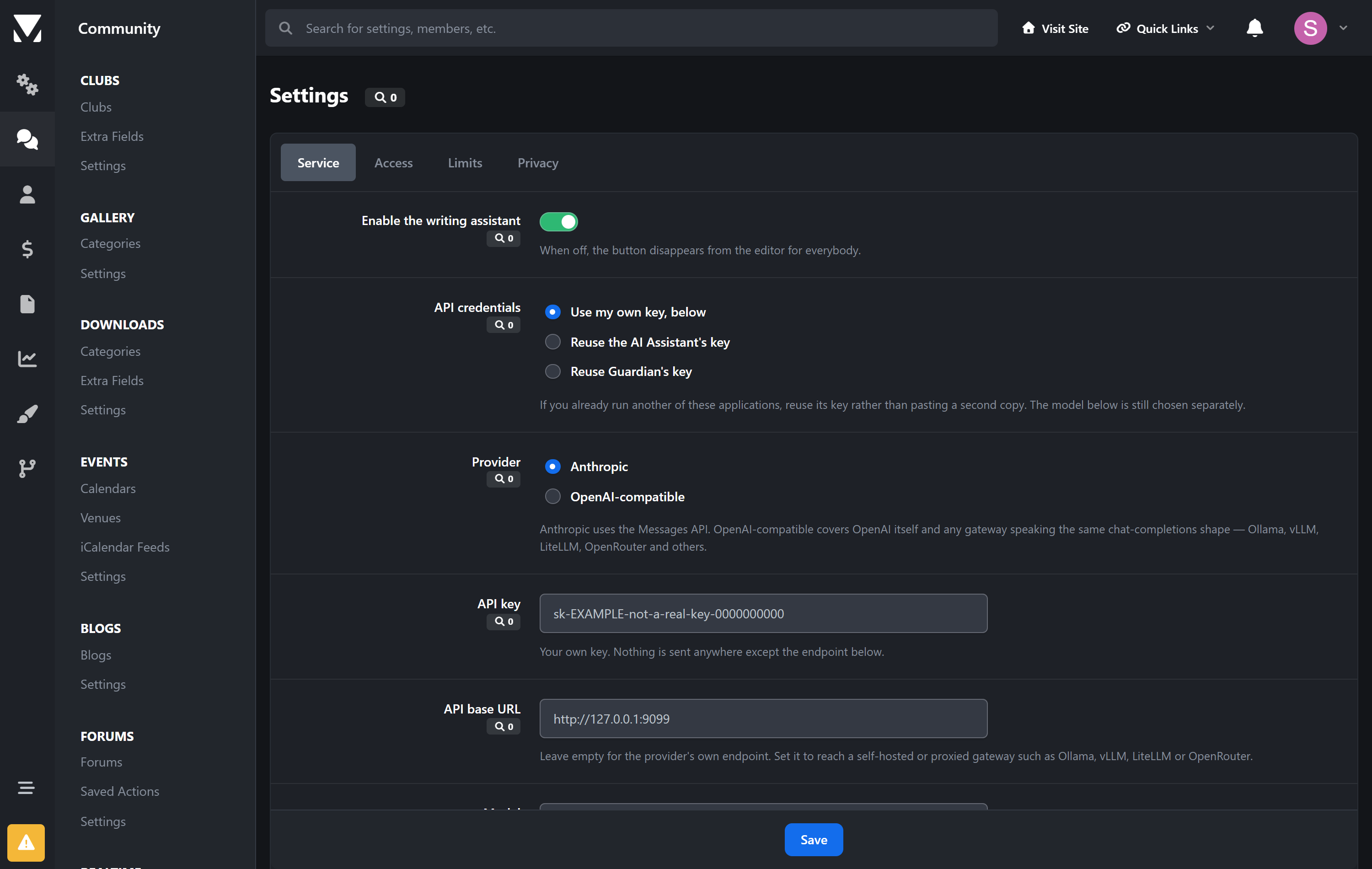
Works with Anthropic, or anything speaking the OpenAI chat-completions shape — including self-hosted gateways such as Ollama, vLLM, LiteLLM and OpenRouter. Set the base URL and nothing leaves your network.
Members' drafts are not stored. The log records which action ran, when, by whom, and the token counts — not the text. There is a setting to keep it temporarily while you tune a prompt; it is off by default.
Already running AI Assistant or Guardian? It will reuse that key rather than making you paste a second copy.
Requirements
Invision Community 5.0 or newer (self-hosted)
An API key from your chosen provider, or a self-hosted endpoint
Outbound HTTPS from your server
No account with me, no service of mine in the middle, no per-request fee. You pay your provider directly for what your members use.
Create an account or sign in to leave a review
There are no reviews to display.