Jump to content
View in the app

A better way to browse. Learn more.

Invision Marketplace

A full-screen app on your home screen with push notifications, badges and more.

To install this app on iOS and iPadOS
  1. Tap the Share icon in Safari
  2. Scroll the menu and tap Add to Home Screen.
  3. Tap Add in the top-right corner.
To install this app on Android
  1. Tap the 3-dot menu (⋮) in the top-right corner of the browser.
  2. Tap Add to Home screen or Install app.
  3. Confirm by tapping Install.

Everything you need for your community

Everything you need for your community

 Loading...
 Loading...
 Loading...
This application reorganizes the Comments and Reviews tabs so that Comments appears first and becomes the default tab.
Supported applications:
Downloads
Calendar Events
Gallery
Pages Databases
IPS5.0.0+
This application reorganizes the Comments and Reviews tabs so that Comments appears first and becomes the default tab.
Supported applications:
Downloads
Calendar Events
Gallery
Pages Databases
Custom work for your community, from first request to five-star review
Commissions is a complete provider directory and client work pipeline for Invision Community v5.
Showcase the people who build for your community, allow members and guests to request custom work through a guided intake process, send quotes, collect payment through Commerce or externally, deliver the work, and gather the reviews that help providers win their next job.
Full demo on https://administrata.net/commissions/

How it works
Providers apply and you decide who gets approved.
Approved providers appear in a public directory alongside their services, portfolio, rating, and Software Marketplace listings. Anyone who needs work completed can choose a specific provider or submit a general request.
After completing a short intake form, the client enters a private request thread where the entire job takes place:
Initial discussion
Scope and quotation
Quote acceptance
Payment
Work in progress
Delivery
Client review
Every step remains visible in one place. A progress tracker at the top of each request shows exactly where the job stands, while an activity timeline records every status change, quotation, acceptance, and payment event.
Nobody has to ask, “Where are we with this?”

The provider directory
The directory hub welcomes visitors with live statistics, including:
The number of approved providers
Their average rating
The number of available services
Featured providers receive distinctive cards with a colour rail automatically generated from the services they offer. Every provider card feels different without requiring anyone to design it manually.

Complete provider profiles
Every approved provider receives a dedicated public profile containing:
A sticky identity panel with their avatar, headline, star rating, availability, and services
A rich-text About section using the full Invision editor
An unlimited portfolio with real image uploads
Their Software Marketplace files
Reviews from completed work
A prominent Request work button that starts a job with them in two clicks

Public service pages
Services are created and managed by administrators in the ACP. Each service can have its own colour and description.
Every service also receives a dedicated public landing page containing:
A tinted service hero
Live trust and activity statistics
Providers offering that service
The latest relevant review
Structured data for search engines
Aggregate star-rating data
Nine services means nine search-friendly landing pages that you never have to write or maintain manually.

The request pipeline
Requests are built as native Invision content items.
That means every request conversation includes the functionality your members already understand:
Replies
Editing and edit history
Deletion
Reactions
Reporting
Attachments through the standard editor

A flexible intake form
You control the request intake form.
Create fields in the ACP, decide which ones are required, and choose which field becomes the request title. Clients can upload screenshots, specifications, archives, documents, and other supporting files directly with their request.

Full guest access
Guests are treated as first-class clients.
When a guest submits a request, they receive a private magic link by email. That link becomes their key to the entire request thread.
Without creating an account, guests can:
Read provider replies
Respond to the conversation
Accept or decline quotations
Follow the progress of the job
Leave a review after delivery
Access control is enforced server-side for every action.

My Requests portal
Registered members receive a dedicated My Requests portal where they can follow all their active and completed work.
Each request page includes:
A clickable progress tracker covering New, Reviewing, Quoted, Accepted, In Progress, and Delivered
The complete intake submission and attachments
The client-provider conversation
Visually accented provider replies
An activity timeline of status changes, quotations, and payments
Internal notes visible only to staff and the assigned provider

Quotes and payments
When the scope is clear, the provider can send a formal quotation containing:
The quoted amount
The currency
What is included
Payment instructions
The client can accept or decline the quote directly from the request page, including guest clients using their magic link.

Three payment methods
Administrators control which payment methods are available.
Arranged manually
Suitable for bank transfers, cash payments, existing client arrangements, or any payment handled outside the community.
External payment link
Providers can supply a PayPal, Stripe, payment portal, or invoice URL.
Commerce invoice
Accepting the quotation generates a real Commerce invoice. The client is sent directly to checkout, and the quote is automatically marked as paid when the invoice payment is completed.

Reviews that mean something
Delivering a request triggers a review invitation, both on the request page and by email.
The client can rate the provider out of five stars and describe their experience. Reviews are automatically included in the provider’s public rating and displayed throughout the directory wherever that provider appears.

Legacy reviews
Members can also review work completed before Commissions was installed.
Legacy reviews are held for staff approval before publication, preventing providers from fabricating an established track record.
When a review is hidden or deleted, the provider’s rating is recalculated immediately.

The provider dashboard
Providers manage their work and public presence from a single dashboard.

Business overview
The dashboard includes statistic tiles for:
Requests awaiting a reply
Open jobs
Work currently in progress
The provider’s average rating

Work queue
Requests are ordered by how long the client has been waiting, with clear Awaiting your reply indicators so providers immediately know where their attention is needed.

Profile and portfolio management
Providers can also manage:
Their public profile
Their rich-text About section
Their availability
Their services
Their service ordering
Their portfolio images and entries
Service ordering controls the provider’s card colours and badge order throughout the community without requiring a separate drag-and-drop interface.

Automatic reminders
A daily background task keeps the pipeline moving.
It can:
Remind providers about requests awaiting their reply
Re-invite clients to review delivered work
Automatically close delivered requests after a configurable period
Each reminder and closure window can be configured independently.

Providers across your community
Approved providers remain visible beyond the directory.
They receive:
A teal Provider badge on their member profile, beside See my activity
A Provider chip in forum posts, supported in both classic and slim post layouts
A Provider button on their member hovercard
Every badge and button links directly to the provider’s public profile.
That turns every useful post they make into a quiet advertisement for their services.

Notifications
Commissions uses the notification system with both inline and email delivery, supported by dedicated email templates.
Clients are notified about
New replies
Request status changes
New quotations
Payment updates
Review invitations
Providers are notified about
New requests
Client replies
Quote acceptance or rejection
Completed payments
New reviews
Guests are notified by email
Guest clients receive all relevant updates by email, together with the magic link that gives them secure access to their request.

Admin control panel
Administrators receive complete control over the provider directory and request pipeline.

Provider management
Approve, decline, suspend, feature, and edit providers through a complete management interface covering everything from their profile information to their jobs-completed counter.

Services manager
Create services, assign colours, and write the descriptions used across provider profiles and public service pages.

Request management
View the complete request pipeline with:
Per-status filters
Quick search
Client and provider details
Current quotation and payment status

Intake fields
Create and organise the fields used in the custom-work request form.

Application settings
Control:
Directory visibility
Provider applications
Available payment methods
Reminder windows
Review invitations
Automatic request closure

Perfect for
Commissions is ideal for:
Site owners who sell custom work and want intake, quoting, payment, and delivery in one pipeline
Networks with multiple trusted freelancers who each deserve their own storefront
Communities tired of custom-work requests being scattered across private messages, forum topics, email, and external payment services


Commissions 1.0 brings providers, clients, requests, quotations, payments, delivery, and reviews into one professional workflow. Need a workflow it does not cover yet? Let me know.
IPS5.0.0+
Custom work for your community, from first request to five-star review
Commissions is a complete provider directory and client work pipeline for Invision Community v5.
Showcase the people who build for your community, allow members and guests to request custom work through a guided intake process, send quotes, collect payment through Commerce or externally, deliver the work, and gather the reviews that help providers win their next job.
Full demo on https://administrata.net/commissions/

How it works
Providers apply and you decide who gets approved.
Approved providers appear in a public directory alongside their services, portfolio, rating, and Software Marketplace listings. Anyone who needs work completed can choose a specific provider or submit a general request.
After completing a short intake form, the client enters a private request thread where the entire job takes place:
Initial discussion
Scope and quotation
Quote acceptance
Payment
Work in progress
Delivery
Client review
Every step remains visible in one place. A progress tracker at the top of each request shows exactly where the job stands, while an activity timeline records every status change, quotation, acceptance, and payment event.
Nobody has to ask, “Where are we with this?”

The provider directory
The directory hub welcomes visitors with live statistics, including:
The number of approved providers
Their average rating
The number of available services
Featured providers receive distinctive cards with a colour rail automatically generated from the services they offer. Every provider card feels different without requiring anyone to design it manually.

Complete provider profiles
Every approved provider receives a dedicated public profile containing:
A sticky identity panel with their avatar, headline, star rating, availability, and services
A rich-text About section using the full Invision editor
An unlimited portfolio with real image uploads
Their Software Marketplace files
Reviews from completed work
A prominent Request work button that starts a job with them in two clicks

Public service pages
Services are created and managed by administrators in the ACP. Each service can have its own colour and description.
Every service also receives a dedicated public landing page containing:
A tinted service hero
Live trust and activity statistics
Providers offering that service
The latest relevant review
Structured data for search engines
Aggregate star-rating data
Nine services means nine search-friendly landing pages that you never have to write or maintain manually.

The request pipeline
Requests are built as native Invision content items.
That means every request conversation includes the functionality your members already understand:
Replies
Editing and edit history
Deletion
Reactions
Reporting
Attachments through the standard editor

A flexible intake form
You control the request intake form.
Create fields in the ACP, decide which ones are required, and choose which field becomes the request title. Clients can upload screenshots, specifications, archives, documents, and other supporting files directly with their request.

Full guest access
Guests are treated as first-class clients.
When a guest submits a request, they receive a private magic link by email. That link becomes their key to the entire request thread.
Without creating an account, guests can:
Read provider replies
Respond to the conversation
Accept or decline quotations
Follow the progress of the job
Leave a review after delivery
Access control is enforced server-side for every action.

My Requests portal
Registered members receive a dedicated My Requests portal where they can follow all their active and completed work.
Each request page includes:
A clickable progress tracker covering New, Reviewing, Quoted, Accepted, In Progress, and Delivered
The complete intake submission and attachments
The client-provider conversation
Visually accented provider replies
An activity timeline of status changes, quotations, and payments
Internal notes visible only to staff and the assigned provider

Quotes and payments
When the scope is clear, the provider can send a formal quotation containing:
The quoted amount
The currency
What is included
Payment instructions
The client can accept or decline the quote directly from the request page, including guest clients using their magic link.

Three payment methods
Administrators control which payment methods are available.
Arranged manually
Suitable for bank transfers, cash payments, existing client arrangements, or any payment handled outside the community.
External payment link
Providers can supply a PayPal, Stripe, payment portal, or invoice URL.
Commerce invoice
Accepting the quotation generates a real Commerce invoice. The client is sent directly to checkout, and the quote is automatically marked as paid when the invoice payment is completed.

Reviews that mean something
Delivering a request triggers a review invitation, both on the request page and by email.
The client can rate the provider out of five stars and describe their experience. Reviews are automatically included in the provider’s public rating and displayed throughout the directory wherever that provider appears.

Legacy reviews
Members can also review work completed before Commissions was installed.
Legacy reviews are held for staff approval before publication, preventing providers from fabricating an established track record.
When a review is hidden or deleted, the provider’s rating is recalculated immediately.

The provider dashboard
Providers manage their work and public presence from a single dashboard.

Business overview
The dashboard includes statistic tiles for:
Requests awaiting a reply
Open jobs
Work currently in progress
The provider’s average rating

Work queue
Requests are ordered by how long the client has been waiting, with clear Awaiting your reply indicators so providers immediately know where their attention is needed.

Profile and portfolio management
Providers can also manage:
Their public profile
Their rich-text About section
Their availability
Their services
Their service ordering
Their portfolio images and entries
Service ordering controls the provider’s card colours and badge order throughout the community without requiring a separate drag-and-drop interface.

Automatic reminders
A daily background task keeps the pipeline moving.
It can:
Remind providers about requests awaiting their reply
Re-invite clients to review delivered work
Automatically close delivered requests after a configurable period
Each reminder and closure window can be configured independently.

Providers across your community
Approved providers remain visible beyond the directory.
They receive:
A teal Provider badge on their member profile, beside See my activity
A Provider chip in forum posts, supported in both classic and slim post layouts
A Provider button on their member hovercard
Every badge and button links directly to the provider’s public profile.
That turns every useful post they make into a quiet advertisement for their services.

Notifications
Commissions uses the notification system with both inline and email delivery, supported by dedicated email templates.
Clients are notified about
New replies
Request status changes
New quotations
Payment updates
Review invitations
Providers are notified about
New requests
Client replies
Quote acceptance or rejection
Completed payments
New reviews
Guests are notified by email
Guest clients receive all relevant updates by email, together with the magic link that gives them secure access to their request.

Admin control panel
Administrators receive complete control over the provider directory and request pipeline.

Provider management
Approve, decline, suspend, feature, and edit providers through a complete management interface covering everything from their profile information to their jobs-completed counter.

Services manager
Create services, assign colours, and write the descriptions used across provider profiles and public service pages.

Request management
View the complete request pipeline with:
Per-status filters
Quick search
Client and provider details
Current quotation and payment status

Intake fields
Create and organise the fields used in the custom-work request form.

Application settings
Control:
Directory visibility
Provider applications
Available payment methods
Reminder windows
Review invitations
Automatic request closure

Perfect for
Commissions is ideal for:
Site owners who sell custom work and want intake, quoting, payment, and delivery in one pipeline
Networks with multiple trusted freelancers who each deserve their own storefront
Communities tired of custom-work requests being scattered across private messages, forum topics, email, and external payment services


Commissions 1.0 brings providers, clients, requests, quotations, payments, delivery, and reviews into one professional workflow. Need a workflow it does not cover yet? Let me know.
Sort Attachments by Downloads adds a new option to the Sort By menu on the Attachments page, allowing users to quickly sort attachments by the number of downloads in descending order. This option applies only to files, as images do not have download counts.
IPS5.0.0+
Sort Attachments by Downloads adds a new option to the Sort By menu on the Attachments page, allowing users to quickly sort attachments by the number of downloads in descending order. This option applies only to files, as images do not have download counts.
The gateway integrates Braintree Drop-in UI with the Commerce checkout process, allowing customers to enter payment details without sensitive card data passing through your community. Payments are processed through the Braintree GraphQL API and connected to the standard IC5 transaction workflow.
Key Features
Native integration with Invision Community 5 Commerce
Secure Braintree Drop-in payment form
Credit and debit card payments
Optional PayPal, PayPal Credit, and Venmo support
Optional 3D Secure verification
Separate authorization and capture workflow
Full and partial refunds
Transaction voiding and reversal
Fraud device data collection
Sandbox and production environments
Merchant account routing
Transaction amount, currency, and order verification
Direct links to transactions in the Braintree Control Panel
No sensitive card details stored or processed by Invision Community
Requirements
Invision Community 5 with Commerce
An active Braintree merchant account
Braintree public and private API keys
Appropriate Braintree permissions for creating, capturing, viewing, voiding, and refunding transactions
This application supports one-time payments. Recurring billing agreements are not currently supported.
IPS5.0.0+
The gateway integrates Braintree Drop-in UI with the Commerce checkout process, allowing customers to enter payment details without sensitive card data passing through your community. Payments are processed through the Braintree GraphQL API and connected to the standard IC5 transaction workflow.
Key Features
Native integration with Invision Community 5 Commerce
Secure Braintree Drop-in payment form
Credit and debit card payments
Optional PayPal, PayPal Credit, and Venmo support
Optional 3D Secure verification
Separate authorization and capture workflow
Full and partial refunds
Transaction voiding and reversal
Fraud device data collection
Sandbox and production environments
Merchant account routing
Transaction amount, currency, and order verification
Direct links to transactions in the Braintree Control Panel
No sensitive card details stored or processed by Invision Community
Requirements
Invision Community 5 with Commerce
An active Braintree merchant account
Braintree public and private API keys
Appropriate Braintree permissions for creating, capturing, viewing, voiding, and refunding transactions
This application supports one-time payments. Recurring billing agreements are not currently supported.
This application connects a Slack account to an IPS5 account. It allows users to sign up and sign in using their Slack account, as well as synchronize their display name and/or profile photo.
You must register your application at https://api.slack.com/apps to obtain:
Client ID
Client Secret
IPS5.0.0+
This application connects a Slack account to an IPS5 account. It allows users to sign up and sign in using their Slack account, as well as synchronize their display name and/or profile photo.
You must register your application at https://api.slack.com/apps to obtain:
Client ID
Client Secret
This application integrates Klarna Hosted Payment Page with IC5 Commerce, providing customers with a secure Klarna checkout experience while keeping payment statuses, captures, refunds, and transaction data synchronized with your community.
Key Features
Native integration with Invision Community 5 Commerce
Klarna Hosted Payment Page checkout
Playground and Production environments
European, North American, and Oceania API regions
Support for classic Klarna credentials and modern API keys
Automatic payment status synchronization
Secure return and server-to-server callback handling
Automatic order capture through IC5
Optional immediate capture through Klarna
Full and partial refunds from the IC5 AdminCP
Idempotency protection against duplicate captures and refunds
Callback signature validation and event deduplication
Amount and currency verification
Klarna Order ID, Capture ID, and session data stored with IC5 transactions
Detailed API error reporting and Klarna correlation IDs
Configurable payment categories, HPP title, and merchant logo
Public HTTPS callback URL support for production and local testing
Payment Flow
When a customer selects Klarna during checkout, the application creates a Klarna Payments session and securely redirects the customer to the Klarna Hosted Payment Page.
After the customer completes or cancels the payment, the application verifies the session directly with Klarna and updates the corresponding IC5 transaction. Payment callbacks are processed independently, allowing transactions to complete even if the customer closes the browser before returning to your community.
Security
Each payment session receives a unique callback secret. Incoming events are validated, deduplicated, and verified against Klarna before an IC5 transaction is approved.
The application also validates the order amount, currency, transaction reference, and Klarna order details before completing a payment.
Requirements
Invision Community 5
IC5 Commerce
An active Klarna merchant account
Klarna API credentials
A publicly accessible HTTPS website
A supported Klarna country, currency, and locale combination
Important Information
Recurring billing agreements and automatic subscription renewals are not currently supported.
Available Klarna payment options depend on your merchant agreement, customer location, purchase currency, and Klarna account configuration. Klarna approval is subject to Klarna’s own eligibility and risk assessment.
Support
The application includes both Playground and Production modes, making it possible to test the complete payment, capture, cancellation, and refund flow before enabling live transactions.
IPS5.0.0+
This application integrates Klarna Hosted Payment Page with IC5 Commerce, providing customers with a secure Klarna checkout experience while keeping payment statuses, captures, refunds, and transaction data synchronized with your community.
Key Features
Native integration with Invision Community 5 Commerce
Klarna Hosted Payment Page checkout
Playground and Production environments
European, North American, and Oceania API regions
Support for classic Klarna credentials and modern API keys
Automatic payment status synchronization
Secure return and server-to-server callback handling
Automatic order capture through IC5
Optional immediate capture through Klarna
Full and partial refunds from the IC5 AdminCP
Idempotency protection against duplicate captures and refunds
Callback signature validation and event deduplication
Amount and currency verification
Klarna Order ID, Capture ID, and session data stored with IC5 transactions
Detailed API error reporting and Klarna correlation IDs
Configurable payment categories, HPP title, and merchant logo
Public HTTPS callback URL support for production and local testing
Payment Flow
When a customer selects Klarna during checkout, the application creates a Klarna Payments session and securely redirects the customer to the Klarna Hosted Payment Page.
After the customer completes or cancels the payment, the application verifies the session directly with Klarna and updates the corresponding IC5 transaction. Payment callbacks are processed independently, allowing transactions to complete even if the customer closes the browser before returning to your community.
Security
Each payment session receives a unique callback secret. Incoming events are validated, deduplicated, and verified against Klarna before an IC5 transaction is approved.
The application also validates the order amount, currency, transaction reference, and Klarna order details before completing a payment.
Requirements
Invision Community 5
IC5 Commerce
An active Klarna merchant account
Klarna API credentials
A publicly accessible HTTPS website
A supported Klarna country, currency, and locale combination
Important Information
Recurring billing agreements and automatic subscription renewals are not currently supported.
Available Klarna payment options depend on your merchant agreement, customer location, purchase currency, and Klarna account configuration. Klarna approval is subject to Klarna’s own eligibility and risk assessment.
Support
The application includes both Playground and Production modes, making it possible to test the complete payment, capture, cancellation, and refund flow before enabling live transactions.
Checkout.com Payment Gateway adds Checkout.com as a complete payment method for Commerce in Invision Community 5.
During checkout, customers are redirected to a secure Checkout.com Hosted Payments Page, where they can select an available payment method and enter their payment details. Sensitive card information is never processed or stored by your Invision Community installation.
After payment, the application verifies the transaction through the Checkout.com API before updating the invoice. Signed webhook notifications provide reliable processing of successful payments, declined attempts, customer retries, and asynchronous refunds.
Key Features
Native integration with Invision Community 5 Commerce
Checkout.com Hosted Payments Page
Sandbox and production environments
Automatic redirect to the secure payment page
3D Secure support
Automatic transaction and invoice completion
Payment amount and currency verification
Transaction, gateway, and payment ID validation
HMAC verification of Cko-Signature webhooks
Duplicate and out-of-order webhook handling
Customer payment retries within the same Hosted Payments Page
Full refunds
Partial refunds
Multiple sequential partial refunds
Idempotent refund requests
Asynchronous refund status reconciliation
Configurable allowed and disabled payment methods
Configurable checkout locale
Processing Channel ID support
Checkout.com payment and action IDs stored with IC5 transactions
Support for multiple Checkout.com gateway configurations
Available payment methods depend on the customer’s location, transaction currency, processing channel, and the capabilities enabled on your Checkout.com account.
Security
Payment details are entered directly on Checkout.com’s hosted page. The application does not receive or store card numbers, CVV codes, or other sensitive card details.
Every webhook is authenticated using its Cko-Signature. Payment amount, currency, reference, transaction ID, gateway ID, and payment ID are verified before an Invision Community transaction is completed.
Requirements
Invision Community 5
Commerce application
Active Checkout.com account
Checkout.com Account Client ID
Checkout.com Secret API key
Hosted Payments Page enabled for the account
Public HTTPS webhook endpoint
Important Information
Recurring payment agreements and automatic subscription renewals are not currently supported.
Apple Pay, Google Pay, PayPal, and alternative payment methods must be enabled separately on your Checkout.com account.
Payment method availability varies by account and region.
This is an independent integration and is not an official Checkout.com product.
IPS5.0.0+
Checkout.com Payment Gateway adds Checkout.com as a complete payment method for Commerce in Invision Community 5.
During checkout, customers are redirected to a secure Checkout.com Hosted Payments Page, where they can select an available payment method and enter their payment details. Sensitive card information is never processed or stored by your Invision Community installation.
After payment, the application verifies the transaction through the Checkout.com API before updating the invoice. Signed webhook notifications provide reliable processing of successful payments, declined attempts, customer retries, and asynchronous refunds.
Key Features
Native integration with Invision Community 5 Commerce
Checkout.com Hosted Payments Page
Sandbox and production environments
Automatic redirect to the secure payment page
3D Secure support
Automatic transaction and invoice completion
Payment amount and currency verification
Transaction, gateway, and payment ID validation
HMAC verification of Cko-Signature webhooks
Duplicate and out-of-order webhook handling
Customer payment retries within the same Hosted Payments Page
Full refunds
Partial refunds
Multiple sequential partial refunds
Idempotent refund requests
Asynchronous refund status reconciliation
Configurable allowed and disabled payment methods
Configurable checkout locale
Processing Channel ID support
Checkout.com payment and action IDs stored with IC5 transactions
Support for multiple Checkout.com gateway configurations
Available payment methods depend on the customer’s location, transaction currency, processing channel, and the capabilities enabled on your Checkout.com account.
Security
Payment details are entered directly on Checkout.com’s hosted page. The application does not receive or store card numbers, CVV codes, or other sensitive card details.
Every webhook is authenticated using its Cko-Signature. Payment amount, currency, reference, transaction ID, gateway ID, and payment ID are verified before an Invision Community transaction is completed.
Requirements
Invision Community 5
Commerce application
Active Checkout.com account
Checkout.com Account Client ID
Checkout.com Secret API key
Hosted Payments Page enabled for the account
Public HTTPS webhook endpoint
Important Information
Recurring payment agreements and automatic subscription renewals are not currently supported.
Apple Pay, Google Pay, PayPal, and alternative payment methods must be enabled separately on your Checkout.com account.
Payment method availability varies by account and region.
This is an independent integration and is not an official Checkout.com product.
The gateway redirects customers to the hosted Cryptomus checkout page and automatically updates transactions through signed webhook notifications.
The integration verifies webhook signatures, transaction IDs, payment amounts, currencies, and Cryptomus payment identifiers before approving an order. It supports payment status synchronization, underpayments, overpayments, failed payments, completed refunds reported by Cryptomus, IC5 fraud checks, and configurable invoice lifetime, cryptocurrency, and blockchain network.
Recurring payments and automatic refunds from IC5 are not supported. Refunds must be processed through the Cryptomus merchant dashboard because a destination cryptocurrency address is required.
IPS5.0.0+
The gateway redirects customers to the hosted Cryptomus checkout page and automatically updates transactions through signed webhook notifications.
The integration verifies webhook signatures, transaction IDs, payment amounts, currencies, and Cryptomus payment identifiers before approving an order. It supports payment status synchronization, underpayments, overpayments, failed payments, completed refunds reported by Cryptomus, IC5 fraud checks, and configurable invoice lifetime, cryptocurrency, and blockchain network.
Recurring payments and automatic refunds from IC5 are not supported. Refunds must be processed through the Cryptomus merchant dashboard because a destination cryptocurrency address is required.
Intuit QuickBooks Payments gateway for Invision Community 5. Supports secure card payments, authorization and capture, full and partial refunds, OAuth 2.0 token refresh, sandbox testing, and webhook verification.
IPS5.0.0+
Intuit QuickBooks Payments gateway for Invision Community 5. Supports secure card payments, authorization and capture, full and partial refunds, OAuth 2.0 token refresh, sandbox testing, and webhook verification.
Using the Template Editor App, Using Themes, Using the Code Editor, Using History, Using Backups, Using Diagnostics
Template Editor
Bring back a serious template editing workflow for Invision Community 5 with a dedicated AdminCP editor for source templates, theme-specific template overrides, source CSS, and theme-specific CSS overrides, plus recovery tooling, revision history, and app-level baseline protection. Template Editor is built for administrators and developers who need a practical way to inspect, edit, compare, recover, and audit IPS theme source changes without falling back to raw database work.
What It Does
Template Editor restores a focused editing experience around IPS 5 theme source assets while adapting to the modern IPS 5 runtime model:
Source Templates are edited through a full editor workspace for both global source maintenance and theme-specific override work, then published back into the IPS 5 source pipeline
Source CSS can be browsed and edited from the same workspace in both global and theme-specific scopes with change tracking and recovery support
Backups, Baselines, History, and Diagnostics give you the safeguards needed before and after making live source changes
Instead of treating template edits as unmanaged one-off modifications, Template Editor layers structured recovery and auditing on top of the IPS 5 template and CSS system.
Key Features
Full Template Editing Workspace
V4-Style Editing Experience: Includes a dedicated left-hand file tree, multi-tab editing area, revision note field, variables dialog, and recovery actions in a purpose-built editor workspace
Multi-Tab Workflow: Open and work on more than one source template or CSS file at a time instead of being limited to a single record view
Global Edit Mode and Theme-Specific Editing: Work in the default global source scope or open the workspace for a specific theme when you need template overrides or theme-specific CSS changes
Live File Navigation: Browse application, location, group, and file structures from the editor pane with active file highlighting and search support
Editor Engine Choice: Switch between Monaco and CodeMirror from the workspace preferences depending on your editing preference
IPS Template Syntax Awareness: The editor is built for IPS template control tags such as {{if}}, {{elseif}}, {{else}}, {{endif}}, {{foreach}}, and {{endforeach}}
Block-Aware Matching: IPS control structures are easier to follow while editing thanks to block-aware matching behavior for nested template logic
Unsaved Change Protection: Warns before closing editor tabs or leaving the page when unsaved work is present
Light and Dark Scheme Support: The editing workspace is styled for both ACP color schemes instead of being hard-coded to one visual mode
Source Template Publishing for IPS 5
Global Source Template Publishing: Edit and publish IPS 5 source templates through the actual live source pipeline used by the suite
Static Recompile Integration: Publishes trigger the appropriate IPS compile steps so front-end output reflects the new source state
Optimistic Lock Protection: Prevents silent overwrites when the live source changed after the editor loaded the file
Drift Detection: Detects when the current runtime row and shipped template source no longer match, helping prevent accidental writes into an inconsistent state
Source CSS Editing and Tracking
Integrated CSS Browser: Browse shipped source CSS from the same editor shell used for templates
Editable Source CSS: Make source CSS updates with revision notes and recovery tracking instead of editing rows manually
Change Visibility: Changed CSS is surfaced in the app’s change tracking and recovery tools so it can be audited like template edits
Shared Recovery Model: CSS participates in the same baseline, revision, backup, and restore architecture used for source templates
Baselines, Revisions, and Recovery Safety
Immutable Initial Baselines: Before the first live source change, the app captures an original baseline so there is always a restore point anchored to the shipped app state
App-Level Recovery Snapshots: Each app can maintain a locked recovery baseline for full app-level restore workflows, not just single-file rollbacks
Revision History: Every authored save can be tracked so you can review, compare, and restore earlier work later
Pre-Recovery Backups: Automatic protective snapshots are created before restore operations so recoveries can be reversed if needed
Stored Revision Notes: Saves and restores can carry explicit notes to make the audit trail readable instead of leaving behind anonymous source mutations
Template-Aware Recovery Architecture
Shipped Source Recovery: The app can restore source templates from the app’s shipped Templates content instead of depending only on live runtime rows
Version-Aware Template Snapshots: Baseline Template snapshots are captured per app version to preserve the original shipped source before edits or later upgrades alter the working files
App-Level Baseline Provenance: Diagnostics can report whether the app baseline was built from a stored XML snapshot, current shipped XML, or a runtime fallback source
Safer Full-App Restore Direction: The architecture is designed around restoring the original shipped source state for an app, not just overwriting isolated rows without context
Operational Visibility and Admin Tooling
Themes Area: Review global source changes plus theme-specific template and CSS override activity from the app's theme-aware management layer
History Area: Review authored and restored revisions with member attribution and saved notes
Backups Area: Manage full recovery snapshots, including locked baselines and restore points created before recovery actions
Diagnostics Area: Inspect template state, shipped-source lookup results, and app recovery readiness from dedicated ACP diagnostics tools
Status Indicators: The editor UI surfaces modified, baseline, inherited, and drift-aware state markers directly in the workspace
Use Cases
Template Editor is especially useful for:
administrators migrating old IPS 4 template editing habits into IPS 5
developers who need a controlled source-template editing workflow inside the ACP
communities that want app-level recovery protection before touching shipped template or CSS sources
staff teams that need revision history and member attribution for live template changes
sites that regularly customize suite output and want stronger rollback and diagnostics tooling
AdminCP Areas
The app includes dedicated AdminCP management areas for:
Templates
Themes
History
Backups
Diagnostics
Why It Stands Out
IPS 5 no longer exposes the same source-template editing workflow many administrators relied on in IPS 4. Template Editor does not just add an edit box back. It rebuilds the workflow around the IPS 5 source model with baseline capture, revision history, template-aware recovery, multi-tab editing, and diagnostics so template work can be done with far more operational safety than direct edits.
Developed by InvisionMarketplace.com - Professional Invision Community Applications
IPS5.0.0+
Using the Template Editor App, Using Themes, Using the Code Editor, Using History, Using Backups, Using Diagnostics
Template Editor
Bring back a serious template editing workflow for Invision Community 5 with a dedicated AdminCP editor for source templates, theme-specific template overrides, source CSS, and theme-specific CSS overrides, plus recovery tooling, revision history, and app-level baseline protection. Template Editor is built for administrators and developers who need a practical way to inspect, edit, compare, recover, and audit IPS theme source changes without falling back to raw database work.
What It Does
Template Editor restores a focused editing experience around IPS 5 theme source assets while adapting to the modern IPS 5 runtime model:
Source Templates are edited through a full editor workspace for both global source maintenance and theme-specific override work, then published back into the IPS 5 source pipeline
Source CSS can be browsed and edited from the same workspace in both global and theme-specific scopes with change tracking and recovery support
Backups, Baselines, History, and Diagnostics give you the safeguards needed before and after making live source changes
Instead of treating template edits as unmanaged one-off modifications, Template Editor layers structured recovery and auditing on top of the IPS 5 template and CSS system.
Key Features
Full Template Editing Workspace
V4-Style Editing Experience: Includes a dedicated left-hand file tree, multi-tab editing area, revision note field, variables dialog, and recovery actions in a purpose-built editor workspace
Multi-Tab Workflow: Open and work on more than one source template or CSS file at a time instead of being limited to a single record view
Global Edit Mode and Theme-Specific Editing: Work in the default global source scope or open the workspace for a specific theme when you need template overrides or theme-specific CSS changes
Live File Navigation: Browse application, location, group, and file structures from the editor pane with active file highlighting and search support
Editor Engine Choice: Switch between Monaco and CodeMirror from the workspace preferences depending on your editing preference
IPS Template Syntax Awareness: The editor is built for IPS template control tags such as {{if}}, {{elseif}}, {{else}}, {{endif}}, {{foreach}}, and {{endforeach}}
Block-Aware Matching: IPS control structures are easier to follow while editing thanks to block-aware matching behavior for nested template logic
Unsaved Change Protection: Warns before closing editor tabs or leaving the page when unsaved work is present
Light and Dark Scheme Support: The editing workspace is styled for both ACP color schemes instead of being hard-coded to one visual mode
Source Template Publishing for IPS 5
Global Source Template Publishing: Edit and publish IPS 5 source templates through the actual live source pipeline used by the suite
Static Recompile Integration: Publishes trigger the appropriate IPS compile steps so front-end output reflects the new source state
Optimistic Lock Protection: Prevents silent overwrites when the live source changed after the editor loaded the file
Drift Detection: Detects when the current runtime row and shipped template source no longer match, helping prevent accidental writes into an inconsistent state
Source CSS Editing and Tracking
Integrated CSS Browser: Browse shipped source CSS from the same editor shell used for templates
Editable Source CSS: Make source CSS updates with revision notes and recovery tracking instead of editing rows manually
Change Visibility: Changed CSS is surfaced in the app’s change tracking and recovery tools so it can be audited like template edits
Shared Recovery Model: CSS participates in the same baseline, revision, backup, and restore architecture used for source templates
Baselines, Revisions, and Recovery Safety
Immutable Initial Baselines: Before the first live source change, the app captures an original baseline so there is always a restore point anchored to the shipped app state
App-Level Recovery Snapshots: Each app can maintain a locked recovery baseline for full app-level restore workflows, not just single-file rollbacks
Revision History: Every authored save can be tracked so you can review, compare, and restore earlier work later
Pre-Recovery Backups: Automatic protective snapshots are created before restore operations so recoveries can be reversed if needed
Stored Revision Notes: Saves and restores can carry explicit notes to make the audit trail readable instead of leaving behind anonymous source mutations
Template-Aware Recovery Architecture
Shipped Source Recovery: The app can restore source templates from the app’s shipped Templates content instead of depending only on live runtime rows
Version-Aware Template Snapshots: Baseline Template snapshots are captured per app version to preserve the original shipped source before edits or later upgrades alter the working files
App-Level Baseline Provenance: Diagnostics can report whether the app baseline was built from a stored XML snapshot, current shipped XML, or a runtime fallback source
Safer Full-App Restore Direction: The architecture is designed around restoring the original shipped source state for an app, not just overwriting isolated rows without context
Operational Visibility and Admin Tooling
Themes Area: Review global source changes plus theme-specific template and CSS override activity from the app's theme-aware management layer
History Area: Review authored and restored revisions with member attribution and saved notes
Backups Area: Manage full recovery snapshots, including locked baselines and restore points created before recovery actions
Diagnostics Area: Inspect template state, shipped-source lookup results, and app recovery readiness from dedicated ACP diagnostics tools
Status Indicators: The editor UI surfaces modified, baseline, inherited, and drift-aware state markers directly in the workspace
Use Cases
Template Editor is especially useful for:
administrators migrating old IPS 4 template editing habits into IPS 5
developers who need a controlled source-template editing workflow inside the ACP
communities that want app-level recovery protection before touching shipped template or CSS sources
staff teams that need revision history and member attribution for live template changes
sites that regularly customize suite output and want stronger rollback and diagnostics tooling
AdminCP Areas
The app includes dedicated AdminCP management areas for:
Templates
Themes
History
Backups
Diagnostics
Why It Stands Out
IPS 5 no longer exposes the same source-template editing workflow many administrators relied on in IPS 4. Template Editor does not just add an edit box back. It rebuilds the workflow around the IPS 5 source model with baseline capture, revision history, template-aware recovery, multi-tab editing, and diagnostics so template work can be done with far more operational safety than direct edits.
Developed by InvisionMarketplace.com - Professional Invision Community Applications
Display a member's most recent badges directly below their profile information in topic view.
The application includes settings to configure:
Number of badges to display
Badge size
Whether to show the "Rare" ribbon
Whether to enable badge tooltips
Members can also click View All Badges to view the complete list of badges on their profile.
Requirement:
Forums app.
IPS5.0.0+
Display a member's most recent badges directly below their profile information in topic view.
The application includes settings to configure:
Number of badges to display
Badge size
Whether to show the "Rare" ribbon
Whether to enable badge tooltips
Members can also click View All Badges to view the complete list of badges on their profile.
Requirement:
Forums app.
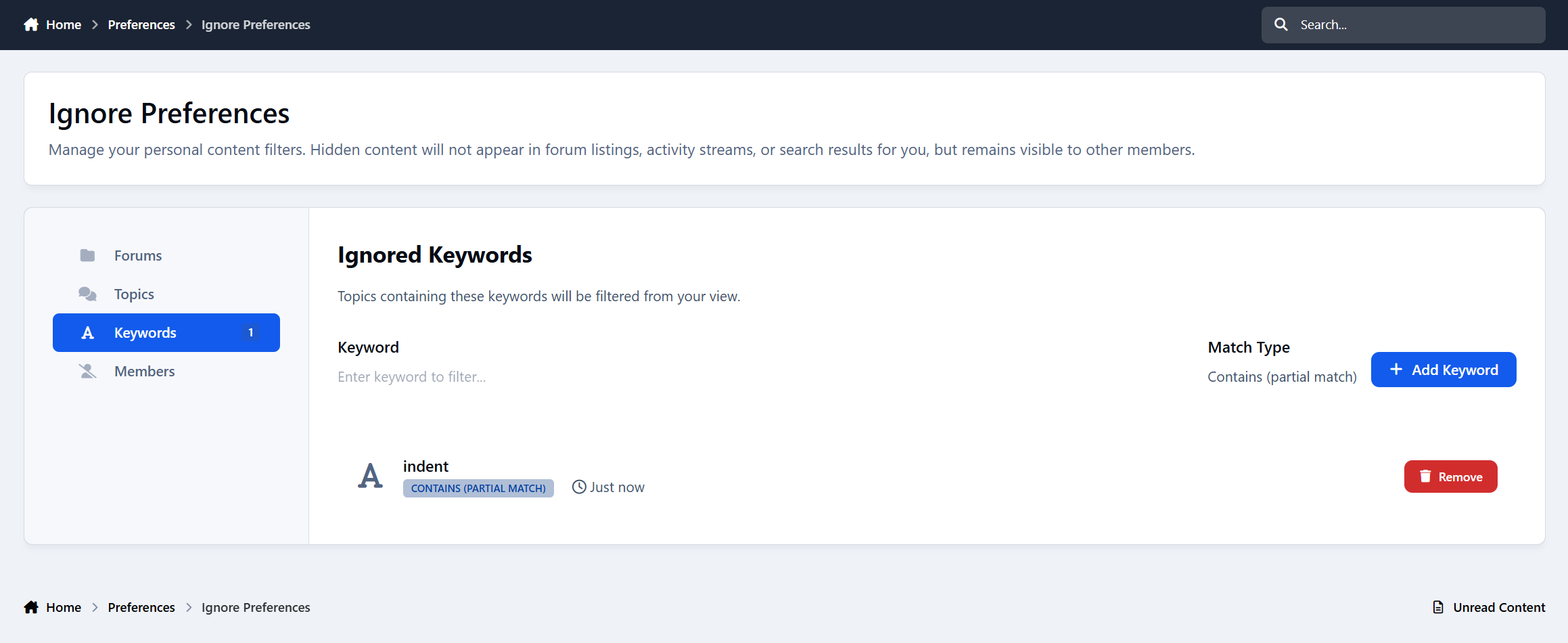
This application adds six quick filter links to the forum topic listing (FILTER BY menu):
Topics I Started
Topics Others Started
Topics Will Polls
Topics Moved
Locked Topics
Unlocked Topics
All options except Topics Others Started are already available under Sort By → Custom → popup → Filter. This application simply makes them quicker and easier to access.
IPS5.0.0+
This application adds six quick filter links to the forum topic listing (FILTER BY menu):
Topics I Started
Topics Others Started
Topics Will Polls
Topics Moved
Locked Topics
Unlocked Topics
All options except Topics Others Started are already available under Sort By → Custom → popup → Filter. This application simply makes them quicker and easier to access.
Ask your community anything, and actually understand the answers.
Advanced Surveys & Forms is a complete survey, intake, and application system for Invision Community v5. Build unlimited forms with branching logic, collect responses through a guided flow your members will actually finish, and turn the results into clean charts that can be shown publicly, after submission, after closing, or to staff only.
How it works
Create a form, place it in a category, and add questions through the visual builder. Members find it in the hub, complete it step by step, and depending on your settings, either see the results right away or simply move on. Staff can watch responses roll in, chart them in a way that makes sense, and export the raw data whenever needed.
Every form runs in one of two modes. A Survey gathers opinions and presents the results as charts. An Intake form collects structured information without the results-page framing. Enable application review and that same form becomes a full reviewable application, with staff approvals, group changes, and applicant notifications.
The member experience
Long forms get abandoned. This one does not feel long.
Instead of dumping twenty fields onto a single page, Advanced Surveys presents one question at a time, with a progress bar, a clear “Question 4 of 12” counter, and Back and Next controls. Members always know how far they have to go, can answer at their own pace, and are never overwhelmed by a wall of inputs.
The flow includes:
A live progress bar and step counter
Required-question protection, so mandatory answers are not skipped by accident
An estimated completion time and question count up front
An anonymous badge when responses are not tied to a name
Category color theming and fa icons so each form feels connected to its section
Conditional questions appear inline the moment they become relevant, directly after the answer that triggers them.
Question types
Eleven question types cover just about anything you would want to ask:
Single choice
Multiple choice
Dropdown
Rating
Short text
Long text
Number
Date
Email
File upload
Info text and page breaks for structure and instructions
Each question can be marked required, given help text, and reordered in the builder.
Branching and conditional logic
This is where it stops being a plain form.
Any question can be shown only when other answers match. Open the conditional visibility panel, choose whether to match All or Any conditions, and build rules like “show this question when Role is Content Contributor” or “when Country is not United States.” Conditions support “is” and “is not,” multiple rules at once, and any choice-based question as a trigger.
The logic runs live as the member fills in the form, and it is enforced again on the server. A required question that was never shown will not block a valid submission, while a required question that was shown must still be answered.
Results as charts
When a form closes, or the moment a member submits, the results page turns raw responses into something readable.
Every question can be charted independently. Pick the style per question or let the system choose automatically:
Horizontal bars and columns
Doughnut and pie charts
100% stacked bars
Ranked lists and data tables
Big number and NPS score
Review summaries for ratings
Emoji faces and word clouds
Charts are rendered with a bundled charting library, so there are no external calls and nothing extra to configure. Prefer the raw numbers? Export any form’s responses to CSV in one click.
Who sees the results
You decide, per form:
Public, visible to anyone who can see the form
After submit, unlocked once a member responds
After close, held back until the form closes
Staff only, kept private for your team
Category permissions can also grant a dedicated results permission, letting specific groups see outcomes without opening them to everyone.
Turn a survey into an application
Advanced Surveys also doubles as a full application system, perfect for staff recruitment, club membership, event signups, or anything that needs a human decision.
Enable application review on a form and its behavior changes:
Submissions go into a review queue instead of a results chart
A reviewer group you choose can approve, reject, and leave a private message
Administrators can always review applications
On approval, the applicant can be added to a secondary group automatically
The applicant is notified of the decision, inline and by email, along with any message the reviewers left
Applications to review queue in the AdminCP, plus a compact question-and-answer review panel with applicant details and a status badge. Applicants get their own “My applications” view, where they can see exactly what they submitted and whether it is pending, approved, or not accepted.
Categories and permissions
Forms live in categories with nesting, drag ordering, colors, and icons. Every category carries the standard Invision permission matrix, so you control who can view, who can respond, and who can see results section by section.
Guests can be allowed or blocked globally, and any form can require sign-in on its own.
Response controls
Fine-tune how each form behaves:
Require login, or allow guests
One response per member, or allow repeats
Set a cooldown before a member can respond again
Schedule opening and closing dates
Show a custom confirmation message after submission
Notifications
Advanced Surveys uses the notification system, with inline, email, and push support. Members and staff can be notified about:
New responses on a form they own or manage
A survey closing soon
Results becoming available
A new application waiting for review
An application being approved
An application being rejected
A background task handles closing reminders and results notifications automatically.
Built into Invision, not beside it
Global search and activity stream integration
Following, with notifications on new activity
Moderation, hiding, and reporting through the standard tools
A followable, permission-aware hub with a hero and live stats for open forms, total responses, and completed counts
A Recent Surveys widget you can place anywhere blocks are supported, including Pages layouts
Admin control panel
Visual question builder with question type, required toggle, help text, reordering, and conditional visibility
Cross-form application review queue
Category management with permissions, colors, and icons
Per-question chart selection on the results side
CSV export of responses
Settings for guest access, per-page counts, and the member-facing applications link
Granular admin restrictions for forms, categories, and settings, so you can give staff exactly the access they need
Perfect for
Advanced Surveys & Forms is ideal for:
Community feedback and opinion polls that deserve more than a one-line poll
Staff recruitment and volunteer applications, end to end
Club membership and event intake
Onboarding questionnaires with branching that adapts to each member
Teams that want clean, shareable charts instead of another spreadsheet
Communities that need some answers public and others locked to staff
Advanced Surveys & Forms 1.0 is just the start. Need a question type or workflow it does not cover yet? Let me know.
IPS5.0.0+
Ask your community anything, and actually understand the answers.
Advanced Surveys & Forms is a complete survey, intake, and application system for Invision Community v5. Build unlimited forms with branching logic, collect responses through a guided flow your members will actually finish, and turn the results into clean charts that can be shown publicly, after submission, after closing, or to staff only.
How it works
Create a form, place it in a category, and add questions through the visual builder. Members find it in the hub, complete it step by step, and depending on your settings, either see the results right away or simply move on. Staff can watch responses roll in, chart them in a way that makes sense, and export the raw data whenever needed.
Every form runs in one of two modes. A Survey gathers opinions and presents the results as charts. An Intake form collects structured information without the results-page framing. Enable application review and that same form becomes a full reviewable application, with staff approvals, group changes, and applicant notifications.
The member experience
Long forms get abandoned. This one does not feel long.
Instead of dumping twenty fields onto a single page, Advanced Surveys presents one question at a time, with a progress bar, a clear “Question 4 of 12” counter, and Back and Next controls. Members always know how far they have to go, can answer at their own pace, and are never overwhelmed by a wall of inputs.
The flow includes:
A live progress bar and step counter
Required-question protection, so mandatory answers are not skipped by accident
An estimated completion time and question count up front
An anonymous badge when responses are not tied to a name
Category color theming and fa icons so each form feels connected to its section
Conditional questions appear inline the moment they become relevant, directly after the answer that triggers them.
Question types
Eleven question types cover just about anything you would want to ask:
Single choice
Multiple choice
Dropdown
Rating
Short text
Long text
Number
Date
Email
File upload
Info text and page breaks for structure and instructions
Each question can be marked required, given help text, and reordered in the builder.
Branching and conditional logic
This is where it stops being a plain form.
Any question can be shown only when other answers match. Open the conditional visibility panel, choose whether to match All or Any conditions, and build rules like “show this question when Role is Content Contributor” or “when Country is not United States.” Conditions support “is” and “is not,” multiple rules at once, and any choice-based question as a trigger.
The logic runs live as the member fills in the form, and it is enforced again on the server. A required question that was never shown will not block a valid submission, while a required question that was shown must still be answered.
Results as charts
When a form closes, or the moment a member submits, the results page turns raw responses into something readable.
Every question can be charted independently. Pick the style per question or let the system choose automatically:
Horizontal bars and columns
Doughnut and pie charts
100% stacked bars
Ranked lists and data tables
Big number and NPS score
Review summaries for ratings
Emoji faces and word clouds
Charts are rendered with a bundled charting library, so there are no external calls and nothing extra to configure. Prefer the raw numbers? Export any form’s responses to CSV in one click.
Who sees the results
You decide, per form:
Public, visible to anyone who can see the form
After submit, unlocked once a member responds
After close, held back until the form closes
Staff only, kept private for your team
Category permissions can also grant a dedicated results permission, letting specific groups see outcomes without opening them to everyone.
Turn a survey into an application
Advanced Surveys also doubles as a full application system, perfect for staff recruitment, club membership, event signups, or anything that needs a human decision.
Enable application review on a form and its behavior changes:
Submissions go into a review queue instead of a results chart
A reviewer group you choose can approve, reject, and leave a private message
Administrators can always review applications
On approval, the applicant can be added to a secondary group automatically
The applicant is notified of the decision, inline and by email, along with any message the reviewers left
Applications to review queue in the AdminCP, plus a compact question-and-answer review panel with applicant details and a status badge. Applicants get their own “My applications” view, where they can see exactly what they submitted and whether it is pending, approved, or not accepted.
Categories and permissions
Forms live in categories with nesting, drag ordering, colors, and icons. Every category carries the standard Invision permission matrix, so you control who can view, who can respond, and who can see results section by section.
Guests can be allowed or blocked globally, and any form can require sign-in on its own.
Response controls
Fine-tune how each form behaves:
Require login, or allow guests
One response per member, or allow repeats
Set a cooldown before a member can respond again
Schedule opening and closing dates
Show a custom confirmation message after submission
Notifications
Advanced Surveys uses the notification system, with inline, email, and push support. Members and staff can be notified about:
New responses on a form they own or manage
A survey closing soon
Results becoming available
A new application waiting for review
An application being approved
An application being rejected
A background task handles closing reminders and results notifications automatically.
Built into Invision, not beside it
Global search and activity stream integration
Following, with notifications on new activity
Moderation, hiding, and reporting through the standard tools
A followable, permission-aware hub with a hero and live stats for open forms, total responses, and completed counts
A Recent Surveys widget you can place anywhere blocks are supported, including Pages layouts
Admin control panel
Visual question builder with question type, required toggle, help text, reordering, and conditional visibility
Cross-form application review queue
Category management with permissions, colors, and icons
Per-question chart selection on the results side
CSV export of responses
Settings for guest access, per-page counts, and the member-facing applications link
Granular admin restrictions for forms, categories, and settings, so you can give staff exactly the access they need
Perfect for
Advanced Surveys & Forms is ideal for:
Community feedback and opinion polls that deserve more than a one-line poll
Staff recruitment and volunteer applications, end to end
Club membership and event intake
Onboarding questionnaires with branching that adapts to each member
Teams that want clean, shareable charts instead of another spreadsheet
Communities that need some answers public and others locked to staff
Advanced Surveys & Forms 1.0 is just the start. Need a question type or workflow it does not cover yet? Let me know.
This application will connect the Twitch account to the IPS5 account. It will allow users to sign up and sign in with their Twitch account, as well as synchronize their username and/or profile photo.
You are required to register your application on https://dev.twitch.tv/console/apps to obtain:
Client ID
Client Secret
IPS5.0.0+
This application will connect the Twitch account to the IPS5 account. It will allow users to sign up and sign in with their Twitch account, as well as synchronize their username and/or profile photo.
You are required to register your application on https://dev.twitch.tv/console/apps to obtain:
Client ID
Client Secret
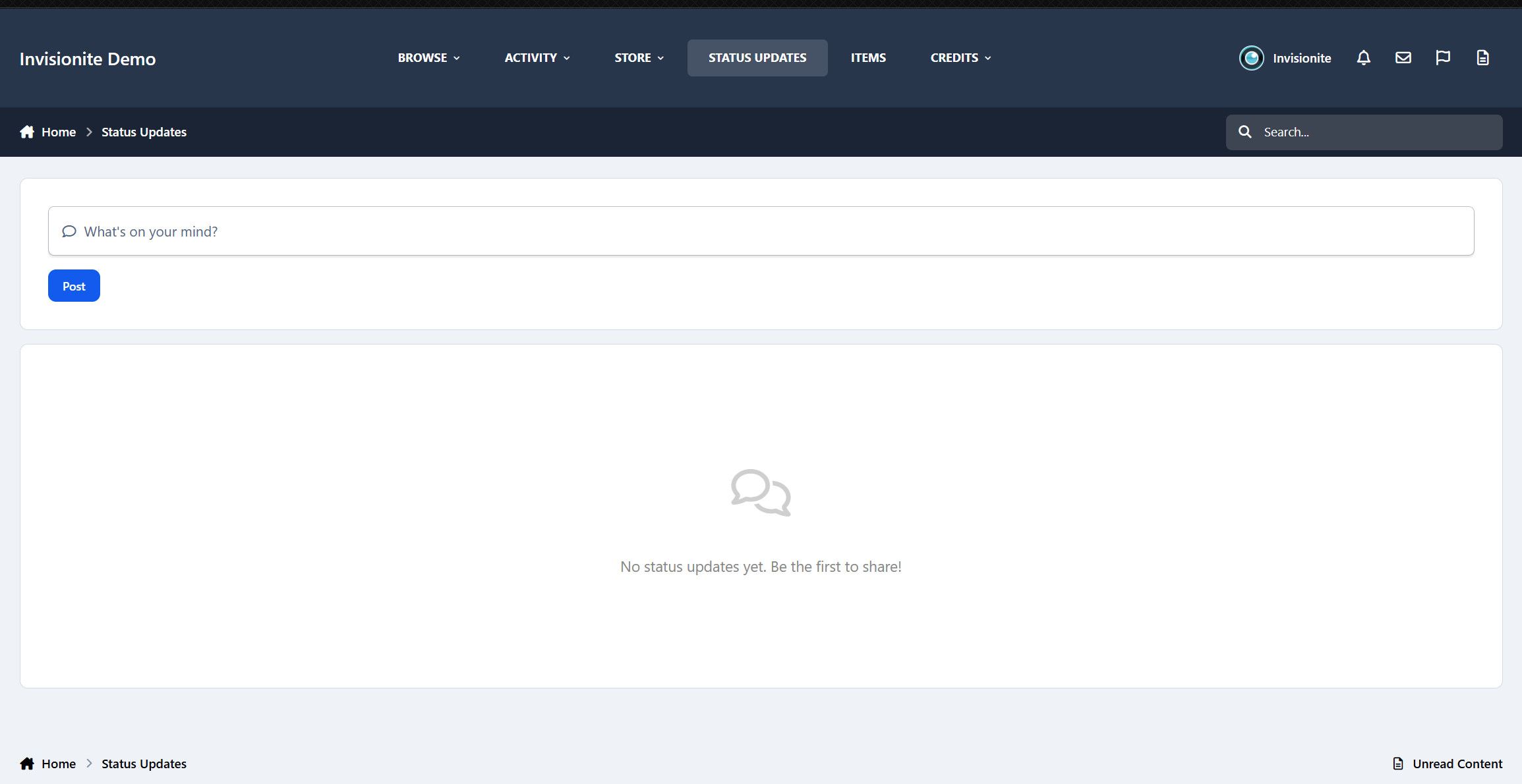
Moment is a premium social microblogging application designed to bring a fast-paced, interactive microblogging experience directly to your IPS site. With a modern, highly engaging interface, Moment empowers your members to share quick thoughts, media, and build lively discussions effortlessly.
Demo: https://demo.ipsappzone.com/moment/
Key Features
Dynamic Feed & Real-Time Updates
A clean, responsive timeline that gathers all community updates in one place.
Fully integrated with RTHub for instant real-time updates (via Pusher/Ably/Centrifugo) without page refreshes.
Infinite scroll support to smoothly load more posts as users browse down the feed.
Threaded Discussions & Reactions
Keep conversations organized with nested replies.
Sort replies by "Recent" or "Top" to easily follow the best discussions.
Full support for native IPS reactions.
Rich Content Creation
Upload photos, galleries, and videos with automatic Grid/Carousel layouts and built-in lightbox support.
Record and attach voice notes directly to posts or replies for a personal touch.
Built-in GIPHY integration to search and insert GIFs instantly.
User mentions (@mention) to tag and notify other community members.
Automatic URL parsing that instantly embeds pasted Invision Community links.
Discovery & Virality
Organize updates with topics and find content easily with built-in search.
Dedicated sidebar widget showcasing the most popular and active topics.
Repost/Share other members' updates to your own feed.
Private bookmark system allowing members to save posts to a personal folder to read, watch, or listen to later.
Privacy Options
Choose who can see your updates with Public or Private (Only Me) settings.
Advanced integration with the Friends application to support "Friends only" posts and a dedicated Friends feed.
Moderation & Group Permissions
Fully customizable member group settings: control who can post, comment, upload media, or record voice.
Includes built-in moderation tools such as post locking, reporting, and hiding content.
Why Choose Moment?
Boosts Engagement: The instant, short-form nature of the feed encourages users to post more frequently than traditional forums.
Mobile-First Design: Fully responsive and optimized for mobile screens, offering an app-like experience.
IPS5.0.0+
Moment is a premium social microblogging application designed to bring a fast-paced, interactive microblogging experience directly to your IPS site. With a modern, highly engaging interface, Moment empowers your members to share quick thoughts, media, and build lively discussions effortlessly.
Demo: https://demo.ipsappzone.com/moment/
Key Features
Dynamic Feed & Real-Time Updates
A clean, responsive timeline that gathers all community updates in one place.
Fully integrated with RTHub for instant real-time updates (via Pusher/Ably/Centrifugo) without page refreshes.
Infinite scroll support to smoothly load more posts as users browse down the feed.
Threaded Discussions & Reactions
Keep conversations organized with nested replies.
Sort replies by "Recent" or "Top" to easily follow the best discussions.
Full support for native IPS reactions.
Rich Content Creation
Upload photos, galleries, and videos with automatic Grid/Carousel layouts and built-in lightbox support.
Record and attach voice notes directly to posts or replies for a personal touch.
Built-in GIPHY integration to search and insert GIFs instantly.
User mentions (@mention) to tag and notify other community members.
Automatic URL parsing that instantly embeds pasted Invision Community links.
Discovery & Virality
Organize updates with topics and find content easily with built-in search.
Dedicated sidebar widget showcasing the most popular and active topics.
Repost/Share other members' updates to your own feed.
Private bookmark system allowing members to save posts to a personal folder to read, watch, or listen to later.
Privacy Options
Choose who can see your updates with Public or Private (Only Me) settings.
Advanced integration with the Friends application to support "Friends only" posts and a dedicated Friends feed.
Moderation & Group Permissions
Fully customizable member group settings: control who can post, comment, upload media, or record voice.
Includes built-in moderation tools such as post locking, reporting, and hiding content.
Why Choose Moment?
Boosts Engagement: The instant, short-form nature of the feed encourages users to post more frequently than traditional forums.
Mobile-First Design: Fully responsive and optimized for mobile screens, offering an app-like experience.

Top Developers

Last reviews

Applications Directory

A complete and convenient directory of applications for Invision Community, with categorization and sorting options.

Ratings and feedback

Only verified and trusted reviews!

Add new Application

Any developer can add their application to this directory.

You need to create account

Configure browser push notifications

Chrome (Android)
  1. Tap the lock icon next to the address bar.
  2. Tap Permissions → Notifications.
  3. Adjust your preference.
Chrome (Desktop)
  1. Click the padlock icon in the address bar.
  2. Select Site settings.
  3. Find Notifications and adjust your preference.