- Category Member Tools
- Downloads 84
- Compatibility IC5: 5.0.x IC4: 4.7.X
- App Version 3.0.5
- Updated
Description
Tired of boring messages spread across your site? Then liven it up by downloading Sticky Notes. This application will allow you, or if you have selected members, to post global Sticky Notes to other members on your board. Users can easily dismiss each Sticky Note and then can even drag and drop them around their screen
Global Sticky Notes ( ACP )
Create and display unlimited global Sticky Notes to your members
Choose which user groups can see each Sticky Note
Add a signature ( username and avatar ) to the bottom of each Sticky Note, allowing members to see who wrote it, as a clickable link to said profile
Choose the colour of each Sticky Note
Choose from 9 different positions to show each Sticky Note
Set an expiry time and date for each Sticky Note with an option to show it until the user dismisses it
Select where to show each Sticky Note from a list of your installed applications, or just to show it everywhere (For example, only show the Sticky Note when users are browsing the forums or the downloads section, etc.)
Use a wide range of tags to engage your members more personally
Global Sticky Notes Front End Admin
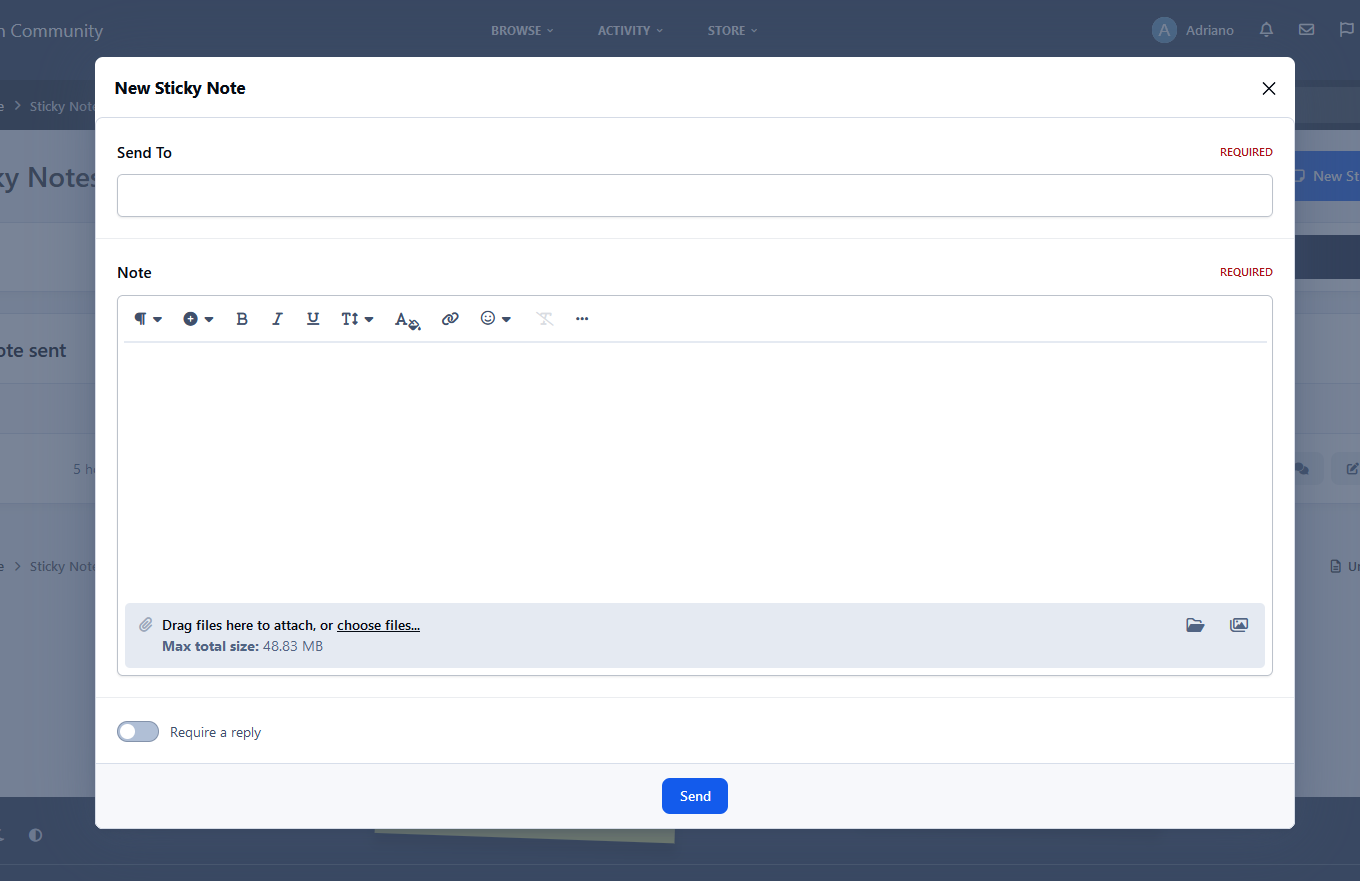
The admin/s can create new global Sticky Notes from the front end via the create menu ( Only admins can use this feature )
Personal Sticky Notes ( MEMBERS )
Allow chosen user groups to send personal Sticky Notes to other members
Members can receive an unlimited number of Sticky Notes
All Sticky Notes are dismissible
All personal Sticky Notes will automatically add the username and avatar unless you have selected in the ACP to allow anonymous Sticky Notes (read ACP Menu below)
Personal Sticky Notes will display the time the note was sent to the member, for example, "just now", " 5 minutes ago", "4 hours ago", "16th July", and so on
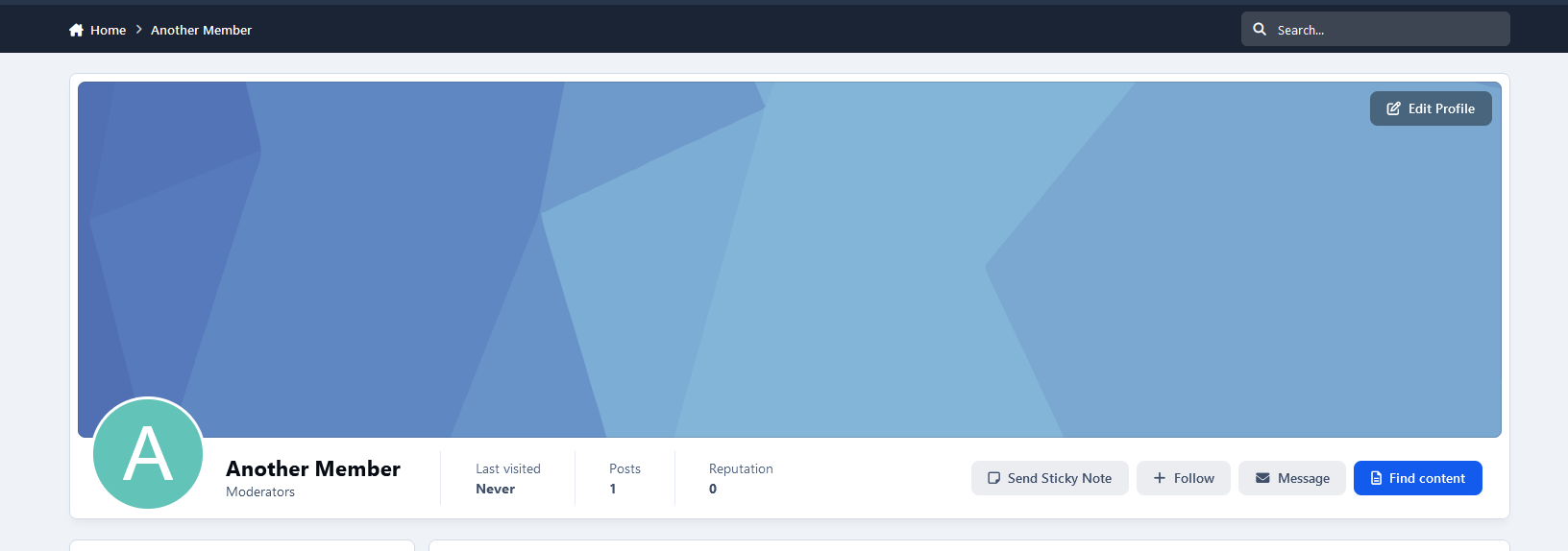
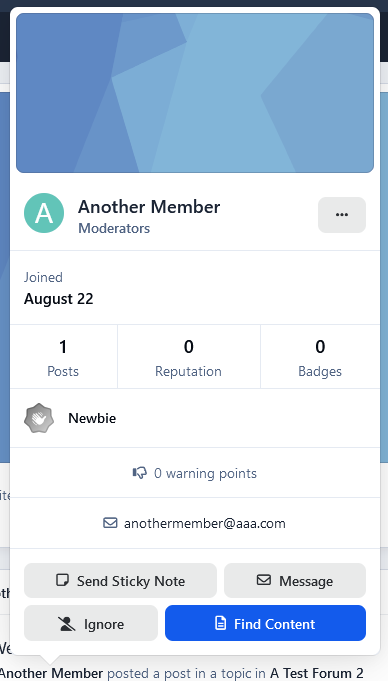
Members can either send Personal Sticky notes to members by their hovercard or via their forum topics
Each (non-anonymous) personal Sticky Note has a reply icon allowing users to reply to other members' notes easily
Front End ( PERSONAL STICKY NOTES )
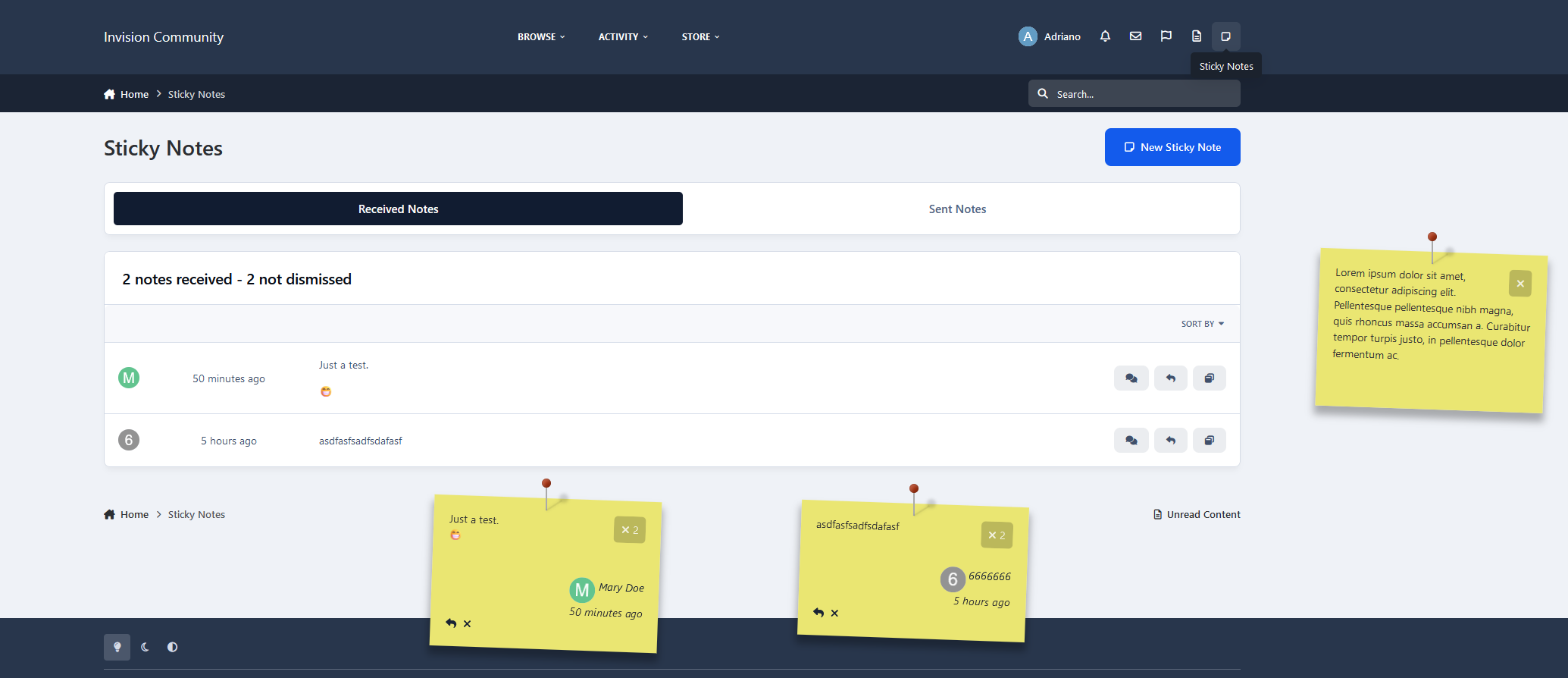
Added a link to the user drop-down menu linking to the new tables listed below
Shows a table listing all the members who received Sticky Notes, with the ability to restore the note, bringing it back to life
Shows a table listing all the members who sent Sticky Notes, with the ability to edit and resend or just resend the Sticky Note, and it also shows if the user has dismissed the Sticky Note
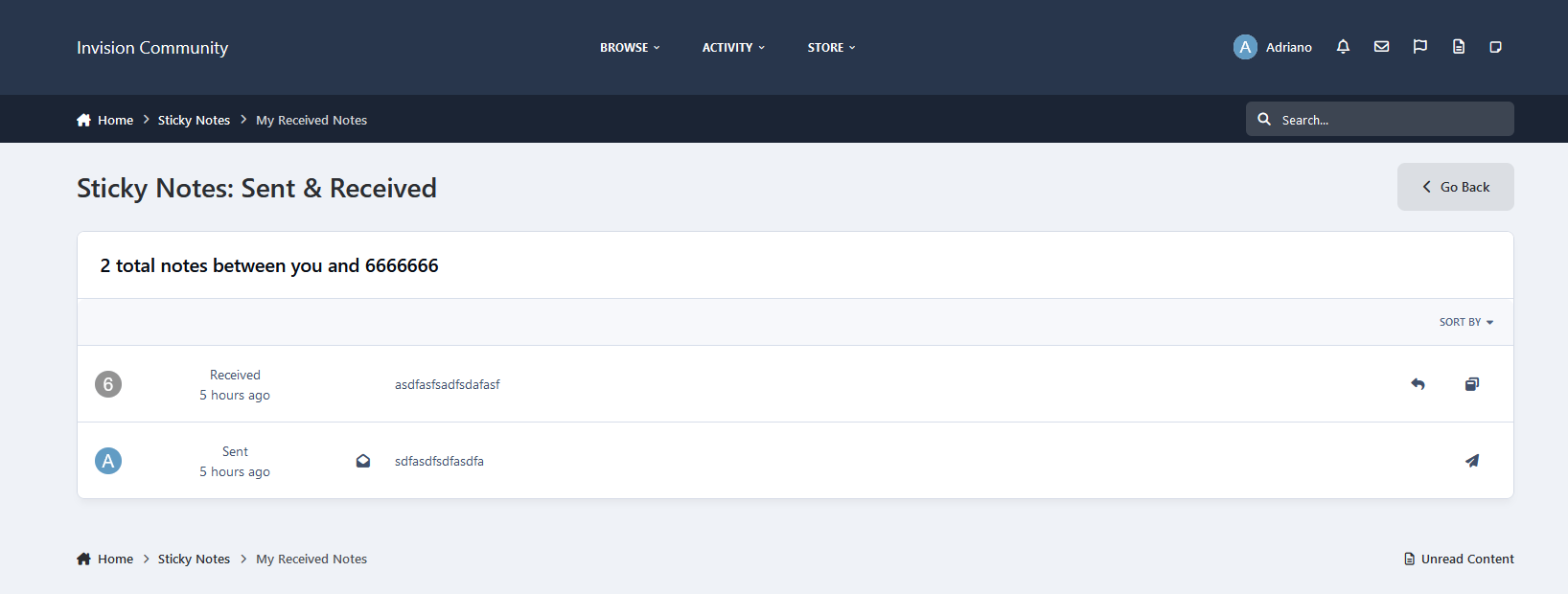
Members can view all their sent and received Sticky Notes between them and the X member
All tables can be sorted by time and date, and also have an advanced search for members or a time and date stamp
Widgets
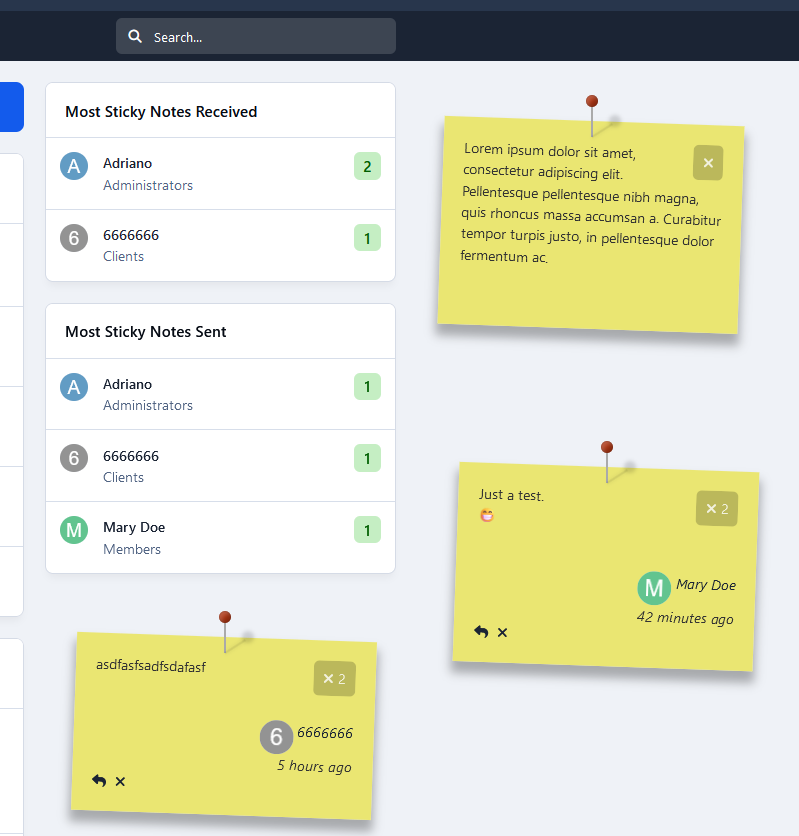
Show a widget with a list of members who have sent the most Sticky notes
Show a widget with a list of members who have received the most Sticky Notes
ACP Menu
Sticky Notes (Global, including personal)
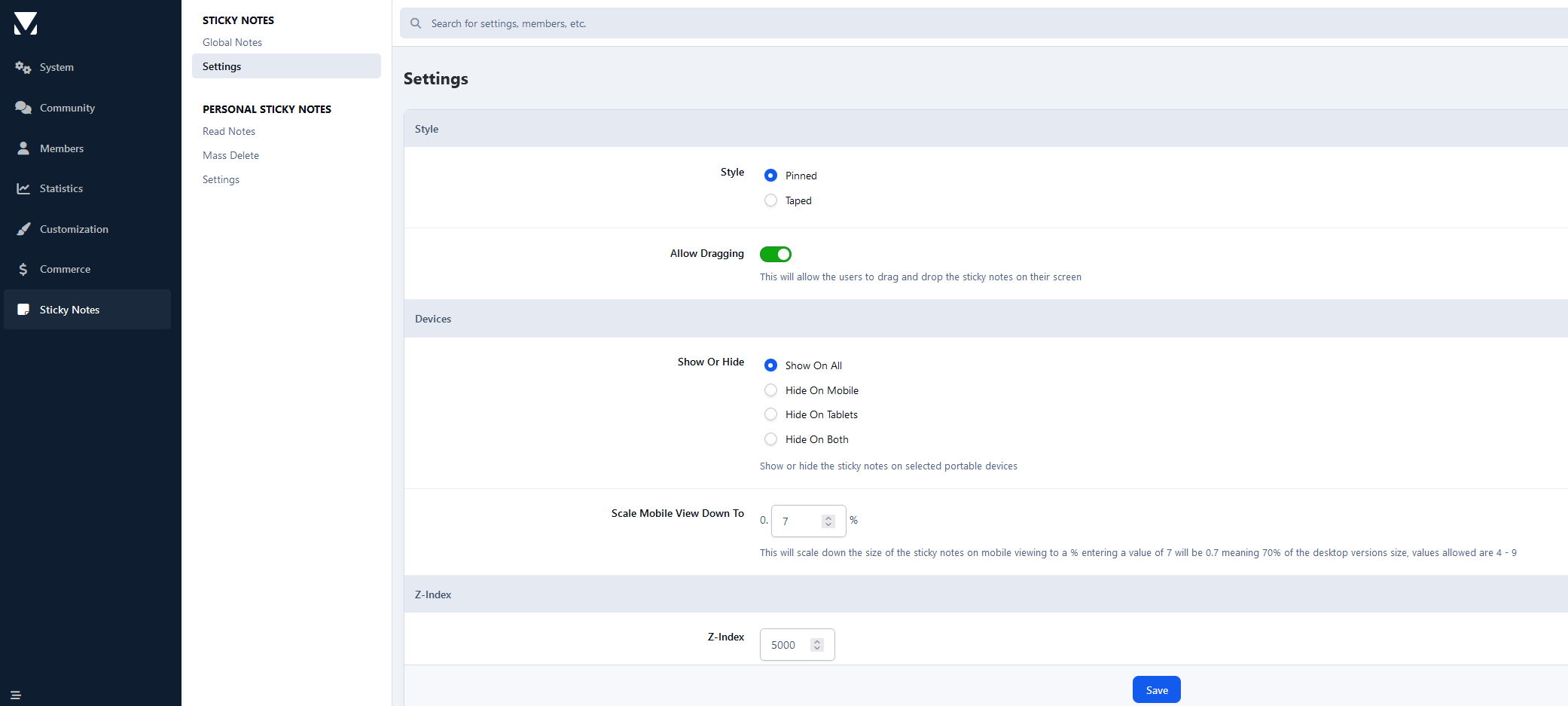
Choose to use either a pin or a bit of sticky tape to hold the Sticky Note
Choose to show or hide Sticky Notes on mobile or tablet devices
Change the z-index of the Sticky Notes ( This is only needed for some custom themes you might have installed )
Allow users to drag and drop the Sticky Notes around their screen by hovering over the pin and dragging the Sticky Note
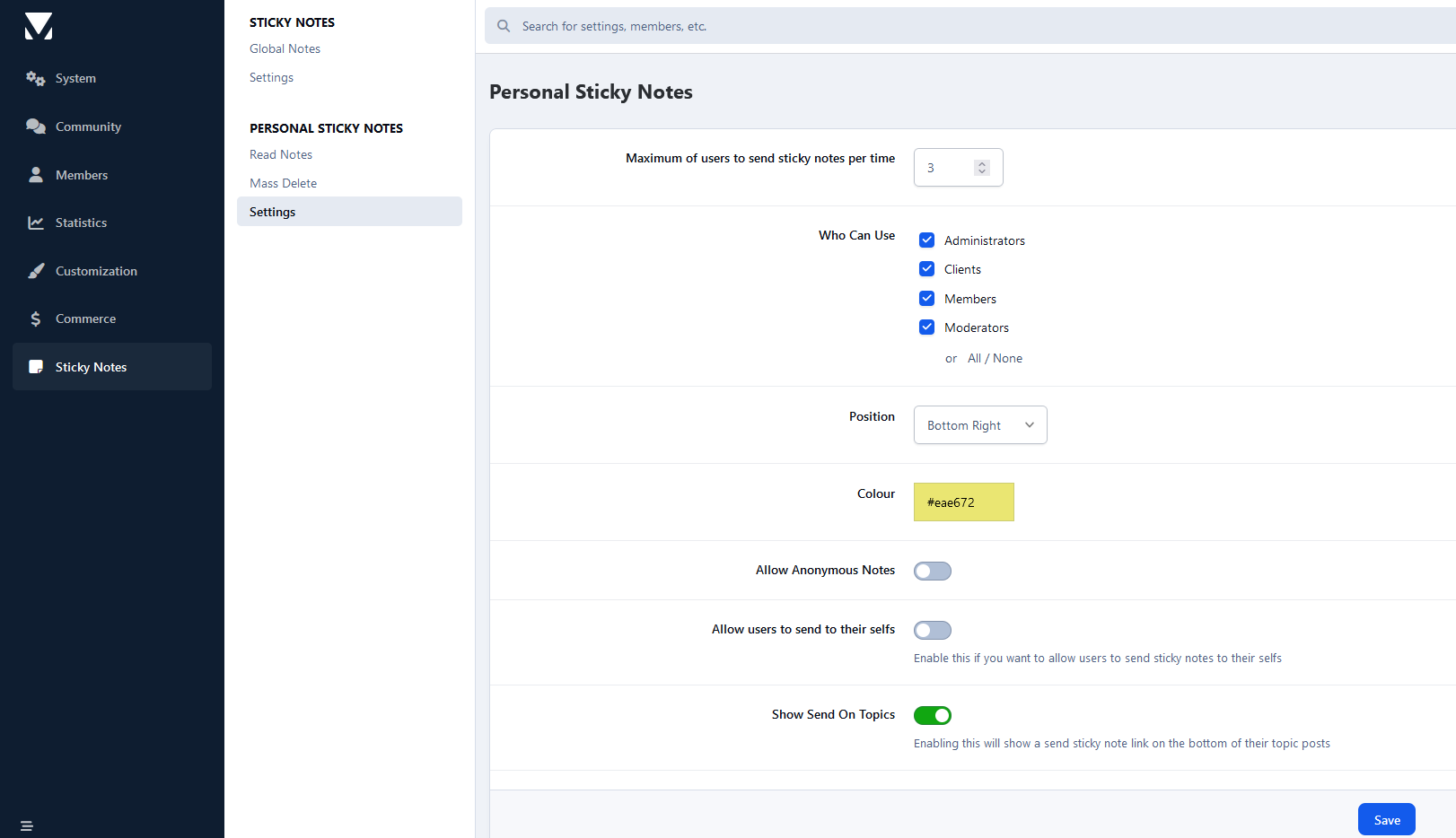
Personal Sticky Notes
Allow members to send anonymous Sticky Notes to other members (admin can view all Sticky Notes in the ACP, read below)
Read all the Sticky Notes sent by members in a nice and tidy table, and you (being the admin) can even view the sender if they sent it anonymously
Select which member groups can use personal Sticky Notes
Choose from 9 different positions to place the Sticky Notes
Mass delete Sticky Notes by either "ALL", "READ", or "UNREAD", by individual members, or by chosen user groups
Choose the colour of personal Sticky Notes
Member Group ACP
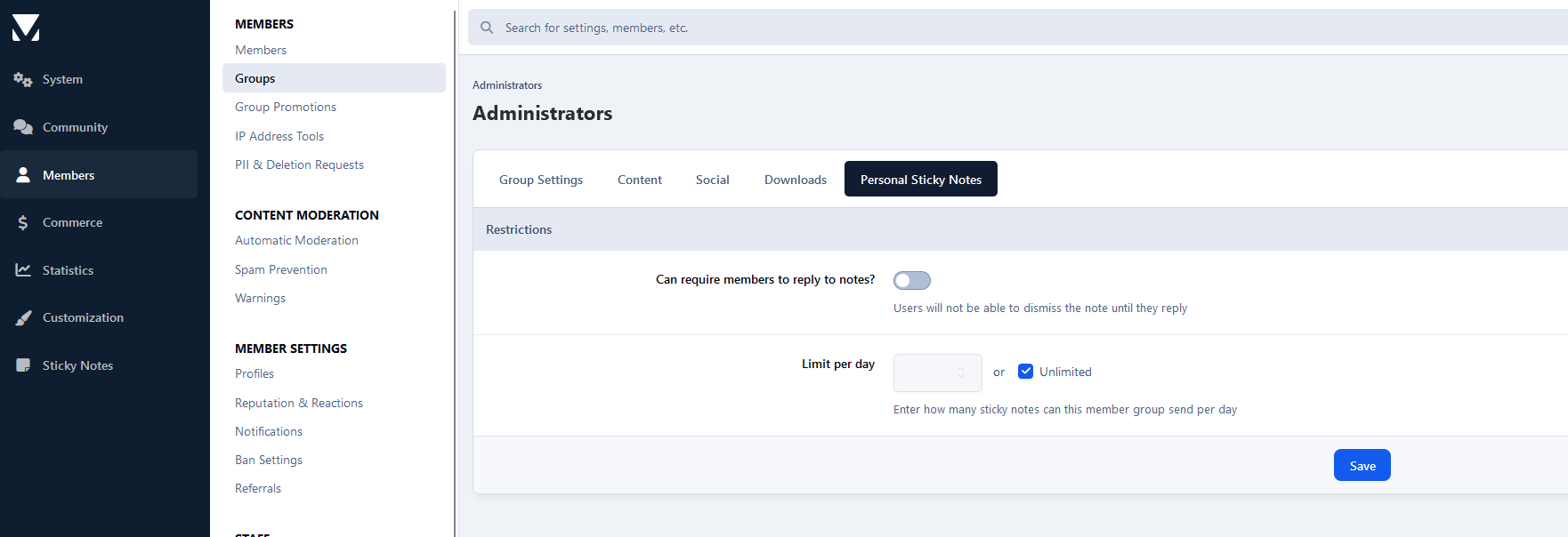
Choose how many personal Sticky Notes each member group can send per day, with an unlimited option
Members Restrictions ACP
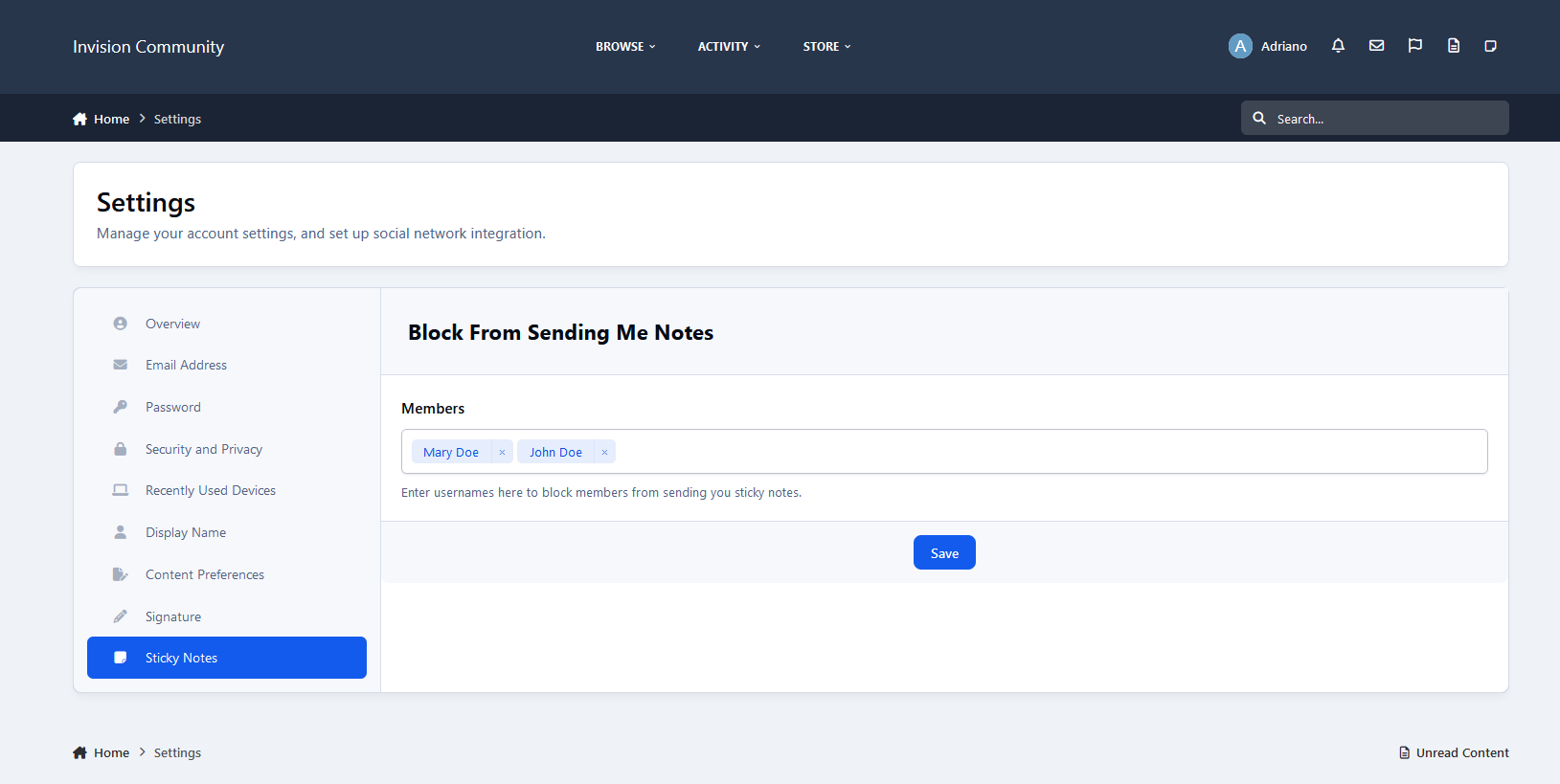
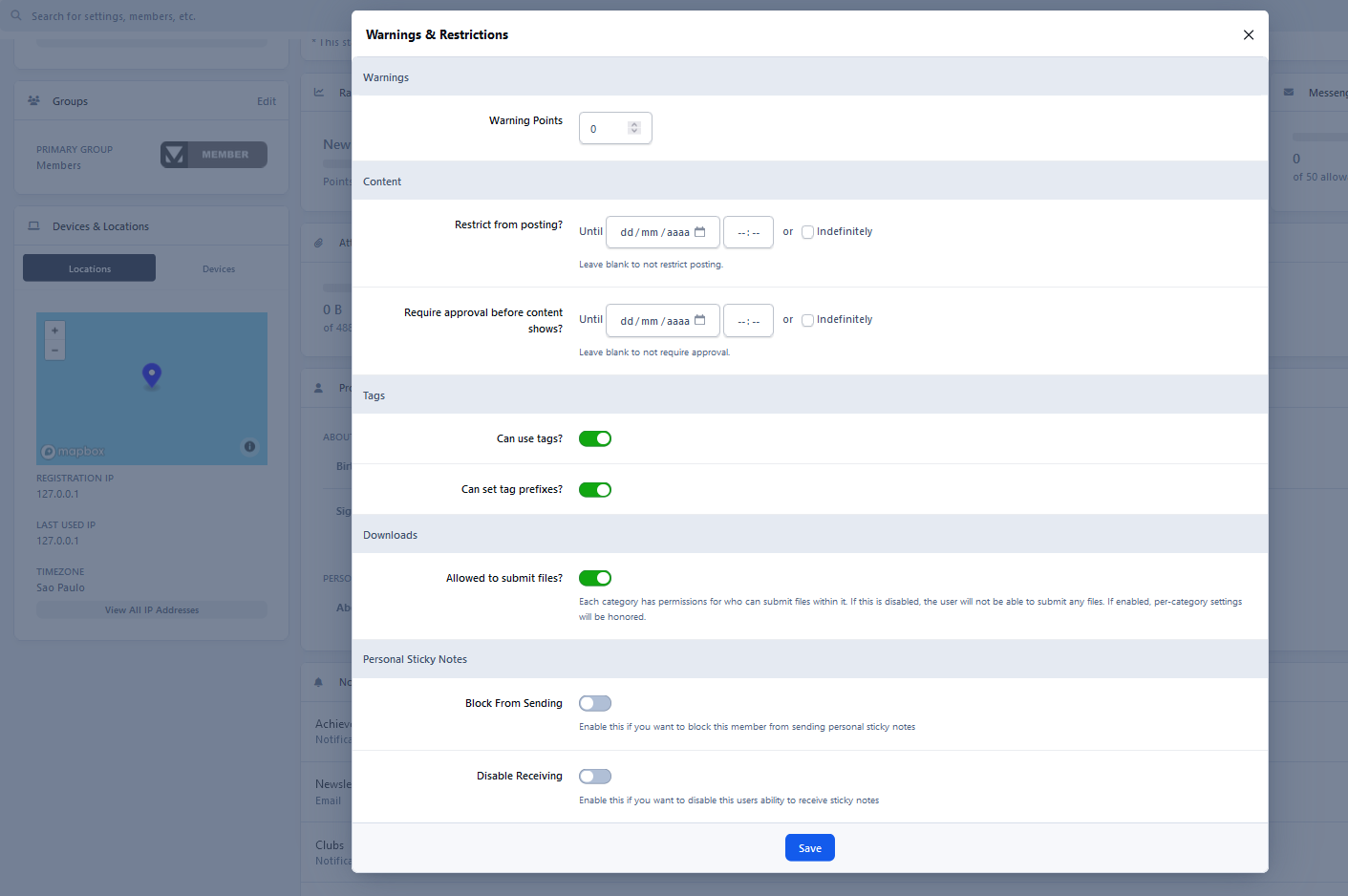
Block individual members from using personal Sticky Notes
Block individual members from receiving Sticky Notes
Create an account or sign in to leave a review
There are no reviews to display.