Typesense Search
Invision Community 5
- Category Member Tools
- Downloads 18
- Compatibility IC5: 5.0.0+
- Updated
Overview
Community search should feel like the search bar on a modern app: results the moment you start typing, and the right answer even when the word is misspelled. Typesense Search brings that to Invision Community, powered by the open-source Typesense engine running on your own server. Typical searches return in under 50 milliseconds — on a test community, 2ms.Description
Typesense Search — instant results, typos forgiven
Community search should feel like the search bar on a modern app: results the moment you start typing, and the right answer even when the word is misspelled. Typesense Search brings that to Invision Community, powered by the open-source Typesense engine running on your own server.
Typical searches return in under 50 milliseconds — on a test community, 2ms.
What your members get
Typo tolerance. Search for "instalation" and still find every post about installation. Adjustable from forgiving to exact.
Instant results. Matching content appears as they type, before they press enter.
Filter by content type. Topics, posts, files, gallery images, blog entries — counted and filtered in a sidebar, so a busy result set narrows in one click.
Highlighted matches. Results show the phrase in context with the matched words marked, so members can see at a glance which result they want.
What you get
It indexes everything, automatically. Rather than hooking each application one by one, the app mirrors Invision Community's own search index — so every content type your community has installed is covered, including ones you add later.
Permissions are never guessed. Each document carries Invision Community's own permission tokens, and every search is filtered against the member's real access. Members see exactly what they are allowed to see and nothing more.
Keeps itself in sync. A background task pushes new and updated content every few minutes, removes content that has been deleted, and can rebuild the whole collection on demand.
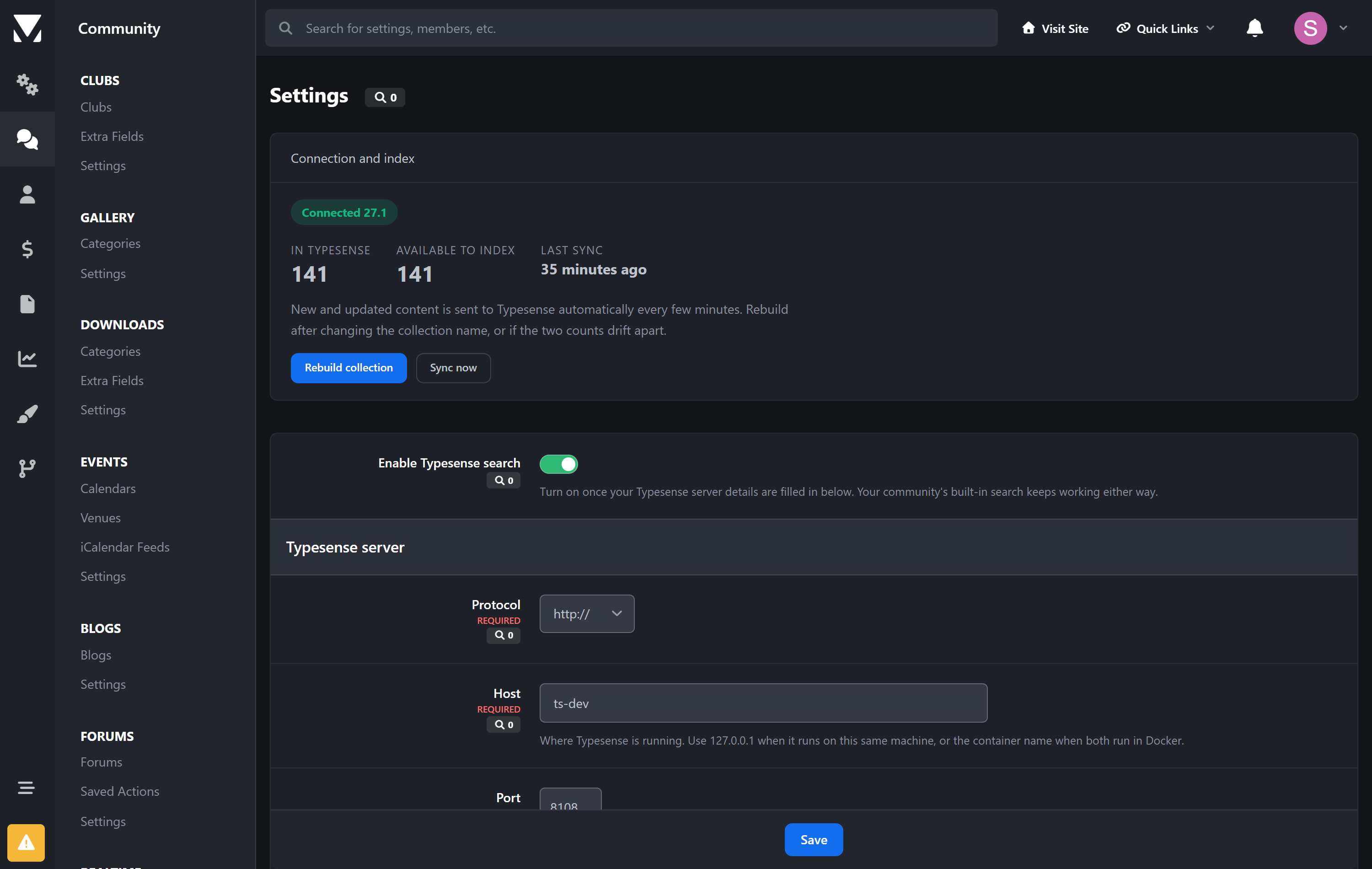
A status panel that tells the truth. Connection state, Typesense version, documents indexed versus documents available, and time of last sync — all on one screen.
Your community keeps working
This app runs alongside your community's built-in search rather than replacing its internals. Switch on Use for the main search page and members who search are taken to the Typesense results page; switch it off and everything reverts to stock instantly. If the Typesense server is ever unavailable, your community carries on exactly as before.
That also means it is completely upgrade-safe: no core file is modified, so an Invision Community update can't break it and can't silently switch it off.
Requirements
Invision Community 5.0 or newer (self-hosted)
A Typesense server reachable from your community — it runs comfortably in a single small Docker container alongside your site, or on Typesense Cloud
An admin API key for that Typesense server
Setup is a few minutes: point the app at your server, save, and press Rebuild collection.
Why Typesense
Invision Community ships with MySQL search and supports Elasticsearch. Typesense sits between them — dramatically faster and more forgiving than MySQL, while being far lighter to run than Elasticsearch. It is open source, it is a single binary, and it will happily run in a few hundred megabytes of memory next to your community.
Create an account or sign in to leave a review
There are no reviews to display.