(M.A.C.) Multiple Accounts Checker
Invision Community 5
- Category Admin & Mod Tools
- Downloads 45
- Compatibility IC5: 5.0.0+
- Updated






Overview
Multiple Accounts Checker is a powerful security tool for Invision Community Suite v5 that detects and prevents multiple account registrations using advanced multi-layered tracking technology.Description
(M.A.C.) Multiple Accounts Checker
Overview
Multiple Accounts Checker is a powerful security tool for Invision Community Suite v5 that detects and prevents multiple account registrations using advanced multi-layered tracking technology.
Detection Methods
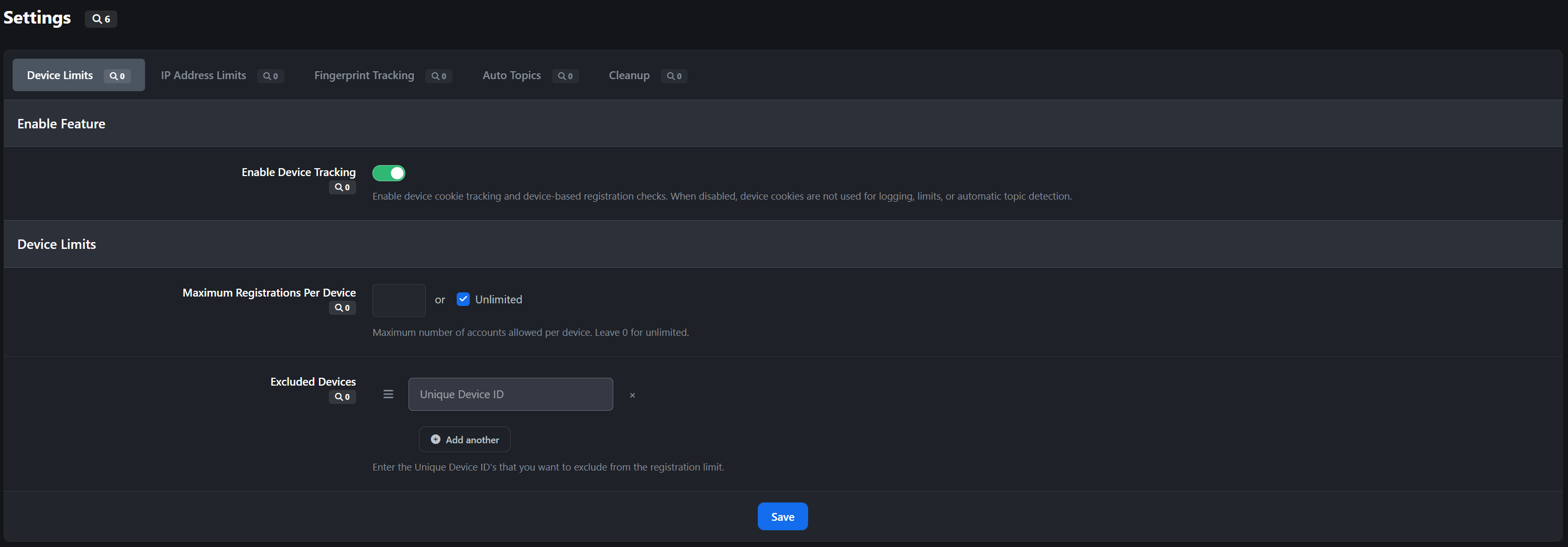
Device Cookie Tracking
Assigns unique persistent cookies to each device
Tracks device fingerprints and user agent information
1-year cookie expiration for long-term monitoring
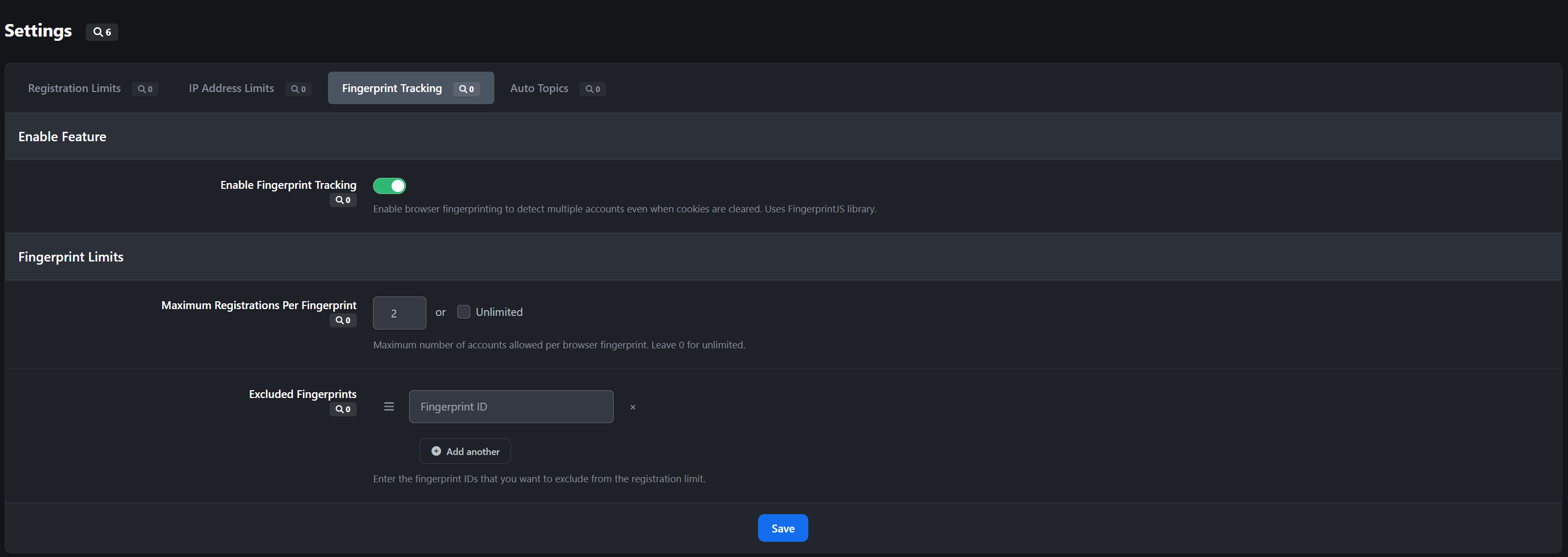
Browser Fingerprinting
Integrates FingerprintJS v4 for advanced browser identification
Persists across cookie clearing and incognito mode
Optional feature with independent enable/disable
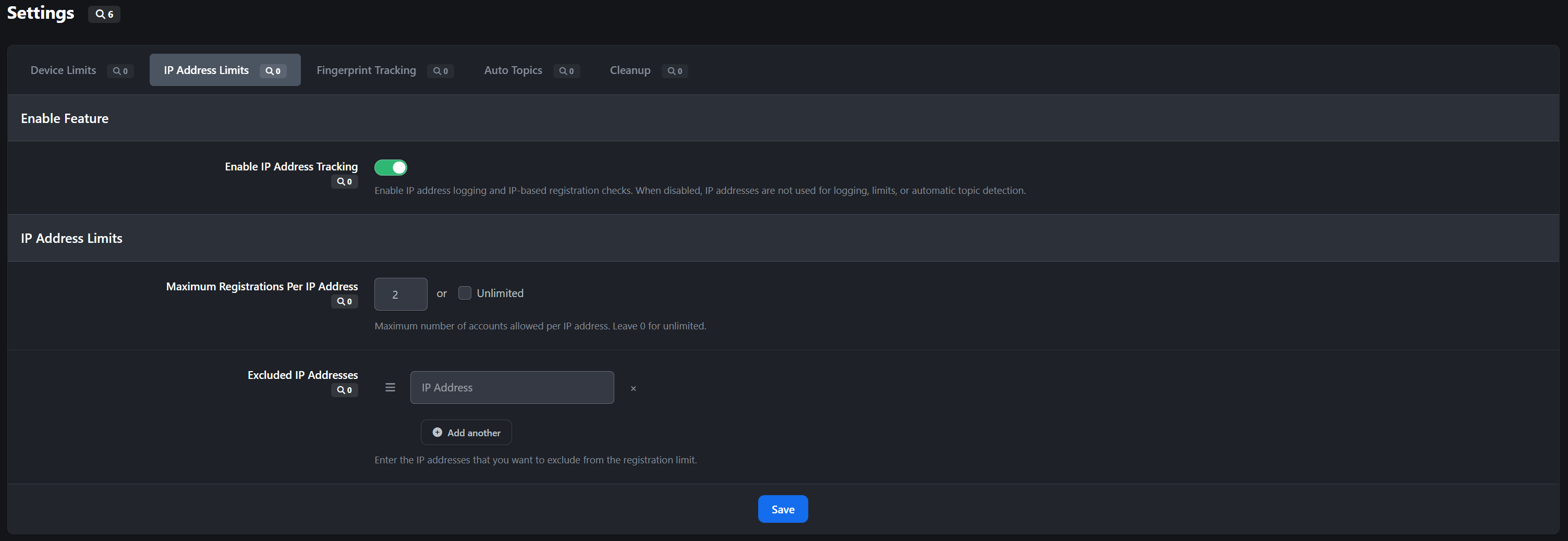
IP Address Monitoring
Tracks registration IP addresses
Supports IPv4 and IPv6
Cross-references with existing accounts
Registration Prevention
Set maximum accounts per device, fingerprint, or IP address
Configurable exclusion lists for whitelisting
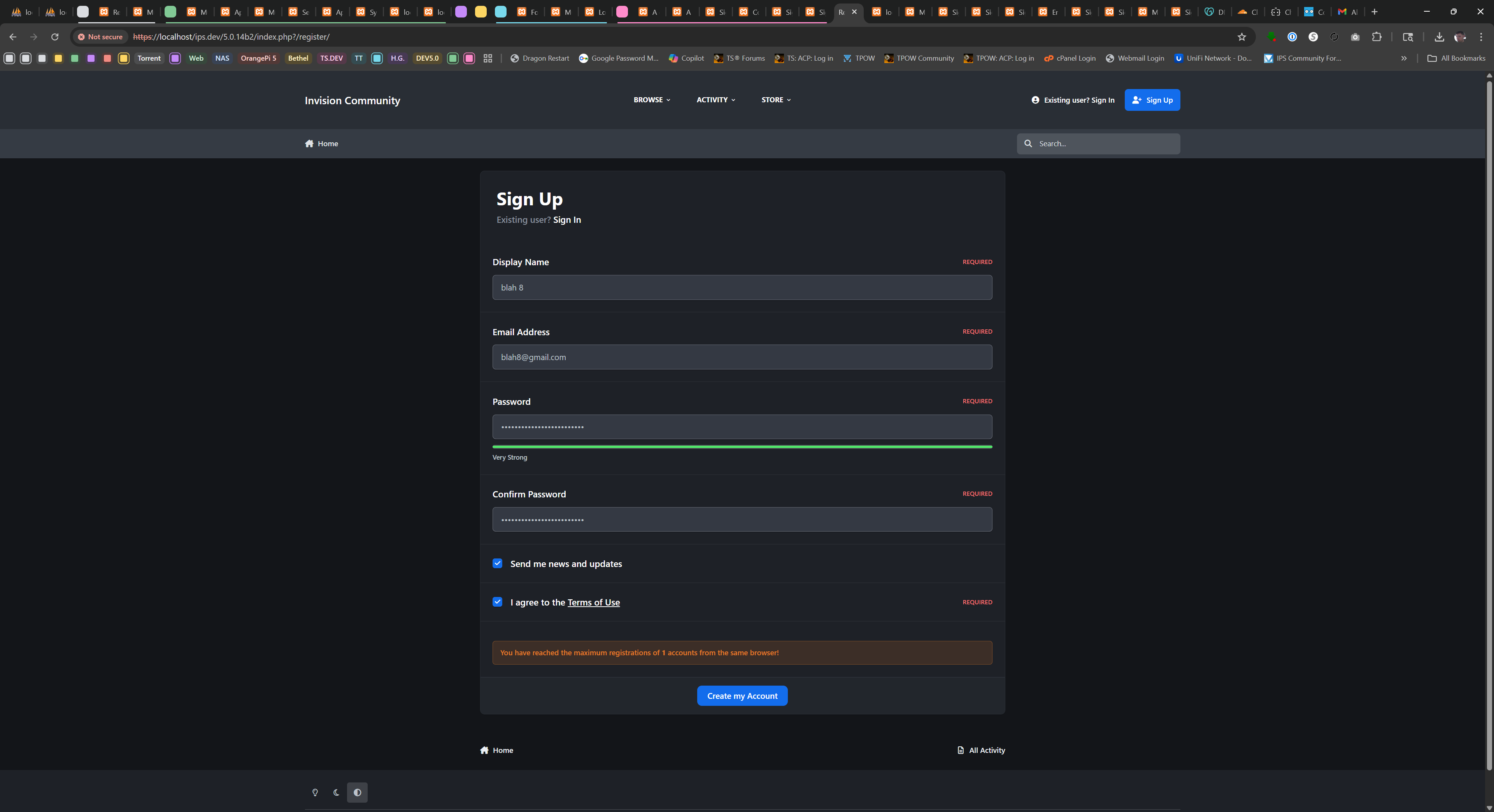
Real-time validation during registration
Clear error messages for blocked registrations
Frontend-only validation (doesn't affect ACP or logins)
Administrative Tools
Monitoring Dashboards
Cookie ID Management: View shared devices and associated accounts
Fingerprint Management: Track shared browser fingerprints
IP Address Management: Monitor shared IP addresses
Toggle between "Shared" and "Single" account views
Search, filter, and delete capabilities
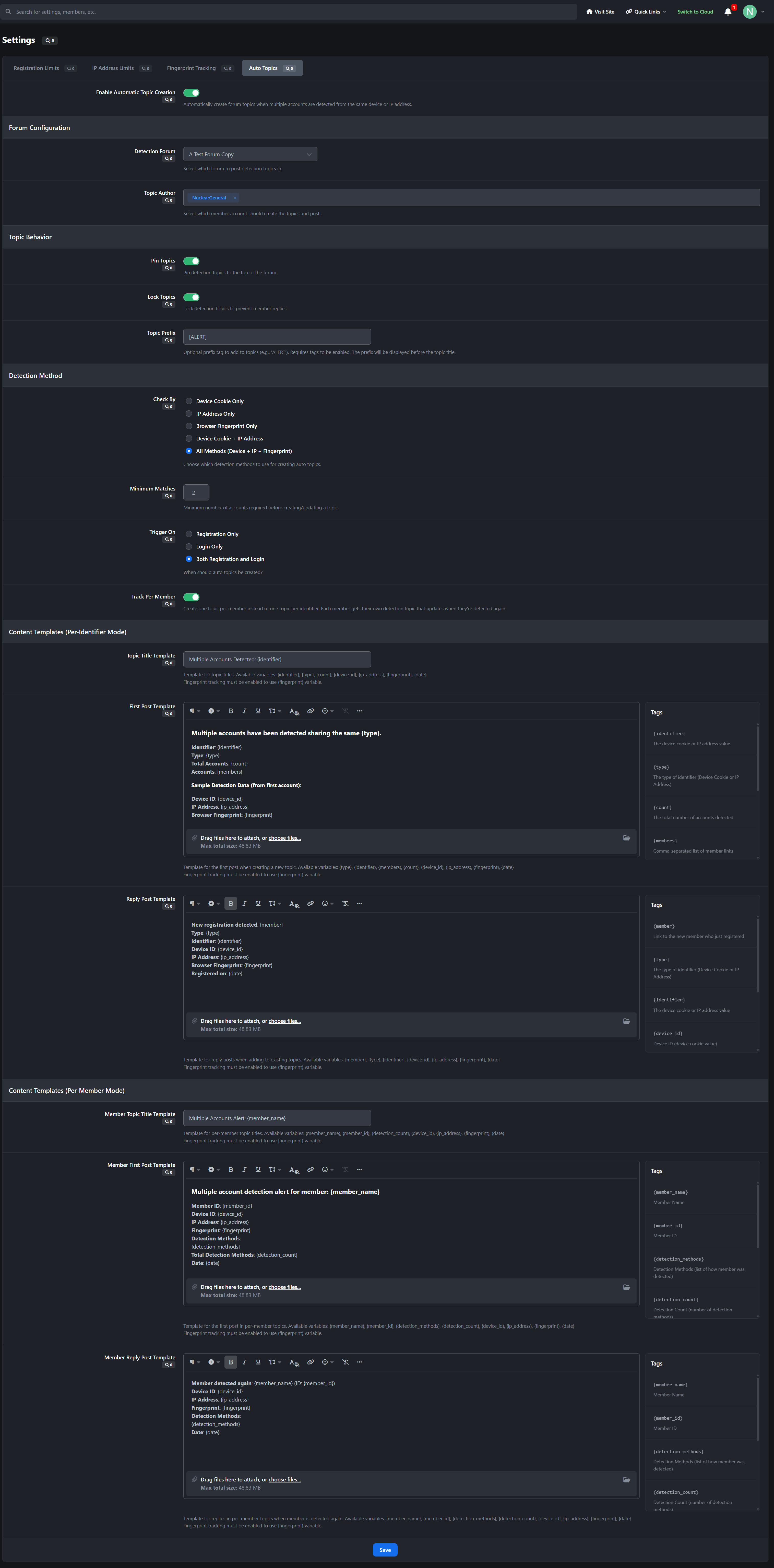
Automatic Topic Creation
Two Tracking Modes
Per-Identifier: One topic per device/IP/fingerprint
Per-Member: One topic per suspicious member
Detection Options
Track by device cookie, IP address, fingerprint, or combination
Trigger on registration, login, or both
Set minimum account threshold before creating topics
Topic Configuration
Choose detection forum and topic author
Auto-pin and auto-lock options
Custom topic prefixes
Fully customizable templates with dynamic variables
Key Features
✅ Three independent detection methods
✅ Configurable registration limits with unlimited option
✅ Exclusion lists for trusted devices/IPs/fingerprints
✅ Automated staff alerts via forum topics
✅ Comprehensive admin monitoring tools
✅ Granular permission system
✅ Frontend-only tracking (no ACP interference)
✅ Clean uninstall with full data removal
✅ IPS v5 native with modern architecture
Use Cases
Prevent spam account creation
Detect ban evasion attempts
Identify sockpuppet accounts
Monitor suspicious registration patterns
Maintain community security and integrity
Protect your community with comprehensive multiple account detection for Invision Community Suite v5.
Version Updates
Version 2.0.2
Added
- Per-member auto-topic template variables:
-
{matched_members}for the full matched member list with front-end profile links-
{matched_members_plain}for a plain-text matched member list-
{matched_members_short}for compact title output such asname1, name2 (+3)-
{matched_member_count}for the total matched member count
- Added a normalized per-member detection-state snapshot to support reply deduplication.
- Added ACP member links in M.A.C. report tables so usernames now open the related ACP member page.
IMPROVED
- Per-member forum report defaults now include the matched member list directly in report content.
- Per-member topic titles now use a more moderator-friendly compact matched-member summary by default.
- Per-member template help text and editor tag menus now document the richer matched-member variables.
FIXED
- Fixed per-member auto-topic detection so fingerprint-only matches are no longer missed when the fingerprint is first stored by the deferred AJAX save.
- Fixed duplicate per-member forum replies being generated when the detected match state has not changed.
- Fixed M.A.C. ACP report tables so member names are no longer rendered as plain text where ACP member links are available.
Version 2.0.1
Added
Added
mac_registration_enabledto let admins disable device-cookie tracking and device-based registration checks.Added
mac_ipaddress_enabledto let admins disable IP logging and IP-based registration checks.Both settings default to enabled during upgrade so existing communities keep current behavior until changed in ACP.
Improved
What was added
- Retention settings for cookie IDs, IP addresses, and fingerprints.
- A reusable cleanup manager used by both the scheduled
MACCleanuptask and ACP sidebar actions.-
Task Settings,Prune Now, andDelete Nowsidebar buttons on the device, IP, and fingerprint log controllers.-
first_seenandlast_seentracking onmultipleaccountscheck_devicesso cookie/IP retention is based on actual activity timestamps.
Cleanup behavior
-
Prune Nowdeletes only rows in the current view that are older than that view's configured retention period.-
Delete Nowdeletes all rows in the current view immediately.- Shared views operate on identifiers used by more than one distinct member.
- Single views operate on identifiers used by exactly one distinct member.
Legacy data
- Existing device/IP rows created before
last_seenexisted will have0until that member/device combination is seen again.- Cleanup treats those legacy rows as stale so they can be cleared by prune actions or the scheduled task.
-
 1
1
Create an account or sign in to leave a review
There are no reviews to display.