Admin & Mod Tools
-
IPS5.0.0+
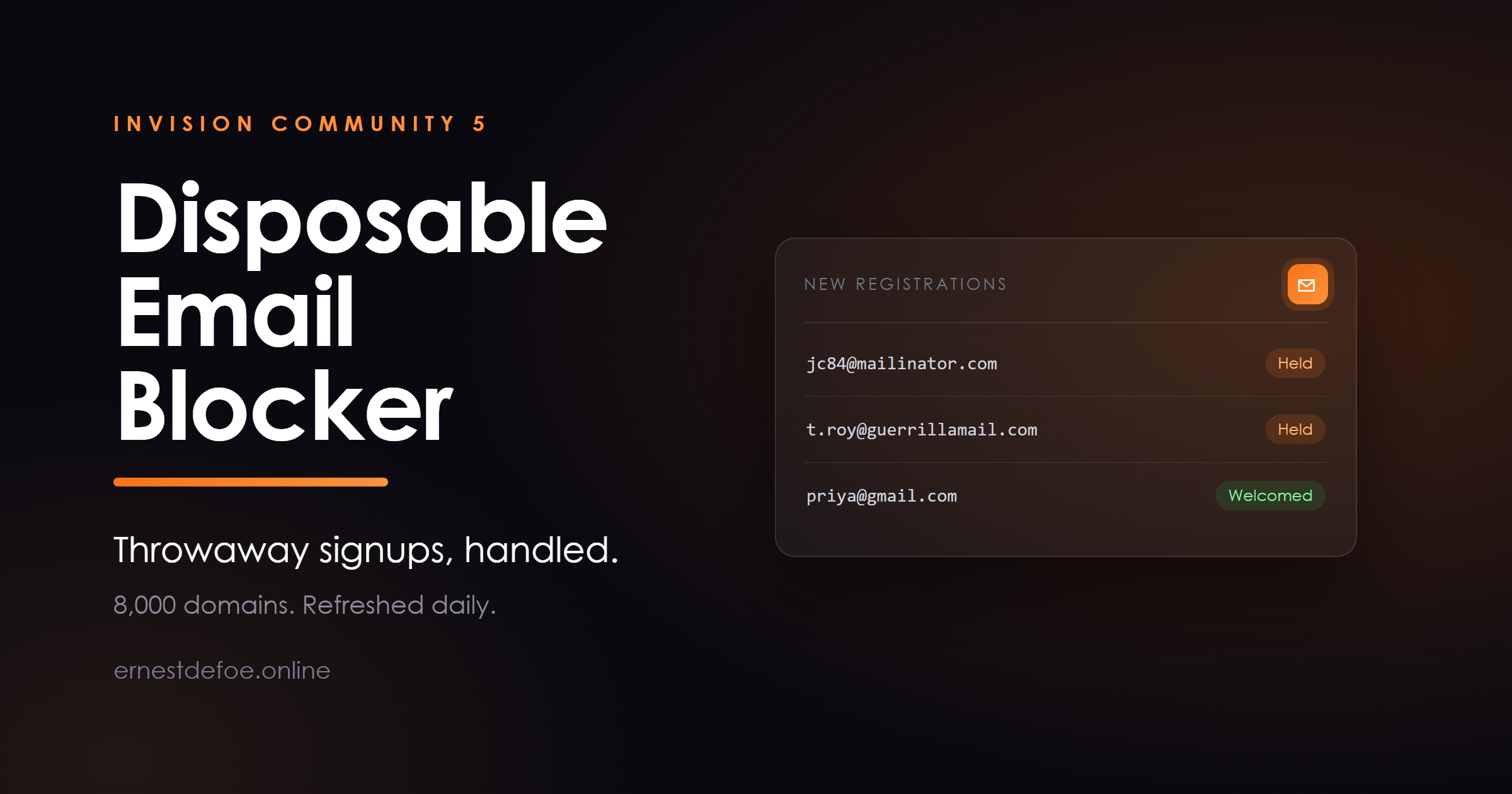
Disposable Email Blocker — stop throwaway signups
Ten-minute mailboxes are how a banned member comes back, how one person becomes fifty accounts, and how a spam run gets its foothold. Invision Community has no idea those domains are different from anybody else's.
This knows about eight thousand of them, keeps the list current by itself, and decides what happens the moment such an account is created.
What it does
Recognises throwaway domains. A maintained public blocklist, fetched at install and refreshed daily, so a service that launched last week is caught this week. You choose the response. Hold the account for approval, ban it outright, or record it and do nothing — useful for watching what arrives before you act on it. Your list beats the public one. Add domains it misses, and mark domains it is wrong about as always allowed. A refresh never touches either. Blocking a domain blocks its subdomains. One entry for example.com covers mail.example.com without listing every variation by hand. Shows you what it caught. A panel of counts and the recent catches, so you can tell whether the rule is right rather than trusting that it is. Holding for approval is the default, on purpose
Not everybody using a forwarding address is a spammer. Plenty of careful people sign up to a new forum with a throwaway address precisely because they do not know you yet, and some of them become your best members.
So the default is to hold the account for a human, not to ban it. You get to look. Ban is there when you want it, and there is a third setting that changes nothing at all and simply keeps a record — the honest way to find out what your signups actually look like before you start turning people away.
It acts when the account is created, not at the signup form
Worth being straight about, because it is visible to you: Invision Community 5 provides no way for an application to refuse a registration while the form is being filled in. The account is created, and this acts on it immediately afterwards.
That is not a workaround — it is the better place to stand. It means the check also covers registrations that never touch the form: social and OAuth logins, and anything created through the REST API. A guard bolted onto the signup form would miss all of them, which is exactly where a determined spammer goes next.
Built not to get in the way
A fault never blocks a real signup. If the database is unhappy, the check is skipped rather than failing closed. A spam tool must never be the reason somebody cannot join your community. A bad download cannot empty your blocklist. If the source returns a suspiciously small list, it is treated as a failed fetch and the existing list is kept. Existing members are never touched. It only ever looks at an account as it is created. The log records the domain, never the address. You do not need a file of other people's email addresses to decide whether a rule is working. Requirements
Invision Community 5.0 or newer, self-hosted Outbound access to fetch the blocklist — or add domains by hand and turn the refresh off, which works perfectly well on a closed network Built to be safe
It adds two small tables, hooks no templates, and never edits a core file. Everything it does happens on the member-created event, wrapped so that no fault of its own can surface to the person registering.
Version 1.0.0 · Invision Community 5 · self-hosted
-
IPS5.0.0+
LaTeX Maths — proper equations in any post
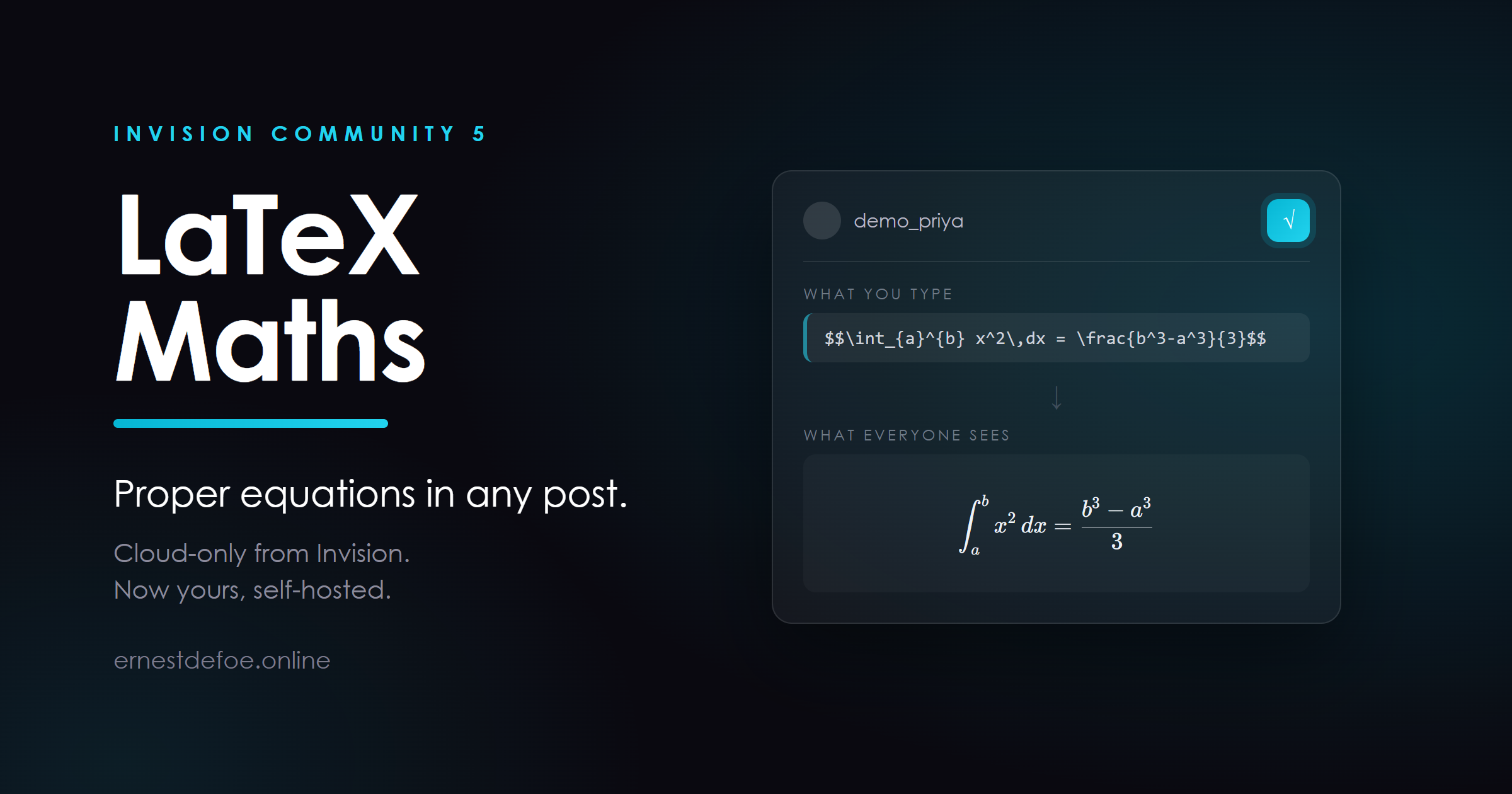
Members write LaTeX. Your community renders it. An integral looks like an integral, a matrix looks like a matrix, and a fraction stops being (a+b)/(c+d) typed in despair.
Invision Community offers LaTeX support on its Cloud plans. On a self-hosted Classic licence it is not available at any price. This is that feature, for the licence you already own.
What it does
Renders maths anywhere content is shown. Forums, Pages, Blog, Clubs, comments — one pass covers them all, because it works on the rendered page rather than hooking each application in turn. Display and inline. $$ … $$ gives a centred equation on its own line; \( … \) sets maths inside a sentence, so a variable can sit in the middle of a paragraph without breaking the line. An editor button. Members who do not know the syntax press it, get the delimiters, and type between them. Nothing to sign up for. No API key, no service, no per-equation cost. The renderer ships inside the application and runs in the reader's browser. It renders when the page is shown, not when the post is saved
This is the decision the whole application turns on, and it is worth understanding before you buy.
Your posts keep the notation exactly as it was typed. Nothing is rewritten in your database, so a member editing a two-year-old post edits what they wrote rather than a wall of generated markup — and if you ever switch the application off, or remove it, every post simply shows its notation again. There is no migration, and nothing to unpick.
The things that usually go wrong, and do not here
Money stays money. Treating a single $ … $ as maths is off by default, because "it cost $5 and then $10 more" is a sentence, not an equation. Turn it on if yours is a maths or science community where that trade makes sense; \( … \) does the same job with no ambiguity. Code stays code. Anything inside a code block is left alone, so a member explaining LaTeX is not silently rendered by the thing they are explaining. A typo does not take the page down. Malformed notation shows in red, in place. Every other equation on the page still renders. A pasted thesis cannot hang a browser. There is a ceiling on how many equations one post will typeset. Past it, the notation is left as text rather than rendered. Requirements
Invision Community 5.0 or newer, self-hosted Nothing else. No account, no key, no external service, and no outbound connection — the maths renderer is bundled and served from your own site, so it works on a closed network and under a strict content security policy Built to be safe
Rendering is done by KaTeX, the typesetting library used by Khan Academy, and it runs with the LaTeX commands that can reach outside a post — \href and friends — switched off, so a member's equation cannot become a link out of your community.
It is upgrade-safe: it adds no database tables, hooks no templates, and never edits a core file.
Version 1.0.0 · Invision Community 5 · self-hosted
-
IPS5.0.0+
Version 1.3.0 Release Notes
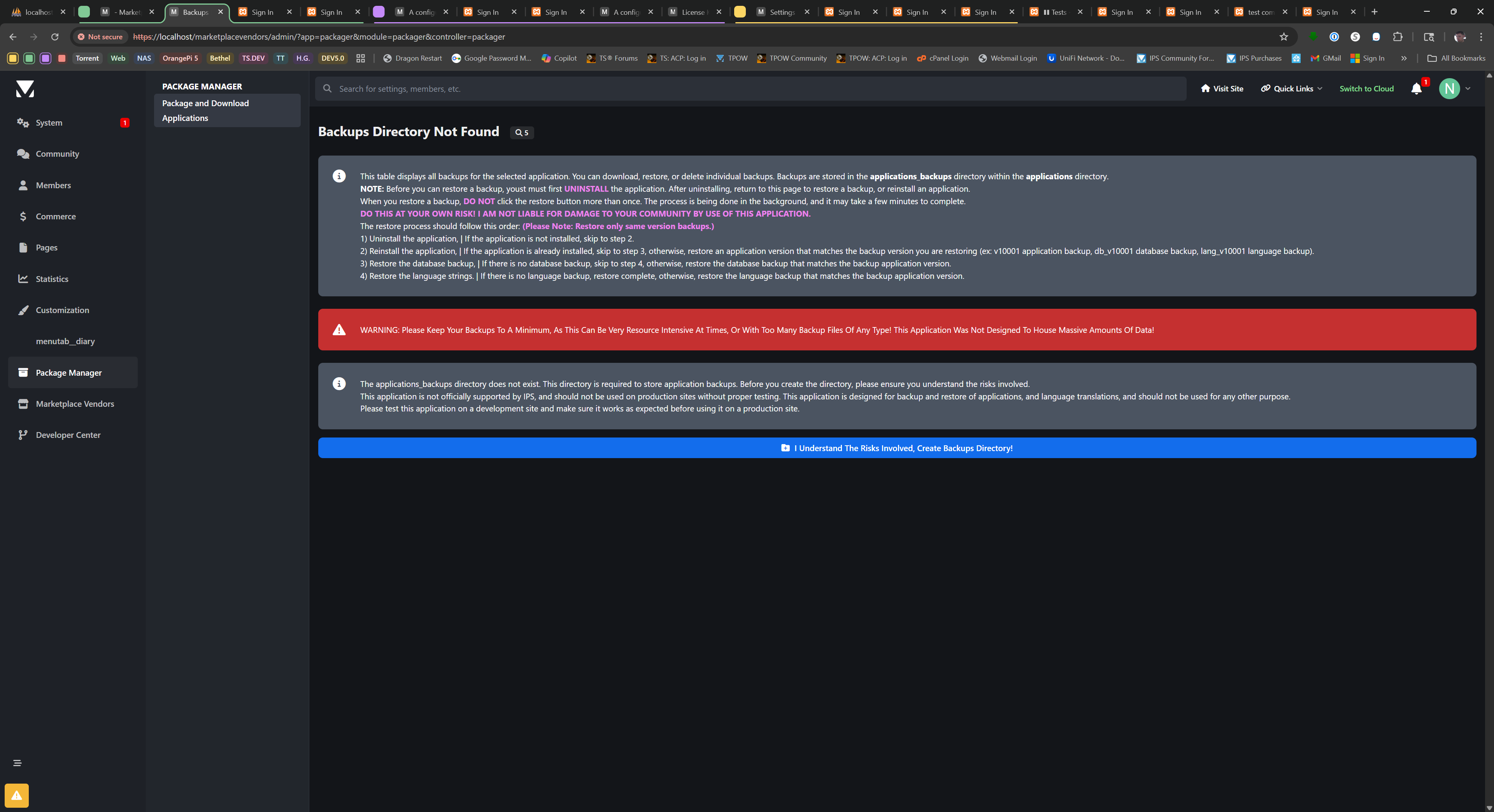
Package Manager for Invision Community
Description
Package Manager is a powerful administrative tool for Invision Community that simplifies the process of managing, backing up, and transferring applications between different ICS instances. Designed with administrators and developers in mind, this application provides a comprehensive set of features for application management while maintaining security by preventing modifications to official IPS applications.
Key Features
Application Management
View All Installed Applications: See a complete list of all applications installed on your community with detailed information including version, author, and installation date.
Download Applications: Package and download third-party applications as TAR archives that can be installed on other Invision Community instances.
Security Protection: Built-in safeguards prevent downloading, backing up, or restoring official IPS applications to protect your license and community integrity.
Comprehensive Backup System
Application Backups: Create complete backups of application files, preserving the entire folder structure and all application assets.
Database Backups: Backup application-specific database tables to preserve user data and settings.
Language Backups: Extract and backup language strings for applications, making it easy to transfer translations between instances.
Pre-Restore Safeguards: Automatic creation of pre-restore backups ensures you can always recover if something goes wrong during a restore operation.
Backup Management
Organized Interface: View all backups for each application with details including version, creation date, file size, and backup type.
Multiple Backup Types: Distinguish between application, database, and language backups with color-coded indicators.
Bulk Operations: Delete all backups for an application with a single click when you need to free up space.
Restore Capabilities
Application Restoration: Restore application files from backups with proper validation and error handling.
Database Restoration: Restore application database tables from SQL backups with pre-restore safety measures.
Language Restoration: Restore language backups used for translating languages and share them with other communities.
Uninstall Guidance: Clear instructions for when applications need to be uninstalled before restoration.
Import/Export System
Upload Backups: Upload previously downloaded backups through a simple interface.
Validation: Thorough validation of uploaded files ensures only legitimate backups can be processed.
Format Preservation: Downloaded files maintain the exact format needed for re-uploading, ensuring seamless transfers between instances.
Developer-Friendly Features
Version Tracking: All backups include version information for easy identification.
Timestamp Naming: Automatic timestamping of backup files helps track when backups were created.
Organized Storage: All backups are stored in a dedicated directory for easy access and management.
Technical Details
Storage Location: All backups are stored in the
applications/applications_backups
directory.
File Formats: Application backups (.tar), Database backups (.sql), Language backups (.json).
Security: Built-in protection prevents unauthorized access to official IPS application files.
Error Handling: Comprehensive error handling with clear messages helps troubleshoot any issues.
Use Cases
Application Migration: Easily transfer third-party applications between development, staging, and production environments.
Version Control: Create backups before updating applications to ensure you can roll back if needed.
Disaster Recovery: Maintain regular backups of critical applications to protect against data loss.
Development Support: Simplify the development workflow by making it easy to package and distribute applications.
Important Notes
When downloading or backing up an application, please DO NOT click the button more than once. The process compiles the selected application's folder structure and files into a TAR archive, which can take time for larger applications.
This application WILL NOT allow downloading, backing up, or restoring official IPS applications due to licensing and security restrictions.
Database restoration will overwrite existing data for the application. Always ensure you have a current backup before restoring.
For security reasons, this application should only be accessible to trusted administrators.
Package Manager is the essential tool for Invision Community administrators who need reliable application management, backup, and restoration capabilities in a user-friendly interface.
-
IPS5.0.0+
Cloudflare brings day-to-day Cloudflare zone management directly into the Invision Community 5 AdminCP. Instead of bouncing between your site and the Cloudflare dashboard, this app gives administrators a focused control panel for verification, DNS, cache behavior, SSL/TLS, firewall tooling, Zero Trust access, analytics, and related security features from one place.
The app is built for administrators who want practical Cloudflare controls inside IPS, with live zone reads, structured forms, Cloudflare-aware validation, documentation links, permission guidance, and visual summaries that help you understand what is configured before you change it.
What this app can manage
Connection and verification tools
Verify the saved API token, zone, account context, and managed hostname from inside the AdminCP so you can quickly confirm whether the app is talking to the correct Cloudflare resources.
DNS management
View, create, edit, and remove Cloudflare DNS records, review zone-level DNS settings, and handle common record types used by IPS communities and related services.
Cache controls
Manage zone cache settings, purge cache directly from the AdminCP, work with Cache Rules, and optionally trigger targeted Cloudflare content purges from IPS-side content events.
SSL/TLS controls
Manage core SSL/TLS and edge certificate behavior for the zone, including common encryption and visitor-facing TLS settings surfaced by Cloudflare.
Firewall and request protection
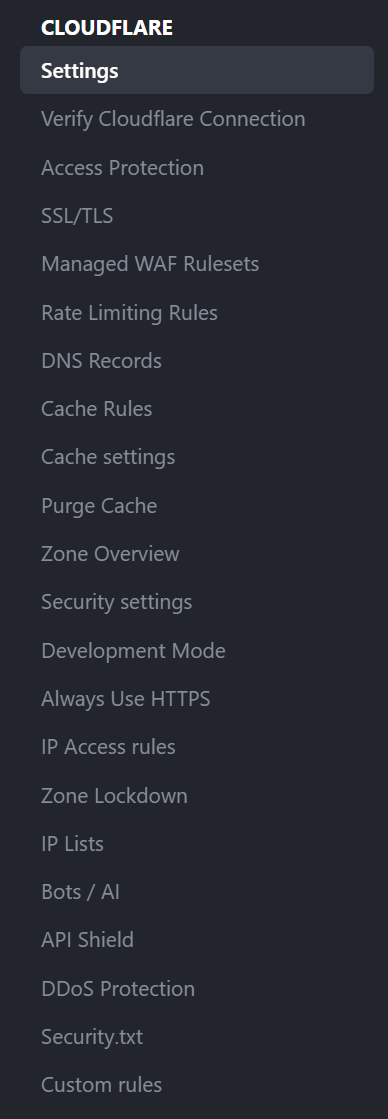
Work with IP Access Rules, Managed WAF rulesets, Custom Rules, Rate Limiting Rules, Zone Lockdown, IP Lists, Security.txt, and related security tooling using structured ACP workflows.
Zero Trust / Access Protection
Build and manage Cloudflare Access applications, policies, groups, and organization-level settings for protecting sensitive IPS areas such as the AdminCP.
API Shield and DDoS areas
Surface Cloudflare API Shield and DDoS-related management areas that can be controlled through the available API scopes and the plan features on your zone.
Analytics dashboards
Show Cloudflare traffic, cache, and security analytics directly inside the AdminCP using Cloudflare GraphQL-backed chart extensions and overview blocks where supported by your token, dataset, and plan.
Designed for real IPS administration
ACP-first layout that keeps related Cloudflare controls together.
Tab-based navigation across Cloudflare management areas.
Inline Cloudflare documentation links and permission notes to reduce token setup confusion.
Form helpers and presets for common IPS paths such as /admin, login routes, API endpoints, and cache-rule use cases.
Dialog-based creation and editing flows for major management actions.
Visual summaries and statistics blocks to make current zone state easier to review at a glance.
Important notes
This app manages your existing Cloudflare account and zones. A separate Cloudflare account is required.
Available controls depend on your Cloudflare plan, token permissions, and whether Cloudflare exposes the related settings or datasets for the selected zone.
Some Cloudflare features are read-only, unavailable, or product-specific depending on your plan or account entitlements. The app is designed to reflect those limits rather than masking them.
Analytics visibility can vary by GraphQL dataset availability, token scope, and plan support.
Ideal for
Community owners, IPS administrators, and developers who want a serious Cloudflare control surface inside Invision Community 5 without giving up Cloudflare-native concepts, terminology, or live API-backed management.
Developed by InvisionMarketplace.com - Professional Invision Community Applications
-
IPS5.0.0+
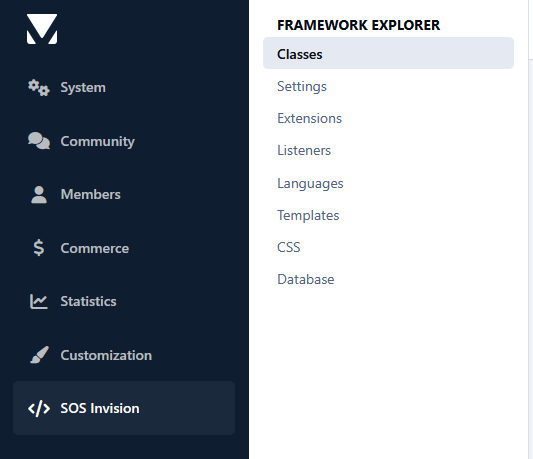
Developing IPS5 applications often requires navigating dozens of files to understand how classes, extensions, listeners, templates, language bits, settings, CSS, and database tables are connected. Framework Explorer is a developer productivity tool that provides a unified view of an IPS5 application directly from the AdminCP, making it easier to explore, navigate, and maintain your codebase.
Instead of manually searching through your application's files, you can quickly inspect its architecture, browse framework components, review inheritance, discover available methods, explore templates and stylesheets, inspect language bits and settings, and examine the application's database structure and data—all from a single interface.
Framework Explorer is designed for developers who are already familiar with the IPS framework and want to work more efficiently. Its goal is to simplify navigation and inspection of existing applications, not to teach IPS development or replace the official developer documentation.
- Ideal for:
IPS application developers
Marketplace authors
Maintaining existing applications
Exploring third-party applications
Understanding unfamiliar codebases
Developers already familiar with the IPS5 framework
- Features:
Class Explorer
Browse every PHP class in an application.
View inheritance, implemented interfaces, and used traits.
Inspect properties, constants, and methods.
Display namespaces, file locations, and PHPDoc information.
Optionally open files directly in your IDE.
Settings Explorer
Browse application settings.
View configuration keys, default values, and metadata.
Quickly identify available ACP settings.
Extension Explorer
Browse every IPS extension.
View extension types and implementations.
Inspect inheritance and available methods.
Quickly navigate extension classes.
Listener Explorer
Browse every event listener.
View listener types.
Inspect supported methods.
Identify the framework class associated with each listener.
Language Explorer
Browse every language bit.
Search by language key or translated value.
Quickly locate application translations.
Template Explorer
Browse all application templates.
View template groups and individual templates.
Display template source code.
Explore template relationships.
CSS Explorer
Browse all application CSS files.
View selectors, CSS variables, media queries, and imports.
Display the source code.
Search by filename, selector, or CSS content.
Filter results by application.
Optionally open files directly in your IDE.
Database Explorer
Browse application database tables.
View table structure, indexes, and records.
Filter tables by application.
Inspect column definitions and index information.
Browse table data with pagination.
Read-only database inspection for safe exploration.
-
IPS5.0.0+
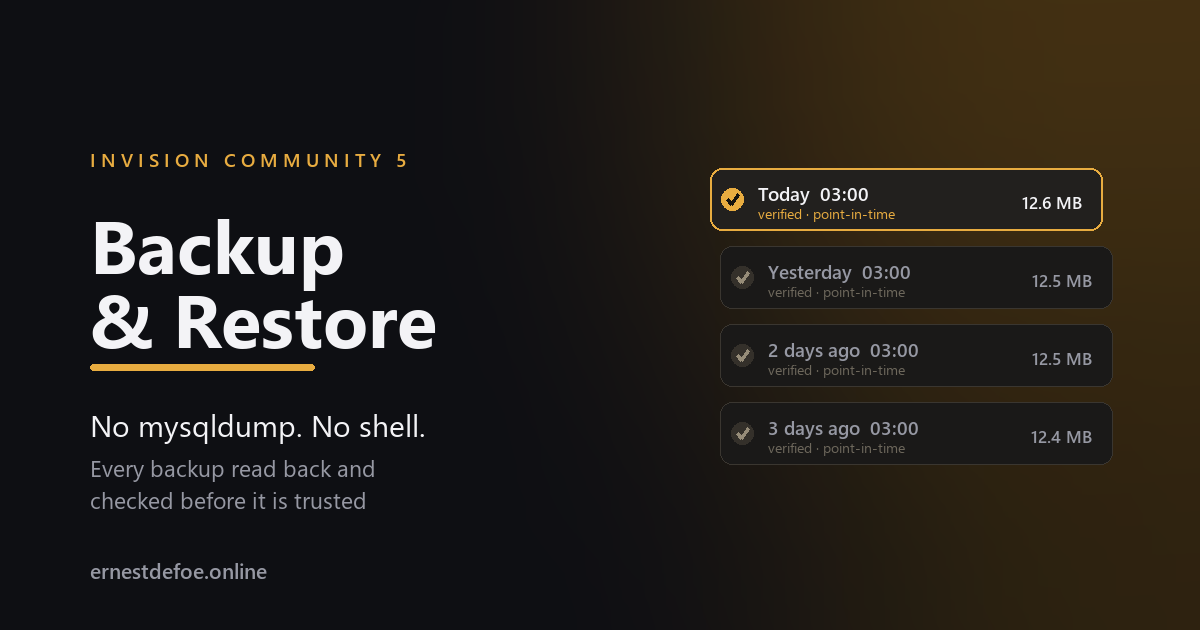
Backup & Restore
Invision Community ships with no backup of any kind. The only thing it does is ask you to tick a box confirming you have made one — immediately before an upgrade, which is the single most dangerous thing the software does.
The usual advice is "just run mysqldump". On a correctly configured server you cannot. Invision Community's own Configuration Error notification tells administrators to disable exec, shell_exec, passthru, popen and proc_open. Take that advice, as you should, and every shell-based backup tool stops working.
This is pure PHP. No shell, no mysqldump, no external binary. It works on shared hosting, in a container, and on a hardened server where nothing can be executed.
It reads every backup back
A backup nobody has ever opened is not a backup — it is a file you are hoping about. After writing an archive this one reads it again, from the beginning, and checks:
the compressed stream decompresses whole, without truncation;
the end-of-file marker is present, which is what proves it was not cut short;
the SHA-256 checksum matches what was written;
every table is present, and every table's row count matches.
Only then is it marked verified. A backup that fails any of those is marked failed and — importantly — never counts towards your retention limit, so a good archive is never deleted to make room for a broken one.
It tells you when a backup is not a snapshot
Where the database is small enough to finish in one request, the dump runs inside a single transaction with a consistent snapshot: every table as it was at the same instant. Where it is too large, the work is queued across requests — which means the first table is read minutes before the last, while people are still posting.
Both kinds are labelled, on every row. A staged backup can contain a reply whose topic is missing. That is a real limitation of any backup taken this way, including mysqldump without --single-transaction, and you are told which kind you have rather than left to assume.
Somewhere other than the server it is protecting
A backup on the same disk as the community does not survive losing that disk. Archives are written above the web root where possible, so they cannot be requested over the internet at all — and can be sent to any storage you have already configured: Amazon S3, Cloudflare R2, Backblaze or FTP.
If the parent directory is not writable and archives have to live under the web root, the application says so plainly on the screen rather than quietly hoping the filename is enough.
Restoring
One table
The case that actually happens: somebody deleted a forum. Restore that one table and nothing else — the rest of the community, including everything posted since, is untouched. The screen shows which tables have lost rows since the backup, so you can see what is missing before you touch anything.
Everything
Runs from a generated standalone script, not from a button. A full restore replaces the very tables the running request depends on — sessions, caches, the job queue — and doing that from inside the suite is how a community ends up unable to start. The script boots nothing, reads your configuration directly and survives its own work.
The restore script is key-protected, refuses to run without an explicit confirmation, and refuses outright if the archive does not match the database it is pointed at — for example if it came from a different install, or before an application was added — unless you override it deliberately.
Details that matter when it counts
Binary data is hex-encoded, so blobs, attachments and anything with a NUL byte come back byte for byte rather than quietly corrupted.
A legitimate zero stays zero in an auto-increment column, instead of being silently reassigned and breaking every row that pointed at it.
Archives are portable. The dump is written as ordinary SQL that restores in any MySQL session, not only inside Invision Community.
The schedule is measured from the last successful backup, not the last attempt — so a job that fails every night cannot keep satisfying the schedule while producing nothing.
It survives its own restore. Restoring replaces this application's own records too; it rebuilds them by reading the archives back off disk, rather than reporting that you have no backups.
Requirements
Invision Community 5.0 or newer (self-hosted)
PHP with zlib, which every install already has
A running task scheduler, for scheduled backups
No shell access. No mysqldump. No external service.
-
IPS5.0.0+
Most of the people reading your community are not members of it. They arrive from a search result, read the answer they came for, and leave — and nothing about that visit is recorded, so you never find out which of your topics were the ones worth joining for.
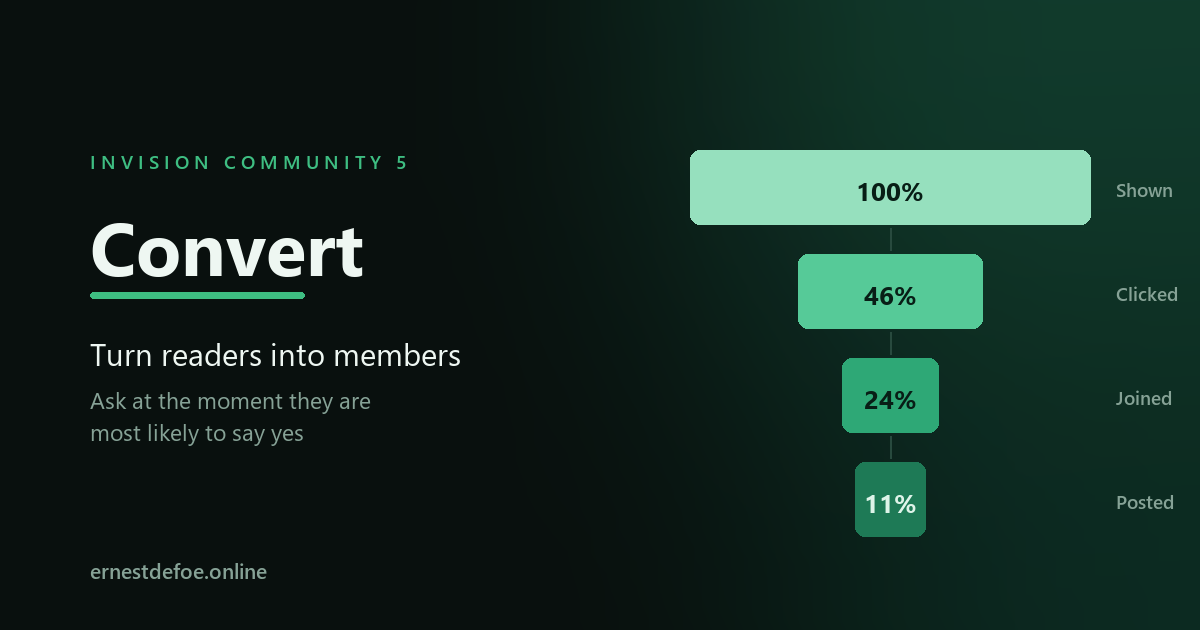
Convert does two things: it asks them to join at the moment they are most likely to say yes, and it tells you which pages actually worked.
Ask at the right moment
Invision Community's guest sign-up block is a static panel in the sidebar. It says the same thing to somebody who has just landed as to somebody who has read six topics and is scrolling to the bottom of a seventh.
Convert puts the prompt where the visitor already is, and only when it makes sense:
The reply box
Where a signed-out visitor is told they need an account to reply. They have read to the bottom of a discussion and want to say something — the strongest moment the software has.
Under the discussion
At the end of the posts on a topic.
Every page
The foot of any page, including Downloads, Pages and Gallery.
And only to the right people. Show it after somebody has read two pages, not one. Show it only to visitors who arrived from a search engine. Show it only in the forums where it makes sense. Show it at most twice a visit, so it never becomes wallpaper.
"No thanks" is remembered. When a visitor dismisses a prompt it stays dismissed, for as long as you choose. Nothing is more likely to lose a reader than asking them the same question on every page after they have already said no.
Then find out what actually worked
Every prompt is measured the whole way down: shown, clicked, joined, posted. Not just the click — the click is easy. The number that matters is at the bottom.
What brings people in
The pages people were reading when they decided to join, ranked. Usually a surprise, and usually the most useful screen here — it tells you what your community is actually good at before you write another word of copy.
Where they came from
Search, social, another site, or direct — recorded from the first page of the visit, so it survives them clicking around.
Compare two versions
Give two prompts the same test name and each visitor sees one of them, consistently, for their whole visit. Then read the two rows side by side.
It counts the people who joined without being asked, too. That is the number every prompt is competing against, and leaving it out is how conversion reporting ends up permanently flattering. If forty people joined unprompted last month and three came through a prompt, you have learned something real.
Honest about what it shows
A rate with nothing behind it is shown as blank, not as 0%. "Never shown" and "shown a thousand times and ignored" are opposite findings, and printing zero for both hides the difference exactly when you need it.
Impressions are counted on the server, as the page is built. Counting them with a script means an ad blocker can delete them, which quietly inflates every click rate you look at.
Posting is tracked separately from joining. A prompt that produces accounts which never post has produced nothing, and the report is built so it can say so.
What it collects
Daily totals per prompt — shown, clicked, dismissed. No row is ever written per visitor. The only per-person record is one row for each member who registers, so that the report can say which page brought them in; it is created at registration and belongs to a member you already have.
The only cookie it sets exists to remember that somebody pressed "No thanks". Everything else rides the session Invision Community already keeps.
Requirements
Invision Community 5.0 or newer (self-hosted)
Registration open to guests, which is what there is to convert them to
Nothing else. No account, no key, no external service.
-
IPS5.0.0+
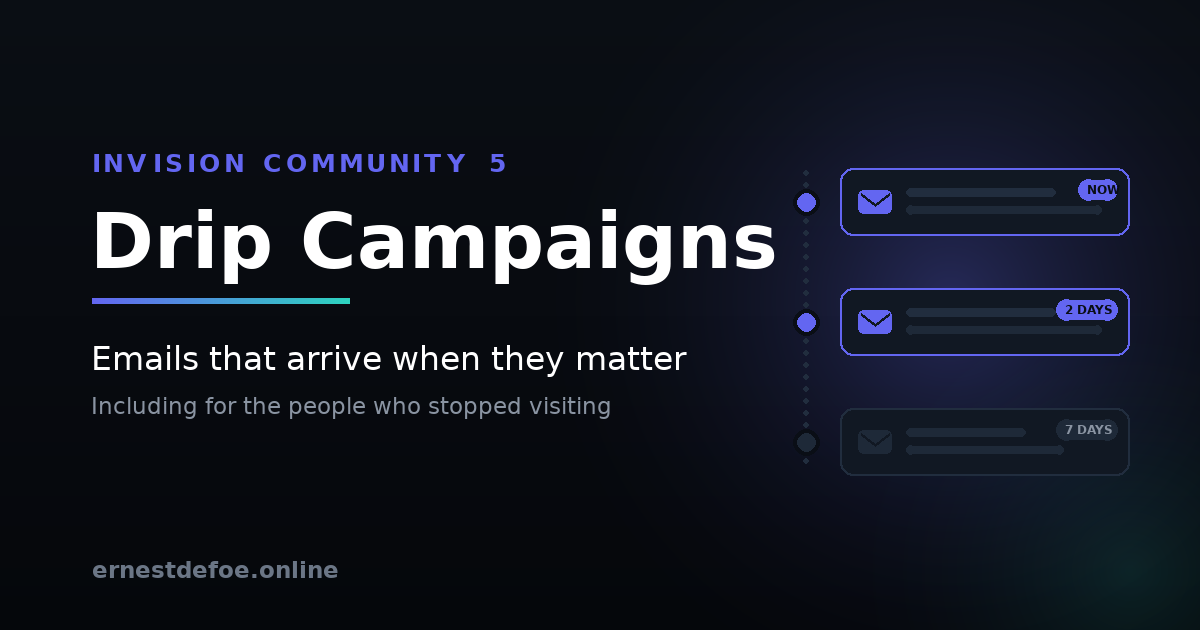
Drip Campaigns — email sequences that run themselves
Somebody registers at three in the morning on a Saturday. A week later they have posted nothing and you have not spoken to them, because nobody was awake to. Multiply that by every member who ever joined and you have the reason most communities lose people in their first fortnight.
A drip campaign is a sequence of emails that starts when a member does something and then unfolds on their clock — a welcome straight away, a nudge two days later, an invitation to introduce themselves after a week. Everyone gets the same thoughtful onboarding regardless of when they arrived.
Invision Community has this. On Cloud. On some plans.
Email Drip Campaigns arrived in Invision Community 5.1 for Cloud customers, on selected packages. Self-hosted communities do not get them at all.
This app brings sequences to self-hosted — and adds the two triggers the Cloud version does not have. Both were the most-requested things in the comments under the announcement, and neither made it in.
The trigger nobody else offers: they stopped showing up
Every other trigger is an event — somebody did a thing, so something happens. Absence raises no event. Nobody fires a notification when a member quietly stops visiting, which is exactly why re-engagement is the hardest email to send and the one worth the most.
This app goes looking instead. Set a number of days, and members who cross that line are enrolled by a scheduled scan. A "we miss you" series that actually reaches the people it is about.
And renewals, which are not first purchases
Invision's Cloud version fires on "purchases a subscription". This one also fires on renewals, on an upcoming expiry — the moment worth acting on while there is still something to save — and on cancellations. Thanking a three-year customer for joining reads badly; these deserve different emails and now they can have them.
Every trigger
Joining
Registers · confirms their email · updates their profile
Taking part
Joins a club · responds to an event · completes a course
Money
Buys · renews · is about to expire · cancels
Absence
Has not visited for a set number of days
Chaining
Another campaign finishes
Event responses can be narrowed to one answer, so you are not telling somebody who declined that you will see them there. Triggers for applications you do not run are never shown, and never listened for.
Audiences built from filters you already have
This app invents no filters of its own. It uses Invision Community's own member filters, which means you can target by group, join date, last visit, content count, reputation, achievements and profile fields — and, if you run Commerce, by purchases, subscriptions, total spend and donations.
Anything a third-party application adds to that list works here too, automatically.
It checks again before every email
This is the part that stops a campaign embarrassing you. Someone qualifies for "we miss you" on Monday, comes back on Tuesday, and on Wednesday the second email arrives telling them how much you miss them. Audiences are re-checked before every send, not just at enrolment, so a member who stops matching stops receiving. It can be switched off; it is on by default for a reason.
Care taken where it matters
Opting out is honoured absolutely. A member who has turned off administrator emails is never enrolled, never sent to, and is removed from a campaign if they opt out mid-sequence.
Unsubscribing uses Invision Community's own mechanism — the same link, the same page, and a key derived from the account so it stops working when the password changes.
Nobody is enrolled twice. A trigger that fires more than once for the same person does nothing the second time.
Disabling an email does not strand anyone. Members waiting on that step move to the next one rather than sitting there for ever.
Posting and paying never wait on email. Enrolment happens in the background; sending happens on a schedule.
No core files are edited. Upgrading Invision Community will not break it.
Check a member
"Why didn't they get it?" has a dozen possible answers. There is a screen that gives you the actual one: whether they can be emailed at all, whether they match each campaign, whether they are enrolled, which step they are on, and when the next email is due.
Requirements
Invision Community 5.0 or newer (self-hosted)
Working outgoing email and a running task scheduler
Commerce, Calendar, Clubs are all optional — their triggers appear only if you run them
-
IPS5.0.0+
Live Topics — run a proper live event, and keep the topic afterwards
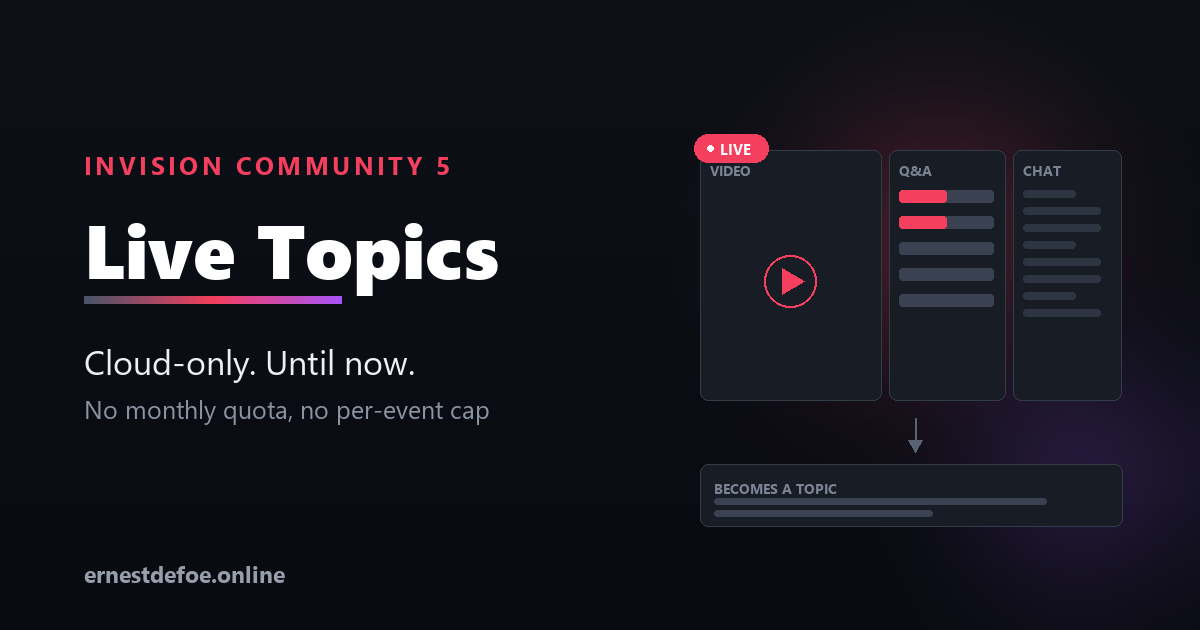
Schedule a session. Attendees see a countdown. A host presses start and the room opens: video on one side, moderated questions in the middle, live chat alongside. When it ends, everything worth keeping becomes an ordinary forum topic.
This is the feature Invision Community sells on its Cloud plans. It has never been available for self-hosted communities, and nobody else builds it.
What Cloud charges for it. Live Topics is not included on the entry plan at all. The next tier up allows two events a month. Ten a month arrives at $259/month, and unlimited only at $619/month. This application has no quota. Run one a week or one a day; it is the same price.
The room
Video
YouTube, Vimeo, Twitch, or a direct stream. Changeable mid-session, so a wrong link is not a disaster. Cloud supports YouTube only.
Main Questions
The curated stream. Sortable by newest or by what the room most wants answered.
Chat
The running conversation. A host can promote any message into a Main Question — which is also how they decide what survives.
Three columns on a desktop, with a draggable divider. Tabs on a phone.
What hosts and staff can actually do
Promote a chat message into a Main Question. The good question always arrives in the chat, never in the right box.
Close replies per question — to everyone, or to everyone but staff, so an answered question stops collecting "+1".
Mark when a question was answered against the video position. The converted topic then deep-links to that moment.
Approve questions or chat before they appear, when the session warrants it.
Mute or remove one person without locking chat for everybody. Cloud has neither; its only controls are global.
A staff-only channel where staff coordinate, and where reports arrive — during a live event nobody is watching the normal reports queue.
Four things Cloud does not do
Members can ask to be told when it starts. Cloud reminds the hosts and tells members nothing, so anyone who missed the start has to guess. Here anyone can opt in, and the notification fires when a host actually starts — which is the useful moment, since starting is manual.
A live attendee count. Visible in the room and on the block, so a session looks alive.
The chat can be kept. Cloud discards it outright. Keep it as one collapsed post at the end of the topic, or discard it — your call, per event.
An AI recap. Optional. At conversion, the questions and answers are summarised into the opening post, so somebody arriving a week later gets the point without reading forty posts. Cloud produces no post-event artifact of any kind.
It becomes a real topic
Main Questions and their replies are written into your chosen forum as a normal topic, each question attributed to whoever asked it and timestamped when they asked. Searchable, quotable, moderatable — an ordinary topic in every respect.
Real-time, without requiring anything
This works on its own. Out of the box the room updates on a short timer, which is how every live-chat application on this marketplace works. If you also run my Realtime application, this detects it and upgrades to its WebSocket gateway automatically — no configuration, nothing to connect. A socket that drops falls back to timed refresh rather than going silent.
Bounded on purpose
A session ends itself when every host has left, after a grace period you set.
A session ends itself at a maximum length you set. An abandoned room is a standing cost, and neither of these should depend on somebody remembering.
Nothing is visible to anyone until a host presses start.
What you control
Who may schedule live topics, and who may moderate any of them
Per event: hosts, staff groups, who may attend, approval rules, destination forum, whether the chat is kept
Refresh interval, maximum length, host-absence grace period
Whether recaps are written at all, and with which provider
Requirements
Invision Community 5.0 or newer (self-hosted), with the Forums application
Optional: my Realtime application, for WebSocket delivery
Optional: an Anthropic or OpenAI-compatible key for recaps — or my AI Assistant, whose key this will borrow
No core files are edited. Upgrading Invision Community will not break it.
-
IPS5.0.0+
Nothing malicious slips through your inbox unseen
Conversations Enhanced puts moderation and accountability around the one part of your community nobody can see: private messages.
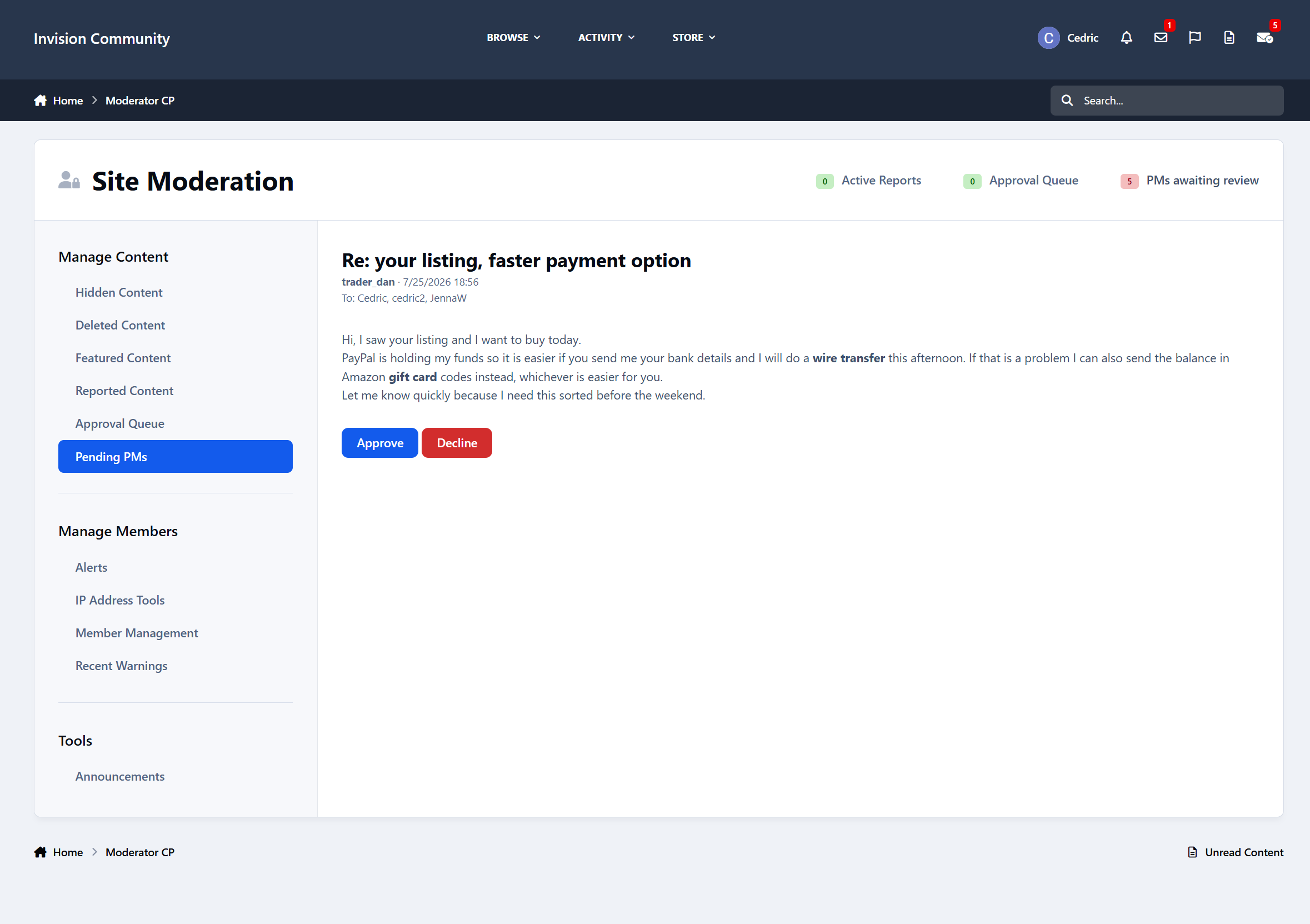
Hold new messages for review before they reach anyone. Watch for the words that matter to you. Catch the link-stuffed blast sent to twenty members by an account that registered an hour ago.
And when fellow admins genuinely need to read a conversation, make them say why and keep a record of it.
The problem
Every other kind of content on your site has moderation behind it. Posts get reported, topics get locked, and files get approved.
Private messages have none of that.
A scammer who has been quietly working your members for a week looks exactly like a member who has been helping people for a year, right up until the chargebacks start.
Conversations Enhanced closes that gap without turning your community into a surveillance state.
Approval before delivery
When a message is held, it is genuinely held.
The native conversation is never created, the recipients never see it, and no notification goes out. The sender receives a notice written by you explaining that their message is waiting for review.
Reviewers work from a queue in the AdminCP, filtered by waiting, approved, or declined, with quick search across everything.
Approve it and the conversation is created and delivered as normal. Decline it and it never existed.
You choose who can review held messages, and reviewer groups can be emailed the moment something enters the queue.
Hold messages based on how they look
Hold messages based on their shape rather than only their author:
Too many links
Too many recipients at once
An account too new to have earned the benefit of the doubt
Each threshold is independent and remains disabled until you turn it on.
A member writing to one or two people is normal. A first message sent to twenty people is not.
All conditions work together. A held message shows every reason it was held, not just the first one triggered.
The review screen
Opening a held message shows reviewers everything they need to make a decision.
They can see the recipients, submission time, and a badge for each reason the message was held. Matched terms are highlighted directly inside the message body, so reviewers do not have to hunt for the word that triggered the hold.
The screen also provides a short history of the sender:
How long they have been a member
Their post count
How many messages they have had held before
How many of those messages were declined
That context matters.
A first-time hold from a three-year member reads very differently from the fourth hold this week on an account registered on Tuesday.
Oversight, with the receipts
Sometimes staff have a genuine reason to read a conversation: a harassment report, a scam investigation, or a legal request.
Conversations Enhanced makes that possible and makes it accountable.
Every conversation on the site is searchable by title, participants, message count, and activity date, with proper filtering and date ranges.
When a staff member opens a private conversation, they must provide a reason. That access is recorded, creating a clear audit trail of who accessed the conversation and why.
Retention you control
A message still waiting for a decision is never deleted, no matter how old it becomes. An ignored moderation queue cannot quietly drain itself.
Purging members’ real conversations is possible too, but it sits behind a separate setting with its own warning because it deletes real member data and cannot be undone.
Moderation
Reviewers receive a Pending Messages tab in the Moderator Control Panel, along with a count badge in the mobile footer beside the rest of the navigation. It is sized and styled to match the existing interface.
Members with a message under review receive their own page showing its current status.
Notifications and emails run through the native systems, so they respect the preferences members have already configured.
Perfect for
Communities that trade, sell, or handle money
The scam almost always starts with a private message.
Sites with younger members
A quiet reminder that private conversations may be reviewed when necessary can be worth more than a policy page nobody reads.
Communities discussing staff access to private messages
It provides an answer better than: “The database administrator can, technically.”
Staff teams looking for patterns
Catch suspicious behaviour in a moderation queue instead of reading about it in a public topic three weeks later.
In short
Conversations Enhanced gives private messages the same moderation, visibility, and accountability that every other part of your community already has.
It provides approval before delivery, watched words with per-word actions, conditional holds based on links, recipient counts, and account age, audited staff oversight, and retention controls you manage.
-
IPS5.0.0+
Related Topics — suggestions that understand what a topic is about
Invision Community can already show related content. It matches on tags. That means it works exactly as well as your members tag things, which on most communities is somewhere between patchily and not at all — and when everything in a forum carries the same three tags, "related" degrades to "everything".
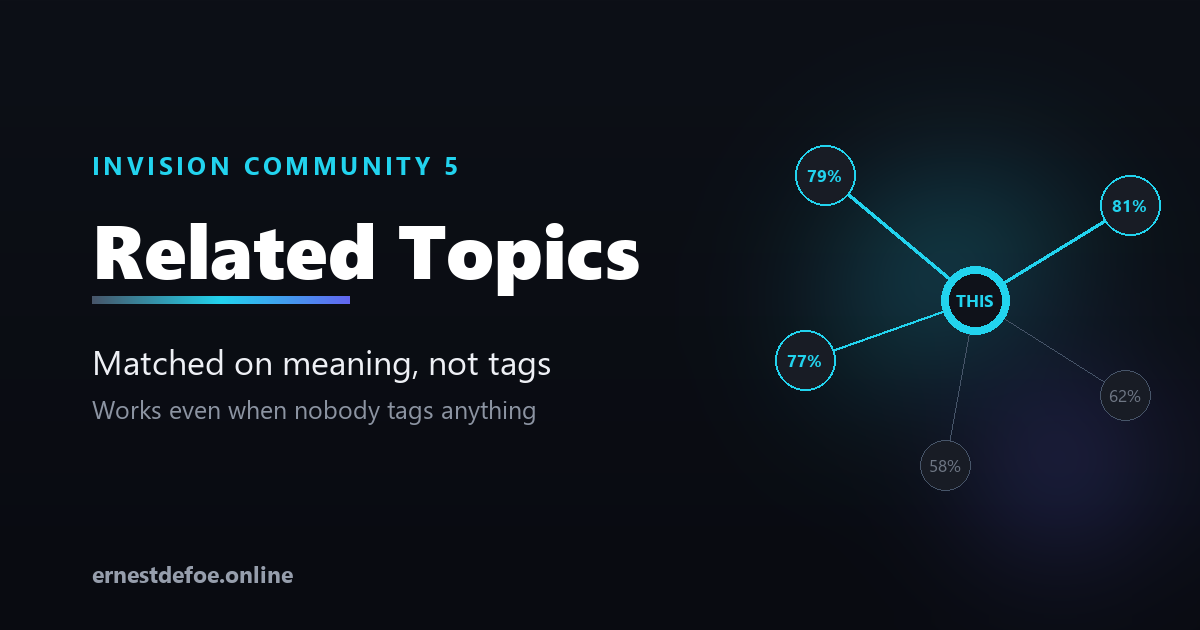
This matches on meaning. It reads each topic, turns it into a vector, and compares topics by what they are actually about. No tags required, and no tagging discipline to enforce.
A real example from testing. A topic about a workflow-automation app for Invision matched a topic about an automation extension for a completely different forum platform, at 79%. Different forum, different category, no tags in common. Nothing tag-based could ever have found that.
Two ways to show it
Automatically
A "Related discussions" list appears below the posts on every topic. No block placement, no template editing.
As a block
A placeable widget for your sidebar, if you would rather choose where it goes. It only appears on topic pages.
Use either, or both.
It tells you when it has nothing to say
This is the part most "related content" features get wrong. If nothing clears your similarity threshold, nothing is shown at all — no empty box, no heading over a blank list, no five tenuous suggestions padding it out. Silence is the honest answer when nothing is related.
You tune it against your own content, not a guess
There is no threshold that is right for every community, and this application does not pretend otherwise. On a focused forum — where most topics are broadly the same kind of thing — even unrelated pairs score in the sixties. On a varied one the gap is much wider.
So the settings screen shows real matches from your own topics with their real scores, including the ones currently falling below your threshold and greyed out. You pick your number by looking at your own content. That takes about a minute and it is the difference between suggestions people click and suggestions they learn to ignore.
Costs, stated plainly
You need an embeddings API key — Voyage AI or any OpenAI-compatible provider.
One API call per topic, once. Editing a topic only re-embeds if the text actually changed, so fixing a typo costs nothing.
Embedding models are inexpensive. A few thousand topics is small money, but it is not zero and you should know that before you install.
Already running my AI Assistant? One switch and this borrows its provider, key and model, so you manage one key and one bill.
Built to stay out of the way
Nothing blocks posting. Indexing happens on the background queue. An outage at the embeddings provider means new topics wait their turn, never that members cannot post.
Permissions are respected. A topic a member cannot open is never suggested to them.
Changing the model is safe. Different models produce different vector sizes; mismatched entries are skipped rather than compared, so you get fewer results instead of confident nonsense. Rebuild and they come back.
No core files are edited. Upgrading Invision Community will not break it.
What you control
How many suggestions, and the minimum similarity
Whether suggestions can cross between forums, or stay within one
Which forums are indexed at all
Automatic placement on or off
Requirements
Invision Community 5.0 or newer (self-hosted), with the Forums application
An embeddings API key from Voyage AI or an OpenAI-compatible provider
-
IPS5.0.0+
Workflows — when this happens, do that
Every community has jobs that get done by hand over and over. Tag the posts that mention billing. Message new members after their first post. Add buyers to a group. Push reports into the chat channel your team actually watches.
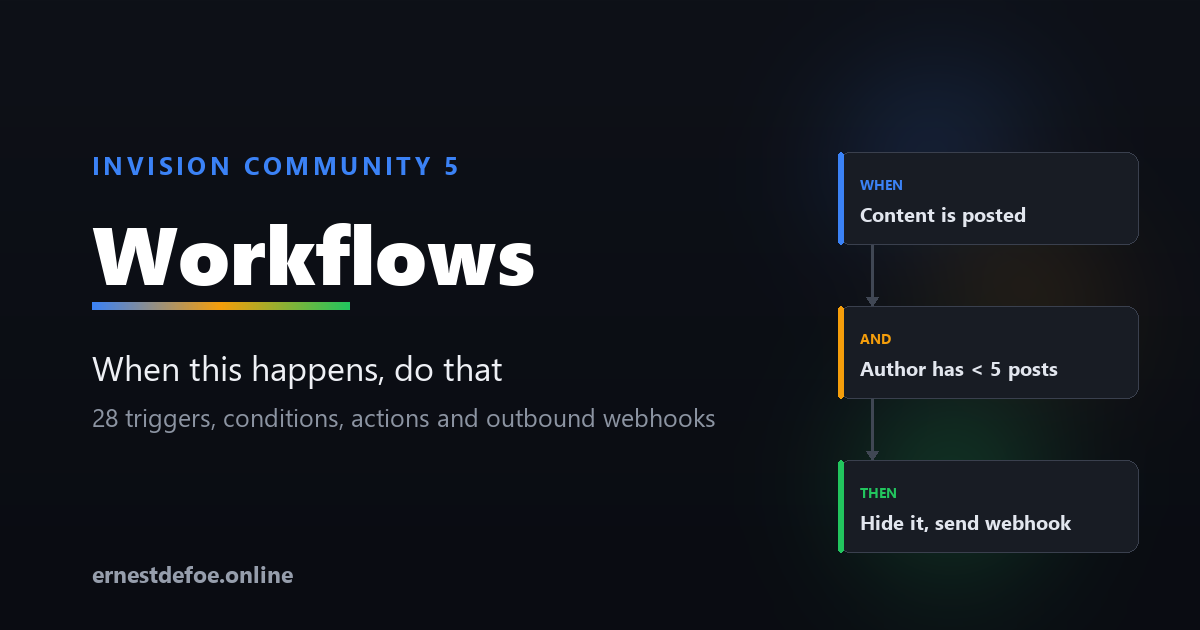
Workflows does them for you. You pick a trigger, add conditions if you need them, and choose what should happen.
28 things to trigger on
ContentPosted · edited · deleted · hidden, locked or pinned · moved · merged · split · reported MembersRegisters · validates · logs in · updates their profile · flagged as a spammer · reacts · follows · joins or leaves a club · RSVPs · completes a course CommercePurchase paid · about to expire · expired · renewed · cancelled OtherPoll voted · file downloaded · club created PagesSomebody presses a button you designed Every one of those is wired to a real Invision Community event and tested on an install with the first-party applications present. The trigger list only ever offers events that genuinely fire — you cannot save a rule that quietly never runs.
Buttons on a Pages record
Twenty-seven of those triggers are things your community does. The twenty-eighth waits for a person.
Design a button in the rule — its wording, its colour, an optional icon, which databases and categories it appears on, which groups can see and press it, and whether to ask for confirmation. What happens when it is pressed is the ordinary conditions and actions below. Approve and Reject on a bug tracker, Send back to the author on an article, a one-click Mark as answered.
Because it is a rule and not a template edit, a button can carry conditions, write to a Pages field, message the author, fire a webhook, and be changed by somebody who has never opened a theme.
Buttons run immediately rather than on the queue — you pressed it, so you are told what happened rather than waiting on a background task.
Conditions, so rules stay precise
Forum or category, author's group, post count, account age, content contains text, content matches a pattern, tagged with, title contains, is the first post in a topic.
For example: when content is posted, and the author has fewer than 5 posts, and the content matches a URL pattern — hide it and send yourself a webhook. Actions
Lock, unlock, pin, unpin, hide, approve, add tags, add or remove a secondary group, award points, award a badge, send a private message, and send a webhook.
The webhook action is the important one
Anything your community does can be pushed to Zapier, Make, n8n, or your own code, as JSON. That means Workflows isn't limited to what this application can do — it's the bridge to everything else you already use.
Set a signing secret and each request is signed, so the receiving end can tell a genuine call from anyone who guessed the URL.
A run log that answers the real question
Rules engines fail when you can't tell why a rule didn't fire. Workflows records every evaluation, with the reason:
"Forum 'Introductions' is not in the selected list." "Bob has 3 posts; condition was at least 10." "Content does not contain \"refund\"." Filter by matched, skipped or errors, and by rule. Turn skipped logging on while you build a rule and off once it works.
Built not to get in the way
Nothing blocks posting. Conditions are evaluated inline because they're cheap; actions run on the background queue. A rule pointing at a slow webhook can never make a member wait, and an outage can't stop people posting. Loops are impossible. "When a post is created, post a reply" would take a site down. The engine refuses to re-enter an event it's already handling — that's built into its structure, not a setting you can get wrong. Only sensible options are offered. The builder hides conditions and actions the chosen trigger can't supply, so you're never offered "lock the topic" on a member-registered rule — there isn't one. Actions report what they actually did, not what they attempted — including when Invision Community declines something, and why. Rules run in order, and any rule can stop the ones after it. No core files are edited. Upgrading Invision Community won't break it. Requirements
Invision Community 5.0 or newer (self-hosted), with the Forums application Nothing else. No external service and no API key — unless you use the webhook action, which needs somewhere to send to. Commerce triggers require the Commerce application; club and course triggers require theirs. Everything else works on a stock install.
-
IPS5.0.0+
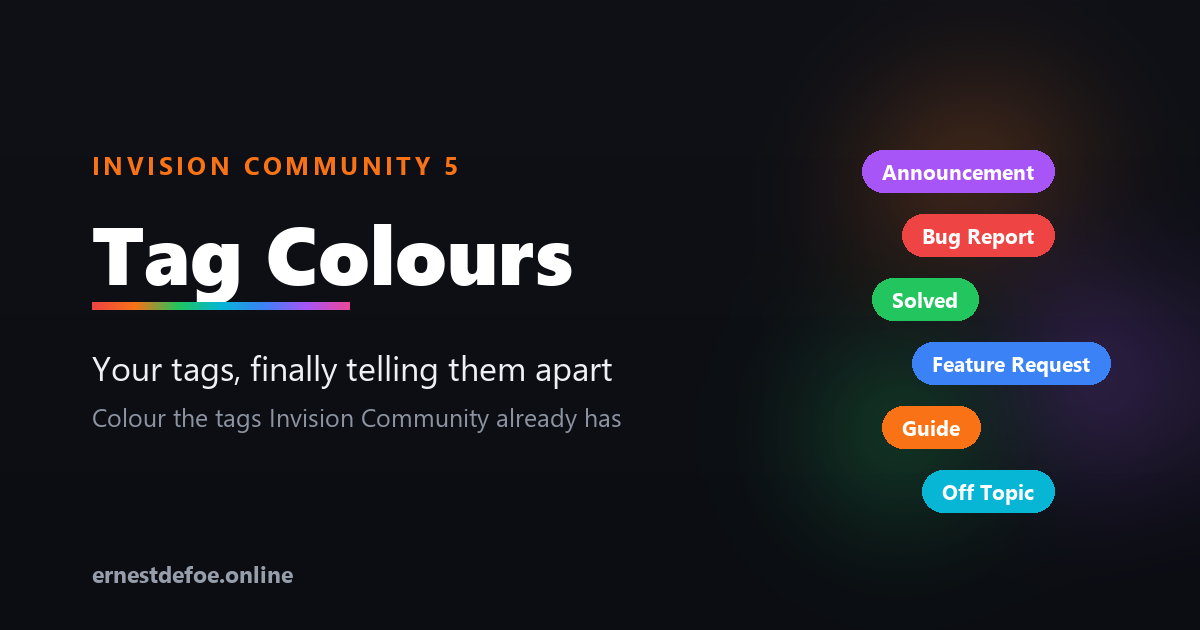
Tag Colours — your tags, finally telling them apart
Invision Community already has tags. What it does not have is any way to make them look like anything. Every tag on your site is the same shape and the same grey, so a topic tagged Solved is visually identical to one tagged Urgent, and members read every label one at a time.
Tag Colours fixes that in about a minute.
Solved Bug Report Feature Request Announcement Off Topic
It builds on the tags you already have
This is not a replacement tag system. There is nothing to migrate, no second set of labels to maintain, and no new way for your members to tag things. It reads the tags already on your community and lets you pick a colour for each one.
Because it works with the built-in system, the colours turn up everywhere tags already appear — topic view, topic lists, search results, tag pages, and the Blogs, Calendar and Pages applications too.
Setting it up
The admin screen lists every tag actually in use on your community, most-used first, with a note of how many items carry it. Click a tag, pick a colour, done.
Or click Colour them for me and every uncoloured tag is given a distinct colour from a readable palette — a sensible starting point you can then adjust. It never overwrites a colour you chose yourself, and it will not hand two tags the same colour.
Three styles
Solid — the tag is filled with your colour
Soft — a tinted background with coloured text, for a lighter touch
Outline — a coloured border and text on a transparent background
Pick one and it applies to every coloured tag, so your tags stay consistent with each other whatever your theme looks like.
Readable by default
Choose a tag colour and the text colour is worked out for you, using the same contrast maths the accessibility guidelines use — dark text on light colours, light text on dark ones. You never end up with a yellow tag nobody can read. If you want to override it on a particular tag, you can.
Built to stay out of the way
No core files are edited and no templates are overridden, so upgrading Invision Community will not break it and will not undo your work.
One small stylesheet is added to the page, cached permanently by the browser and only re-fetched when you actually change a colour. There is no JavaScript and no per-page work.
Turning it off restores your theme's own tag styling immediately — and keeps your colour choices, so turning it back on picks up where you left off.
Uninstalling leaves no trace. Your tags are Invision Community's tags; only the colours belong to this application.
Requirements
Invision Community 5.0 or newer (self-hosted)
Nothing else — no external service, no API key, no background jobs
-
IPS5.0.0+
Custom work for your community, from first request to five-star review
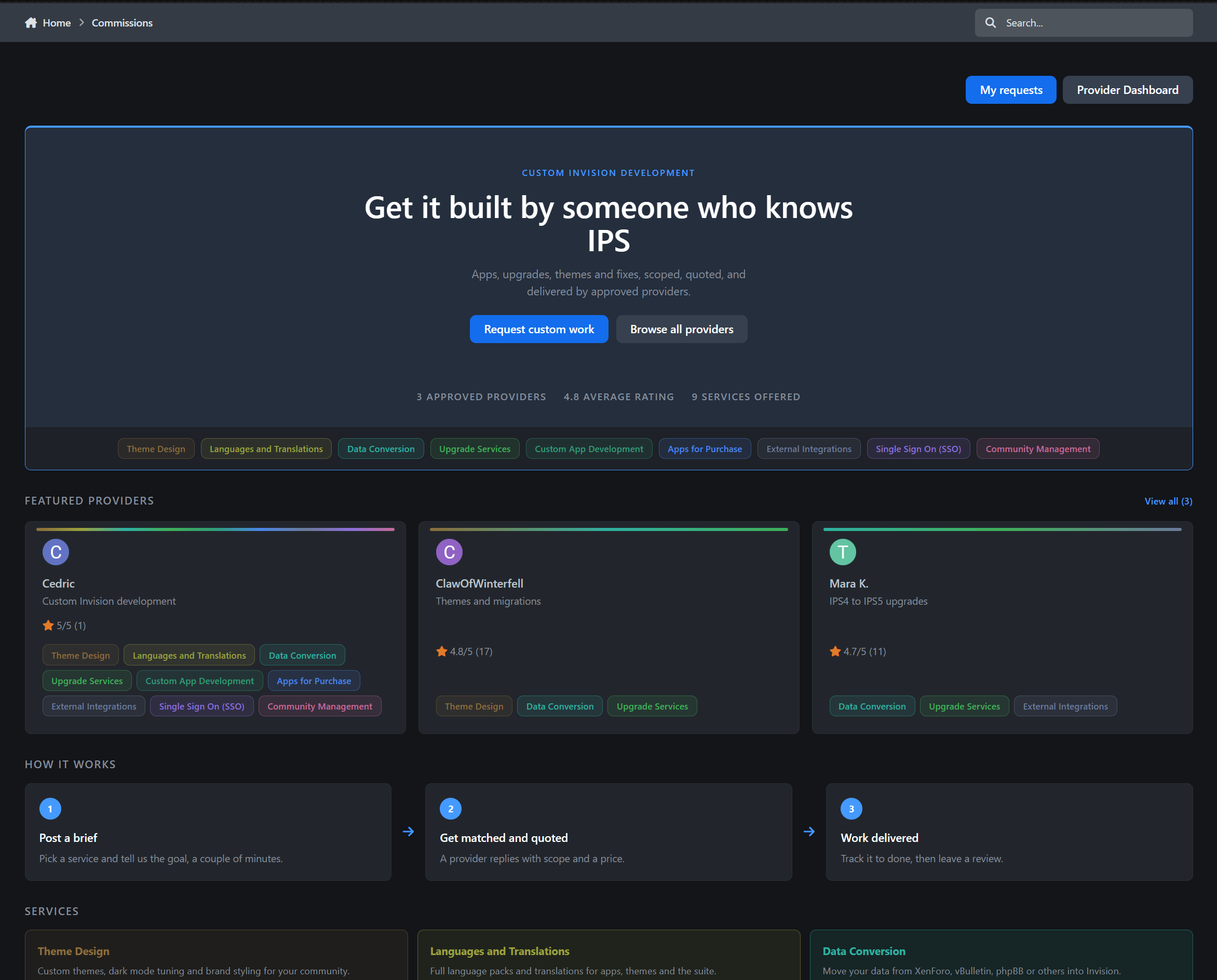
Commissions is a complete provider directory and client work pipeline for Invision Community v5.
Showcase the people who build for your community, allow members and guests to request custom work through a guided intake process, send quotes, collect payment through Commerce or externally, deliver the work, and gather the reviews that help providers win their next job.
Full demo on https://administrata.net/commissions/
How it works
Providers apply and you decide who gets approved.
Approved providers appear in a public directory alongside their services, portfolio, rating, and Software Marketplace listings. Anyone who needs work completed can choose a specific provider or submit a general request.
After completing a short intake form, the client enters a private request thread where the entire job takes place:
Initial discussion
Scope and quotation
Quote acceptance
Payment
Work in progress
Delivery
Client review
Every step remains visible in one place. A progress tracker at the top of each request shows exactly where the job stands, while an activity timeline records every status change, quotation, acceptance, and payment event.
Nobody has to ask, “Where are we with this?”
The provider directory
The directory hub welcomes visitors with live statistics, including:
The number of approved providers
Their average rating
The number of available services
Featured providers receive distinctive cards with a colour rail automatically generated from the services they offer. Every provider card feels different without requiring anyone to design it manually.
Complete provider profiles
Every approved provider receives a dedicated public profile containing:
A sticky identity panel with their avatar, headline, star rating, availability, and services
A rich-text About section using the full Invision editor
An unlimited portfolio with real image uploads
Their Software Marketplace files
Reviews from completed work
A prominent Request work button that starts a job with them in two clicks
Public service pages
Services are created and managed by administrators in the ACP. Each service can have its own colour and description.
Every service also receives a dedicated public landing page containing:
A tinted service hero
Live trust and activity statistics
Providers offering that service
The latest relevant review
Structured data for search engines
Aggregate star-rating data
Nine services means nine search-friendly landing pages that you never have to write or maintain manually.
The request pipeline
Requests are built as native Invision content items.
That means every request conversation includes the functionality your members already understand:
Replies
Editing and edit history
Deletion
Reactions
Reporting
Attachments through the standard editor
A flexible intake form
You control the request intake form.
Create fields in the ACP, decide which ones are required, and choose which field becomes the request title. Clients can upload screenshots, specifications, archives, documents, and other supporting files directly with their request.
Full guest access
Guests are treated as first-class clients.
When a guest submits a request, they receive a private magic link by email. That link becomes their key to the entire request thread.
Without creating an account, guests can:
Read provider replies
Respond to the conversation
Accept or decline quotations
Follow the progress of the job
Leave a review after delivery
Access control is enforced server-side for every action.
My Requests portal
Registered members receive a dedicated My Requests portal where they can follow all their active and completed work.
Each request page includes:
A clickable progress tracker covering New, Reviewing, Quoted, Accepted, In Progress, and Delivered
The complete intake submission and attachments
The client-provider conversation
Visually accented provider replies
An activity timeline of status changes, quotations, and payments
Internal notes visible only to staff and the assigned provider
Quotes and payments
When the scope is clear, the provider can send a formal quotation containing:
The quoted amount
The currency
What is included
Payment instructions
The client can accept or decline the quote directly from the request page, including guest clients using their magic link.
Three payment methods
Administrators control which payment methods are available.
Arranged manually
Suitable for bank transfers, cash payments, existing client arrangements, or any payment handled outside the community.
External payment link
Providers can supply a PayPal, Stripe, payment portal, or invoice URL.
Commerce invoice
Accepting the quotation generates a real Commerce invoice. The client is sent directly to checkout, and the quote is automatically marked as paid when the invoice payment is completed.
Reviews that mean something
Delivering a request triggers a review invitation, both on the request page and by email.
The client can rate the provider out of five stars and describe their experience. Reviews are automatically included in the provider’s public rating and displayed throughout the directory wherever that provider appears.
Legacy reviews
Members can also review work completed before Commissions was installed.
Legacy reviews are held for staff approval before publication, preventing providers from fabricating an established track record.
When a review is hidden or deleted, the provider’s rating is recalculated immediately.
The provider dashboard
Providers manage their work and public presence from a single dashboard.
Business overview
The dashboard includes statistic tiles for:
Requests awaiting a reply
Open jobs
Work currently in progress
The provider’s average rating
Work queue
Requests are ordered by how long the client has been waiting, with clear Awaiting your reply indicators so providers immediately know where their attention is needed.
Profile and portfolio management
Providers can also manage:
Their public profile
Their rich-text About section
Their availability
Their services
Their service ordering
Their portfolio images and entries
Service ordering controls the provider’s card colours and badge order throughout the community without requiring a separate drag-and-drop interface.
Automatic reminders
A daily background task keeps the pipeline moving.
It can:
Remind providers about requests awaiting their reply
Re-invite clients to review delivered work
Automatically close delivered requests after a configurable period
Each reminder and closure window can be configured independently.
Providers across your community
Approved providers remain visible beyond the directory.
They receive:
A teal Provider badge on their member profile, beside See my activity
A Provider chip in forum posts, supported in both classic and slim post layouts
A Provider button on their member hovercard
Every badge and button links directly to the provider’s public profile.
That turns every useful post they make into a quiet advertisement for their services.
Notifications
Commissions uses the notification system with both inline and email delivery, supported by dedicated email templates.
Clients are notified about
New replies
Request status changes
New quotations
Payment updates
Review invitations
Providers are notified about
New requests
Client replies
Quote acceptance or rejection
Completed payments
New reviews
Guests are notified by email
Guest clients receive all relevant updates by email, together with the magic link that gives them secure access to their request.
Admin control panel
Administrators receive complete control over the provider directory and request pipeline.
Provider management
Approve, decline, suspend, feature, and edit providers through a complete management interface covering everything from their profile information to their jobs-completed counter.
Services manager
Create services, assign colours, and write the descriptions used across provider profiles and public service pages.
Request management
View the complete request pipeline with:
Per-status filters
Quick search
Client and provider details
Current quotation and payment status
Intake fields
Create and organise the fields used in the custom-work request form.
Application settings
Control:
Directory visibility
Provider applications
Available payment methods
Reminder windows
Review invitations
Automatic request closure
Perfect for
Commissions is ideal for:
Site owners who sell custom work and want intake, quoting, payment, and delivery in one pipeline
Networks with multiple trusted freelancers who each deserve their own storefront
Communities tired of custom-work requests being scattered across private messages, forum topics, email, and external payment services
Commissions 1.0 brings providers, clients, requests, quotations, payments, delivery, and reviews into one professional workflow. Need a workflow it does not cover yet? Let me know.
-
IPS5.0.0+
Using the Template Editor App, Using Themes, Using the Code Editor, Using History, Using Backups, Using Diagnostics
Template Editor
Bring back a serious template editing workflow for Invision Community 5 with a dedicated AdminCP editor for source templates, theme-specific template overrides, source CSS, and theme-specific CSS overrides, plus recovery tooling, revision history, and app-level baseline protection. Template Editor is built for administrators and developers who need a practical way to inspect, edit, compare, recover, and audit IPS theme source changes without falling back to raw database work.
What It Does
Template Editor restores a focused editing experience around IPS 5 theme source assets while adapting to the modern IPS 5 runtime model:
Source Templates are edited through a full editor workspace for both global source maintenance and theme-specific override work, then published back into the IPS 5 source pipeline
Source CSS can be browsed and edited from the same workspace in both global and theme-specific scopes with change tracking and recovery support
Backups, Baselines, History, and Diagnostics give you the safeguards needed before and after making live source changes
Instead of treating template edits as unmanaged one-off modifications, Template Editor layers structured recovery and auditing on top of the IPS 5 template and CSS system.
Key Features
Full Template Editing Workspace
V4-Style Editing Experience: Includes a dedicated left-hand file tree, multi-tab editing area, revision note field, variables dialog, and recovery actions in a purpose-built editor workspace
Multi-Tab Workflow: Open and work on more than one source template or CSS file at a time instead of being limited to a single record view
Global Edit Mode and Theme-Specific Editing: Work in the default global source scope or open the workspace for a specific theme when you need template overrides or theme-specific CSS changes
Live File Navigation: Browse application, location, group, and file structures from the editor pane with active file highlighting and search support
Editor Engine Choice: Switch between Monaco and CodeMirror from the workspace preferences depending on your editing preference
IPS Template Syntax Awareness: The editor is built for IPS template control tags such as {{if}}, {{elseif}}, {{else}}, {{endif}}, {{foreach}}, and {{endforeach}}
Block-Aware Matching: IPS control structures are easier to follow while editing thanks to block-aware matching behavior for nested template logic
Unsaved Change Protection: Warns before closing editor tabs or leaving the page when unsaved work is present
Light and Dark Scheme Support: The editing workspace is styled for both ACP color schemes instead of being hard-coded to one visual mode
Source Template Publishing for IPS 5
Global Source Template Publishing: Edit and publish IPS 5 source templates through the actual live source pipeline used by the suite
Static Recompile Integration: Publishes trigger the appropriate IPS compile steps so front-end output reflects the new source state
Optimistic Lock Protection: Prevents silent overwrites when the live source changed after the editor loaded the file
Drift Detection: Detects when the current runtime row and shipped template source no longer match, helping prevent accidental writes into an inconsistent state
Source CSS Editing and Tracking
Integrated CSS Browser: Browse shipped source CSS from the same editor shell used for templates
Editable Source CSS: Make source CSS updates with revision notes and recovery tracking instead of editing rows manually
Change Visibility: Changed CSS is surfaced in the app’s change tracking and recovery tools so it can be audited like template edits
Shared Recovery Model: CSS participates in the same baseline, revision, backup, and restore architecture used for source templates
Baselines, Revisions, and Recovery Safety
Immutable Initial Baselines: Before the first live source change, the app captures an original baseline so there is always a restore point anchored to the shipped app state
App-Level Recovery Snapshots: Each app can maintain a locked recovery baseline for full app-level restore workflows, not just single-file rollbacks
Revision History: Every authored save can be tracked so you can review, compare, and restore earlier work later
Pre-Recovery Backups: Automatic protective snapshots are created before restore operations so recoveries can be reversed if needed
Stored Revision Notes: Saves and restores can carry explicit notes to make the audit trail readable instead of leaving behind anonymous source mutations
Template-Aware Recovery Architecture
Shipped Source Recovery: The app can restore source templates from the app’s shipped Templates content instead of depending only on live runtime rows
Version-Aware Template Snapshots: Baseline Template snapshots are captured per app version to preserve the original shipped source before edits or later upgrades alter the working files
App-Level Baseline Provenance: Diagnostics can report whether the app baseline was built from a stored XML snapshot, current shipped XML, or a runtime fallback source
Safer Full-App Restore Direction: The architecture is designed around restoring the original shipped source state for an app, not just overwriting isolated rows without context
Operational Visibility and Admin Tooling
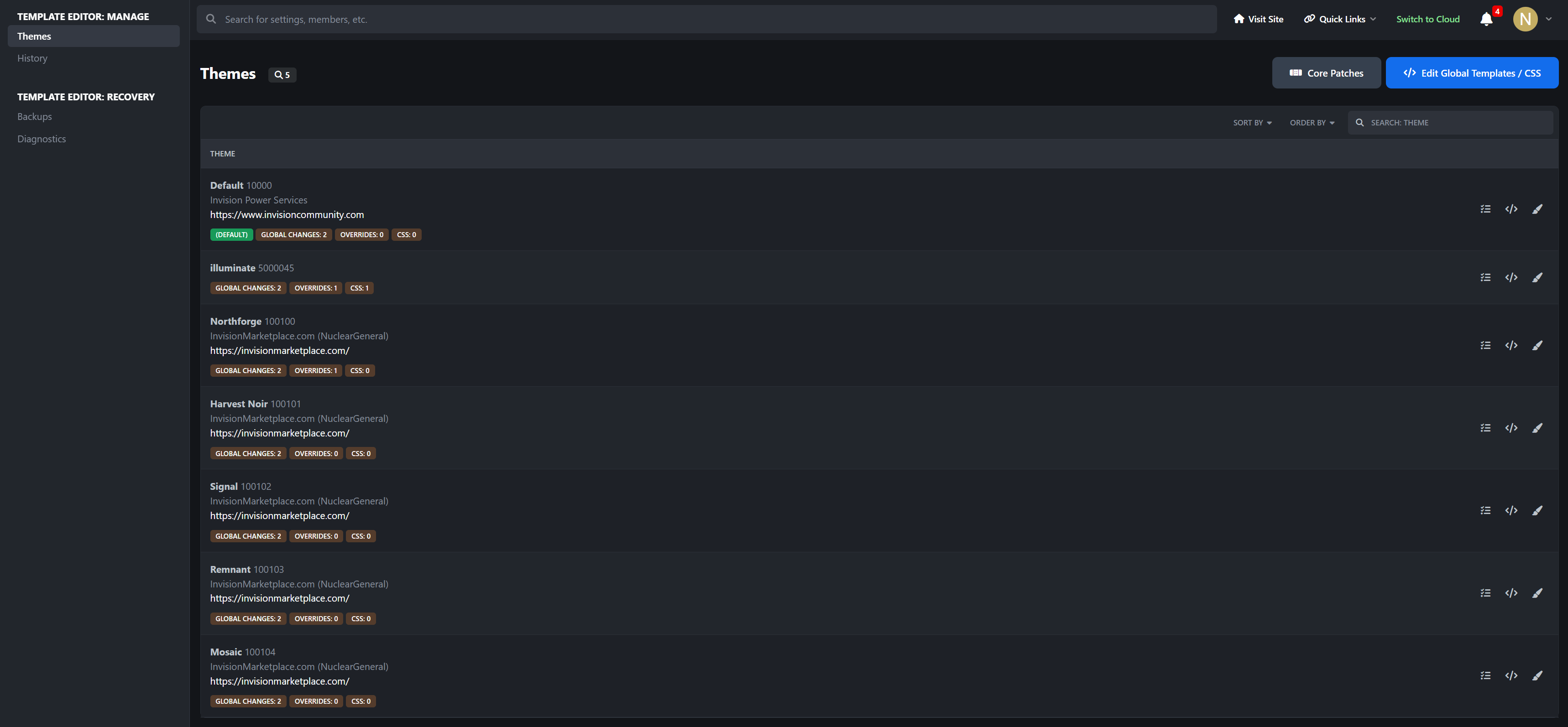
Themes Area: Review global source changes plus theme-specific template and CSS override activity from the app's theme-aware management layer
History Area: Review authored and restored revisions with member attribution and saved notes
Backups Area: Manage full recovery snapshots, including locked baselines and restore points created before recovery actions
Diagnostics Area: Inspect template state, shipped-source lookup results, and app recovery readiness from dedicated ACP diagnostics tools
Status Indicators: The editor UI surfaces modified, baseline, inherited, and drift-aware state markers directly in the workspace
Use Cases
Template Editor is especially useful for:
administrators migrating old IPS 4 template editing habits into IPS 5
developers who need a controlled source-template editing workflow inside the ACP
communities that want app-level recovery protection before touching shipped template or CSS sources
staff teams that need revision history and member attribution for live template changes
sites that regularly customize suite output and want stronger rollback and diagnostics tooling
AdminCP Areas
The app includes dedicated AdminCP management areas for:
Templates
Themes
History
Backups
Diagnostics
Why It Stands Out
IPS 5 no longer exposes the same source-template editing workflow many administrators relied on in IPS 4. Template Editor does not just add an edit box back. It rebuilds the workflow around the IPS 5 source model with baseline capture, revision history, template-aware recovery, multi-tab editing, and diagnostics so template work can be done with far more operational safety than direct edits.
Developed by InvisionMarketplace.com - Professional Invision Community Applications