Jump to content
View in the app

A better way to browse. Learn more.

Invision Marketplace

A full-screen app on your home screen with push notifications, badges and more.

To install this app on iOS and iPadOS
  1. Tap the Share icon in Safari
  2. Scroll the menu and tap Add to Home Screen.
  3. Tap Add in the top-right corner.
To install this app on Android
  1. Tap the 3-dot menu (⋮) in the top-right corner of the browser.
  2. Tap Add to Home screen or Install app.
  3. Confirm by tapping Install.

Everything you need for your community

We will be moving to a new server soon, some downtime is expected.

Everything you need for your community

Invision Community 5
  • Category Admin & Mod Tools
  • Downloads 12
  • Compatibility IC5: 5.0.11+
  • App Version 1.0.0
  • Updated
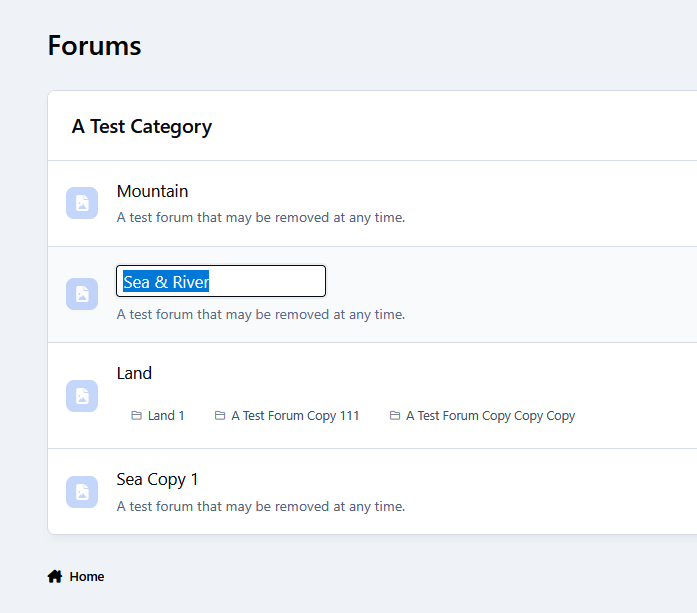
Save time and streamline your workflow by editing forum names directly from the front-end.

Overview

Save time and streamline your workflow by editing forum names directly from the front-end.

Description

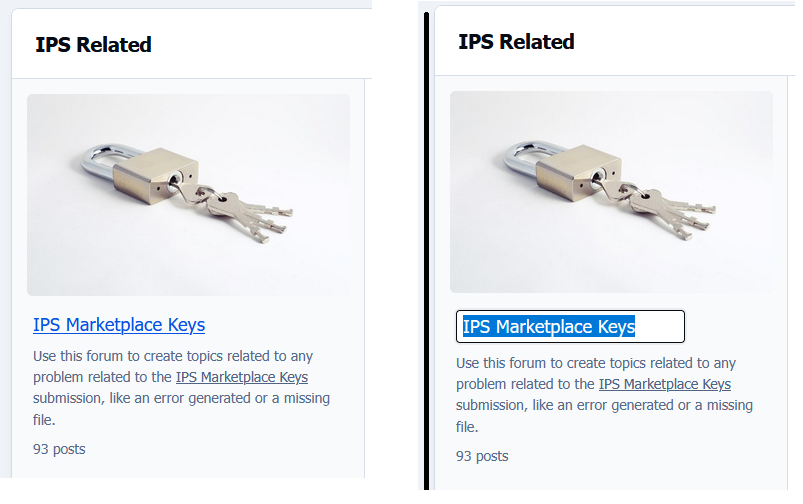
Quick Forum Name Edit lets administrators rename forums/subforums directly from the front-end (Forums index only), right where they’re already working. No need to jump into the Admin CP just to make a small change — simply edit the name in place and move on.

It’s a small feature that can save you a surprising amount of time, especially when you’re organizing or refining your forum structure. For peace of mind, all changes are restricted to administrators and are automatically recorded in the Admin Logs, so you always have a clear history of what was updated.

User Feedback

Create an account or sign in to leave a review

There are no reviews to display.

Configure browser push notifications

Chrome (Android)
  1. Tap the lock icon next to the address bar.
  2. Tap Permissions → Notifications.
  3. Adjust your preference.
Chrome (Desktop)
  1. Click the padlock icon in the address bar.
  2. Select Site settings.
  3. Find Notifications and adjust your preference.