Restricted Messenger
Invision Community 5
- Category Admin & Mod Tools
- Downloads 60
- Compatibility IC5: 5.0.0+
- Updated
Overview
Restricted Messenger gives administrators fine-grained control over private messaging permissions in Invision Community 5.Description
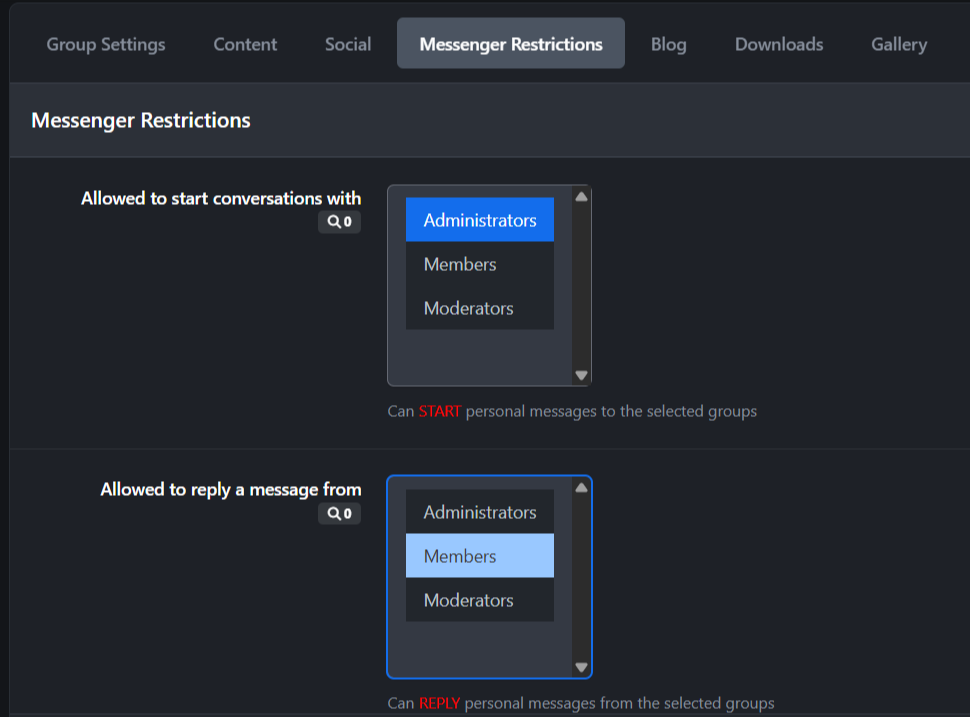
Instead of the default “all-or-nothing” messaging behavior, this application allows you to define exactly which member groups a user can start conversations with, and which groups they are allowed to reply to, directly from the ACP group settings.
This makes it ideal for communities that require structured communication flows, such as support forums, moderated platforms, educational communities, or role-based environments.
Key Features
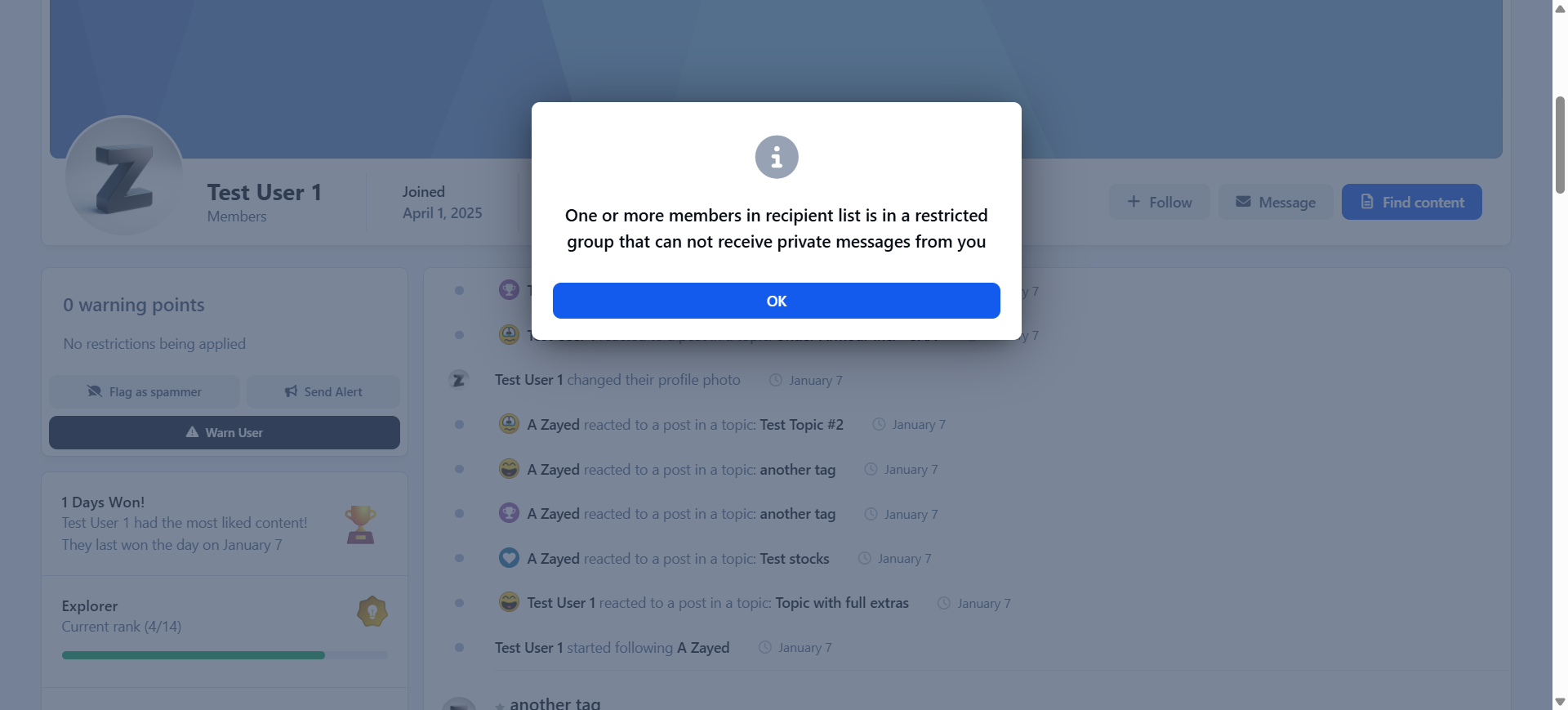
Control which groups a user can start new messages to
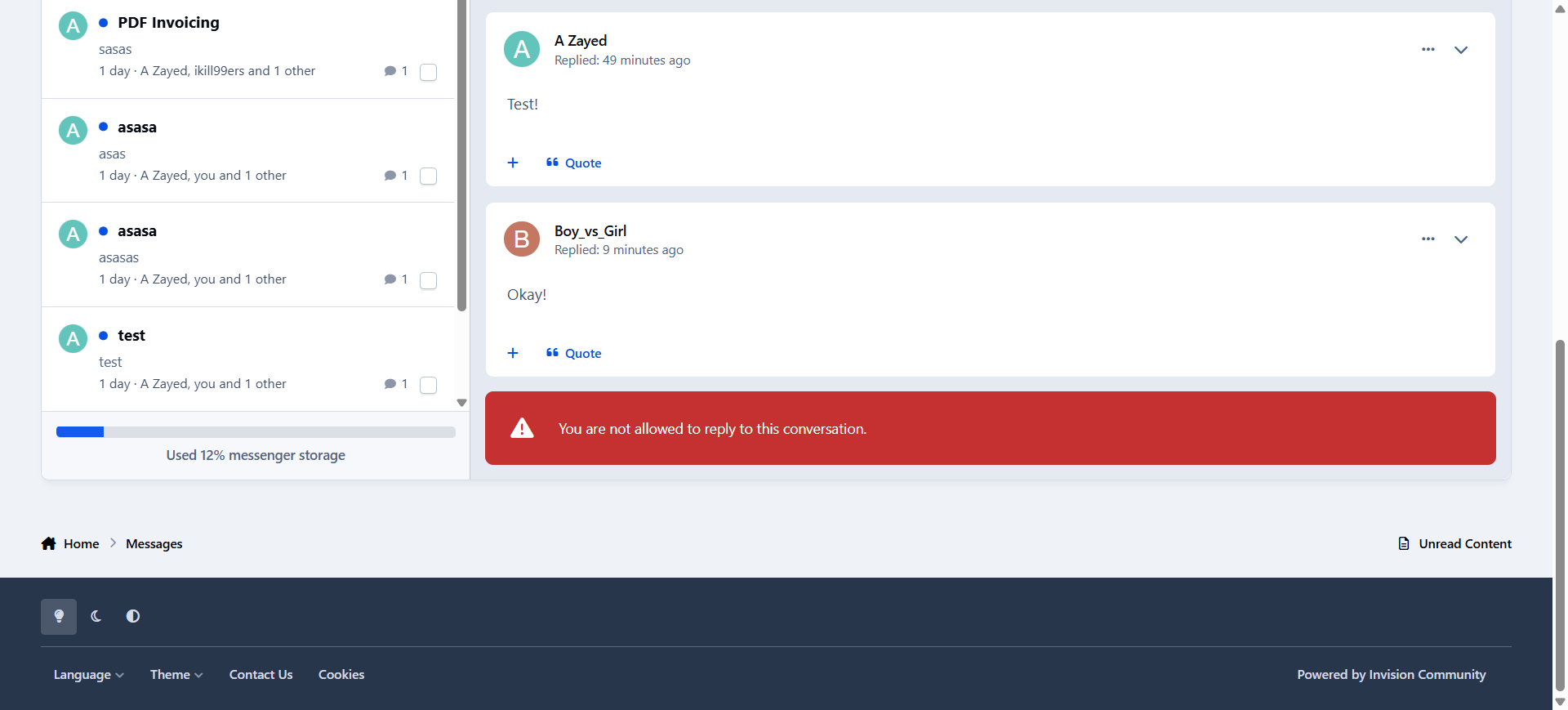
Control which groups a user can reply to messages from
Fully managed from the ACP Groups form (no separate configuration pages)
Enforced at runtime to prevent unauthorized messaging
Seamless integration with the IPS 5 Messenger interface
Use Cases
Allow members to message staff, but not other members
Restrict new users from initiating conversations while allowing replies
Enable support-only messaging channels
Enforce role-based or hierarchy-based communication rules
Restricted Messenger adds the control layer that serious communities need, without changing how messaging feels for users.
-
 1
1
Create an account or sign in to leave a review
There are no reviews to display.