AI-Assisted Moderator
Invision Community 5
- Category AI Tools
- Downloads 125
- Compatibility IC5: 5.0.0+
- Updated
Overview
AI-Assisted Moderator is a proactive moderation tool that helps members stay within rules by offering friendly guidance before posts are published.Description
AI-Assisted Moderator for Invision Community 5
Most moderation problems don’t come from bad intent.
They happen because members don’t read rules.
Someone posts, crosses a line without realising it, a moderator steps in, a warning is issued, and what could have been avoided turns into frustration or conflict. Often leading into members leaving your community.
AI-Assisted Moderator fixes that moment.
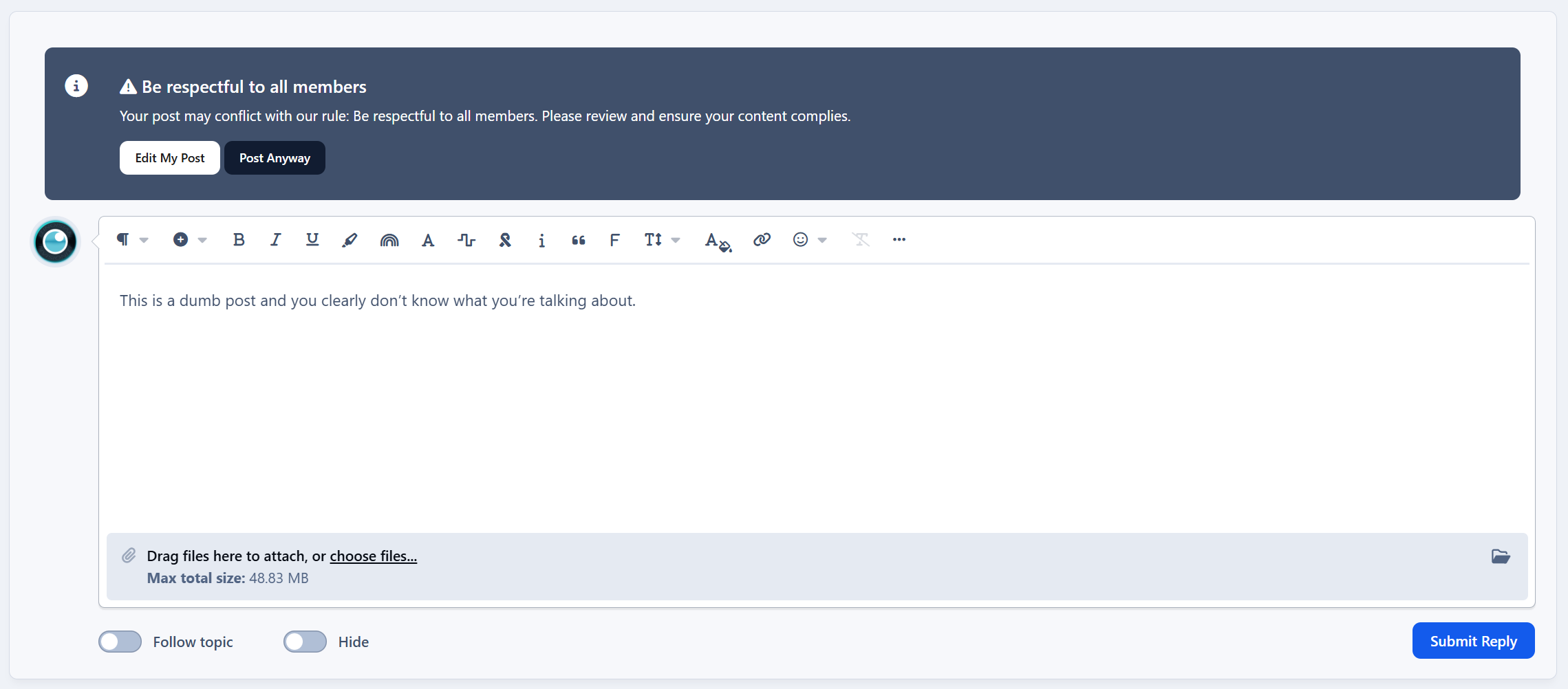
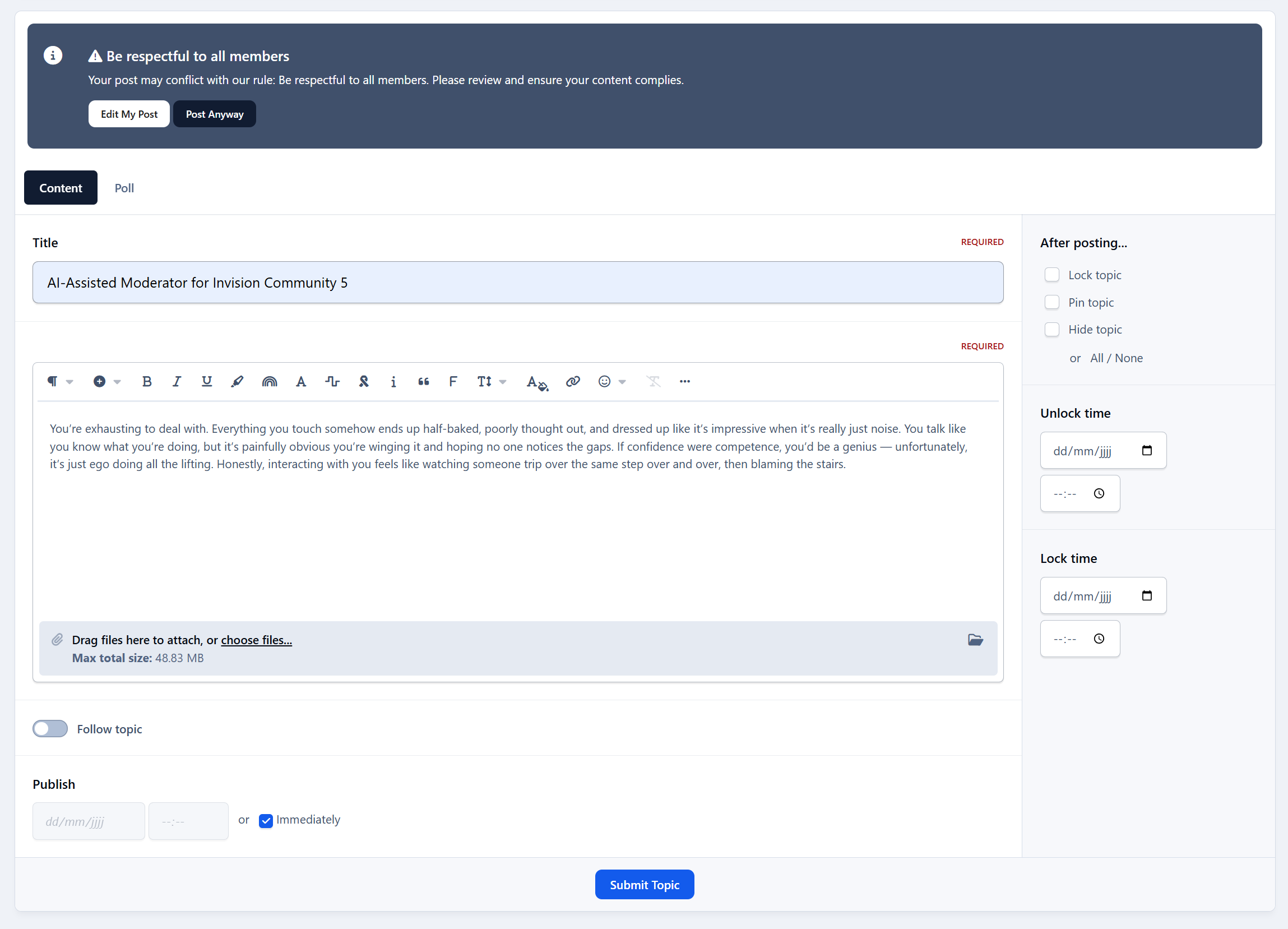
Instead of reacting after a rule is broken, AIAM gives members a friendly heads-up when they want to post. If a post may go against a rule, the member sees a short notice explaining which rule it relates to and why. They can edit their post or continue anyway.
No blocking. No punishment. No forced changes.
Just awareness before problems happen.
Why this works
Warnings create friction.
Guidance creates understanding.
When members are told before posting, most fix the issue themselves. That means fewer warnings, fewer reports, and a calmer moderation flow overall.
Moderators stay in control.
Members feel respected.
The community benefits.
What AIAM does
Proactively warns members before posting when content may violate a rule
Uses AI-powered analysis (OpenAI supported now, others planned)
Works in any language your community uses
Shows confidence levels (low / medium / high) to avoid unnecessary warnings
Displays friendly warnings inline
Links directly to the relevant rule
Lets members edit their post or dismiss the notice and continue
Optionally use keyword pre-filtering to reduce AI usage and cost
Supports custom rules with titles, descriptions, keywords, scope, and custom messages
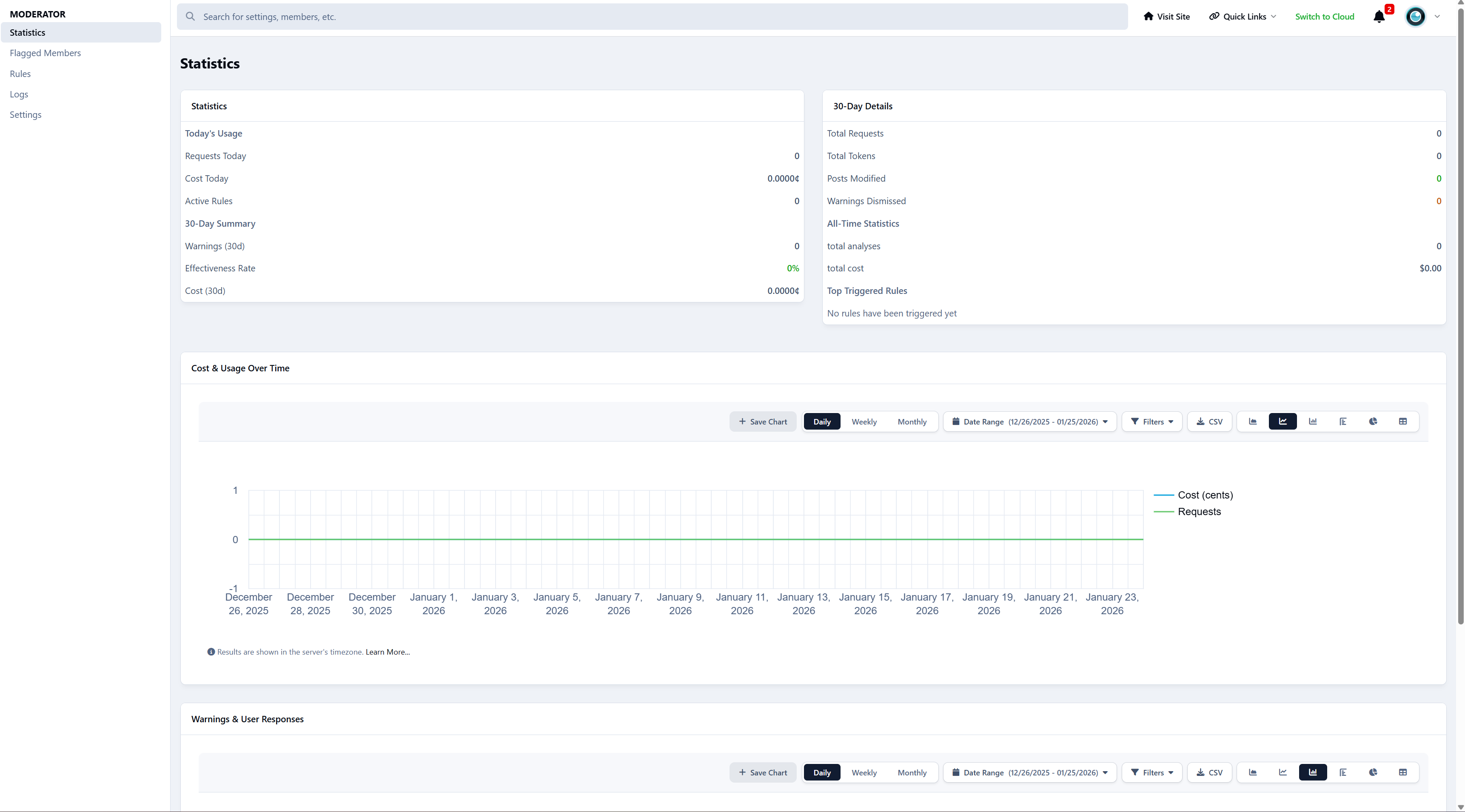
Tracks usage, effectiveness, and rule triggers
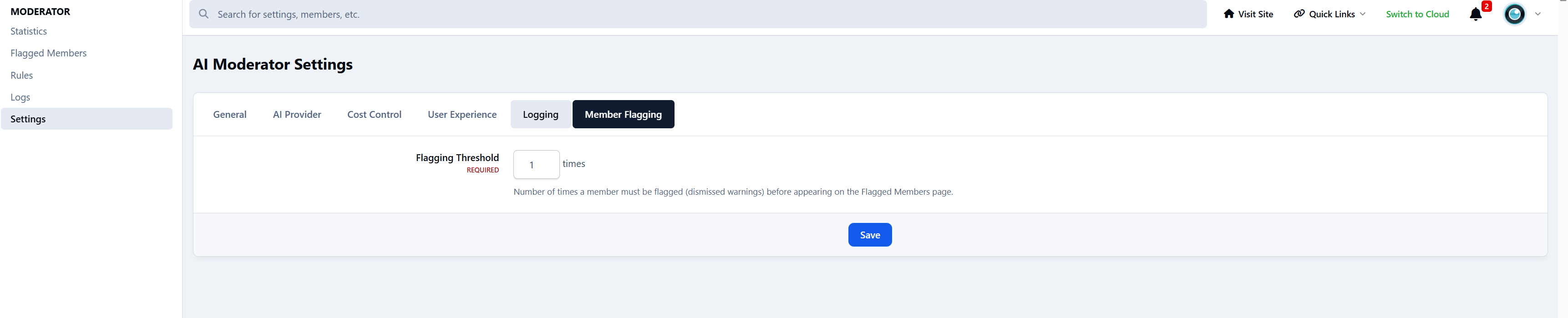
Flags members who repeatedly ignore warnings, which you can then PM personally
Gives admins full visibility and control at all times
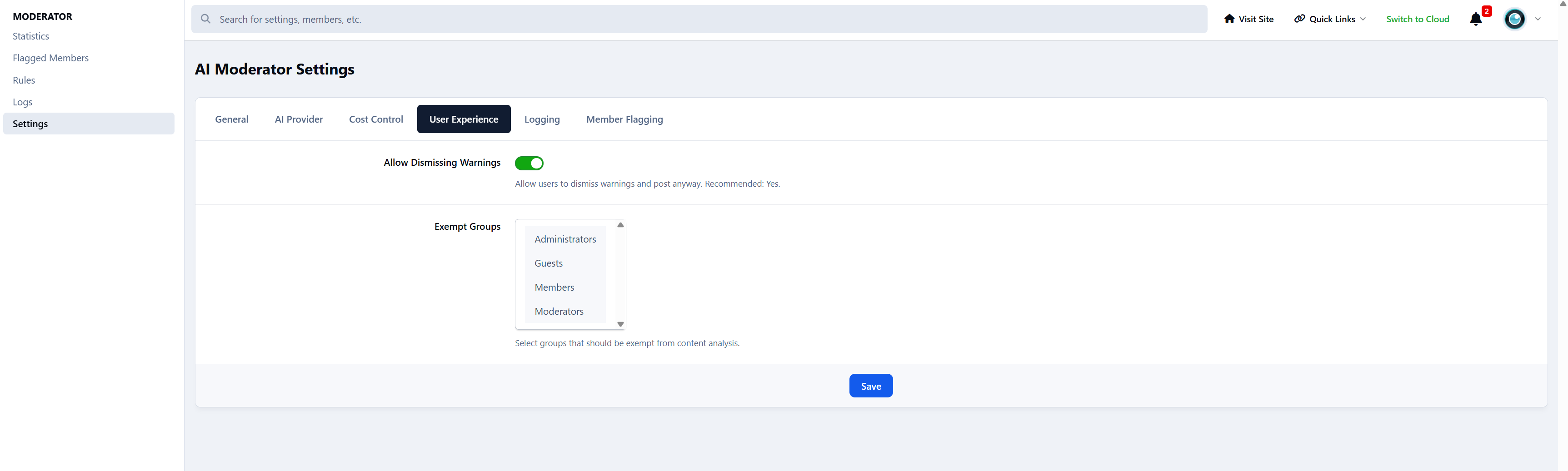
Limits to certain forums or user groups.
AIAM never enforces rules automatically. It assists - nothing more.
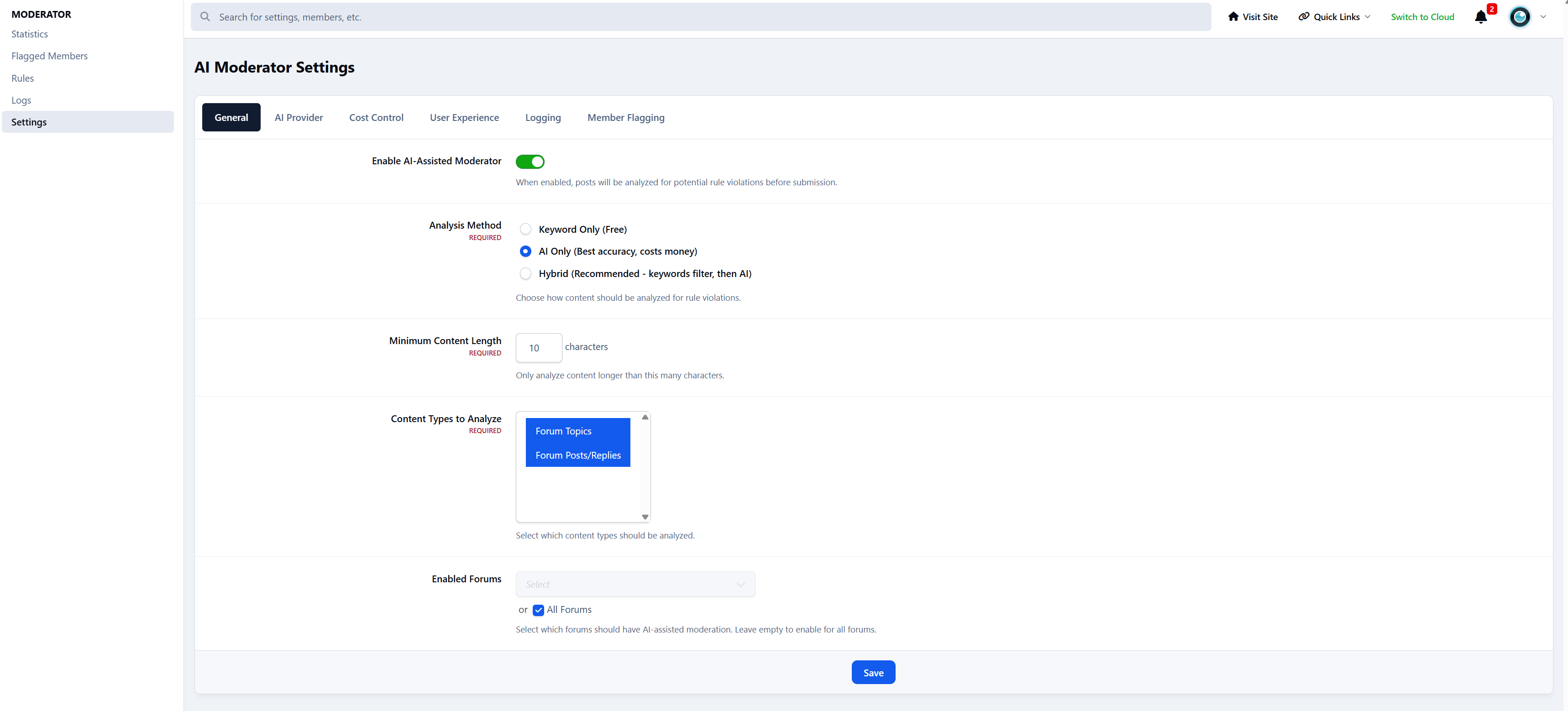
Analysis Method
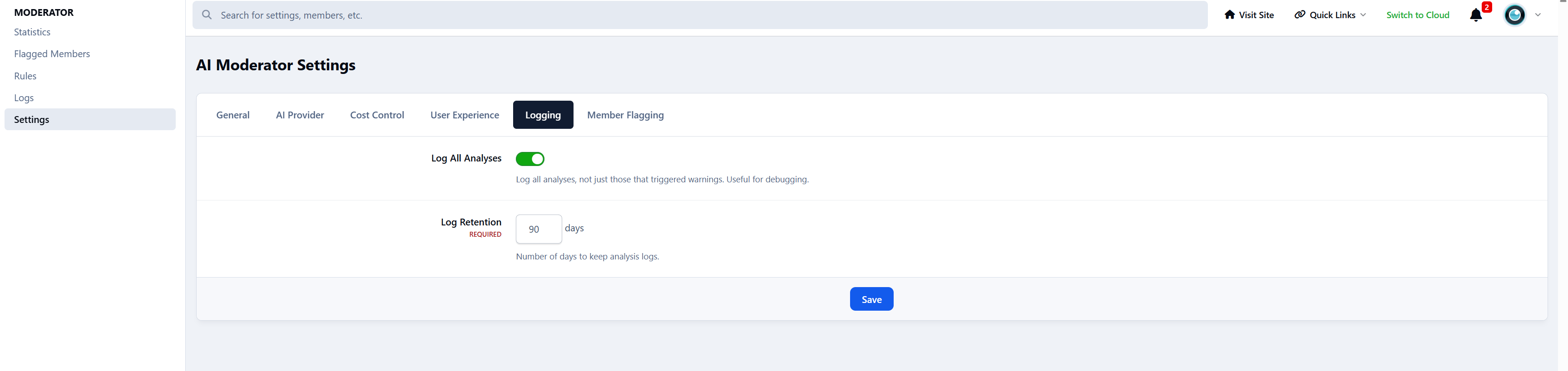
Choose how posts are analysed. You can change this at any time.
Keyword Only (Free)
Uses rule keywords to detect possible issues. No AI involved and no cost.
AI Only (Best accuracy, highest cost)
Every post is checked using AI for maximum accuracy and better understanding of context.
Hybrid (Recommended)
Keywords filter posts first, then AI is used only when needed.
This keeps accuracy high while dramatically reducing AI usage.
In most communities, Hybrid mode cuts AI usage by up to 90%.
Confidence Threshold
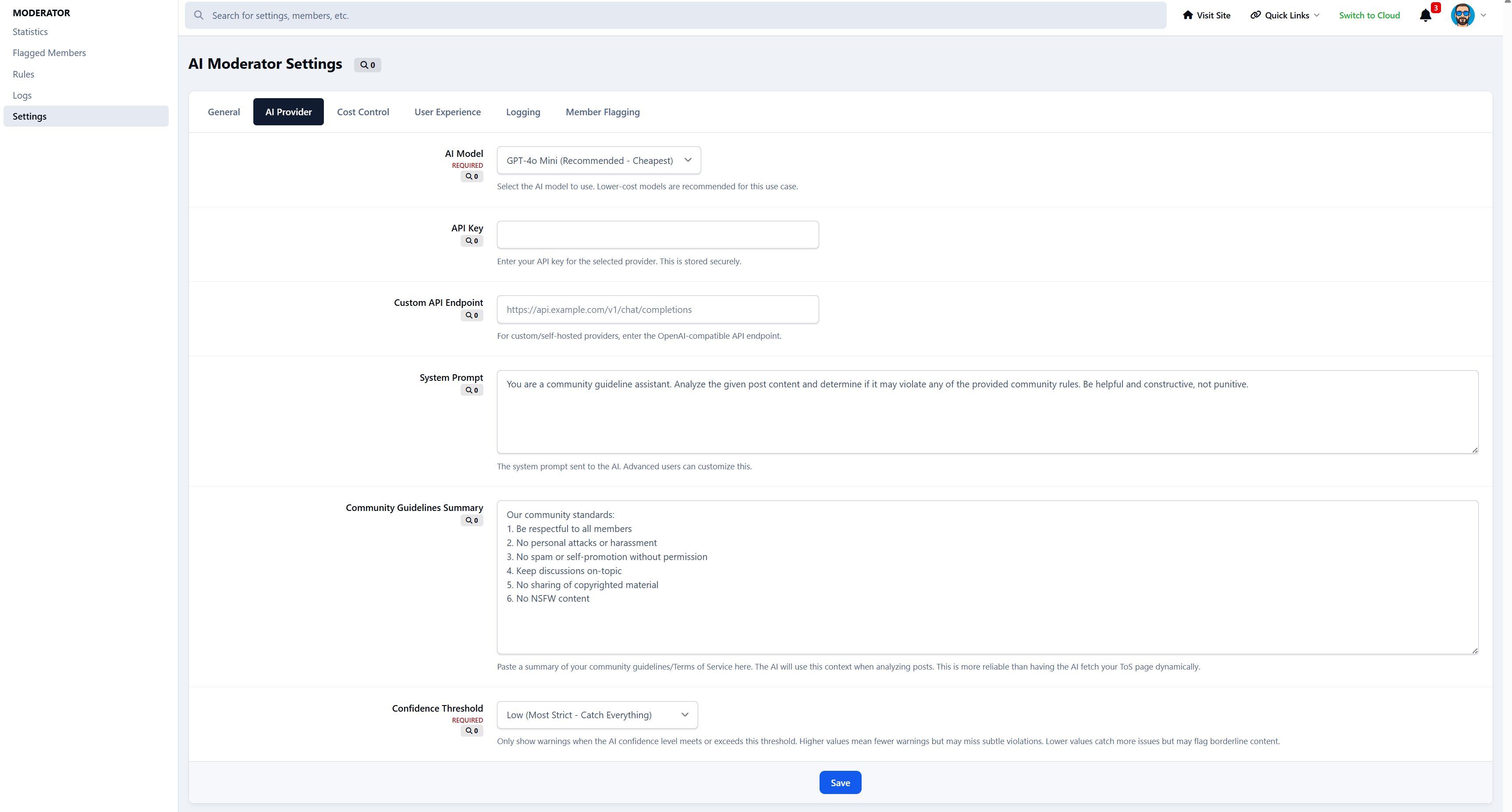
Controls how strict AI-Assisted Moderator should be when deciding to show a warning.
This allows you to tune how cautious or relaxed the system should be.
Low - Very strict, catches subtle and borderline cases
Medium - Balanced and recommended for most communities
High - Lenient, only obvious rule issues are flagged
You can adjust this at any time to match your community’s culture.
Admin control
AIAM includes dedicated admin areas for full oversight:
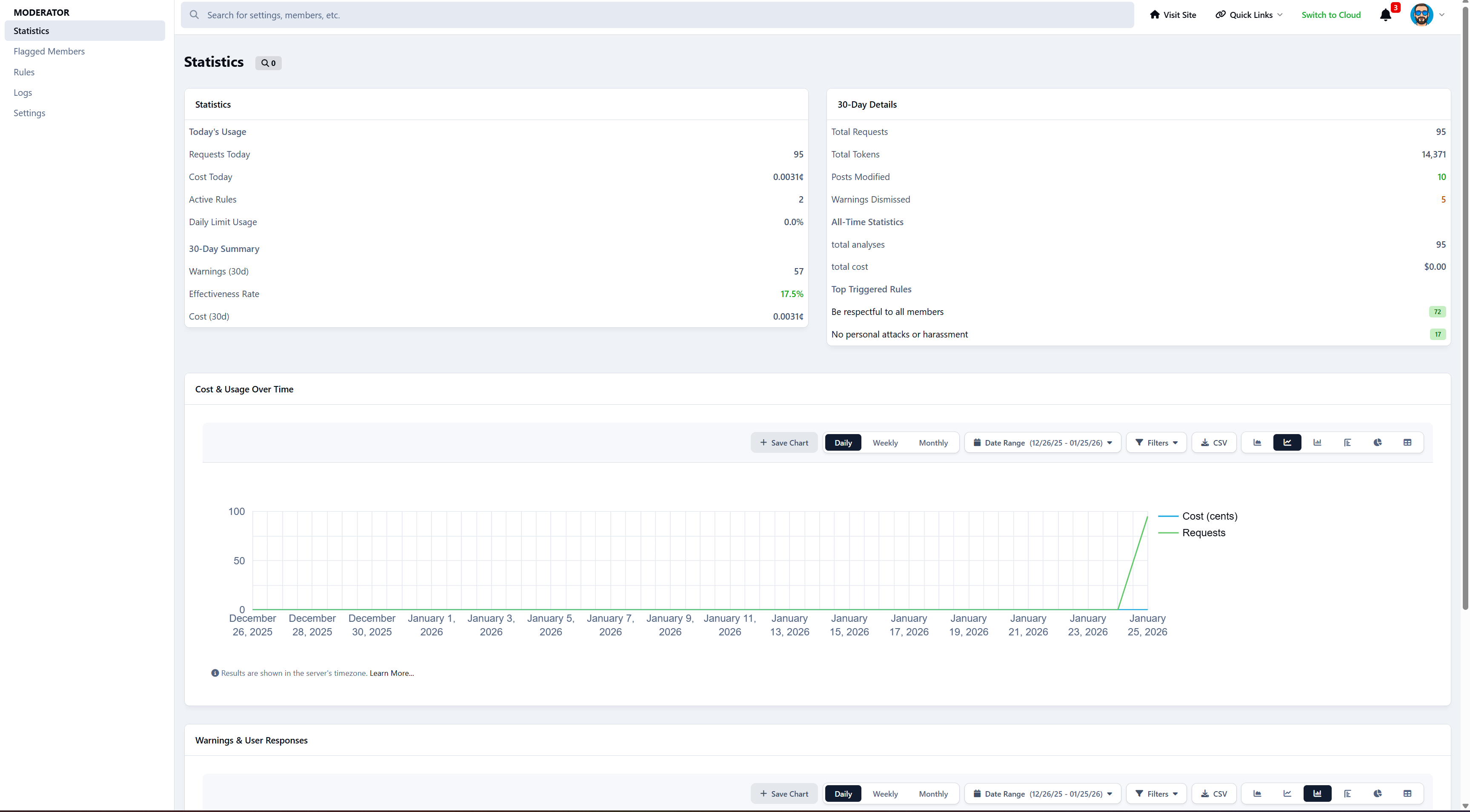
Statistics: usage, costs, effectiveness, charts, and top triggered rules
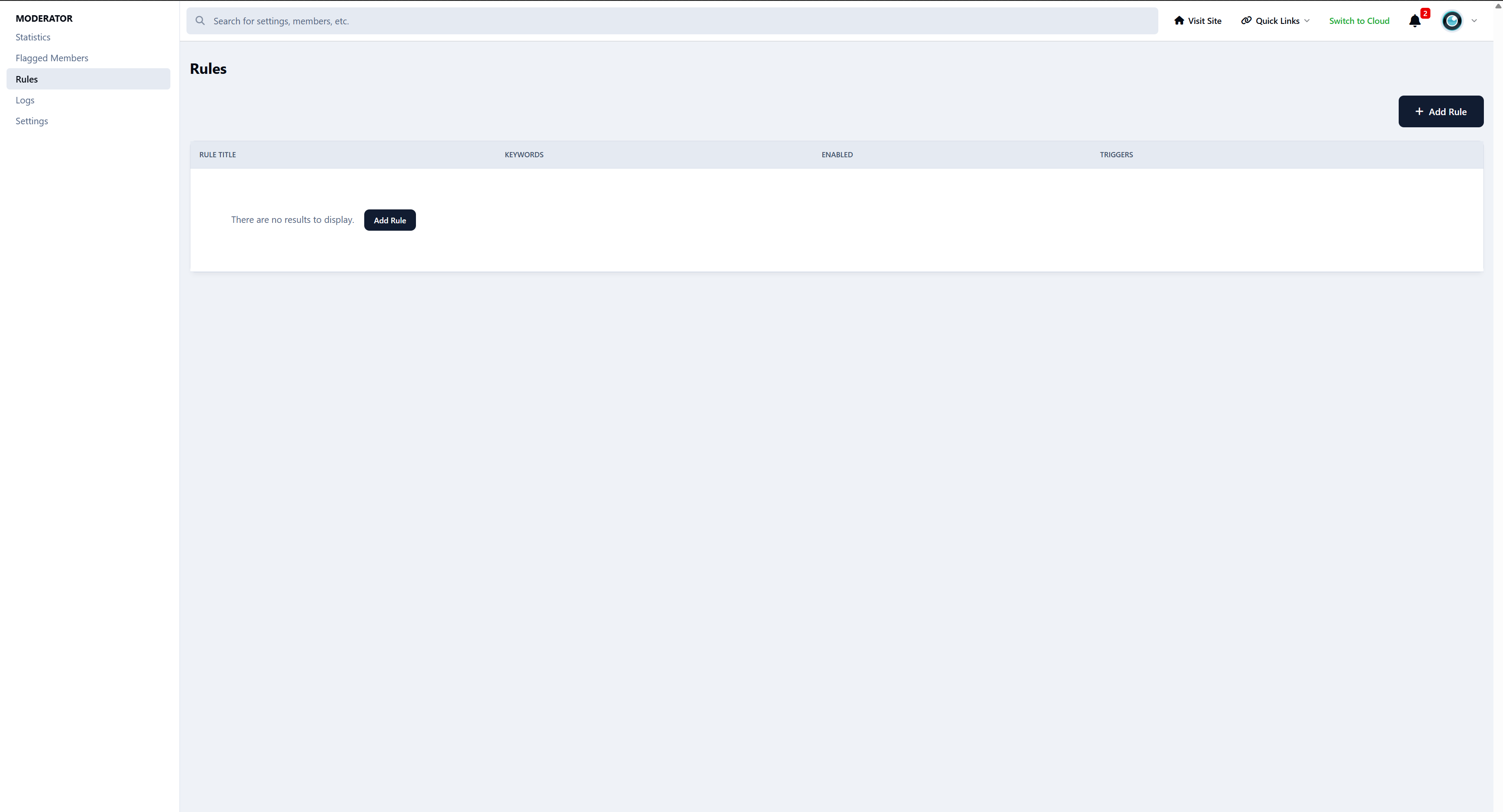
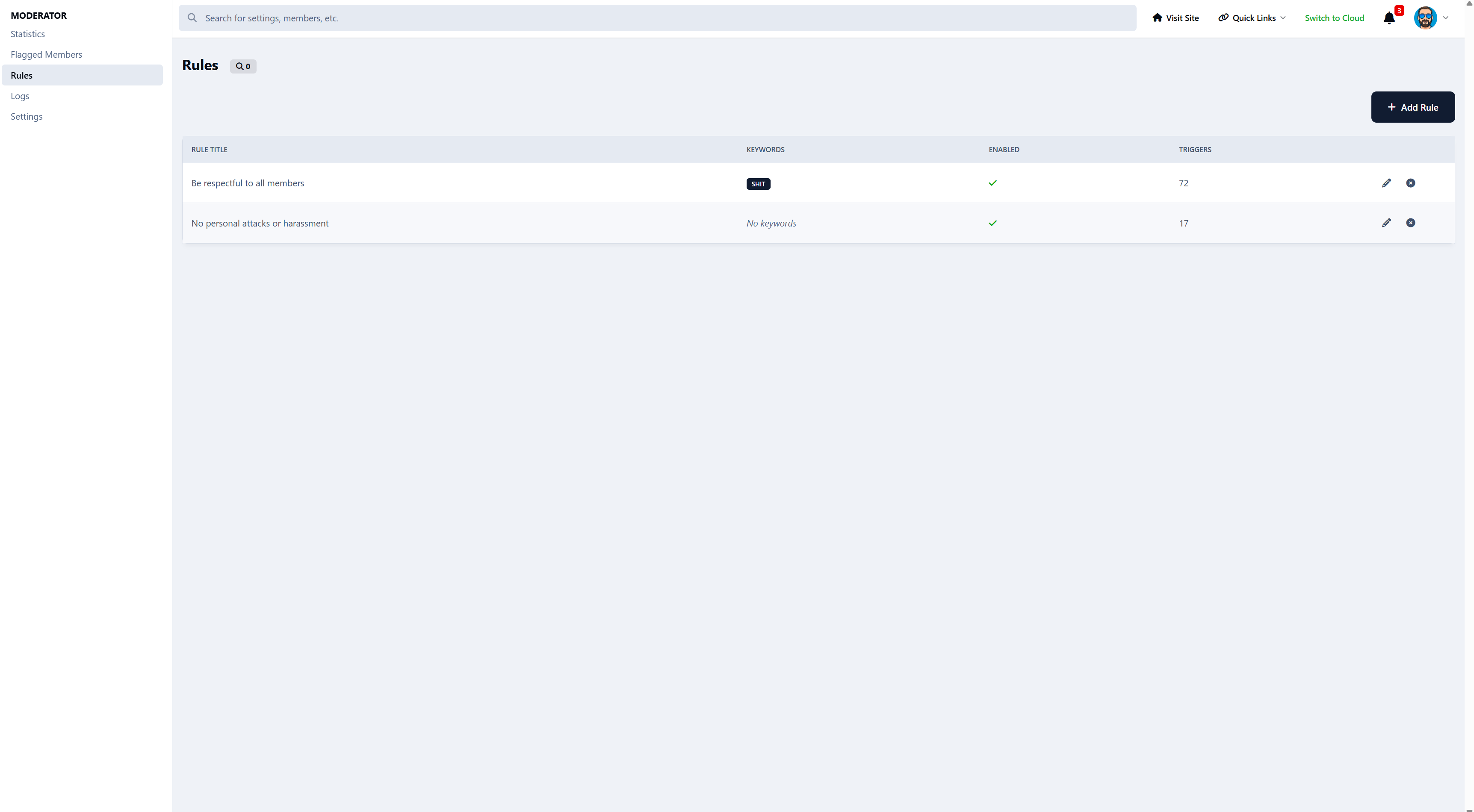
Rules: create and manage community rules, keywords, scope, and messages
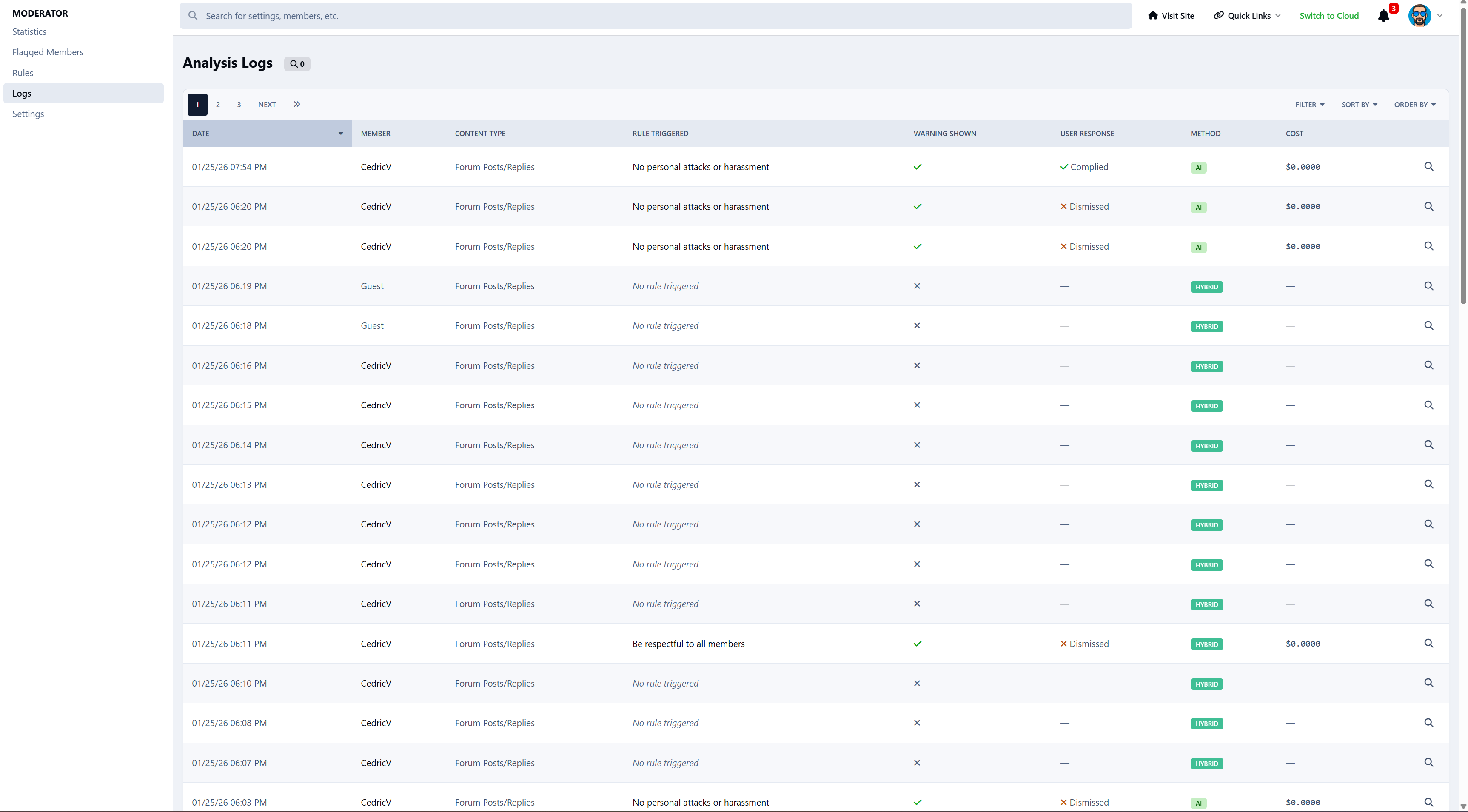
Logs: history with AI responses, confidence, cost, and user actions
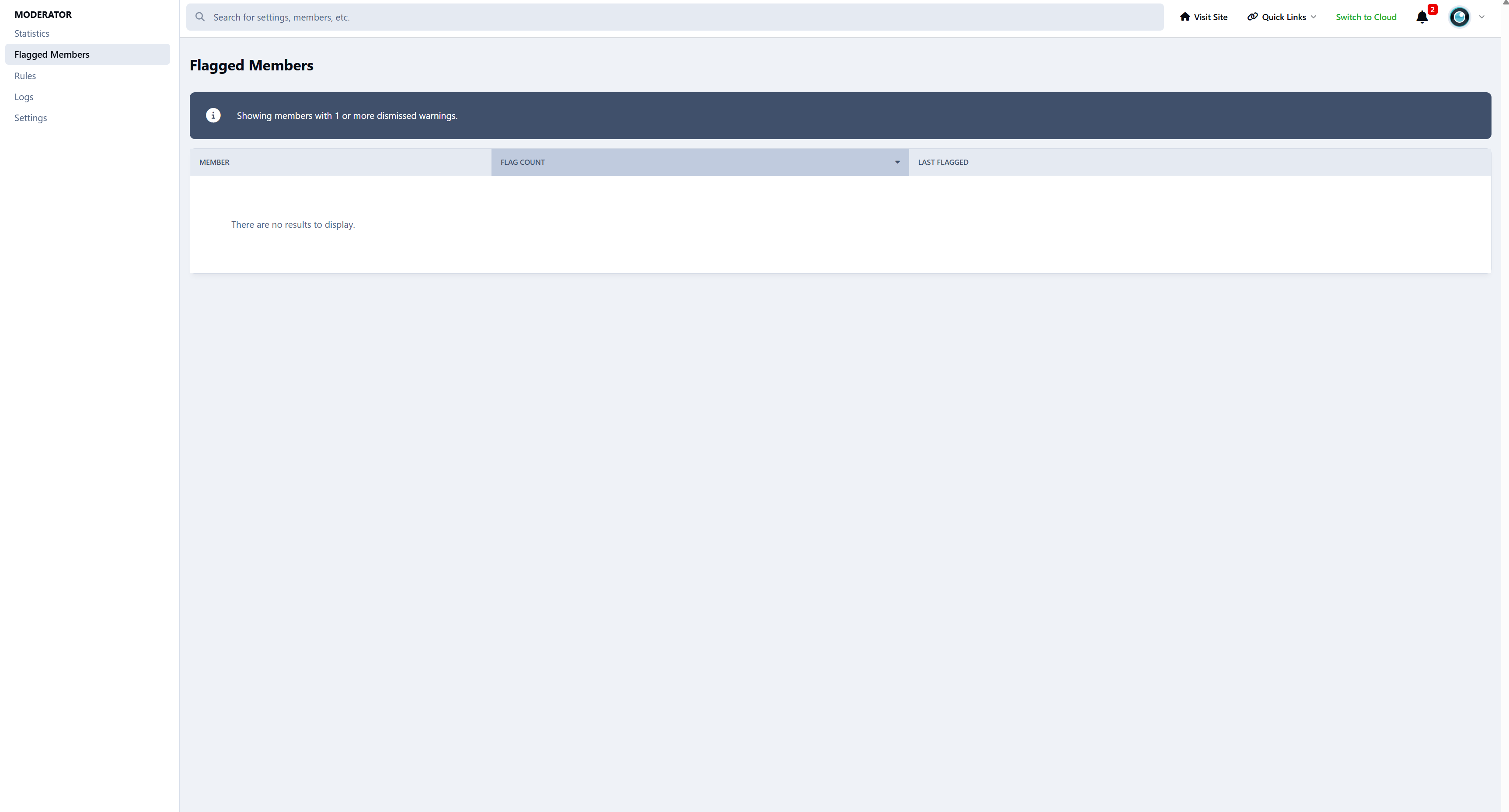
Flagged Members: review members who repeatedly dismiss warnings, ability to send PM's.
Settings: all configuration options in one place
Cost & requirements
Costs apply only when AI is used.
Keyword-only checks are completely free.
With ChatGPT (GPT-4o-mini):
FULL AI mode: Around $0.03 per 1,000 offensive triggered posts
Small and medium communities usually spend a few cents per month
Hybrid mode makes this even cheaper by skipping AI when it’s not needed
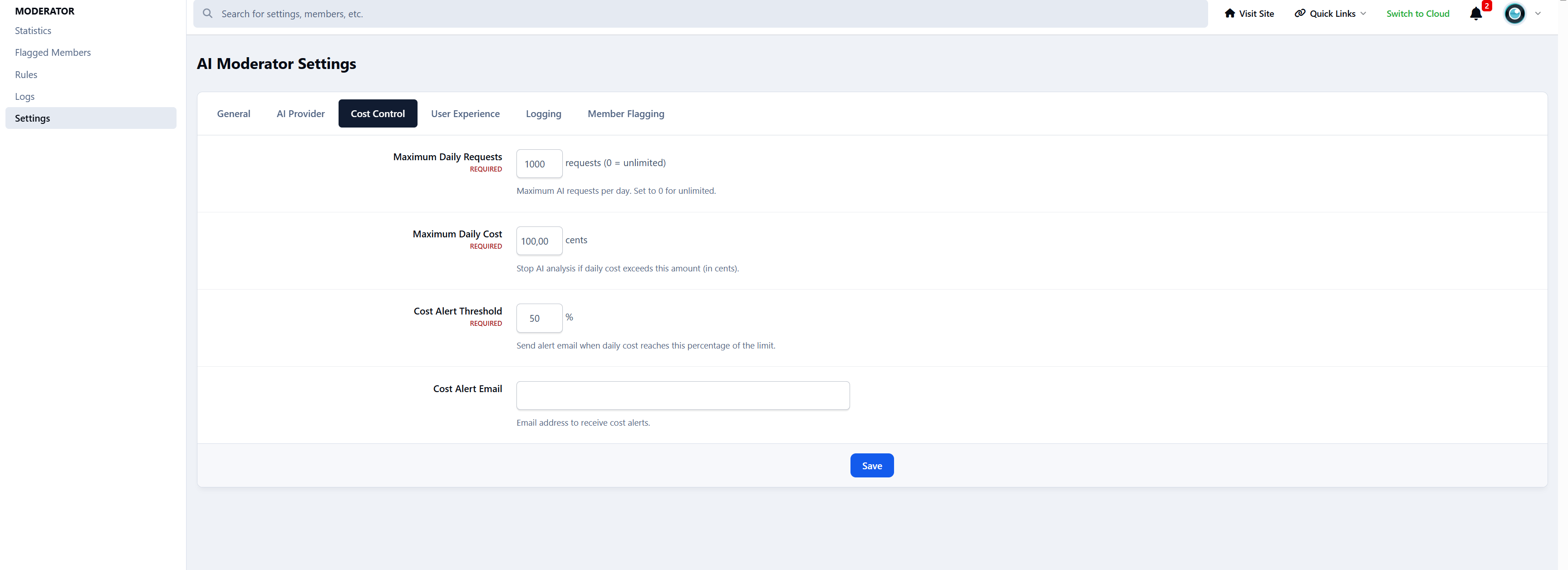
You can set daily limits, cost limits, and alerts at any time.
Requirements:
An OpenAI (ChatGPT) API key
More features coming soon!
Create an account or sign in to leave a review
There are no reviews to display.