Downloads Archive Viewer
- Category Integrations
- Downloads 29
- Compatibility IC5: 5.0.0+
- App Version 1.0.0
- Updated
Description
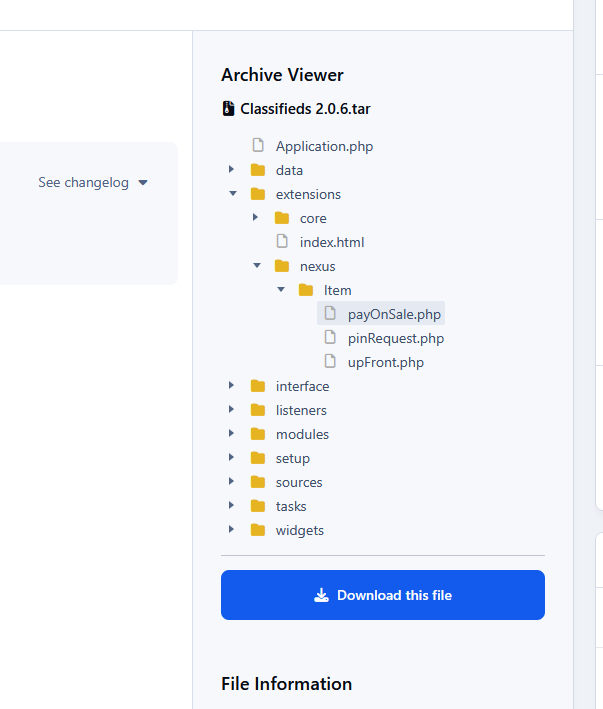
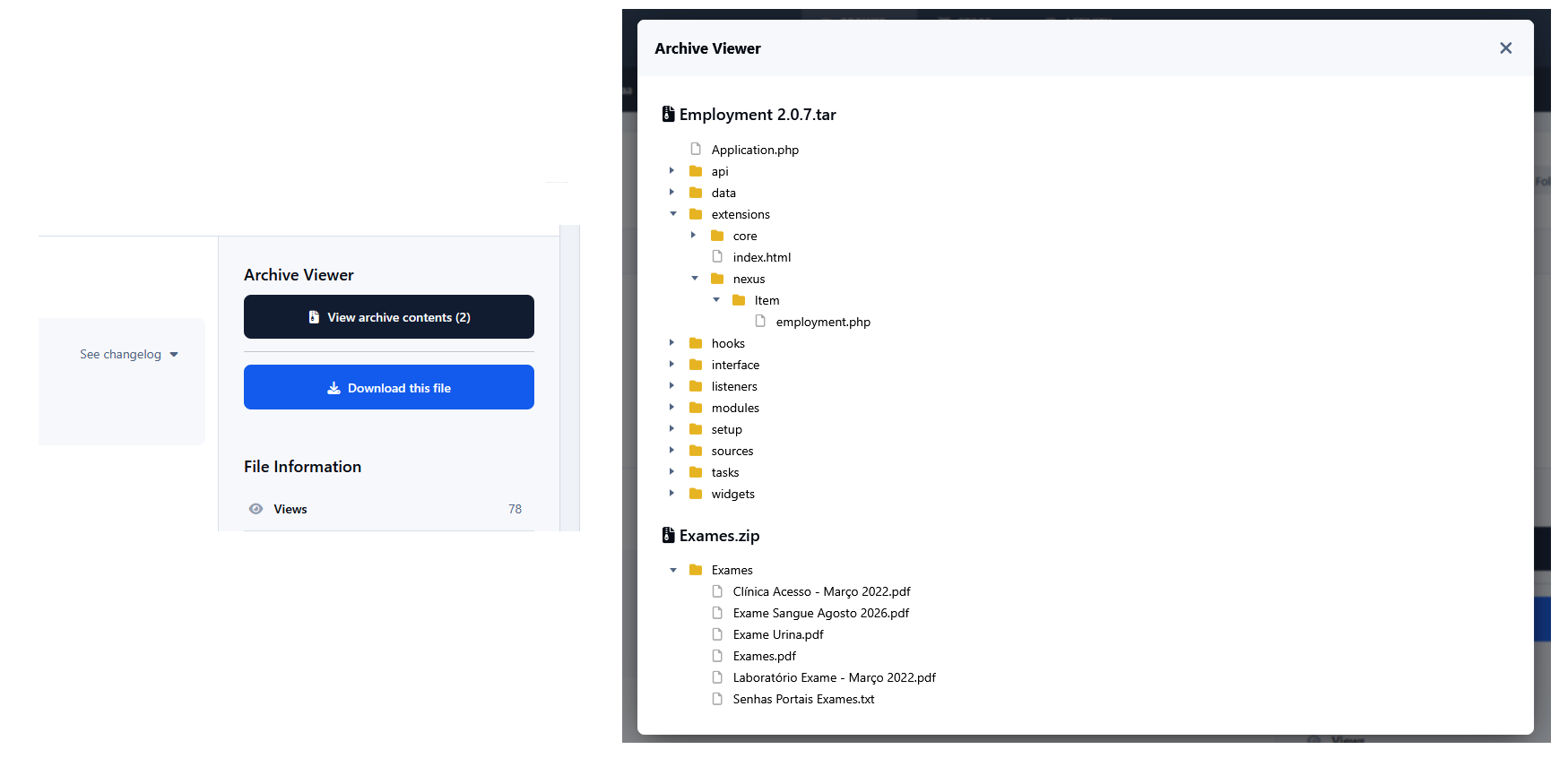
Downloads Archive Viewer allows users to browse the contents of archive files directly from the Downloads file page, without downloading or extracting them first. Archive contents are displayed in an interactive folder tree, making it easy to inspect directories and files before downloading. When multiple archives are available, they are displayed in a convenient pop-up dialog.
Features:
Supports ZIP and TAR-based archives (
.zip,.tar,.tar.gz, and.tgz).Interactive folder/file tree.
Supports multiple archives per Downloads file.
Archive contents are read server-side without extracting the files.
Integrates directly with the Downloads file page.
Uses the third-party jsTree JavaScript plugin for the interactive tree interface.
Note: Currently, only ZIP and TAR archive formats are supported.
Requirements
Downloads application
PHP ZIP and Phar extensions must be enabled on the server.
-
 1
1
There are no reviews to display.