Jump to content
View in the app

A better way to browse. Learn more.

Invision Marketplace

A full-screen app on your home screen with push notifications, badges and more.

To install this app on iOS and iPadOS
  1. Tap the Share icon in Safari
  2. Scroll the menu and tap Add to Home Screen.
  3. Tap Add in the top-right corner.
To install this app on Android
  1. Tap the 3-dot menu (⋮) in the top-right corner of the browser.
  2. Tap Add to Home screen or Install app.
  3. Confirm by tapping Install.

Everything you need for your community

We will be moving to a new server soon, some downtime is expected.

Everything you need for your community

Invision Community 5
  • Category Integrations
  • Downloads 61
  • Compatibility IC5: 5.0.0+
  • App Version 5.0.14
  • Updated

Description

Key Features

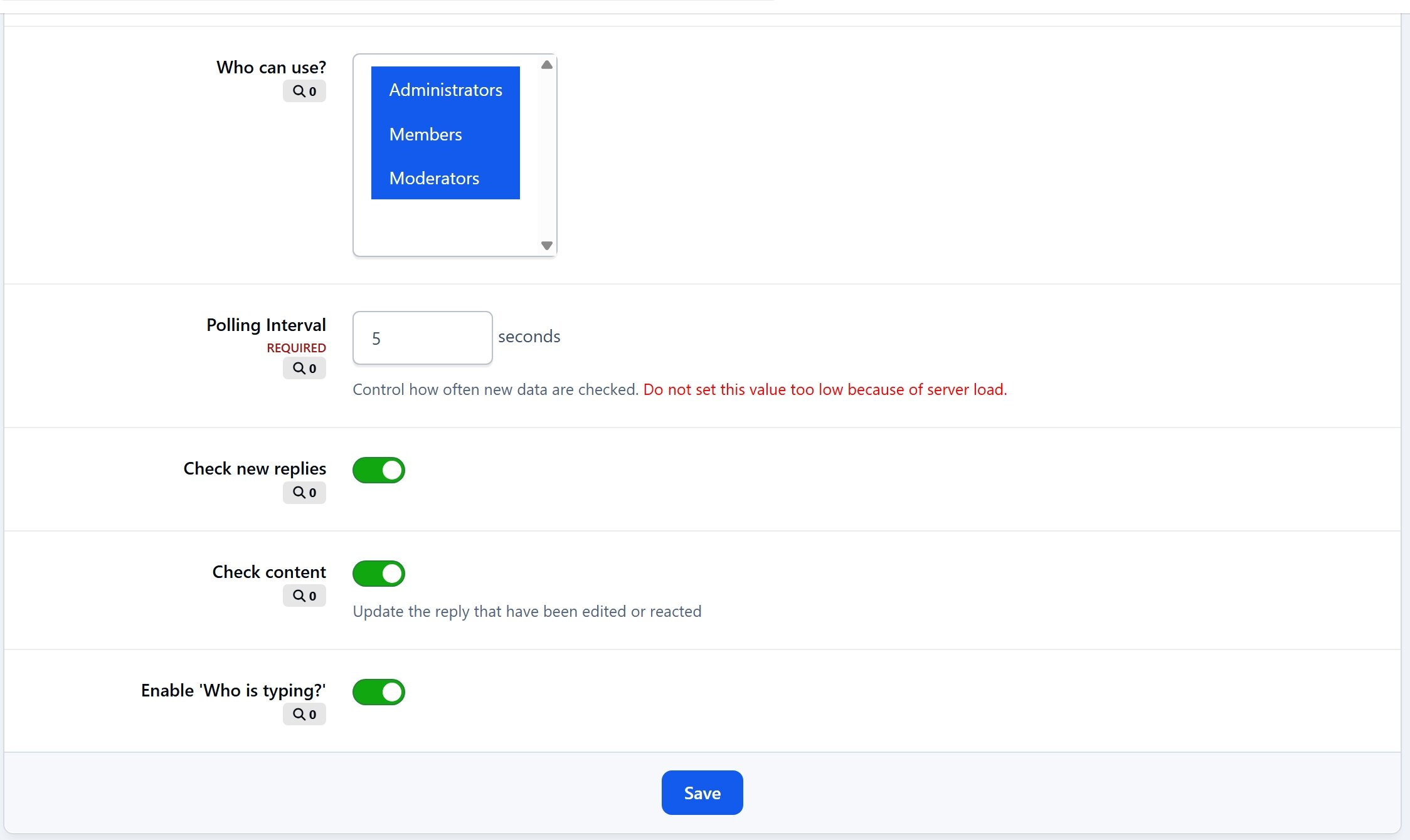
  • Instant Reply Updates – New replies are loaded automatically via AJAX without refreshing the page.

  • Edited Content – Keeps posts in sync when someone edits their reply.

  • Reaction Updates – Reactions and likes update automatically as they occur.

  • Typing Indicator – Displays who is currently typing in the editor for a more interactive experience.

  • RTHub Integration – install RTHub to use real-time services from Pusher or Ably.

Supported Applications

Not supported on IPS Cloud

User Feedback

Create an account or sign in to leave a review

   1 of 1 member found this review helpful 1 / 1 member

Awesome application and very well-built, with a lot of detail to bring a much wanted feature to self-hosted clients. It's very impressive, and with the RTHub it can take away the demand on your own server due to support for alternative services. A great addition to any Invision community.

Configure browser push notifications

Chrome (Android)
  1. Tap the lock icon next to the address bar.
  2. Tap Permissions → Notifications.
  3. Adjust your preference.
Chrome (Desktop)
  1. Click the padlock icon in the address bar.
  2. Select Site settings.
  3. Find Notifications and adjust your preference.