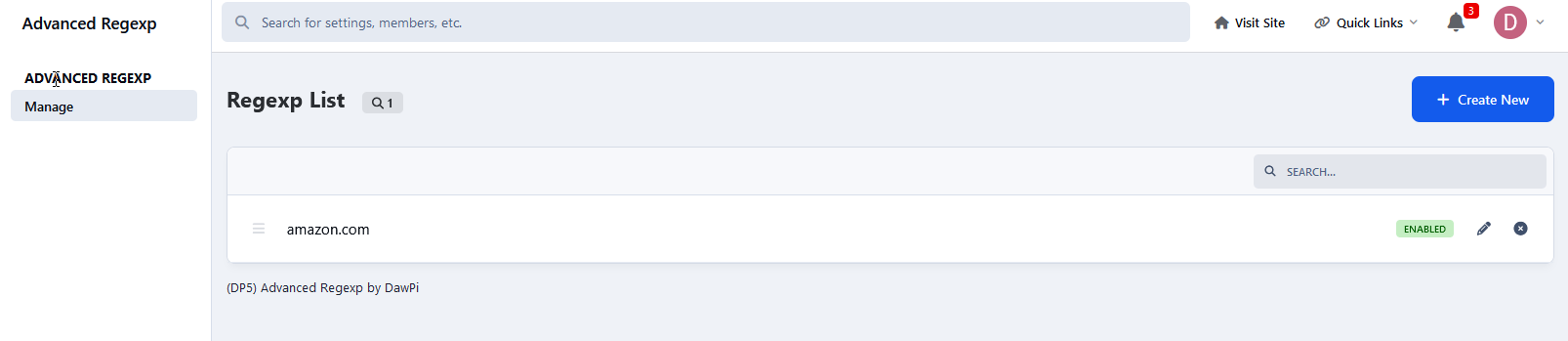
(DP5) Advanced Regexp
Invision Community 5
Invision Community 4
- Category Advertising & Marketing
- Downloads 78
- Compatibility IC5: 5.x IC4: 4.x
- Updated

Description
With this fancy app you may earn money by changing and modyfing the affiliate urls adding by members on your board! 🙂
It maybe isn't beatifiull app but it's very good and brings new opportunities.
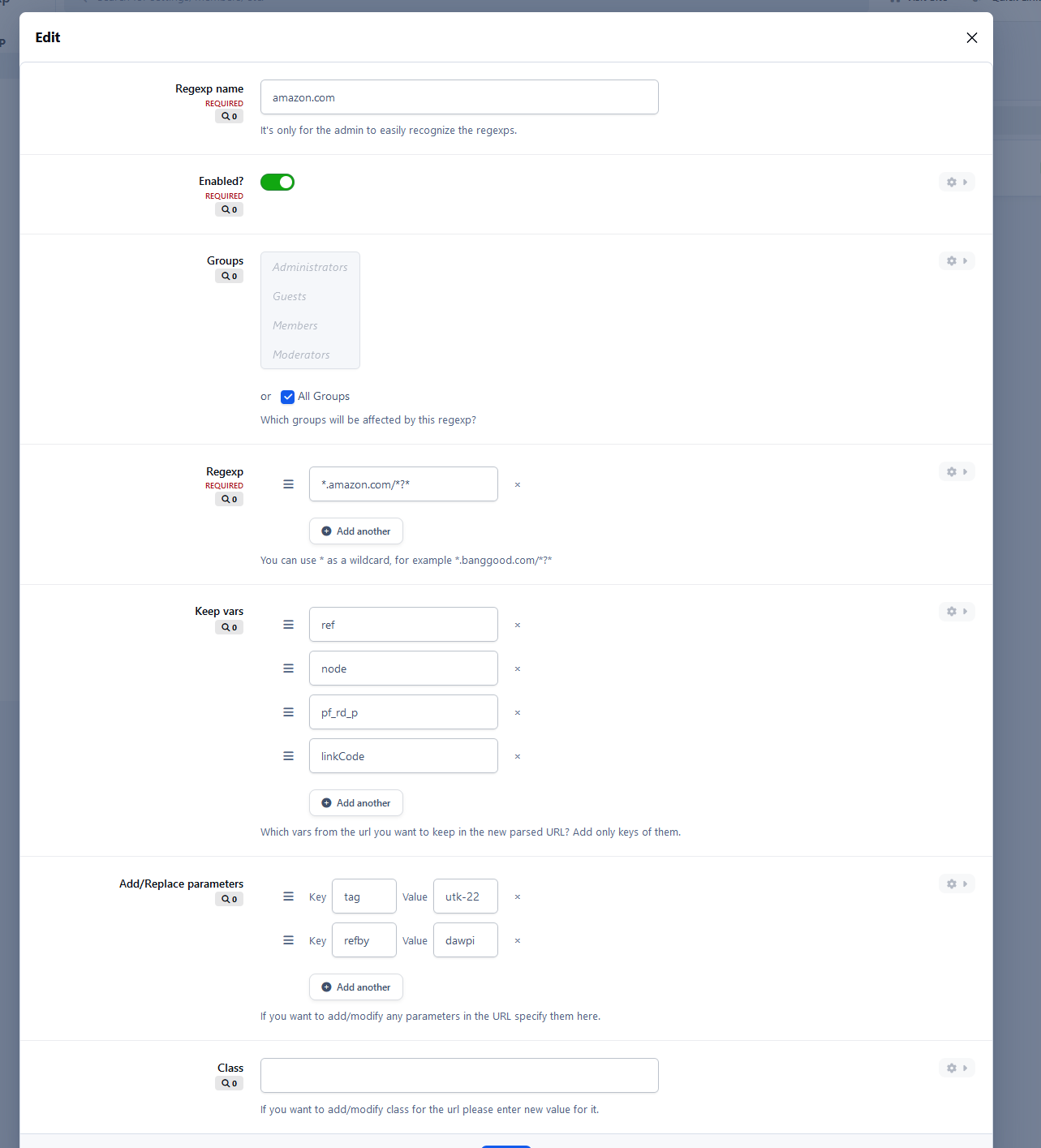
For example Amazon affiliate urls contain "tag" parameter which may be modified by adding your own value for that parameter or simply added into url.
Application is flexible so you may define your own affiliate parameters - "refby", "referredby" etc.
You may also delete specified parameters from urls or keep any.
You may also create custom CSS class and highlight any urls you like by your own CSS look.
Example:
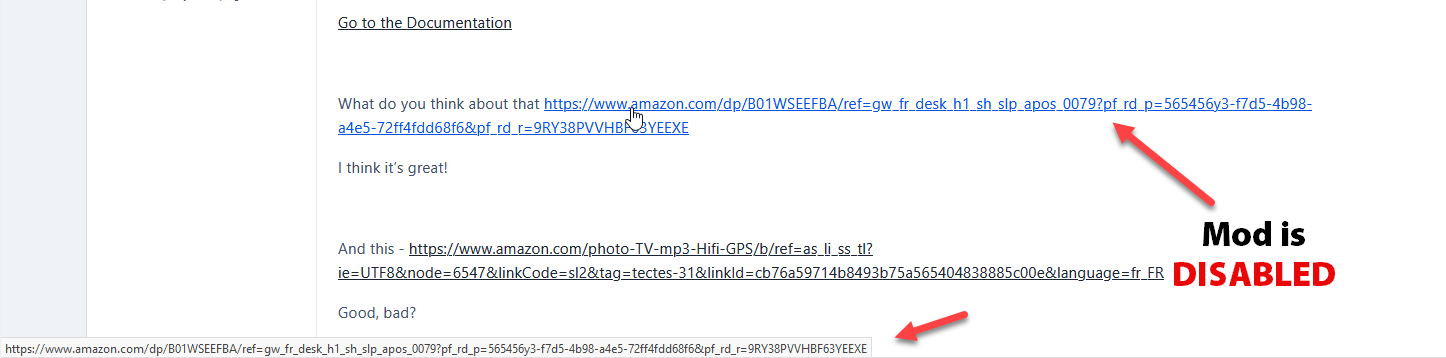
Someone post this url:
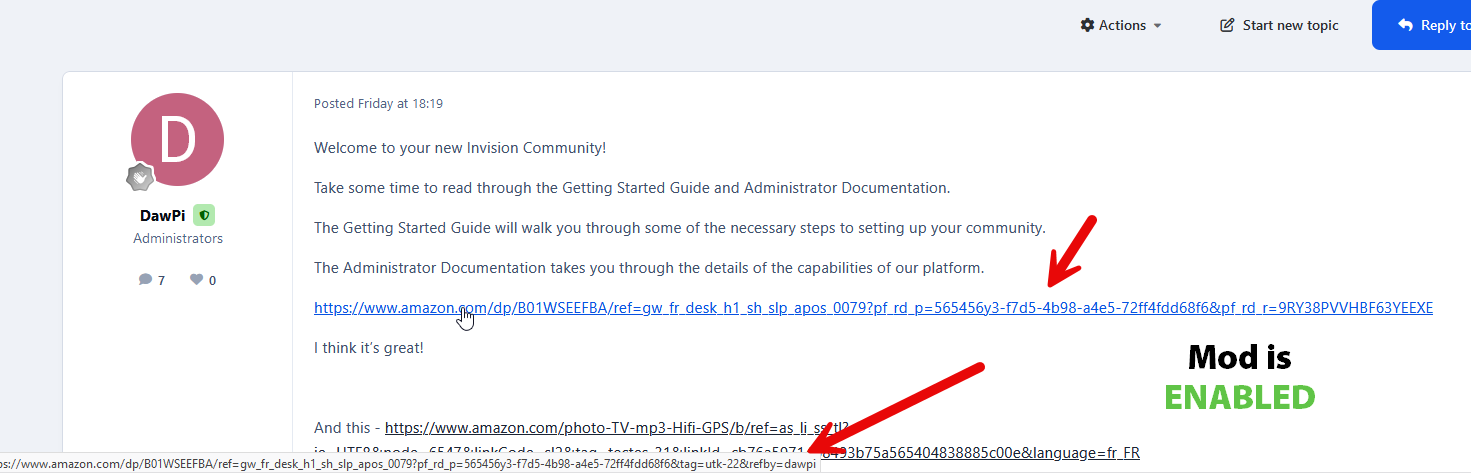
https://www.amazon.com/dp/B01WSEEFBA/ref=gw_fr_desk_h1_sh_slp_apos_0079?pf_rd_p=565456y3-f7d5-4b98-a4e5-72ff4fdd68f6&pf_rd_r=9RY38PVVHBF63YEEXEIt would change to that (with tag parameter):
https://www.amazon.com/dp/B01WSEEFBA/ref=gw_fr_desk_h1_sh_slp_apos_0079?pf_rd_p=565456y3-f7d5-4b98-a4e5-72ff4fdd68f6&pf_rd_r=9RY38PVVHBF63YEEXE&tag=utk-21
Another example (with tag parameter):
https://www.amazon.com/photo-TV-mp3-Hifi-GPS/b/ref=as_li_ss_tl?ie=UTF8&node=6547&linkCode=sl2&tag=tectes-31&linkId=cb76a59714b8493b75a565404838885c00e&language=fr_FRIt would change to:
https://www.amazon.com/photo-TV-mp3-Hifi-GPS/b/ref=as_li_ss_tl?ie=UTF8&node=6547&linkCode=sl2&tag=utk-21&linkId=cb76a59714b8493b75a565404838885c00e&language=fr_FR
Create an account or sign in to leave a review
There are no reviews to display.