Advertising & Marketing
-
IPS5.0.0+
Affiliate Rules automatically converts external links into affiliate or redirect URLs across selected IPS applications. The app uses a modern IPS5-compatible approach without modifying the original post content or relying on deprecated hooks.
Setting:
Where to process links (select which IPS applications should process links)
Features:
Automatically append affiliate parameters to URLs
Redirect external links through your own tracking URL
Domain-based matching
Supports the most specific matching domain
AJAX-compatible
Works with dynamically loaded content
Select which IPS applications should process links
Ignores internal community links
Examples:
Append Mode
https://amazon.com/productbecomes:
https://amazon.com/product?tag=youraffiliateidRedirect Mode
https://externaldomain.com/pagebecomes:
https://yourdomain.com/go?url=https://www.externaldomain.com/ -
IPS5+
A powerful extension for Invision Community's Commerce module that enables the sale of pre-generated license keys - keys that were created externally by a third-party system or software vendor.
The Problem It Solves
By default, Commerce generates random license keys at the moment of purchase, with no control over their format or value. This makes it impossible to sell keys generated by external systems - meaning software vendors, game developers, and SaaS providers are forced to use meaningless random strings instead of their own license infrastructure.
How It Works
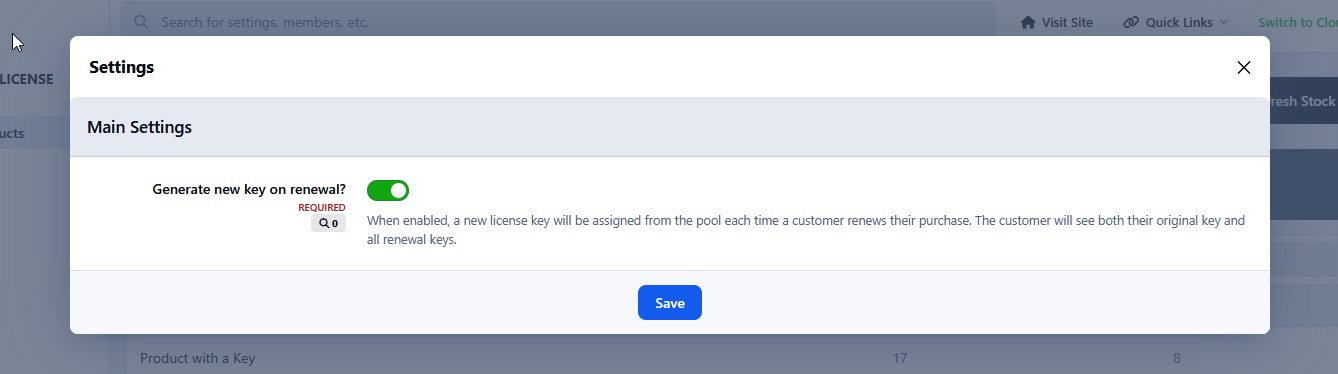
You upload a pool of keys to the application (manually or via import), assign them to a specific Commerce product, and after a successful purchase the system automatically assigns the next available, unused key from the pool to the buyer. Each key is single-use - once assigned to an order, it can never be issued again.
Example Use Cases
Selling game activation keys (e.g. Steam keys or keys for your own game)
Distributing software licenses (e.g. plugins, themes, desktop applications)
Selling access codes to external platforms or SaaS services
Distributing coupon or access codes generated by an external loyalty system
Providing API keys or access tokens from third-party systems
Key Benefits
Full control over key format and value, automatic delivery upon purchase, protection against key reuse, and seamless integration with existing license generation infrastructure.
Upgrading from version 4.x to 5.x
Before proceeding, you must create a full database backup. This is mandatory - without it, you will not be able to verify data integrity after migration or restore your data if something goes wrong.
Follow these steps in order:
Install version 5.x - do NOT uninstall version 4.x first
Go to AdminCP and verify that your license keys are visible in the new version
Check that all data has been migrated correctly
Only after confirming the data is intact, uninstall the old 4.x version
The new version will automatically migrate your existing data during installation, but the above order of steps must be strictly followed.
Important: I am not responsible for any data loss resulting from incorrect upgrade procedures, skipping the database backup, or failure to follow the instructions above. You use this application and perform any upgrades at your own risk.
-
IPS5.0.0+
Automated Newsletter
The most powerful newsletter & digest system for Invision Community 5
A powerful, fully block-based automated newsletter system for Invision Community 5 that lets administrators create structured, scheduled digests using native IPS email formatting.
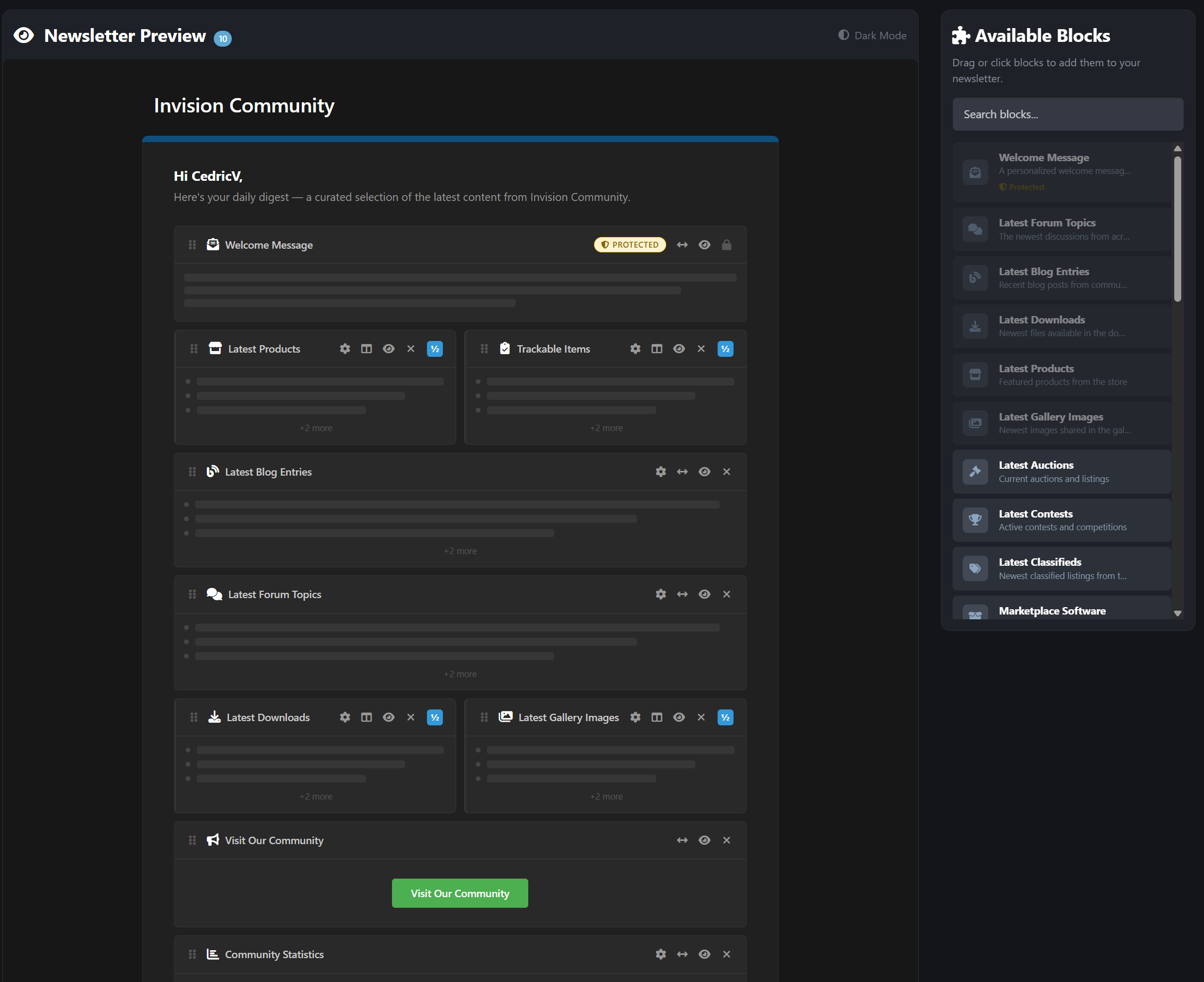
Supports both official admin newsletters and customizable member-created digests, all delivered through IPS’s built-in email system without altering core templates. Simply create your newsletter by drag & dropping blocks inside the live preview. Even supporting 2-column design.
Core Features
Automated recurring newsletters - daily, weekly, monthly, or custom intervals
31 content block types pulling live data from major IPS applications
Visual drag-and-drop newsletter builder (admin & member)
Send-day scheduling - restrict sends to specific weekdays
Smart skip-empty - automatically skips sending when no new content exists
Two-column email layouts with side-by-side block support
Dark mode email preview inside the customizer
Configurable batch size per newsletter for server-friendly sending
31 Content Block Types
Pull live content dynamically from across your community:
Core IPS Applications
Forums + Specific forums selection
Blogs
Downloads
Gallery
Calendar
Commerce / Products
CMS / Pages Articles
Extended Content Support
Auctions
Contests
Classifieds
Marketplace
Links
Questions (Q&A)
Awards
Daily Prompts
Status Updates
Trending Content
Featured Content
Upcoming Events
Top Contributors
Recent Reviews
Active Clubs
Trackable Items (followed content)
Utility Blocks
Custom Text
Welcome Message
Call-to-Action Button
Sponsor / Advertiser Block
Image Block (with upload support)
Community Statistics Dashboard
Need compatibility with another 3rd-party app? I’m happy to add it. Feel free to post a feature request. Note: Depending on your installed 3rd party apps, your amount may be limited.
Member Personal Digests
Give your members control over what they receive.
Members can:
Create their own personalized newsletters
Use the drag-and-drop block customizer (front end)
Select content types
Configure limits and sorting
Choose frequency and send-days
Create up to 10 personal digests
Protected blocks ensure essential content always appears. These are automatically added when a member creates a new newsletter and cannot be disabled.
Each digest is fully independent with its own schedule.
Admin Newsletter Management
Powerful, intuitive control panel inside ACP:
Dashboard Overview
Total newsletters
Active newsletters
Subscriber counts
Send history
Per Newsletter Controls
Visual block customizer
Target by:
All members
Specific groups
Individual members
Force-subscribe option (mandatory newsletters)
One-click test email
Preview before send
Send now
Duplicate newsletter with all blocks
Import subscribers from targeting rules or IPS Bulk Email opt-ins
Logging
Complete send log
HTML content snapshots
Error tracking
Perfect For
Large communities
News & content-driven forums
Commerce-based sites
Membership communities
Private communities
Growing IPS sites that want structured communication
-
IPS5.0.x
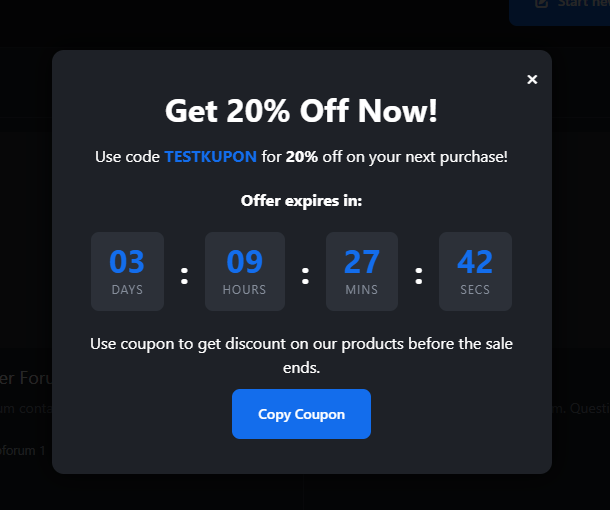
Coupon Popup with Countdown is a lightweight yet powerful marketing tool designed for Invision Community 5. It allows you to display an eye‑catching, fully customizable popup that promotes a coupon code along with a live countdown timer. Perfect for flash sales, limited‑time offers, seasonal promotions, or any event where urgency drives conversions.
Key Features
Customizable Coupon Code Set any coupon text you want to promote. The popup includes a built‑in “Copy” button, making it effortless for users to grab the code.
Live Countdown Timer Create urgency with a real‑time countdown showing days, hours, minutes, and seconds. Ideal for time‑limited promotions.
Flexible Styling Options Customize the popup’s title, description, button text, and colors to match your theme or branding.
Mobile‑Friendly Design The popup is fully responsive and works seamlessly across all devices.
Lightweight & Optimized Minimal performance impact, clean JavaScript, and isolated logic to avoid conflicts with other scripts.
Use Cases
Flash sales
Holiday promotions
Limited‑time discounts
New product launches
Community events or milestones
Why This App?
This application helps you boost engagement and conversions by combining a visually appealing popup with the psychological power of countdown urgency. It’s simple to configure, easy to manage, and integrates smoothly with IPS5.
-
IPS5.0.x
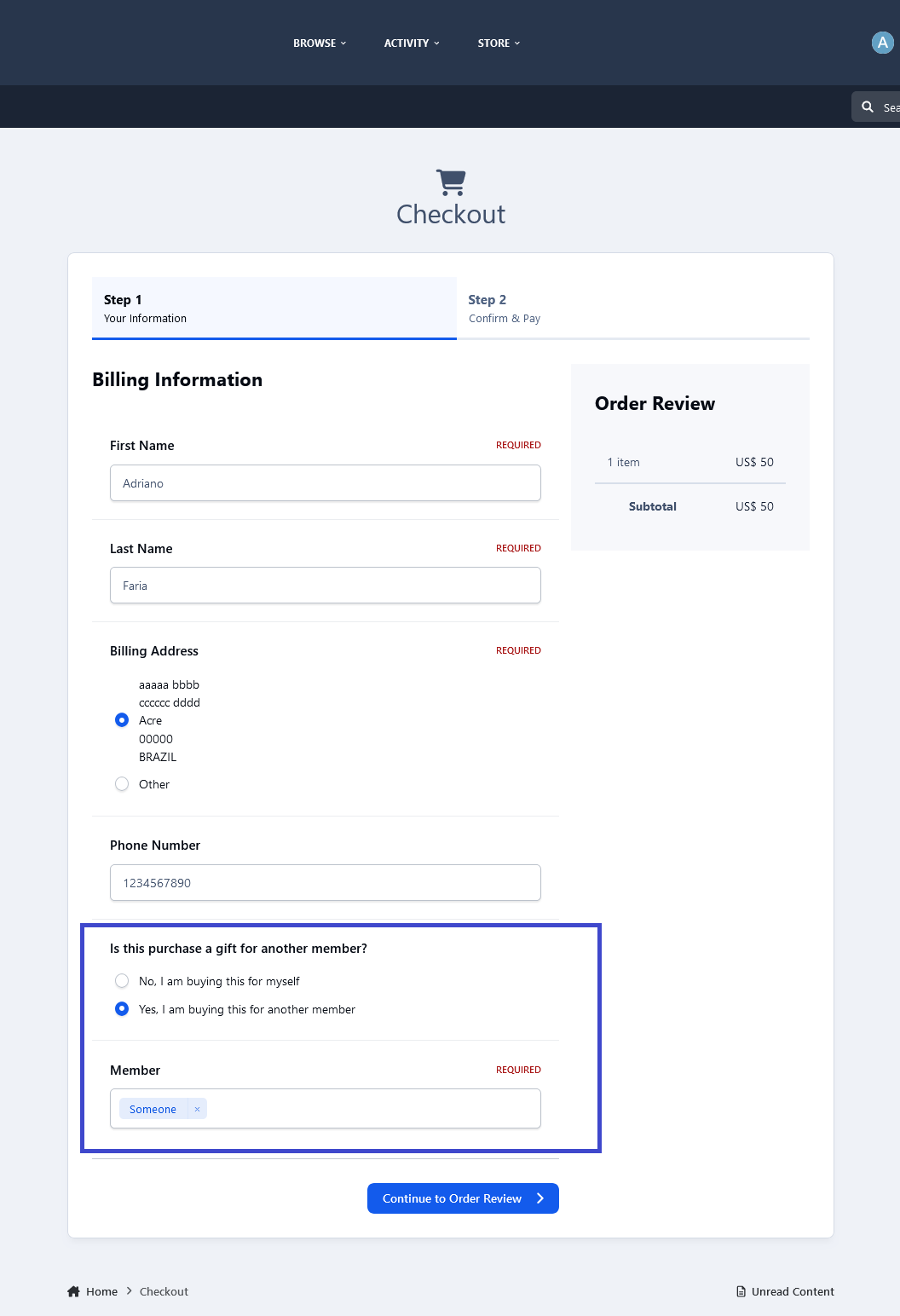
This application will allow members to purchase files for other members. A new option to choose a member will appear on the checkout screen (Step 1) for those who can buy for others.
Setting:
Groups allowed to use the feature.
-
IPS5.x
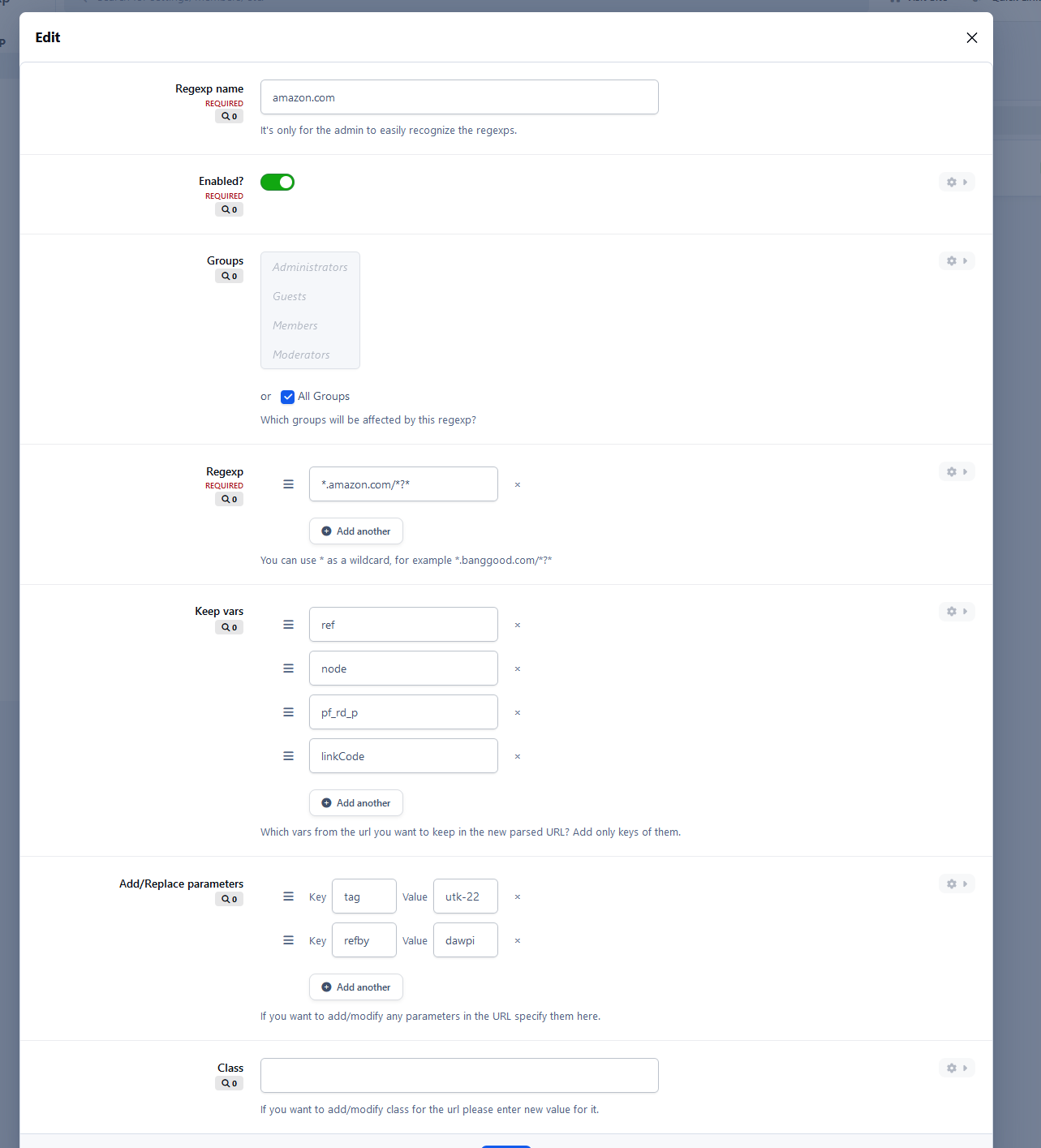
With this fancy app you may earn money by changing and modyfing the affiliate urls adding by members on your board! 🙂
It maybe isn't beatifiull app but it's very good and brings new opportunities.
For example Amazon affiliate urls contain "tag" parameter which may be modified by adding your own value for that parameter or simply added into url.
Application is flexible so you may define your own affiliate parameters - "refby", "referredby" etc.
You may also delete specified parameters from urls or keep any.
You may also create custom CSS class and highlight any urls you like by your own CSS look.
Example:
Someone post this url:
https://www.amazon.com/dp/B01WSEEFBA/ref=gw_fr_desk_h1_sh_slp_apos_0079?pf_rd_p=565456y3-f7d5-4b98-a4e5-72ff4fdd68f6&pf_rd_r=9RY38PVVHBF63YEEXEIt would change to that (with tag parameter):
https://www.amazon.com/dp/B01WSEEFBA/ref=gw_fr_desk_h1_sh_slp_apos_0079?pf_rd_p=565456y3-f7d5-4b98-a4e5-72ff4fdd68f6&pf_rd_r=9RY38PVVHBF63YEEXE&tag=utk-21
Another example (with tag parameter):
https://www.amazon.com/photo-TV-mp3-Hifi-GPS/b/ref=as_li_ss_tl?ie=UTF8&node=6547&linkCode=sl2&tag=tectes-31&linkId=cb76a59714b8493b75a565404838885c00e&language=fr_FRIt would change to:
https://www.amazon.com/photo-TV-mp3-Hifi-GPS/b/ref=as_li_ss_tl?ie=UTF8&node=6547&linkCode=sl2&tag=utk-21&linkId=cb76a59714b8493b75a565404838885c00e&language=fr_FR