Invision Community 5
- Category Member Tools
- Downloads 236
- Compatibility IC5: 5.0.0+
- Updated
Overview
Structured online learning for your community. Build courses from sections and lessons in the ACP or the front-end Creator Studio (group-gated, with an optional submit-for-review approval flow). Sell courses through Commerce with EU withdrawal-waiver compliance, restrict them to groups, or offer them free with one-click enrollment.Description
Turn your community into a learning platform.
Academy is a full learning management system for Invision Community v5. Create, sell, and deliver online courses directly inside your community, complete with quizzes, certificates, progress tracking, Commerce integration, and a front-end course builder for trusted creators.
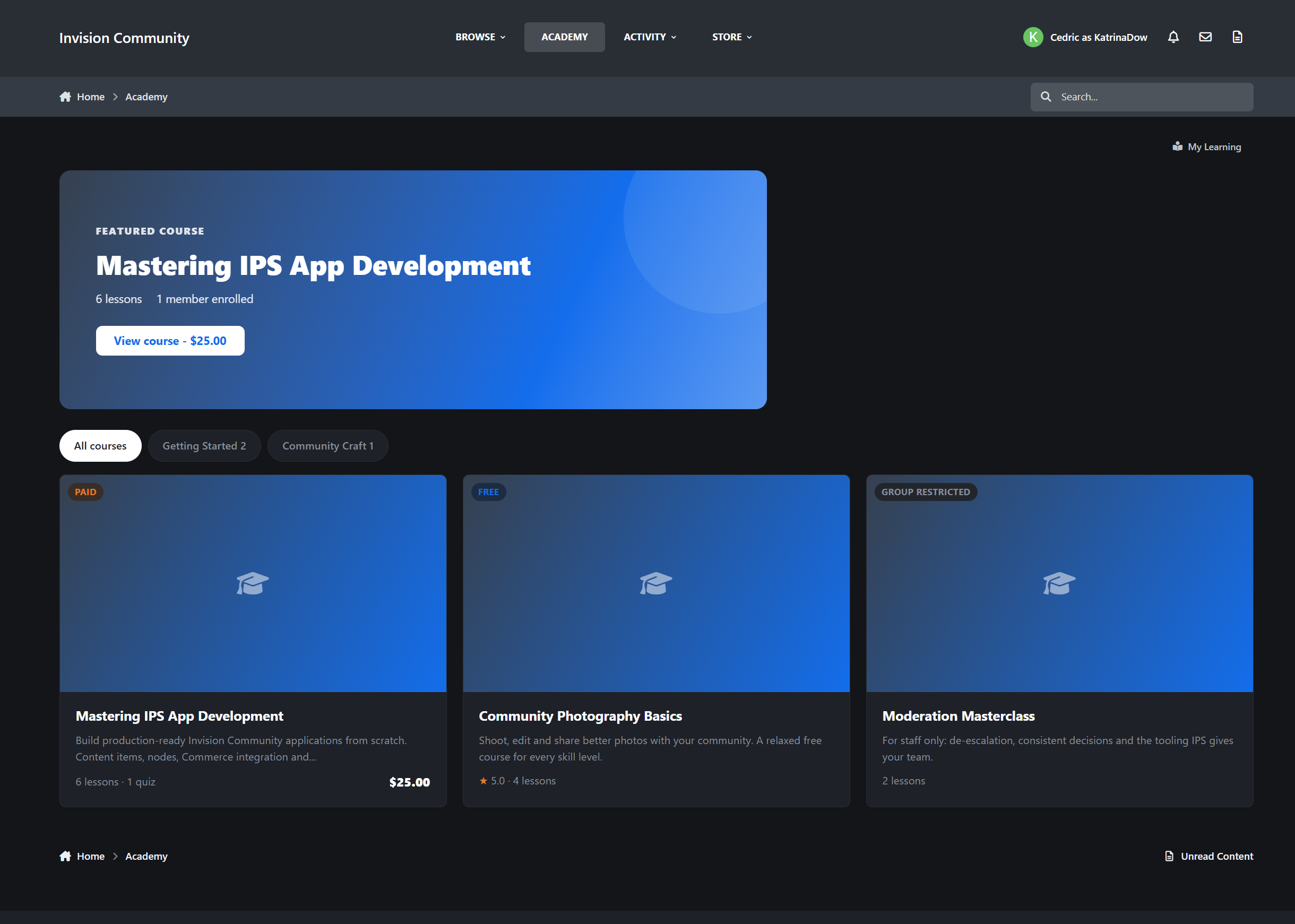
The Learning Hub
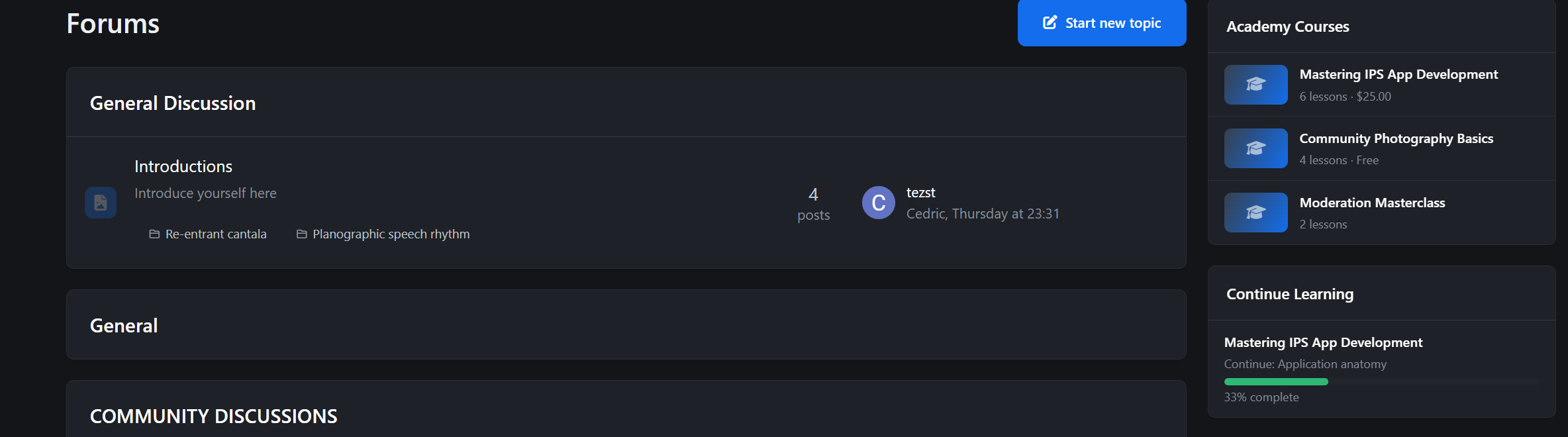
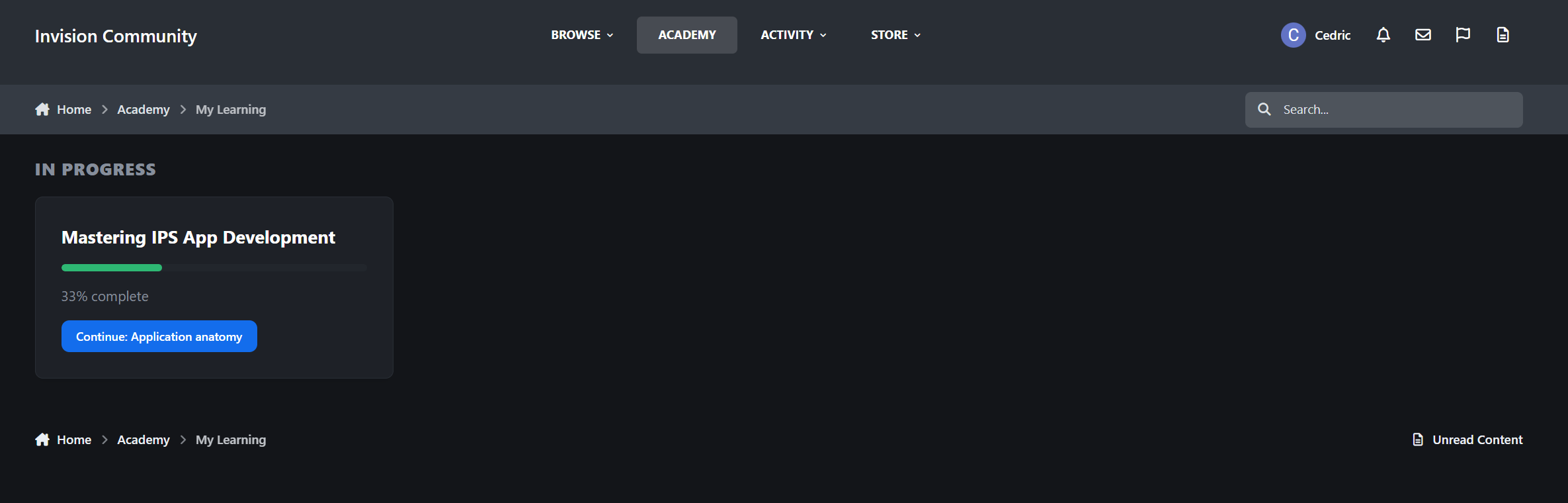
“Pick up where you left off” panel that takes members straight to their next lesson
Category navigation with course counts
Smart course cards: visitors see price and rating, enrolled members see progress and a Continue button, and graduates see their certificate badge
Configurable courses per page with full pagination
SEO-friendly URLs and IPS Search integration
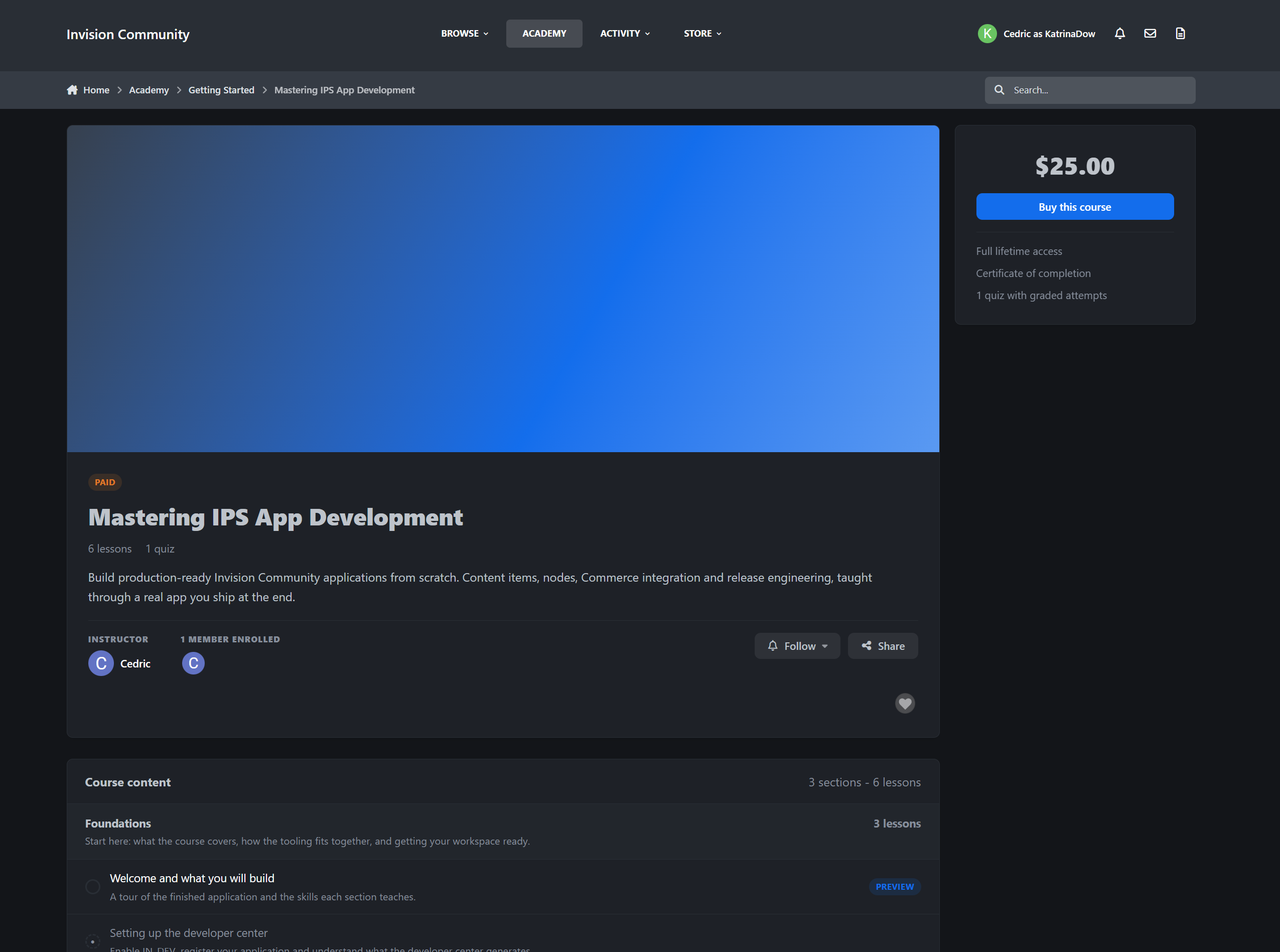
Course Pages
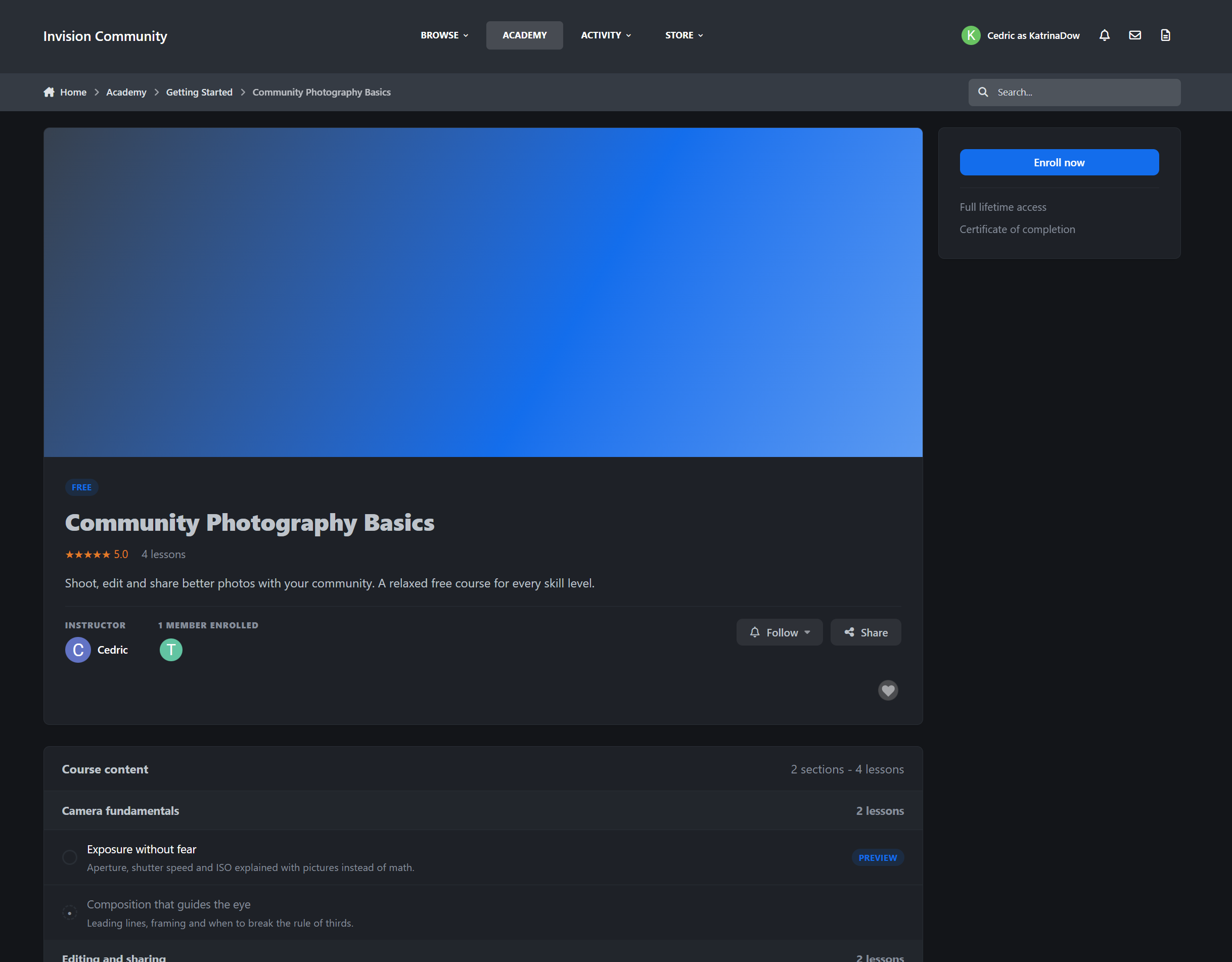
Each course gets a proper landing page designed to inform, convert, and guide members.
Cover image with instructor info and enrolled member avatars
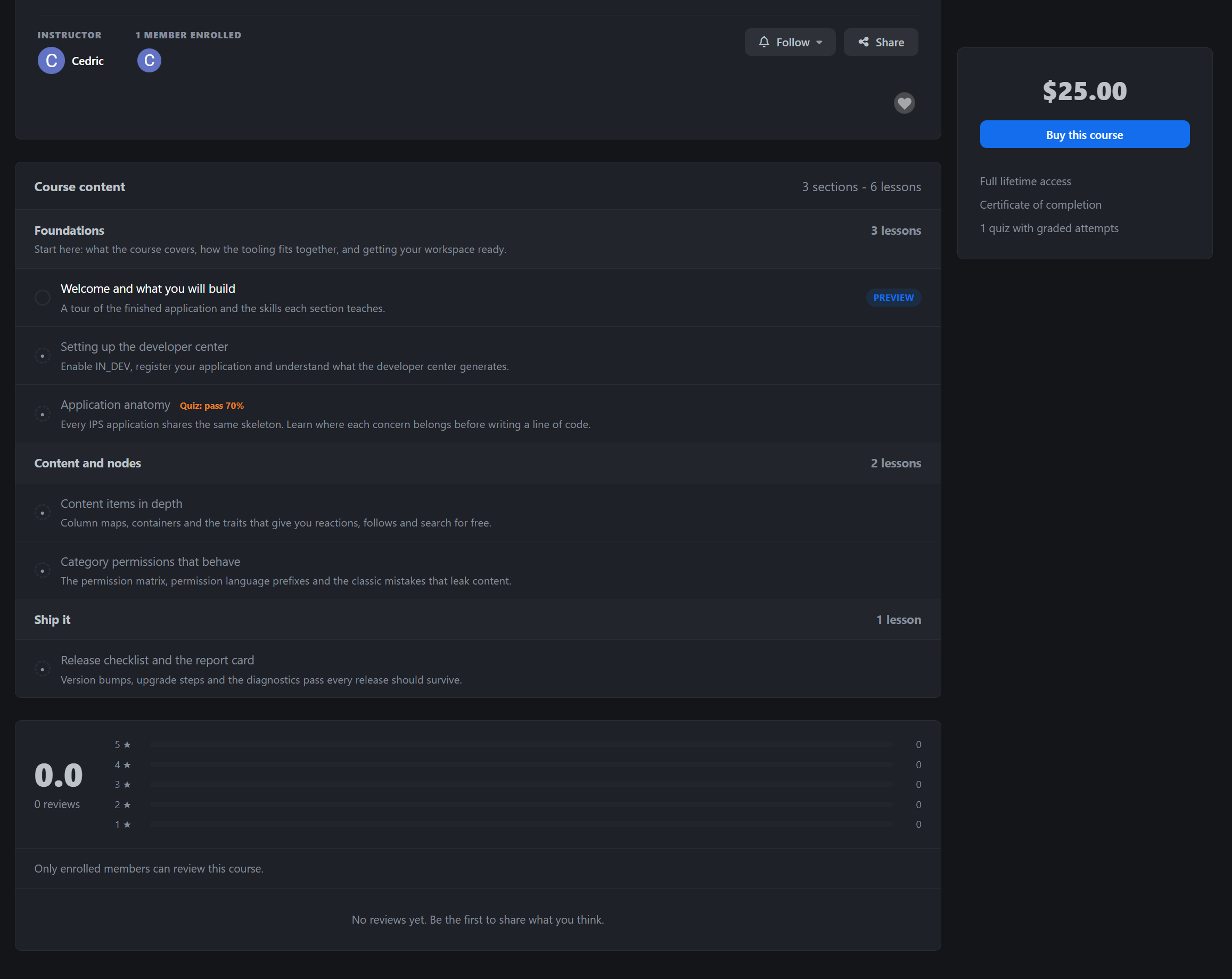
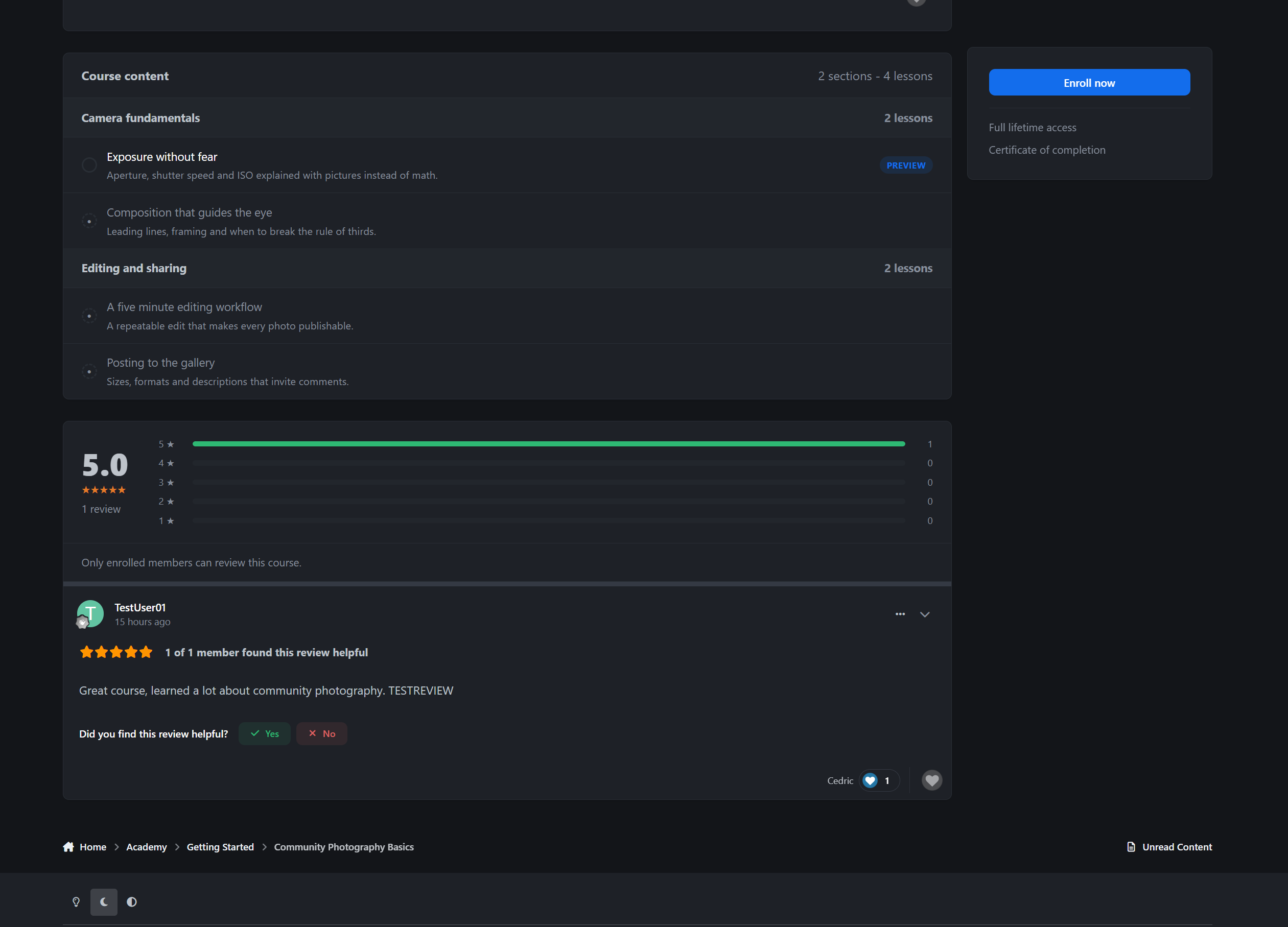
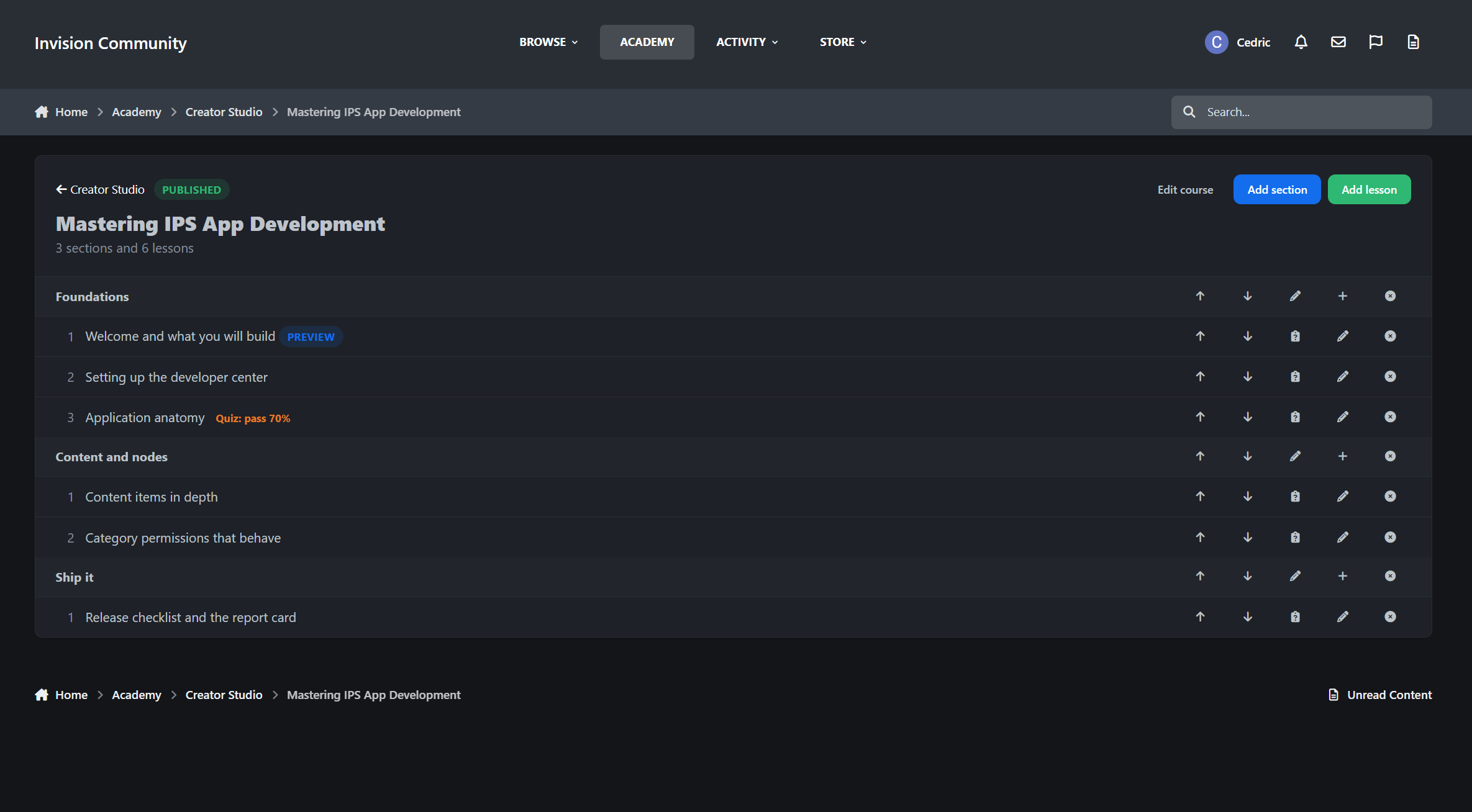
Full course outline with sections, lesson excerpts, and quiz indicators
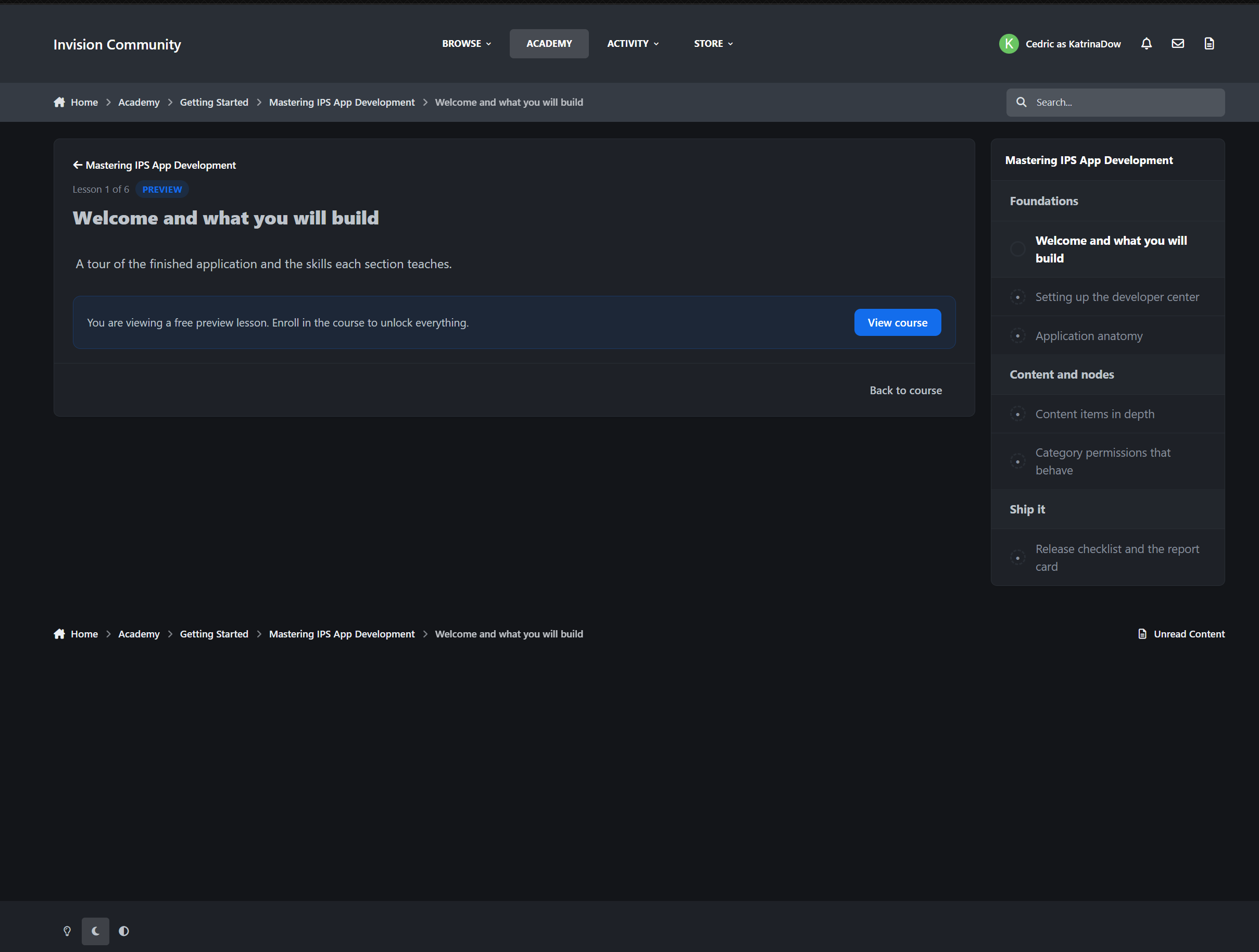
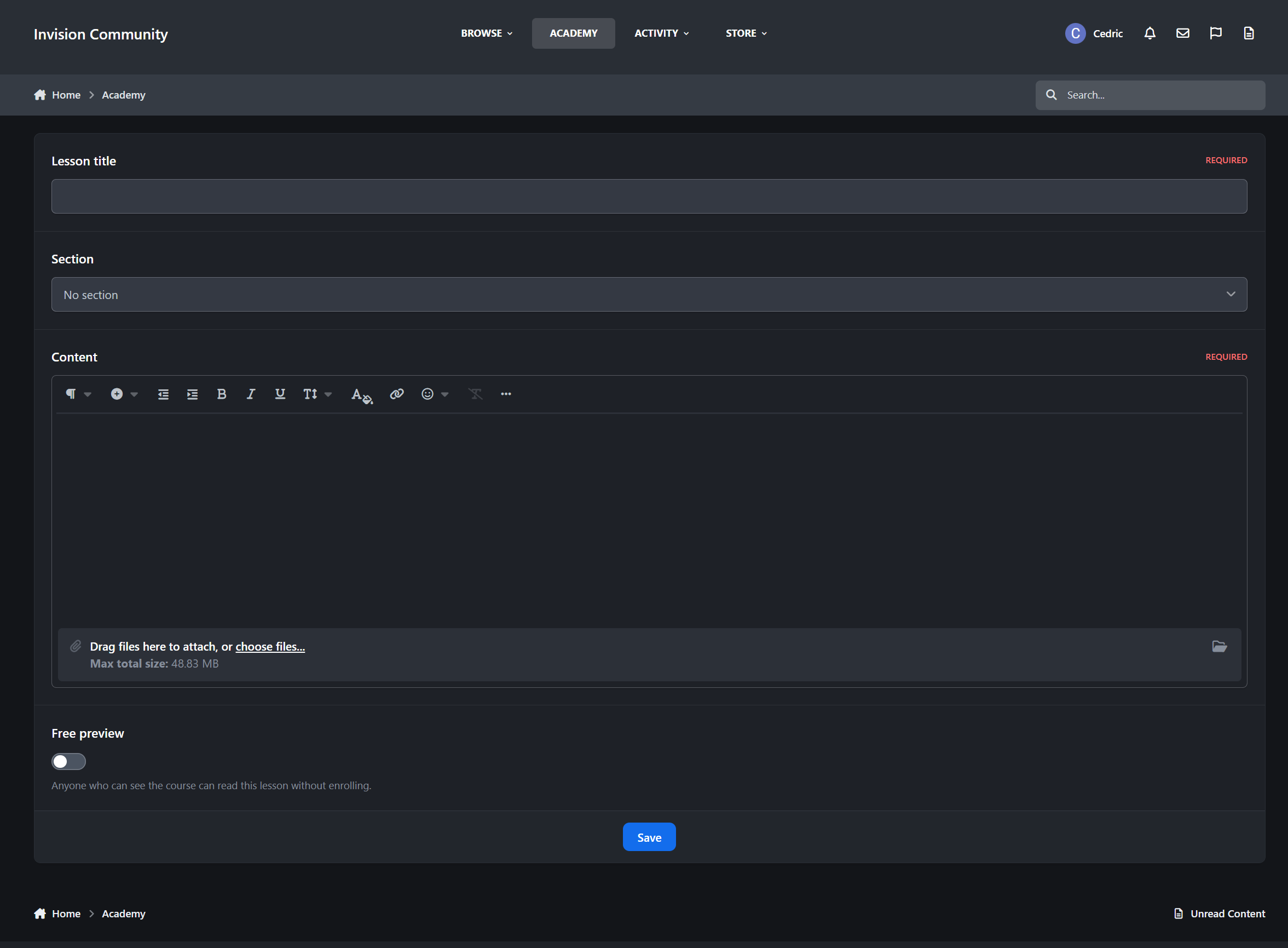
Free preview lessons so visitors can try before they enroll
Completion ticks for enrolled members so they always know where they stand
Star ratings with a per-star review breakdown
Follow, share, and reactions built in
Selling Courses
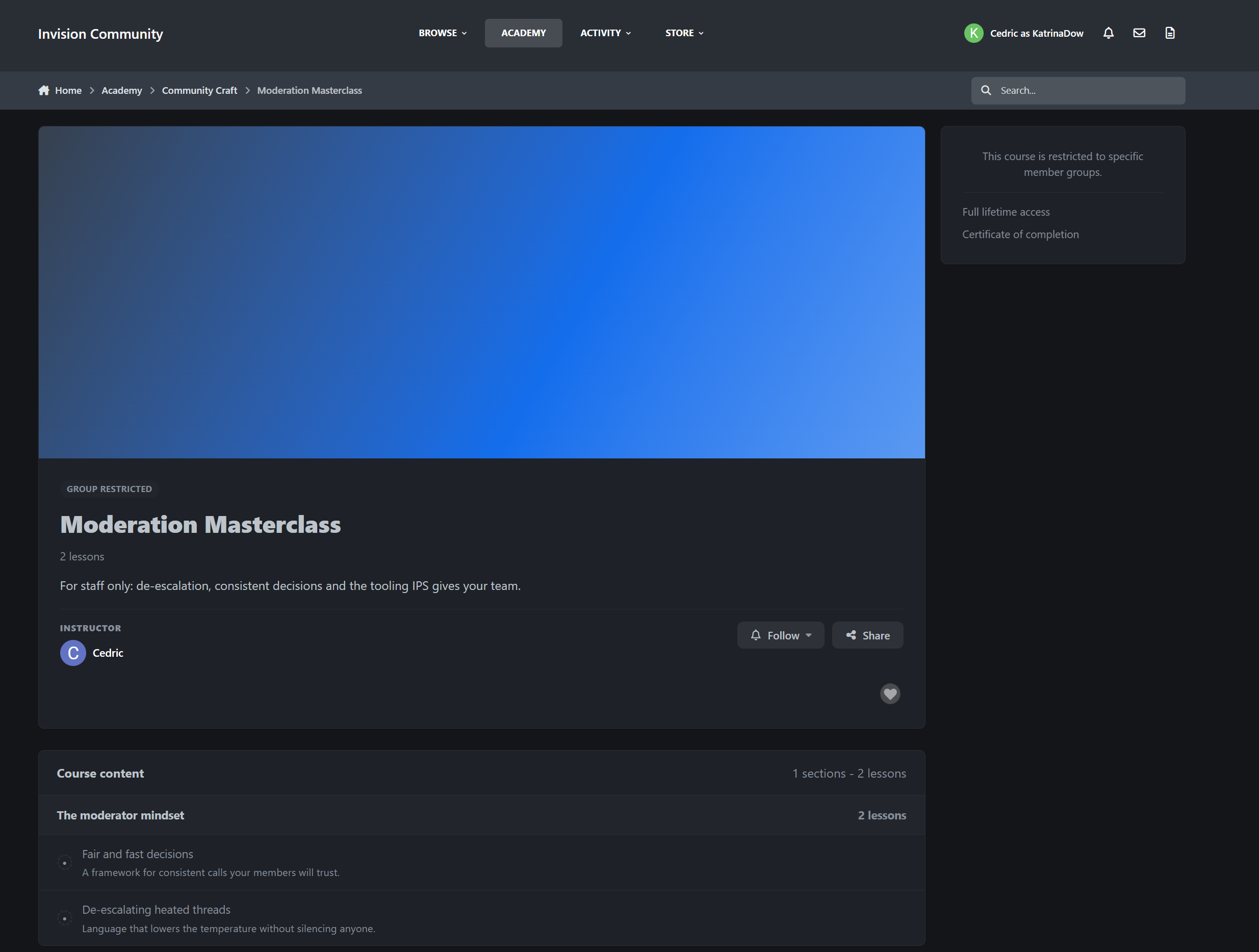
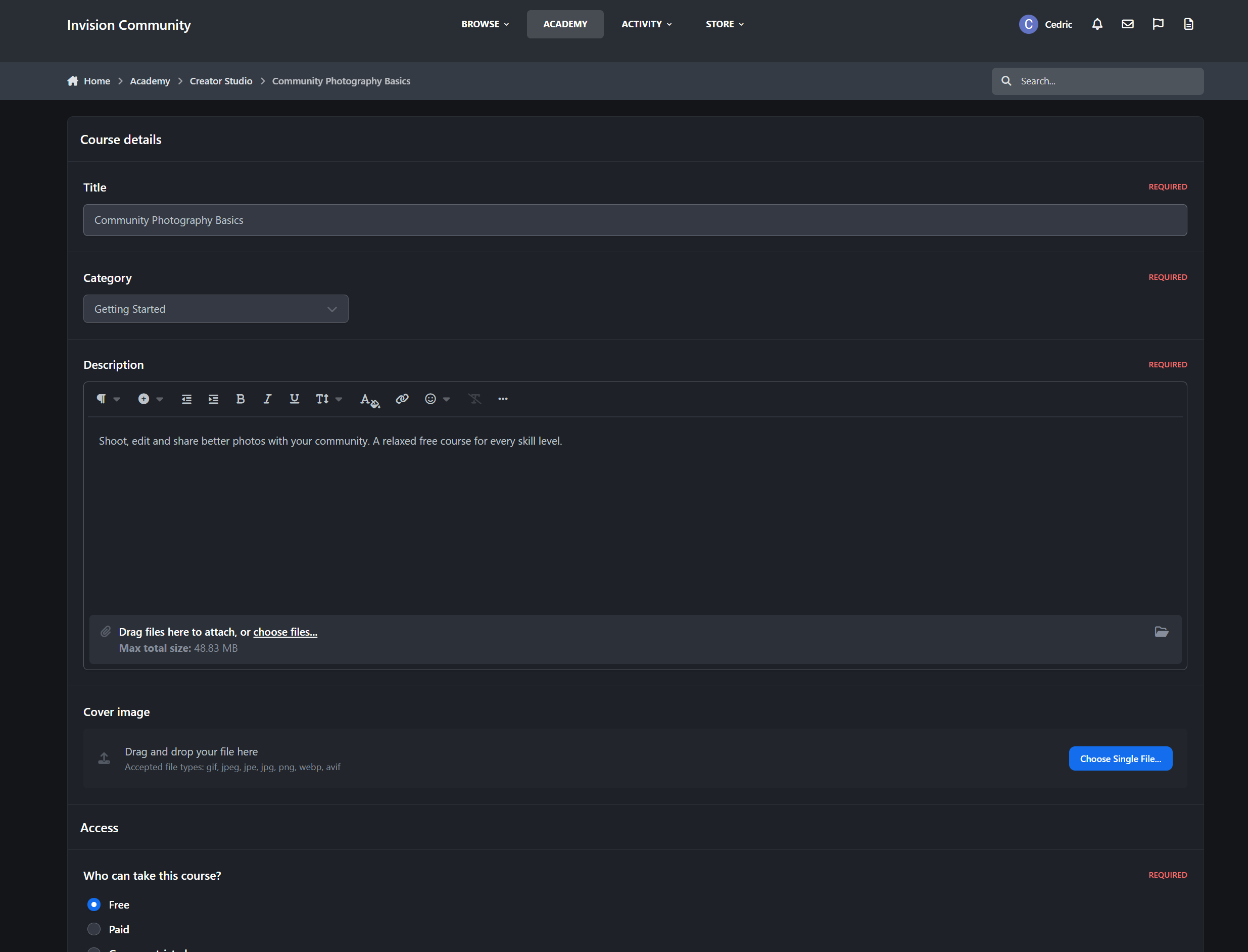
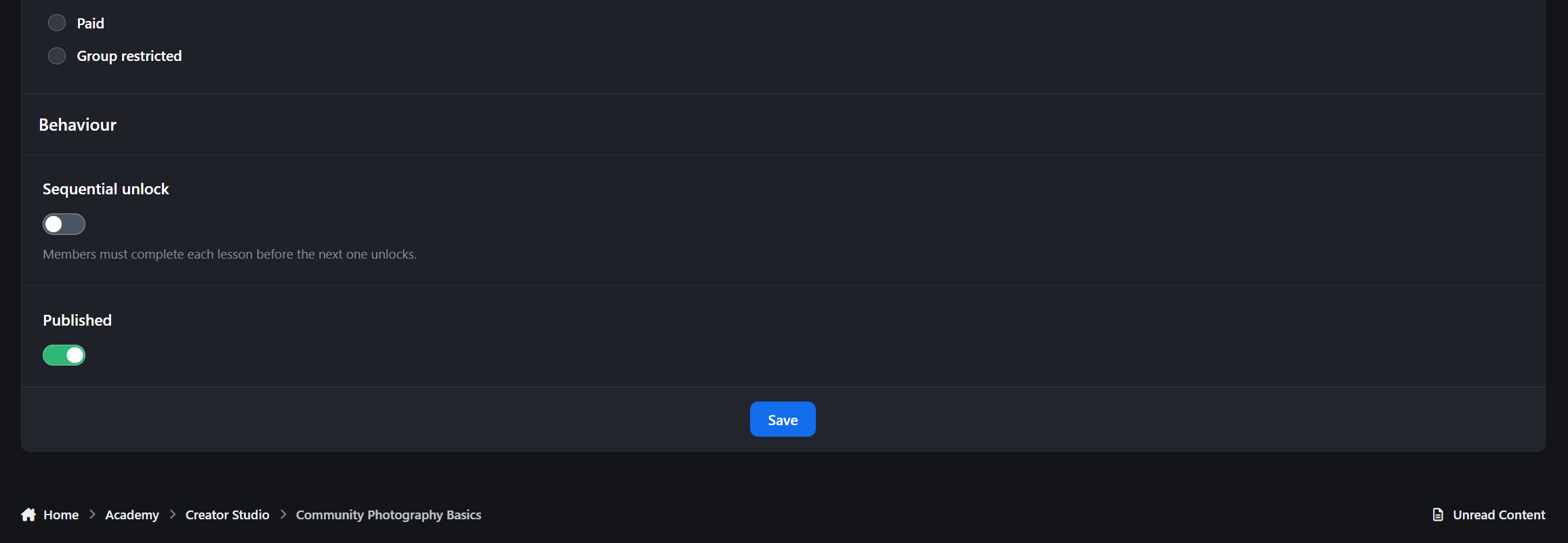
Free, paid, or group-restricted. You decide per course.
Free courses enroll with one click
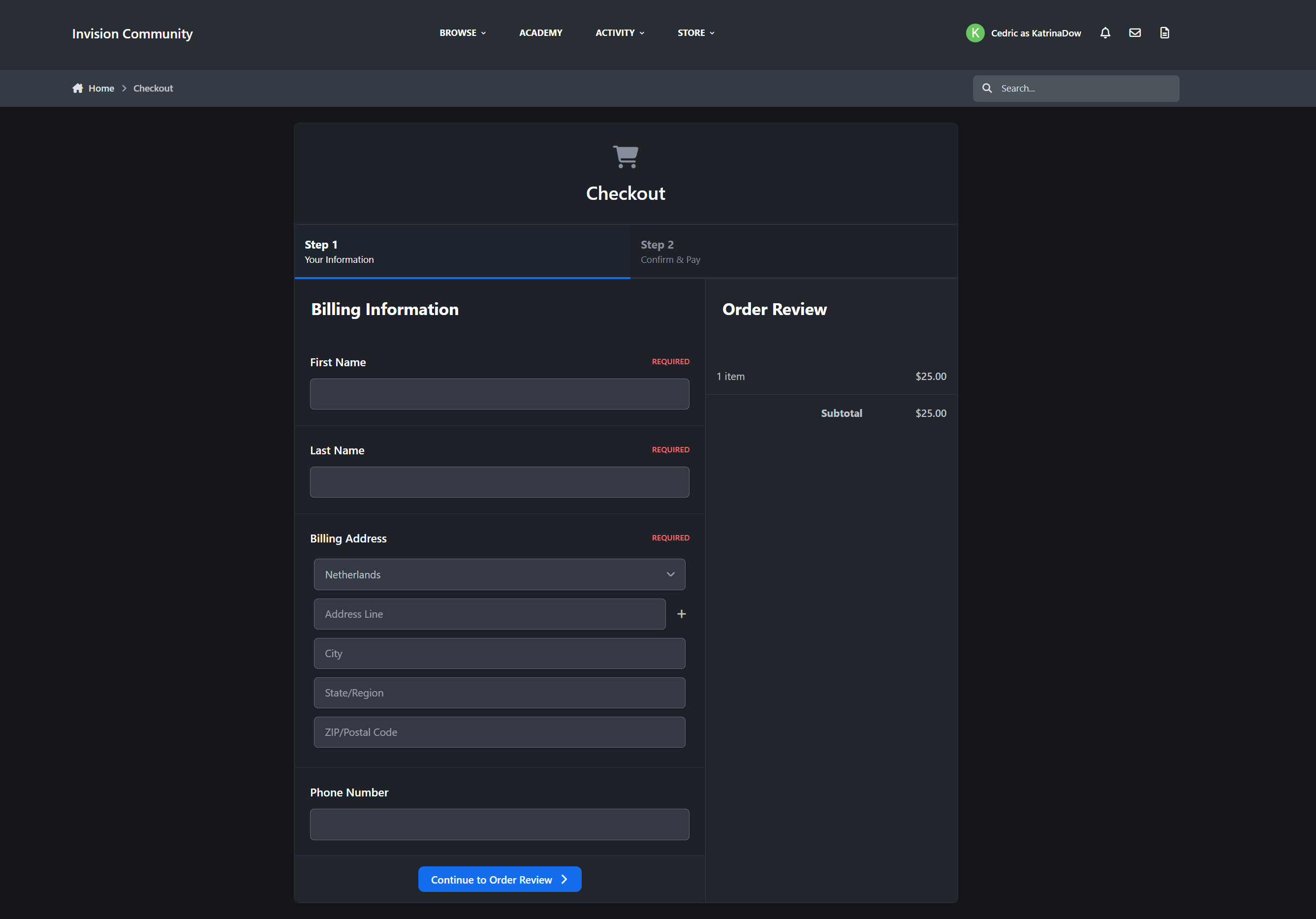
Paid courses run through IPS Commerce using the full invoice flow
Refunds automatically revoke enrollment
EU digital withdrawal waiver support for compliant checkout
Restrict courses to specific member groups when needed
The Learning Experience
Academy gives members a clean, focused way to move through a course from start to finish.
Clean lesson viewer with previous and next navigation
Optional sequential unlocking so members complete lessons in order
Progress tracked automatically per lesson
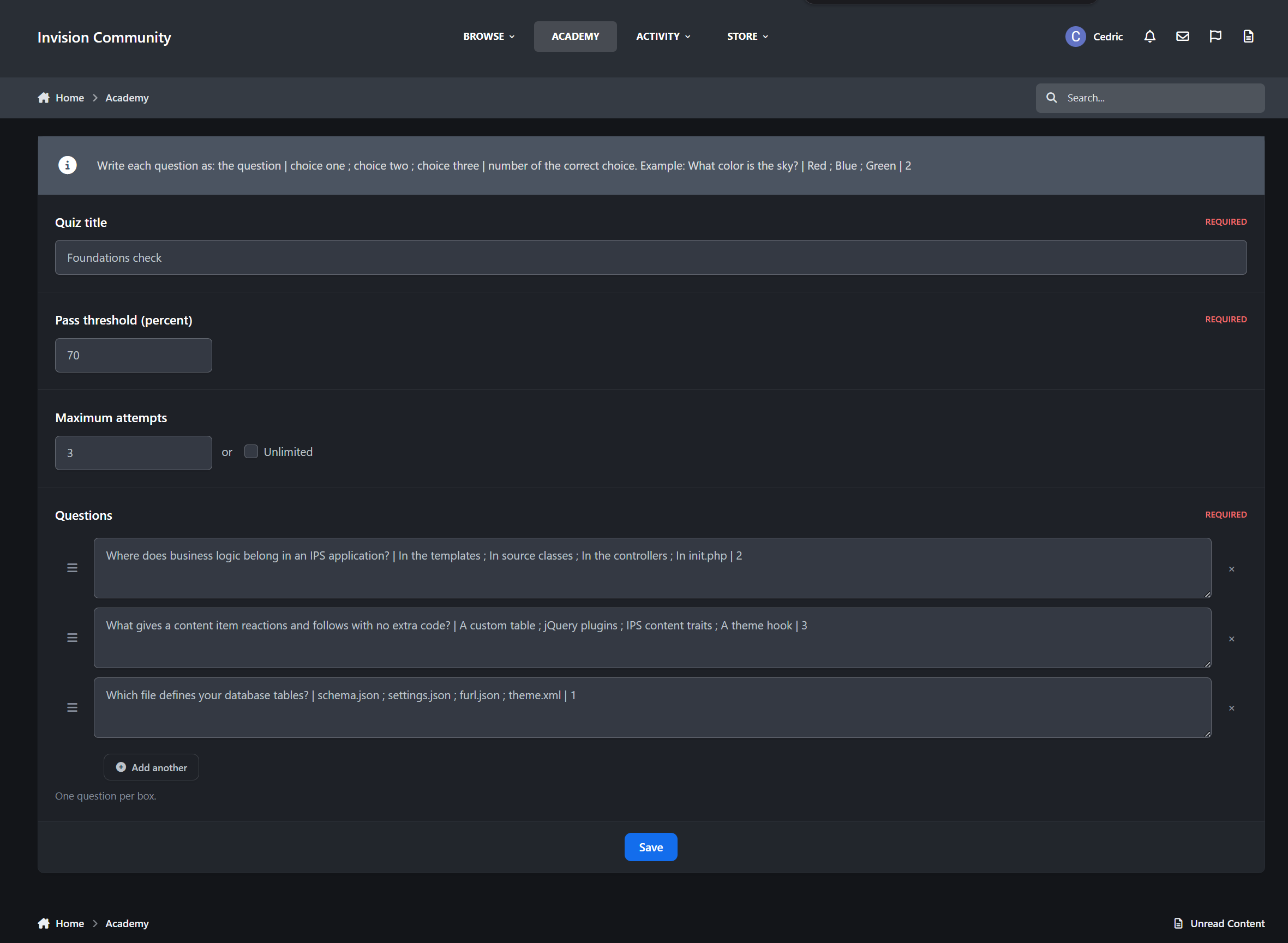
Quizzes with attempt limits and pass marks
Passing the final quiz can complete the course automatically
Certificates
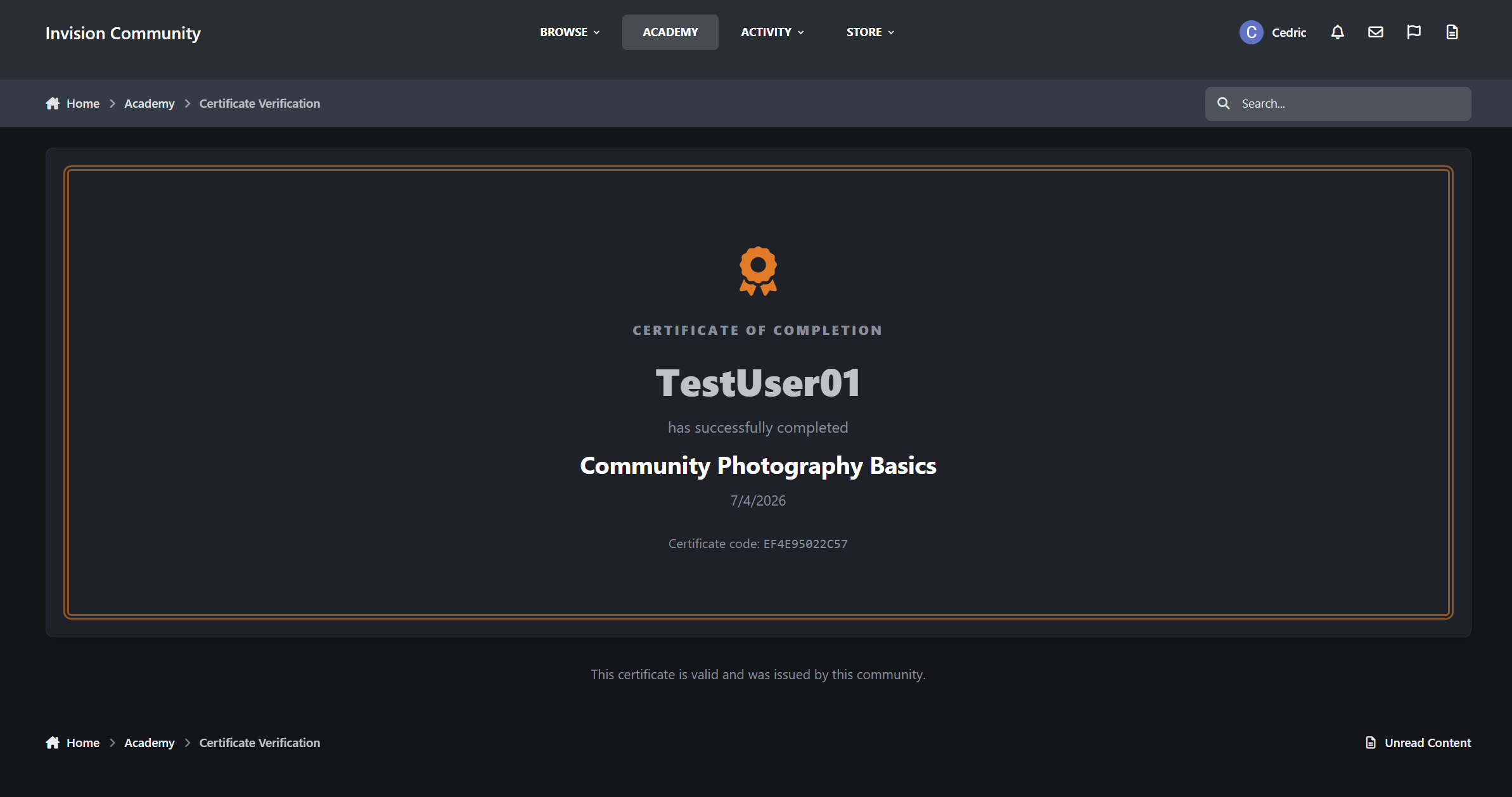
Completed courses issues a certificate automatically. The moment a member finishes every lesson and passes every quiz, Academy stamps their enrollment and generates a certificate with its own unique verification code. No admin action needed.
Every certificate is verifiable. Members can share their certificate link anywhere, and anyone can check the code on a public verification page, no account required. An employer, a client, or another community can confirm in seconds that a certificate is real and was issued by you.
Because certificates are generated live from actual enrollment records, they can't be forged and never go out of date. If an enrollment is ever revoked, its certificate stops verifying with it.
This makes completions genuinely meaningful, especially for staff training, onboarding, professional communities, and certification programs.
My Learning Dashboard
Members get one place to see all their learning activity.
They can resume courses in progress, jump straight to the next uncompleted lesson, and view completed courses together with their certificates.
Creator Studio
Let trusted members build courses without touching the Admin Control Panel.
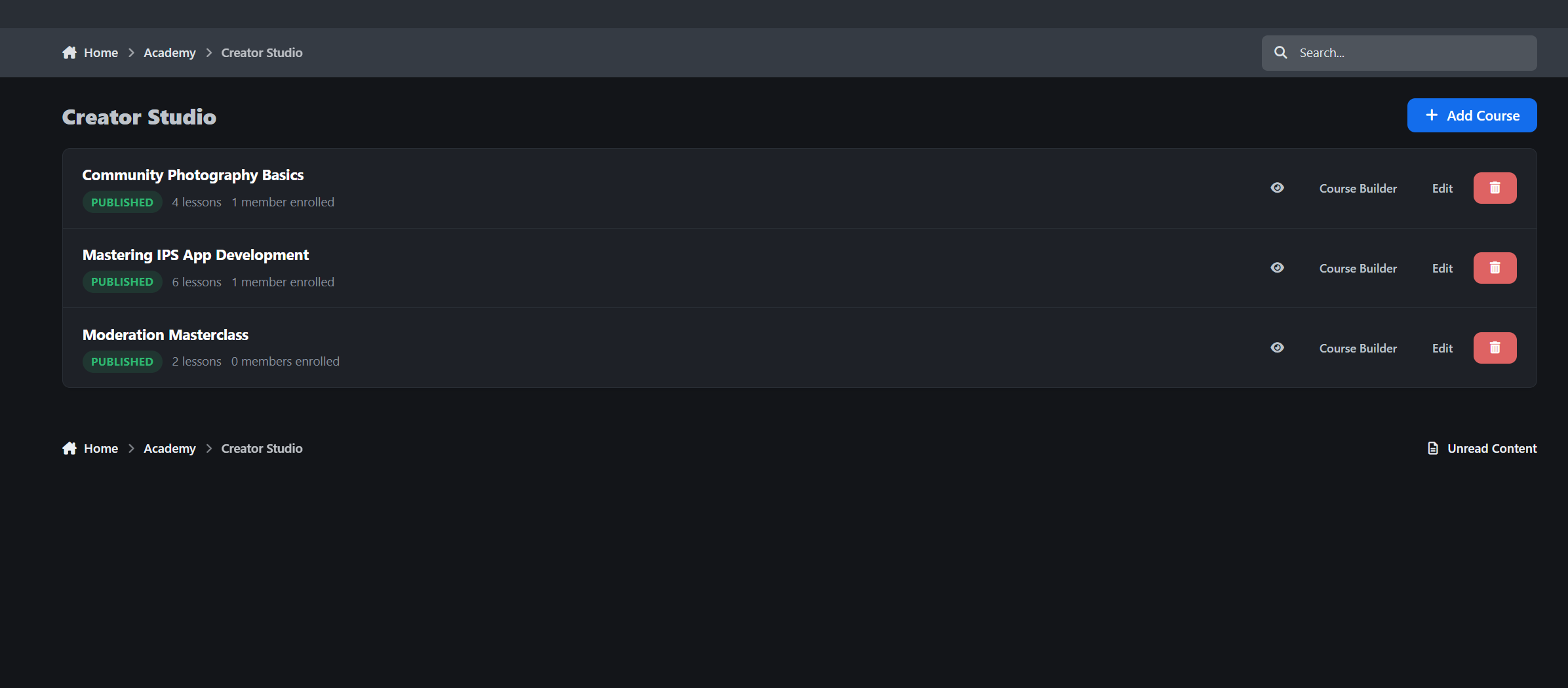
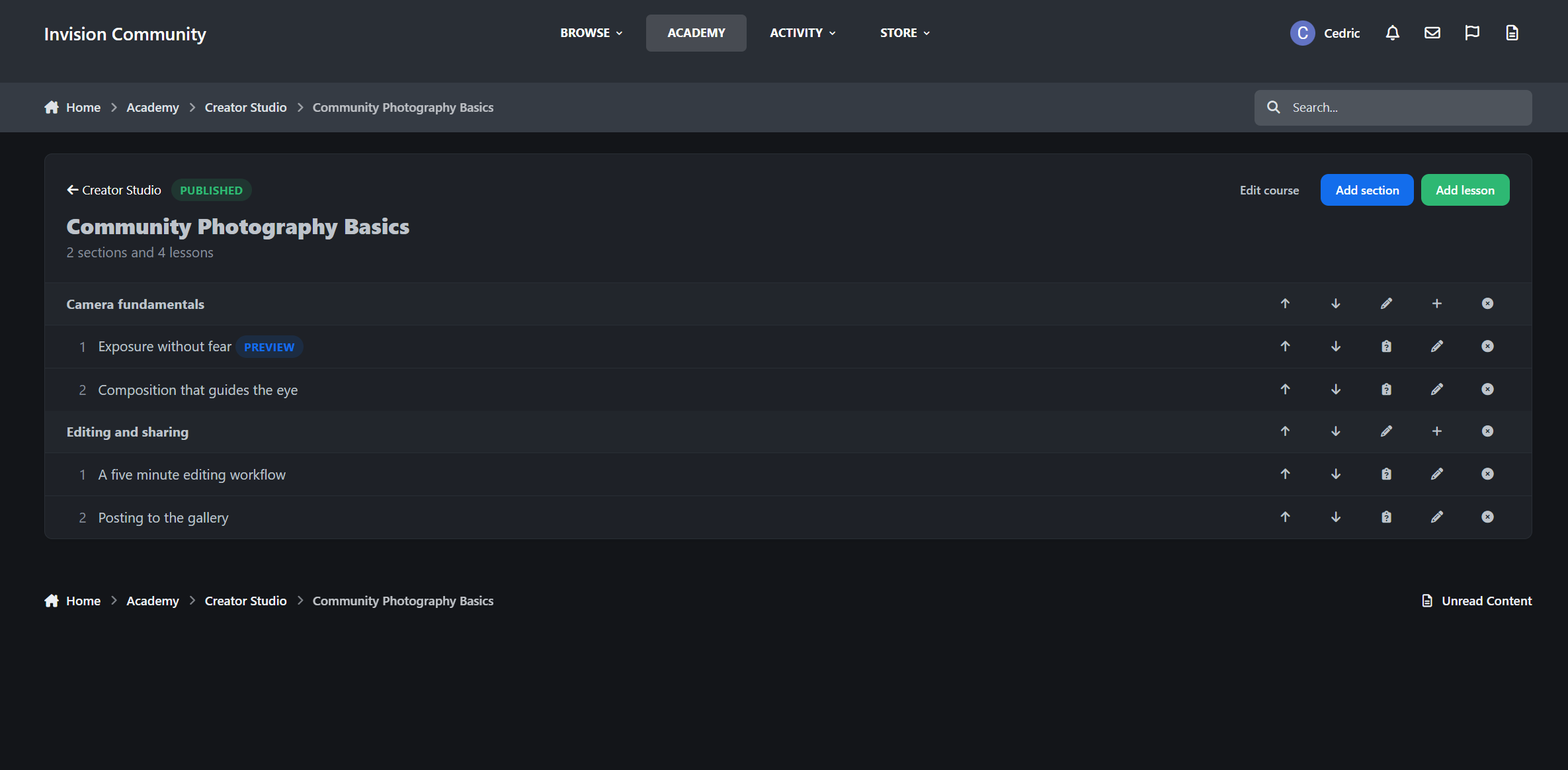
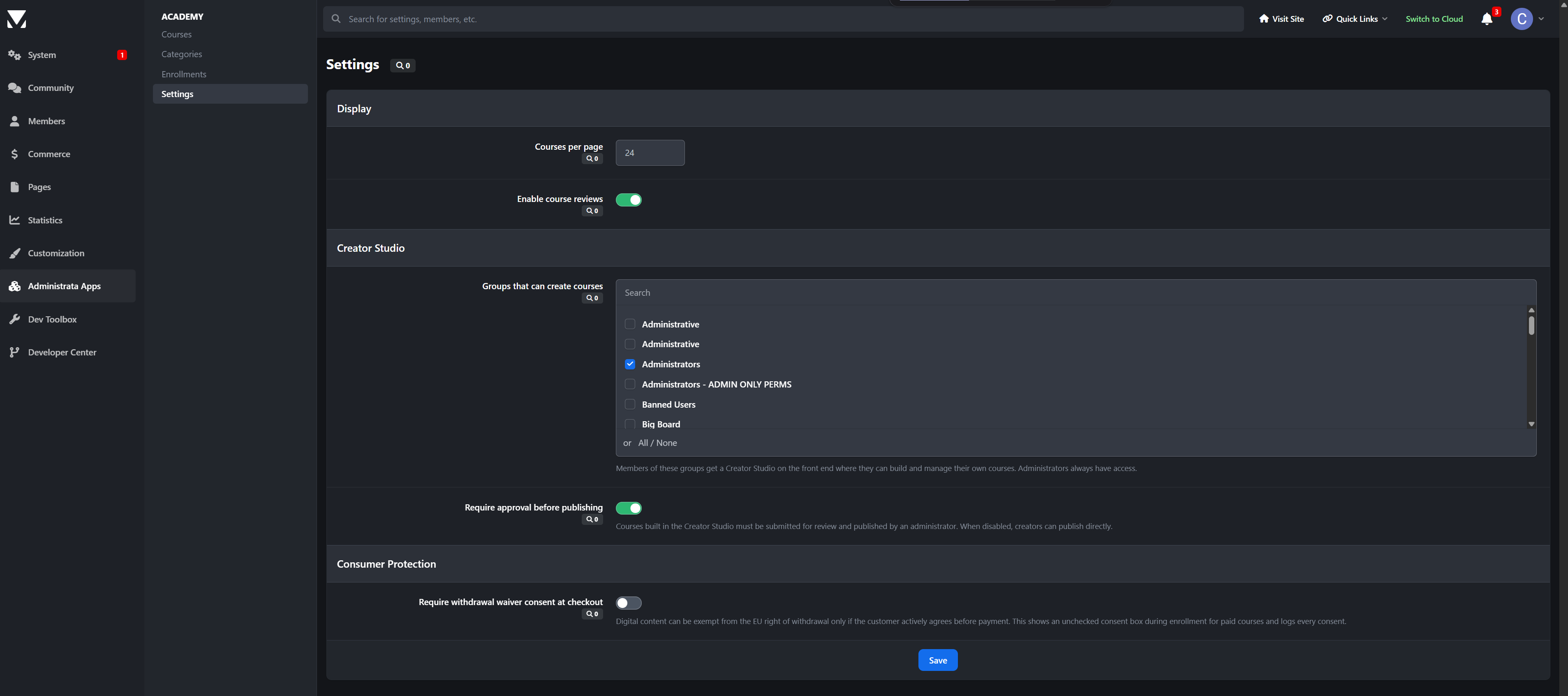
Front-end course builder for the groups you choose
Create courses, sections, lessons, and quizzes from the front end
Optional submit-for-review flow before publication
Creators can see the status of every course at a glance
Reviews & Notifications
Star reviews from enrolled members only, so ratings come from people who actually took the course
Helpful votes, author exclusion, and full moderation support
Notifications for course completions, new lessons, submissions, approvals, and published courses
Admin Control Panel
Academy gives administrators full control over courses, enrollments, permissions, and reviews.
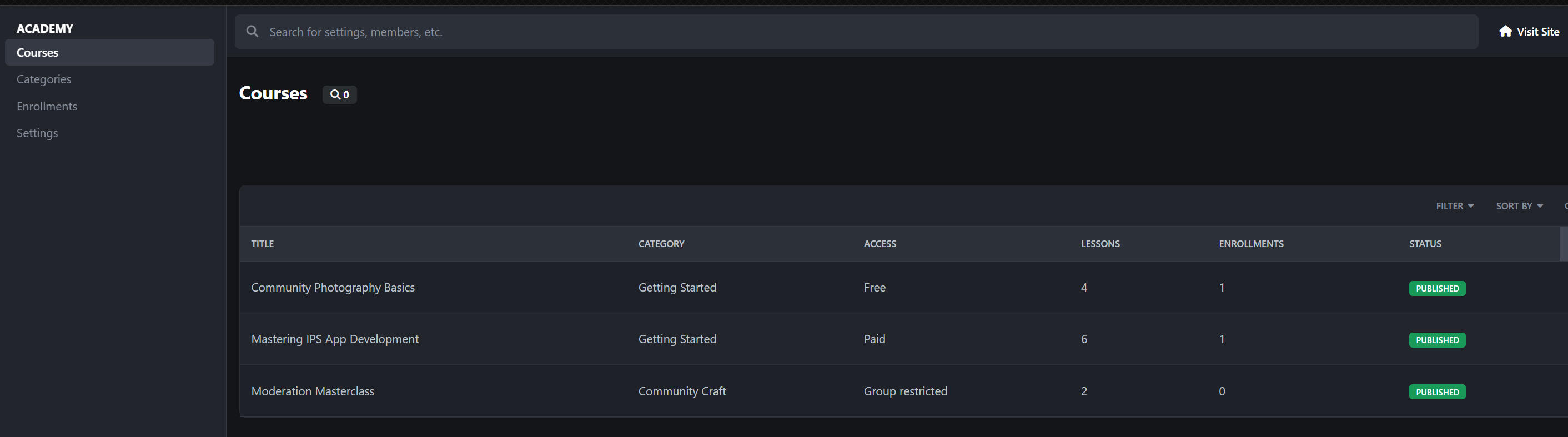
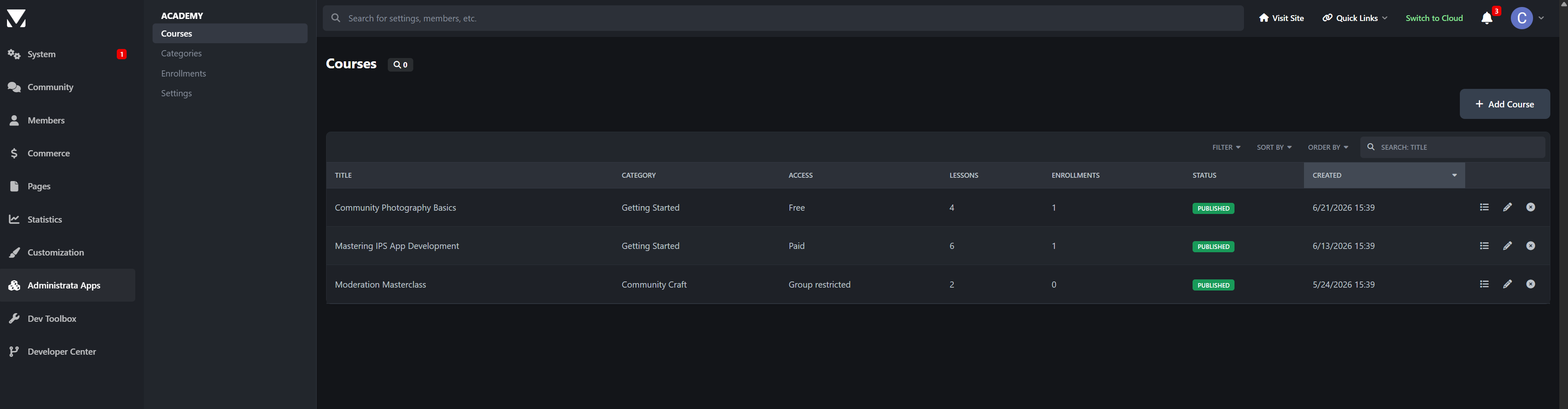
Full course builder with up/down arrow section and lesson management
Quiz builder with per-question answers and pass marks
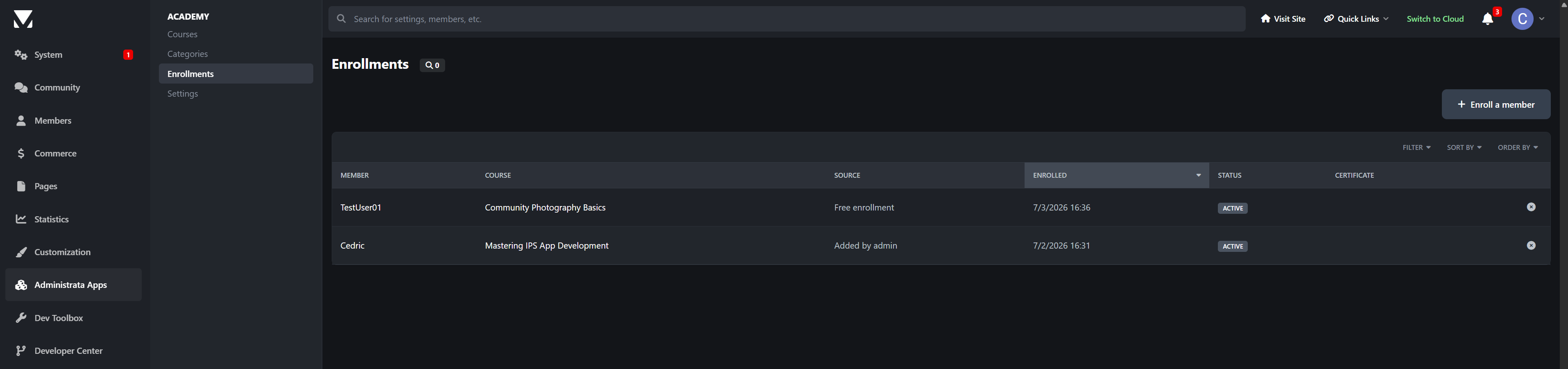
Enrollments manager to see who is enrolled where and manually enroll members
Category system with permissions per group
Approval settings, review toggles, and per-page controls
Widgets
Featured Courses: show featured, latest, or most popular courses with a configurable count
Continue Learning: shows each member their in-progress courses and lets them resume instantly
Perfect For
Communities selling premium courses
Staff and moderator training
Onboarding new members
Developer and creator ecosystems teaching their own tools
Certification programs
Membership perks that keep people coming back
Academy 1.0 is just the start. Have a feature you need? Let me know.
-
 1
1
There are no reviews to display.