Invision Community 5
- Category Member Tools
- Downloads 94
- Compatibility IC5: 5.0.0+
- Updated






Overview
Presence That Matches the PageDescription
A lot of communities are more active than they look.
Members visit.
They browse.
They read.
They come back.
But unless someone is posting right now, that presence is invisible.
Active Members makes that activity visible - quietly and visually.
It adds a simple Active Members widget that shows real members who’ve been around recently, helping your forum feel alive without turning it into a status board.
Presence That Matches the Page
Active Members adapts to where it’s shown.
On a topic, it shows members who’ve been active in that discussion
On a forum, it shows members who’ve been active in that forum
On pages that don’t track individual activity, it gracefully falls back to a global community view
Every placement feels relevant, not recycled.
This makes the widget feel contextual and intentional - not like the same block repeated everywhere.
Clean, Adaptive Layout
The avatar display automatically adjusts to available space:
Shows as many avatars as fit
Neatly collapses extras into a “+X” indicator
Looks good on desktop, tablet, and mobile
You don’t need to design around it.
It adapts on its own.
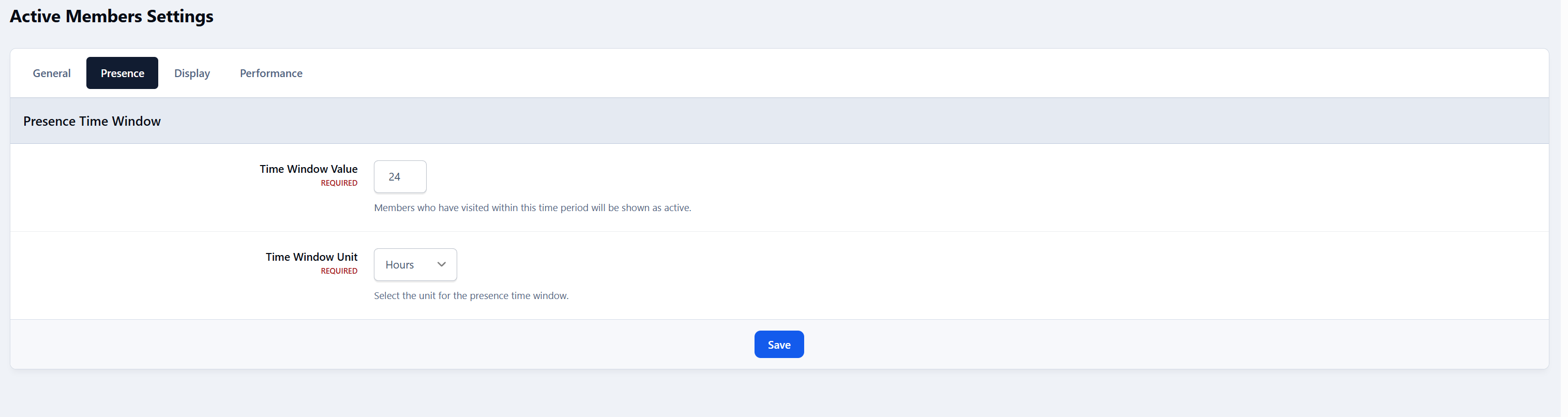
Presence
Controls who counts as “active”.
Presence time window
Numeric value (e.g. 24)
Time unit
Minutes, hours, days, weeks, or year
Together, these define which members are considered active and eligible to appear in the widget.
Example:
“Members who visited in the past 24 hours” or “past year”.
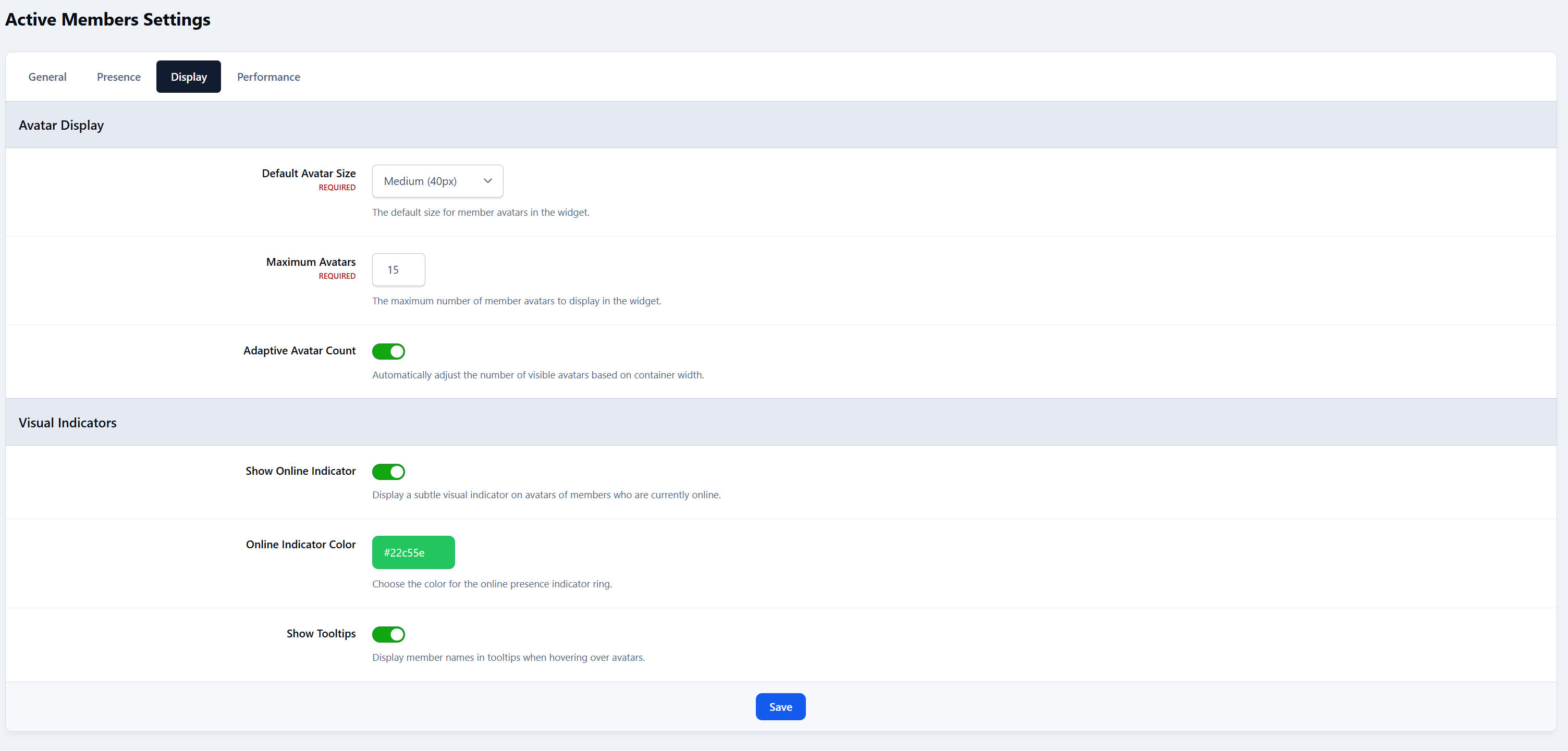
Display
Controls how the widget looks and behaves.
Avatar Display
Default avatar size
Maximum avatars
Adaptive avatar count
Visual Indicators
Online indicator
Online indicator color
Text Display
Summary text
Time period text
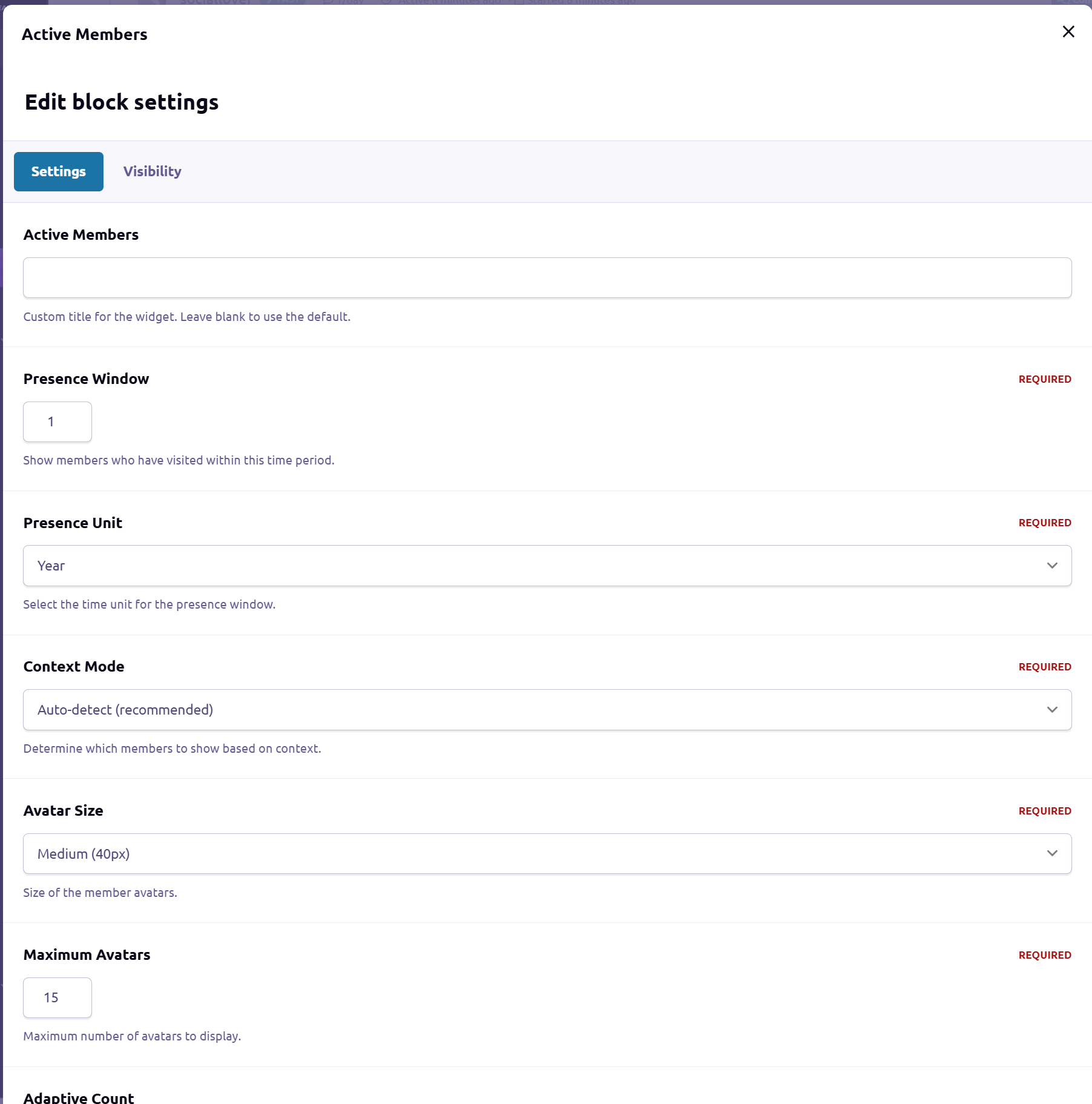
Widget-Level Overrides
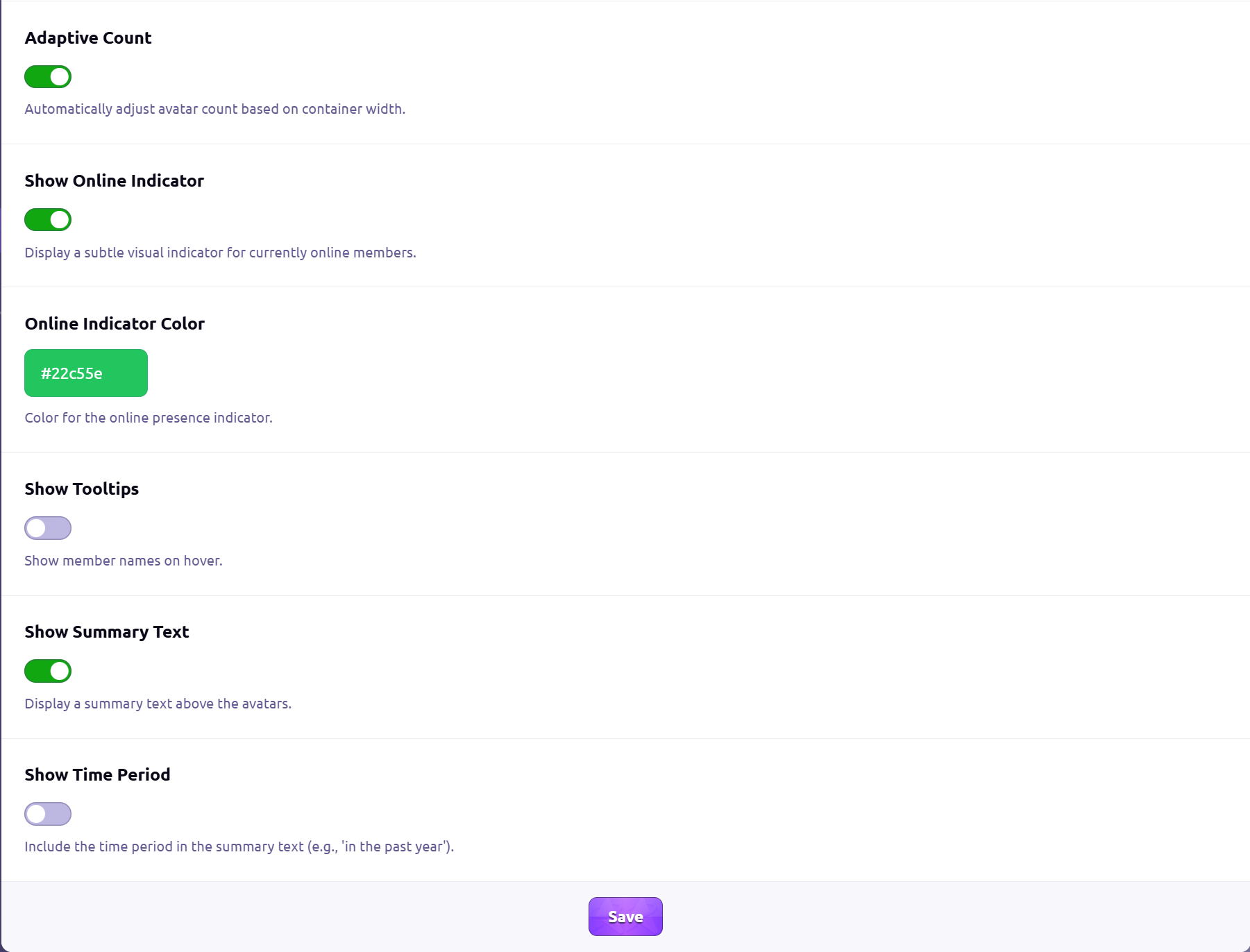
Each widget instance can override global settings, including:
Custom title
Presence window & unit
Context mode (auto / global / forum / topic)
Avatar size
Maximum avatars
Online indicator and color
Tooltips
Summary text options
This allows the same app to behave differently depending on where it’s placed.
Create an account or sign in to leave a review
There are no reviews to display.