Invision Community 5
- Category Member Tools
- Downloads 40
- Compatibility IC5: 5.0.0+
- Updated
Overview
A Complete Learning Management System for Invision CommunityDescription
Courses (LMS) - IC5
A Complete Learning Management System for Invision Community
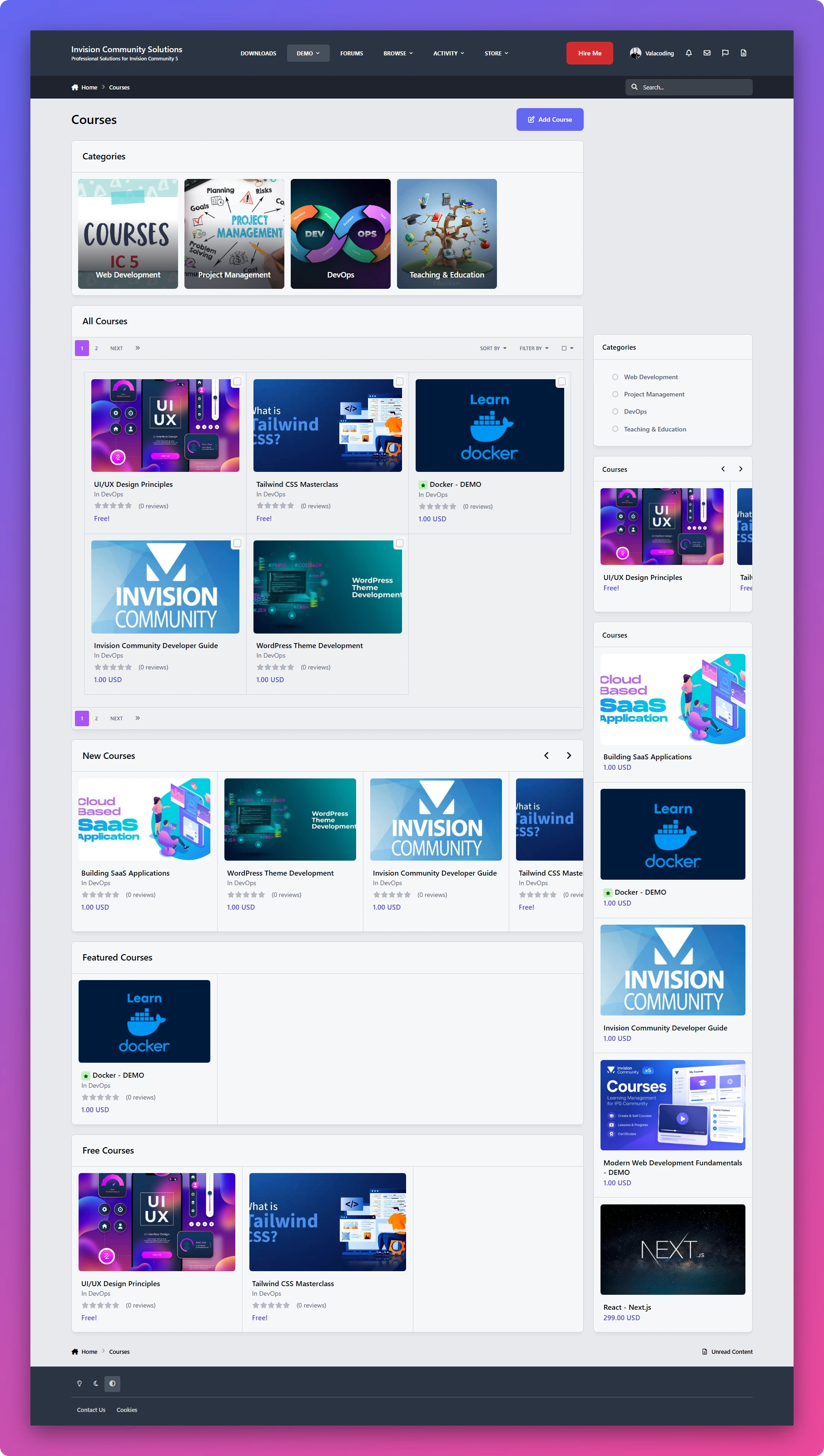
Turn your Invision Community into a fully-featured learning platform. LMS gives you everything you need to create, organize, deliver, and manage online courses directly inside your community.
From structured lessons and video content to quizzes, assignments, progress tracking, and instructor management, LMS provides a complete learning experience without requiring a separate platform.
Support and discussions for IPS Courses (LMS).
Key Features
Complete Course Management
Create and manage courses with titles, descriptions, categories, lessons, and course content. Organize your courses into a structured learning experience that is easy for members to follow.
Multiple Lesson Types
Build different types of learning content using three dedicated lesson types:
Text Lessons — Create rich learning content using the full capabilities of the IPS editor.
Video Lessons — Deliver video-based lessons directly to your students.
Assignments — Give students practical tasks and allow them to upload their work and files for submission.
Built-in Quizzes & Exams
Test your students' knowledge with built-in quizzes and exams.
LMS supports:
Multiple-choice questions
True / False questions
Quiz-based assessments
Student results and progress tracking
Student Progress Tracking
Members can easily see their enrolled courses and track their learning progress.
Display:
Enrolled courses
Course completion percentage
Lesson progress
Completed content
This gives students a clear overview of where they are and what they still need to complete.
Instructor Panel
Give instructors their own dedicated management area where they can create and manage their courses and learning content without needing full administrator access.
Course Categories
Organize your courses into categories to make large course libraries easier to navigate and discover.
Powerful Permissions
LMS comes with a flexible permission system that gives administrators complete control over the learning platform.
Control things such as:
Who can create courses
Who can use free courses
Who can access courses
Who can create and manage course content
Instructor permissions
Student permissions
And more
Free & Paid Learning Experiences
Create courses with different access models and control exactly which member groups can access free course content.
This makes LMS suitable for both community-based education and more structured learning platforms.
Structured Learning Experience
Organize your courses into a clear progression of courses → lessons → quizzes and assignments, giving students a consistent learning path from beginning to completion.
Designed for Invision Community
LMS is built around the IPS ecosystem, allowing you to combine your members, groups, permissions, and community experience with a complete online learning system.
Whether you're building a training platform, educational community, course marketplace, internal learning system, or community-based academy, LMS gives you the foundation to build it directly inside your Invision Community.
Support and discussions for IPS Courses (LMS).
🚀 Coming Soon
Course Certificates
Reward your students with professional certificates of completion when they successfully complete a course
There are no reviews to display.