Jump to content
View in the app

A better way to browse. Learn more.

Invision Marketplace

A full-screen app on your home screen with push notifications, badges and more.

To install this app on iOS and iPadOS
  1. Tap the Share icon in Safari
  2. Scroll the menu and tap Add to Home Screen.
  3. Tap Add in the top-right corner.
To install this app on Android
  1. Tap the 3-dot menu (โ‹ฎ) in the top-right corner of the browser.
  2. Tap Add to Home screen or Install app.
  3. Confirm by tapping Install.

Everything you need for your community

Everything you need for your community

 Loading...
 Loading...
 Loading...
Quick Access
Give your IPS community a faster and more organized way to access important pages, resources, and tools.
Help members find what they need faster with personal shortcuts, pinned links, and customizable quick access menus.
With flexible permissions and multiple display options, Quick Access improves navigation for both your team and your community members.
Why Quick Access?
Large communities usually have many important pages:
rules, support sections, dashboards, resources, external tools, and frequently used areas.
But over time, members often struggle to find these pages quickly.
Quick Access solves this by providing a centralized and customizable access point where users can keep their most important links available anytime.
Key Features
๐Ÿš€ Personal Quick Links for Members
Allow users to create their own shortcuts to frequently visited pages.
Perfect for:
Favorite topics
Important forums
External resources
Frequently used tools
โญ Pin Important Links
Members can pin their most useful links and access them faster without searching again.
๐Ÿ” Advanced Permission Control
Control exactly who can use each feature.
Manage permissions for:
Using Quick Access
Creating personal links
Using keyboard shortcuts
Viewing general links
Based on member groups.
โŒจ๏ธ Keyboard Shortcuts
Give power users a faster way to open Quick Access with customizable shortcuts.
Shortcut access can be controlled by permissions.
๐Ÿ“Œ General Links Management
Create shared links for your entire community.
Useful for:
Rules & guidelines
Support pages
Important announcements
External services
Community resources
๐Ÿ”— Quick Links Integration
Quick Links works together with Quick Access but can also be used as a standalone free feature.
Create a simple navigation area for common links without requiring the full Quick Access experience.
๐Ÿ–ฅ Flexible Display Options
Choose how Quick Access appears on your website:
User bar integration
Floating button
Responsive mobile experience
๐Ÿ›  Admin Link Management
Administrators can easily create, edit, organize, and sort community links from the AdminCP.
โ†•๏ธ Drag & Drop Sorting
Quickly organize links and control their display order with simple sorting.
Perfect For
Community Owners
Improve navigation and make important resources easier to discover.
Moderators & Staff Teams
Keep frequently used management tools and internal resources accessible.
Members
Create a personalized shortcut area for their own favorite pages.
Built For Modern Communities
Quick Access helps transform scattered links and frequently used pages into a clean, organized, and personalized experience.
IPS5.0.0+
Quick Access
Give your IPS community a faster and more organized way to access important pages, resources, and tools.
Help members find what they need faster with personal shortcuts, pinned links, and customizable quick access menus.
With flexible permissions and multiple display options, Quick Access improves navigation for both your team and your community members.
Why Quick Access?
Large communities usually have many important pages:
rules, support sections, dashboards, resources, external tools, and frequently used areas.
But over time, members often struggle to find these pages quickly.
Quick Access solves this by providing a centralized and customizable access point where users can keep their most important links available anytime.
Key Features
๐Ÿš€ Personal Quick Links for Members
Allow users to create their own shortcuts to frequently visited pages.
Perfect for:
Favorite topics
Important forums
External resources
Frequently used tools
โญ Pin Important Links
Members can pin their most useful links and access them faster without searching again.
๐Ÿ” Advanced Permission Control
Control exactly who can use each feature.
Manage permissions for:
Using Quick Access
Creating personal links
Using keyboard shortcuts
Viewing general links
Based on member groups.
โŒจ๏ธ Keyboard Shortcuts
Give power users a faster way to open Quick Access with customizable shortcuts.
Shortcut access can be controlled by permissions.
๐Ÿ“Œ General Links Management
Create shared links for your entire community.
Useful for:
Rules & guidelines
Support pages
Important announcements
External services
Community resources
๐Ÿ”— Quick Links Integration
Quick Links works together with Quick Access but can also be used as a standalone free feature.
Create a simple navigation area for common links without requiring the full Quick Access experience.
๐Ÿ–ฅ Flexible Display Options
Choose how Quick Access appears on your website:
User bar integration
Floating button
Responsive mobile experience
๐Ÿ›  Admin Link Management
Administrators can easily create, edit, organize, and sort community links from the AdminCP.
โ†•๏ธ Drag & Drop Sorting
Quickly organize links and control their display order with simple sorting.
Perfect For
Community Owners
Improve navigation and make important resources easier to discover.
Moderators & Staff Teams
Keep frequently used management tools and internal resources accessible.
Members
Create a personalized shortcut area for their own favorite pages.
Built For Modern Communities
Quick Access helps transform scattered links and frequently used pages into a clean, organized, and personalized experience.
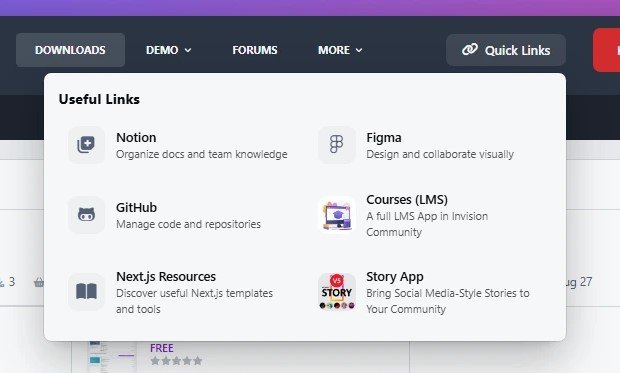
Quick Links
Keep important website resources, tools, and external pages easy to find.
Quick Links allows administrators to create and manage a simple collection of useful links and display them in a clean, accessible way for members.
Whether you want to highlight community resources, helpful pages, documentation, social links, or external tools, Quick Links gives your users a better navigation experience.
Key Features
Easy Link Management
Create, edit, enable or disable links from the admin panel.
Custom Icons
Add icons to make links easier to recognize and improve visual navigation.
Link Images
Use images for links to create more engaging and visual shortcuts.
Group Visibility Control
Choose which member groups can see specific links.
Drag & Drop Ordering
Control the order of links and highlight the most important resources.
Responsive Design
Works smoothly across desktop and mobile devices.
Perfect for
Community resources
Documentation pages
Social media links
Partner websites
Useful tools
Important internal pages
IPS5.0.0+
Quick Links
Keep important website resources, tools, and external pages easy to find.
Quick Links allows administrators to create and manage a simple collection of useful links and display them in a clean, accessible way for members.
Whether you want to highlight community resources, helpful pages, documentation, social links, or external tools, Quick Links gives your users a better navigation experience.
Key Features
Easy Link Management
Create, edit, enable or disable links from the admin panel.
Custom Icons
Add icons to make links easier to recognize and improve visual navigation.
Link Images
Use images for links to create more engaging and visual shortcuts.
Group Visibility Control
Choose which member groups can see specific links.
Drag & Drop Ordering
Control the order of links and highlight the most important resources.
Responsive Design
Works smoothly across desktop and mobile devices.
Perfect for
Community resources
Documentation pages
Social media links
Partner websites
Useful tools
Important internal pages
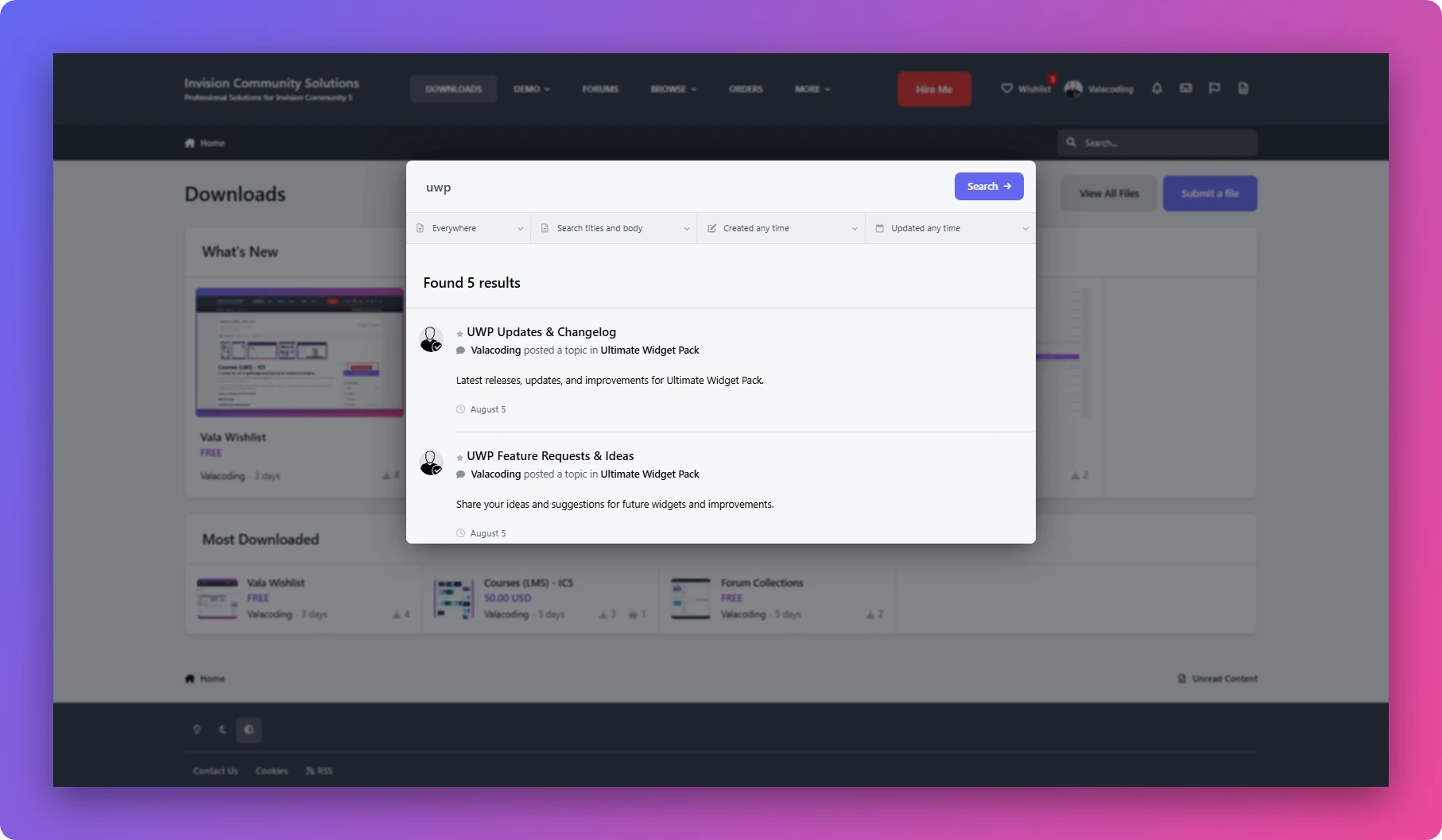
Live Search enhances the default Invision Community search experience with fast, AJAX-powered results without requiring users to leave the search interface.
It works seamlessly on desktop and mobile, supports the native IPS search filters, and automatically updates results as users type.
Features:
โšก Instant AJAX search results
๐Ÿ”Ž Search as you type
๐Ÿ“ฑ Fully responsive โ€” Desktop & Mobile
๐ŸŽฏ Works with native IPS search filters
๐Ÿš€ Lightweight and easy to install
๐ŸŽจ Designed to integrate naturally with IPS
Free to use, built by ValaCoding.
IPS5.0.0+
Live Search enhances the default Invision Community search experience with fast, AJAX-powered results without requiring users to leave the search interface.
It works seamlessly on desktop and mobile, supports the native IPS search filters, and automatically updates results as users type.
Features:
โšก Instant AJAX search results
๐Ÿ”Ž Search as you type
๐Ÿ“ฑ Fully responsive โ€” Desktop & Mobile
๐ŸŽฏ Works with native IPS search filters
๐Ÿš€ Lightweight and easy to install
๐ŸŽจ Designed to integrate naturally with IPS
Free to use, built by ValaCoding.
Wishlist
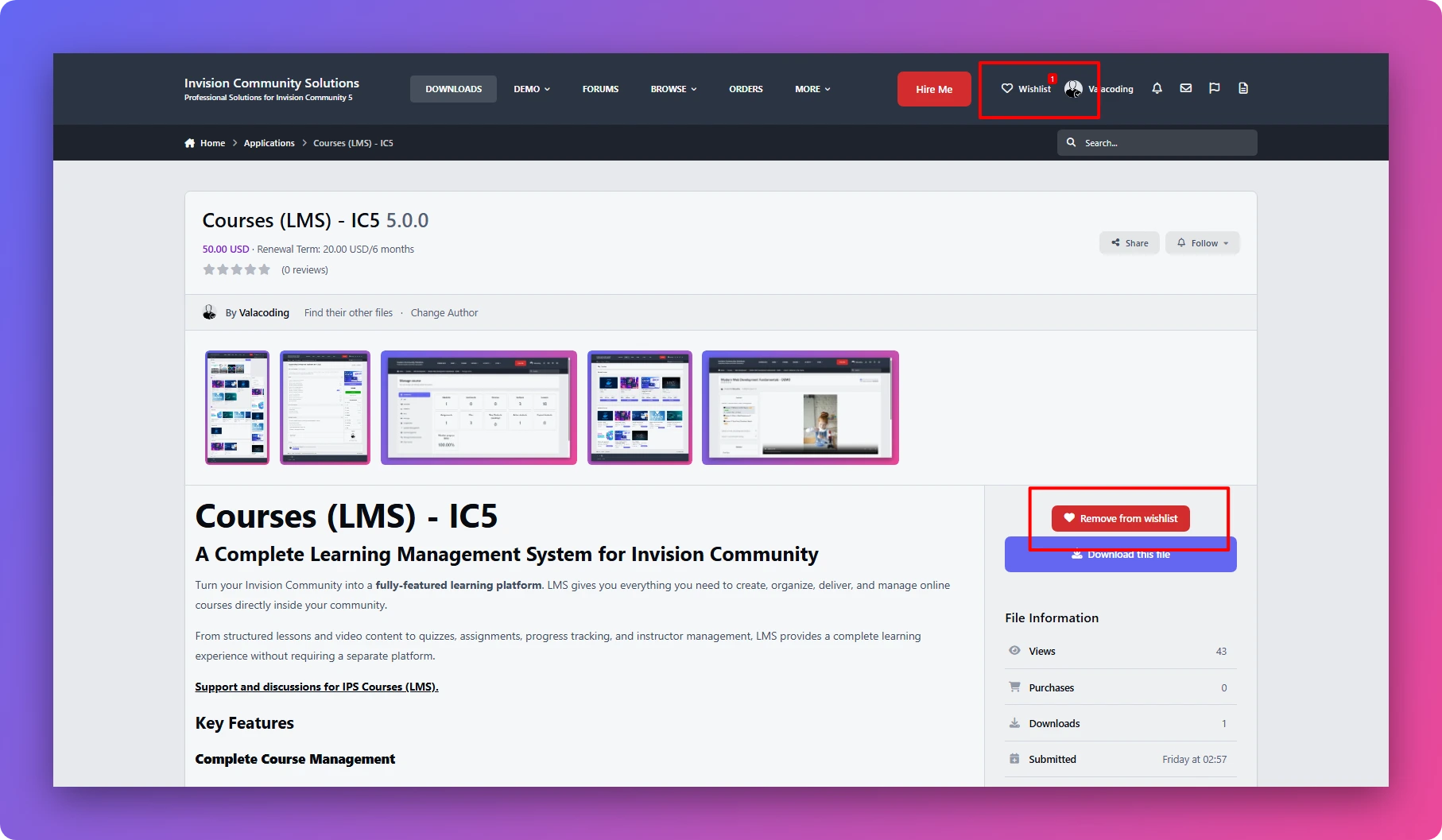
A lightweight wishlist solution for IPS communities. Users can save their favorite files with a fast AJAX add/remove experience and manage all saved items in a dedicated wishlist page.
Current version supports IPS Downloads only

Initial Version 1.0.0
------------------------------
What's New in Version 1.0.1
Update
Fixed a minor compatibility issue.
Improved extension stability and performance
------------------------------
IPS5.0.0+
Wishlist
A lightweight wishlist solution for IPS communities. Users can save their favorite files with a fast AJAX add/remove experience and manage all saved items in a dedicated wishlist page.
Current version supports IPS Downloads only

Initial Version 1.0.0
------------------------------
What's New in Version 1.0.1
Update
Fixed a minor compatibility issue.
Improved extension stability and performance
------------------------------
Forum Collection
Create Unlimited Custom Forum Collections
Support and discussions for IPS Forum Collection.
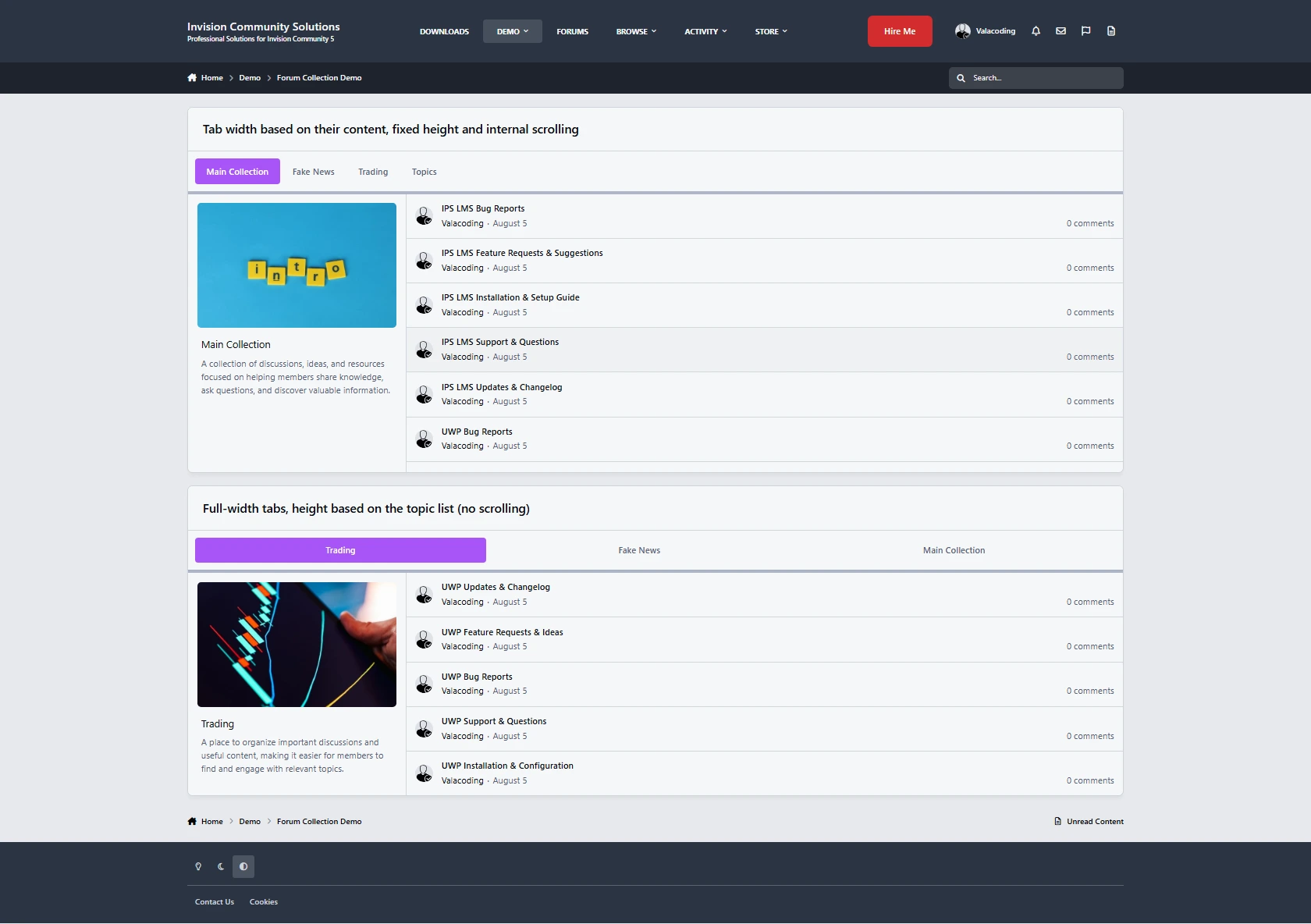
Forum Collection lets you turn content from your forums and topics into custom, reusable collections that you can display anywhere on your community.
Create unlimited collections, add your own cover, title, and description, and organize your content exactly the way you want.
Key Features
Unlimited Collections โ€” Create as many collections as you need.
Forum & Topic Feeds โ€” Build collections from your existing forums and topics.
Custom Cover, Title & Description โ€” Give every collection its own look and identity.
Tabbed Collection Widget โ€” Display multiple collections together in a clean tabbed layout.
Easy Collection Management โ€” Select your collections and reorder them with ease.
Flexible Tab Styling โ€” Customize the tab layout, including height, width, and scrolling behavior.
Place It Anywhere โ€” Display your collections wherever IPS widgets are supported.
Group-Based Visibility โ€” Decide which member groups can see each collection.
Built for Your Community
Use Forum Collection to create featured topic feeds, curated discussions, category highlights, community sections, and more.
Simple to set up, flexible to customize, and completely free.

Support and discussions for IPS Forum Collection.
IPS5.0.0+
Forum Collection
Create Unlimited Custom Forum Collections
Support and discussions for IPS Forum Collection.
Forum Collection lets you turn content from your forums and topics into custom, reusable collections that you can display anywhere on your community.
Create unlimited collections, add your own cover, title, and description, and organize your content exactly the way you want.
Key Features
Unlimited Collections โ€” Create as many collections as you need.
Forum & Topic Feeds โ€” Build collections from your existing forums and topics.
Custom Cover, Title & Description โ€” Give every collection its own look and identity.
Tabbed Collection Widget โ€” Display multiple collections together in a clean tabbed layout.
Easy Collection Management โ€” Select your collections and reorder them with ease.
Flexible Tab Styling โ€” Customize the tab layout, including height, width, and scrolling behavior.
Place It Anywhere โ€” Display your collections wherever IPS widgets are supported.
Group-Based Visibility โ€” Decide which member groups can see each collection.
Built for Your Community
Use Forum Collection to create featured topic feeds, curated discussions, category highlights, community sections, and more.
Simple to set up, flexible to customize, and completely free.

Support and discussions for IPS Forum Collection.
Story
Bring Social Media-Style Stories to Your Community
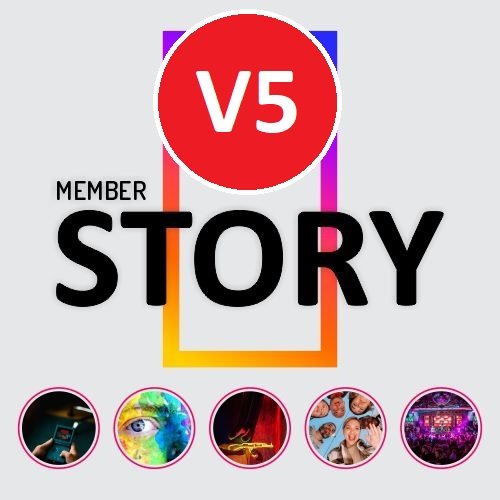
Give your members a more engaging way to share photos and videos with temporary, visual stories. Story brings a familiar social-media experience directly into your IPS community, while giving administrators full control over how stories are created, displayed, and accessed.
Support and discussions for Story
Key Features
Photo & Video Stories
Let members create and share photo and video stories directly from your community.
Three Story Feeds
Give members different ways to discover stories with three dedicated widgets:
All Members Stories โ€” Show stories from across your community.
Follower Stories โ€” Show stories from members the current user follows.
Following Stories โ€” Display stories based on the user's following relationships.
Story Titles & Links
Make stories more than just visual content. Members can add a title and clickable link to their stories, making them useful for sharing content, announcements, products, or external pages.
IPS Reputation & Reactions
Let members interact with stories using the familiar IPS Reputation system. Stories can receive reactions just like other community content.
Fully Responsive
Stories are designed to work smoothly across desktop, tablet, and mobile devices, providing a consistent experience on every screen size.
Customizable Layout & Display
Choose how stories are presented with multiple layout and display settings, allowing you to adapt the experience to your community's design.
Story View Counts
Keep track of engagement with story view counts, giving members and administrators insight into how many people have viewed a story.
Powerful Permissions
Get complete control over who can use and access the Story system.
Configure permissions for:
Who can create stories
Who can view stories
Which member groups have access
Who can interact with stories
And more
Built for IPS Communities
Story combines the familiar experience of social-media stories with the flexibility of Invision Community's permissions, reputation, and member system.
Give your community a more visual and interactive way to share contentโ€”while keeping full control over who can create, view, and interact with stories.

Support and discussions for Story
IPS5.0.0+
Story
Bring Social Media-Style Stories to Your Community
Give your members a more engaging way to share photos and videos with temporary, visual stories. Story brings a familiar social-media experience directly into your IPS community, while giving administrators full control over how stories are created, displayed, and accessed.
Support and discussions for Story
Key Features
Photo & Video Stories
Let members create and share photo and video stories directly from your community.
Three Story Feeds
Give members different ways to discover stories with three dedicated widgets:
All Members Stories โ€” Show stories from across your community.
Follower Stories โ€” Show stories from members the current user follows.
Following Stories โ€” Display stories based on the user's following relationships.
Story Titles & Links
Make stories more than just visual content. Members can add a title and clickable link to their stories, making them useful for sharing content, announcements, products, or external pages.
IPS Reputation & Reactions
Let members interact with stories using the familiar IPS Reputation system. Stories can receive reactions just like other community content.
Fully Responsive
Stories are designed to work smoothly across desktop, tablet, and mobile devices, providing a consistent experience on every screen size.
Customizable Layout & Display
Choose how stories are presented with multiple layout and display settings, allowing you to adapt the experience to your community's design.
Story View Counts
Keep track of engagement with story view counts, giving members and administrators insight into how many people have viewed a story.
Powerful Permissions
Get complete control over who can use and access the Story system.
Configure permissions for:
Who can create stories
Who can view stories
Which member groups have access
Who can interact with stories
And more
Built for IPS Communities
Story combines the familiar experience of social-media stories with the flexibility of Invision Community's permissions, reputation, and member system.
Give your community a more visual and interactive way to share contentโ€”while keeping full control over who can create, view, and interact with stories.

Support and discussions for Story
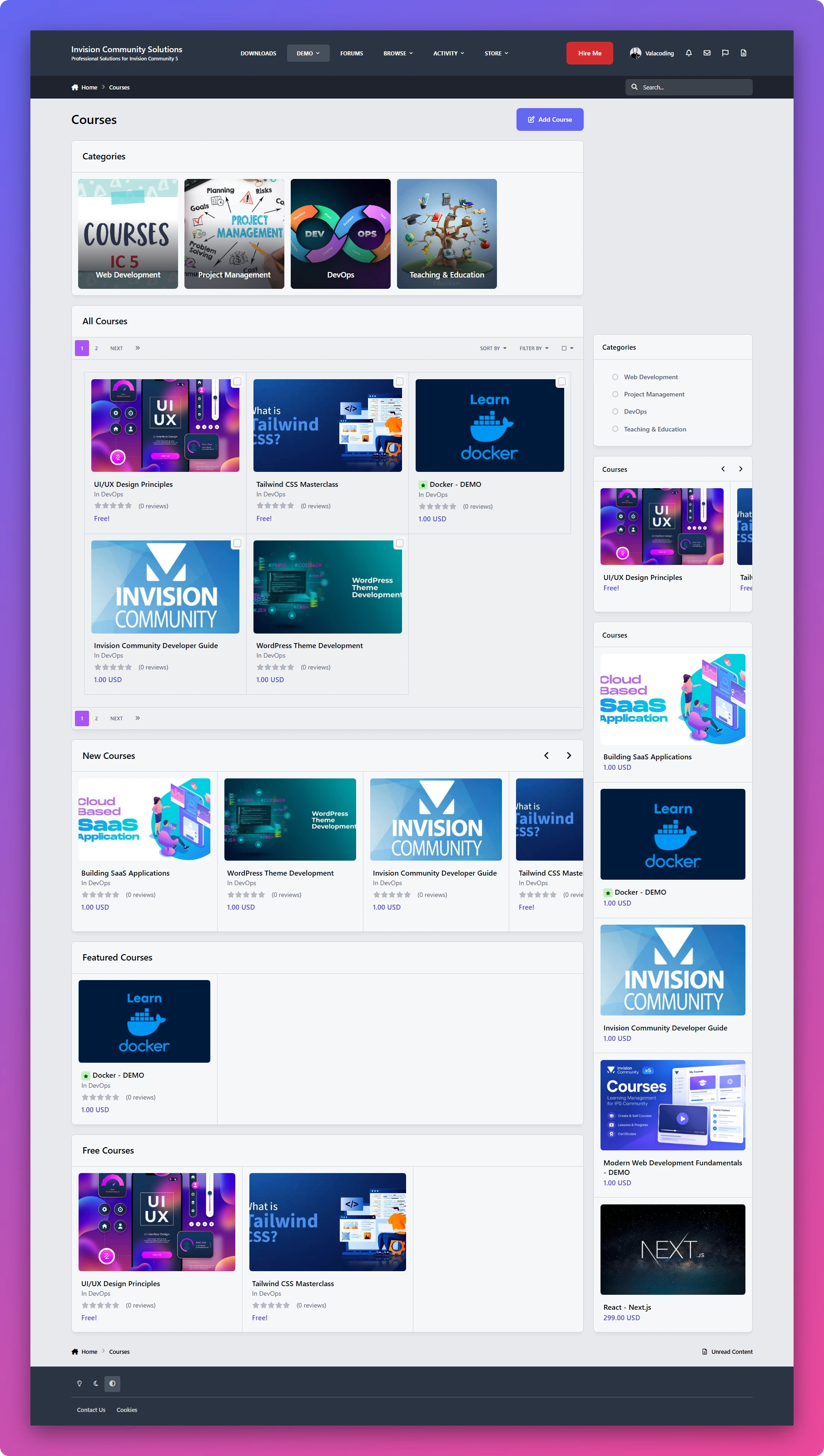
Courses (LMS) - IC5
A Complete Learning Management System for Invision Community
Turn your Invision Community into aย fully-featured learning platform. LMS gives you everything you need to create, organize, deliver, and manage online courses directly inside your community.
From structured lessons and video content to quizzes, assignments, progress tracking, and instructor management, LMS provides a complete learning experience without requiring a separate platform.
Support and discussions for IPS Courses (LMS).
Key Features
Complete Course Management
Create and manage courses withย titles, descriptions, categories, lessons, and course content. Organize your courses into a structured learning experience that is easy for members to follow.
Multiple Lesson Types
Build different types of learning content using three dedicated lesson types:
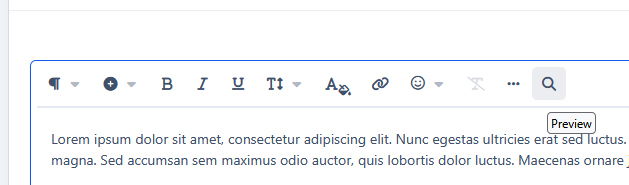
Text Lessonsย โ€” Create rich learning content using the full capabilities of the IPS editor.
Video Lessonsย โ€” Deliver video-based lessons directly to your students.
Assignmentsย โ€” Give students practical tasks and allow them toย upload their work and filesย for submission.
Built-in Quizzes & Exams
Test your students' knowledge with built-in quizzes and exams.
LMS supports:
Multiple-choice questions
True / False questions
Quiz-based assessments
Student results and progress tracking
Student Progress Tracking
Members can easily see their enrolled courses andย track their learning progress.
Display:
Enrolled courses
Course completion percentage
Lesson progress
Completed content
This gives students a clear overview of where they are and what they still need to complete.
Instructor Panel
Give instructors their own dedicated management area where they canย create and manage their courses and learning contentย without needing full administrator access.
Course Categories
Organize your courses intoย categoriesย to make large course libraries easier to navigate and discover.
Powerful Permissions
LMS comes with a flexible permission system that gives administrators complete control over the learning platform.
Control things such as:
Who can create courses
Who can use free courses
Who can access courses
Who can create and manage course content
Instructor permissions
Student permissions
And more
Free & Paid Learning Experiences
Create courses with different access models and control exactlyย which member groups can access free course content.
This makes LMS suitable for both community-based education and more structured learning platforms.
Structured Learning Experience
Organize your courses into a clear progression ofย courses โ†’ lessons โ†’ quizzes and assignments, giving students a consistent learning path from beginning to completion.
Designed for Invision Community
LMS is built around the IPS ecosystem, allowing you to combine yourย members, groups, permissions, and community experienceย with a complete online learning system.
Whether you're building aย training platform, educational community, course marketplace, internal learning system, or community-based academy, LMS gives you the foundation to build it directly inside your Invision Community.


Support and discussions for IPS Courses (LMS).

๐Ÿš€ย Coming Soon
Course Certificates
Reward your students withย professional certificates of completionย when they successfully complete a course
IPS5.0.0+
Courses (LMS) - IC5
A Complete Learning Management System for Invision Community
Turn your Invision Community into aย fully-featured learning platform. LMS gives you everything you need to create, organize, deliver, and manage online courses directly inside your community.
From structured lessons and video content to quizzes, assignments, progress tracking, and instructor management, LMS provides a complete learning experience without requiring a separate platform.
Support and discussions for IPS Courses (LMS).
Key Features
Complete Course Management
Create and manage courses withย titles, descriptions, categories, lessons, and course content. Organize your courses into a structured learning experience that is easy for members to follow.
Multiple Lesson Types
Build different types of learning content using three dedicated lesson types:
Text Lessonsย โ€” Create rich learning content using the full capabilities of the IPS editor.
Video Lessonsย โ€” Deliver video-based lessons directly to your students.
Assignmentsย โ€” Give students practical tasks and allow them toย upload their work and filesย for submission.
Built-in Quizzes & Exams
Test your students' knowledge with built-in quizzes and exams.
LMS supports:
Multiple-choice questions
True / False questions
Quiz-based assessments
Student results and progress tracking
Student Progress Tracking
Members can easily see their enrolled courses andย track their learning progress.
Display:
Enrolled courses
Course completion percentage
Lesson progress
Completed content
This gives students a clear overview of where they are and what they still need to complete.
Instructor Panel
Give instructors their own dedicated management area where they canย create and manage their courses and learning contentย without needing full administrator access.
Course Categories
Organize your courses intoย categoriesย to make large course libraries easier to navigate and discover.
Powerful Permissions
LMS comes with a flexible permission system that gives administrators complete control over the learning platform.
Control things such as:
Who can create courses
Who can use free courses
Who can access courses
Who can create and manage course content
Instructor permissions
Student permissions
And more
Free & Paid Learning Experiences
Create courses with different access models and control exactlyย which member groups can access free course content.
This makes LMS suitable for both community-based education and more structured learning platforms.
Structured Learning Experience
Organize your courses into a clear progression ofย courses โ†’ lessons โ†’ quizzes and assignments, giving students a consistent learning path from beginning to completion.
Designed for Invision Community
LMS is built around the IPS ecosystem, allowing you to combine yourย members, groups, permissions, and community experienceย with a complete online learning system.
Whether you're building aย training platform, educational community, course marketplace, internal learning system, or community-based academy, LMS gives you the foundation to build it directly inside your Invision Community.


Support and discussions for IPS Courses (LMS).

๐Ÿš€ย Coming Soon
Course Certificates
Reward your students withย professional certificates of completionย when they successfully complete a course

Top Developers

Last reviews

Applications Directory

A complete and convenient directory of applications for Invision Community, with categorization and sorting options.

Ratings and feedback

Only verified and trusted reviews!

Add new Application

Any developer can add their application to this directory.

You need to create account

Configure browser push notifications

Chrome (Android)
  1. Tap the lock icon next to the address bar.
  2. Tap Permissions โ†’ Notifications.
  3. Adjust your preference.
Chrome (Desktop)
  1. Click the padlock icon in the address bar.
  2. Select Site settings.
  3. Find Notifications and adjust your preference.