Invision Community 5
- Category Member Tools
- Downloads 152
- Compatibility IC5: 5.0.0+
- Updated
Overview
Define interests based on your niche and audience, and members choose what they want to see.Description
Explore Feeds 2.0
A smarter, more social way to experience your community
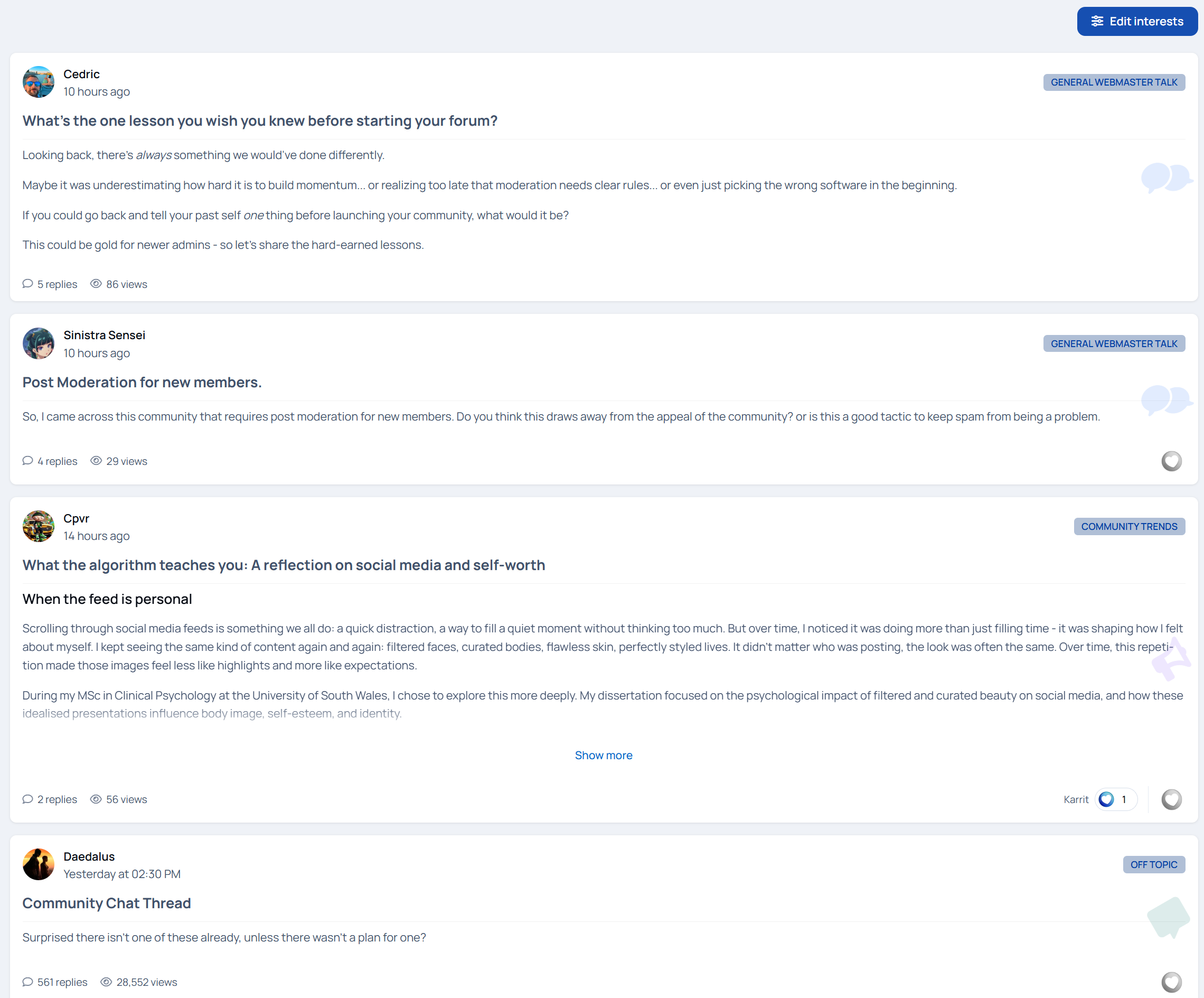
Explore Feeds reimagines how members discover and interact with content. Instead of forcing people to browse forums the “old way,” it delivers a personalized, living feed that feels familiar, engaging, and effortless.
Members choose what they care about.
Explore Feeds does the rest.
Want cars and design? That’s what shows up.
Only interested in writing or business? Your feed reflects it.
No clutter. No digging. Just relevant content, front and center.
Now fully interactive
Version 2 turns Explore Feeds from a passive browsing experience into an active, social one.
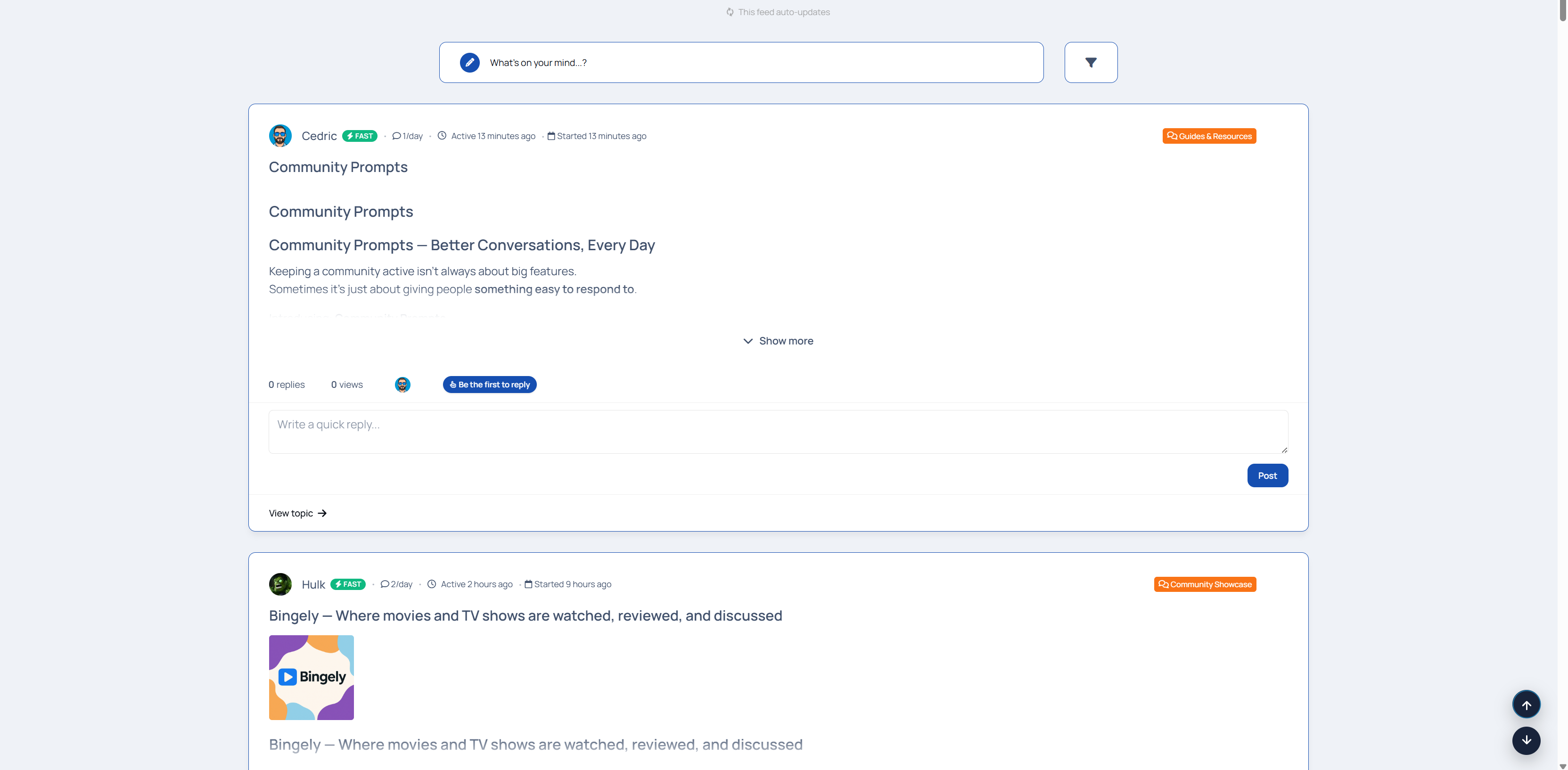
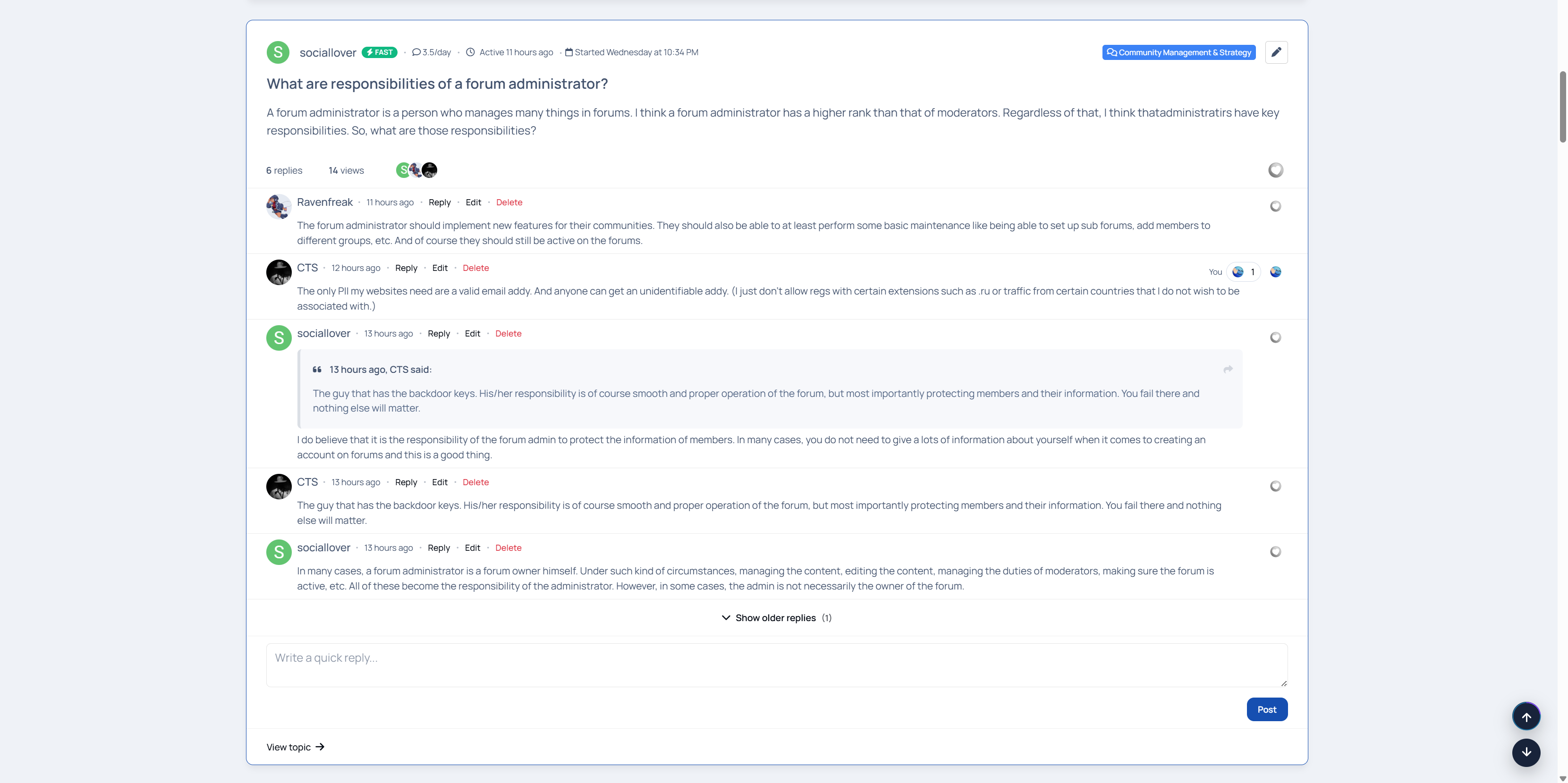
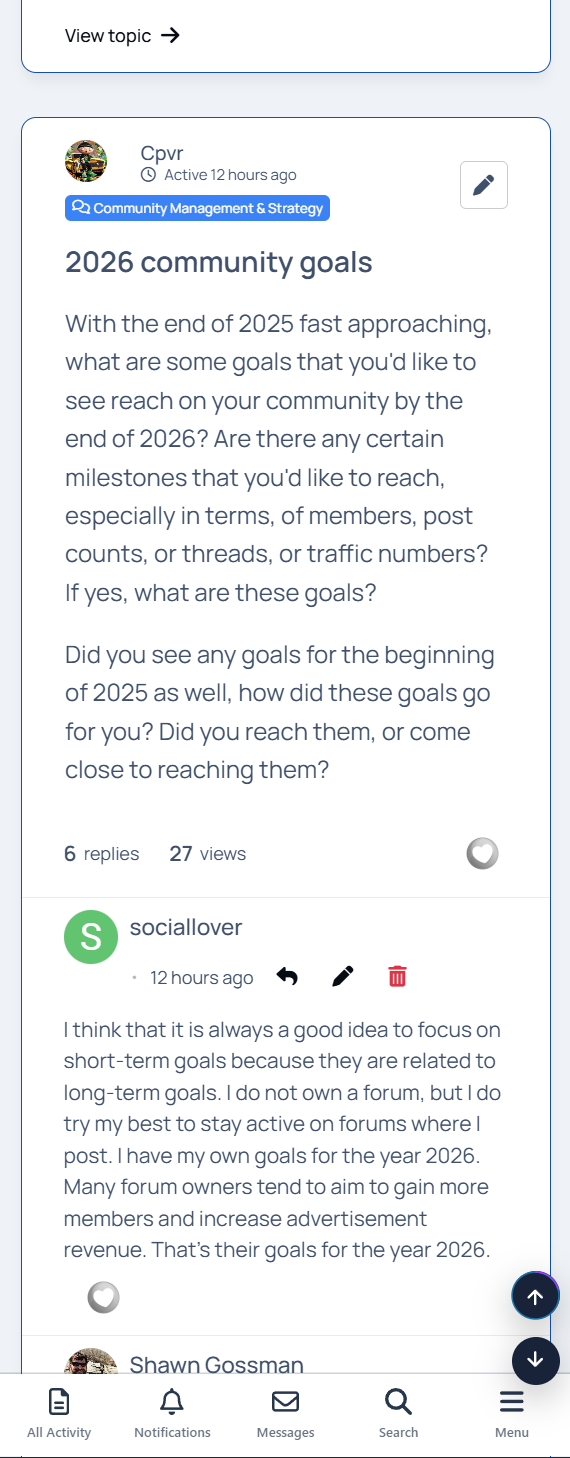
Members can now reply directly inside the feed, create new topics without leaving the page, react to posts, and edit their content in place. The feed stays alive, updating automatically as new replies and topics come in - just like a modern activity stream.
Everything happens where the content lives.
Built for engagement, not empty pages
Explore Feeds is now fully enabled for both guests and members by default. That means no empty feeds and no dead first impressions. You can confidently use it as your landing page, showing fresh, active content the moment someone arrives.
Navigation stays smooth too - users remain on the feed instead of being redirected away when interacting with content.
Clear signals, better conversations
To help members instantly understand what’s happening, Explore Feeds now includes engagement labels right in the stream:
Fast • 6/day • Active 10 minutes ago
Be the first to reply
First topic
Recently active discussions
These subtle cues encourage participation and make active conversations impossible to miss.
Replies now display with newest at the top, keeping discussions current and reducing scrolling friction. “Show older replies” lets members dig deeper when they want to.
More than just forums
Explore Feeds now supports blogs and articles, allowing you to surface editorial content alongside forum discussions in one unified feed. Long-form writing, announcements, or community discussions, everything flows together naturally.
Choose between interests-based or the forum filter system to give users even more control over what they see.
Key Features
Interest-based personalized feeds
Inline replying and topic creation
Reactions directly in the feed
Engagement labels for activity awareness
Blog and article support
Auto-updating feed and reply stream
Guest-ready feeds (perfect for landing pages)
Forum filtering system
Infinite scroll for continuous discovery
“Show more” handling for long posts
Smart synonyms system with customizable JSON support
A live demo can be found on Administrata.
What’s New (1.0.0 → 1.2.2)
Added inline replying directly inside the feed
Added topic creation from the feed
Added reactions support within the feed
Added topic engagement labels (Fast, activity rate, last active time, First Topic, Be the first to reply, etc.)
Added full blog content support
Added full article content support (Pages / Articles)
Added post and reply edit functionality
Enabled feeds for guests and members by default (no empty feeds)
Feed can now be used as a landing page
Added forum filter system
Reversed reply order (newest replies now appear at the top)
Updated redirection logic to keep users on the feed page
Fixed an issue where topic creation remembered previously posted topics
Renamed “Show more replies” to “Show older replies”
Increased username font size by 2px
Improved mobile reaction layout to prevent viewport overflow
Added auto-updating feed using All Activity logic
Added full auto-updating reply and post streams
Added live update indicator for new content
-
 1
1
Create an account or sign in to leave a review