Invision Community 5
- Category Member Tools
- Downloads 130
- Compatibility IC5: 5.0.0+
- Updated

Overview
Feedback Trader is a member-to-member feedback and reputation system for Invision Community Suite v5.Description
Build trust between your members, one trade at a time.
Feedback Trader is a member-to-member feedback and reputation system for Invision Community Suite v5. It lets your members rate each other after trades, sales, and deals, building transparent trust scores that are visible across your community. Perfect for buy/sell/trade forums, classifieds communities, and anywhere member reliability matters.
How It Works
Members leave feedback (positive, neutral, or negative) for each other after a transaction. Each entry includes a written comment and an optional link to the related listing or deal. Over time, members build a visible reputation score that acts as a trust signal for the entire community.
Your community polices itself. Trust is earned, not assumed.
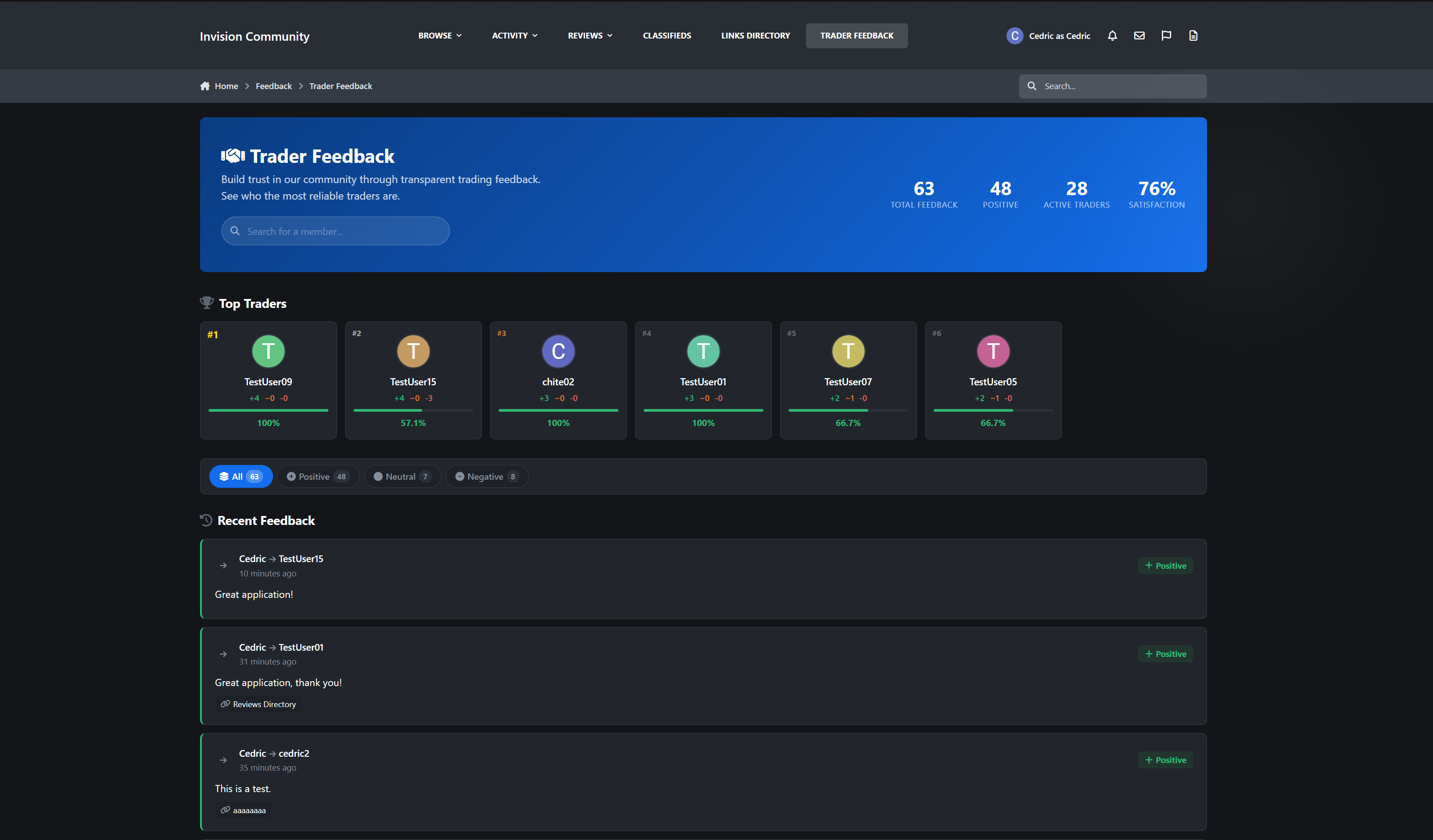
Browse Page
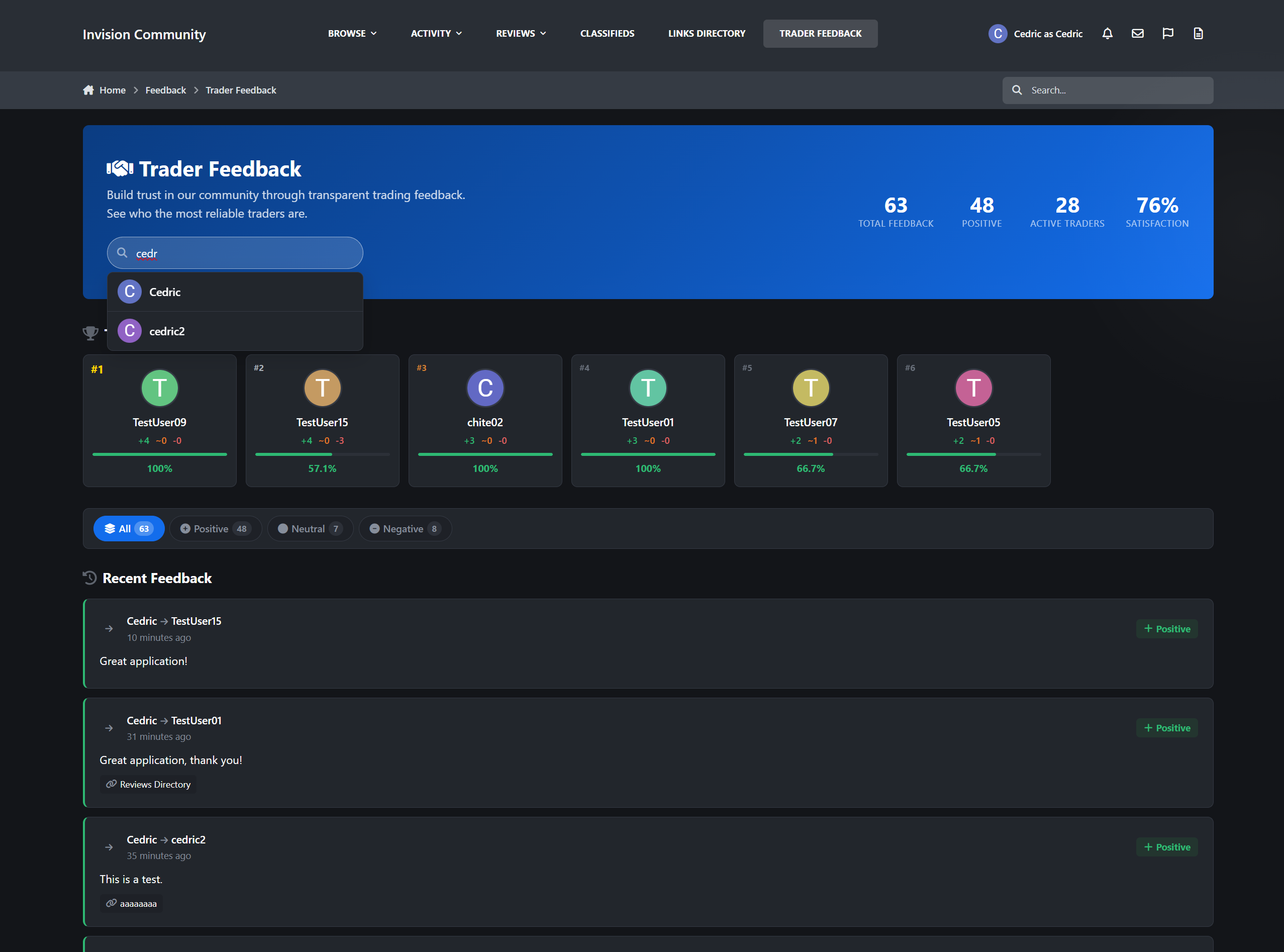
Dedicated feedback hub at
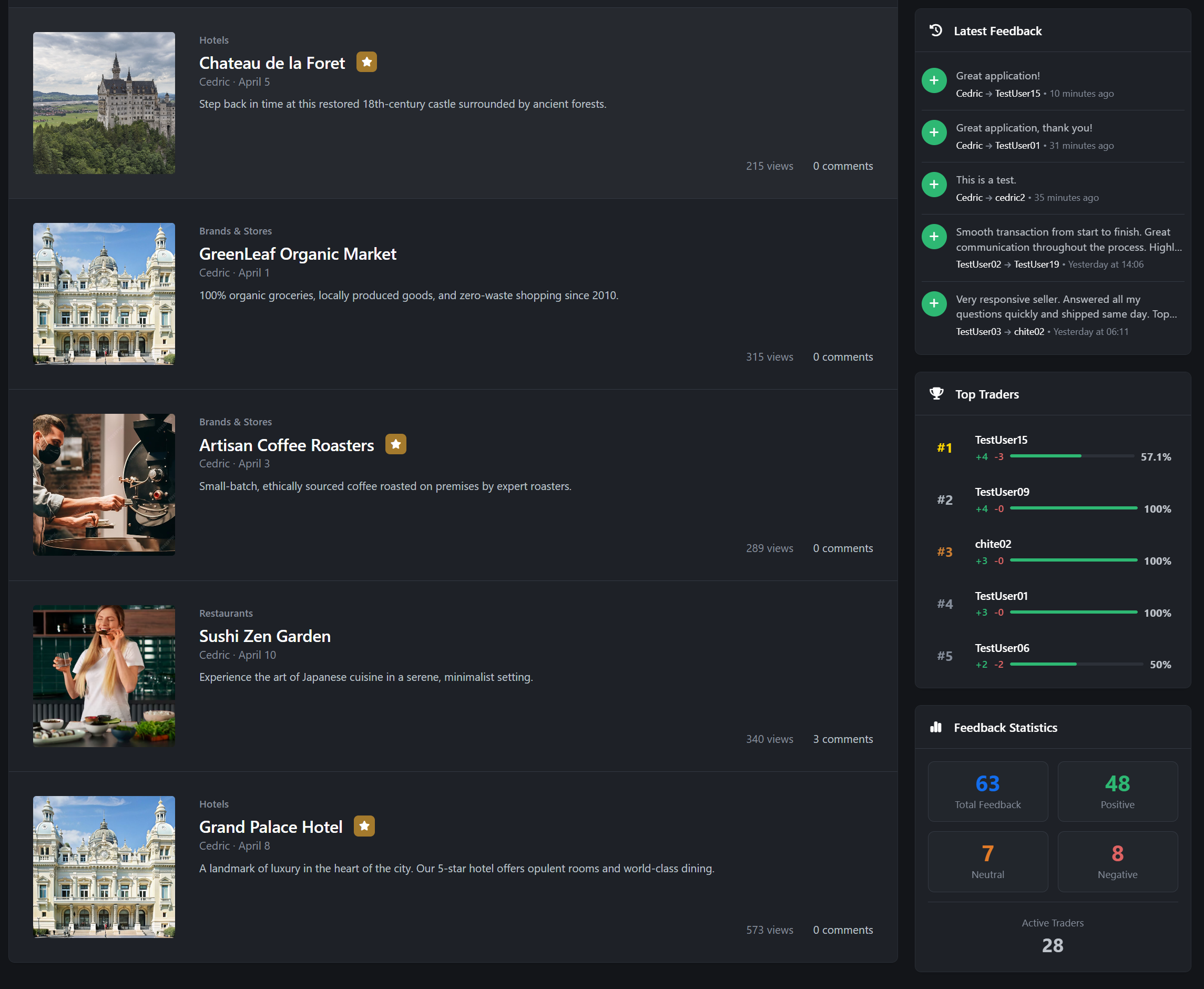
/feedback/with a full-width hero banner and global statsStatistics dashboard showing total feedback, positive feedback, active traders, and satisfaction percentage
AJAX-powered member search with autocomplete
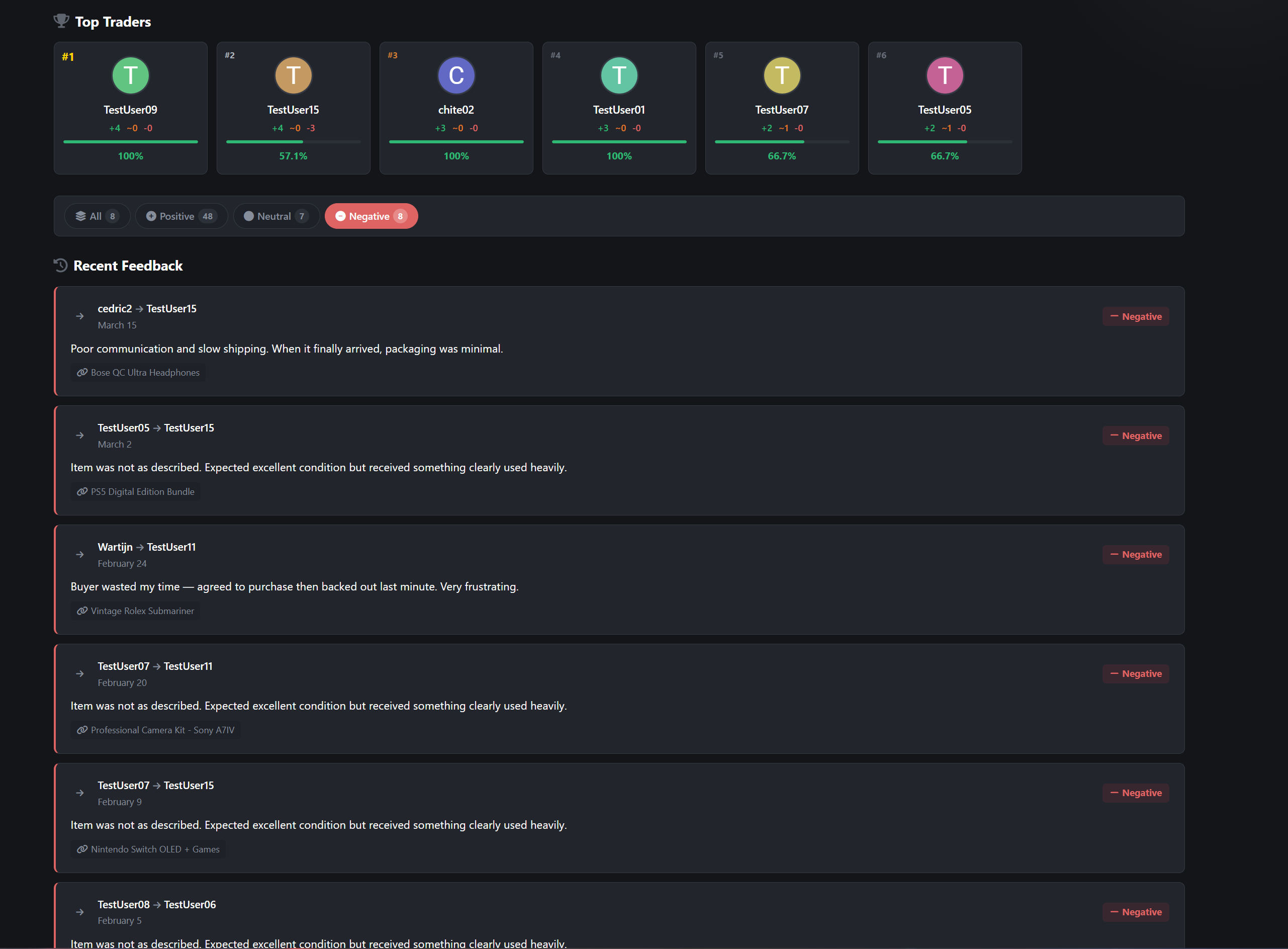
Top Traders leaderboard with gold, silver, and bronze badges, progress bars, and satisfaction scores
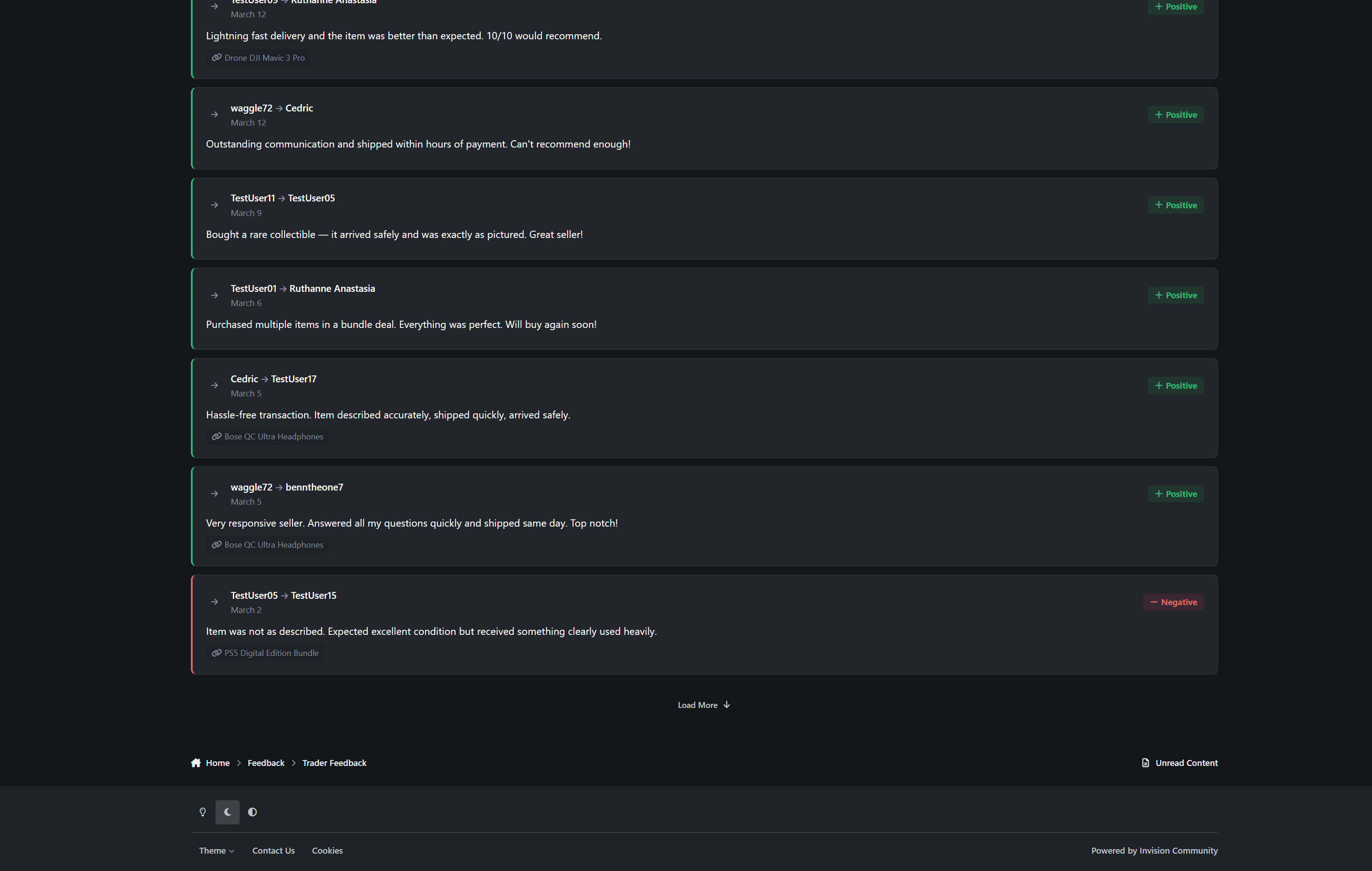
Filterable feed: All, Positive, Neutral, Negative with pill-style filters and live counts
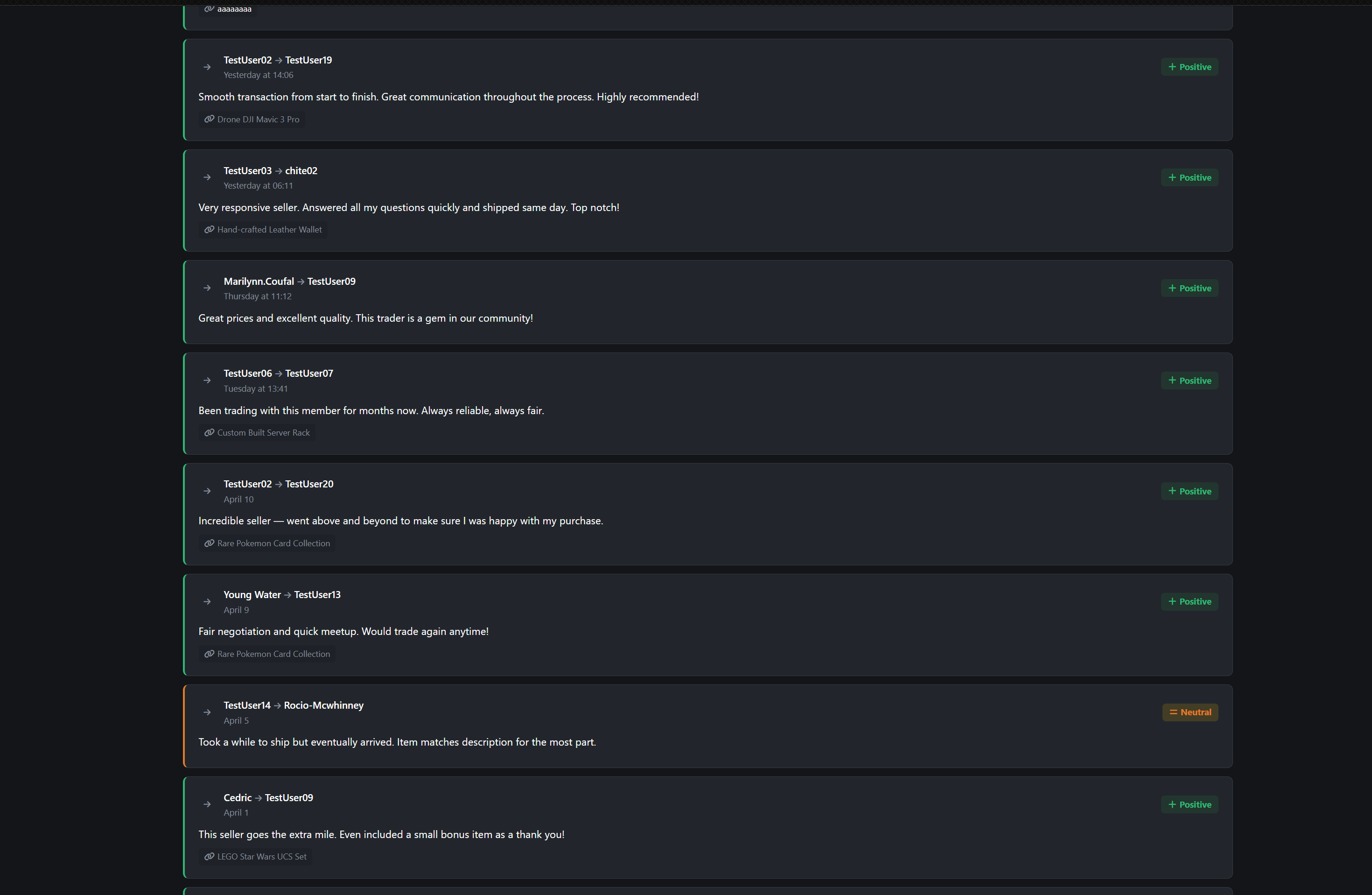
Color-coded feedback cards with avatars, rating badges, comments, timestamps, and linked transactions
Load More infinite scroll with no page refresh
Friendly empty states with a call-to-action when no feedback exists
Feedback & Ratings
3-tier rating system: Positive, Neutral, Negative with color-coded icons
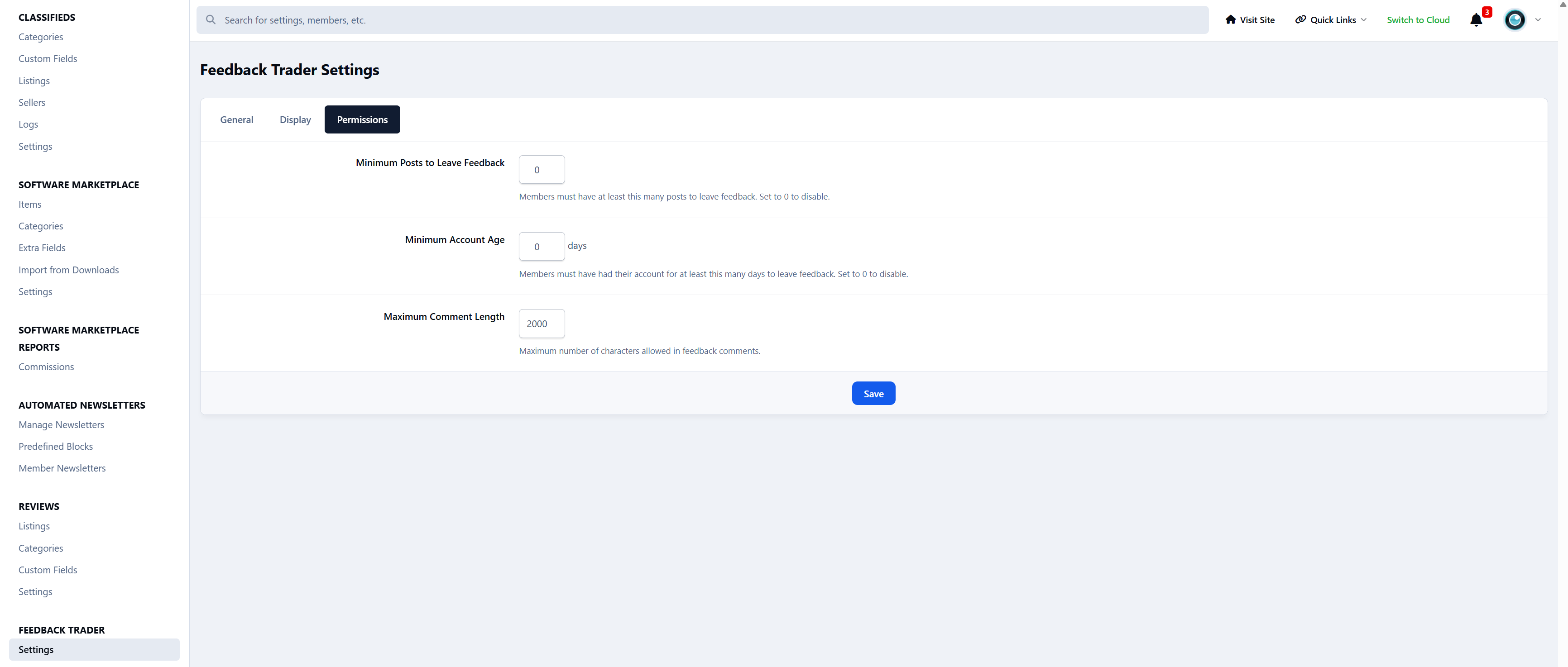
Written comments up to 2,000 characters (configurable)
Transaction linking with listing title and URL
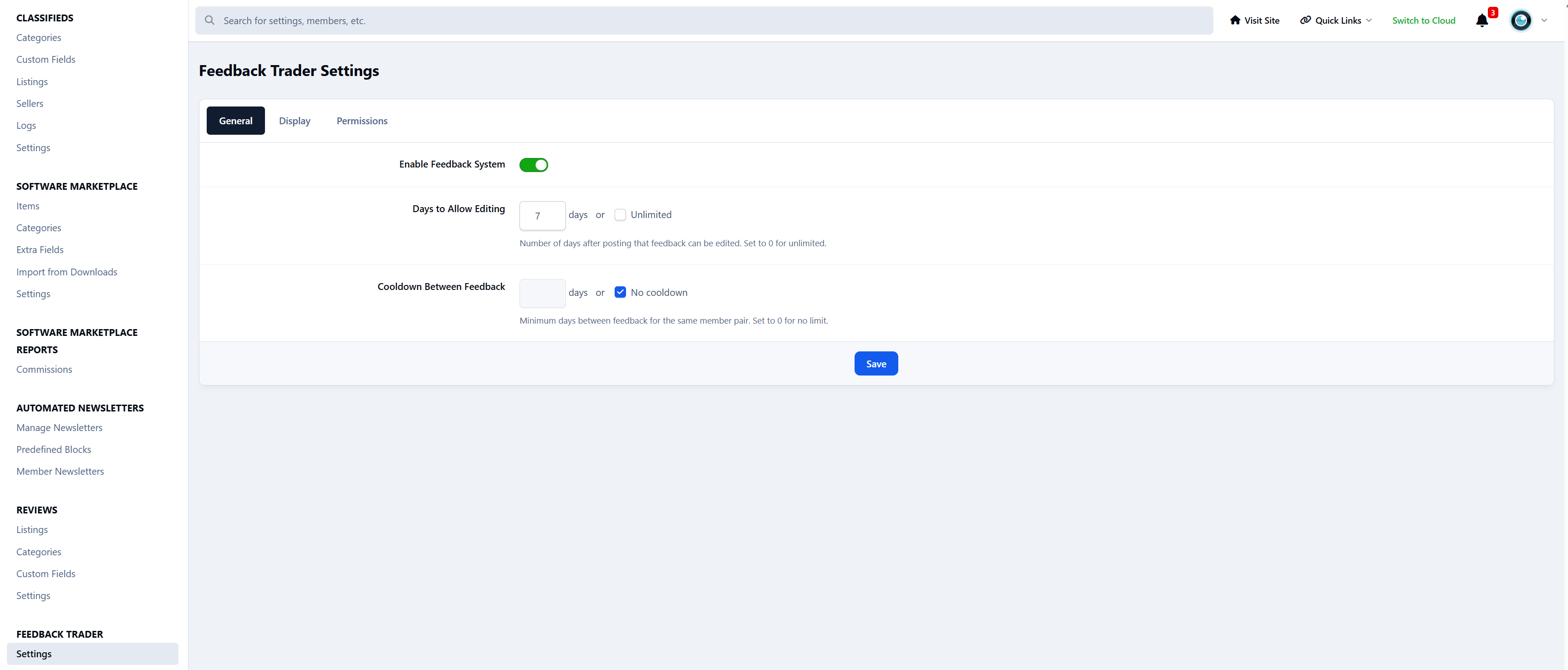
Configurable edit window (default 7 days or unlimited)
Anti-spam cooldown between feedback for the same member pair
Self-feedback prevention
Reputation Engine
Automatic per-member reputation cache with positive, neutral, negative, and total counts
Satisfaction percentage calculated as positive / total
Net score showing positive minus negative
Profile Integration
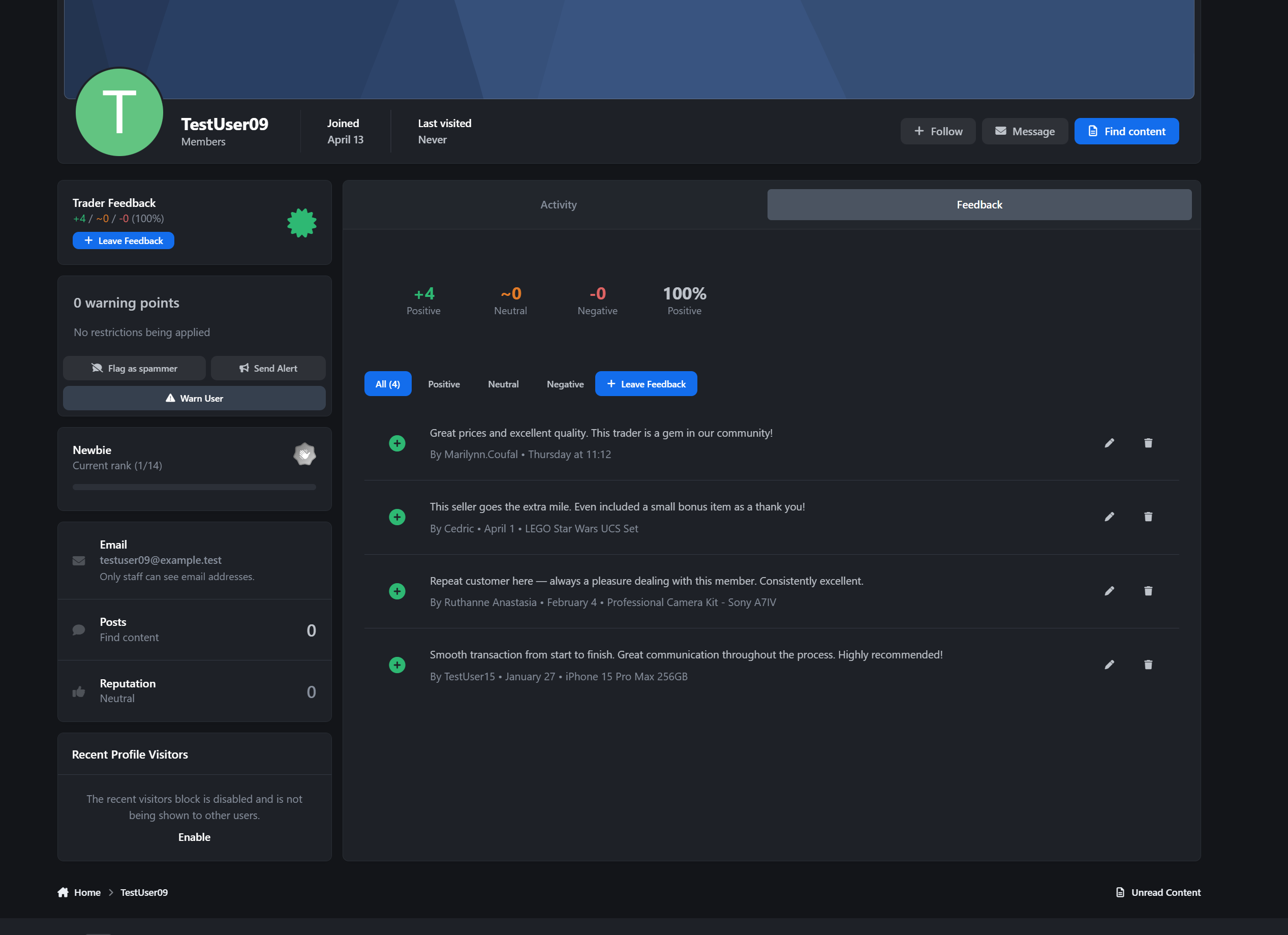
Dedicated Feedback tab on every profile with count badge
Summary stats grid: +positive / ~neutral / -negative / %satisfaction
Filter buttons for All, Positive, Neutral, and Negative
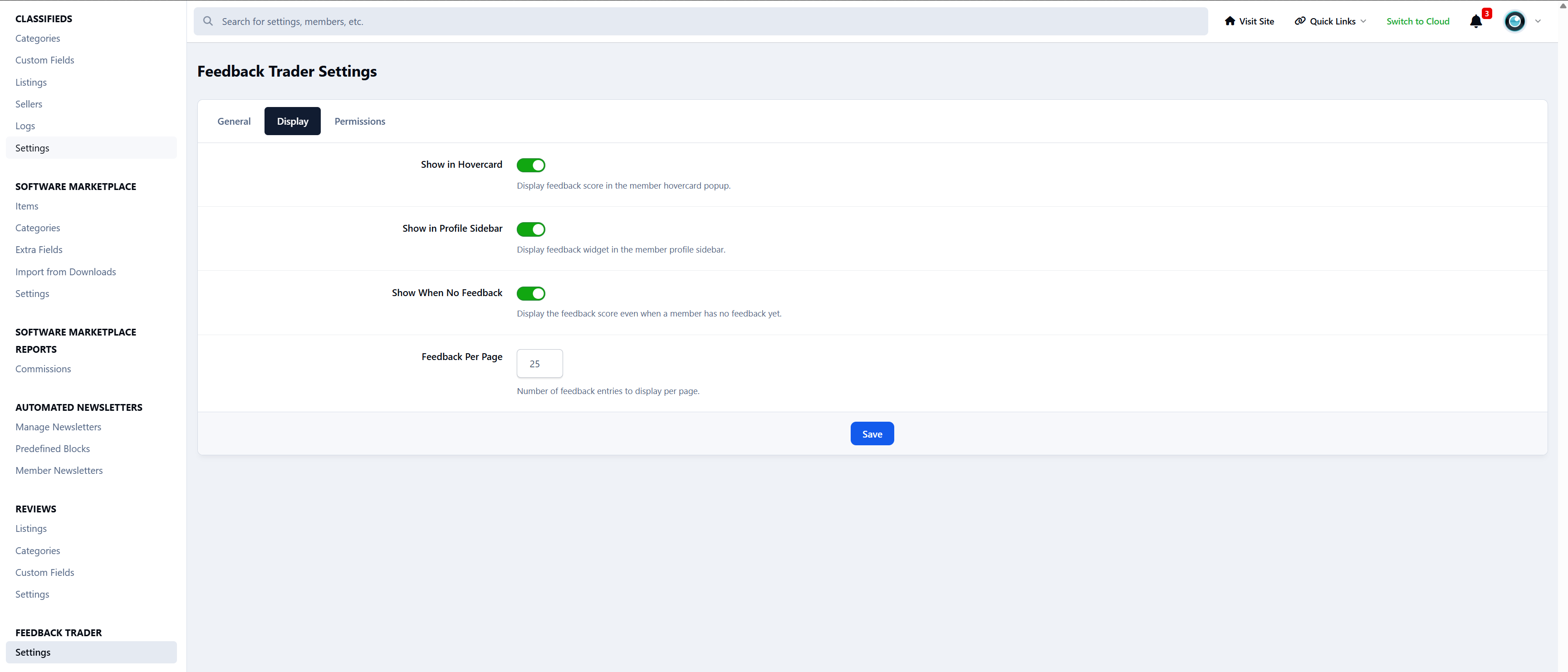
Hovercard integration with +X / ~Y / -Z summary
“Leave Feedback” button shown
Edit and delete actions for authorized users
Profile sidebar widget with reputation display, certificate badge (80%+ positive), and CTA
Your reputation follows you everywhere on the site.
Widgets
Feedback Stats: Grid with totals and active traders
Latest Feedback: configurable feed (1-25 items) with comments and links
Top Traders: ranked list (1-25) with badges, avatars, and stats
All widgets are sidebar and CMS compatible with configurable limits.
Notifications
Inline, push, and email notifications when feedback is received
Fully configurable per member
Direct link to the recipient’s feedback tab
Perfect For
Buy/sell/trade communities
Classifieds and marketplace forums
Gaming trading communities
Freelance and service exchanges
Any community with member-to-member transactions
Car enthusiast and parts trading forums
Collector and hobbyist swap communities
Cryptocurrency and digital goods trading forums
-
 1
1
Create an account or sign in to leave a review
There are no reviews to display.