First Post Spotlight
Invision Community 5
- Category Member Tools
- Downloads 149
- Compatibility IC5: 5.0.0+
- Updated

Overview
Help new members feel welcome - and get replies fasterDescription
Every community remembers this moment.
A new member signs up.
They post for the first time.
And then… nothing happens.
No replies.
No acknowledgement.
No reason to come back.
First Post Spotlight fixes that.
It gently highlights new members’ first-ever topics so they don’t go unnoticed - encouraging regular members to jump in, reply, and make newcomers feel welcome from day one.
Simple idea.
Big impact.
Introducing: First Post Spotlight
First Post Spotlight helps your community give new members a better first experience by drawing attention to their very first topics.
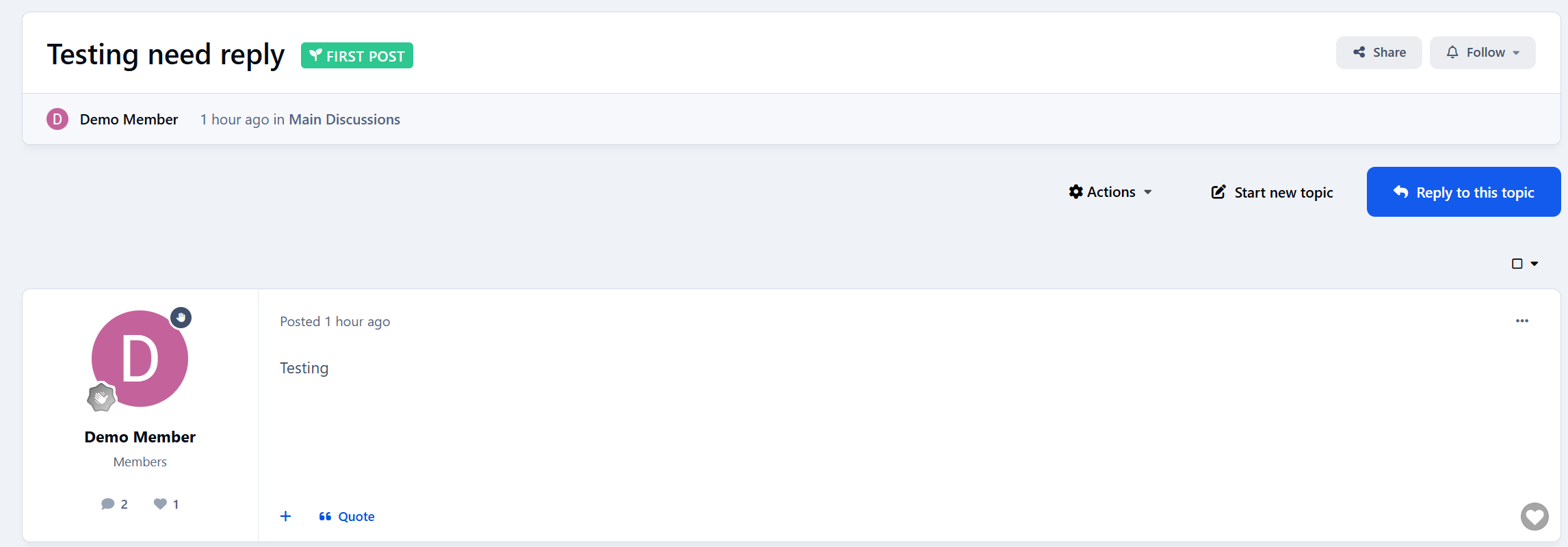
When a new member posts for the first time, their topic is clearly marked in forum listings - making it easy for others to spot and respond.
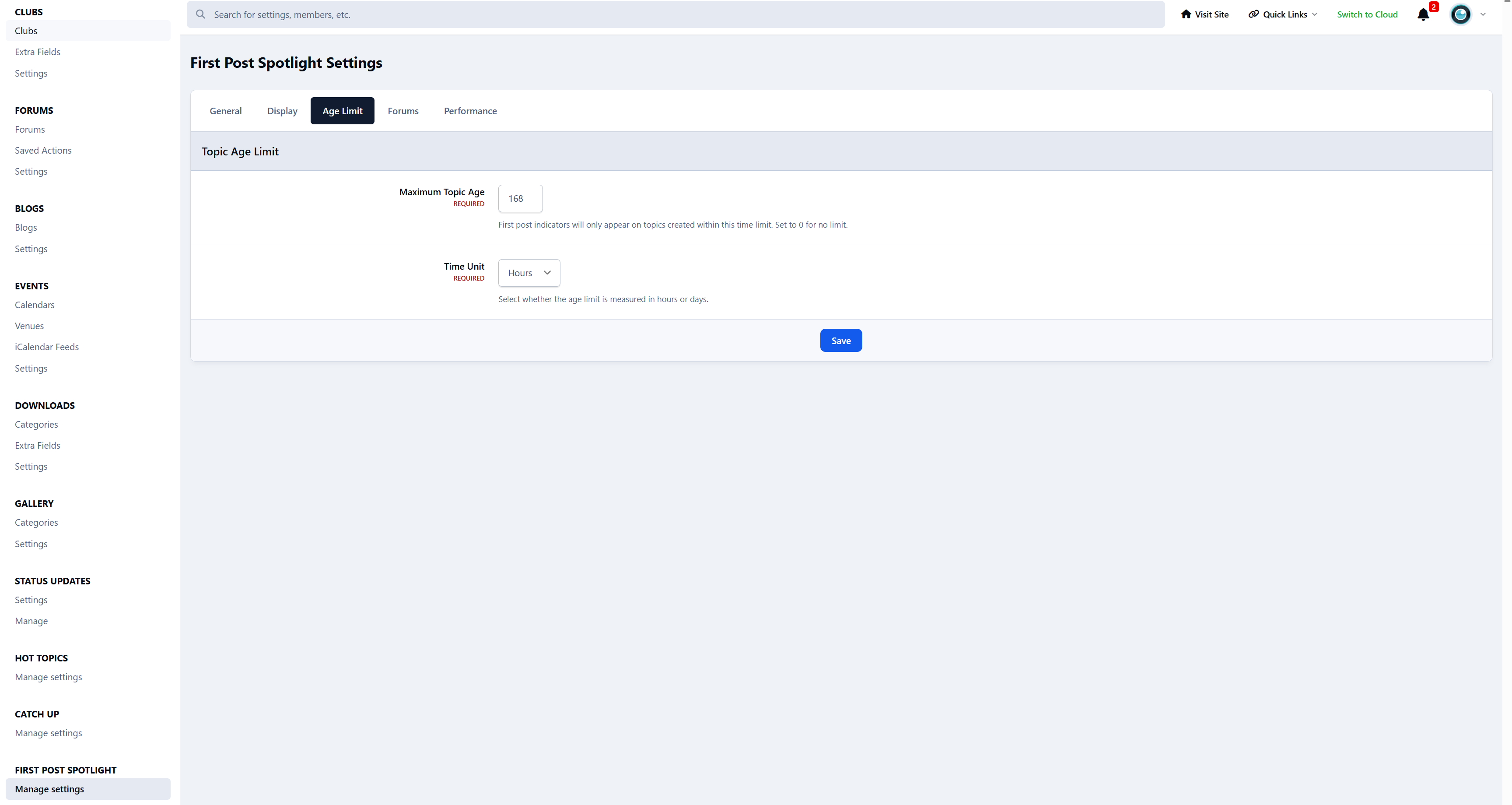
The indicator quietly disappears when the Maximum Topic Age setting is met.
First Posts That Don’t Get Lost
New topics can easily get buried - especially in busy forums.
First Post Spotlight makes sure first-time posts stand out by adding a subtle First Post indicator on the topic title.
You stay in control:
Show the indicator only for recent topics
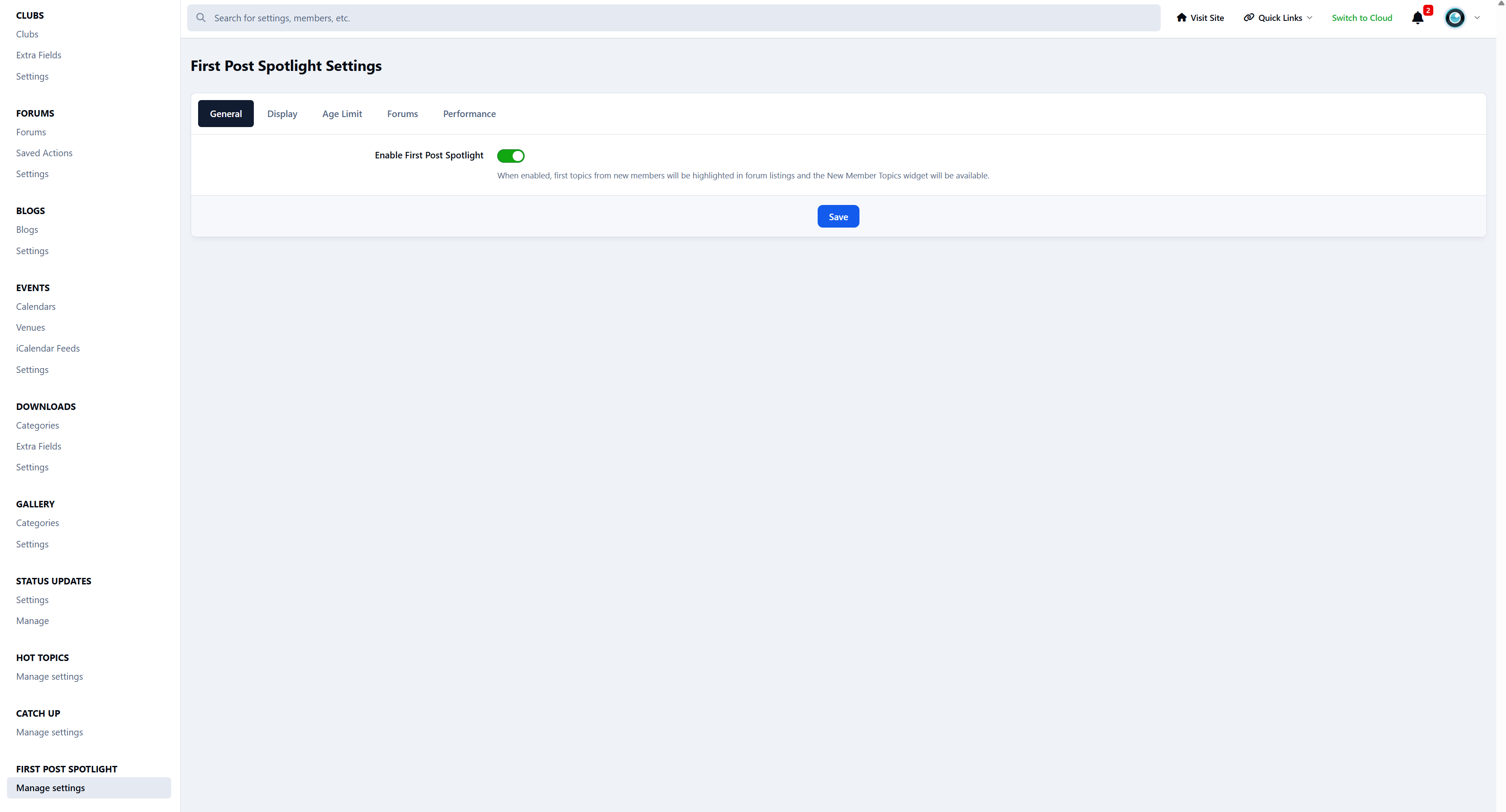
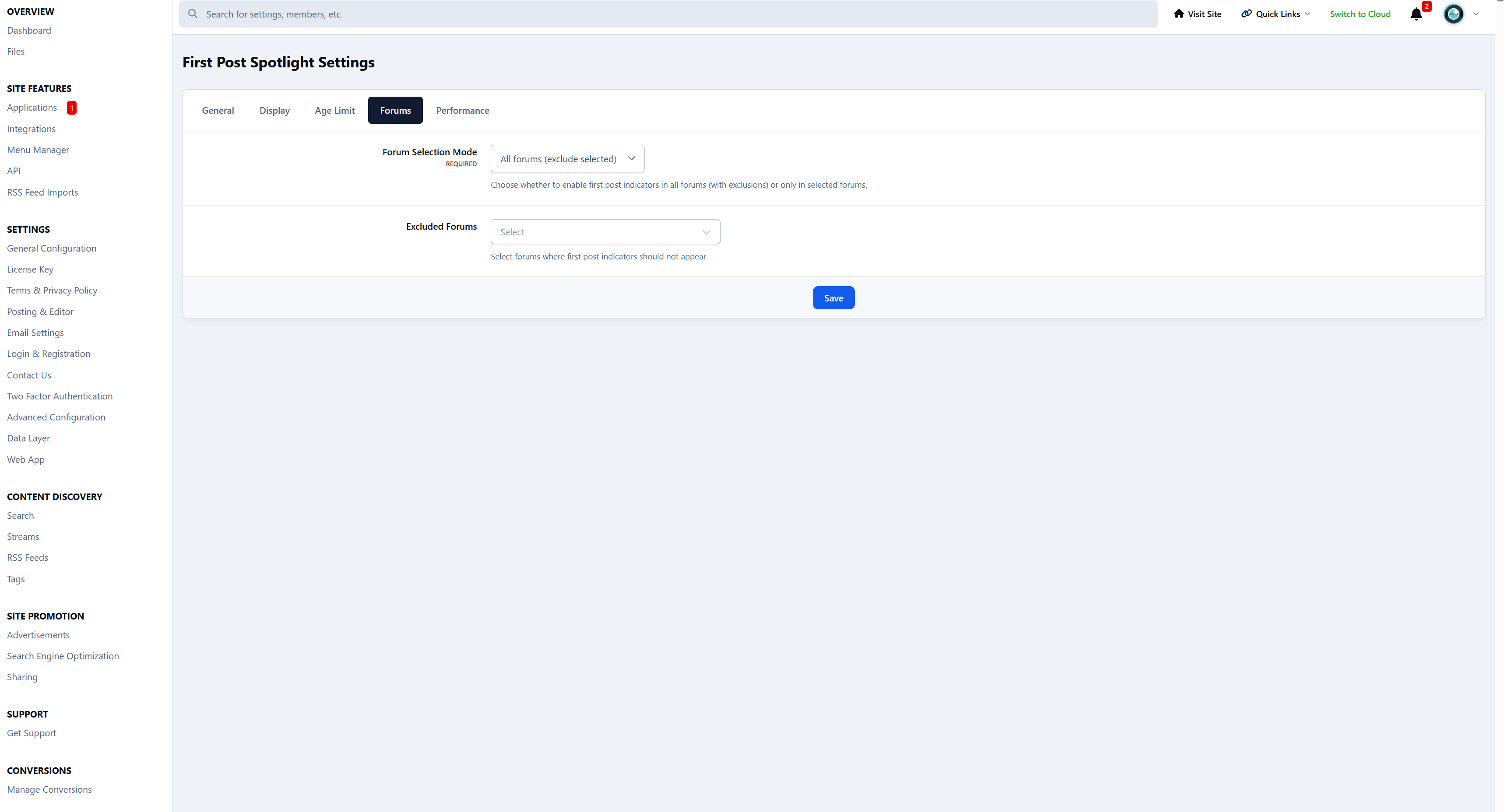
Enable or disable it per forum
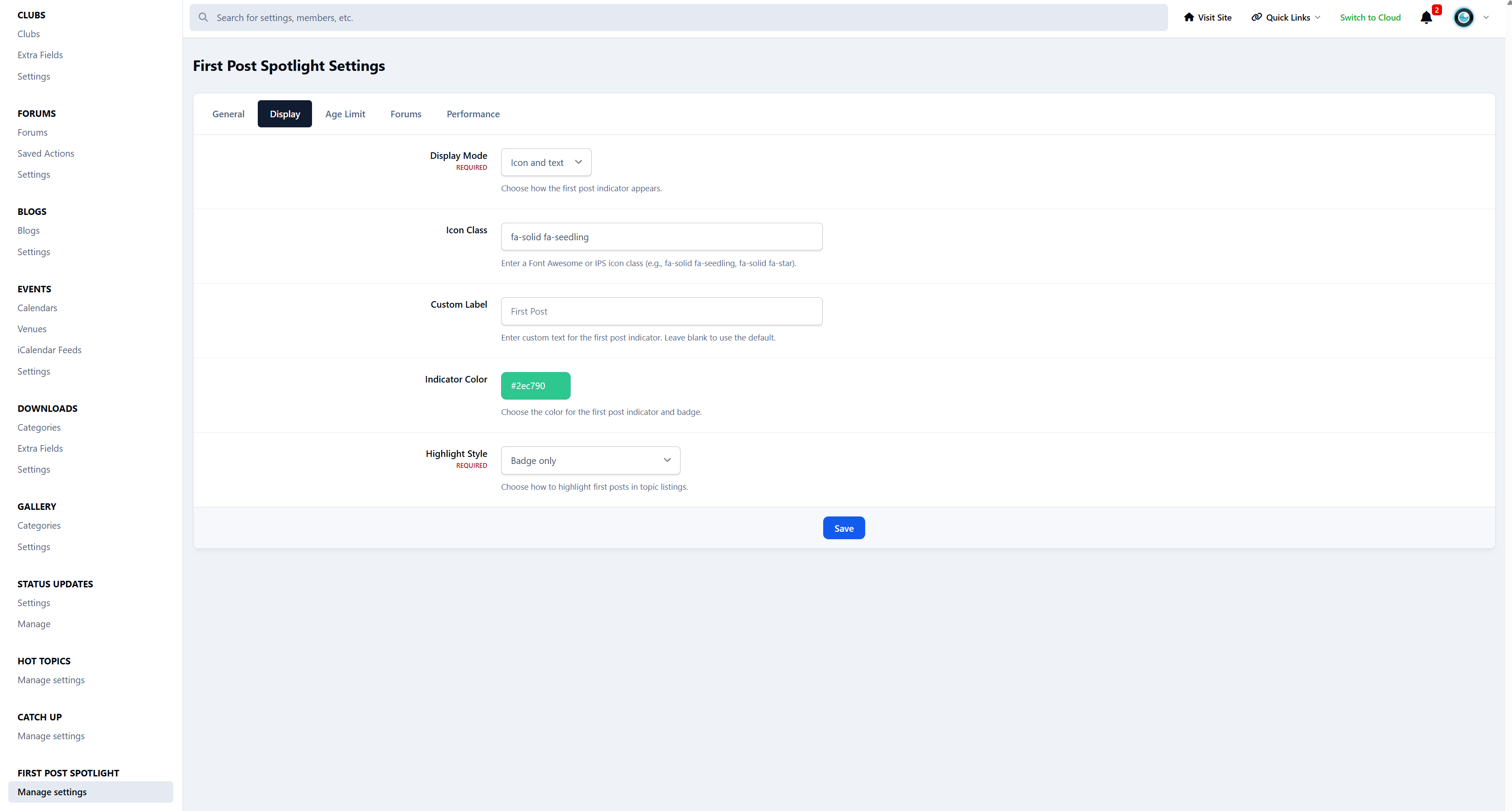
Choose how it looks - badge only or a gentle background highlight
And importantly:
New members don’t see the indicator on their own topics
(so it never feels awkward or self-focused)
New Member Topics Widget
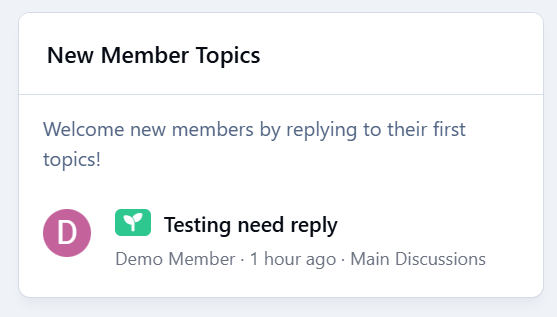
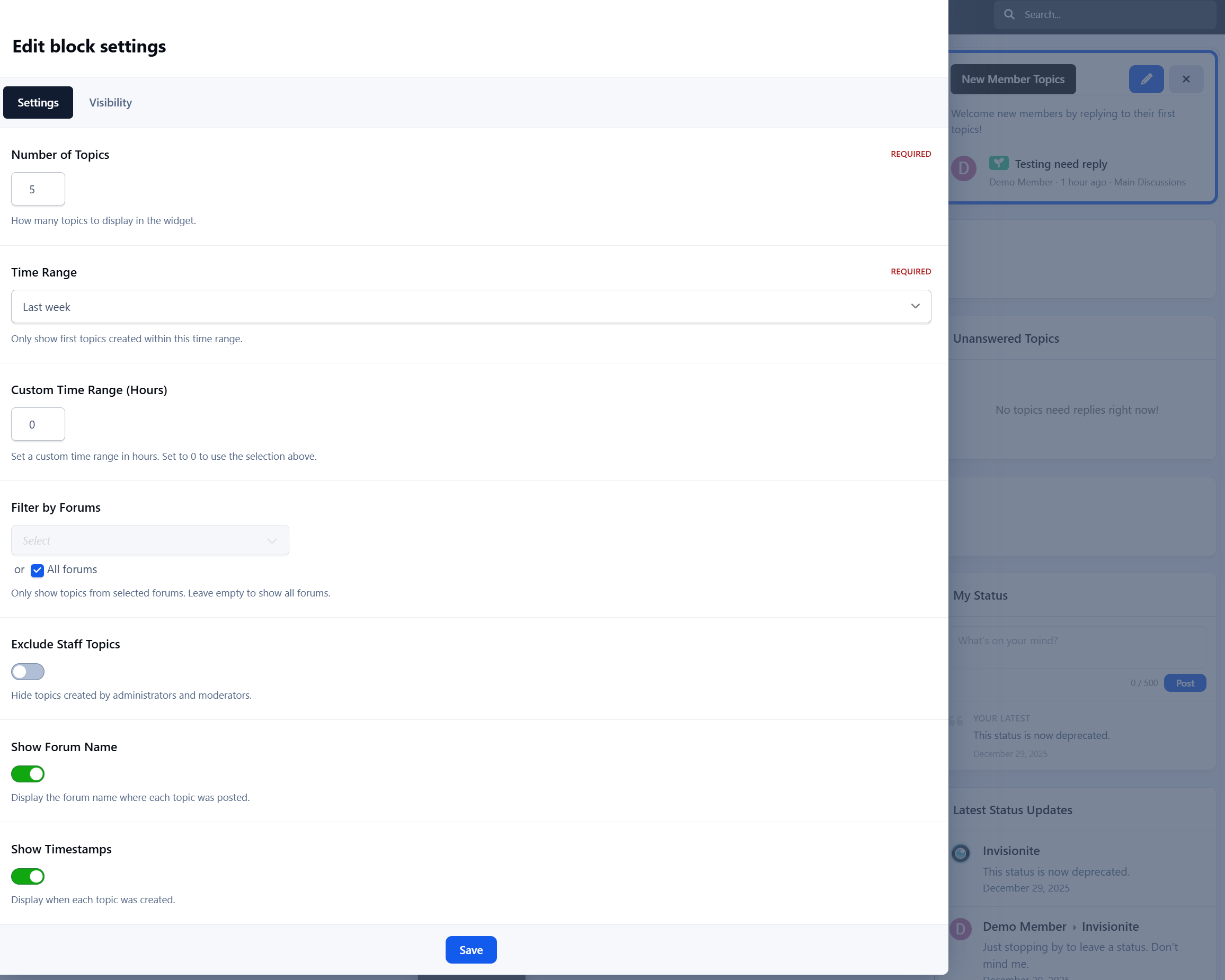
First Post Spotlight also includes an optional widget that highlights topics created by new members.
The widget:
Shows only first-ever topics
Respects forum permissions
Automatically hides topics that no longer qualify
Stays out of the way when there’s nothing to show
It’s a simple way to encourage replies where they matter most.
Why Your Community Should Use First Topic Spotlight
New members get replies faster
Fewer first posts go unanswered
Communities feel more welcoming
Better chances new members stick around
You don’t need more rules or reminders - just better visibility at the right moment.
Designed to Feel Native
First Post Spotlight blends naturally into your community.
It:
Fits seamlessly into topic listings
Uses clean, familiar styling
Works with widgets and page layouts
Doesn’t change how your forum works
Members don’t notice a “feature”.
They just notice people replying more.
Who Is First Post Spotlight For?
First Post Spotlight is ideal for:
Growing communities
Support forums
Niche discussion boards
Any forum that values new members
If you care about first impressions, this app earns its place quickly.
Create an account or sign in to leave a review
There are no reviews to display.