Invision Community 5
- Category Member Tools
- Downloads 106
- Compatibility IC5: 5.0.0+
- Updated
Overview
Questline is a quest engine for Invision Community v5. It turns the things your members already do, posting, replying, reacting, joining clubs, uploading files, and more, into quests with XP, levels, rewards, and leaderboards.Description
Give your members a reason to show up every day.
Questline is a quest engine for Invision Community v5. It turns the things your members already do, posting, replying, reacting, joining clubs, uploading files, and more, into quests with XP, levels, rewards, and leaderboards.
You decide what counts, where it counts, and what it pays. Members accept a quest, complete the required actions, and Questline tracks their progress automatically.
How it works
Quests are opt-in. A member picks a quest from the hub, it takes up one of their available quest slots, and from that moment their activity starts counting toward the objectives.
Complete the objectives and the rewards are paid out instantly, with a notification to match.
The slot limit is what makes it feel intentional. Members have to choose what they are working on, instead of passively collecting progress for everything at once. You decide how many active quest slots each group gets.
Quest types
Five quest types cover the full rhythm of a community:
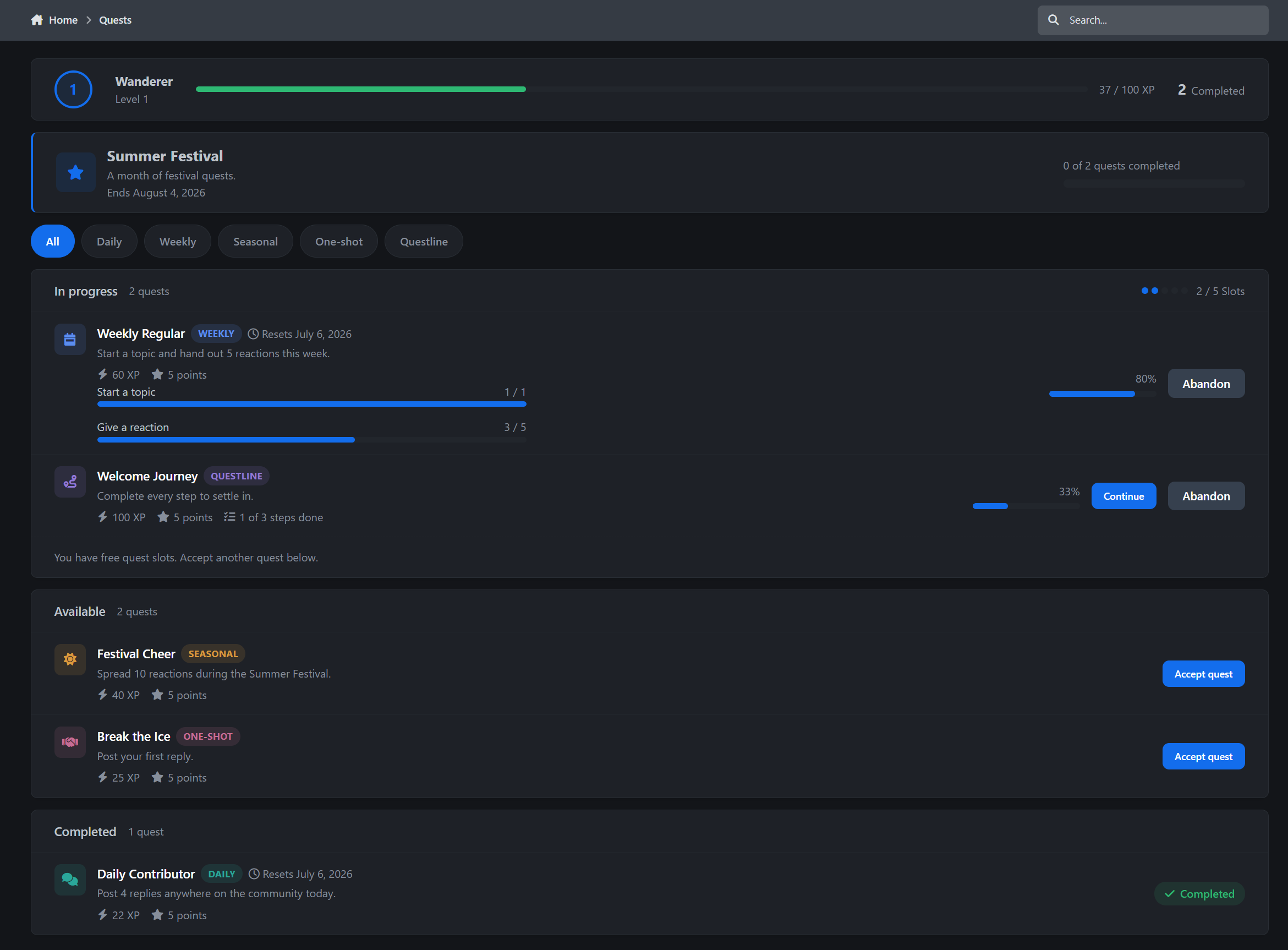
Daily quests that reset every day and build habits
Weekly quests that reset every Monday for bigger goals
Seasonal quests that run during scheduled events
One-shot quests for permanent challenges and milestones
Questlines that chain multiple steps into a guided journey
Includes filter chips for every quest type, active quest cards, progress bars, rewards, availability windows.
Objectives that understand your community
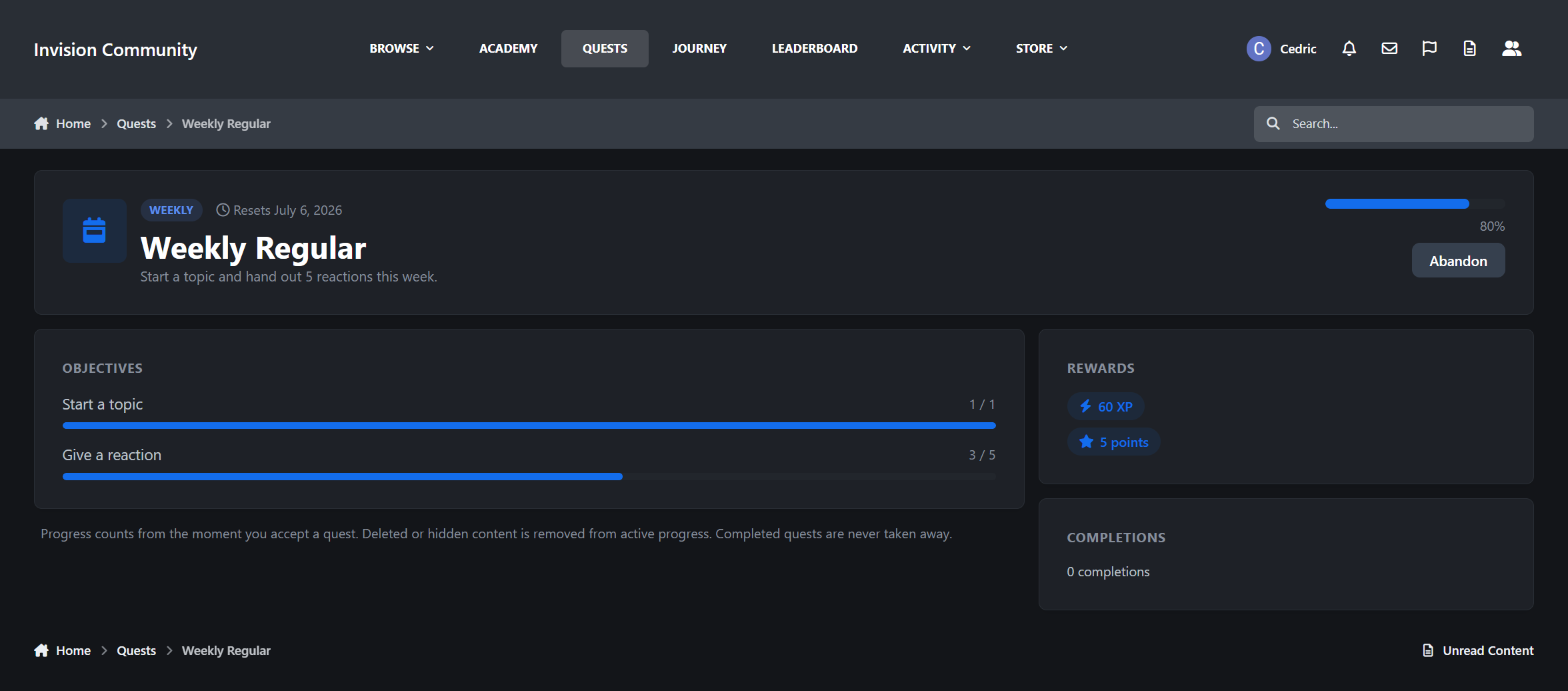
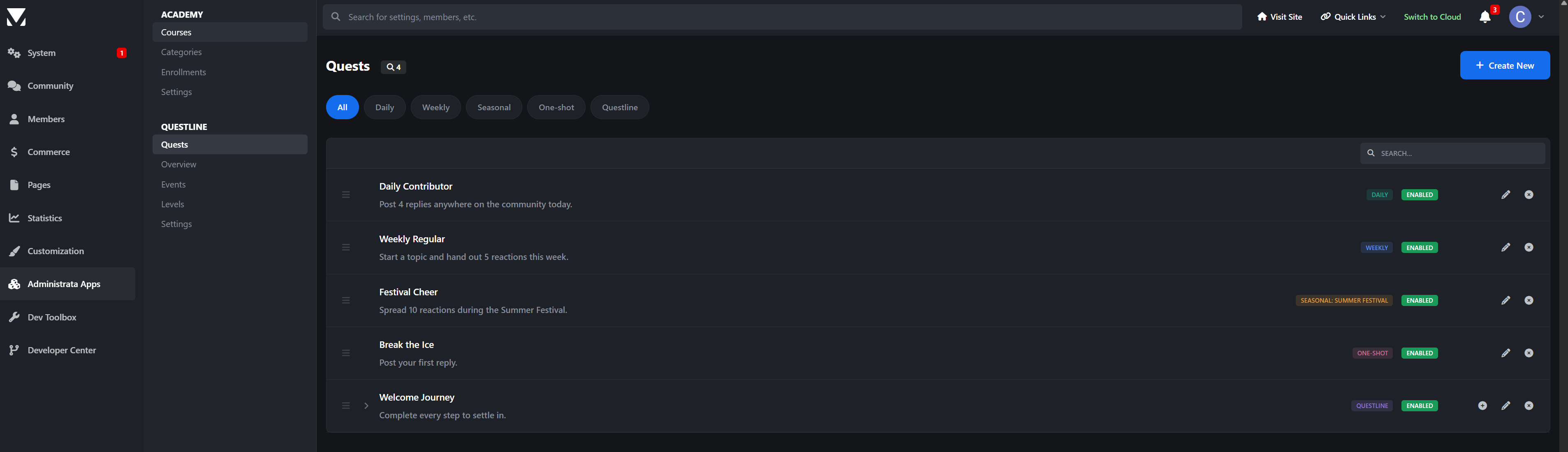
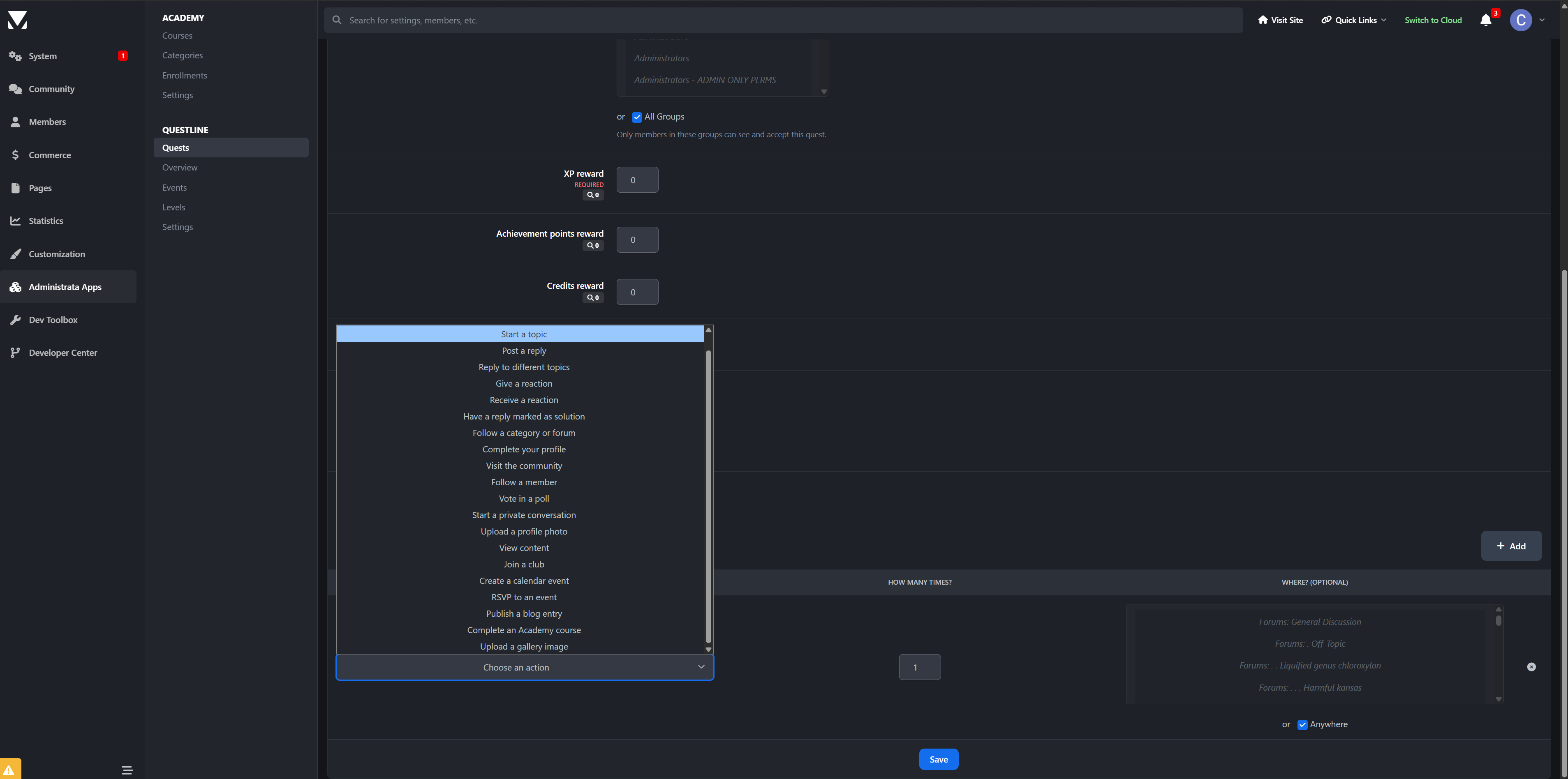
Building a quest only takes a few minutes. Pick what the member needs to do, set how many times they need to do it, and optionally choose where it should count.
Questline includes a wide range of actions out of the box, including:
Starting topics
Posting replies
Replying in distinct topics
Giving and receiving reactions
Getting marked as a solution
Following forums or members
Completing a profile
Uploading a profile photo
Voting in polls
Starting conversations
Visiting on separate days
Joining clubs
Creating or RSVP’ing to calendar events
Publishing blog entries
Uploading Gallery images
Submitting Downloads files
Objectives can also be scoped to specific areas. For example, “post 5 replies in Introductions or Support” is just a dropdown away.
Supported integrations appear automatically when the matching app is installed, including Gallery, Downloads, Blogs, Calendar, Clubs, Contests, Academy, and Credits. Third-party developers can also register their own custom quest actions. See spoiler below.
Progress is tracked through IPS listeners in real time, with a nightly task pass as a safety net.
Rewards
Questline can reward members with:
XP, which feeds Questline’s own level ladder
Achievement points, paid into the core IPS system
Badges from your existing badge library
Credits, if you use the Credits economy
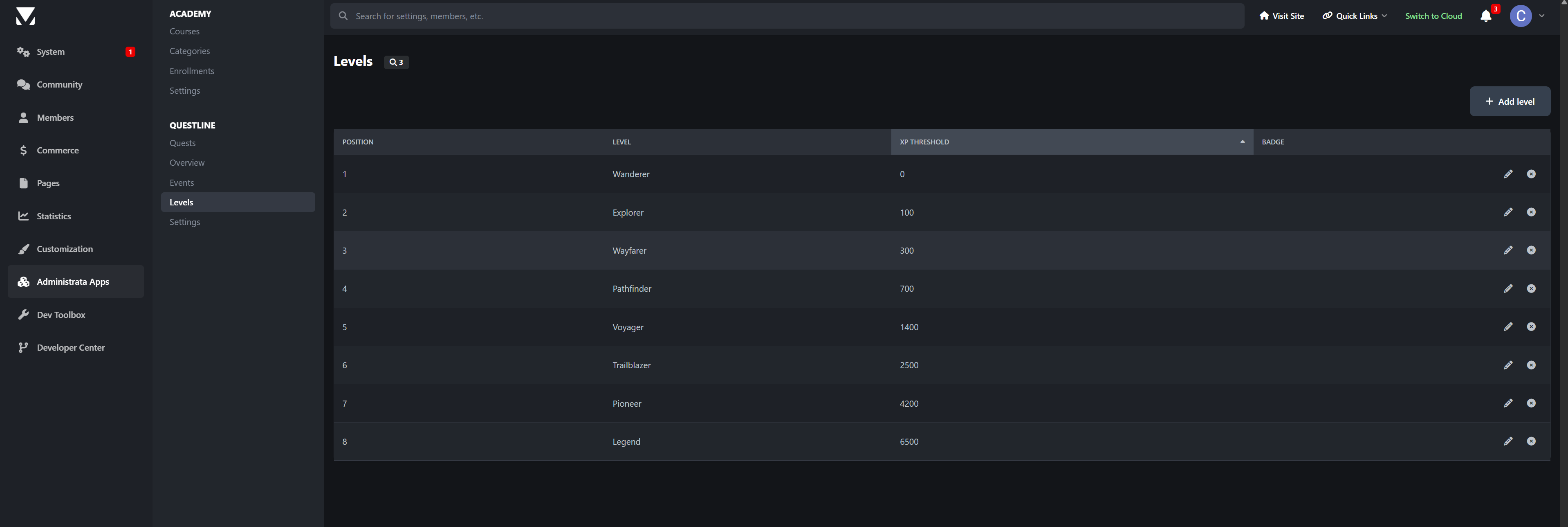
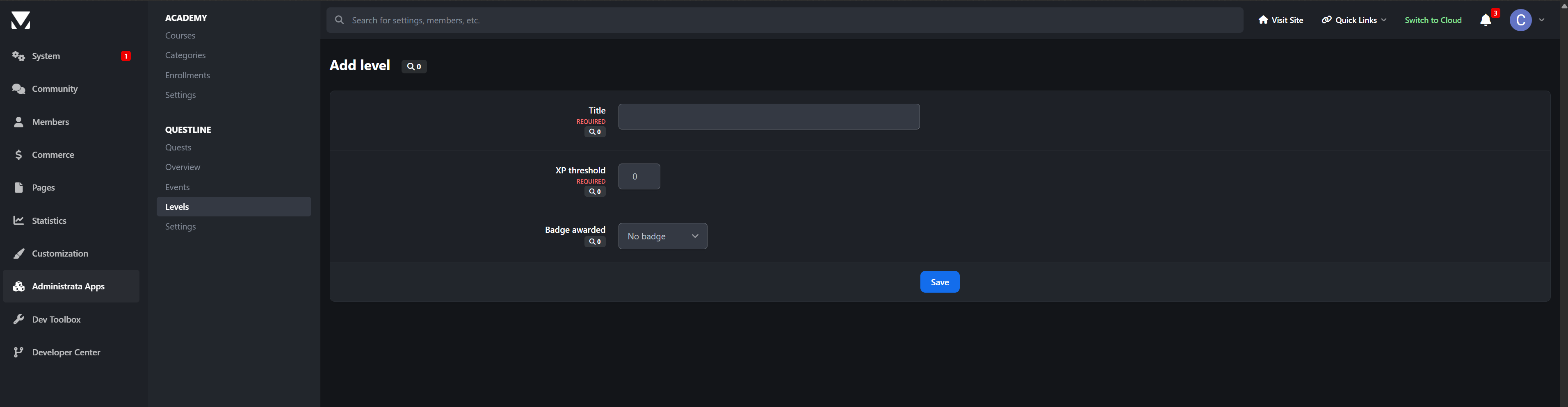
Levels are fully configurable. You control the XP thresholds, level names, and badge awards. Questline also ships with a ready-made level ladder, so it works from day one. But feel free to adjust as you prefer of course.
Questlines
Questlines are the onboarding tool your community has been missing.
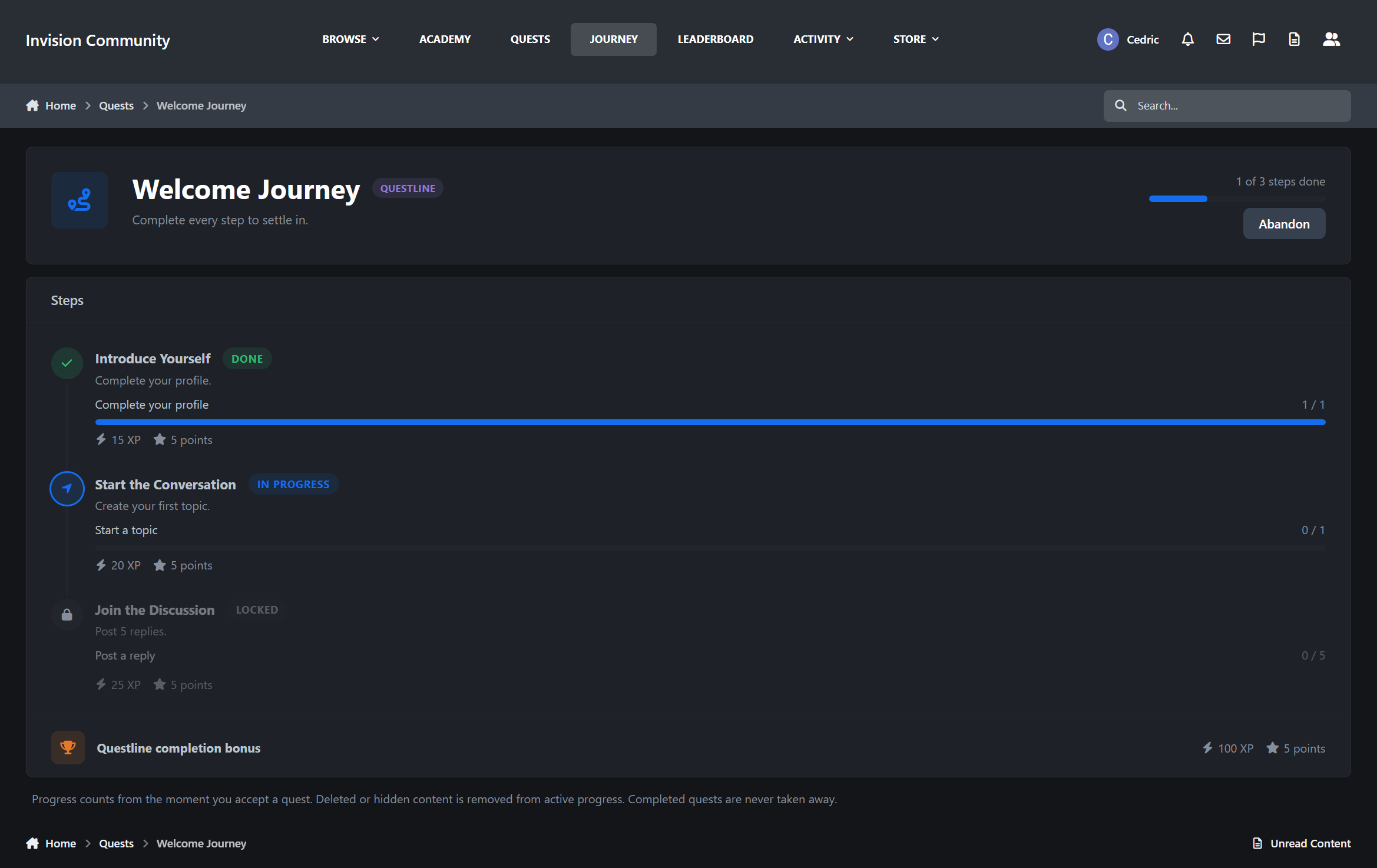
Chain multiple steps together, each with its own objectives and rewards, and members move through a visual journey page with a connected timeline: completed, current, and locked.
The included Welcome Journey helps new members complete their profile, start their first topic, and post their first replies. A dismissible banner can suggest the journey to anyone who has not started it yet.
Seasonal events
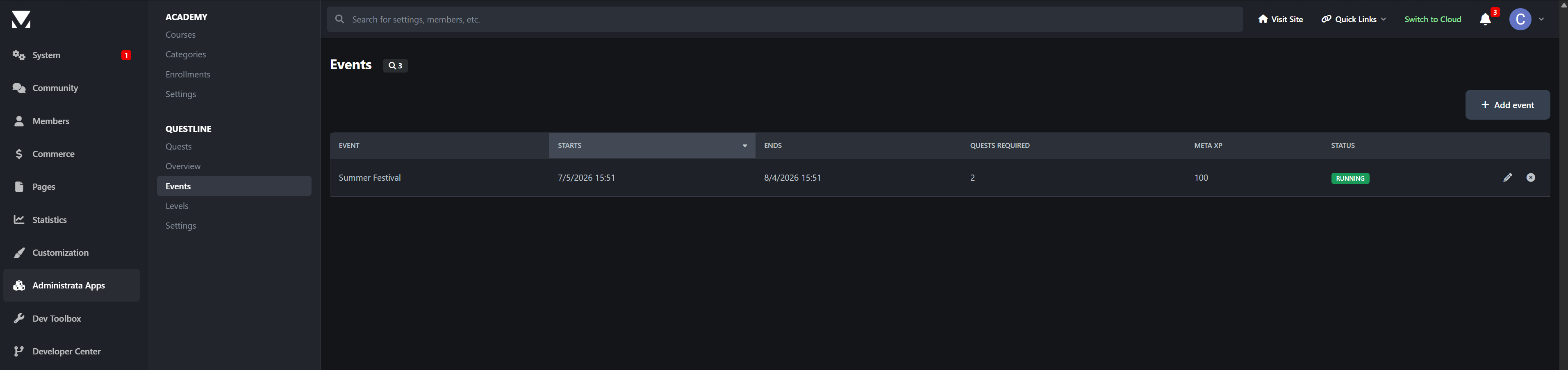
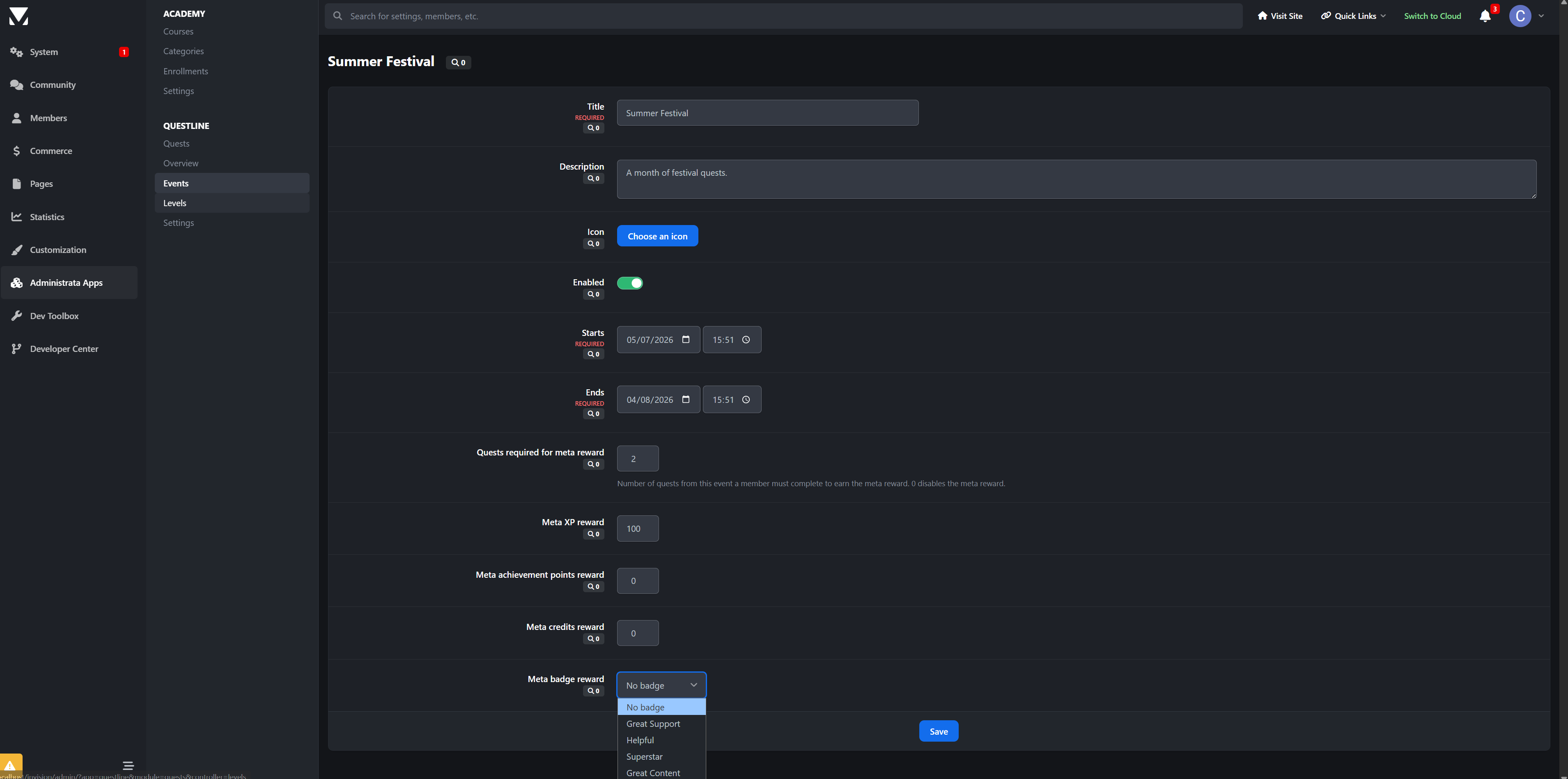
Schedule an event, attach quests to it, and set a meta reward.
Members complete enough event quests before the deadline, and the bonus pays out automatically. The quest index shows a live event banner with each member’s personal progress, and every event also gets its own leaderboard scope.
Summer festival, launch week, holiday drive, anniversary event, whatever fits your community calendar or niche.
Leaderboards
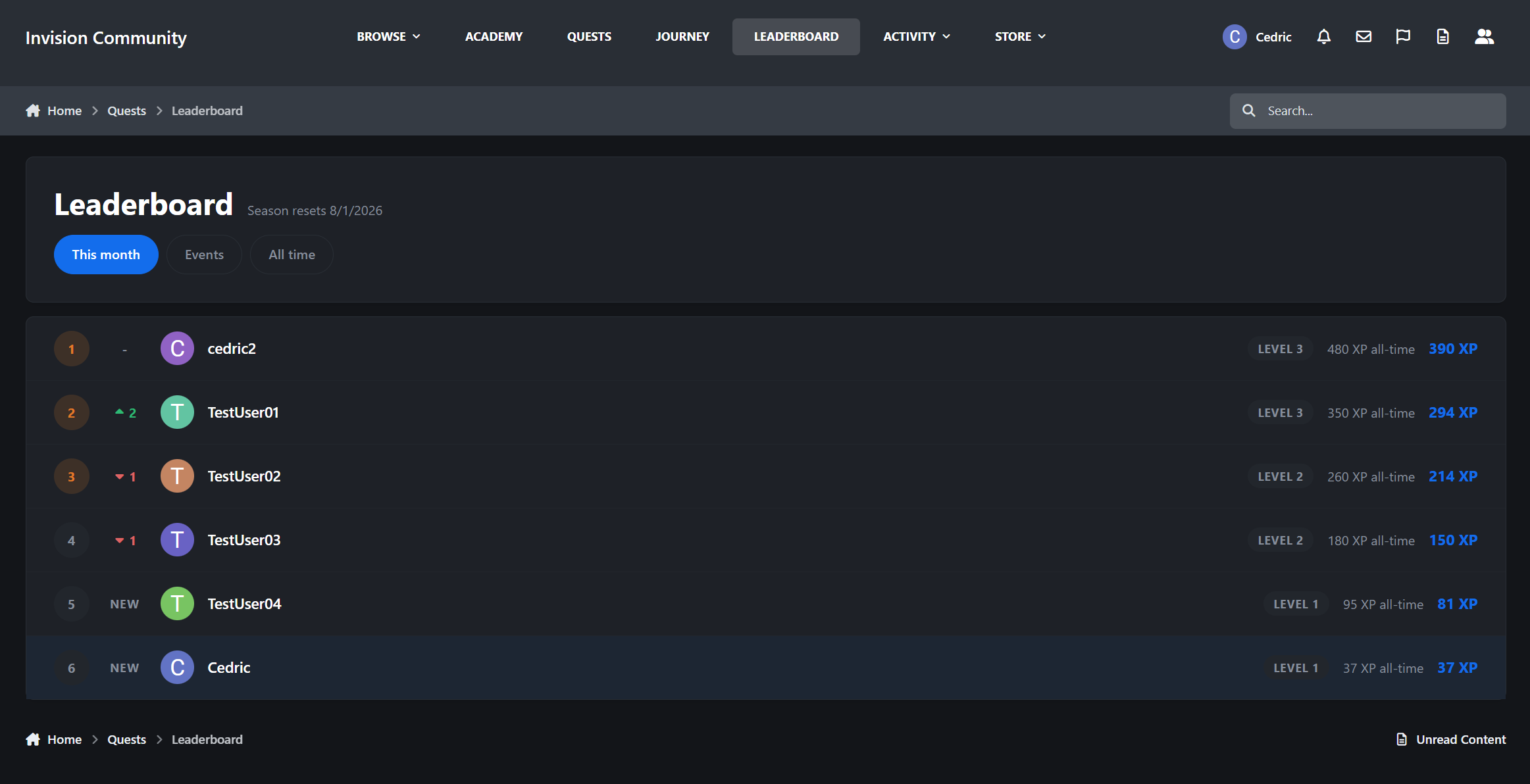
Questline also includes a monthly season ladder.
Movement arrows show who climbed and who slipped since last week
NEW markers highlight fresh entries
Monthly XP is shown up front
All-time XP is shown alongside it
Event leaderboards and an all-time board are included
A member’s own row stays pinned, even when they are not on the current page
Seasons reset every month, so last year’s most active members do not permanently own the leaderboard.
Member profiles and widgets
Members can follow their progress across the community.
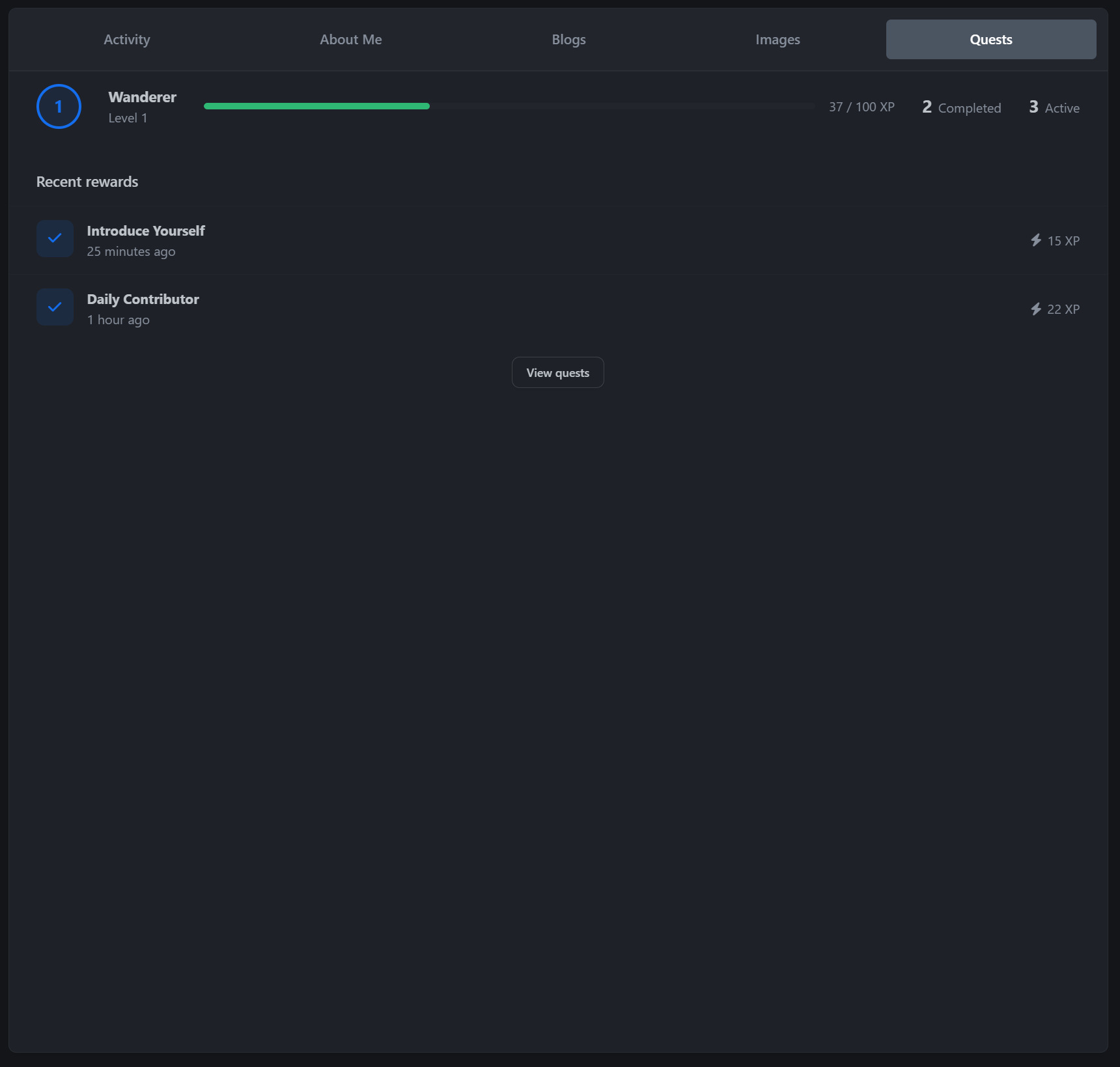
A Quests profile tab shows level, XP progress, completed quests, and recent rewards
Notifications are sent for quest completions, level-ups, and event rewards
Inline, email, and push notifications are supported
Widgets include My Active Quests, Top Questers, and Event Progress
The widgets can be placed on any page, including Pages layouts.
Admin Control Panel
Questline gives admins full control without making the setup feel technical.
Quest builder with FA icon picker, availability windows, and per-group eligibility
Objective editor with simple dropdown-based setup
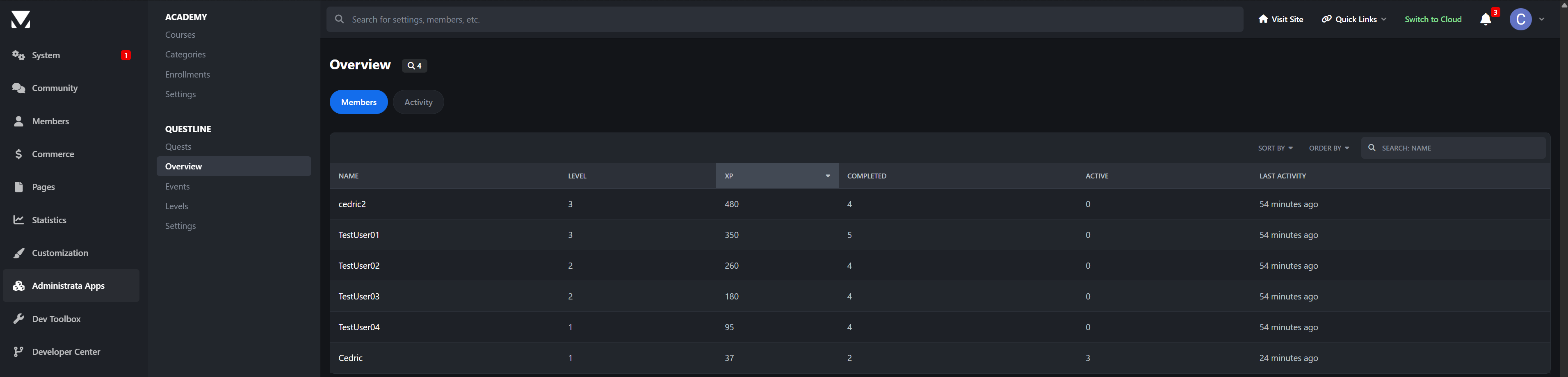
Overview screen showing member levels, XP, completions, and participation
Full activity ledger showing who earned what, and when
Searchable member activity by name
Event management
Level management
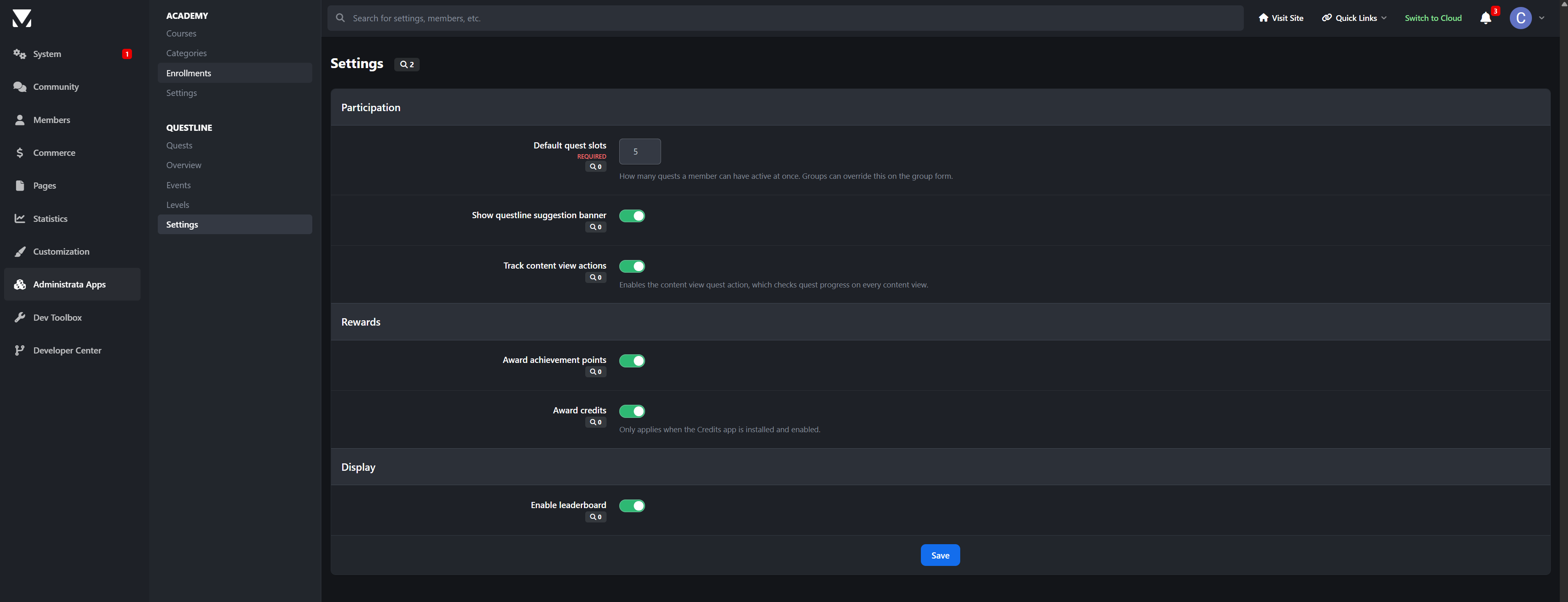
Quest slot settings per group
Feature toggles for points, credits, leaderboards, and more
Demo content installs by default, including starter quests, a seasonal event, and the level ladder, so the quest index is never empty after installation.
Perfect for
Questline is ideal for:
Communities fighting the lurker problem
New member onboarding
Seasonal campaigns and launch events
Giving specific forums or clubs more activity
Credits-based communities that want XP and currency working together
Communities where “most active member” should actually mean something
Questline 1.0 is just the start. Have a feature you need? Let me know.
There are no reviews to display.