Invision Community 5
- Category Member Tools
- Downloads 35
- Compatibility IC5: 5.0.0+
- Updated
Overview
Bring Social Media-Style Stories to Your CommunityDescription
Story
Bring Social Media-Style Stories to Your Community
Give your members a more engaging way to share photos and videos with temporary, visual stories. Story brings a familiar social-media experience directly into your IPS community, while giving administrators full control over how stories are created, displayed, and accessed.
Support and discussions for Story
Key Features
Photo & Video Stories
Let members create and share photo and video stories directly from your community.
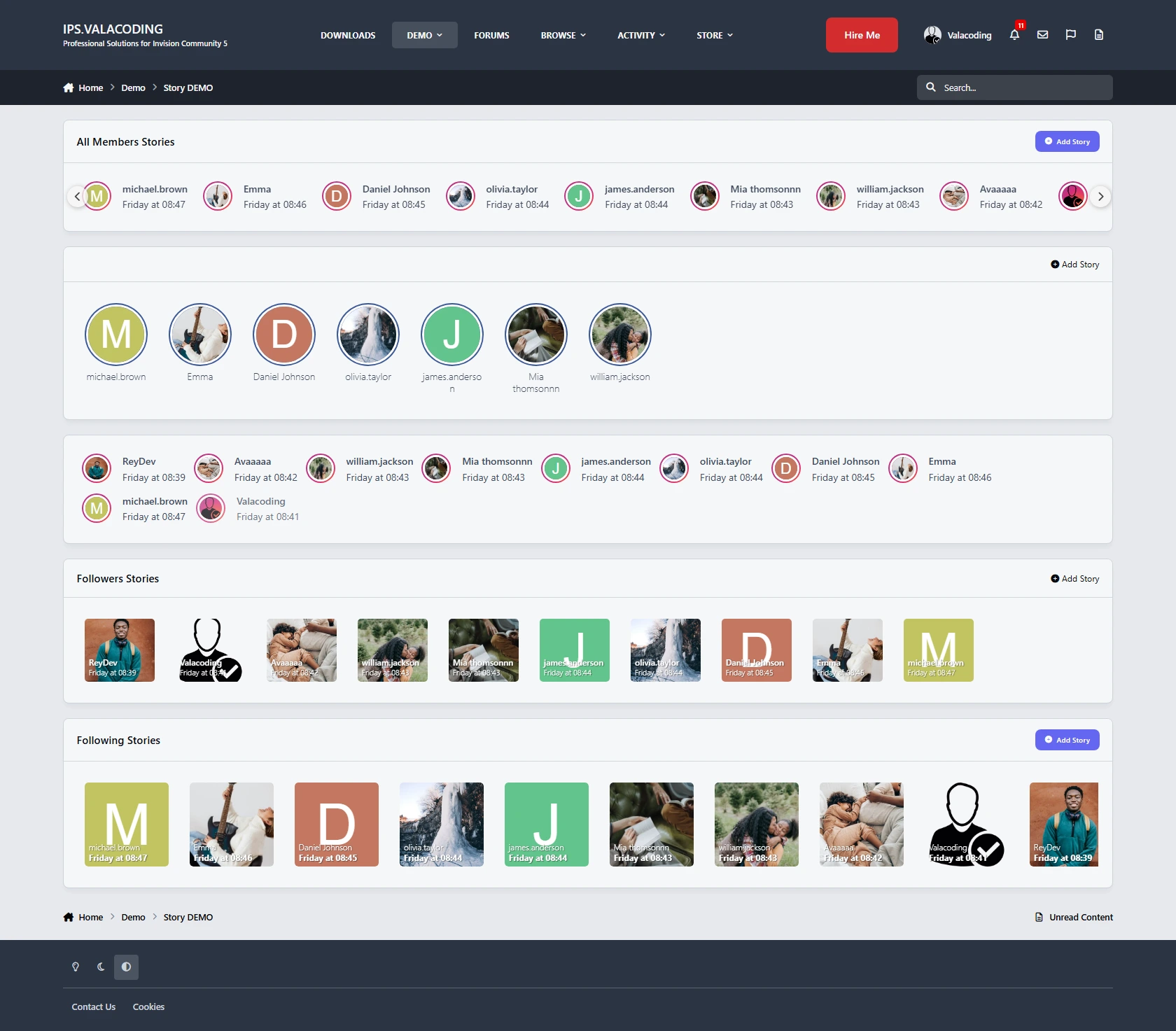
Three Story Feeds
Give members different ways to discover stories with three dedicated widgets:
All Members Stories — Show stories from across your community.
Follower Stories — Show stories from members the current user follows.
Following Stories — Display stories based on the user's following relationships.
Story Titles & Links
Make stories more than just visual content. Members can add a title and clickable link to their stories, making them useful for sharing content, announcements, products, or external pages.
IPS Reputation & Reactions
Let members interact with stories using the familiar IPS Reputation system. Stories can receive reactions just like other community content.
Fully Responsive
Stories are designed to work smoothly across desktop, tablet, and mobile devices, providing a consistent experience on every screen size.
Customizable Layout & Display
Choose how stories are presented with multiple layout and display settings, allowing you to adapt the experience to your community's design.
Story View Counts
Keep track of engagement with story view counts, giving members and administrators insight into how many people have viewed a story.
Powerful Permissions
Get complete control over who can use and access the Story system.
Configure permissions for:
Who can create stories
Who can view stories
Which member groups have access
Who can interact with stories
And more
Built for IPS Communities
Story combines the familiar experience of social-media stories with the flexibility of Invision Community's permissions, reputation, and member system.
Give your community a more visual and interactive way to share content—while keeping full control over who can create, view, and interact with stories.
There are no reviews to display.