Invision Community 5
- Category Member Tools
- Downloads 110
- Compatibility IC5: 5.0.0+
- Updated
Overview
Stop scrolling endlessly through 60-page topics. Filter, sort, and zero in on what matters - in one click, with zero page reloads.Description
Stop scrolling endlessly through 60-page topics. Filter, sort, and zero in on what matters - in one click, with zero page reloads.
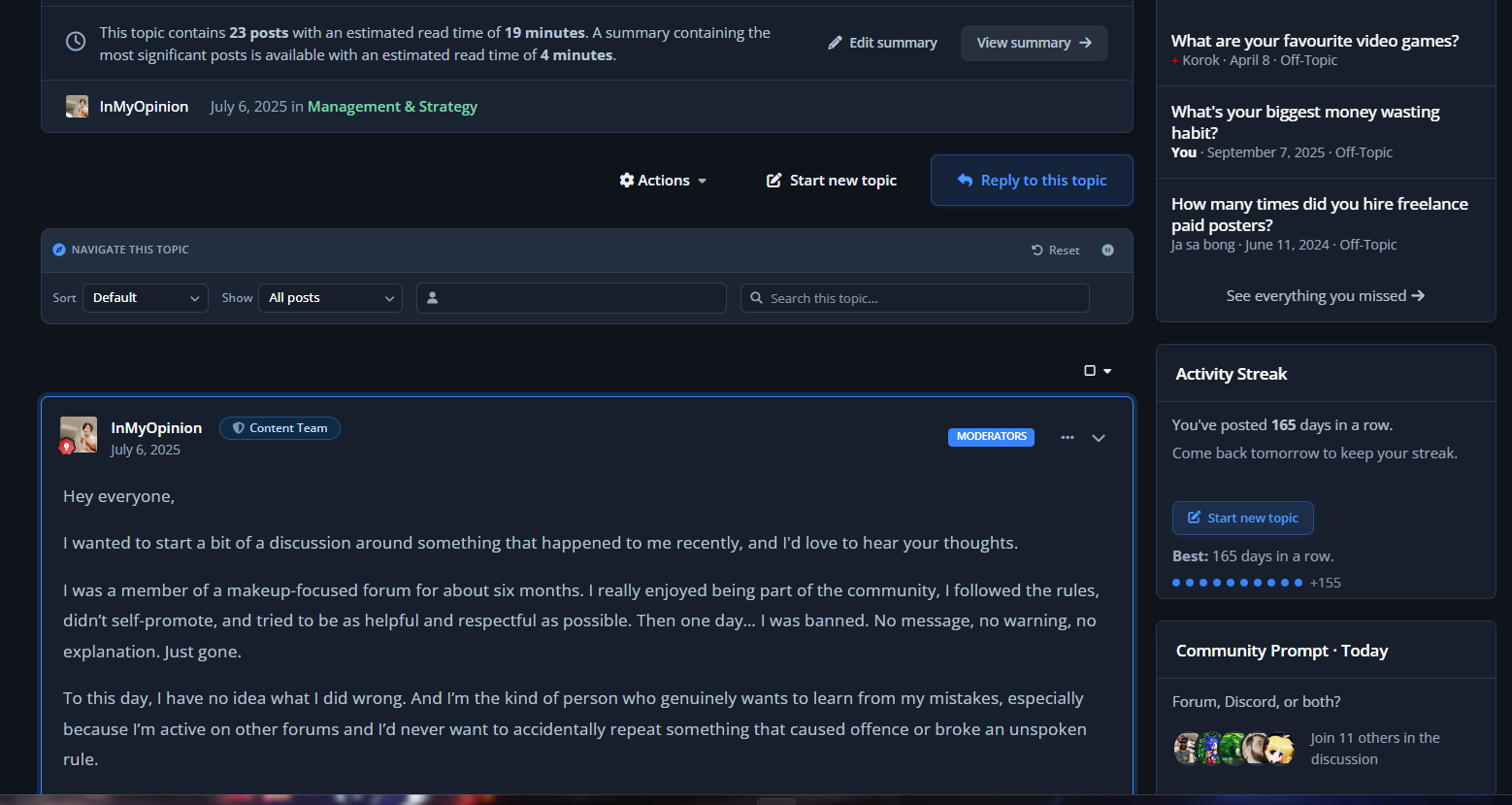
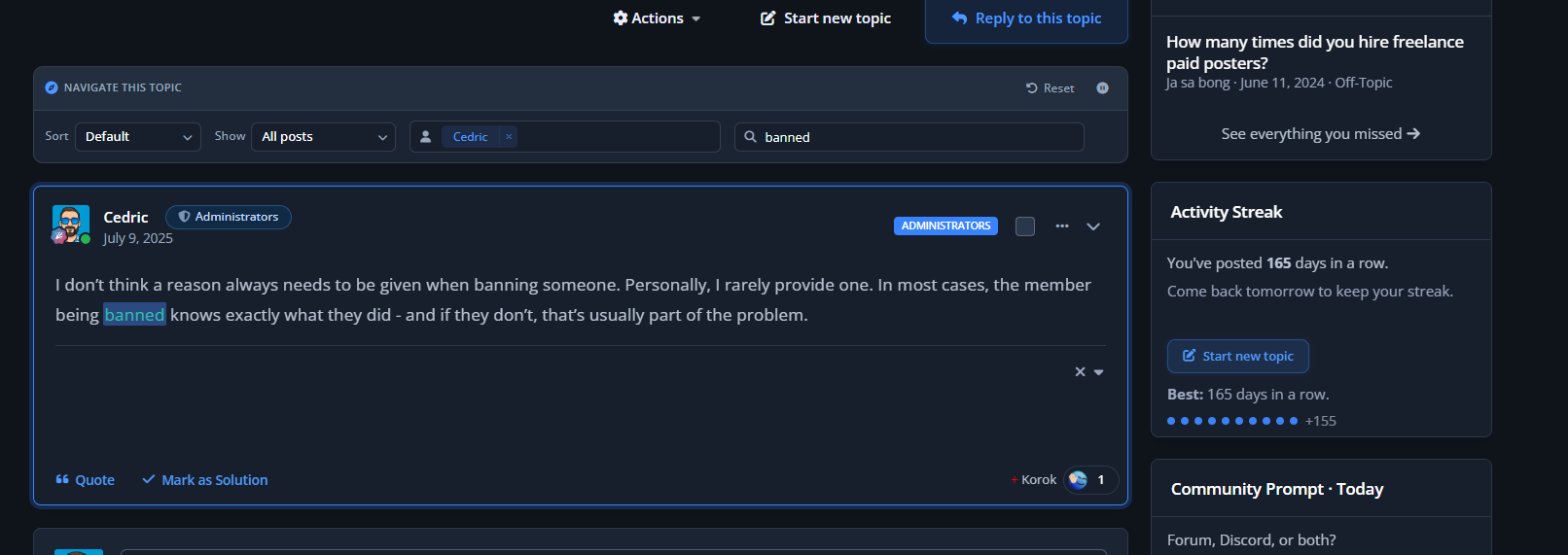
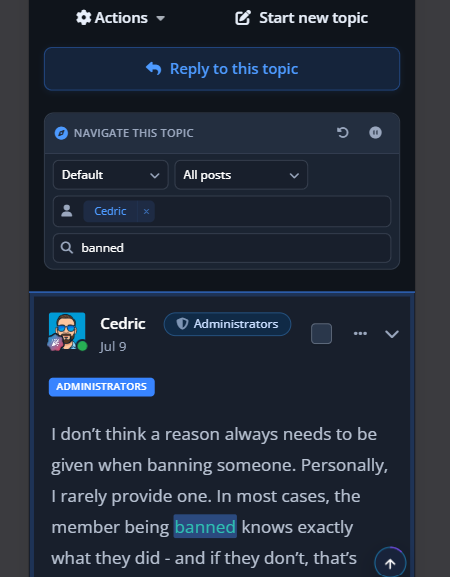
Topic Navigator is a per-topic toolbar for Invision Community Suite v5 that drops a fast, AJAX-powered sort/filter/search bar onto every topic page. Find the OP's posts, jump to your own contributions, pull only posts with images, hunt a username, or grep a keyword across the whole thread without ever leaving the page. Built on native IPS framework patterns - it looks like it shipped with the suite.
Topic Navigation, Reinvented
A compact toolbar sits beneath every topic header with four controls that work together and persist per-topic:
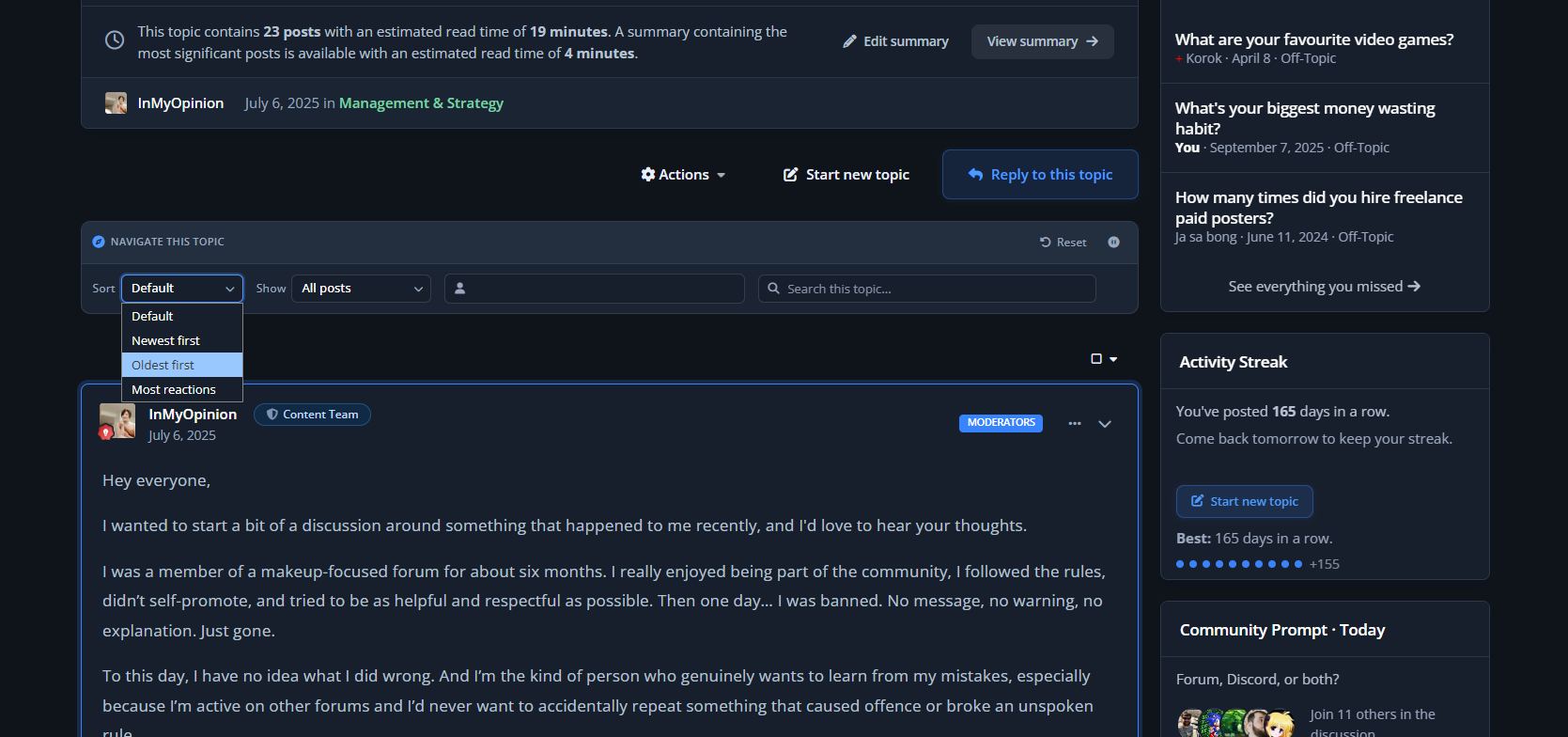
Sort - Newest first, oldest first, or default
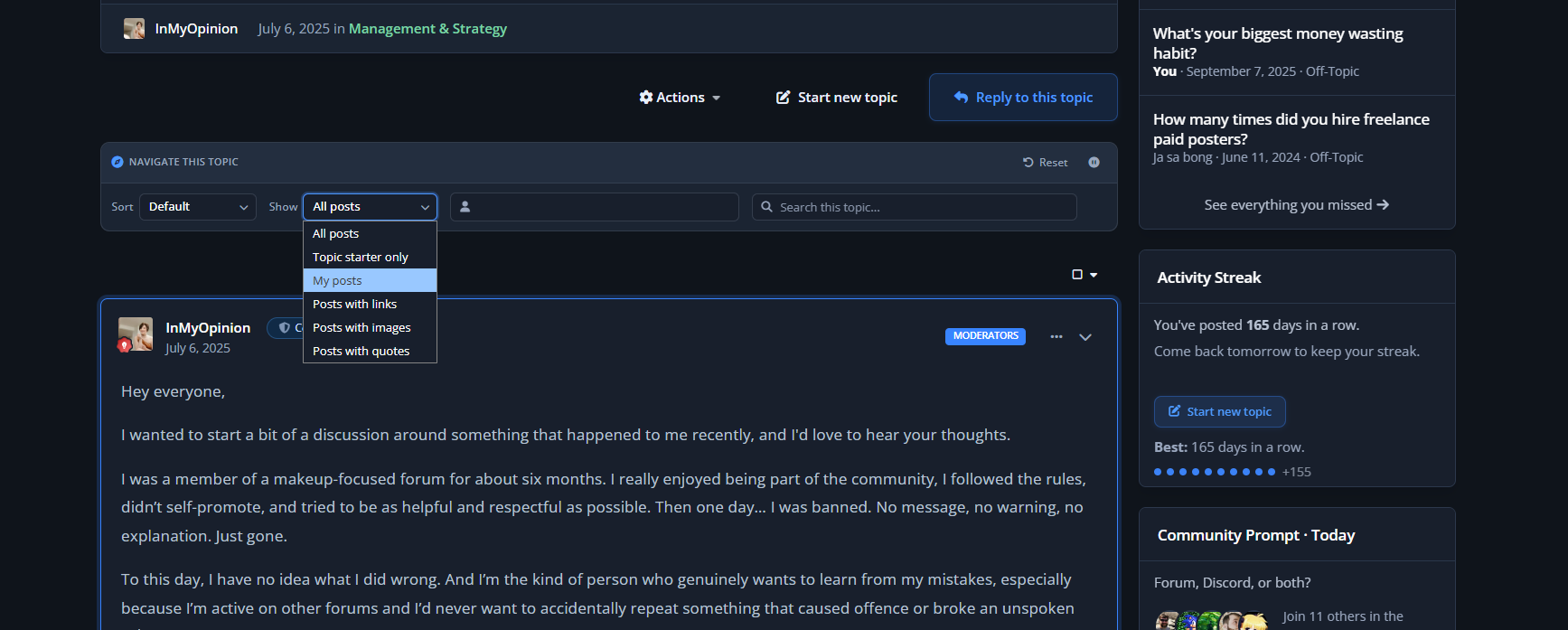
Filter - Starter only, my posts, with links, with images, with quotes (admin-selectable defaults)
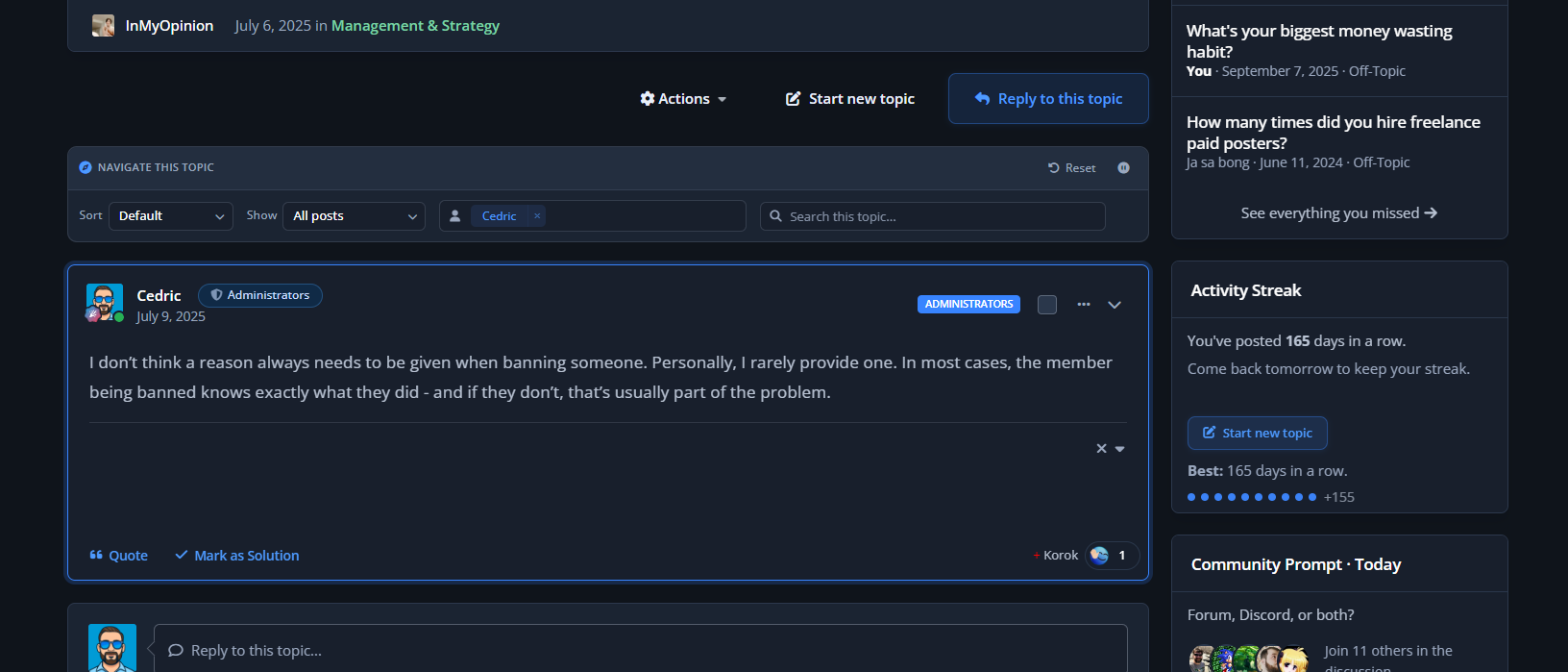
Member lookup - Native IPS autocomplete pill; type a username, see only their posts in this thread
Search this topic - Live-debounced keyword search with highlighted hits in the rendered post bodies
Every interaction swaps the post feed in place via AJAX - no full page reload, no scroll loss, no flicker.
Your members get a search engine for the topic they're already reading.
Smart Image Filter
The "with images" filter catches uploaded attachments, embedded media, and inline thumbnails using the same patterns IPS uses internally. Embed cards and link previews are correctly excluded so the filter actually returns what users expect.
Per-Topic Pause (Moderator Control)
Some topics don't want a navigator on top of them - announcements, polls, pinned welcome threads. Moderators get a one-click toggle to disable the toolbar on a per-topic basis.
You decide which topics get the power tools.
Search Term Highlighting
When the search filter is active, matching terms in the rendered post bodies are wrapped in themed <mark> tags using the primary colour at 35% opacity. Users see exactly why each post matched.
Admin Control Panel
Full IPS-native ACP experience:
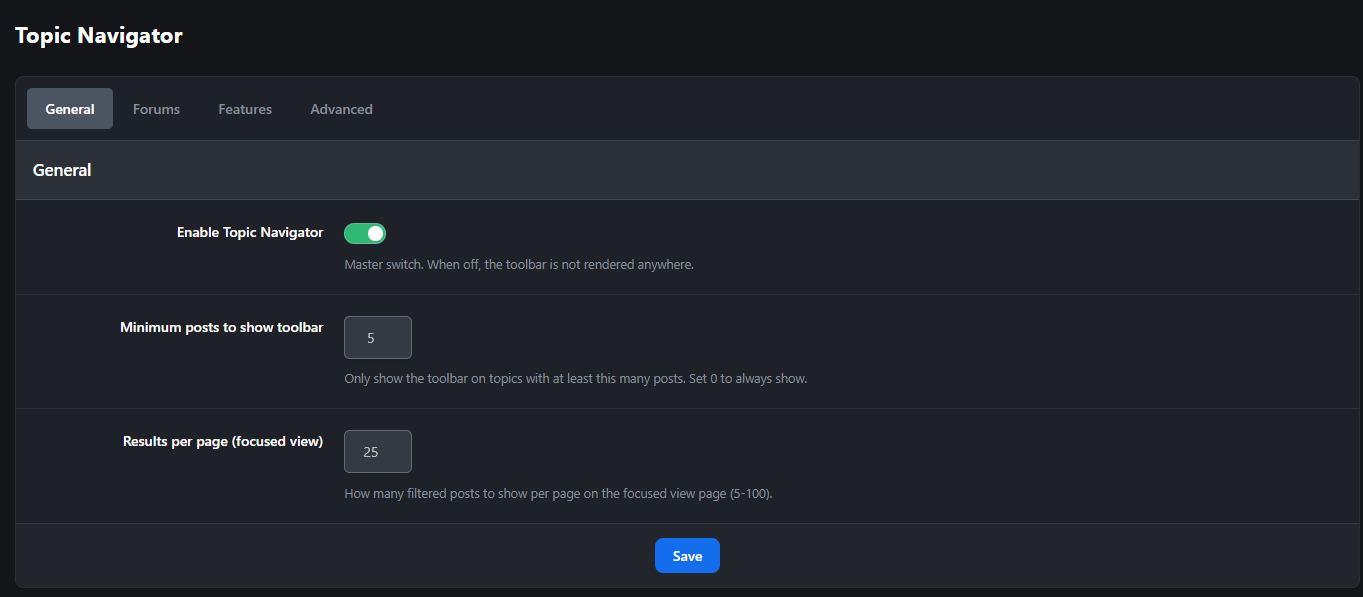
Master enable/disable toggle
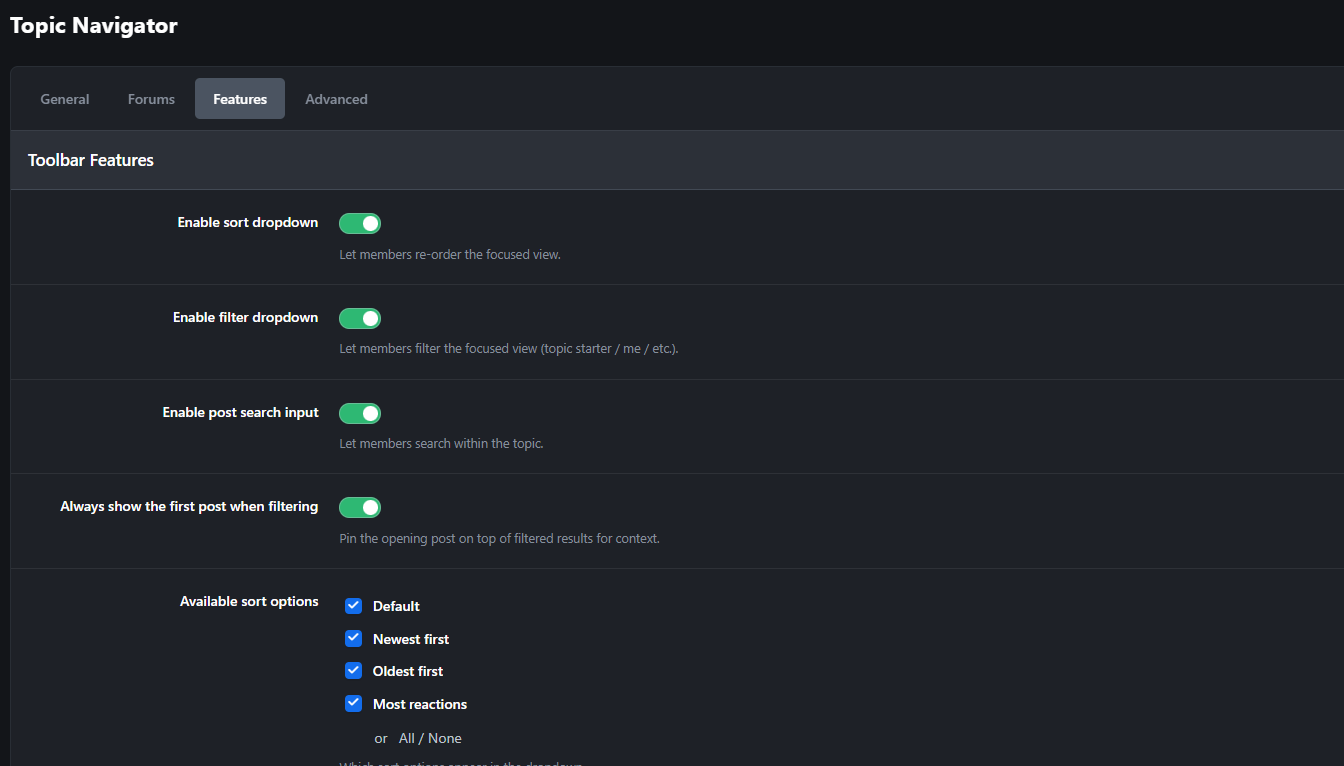
Enabled sort modes - check which sort options appear in the dropdown
Enabled filters - choose which filter chips members see (starter, me, with_links, with_images, with_quotes)
Per-feature toggles - independently enable/disable sort, filter, member lookup, and search
Default selections - set the filters that are pre-selected on first load for new visitors
Built for Active Communities
Threads with 50+ pages where finding the OP's latest update is a chore
Support topics where you need to filter to "with images" to find the screenshot
Long-running discussions where members want to re-read only one user's contributions
Megathreads where keyword search is faster than
Ctrl+F(which only sees the current page)Sticky FAQ topics where members need to jump straight to posts with links
Photo-share topics where you want to skip past the chatter and just see the uploads
Perfect For
High-volume support forums
Long-running discussion threads
Megathreads, AMAs, and Q&A topics
Build logs, project diaries, and ongoing show-and-tell threads
Tech support communities with image-heavy troubleshooting
Any community whose topics regularly cross 10+ pages
Stop making your members scroll. Give them the toolbar topics have always needed.
-
 2
2
Create an account or sign in to leave a review
There are no reviews to display.