Invision Community 5
- Category Member Tools
- Downloads 103
- Compatibility IC5: 5.0.0+
- Updated

Overview
Topic Prefixes brings a classification layer to IPS v5: one clear label per topic, admin-defined, forum-scoped, and optionally required.Description
Invision Community has tags. They’re great for discovery, but they’re not built for structure.
Topic Prefixes brings a classification layer to IPS v5: one clear label per topic, admin-defined, forum-scoped, and optionally required.
Admin Features (ACP)
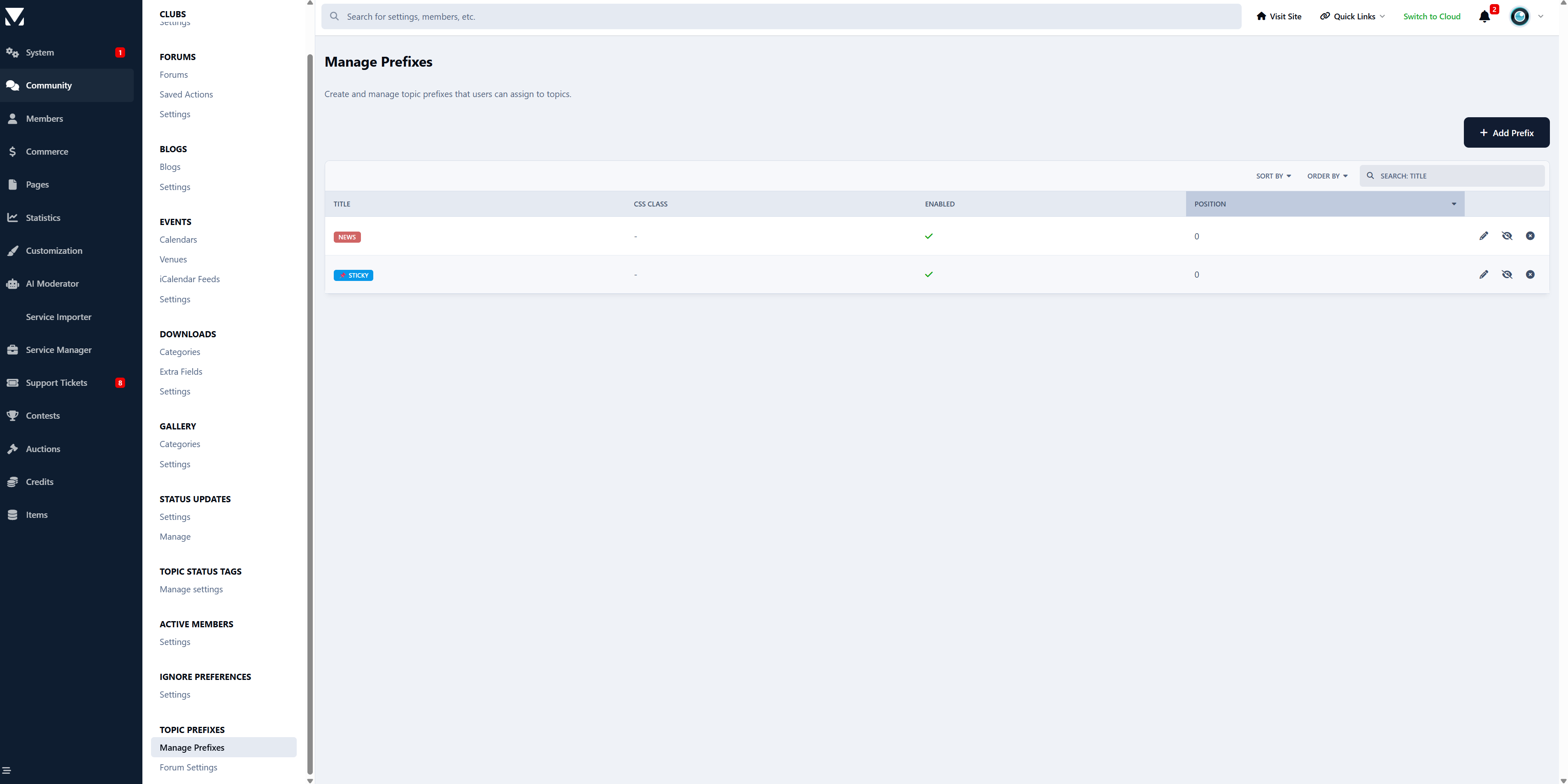
Prefix Management
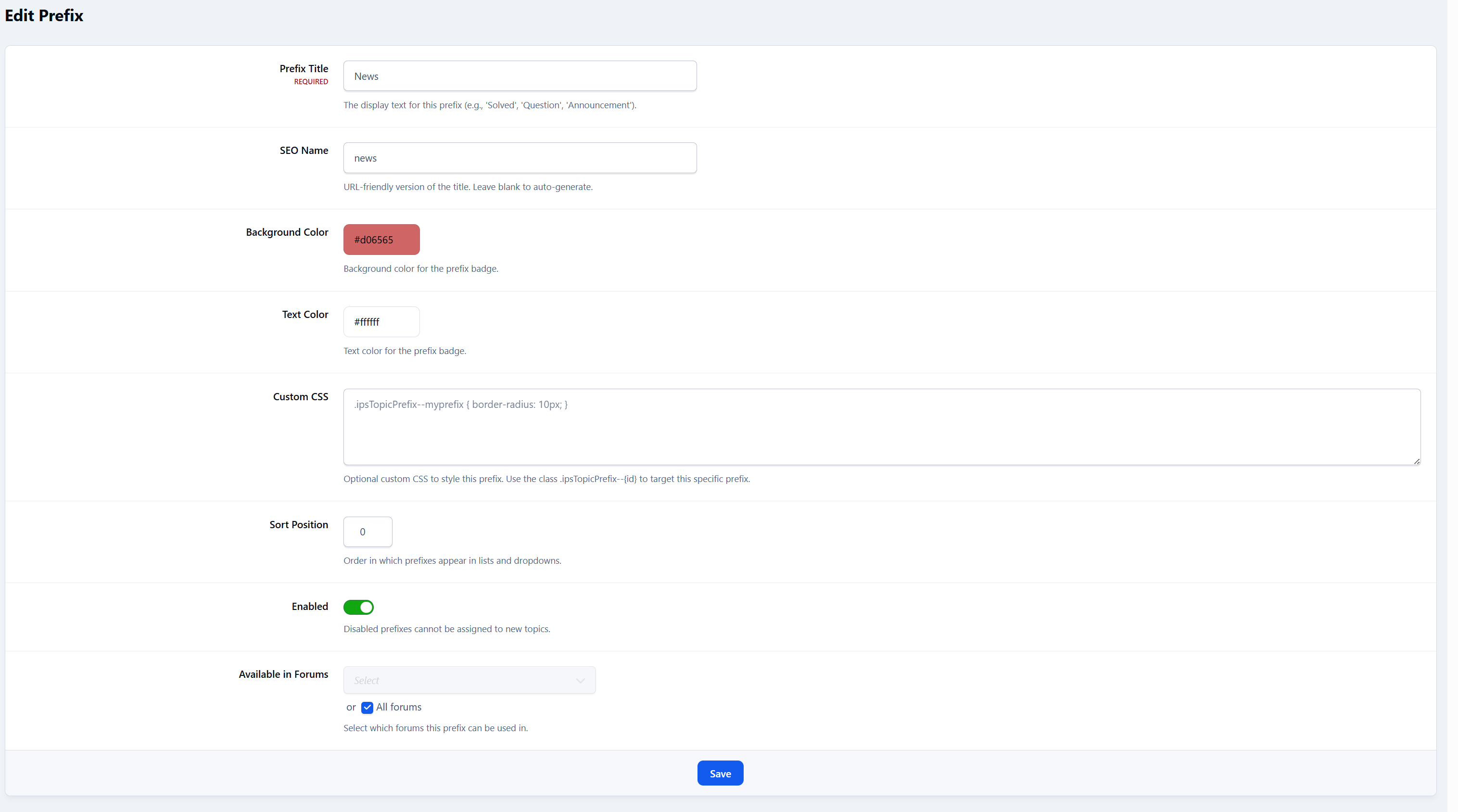
Create, edit, and delete prefixes
Set title, and display order
Define background and text colors
Add custom CSS per prefix
Enable or disable prefixes at any time
Live visual preview of each prefix directly in the ACP list
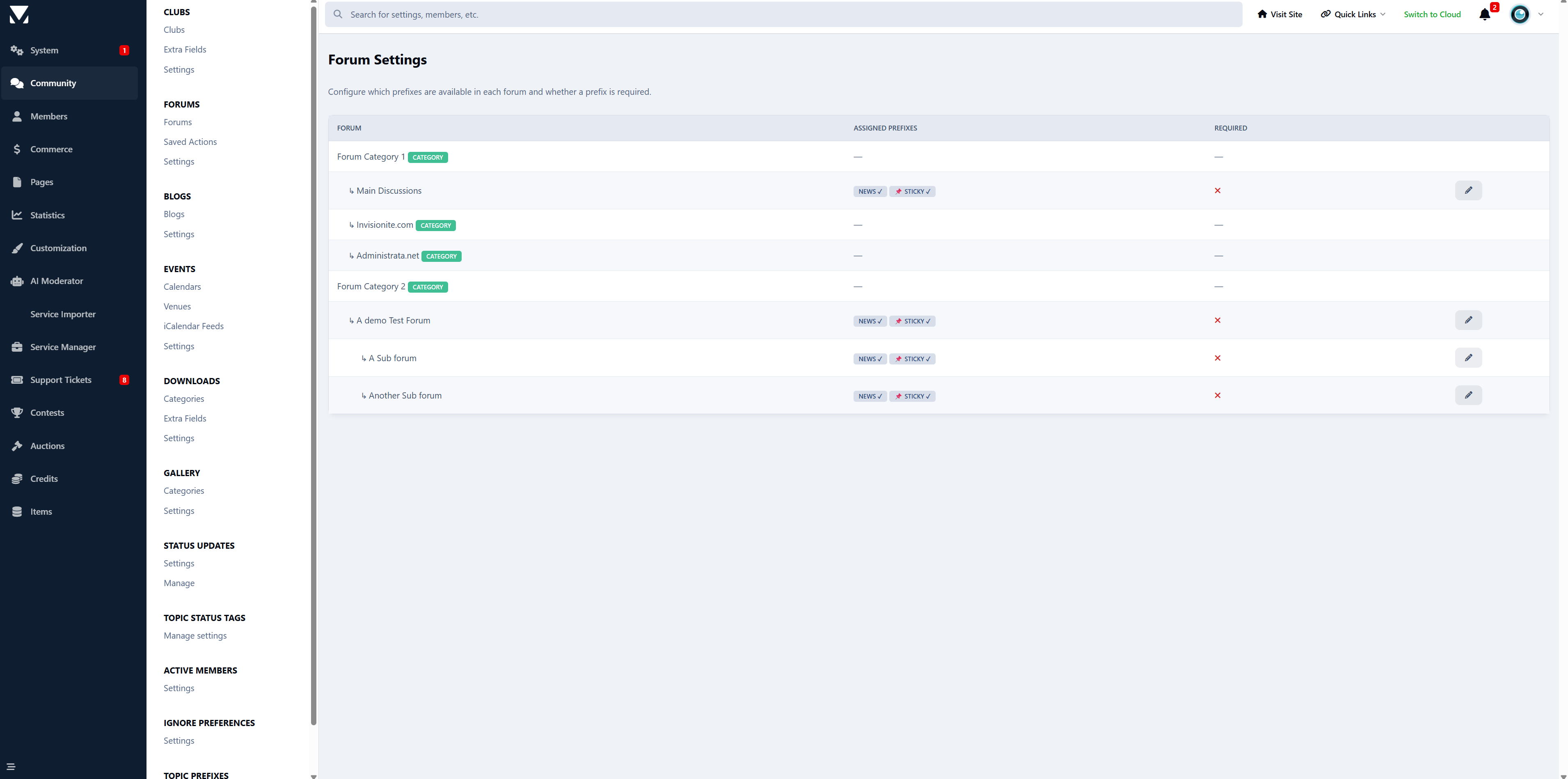
Forum Assignment
Assign prefixes to specific forums
Optional “All Forums” behavior (no assignment = available everywhere)
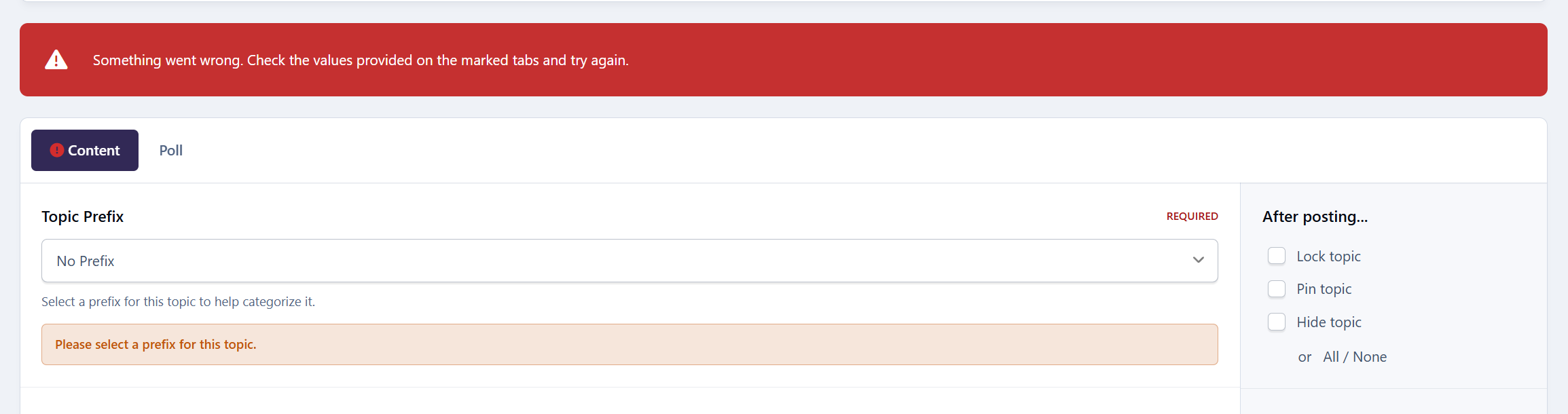
Per-forum “prefix required” toggle
Visual forum tree showing assigned prefixes at a glance
Display
Prefix Selector on Topic Create / Edit
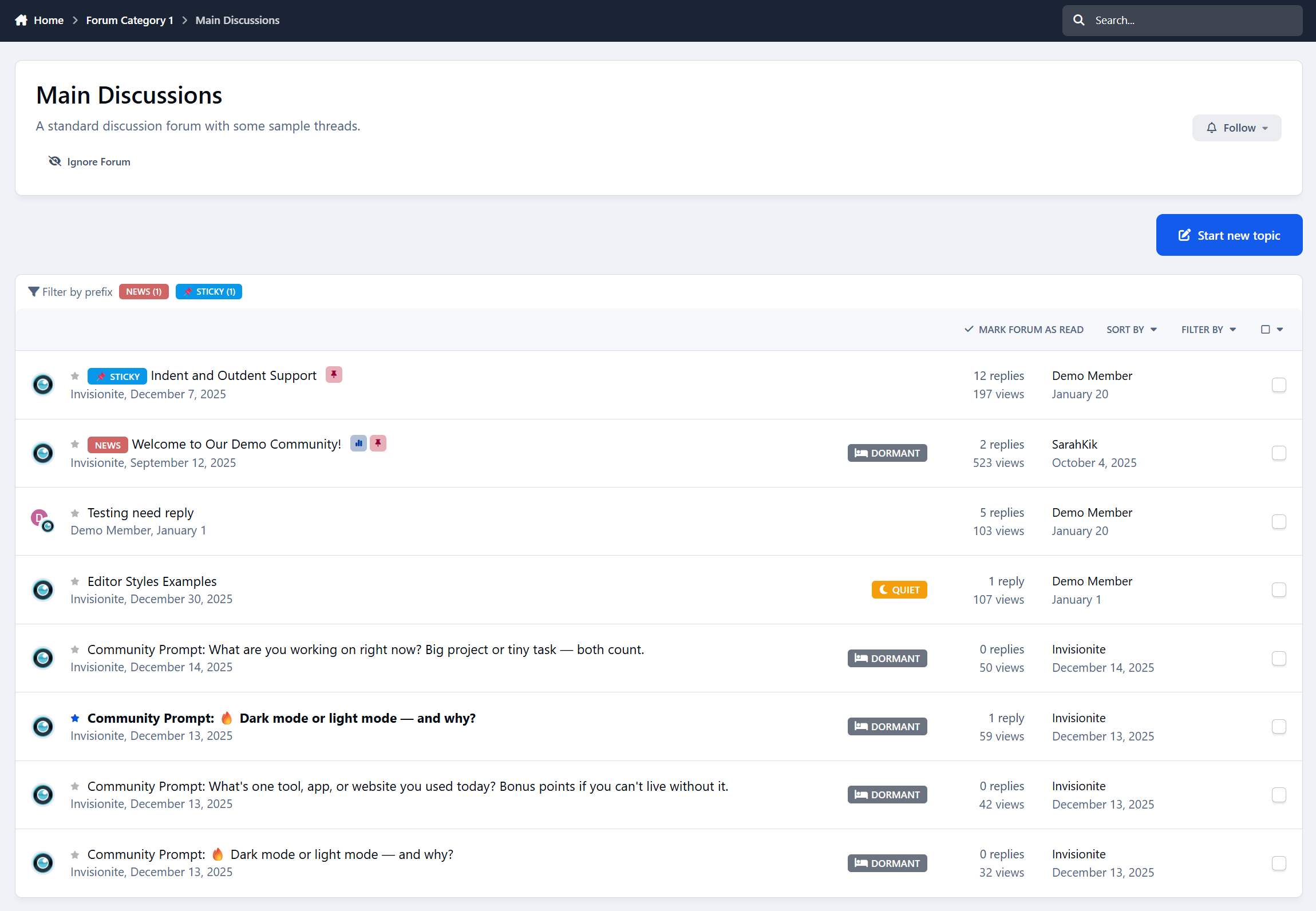
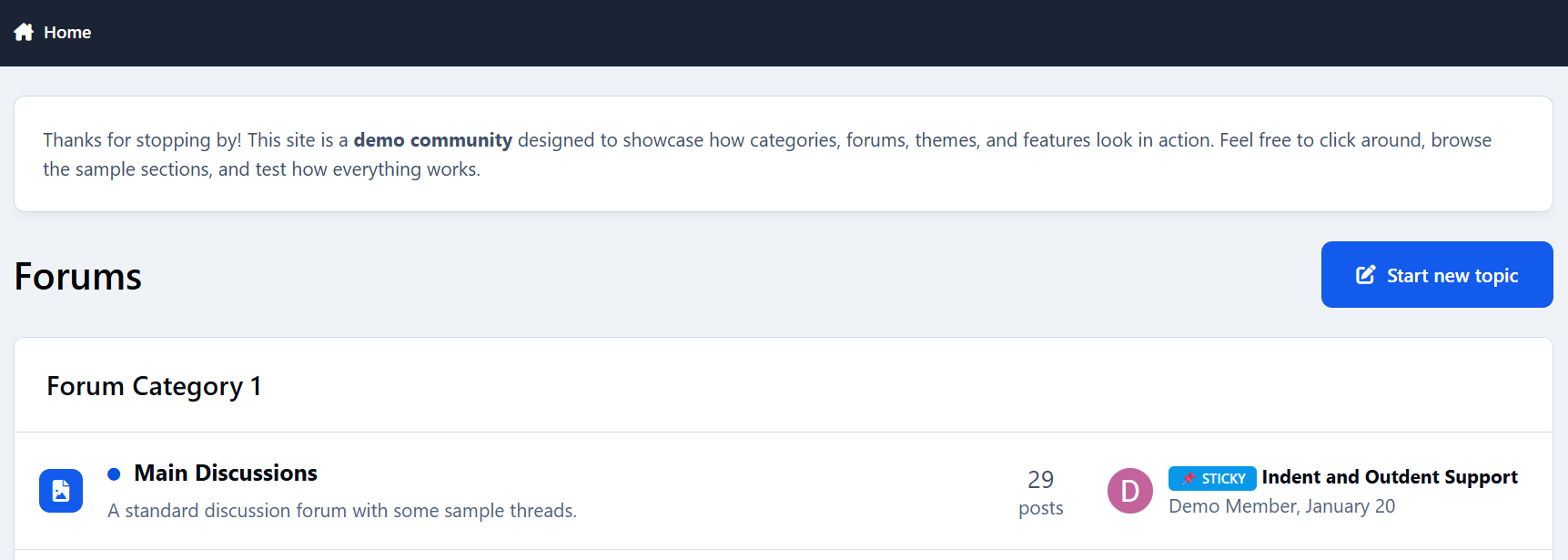
Prefix Display in Topic Lists
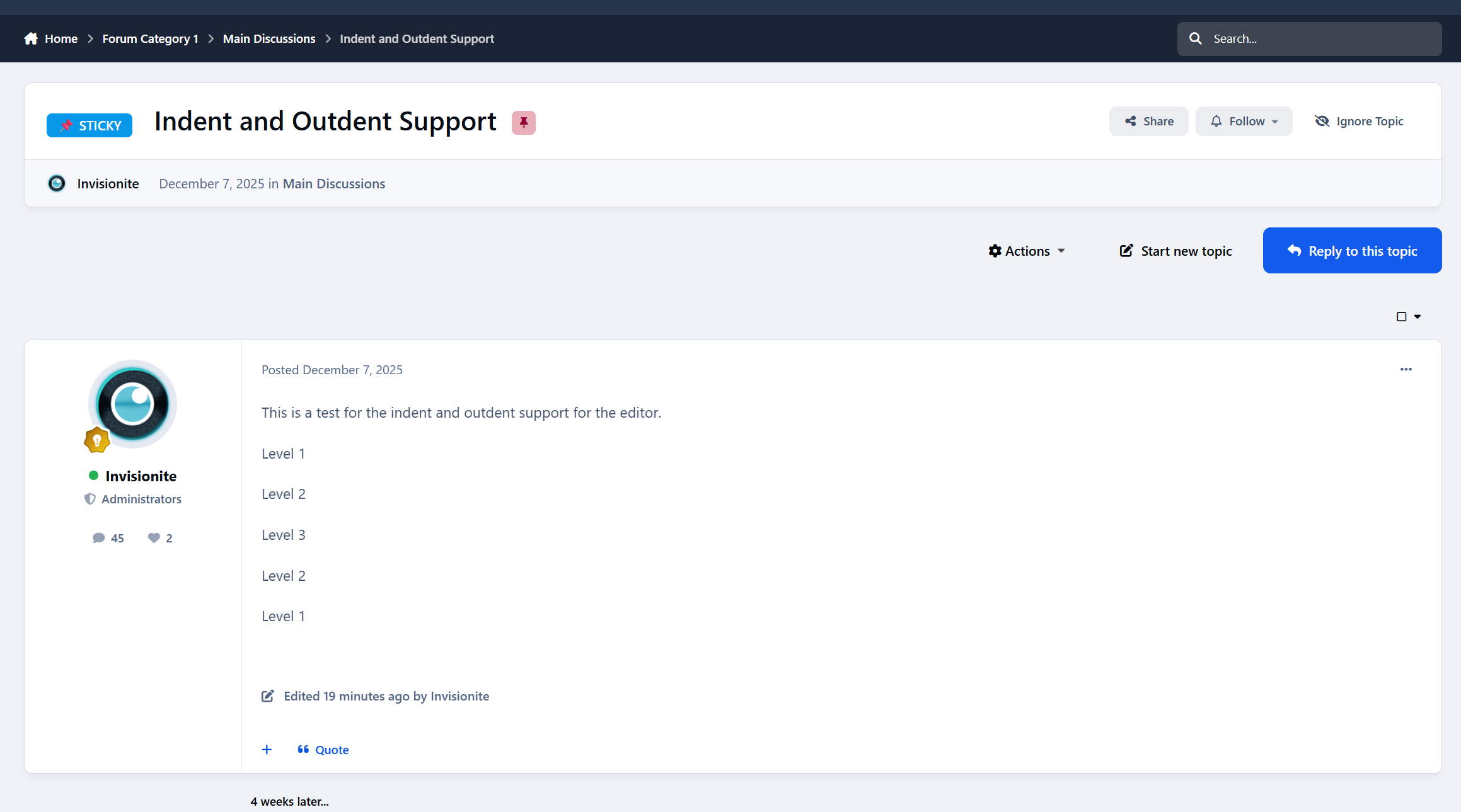
Prefix Display in Topic View
Prefix Display on Forum Index
Prefix Filter Bar
Appears above the topic list within forums
Shows only prefixes used in that forum
Displays topic counts per prefix
One-click filtering
“Show All” button to reset the view
Styling System
Two-Tier CSS Architecture
Base styling via
ipsBadgeandipsTopicPrefixPer-prefix styling via
ipsTopicPrefix--{id}Inline colors for simple setups
Full custom CSS support for advanced designs
Final Notes
This app is intentionally not a tag replacement.
It’s a classification tool - for signaling intent, state, or type at a glance.
If you’ve ever wanted prefixes like:
Question / Guide / Tutorial
Solved / Open / WIP
Announcement / Feedback / Discussion
…this does exactly that.
Feedback, suggestions, and edge cases welcome 👍
-
 2
2
Create an account or sign in to leave a review
There are no reviews to display.