Jump to content
View in the app

A better way to browse. Learn more.

Invision Marketplace

A full-screen app on your home screen with push notifications, badges and more.

To install this app on iOS and iPadOS
  1. Tap the Share icon in Safari
  2. Scroll the menu and tap Add to Home Screen.
  3. Tap Add in the top-right corner.
To install this app on Android
  1. Tap the 3-dot menu (⋮) in the top-right corner of the browser.
  2. Tap Add to Home screen or Install app.
  3. Confirm by tapping Install.

Everything you need for your community

Everything you need for your community

Invision Community 5
  • Category Analytics & Stats
  • Downloads 16
  • Compatibility IC5: 5.0.0+
  • App Version 1.0.0
  • Updated

Description

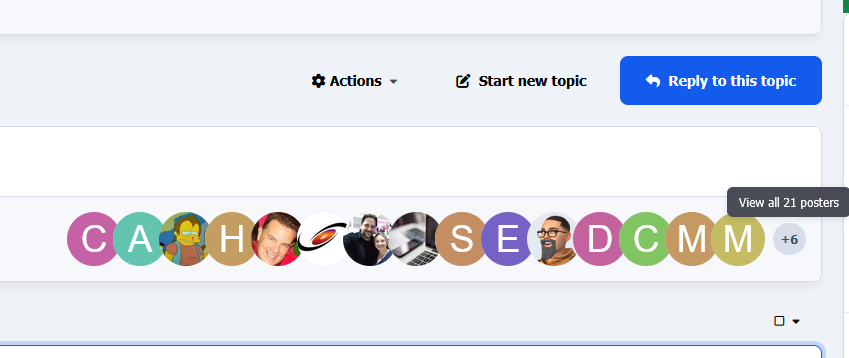
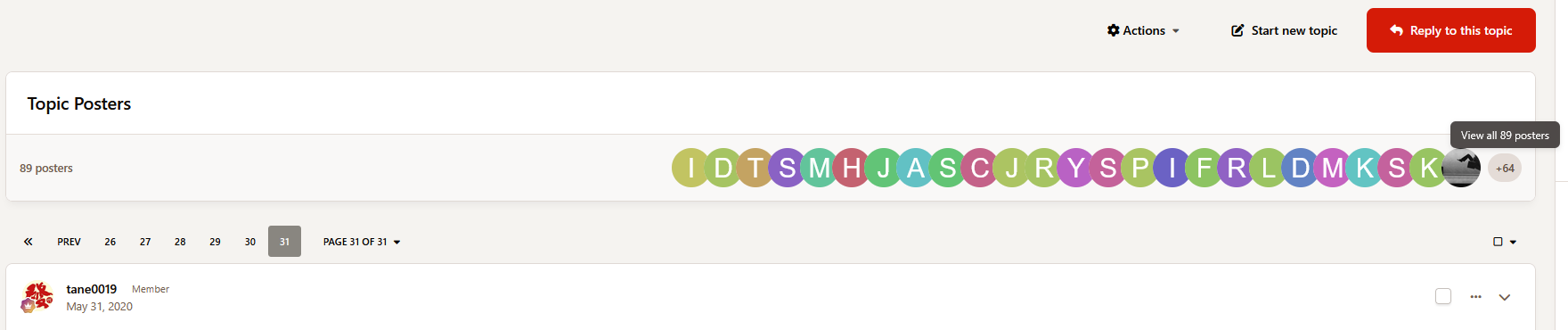
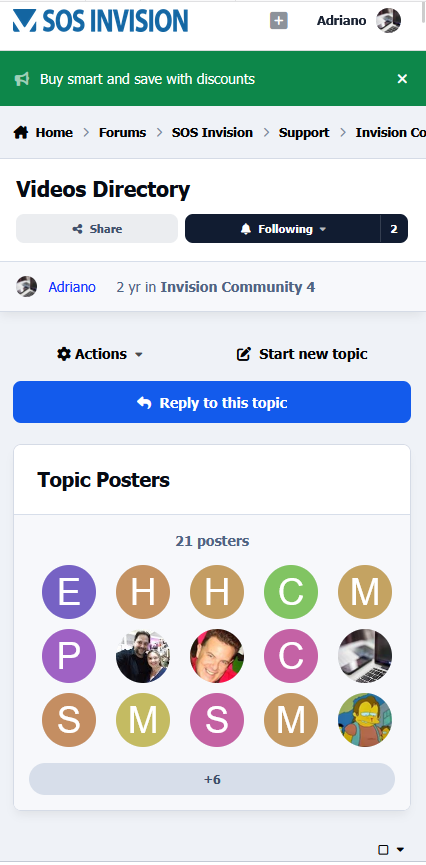
Topic Posters display a clean and modern list of members who participated in a topic. The app adds a new block to the topic view showing member avatars of users who have posted in the discussion, making active participants easier to identify and improving community engagement.

Features:

  • Display topic posters with member avatars

  • Randomize displayed members on each page load

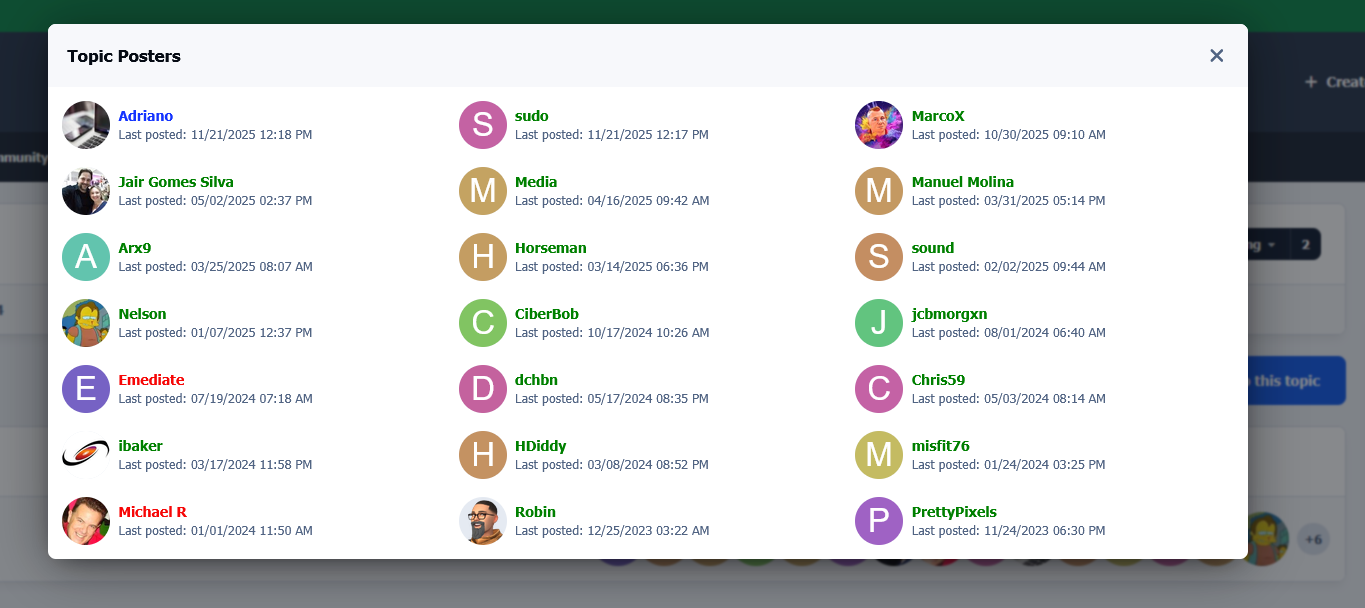
  • Popup with a complete list of all topic posters

  • Show each member's latest post date in the topic

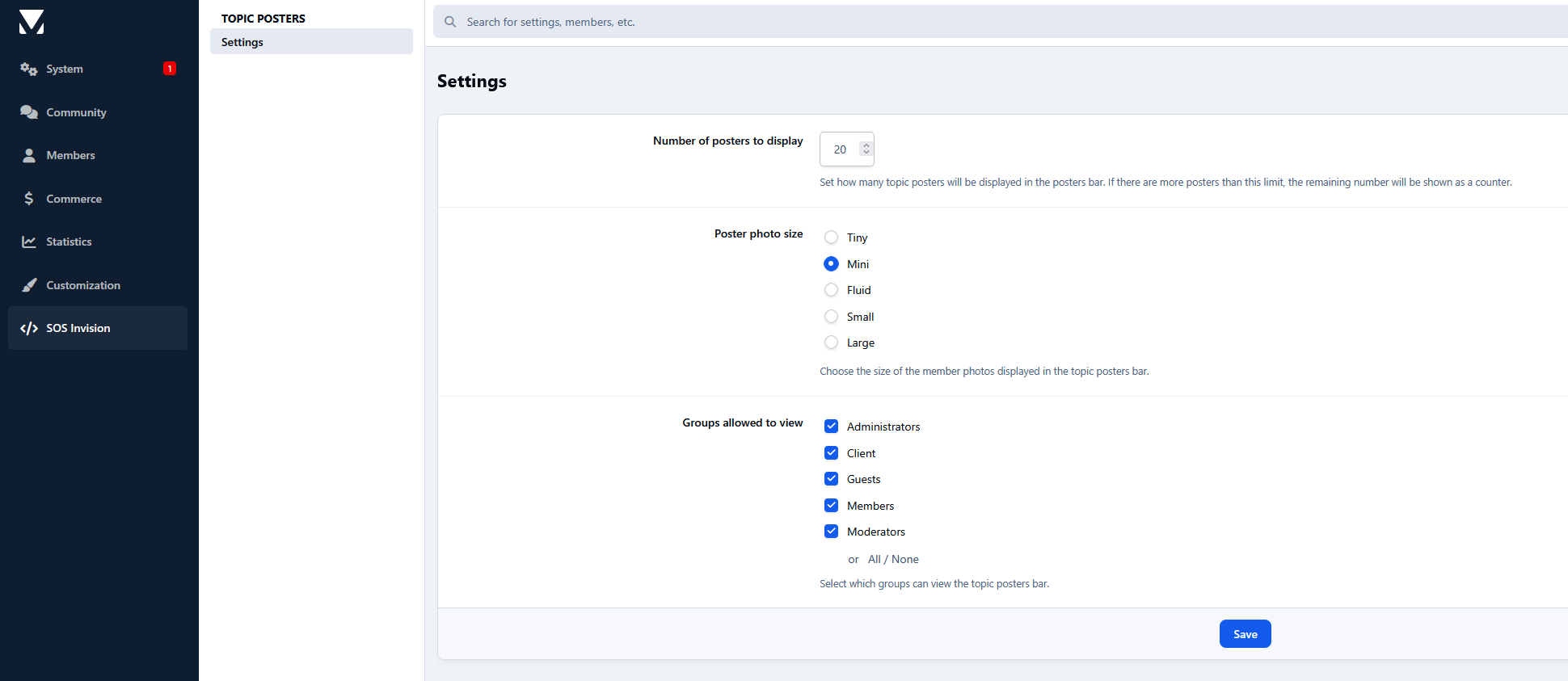
  • Configure the number of posters displayed

  • Choose avatar size

  • Restrict visibility by member groups

  • Responsive layout for desktop and mobile devices

A simple way to highlight the people behind each discussion and make your topics feel more active.

User Feedback

Create an account or sign in to leave a review

There are no reviews to display.

Configure browser push notifications

Chrome (Android)
  1. Tap the lock icon next to the address bar.
  2. Tap Permissions → Notifications.
  3. Adjust your preference.
Chrome (Desktop)
  1. Click the padlock icon in the address bar.
  2. Select Site settings.
  3. Find Notifications and adjust your preference.