Trending — Show what's hot right now
Invision Community 5
- Category Widgets
- Downloads 28
- Compatibility IC5: 5.0.0+
- Updated

Overview
Give your community a pulse. Trending adds a placeable block that surfaces the topics gaining momentum right now — ranked by recent replies and reactions, with time decay so fresh bursts rise and stale-but-busy threads step aside. It's the "what's hot" list your members expect from modern platforms, running entirely on your own server.Description
Give your community a pulse. Trending adds a placeable block that surfaces the topics gaining momentum right now — ranked by recent replies and reactions, with time decay so fresh bursts rise and stale-but-busy threads step aside. It's the "what's hot" list your members expect from modern platforms, running entirely on your own server.
Why you'll want it
Recency-weighted, not just a reply count. A scoring formula blends recent replies, recent reactions, and how long ago the last activity happened — so the list feels alive, not like an all-time leaderboard.
Place it anywhere. Drop the Trending block into any sidebar or block area with the block manager — forum index, a Pages page, wherever your members look.
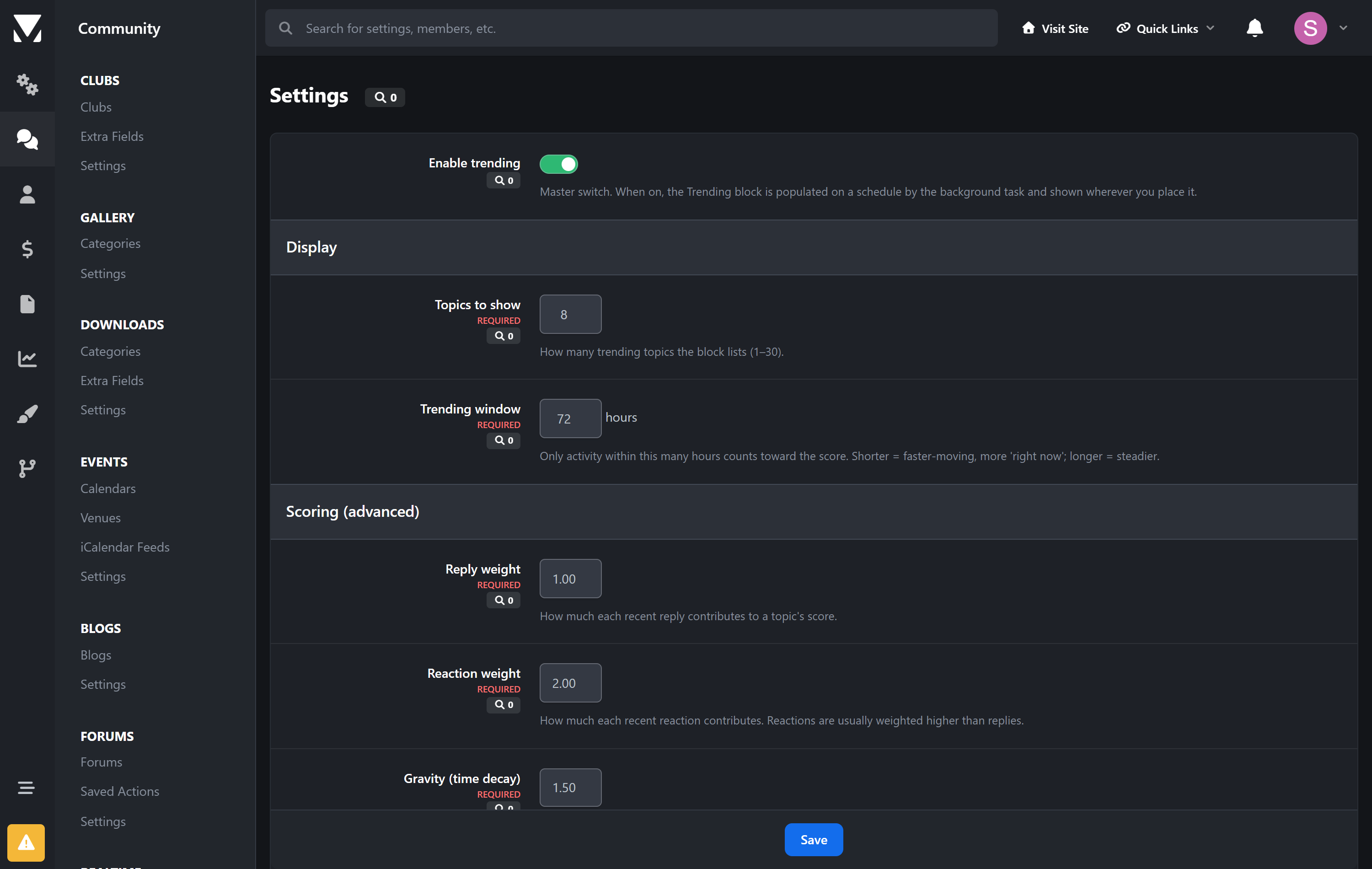
Tune it to your community. Time window, reply/reaction weights, and a "gravity" time-decay control are all adjustable from the AdminCP. Fast-moving community? Tighten the window. Quiet niche? Widen it.
Privacy-aware. Only lists topics a guest can see, so nothing from private forums leaks into a public block.
Zero maintenance. A lightweight background task refreshes the list on Invision Community's existing task runner. No extra services, no cron to set up.
Upgrade-safe. Reads Invision Community's own forum data and never edits core files, so IPS updates won't break it.
How it works
Every ~20 minutes a background task scores recent topic activity and caches a ranked list. The block renders that list instantly — light on every page load, always current.
Requirements
Invision Community 5.0 or newer (self-hosted), with the Forums application
No third-party services; uses the task runner you already have
Create an account or sign in to leave a review
There are no reviews to display.