Widgets
-
IPS5.0.0+
Forum Collection
Create Unlimited Custom Forum Collections
Support and discussions for IPS Forum Collection.
Forum Collection lets you turn content from your forums and topics into custom, reusable collections that you can display anywhere on your community.
Create unlimited collections, add your own cover, title, and description, and organize your content exactly the way you want.
Key Features
Unlimited Collections — Create as many collections as you need.
Forum & Topic Feeds — Build collections from your existing forums and topics.
Custom Cover, Title & Description — Give every collection its own look and identity.
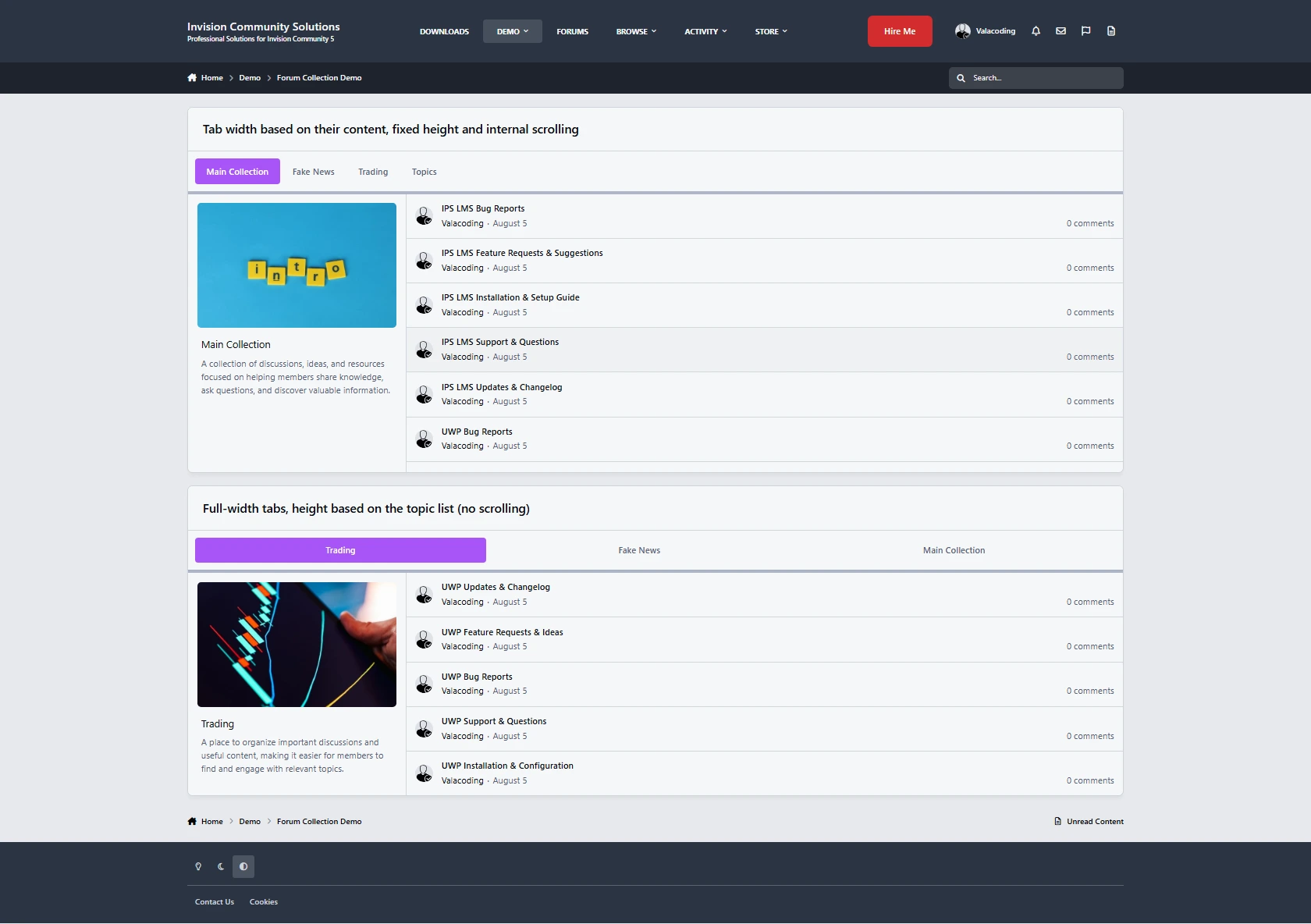
Tabbed Collection Widget — Display multiple collections together in a clean tabbed layout.
Easy Collection Management — Select your collections and reorder them with ease.
Flexible Tab Styling — Customize the tab layout, including height, width, and scrolling behavior.
Place It Anywhere — Display your collections wherever IPS widgets are supported.
Group-Based Visibility — Decide which member groups can see each collection.
Built for Your Community
Use Forum Collection to create featured topic feeds, curated discussions, category highlights, community sections, and more.
Simple to set up, flexible to customize, and completely free.
Support and discussions for IPS Forum Collection.
-
IPS5.0.0+
Bring your Steam Community directly into Invision Community 5 with a modern, responsive and fully customizable Steam Group widget.
Steam Group Widget displays your group’s public statistics directly on your community:
Total group members
Members currently in-game
Members currently online
Members currently in group chat
Direct “Join Steam Group” button
Official group avatar and group headline
Key features:
Accepts a complete Steam Group URL or Custom URL
No Steam Web API key required
Automatically inherits colors, buttons, borders, fonts and spacing from the active IPS 5 theme
Compatible with light and dark themes
Fully responsive on desktop and mobile devices
Optional custom widget title
Customizable join button text
Configurable cache duration between 1 and 60 minutes
Option to show or hide the Steam Group headline
Built-in cached-data fallback when Steam is temporarily unavailable
Native IPS 5 widget visibility and custom CSS controls
Secure URL validation and HTTPS Steam requests
Installation:
Upload the application TAR file from the Invision Community Admin Control Panel.
Open the front-end Block Manager.
Drag the Steam Group widget into the desired location.
Enter your Steam Group URL.
Save the widget configuration.
Requirements:
Invision Community 5.0 or newer
A public Steam Community group
Outgoing HTTPS connections enabled on the server
Support:
Steam: https://steamcommunity.com/id/ramy-/
Discord: .ramy.
The application does not require a Steam API key and does not collect or transmit private community information.
-
IPS5.0.0+
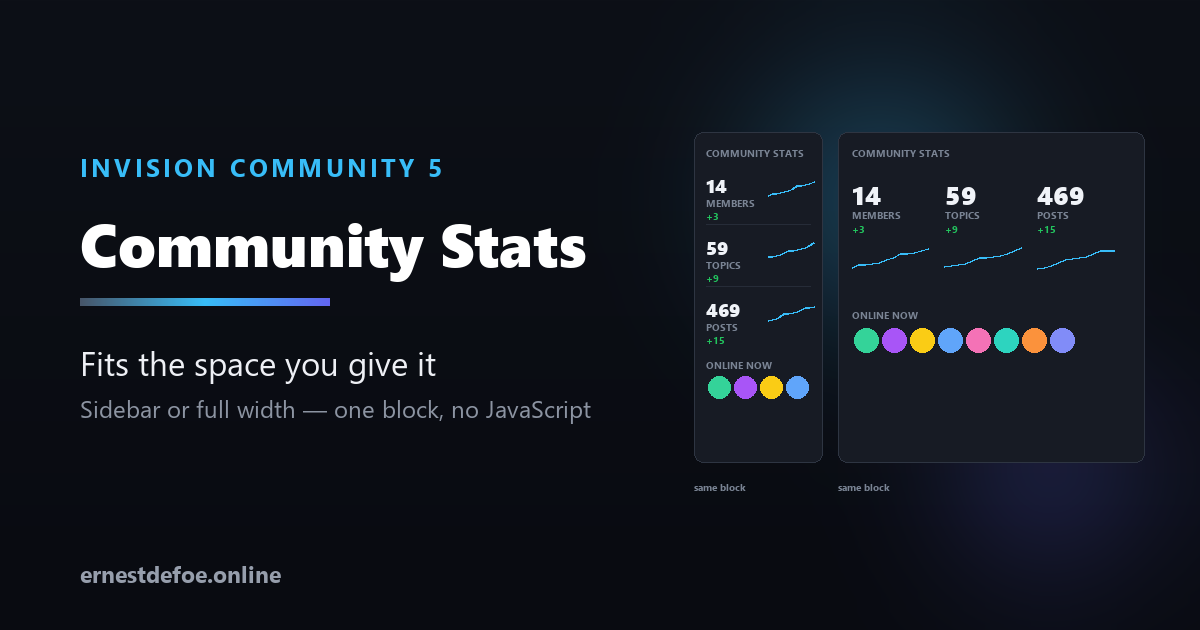
Community Stats — one block that fits wherever you put it
Invision's built-in stats block shows three things: total members, most ever online, and the newest member. No posts, no topics, no sense of whether any of it is growing.
This shows what a visitor actually wants to know, with the trend behind it — and it reflows to whatever space you give it.
The same block, both orientations
It measures its own container, not the browser window. Drop it in a 260px sidebar and it renders as a neat stacked list. Drop it across a content column and the same block becomes a row of tiles. Nothing to configure and no second block to maintain — a normal responsive block cannot do this, because a viewport media query cannot tell a narrow sidebar from a wide page.
If you would rather decide yourself, you can force it to always stack or always tile.
Who's online, with faces
A row of avatars linking to profiles, with an overflow count when there are more than will fit.
Anonymous browsing is respected, properly. A member who has chosen to browse anonymously is never shown and never counted — and neither are guests or search engine spiders. The number beside the avatars is derived from the same list that draws them, so the count and the faces can never disagree with each other.
Figures that mean something
Counts
Members, topics, posts, online now, newest member
And, if you run them
Files, images, blog entries, events
Trend
A rise or fall over a period you choose
Sparkline
A 30-day line beside each figure
Only the figures your community can actually produce are offered — install Gallery and an image count appears in the list by itself. Nothing runs a query for something you are not showing.
Trends work on the first day
Members, topics and posts can be rebuilt from their own timestamps, so one click gives you a month of history immediately rather than asking you to wait a month for the block to look finished. Everything else starts recording from now.
And until there is real history, no trend is shown at all. A "+0" on a fresh install would be a lie dressed up as data.
Built to sit on a busy page
Cached. Counting every row on a large community is not free, so figures are shared between visitors for an interval you set.
No JavaScript. The sparklines are drawn inline as SVG — no charting library is loaded, on any page the block appears on.
Big numbers stay readable. 12,300 becomes 12.3k rather than breaking the layout of a sidebar.
Follows your theme, or takes an accent colour of your choosing.
No core files are edited. Upgrading Invision Community will not break it.
Requirements
Invision Community 5.0 or newer (self-hosted)
Forums, Downloads, Gallery, Blog and Calendar are all optional — the block simply offers whatever you have
-
IPS5.0.0+
Give your community a pulse. Trending adds a placeable block that surfaces the topics gaining momentum right now — ranked by recent replies and reactions, with time decay so fresh bursts rise and stale-but-busy threads step aside. It's the "what's hot" list your members expect from modern platforms, running entirely on your own server.
Why you'll want it
Recency-weighted, not just a reply count. A scoring formula blends recent replies, recent reactions, and how long ago the last activity happened — so the list feels alive, not like an all-time leaderboard.
Place it anywhere. Drop the Trending block into any sidebar or block area with the block manager — forum index, a Pages page, wherever your members look.
Tune it to your community. Time window, reply/reaction weights, and a "gravity" time-decay control are all adjustable from the AdminCP. Fast-moving community? Tighten the window. Quiet niche? Widen it.
Privacy-aware. Only lists topics a guest can see, so nothing from private forums leaks into a public block.
Zero maintenance. A lightweight background task refreshes the list on Invision Community's existing task runner. No extra services, no cron to set up.
Upgrade-safe. Reads Invision Community's own forum data and never edits core files, so IPS updates won't break it.
How it works
Every ~20 minutes a background task scores recent topic activity and caches a ranked list. The block renders that list instantly — light on every page load, always current.
Requirements
Invision Community 5.0 or newer (self-hosted), with the Forums application
No third-party services; uses the task runner you already have
-
IPS5.0.0+
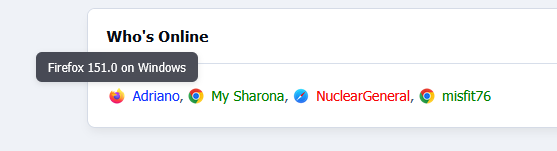
Display your members' browser information directly in online user lists. This application adds a browser icon next to usernames, allowing members to quickly identify which browser others are using.
Features:
Displays browser icons in online widgets (Who's Online and Recently Browsing)
Uses Invision Community's native browser icons
Shows browser and operating system details on hover
Automatically detects members' latest known browser
Works dynamically with AJAX-loaded content
The application integrates automatically with your community and uses existing Invision Community device information.
-
IPS5.0.0+
With a broad range of configuration options, including advanced settings for more precise control, you can tailor the widget to match the needs of your community.
Display members active within the last 24 hours, or set your own custom time range. Instead of performing full raw member scans on every page load, Online Today +Plus uses a cached snapshot, filters older rows in memory, runs smaller delta queries for updated activity, and stores only the columns it actually requires. This helps reduce rendering overhead and keeps performance fast and efficient.
Combined with a range of presentation and usability enhancements, Online Today +Plus offers a more refined, flexible, and optimised alternative for displaying recent member activity.
Core widget features
Configurable time window in hours
Configurable custom widget title
Group-based visibility control for who can see the widget
Maximum displayed members limit, including 0 = no limit
Exclude primary groups
sort members by:
Last activity
Name
Primary group
Sort direction:
Ascending
Descending
Display and styling features
Optional member legend
Optional manual legend group selection and ordering
Automatic legend generation when manual legend groups are not set
Optional group colour formatting
Optional section separator between members and legend:
None
Single line
Soft line
Double line
Dotted row
Diamond row
Optional legend separator between legend groups:
None
Middle dot
Bullet
Slash
Vertical bar
Dash
Profile and linking features
Optional profile linking
Selectable profile-linked groups
IPS hovercards on linked members
Optional legend group links to ACP group pages for admins with permission
Header count can link to the core online users page when accessible
Display image / avatar mode
Optional display images
When enabled, the widget becomes avatar-only
Avatars partially overlap
Hovered avatars come to the front
Avatars wrap onto a new row cleanly
Optional green online ring around avatars for members currently online
Profile links and hovercards remain attached to avatars
-
IPS5.0.0+
This application is designed to provide a simpler, more streamlined homepage for the Downloads application using either a tabs or grid layout. It includes options to hide the submitter information, adjust image aspect ratios (16:9, 1:1, 21:9), simplify the categories block... The portal is complemented by several useful widgets:
What’s New with Tabs or Grid display modes for highlighting recent and relevant files
Changelogs: a visual timeline of file updates
MagicWall: a cinematic, animated wall of file screenshots with smooth random transitions to create an eye-catching showcase area
Custom File Feed: an extended version of the default File Feed with an additional random display mode
Stats:
Total Members
Total Files
Total Downloads
Total Comments
Total Reviews
Hot Files of the Week
Latest File
Recently Updated File
More widgets will be added in future updates based on community feedback.
Demo: https://ipsappzone.com/
-
IPS5.0.0+
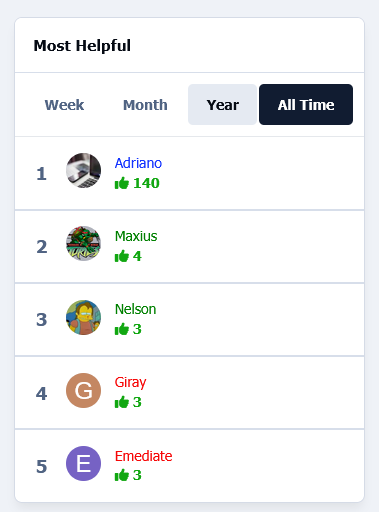
This application will add a widget to display the most helpful members over the last week, month, year, or always. The widget will include all apps that use the Helpful feature.
Widget configuration:
Number of members to show
-
IPS5.0.0+
IMPORTANT
This only works for purchases made directly through the Downloads application, excluding Commerce Packages. Commerce must be used exclusively as the payment processor.
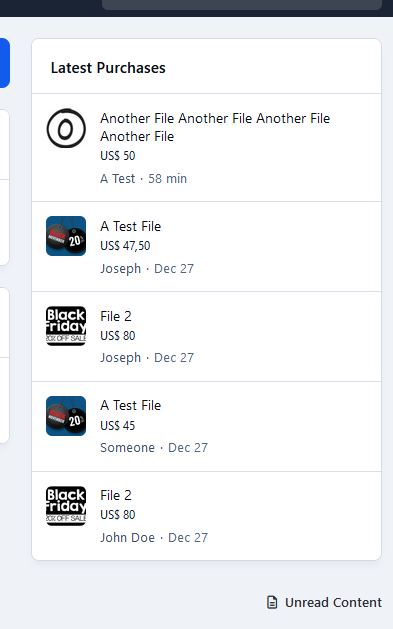
This application will add a widget to list the latest files purchased in Downloads by members.
Requirements:
Commerce
Downloads
Widget configurations:
Number of files to display
Groups that can view the block
-
IPS5.0.0+
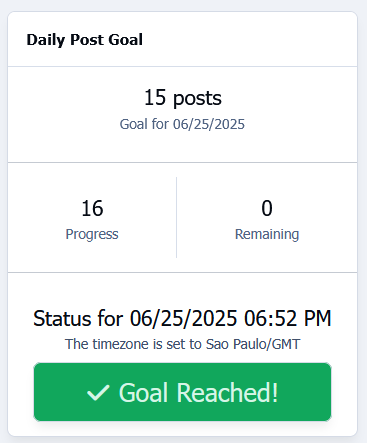
Motivate your community with daily engagement targets!
This widget tracks the total number of posts made each day and compares it with a predefined daily goal set by the admin. It provides a clear and simple visual indicator of progress toward the target, helping to encourage participation and foster a more active community.
Widget configuration:
Number of posts per day
Timezone
Requirement:
Forums application.
-
IPS5.0.0+
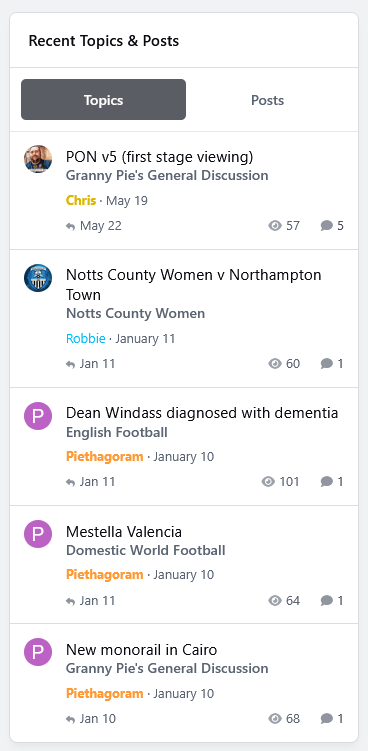
This widget will display the most recent topics and posts that the logged-in user is allowed to see.
Widget configuration:
First tab: Topics or Posts
Posts: display each topic only once (latest reply)
Number of items to show
-
IPS5.0.x
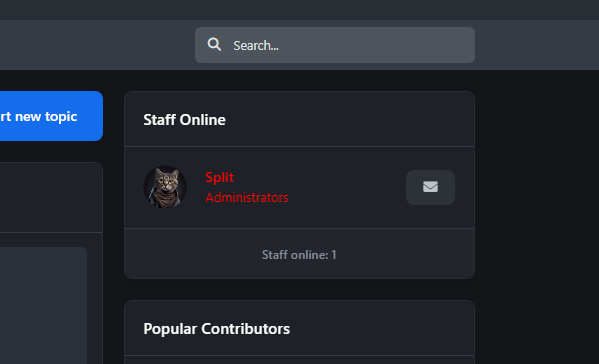
The app adds a widget with the ability to set groups from which to retrieve active users. More updates coming soon.
-
IPS5.0.x
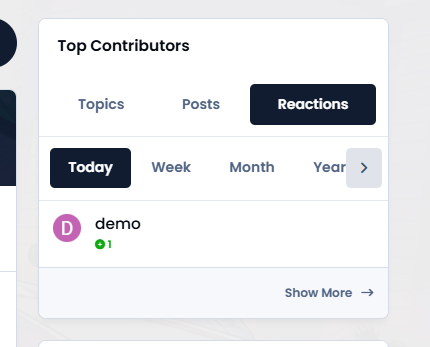
The app adds a new widget that works similarly to Top Contributors, but also displays topics and posts with sorting options.
-
IPS5.0.0+
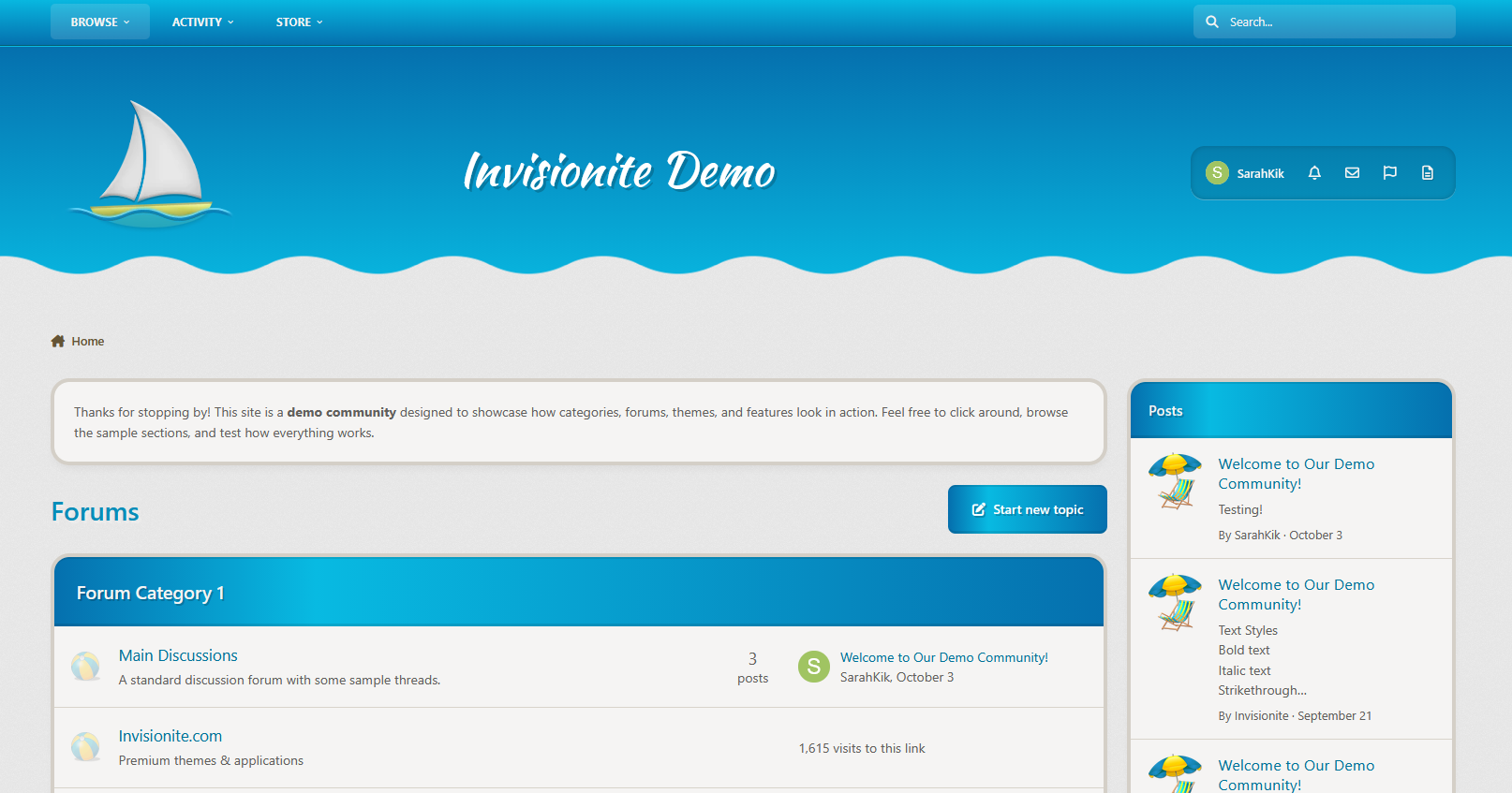
Just Beachy — A Summer Theme for Invision Community v5
Just Beachy is a playful theme with colours and images reminiscent of good, warm days lounging on the beach!
Live Demo (select Just Beachy)
Highlights
Light and inviting
Just Beachy uses a soft light base paired with fun summer colours to make it pleasant to read but still eye catching.
Fun and Playful
A sailboat, beach ball and lawn chair with an umbrella are used to decorate the theme and some drawn artwork in the sand gives it a wholesome touch!
Built for Invision Community v5
Developed using v5’s updated template structure, ensuring modern design standards, improved responsiveness, and compatibility with all core apps.
Perfect for Summer or off season events
It's a great theme if you have the winter blues or want to celebrate the summer season!
What’s Included
Complete Invision Community v5 theme
Styled widgets and forum containers
Custom forum icons and accents
-
IPS5.0.x
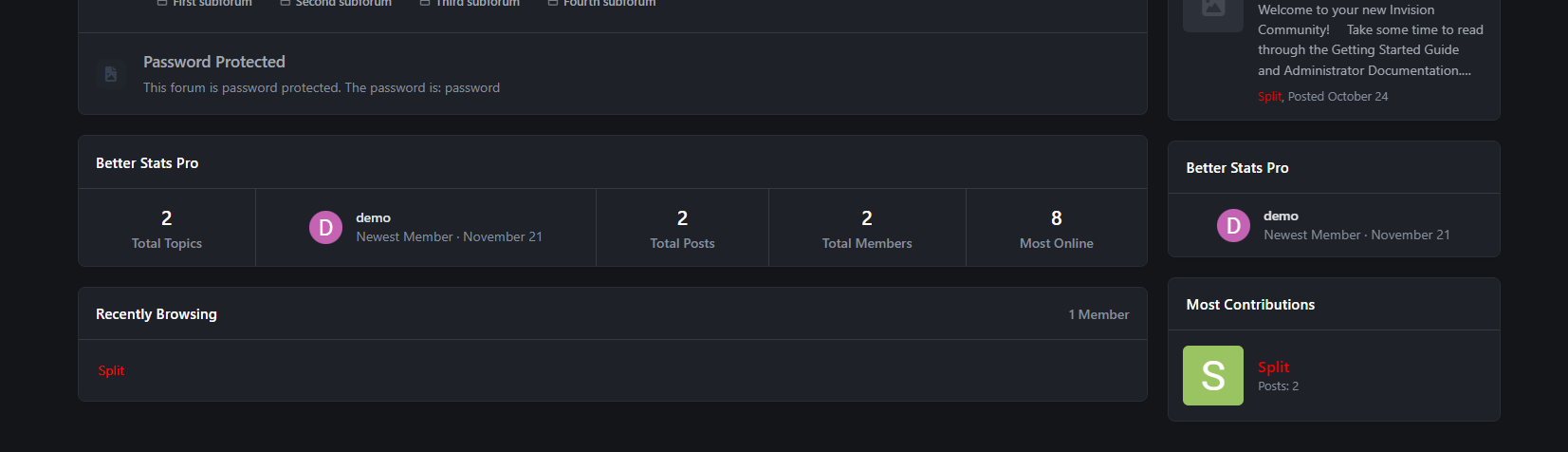
Better Stats Pro is an advanced application that integrates the functionality of two built-in widgets: "Member Statistics" and "Forum Statistics", creating one comprehensive widget. It is an extended version of my free plugin "Better Statistics".
In this version, users can sort/add/remove tiles according to their preferences.
Tiles list:
Total posts [Forums app required]
Total topics [Forums app required]
Total members
Most online
Newest member
Total reactions
Total bans
Space
Total files [Downloads app required]
Total downloads files [Downloads app required]
Total views files [Downloads app required]
Total images [Gallery app required]
Total images comments [Gallery app required]
Total albums [Gallery app required]
Total blogs [Blog app required]
Total blog entries [Blog app required]
Total pages comments [Pages app required]
Total pages views [Pages app required]

.png.b5bae1fb98b6e4f5c32edcab68b28ed4.png)