Advanced Forms & Surveys
Invision Community 5
- Category Admin & Mod Tools
- Downloads 87
- Compatibility IC5: 5.0.0+
- Updated

Overview
Advanced Surveys & Forms is a complete survey, intake, and application system for Invision Community v5. Build unlimited forms with branching logic, collect responses through a guided flow your members will actually finish, and turn the results into clean charts that can be shown publicly, after submission, after closing, or to staff only.Description
Ask your community anything, and actually understand the answers.
Advanced Surveys & Forms is a complete survey, intake, and application system for Invision Community v5. Build unlimited forms with branching logic, collect responses through a guided flow your members will actually finish, and turn the results into clean charts that can be shown publicly, after submission, after closing, or to staff only.
How it works
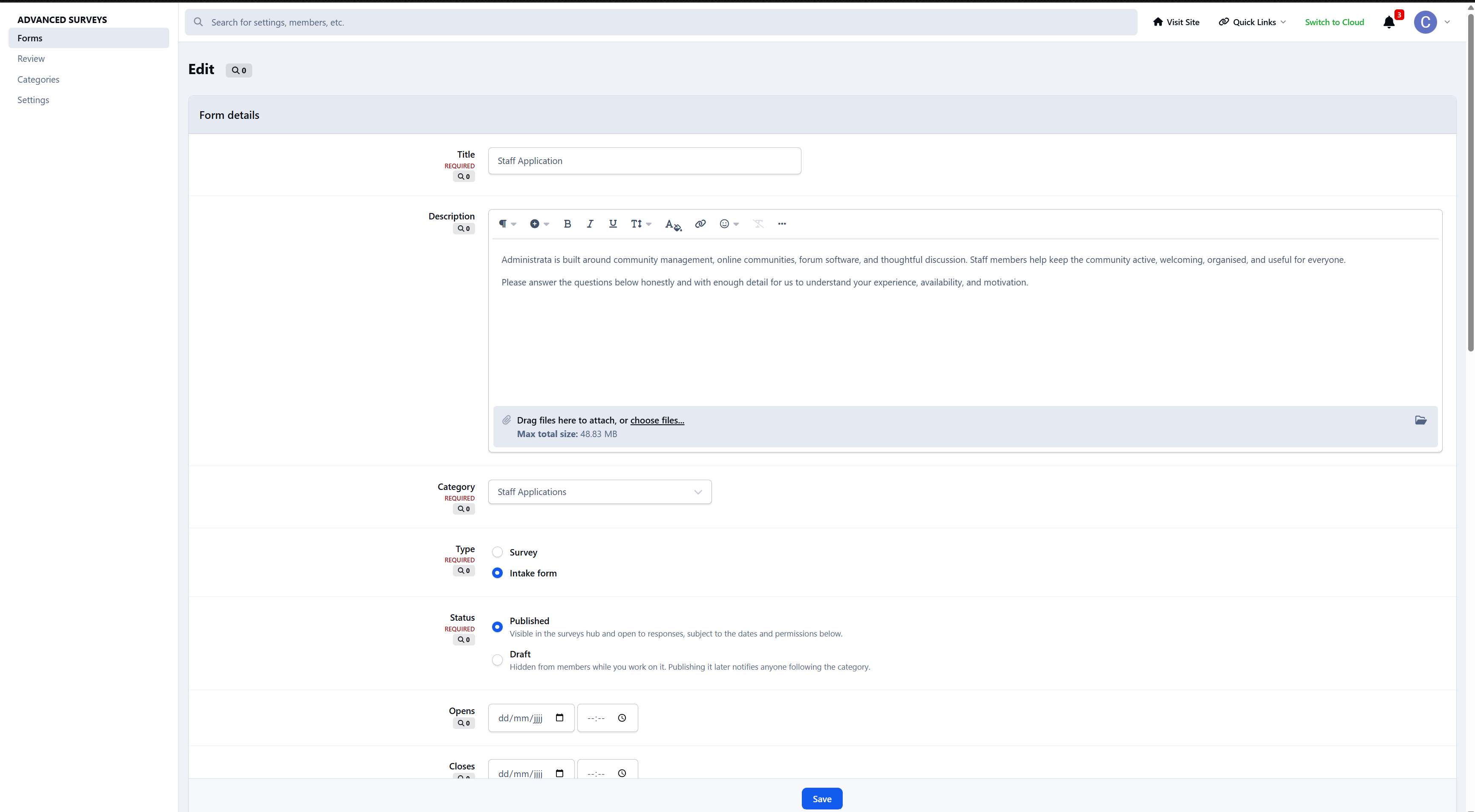
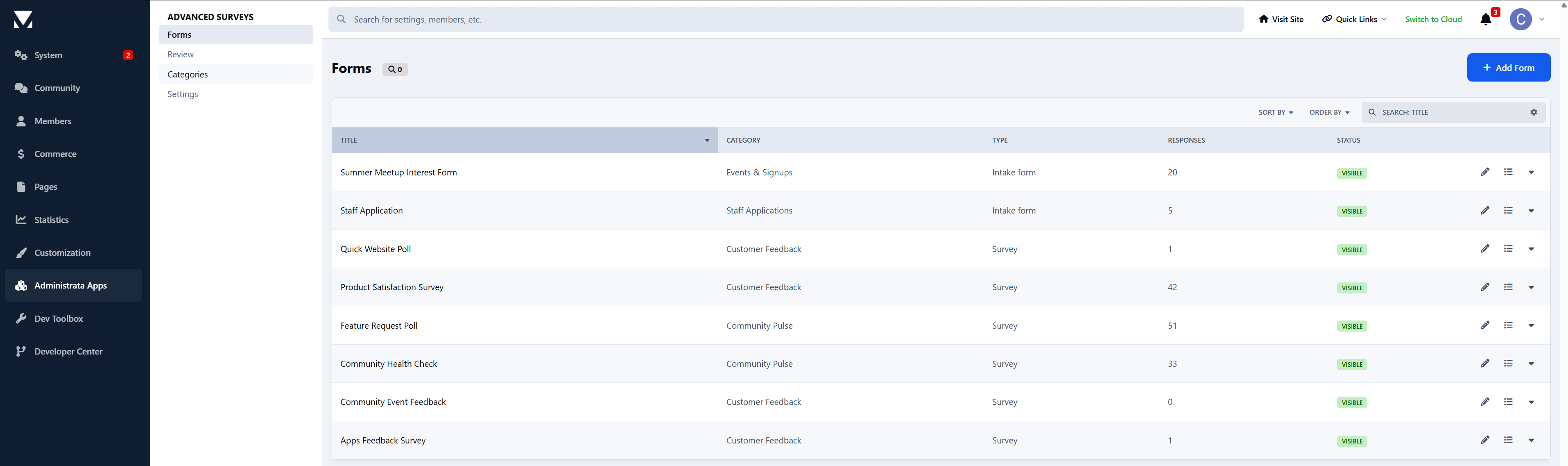
Create a form, place it in a category, and add questions through the visual builder. Members find it in the hub, complete it step by step, and depending on your settings, either see the results right away or simply move on. Staff can watch responses roll in, chart them in a way that makes sense, and export the raw data whenever needed.
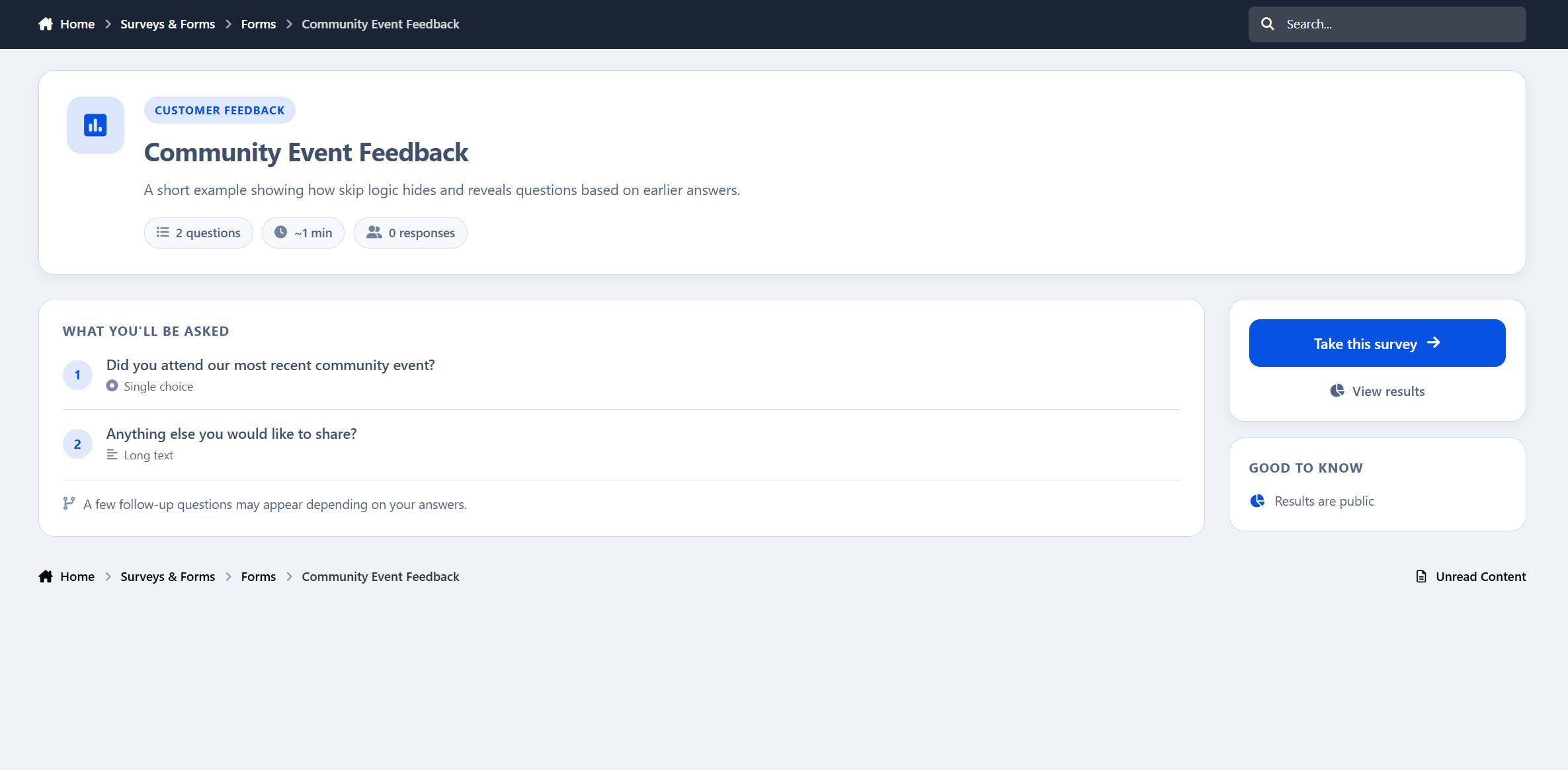
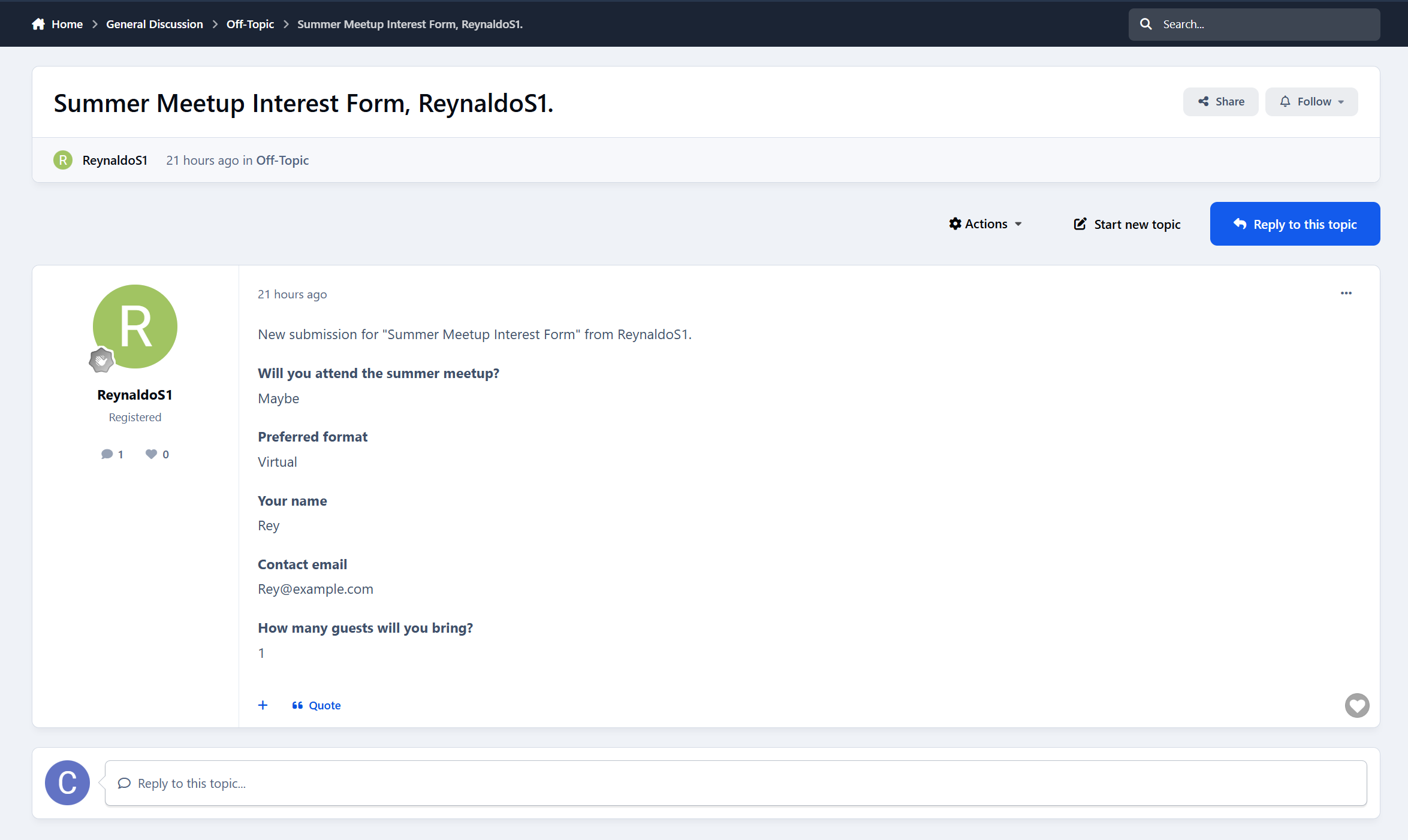
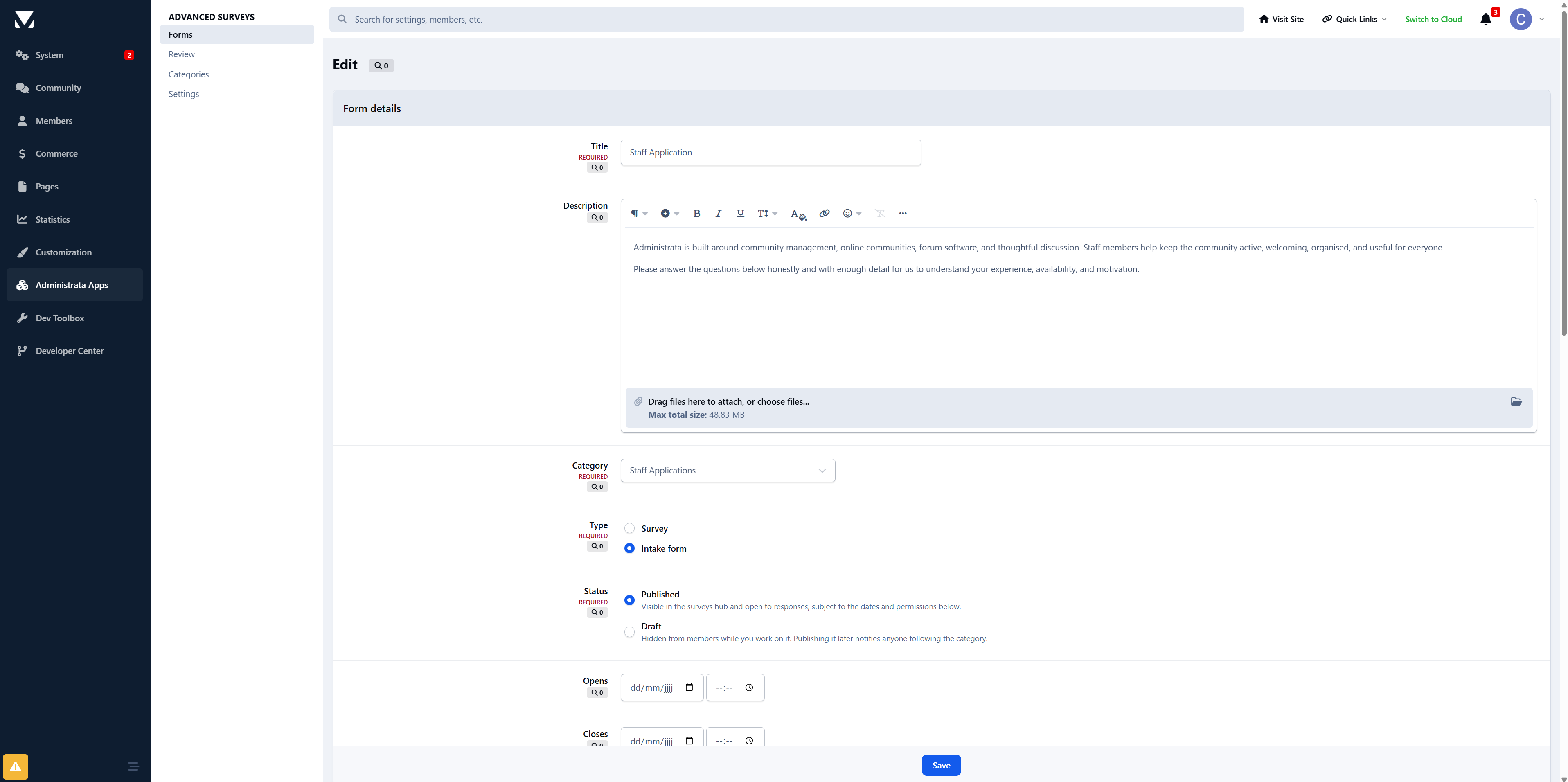
Every form runs in one of two modes. A Survey gathers opinions and presents the results as charts. An Intake form collects structured information without the results-page framing. Enable application review and that same form becomes a full reviewable application, with staff approvals, group changes, and applicant notifications.
The member experience
Long forms get abandoned. This one does not feel long.
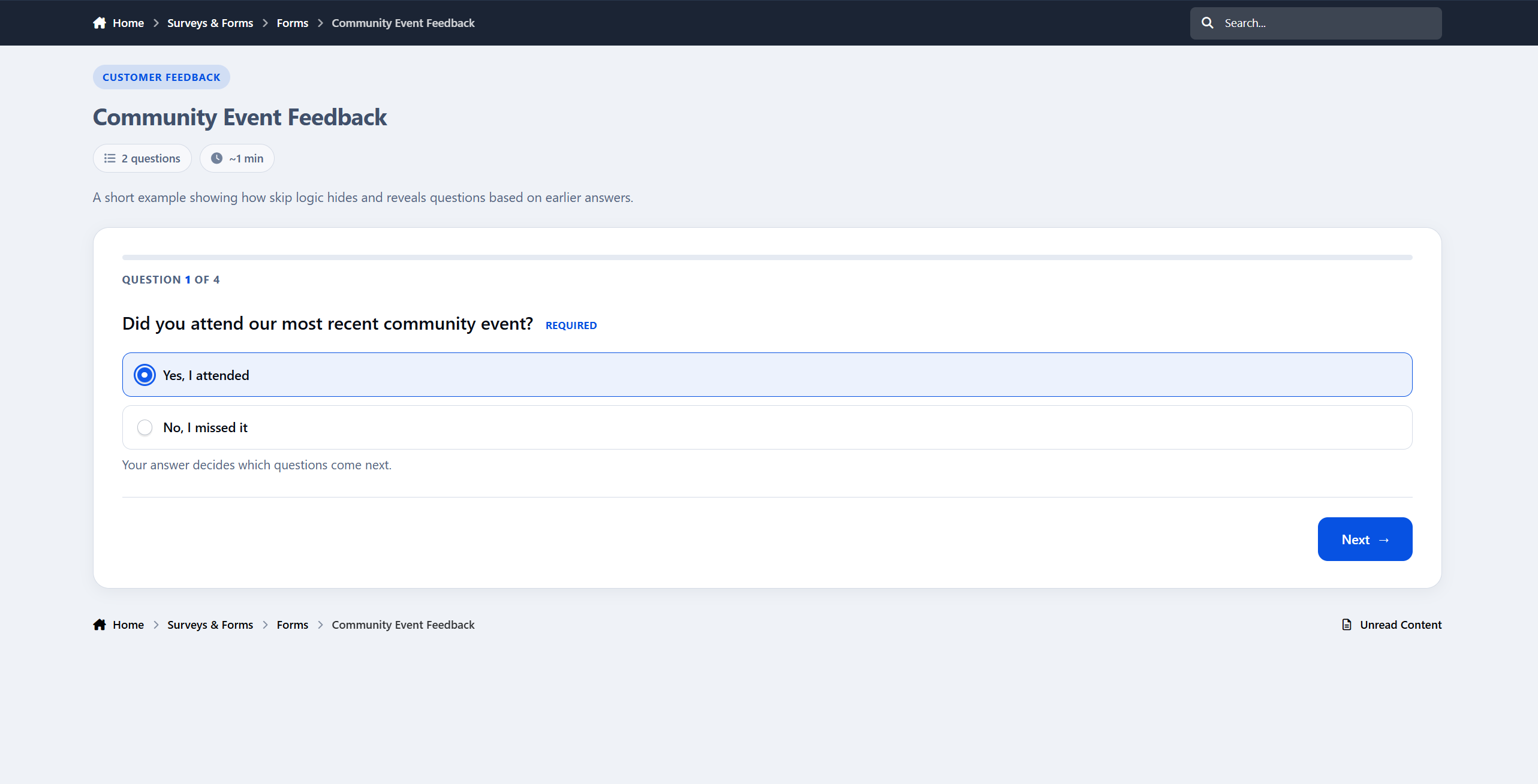
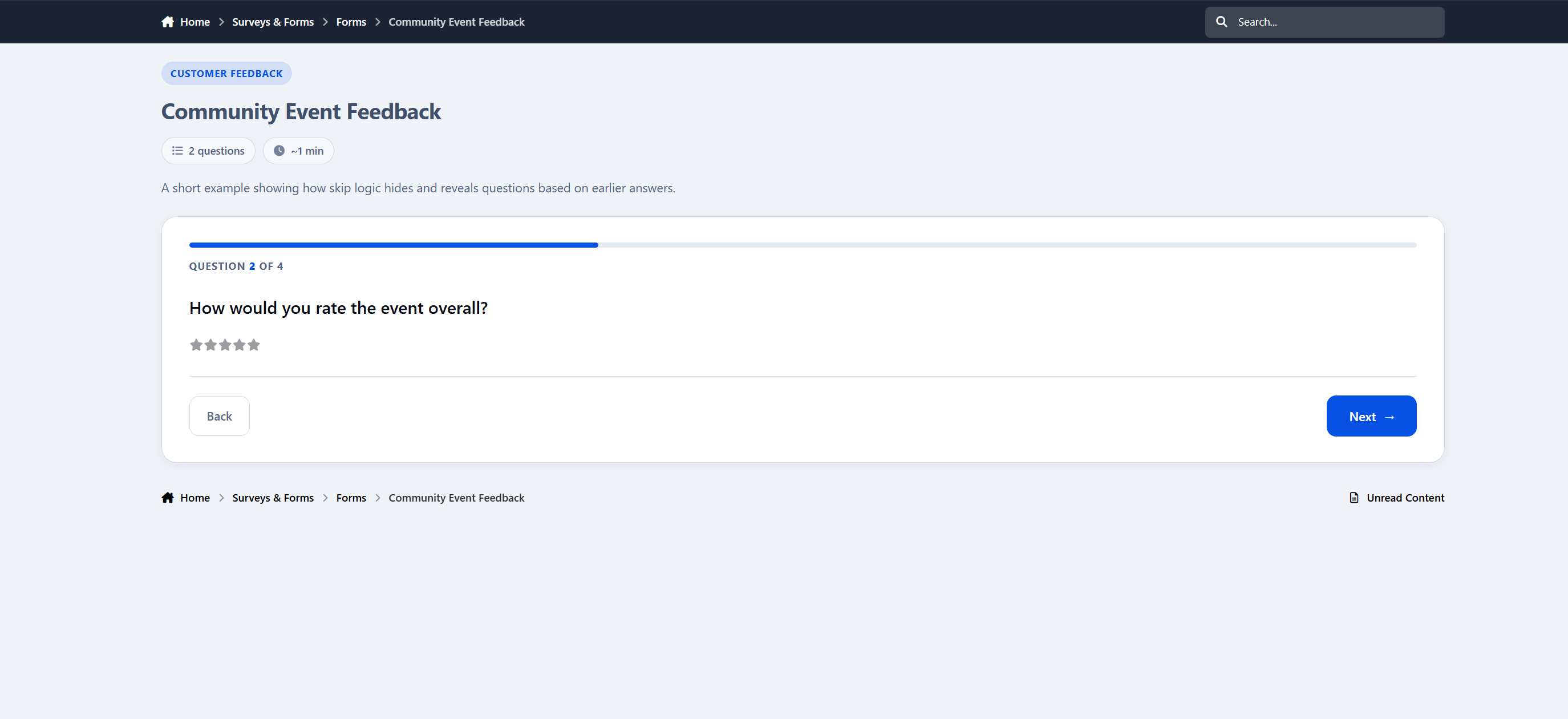
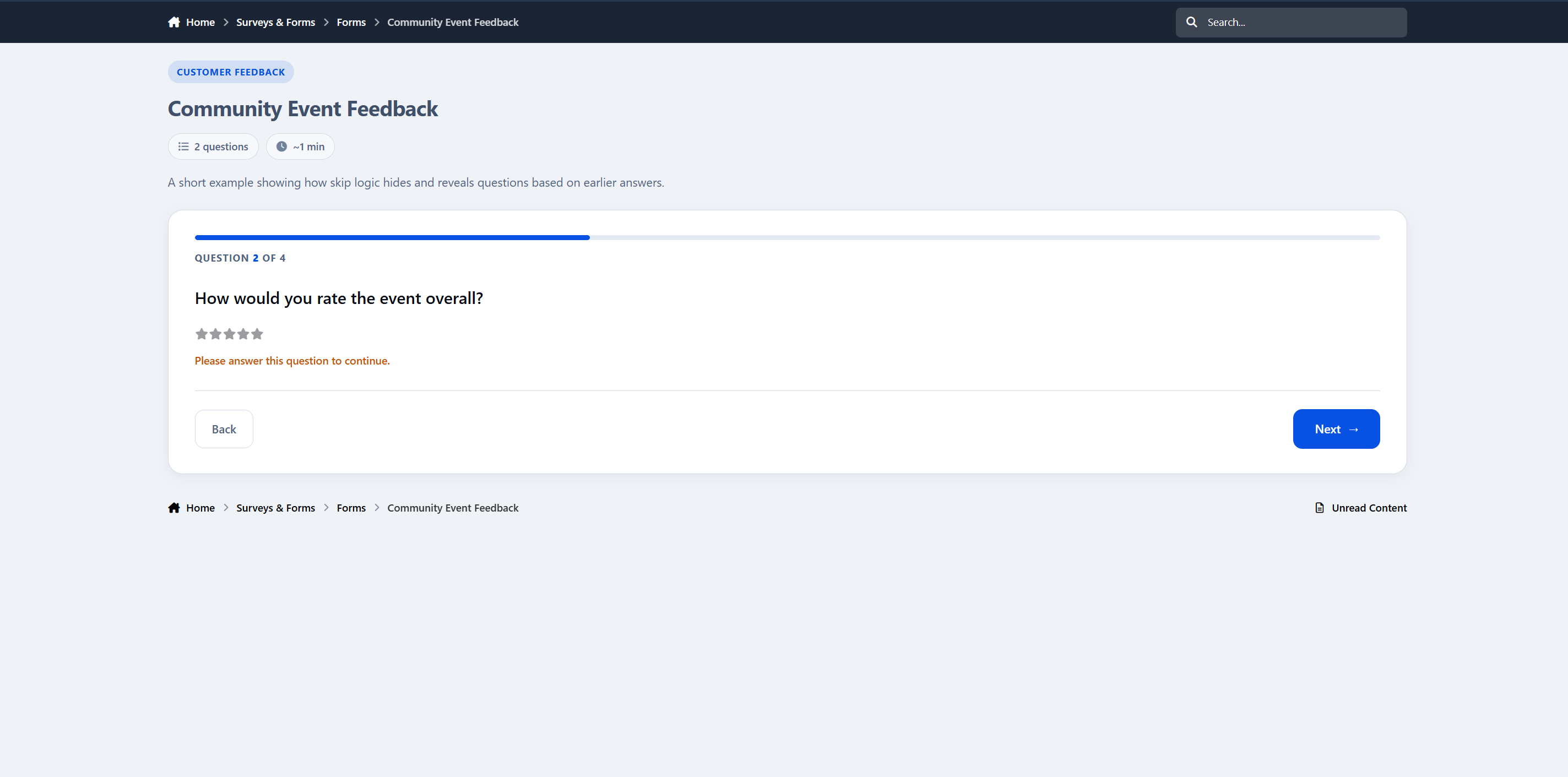
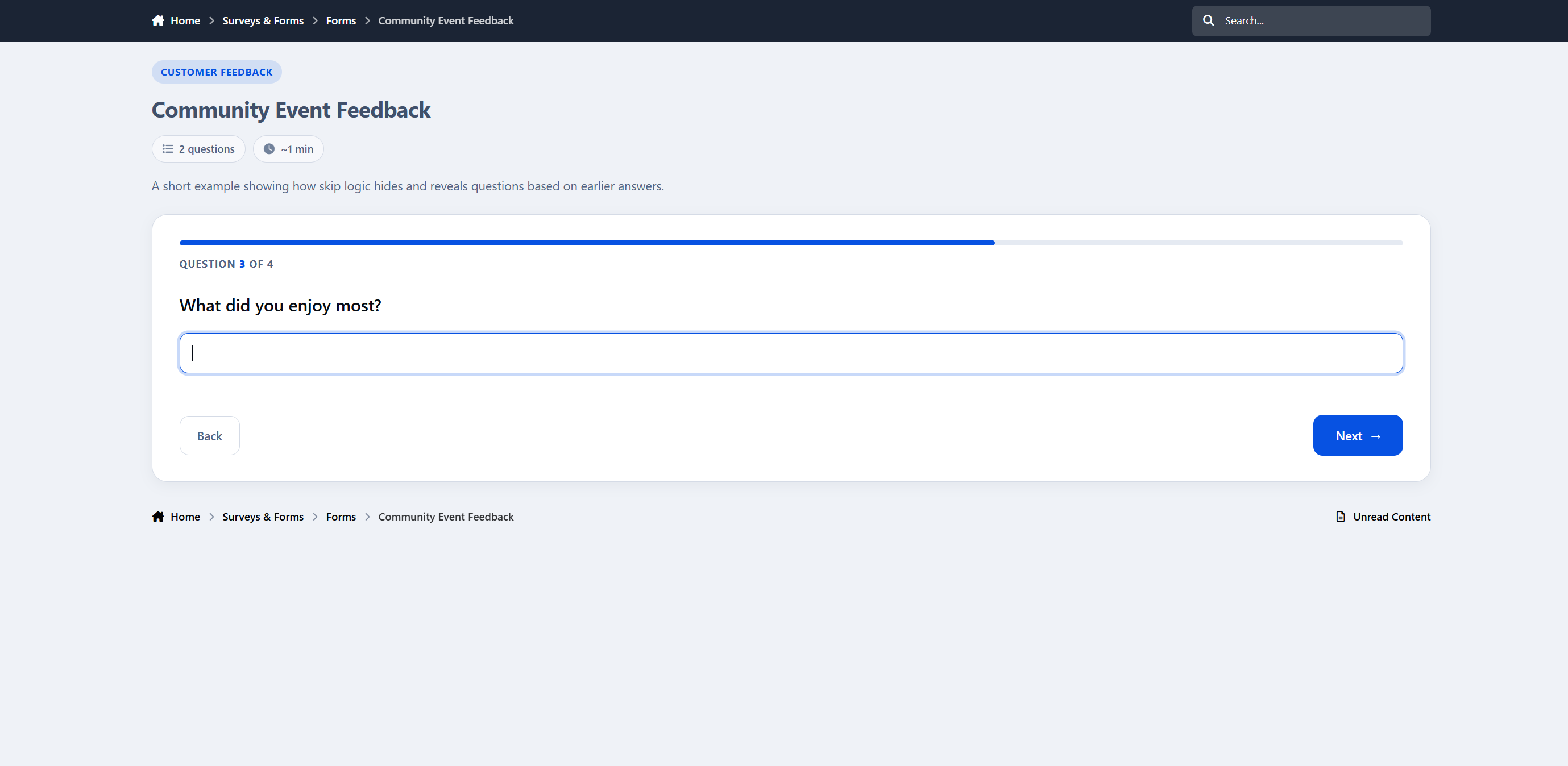
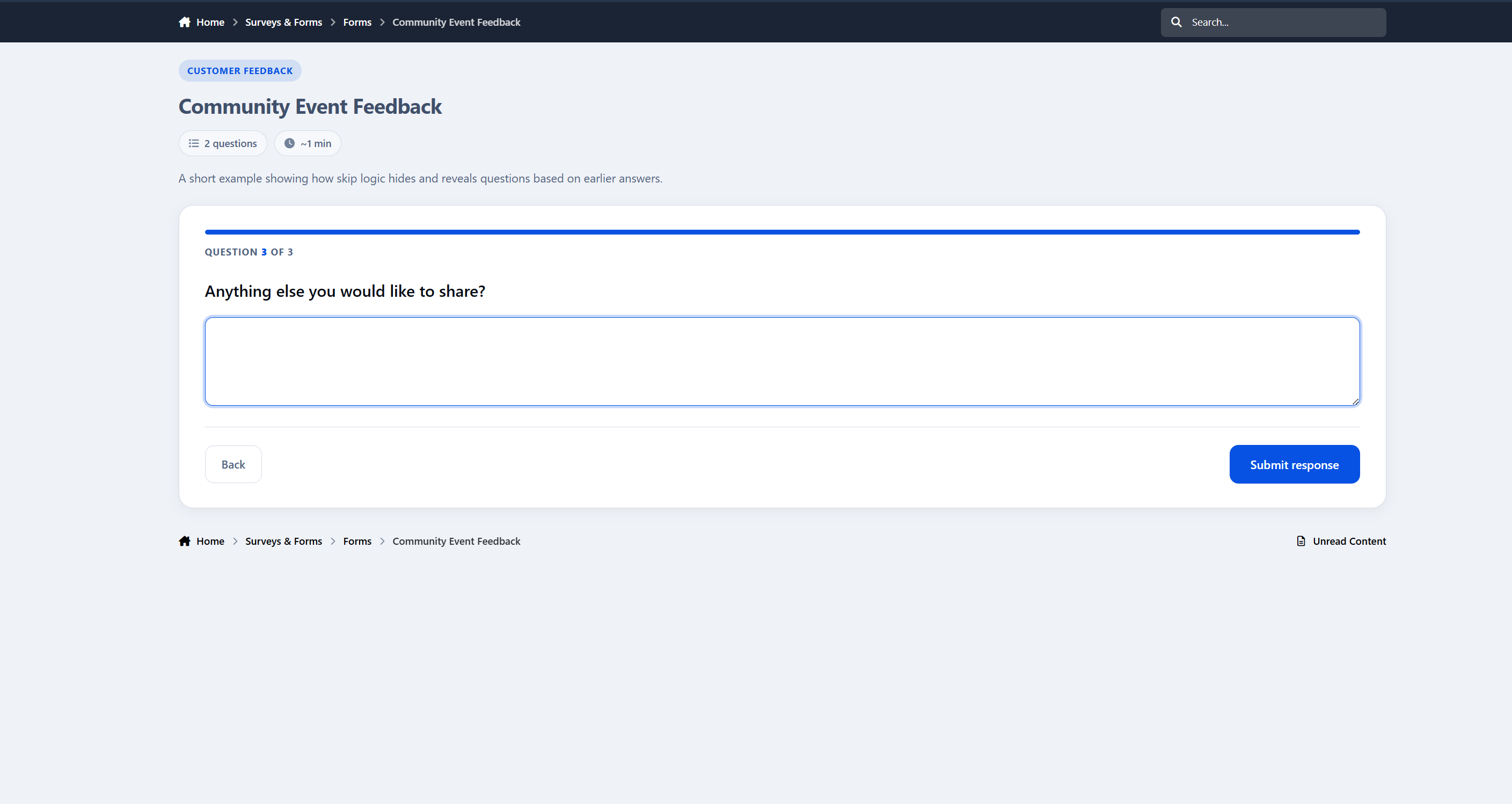
Instead of dumping twenty fields onto a single page, Advanced Surveys presents one question at a time, with a progress bar, a clear “Question 4 of 12” counter, and Back and Next controls. Members always know how far they have to go, can answer at their own pace, and are never overwhelmed by a wall of inputs.
The flow includes:
A live progress bar and step counter
Required-question protection, so mandatory answers are not skipped by accident
An estimated completion time and question count up front
An anonymous badge when responses are not tied to a name
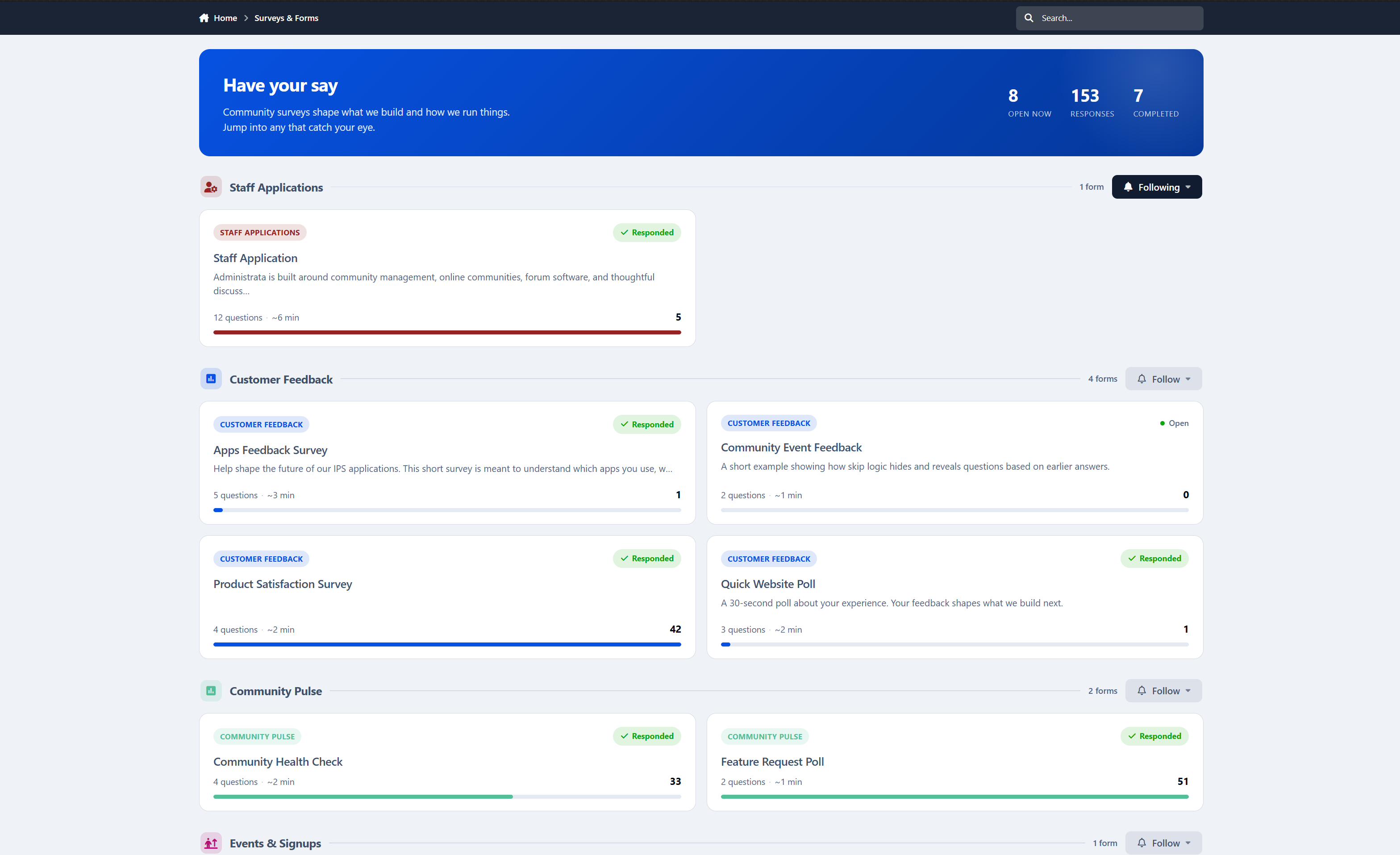
Category color theming and fa icons so each form feels connected to its section
Conditional questions appear inline the moment they become relevant, directly after the answer that triggers them.
Question types
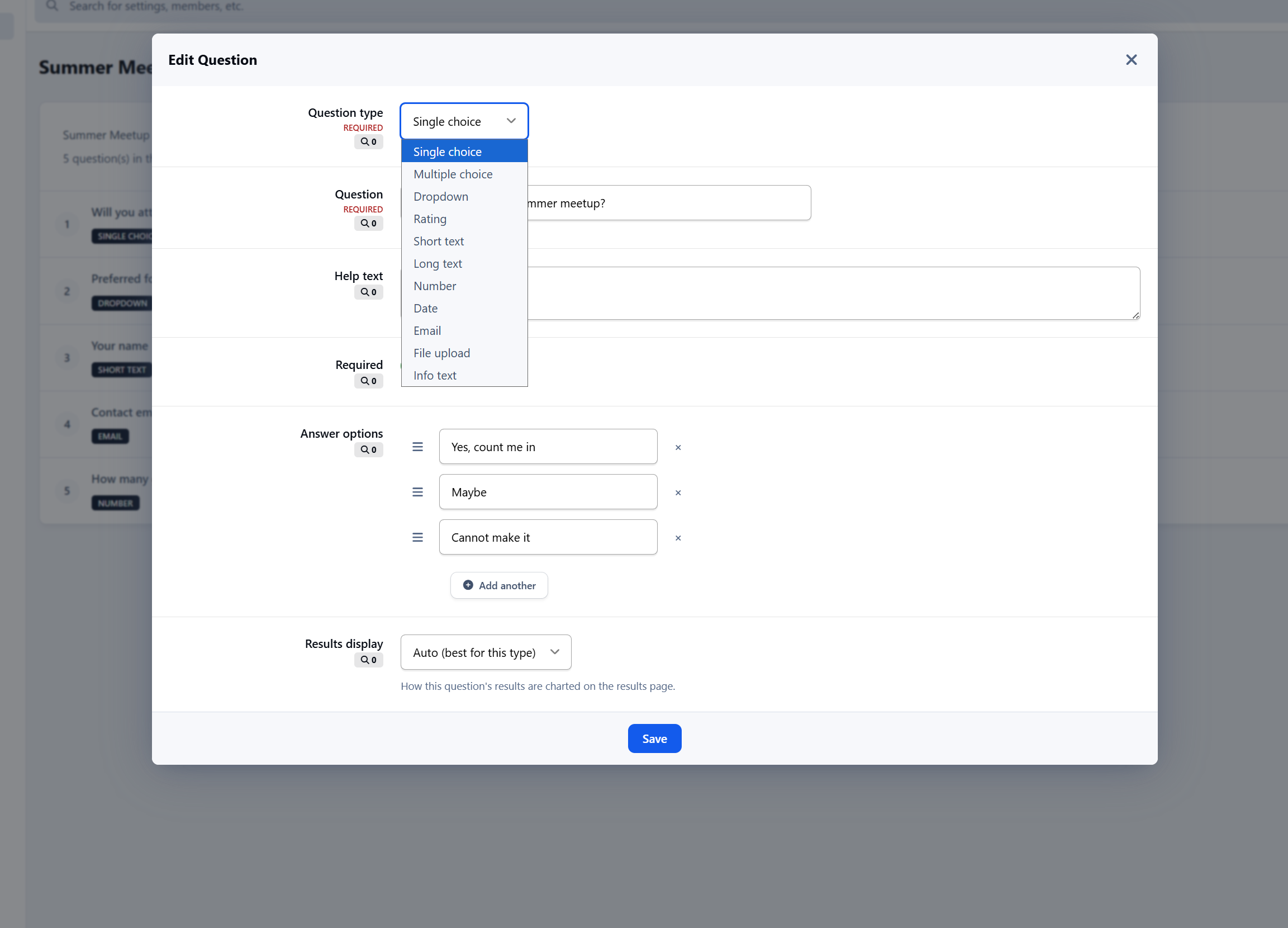
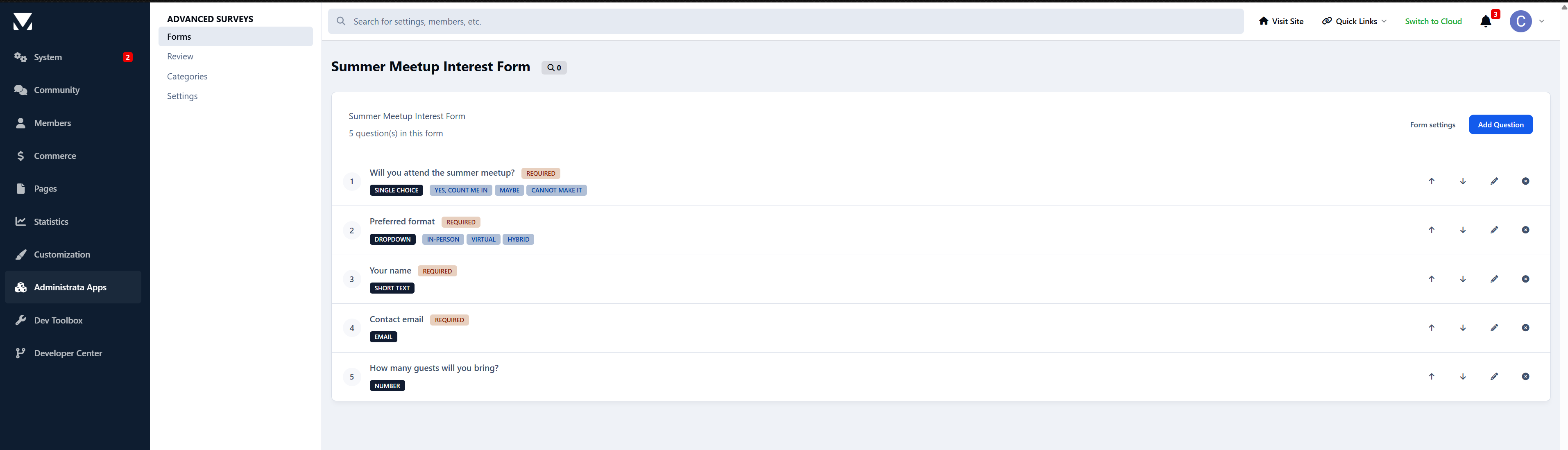
Eleven question types cover just about anything you would want to ask:
Single choice
Multiple choice
Dropdown
Rating
Short text
Long text
Number
Date
Email
File upload
Info text and page breaks for structure and instructions
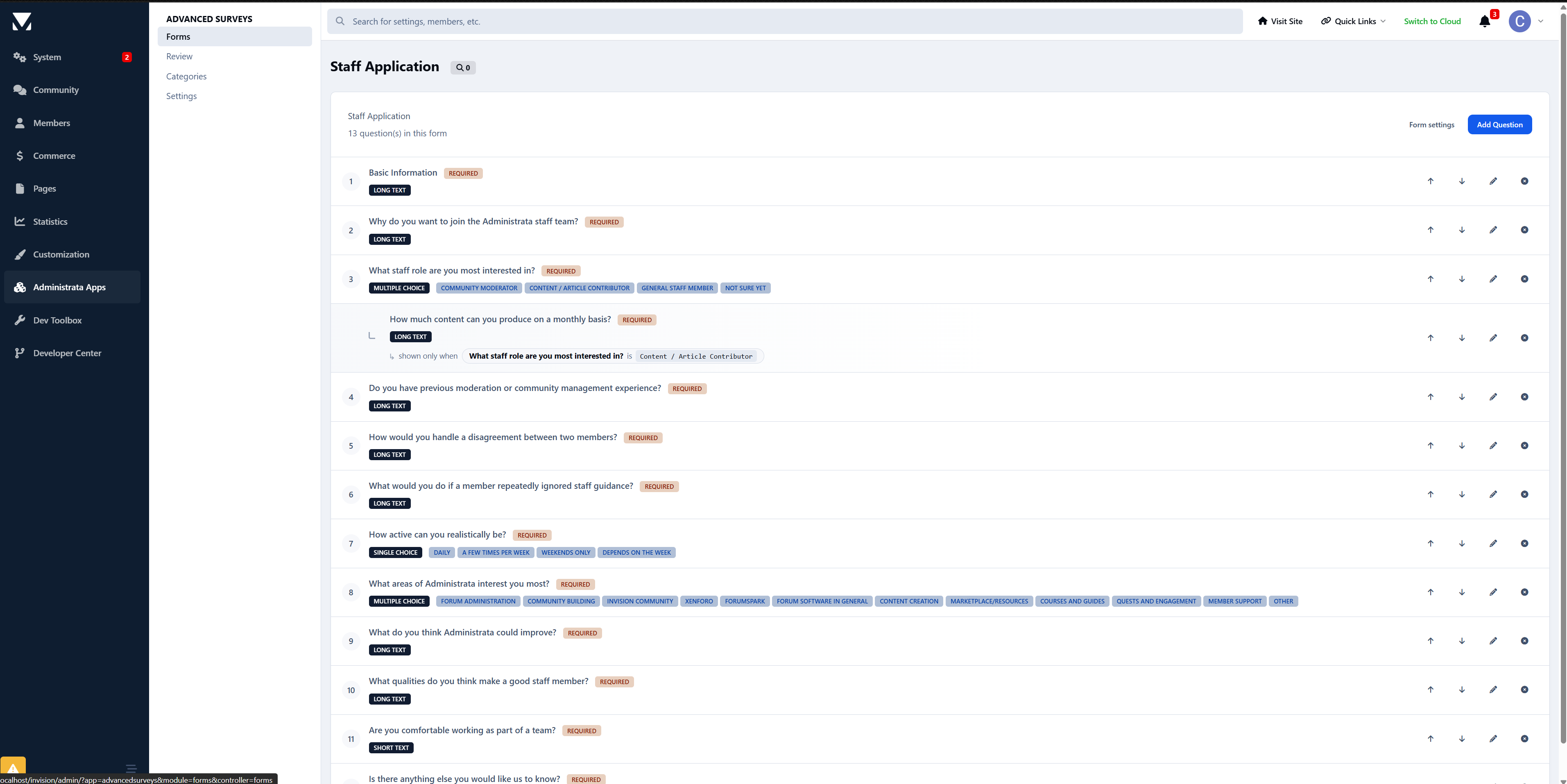
Each question can be marked required, given help text, and reordered in the builder.
Branching and conditional logic
This is where it stops being a plain form.
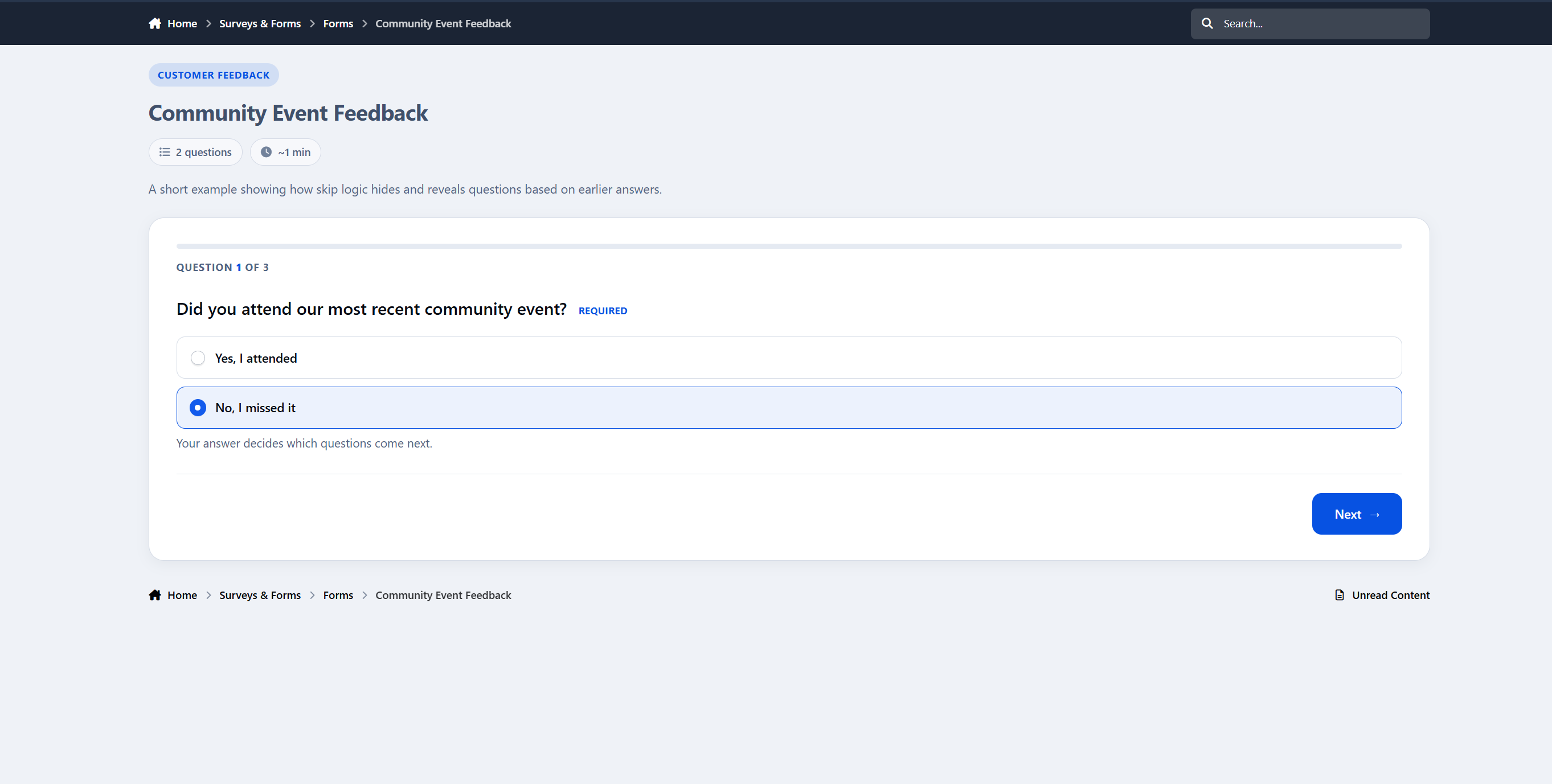
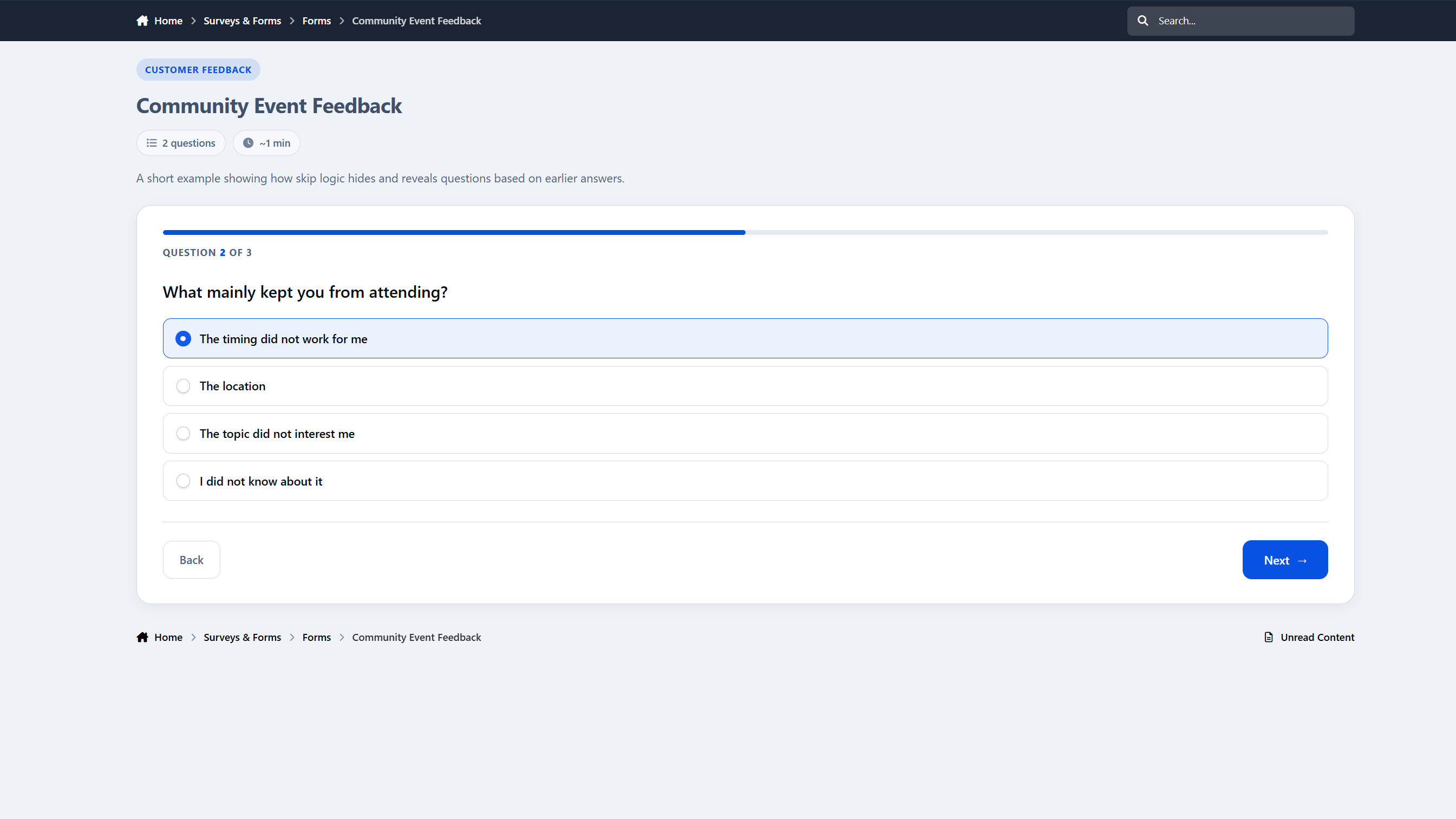
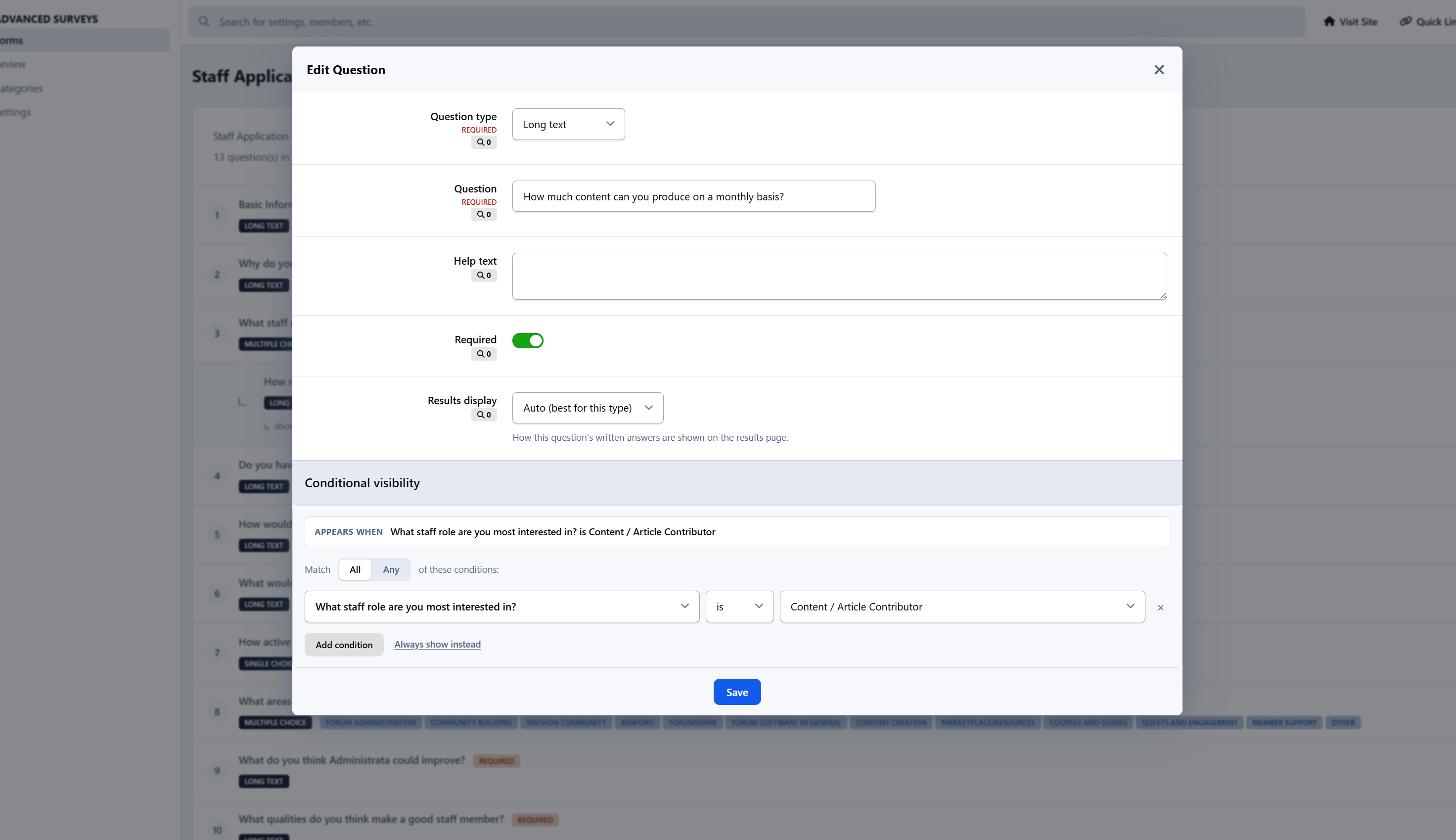
Any question can be shown only when other answers match. Open the conditional visibility panel, choose whether to match All or Any conditions, and build rules like “show this question when Role is Content Contributor” or “when Country is not United States.” Conditions support “is” and “is not,” multiple rules at once, and any choice-based question as a trigger.
The logic runs live as the member fills in the form, and it is enforced again on the server. A required question that was never shown will not block a valid submission, while a required question that was shown must still be answered.
Results as charts
When a form closes, or the moment a member submits, the results page turns raw responses into something readable.
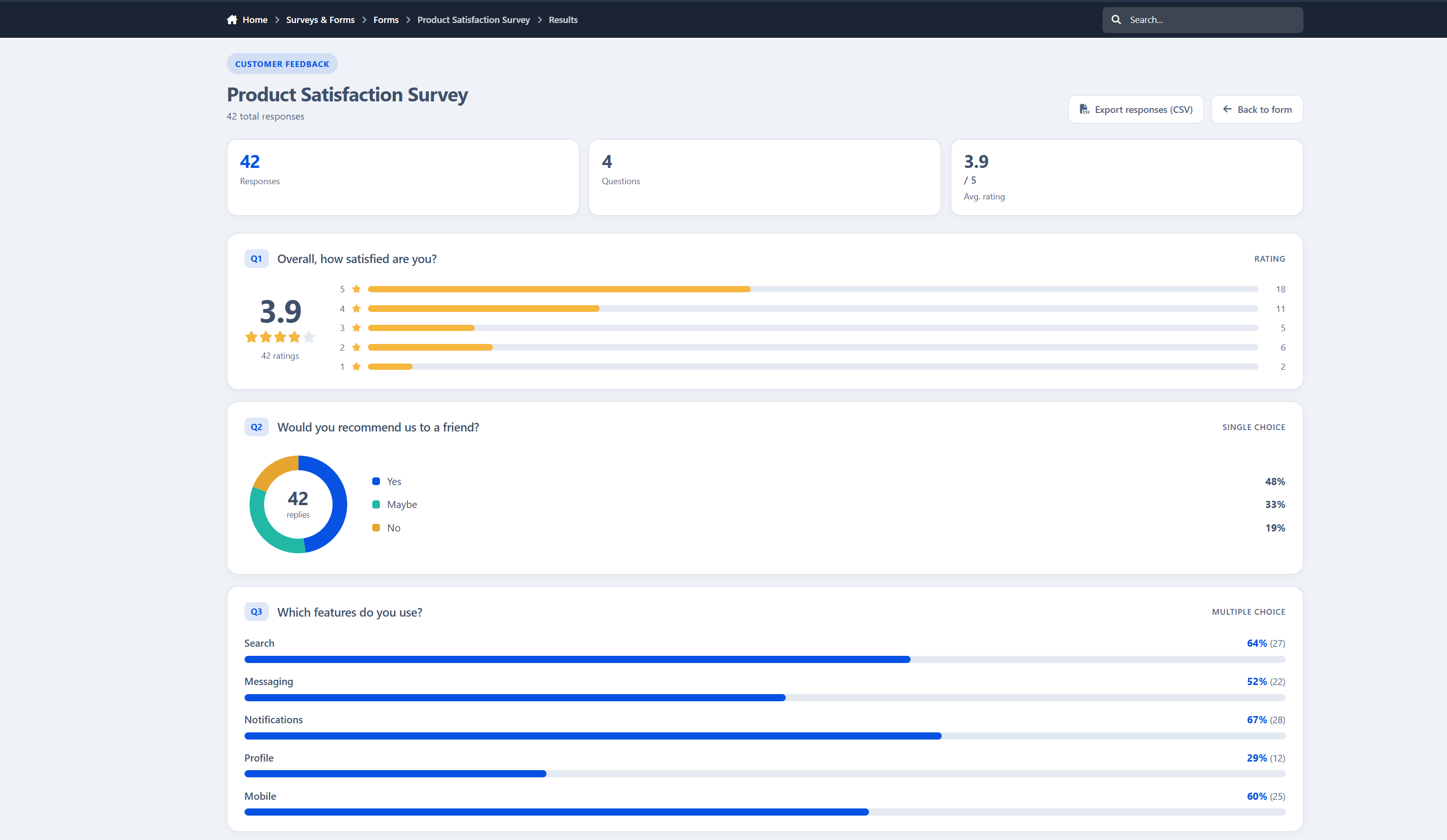
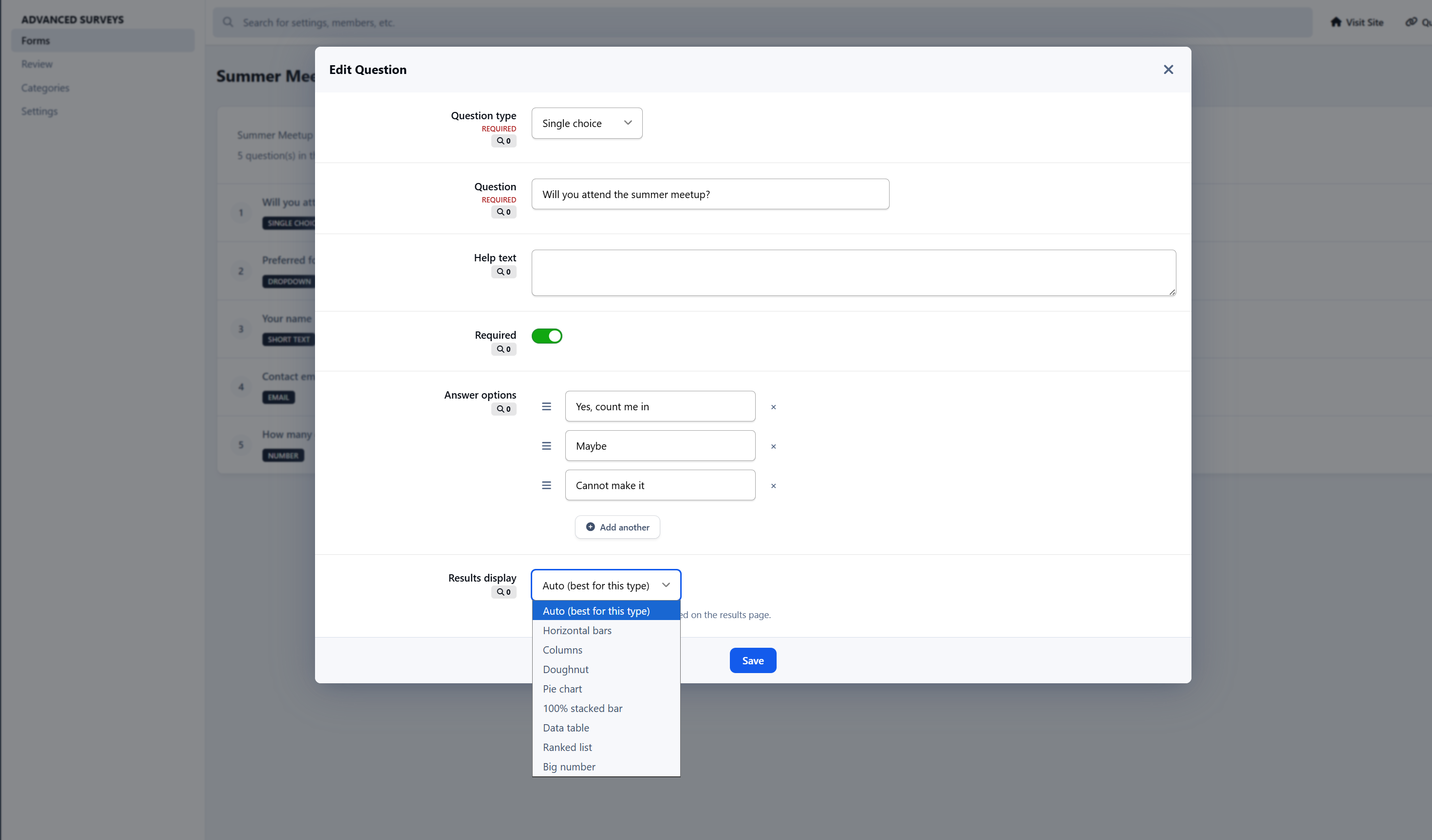
Every question can be charted independently. Pick the style per question or let the system choose automatically:
Horizontal bars and columns
Doughnut and pie charts
100% stacked bars
Ranked lists and data tables
Big number and NPS score
Review summaries for ratings
Emoji faces and word clouds
Charts are rendered with a bundled charting library, so there are no external calls and nothing extra to configure. Prefer the raw numbers? Export any form’s responses to CSV in one click.
Who sees the results
You decide, per form:
Public, visible to anyone who can see the form
After submit, unlocked once a member responds
After close, held back until the form closes
Staff only, kept private for your team
Category permissions can also grant a dedicated results permission, letting specific groups see outcomes without opening them to everyone.
Turn a survey into an application
Advanced Surveys also doubles as a full application system, perfect for staff recruitment, club membership, event signups, or anything that needs a human decision.
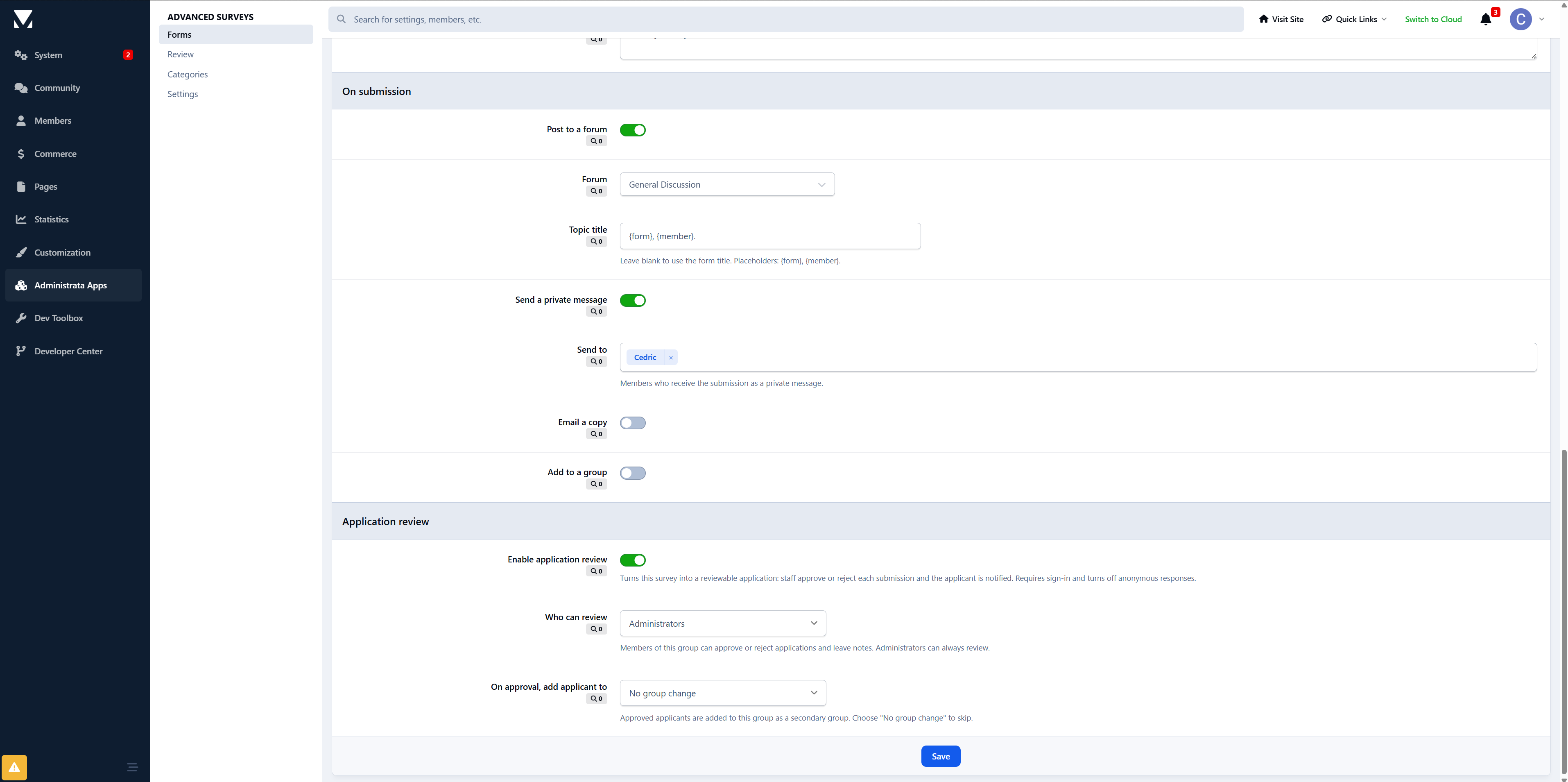
Enable application review on a form and its behavior changes:
Submissions go into a review queue instead of a results chart
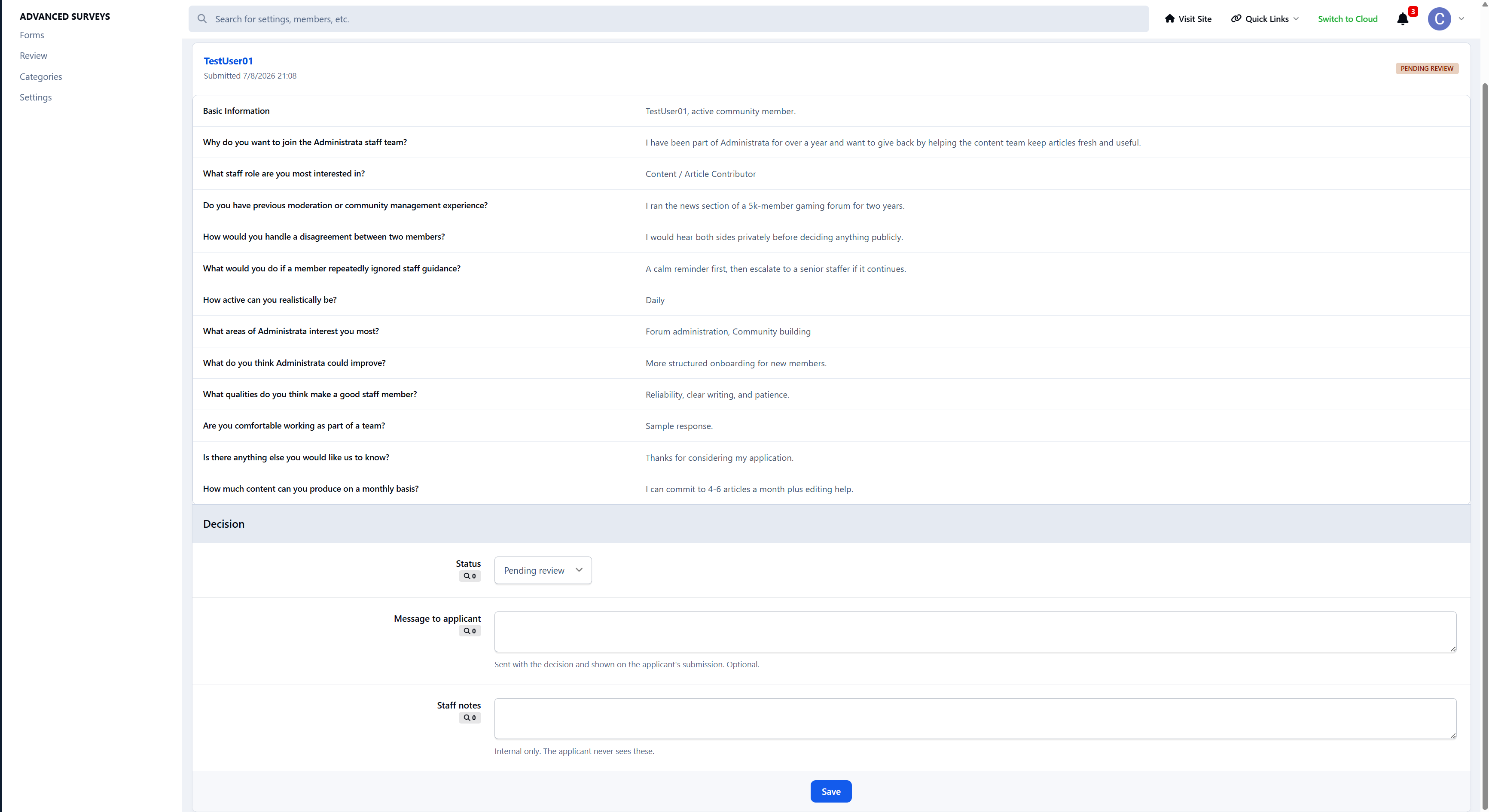
A reviewer group you choose can approve, reject, and leave a private message
Administrators can always review applications
On approval, the applicant can be added to a secondary group automatically
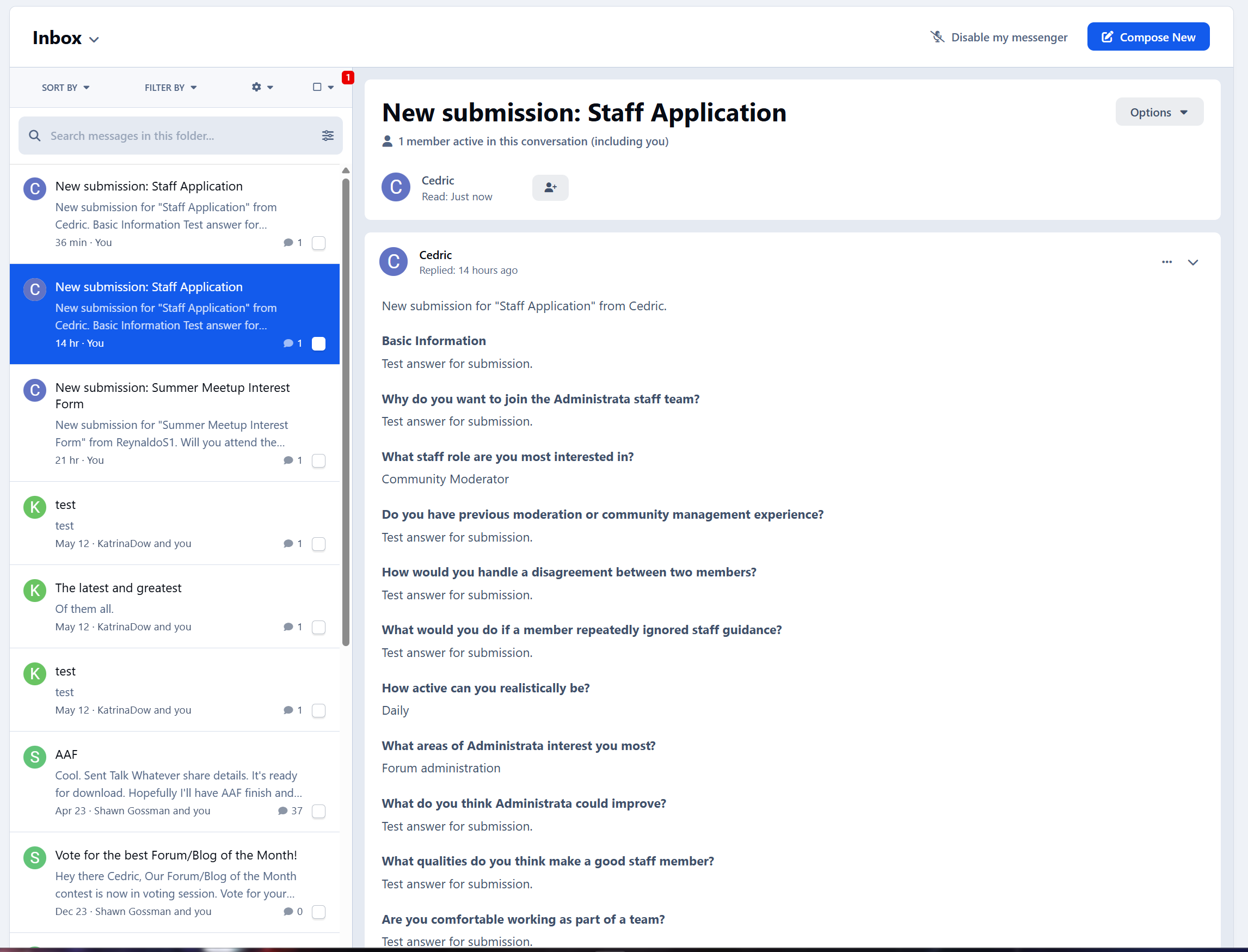
The applicant is notified of the decision, inline and by email, along with any message the reviewers left
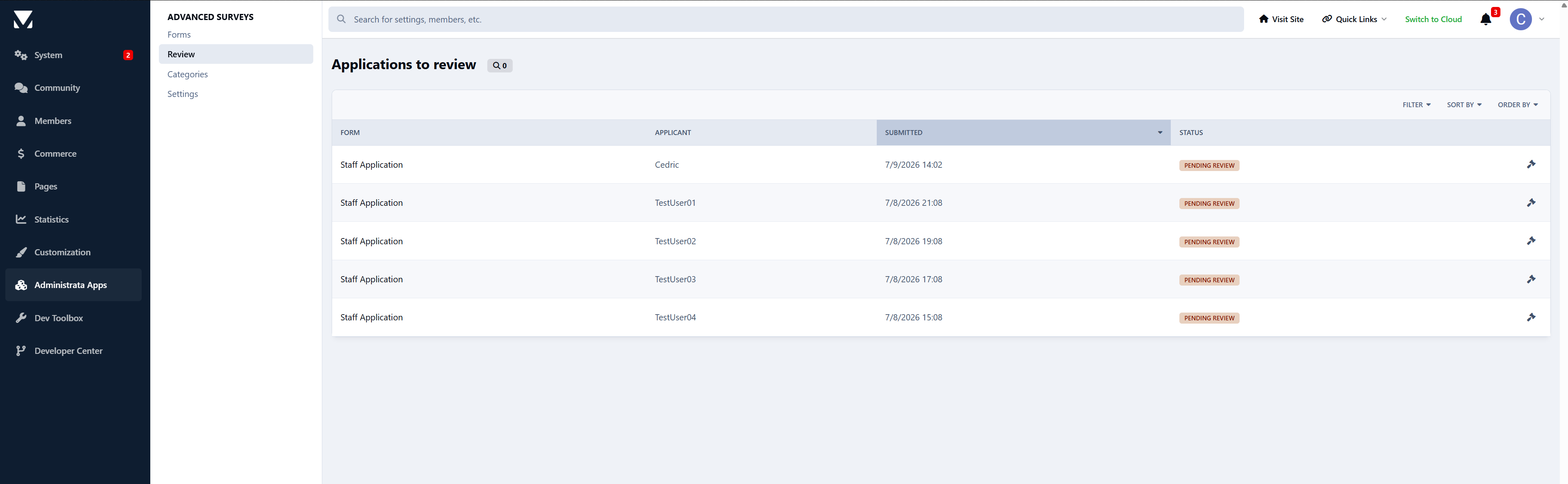
Applications to review queue in the AdminCP, plus a compact question-and-answer review panel with applicant details and a status badge. Applicants get their own “My applications” view, where they can see exactly what they submitted and whether it is pending, approved, or not accepted.
Categories and permissions
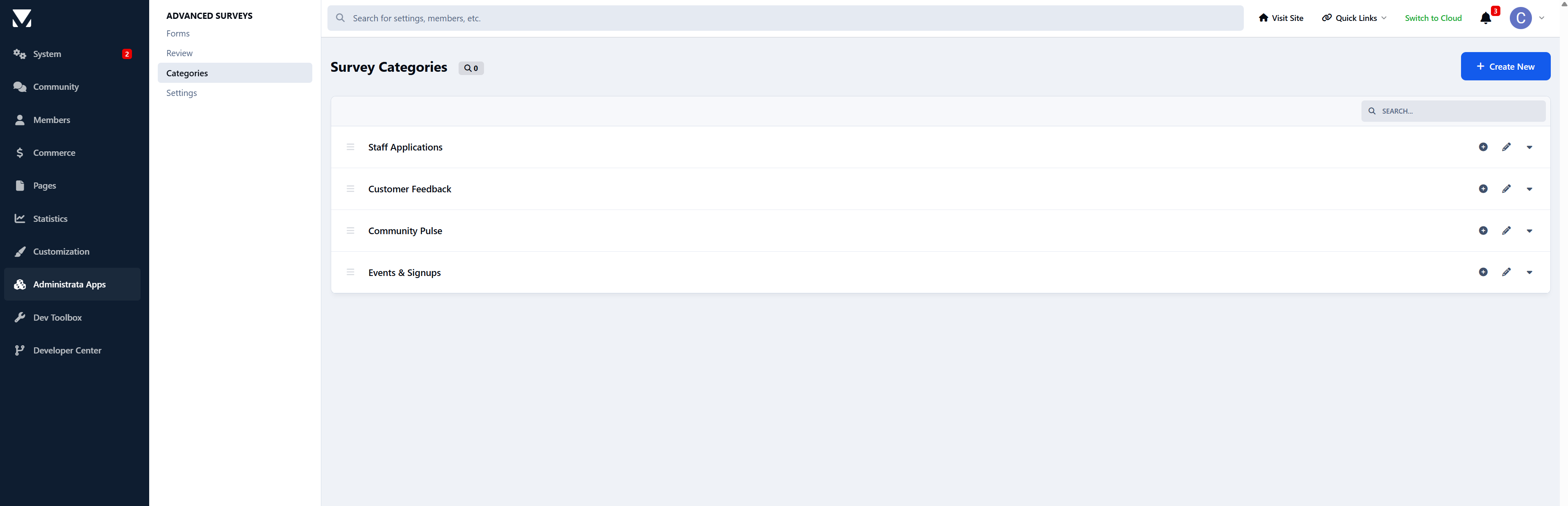
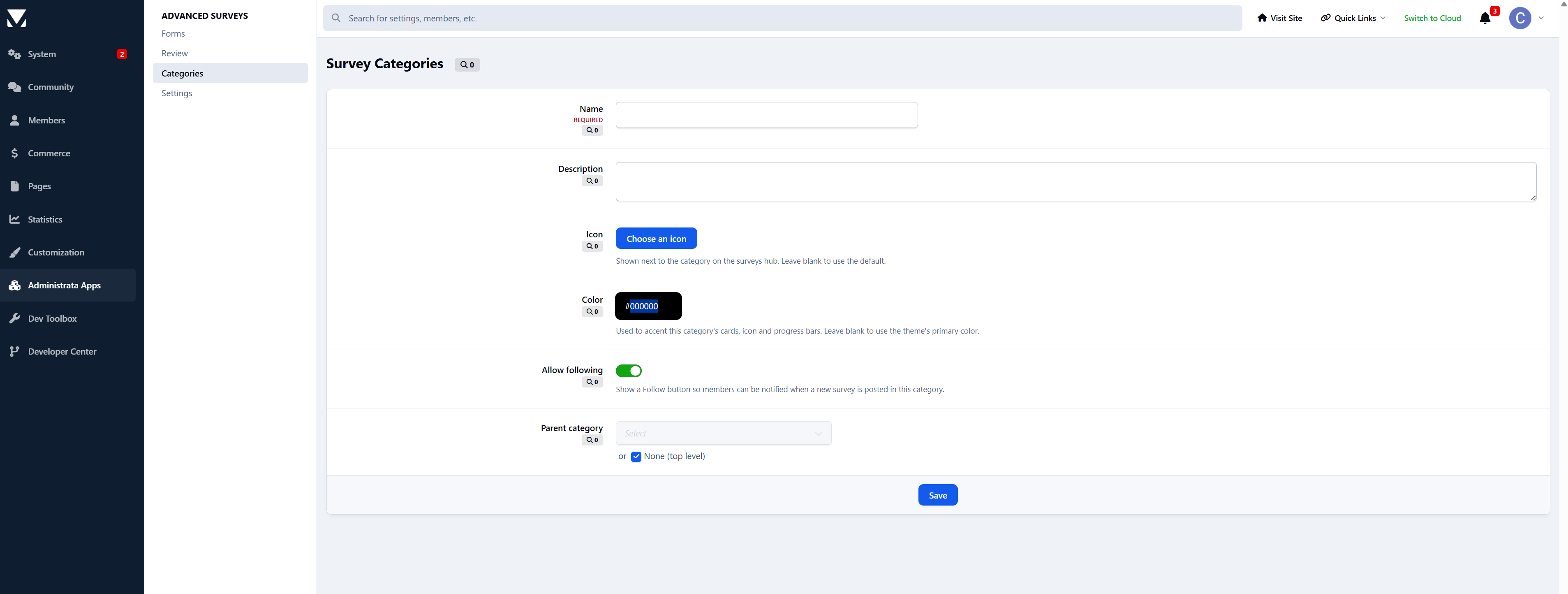
Forms live in categories with nesting, drag ordering, colors, and icons. Every category carries the standard Invision permission matrix, so you control who can view, who can respond, and who can see results section by section.
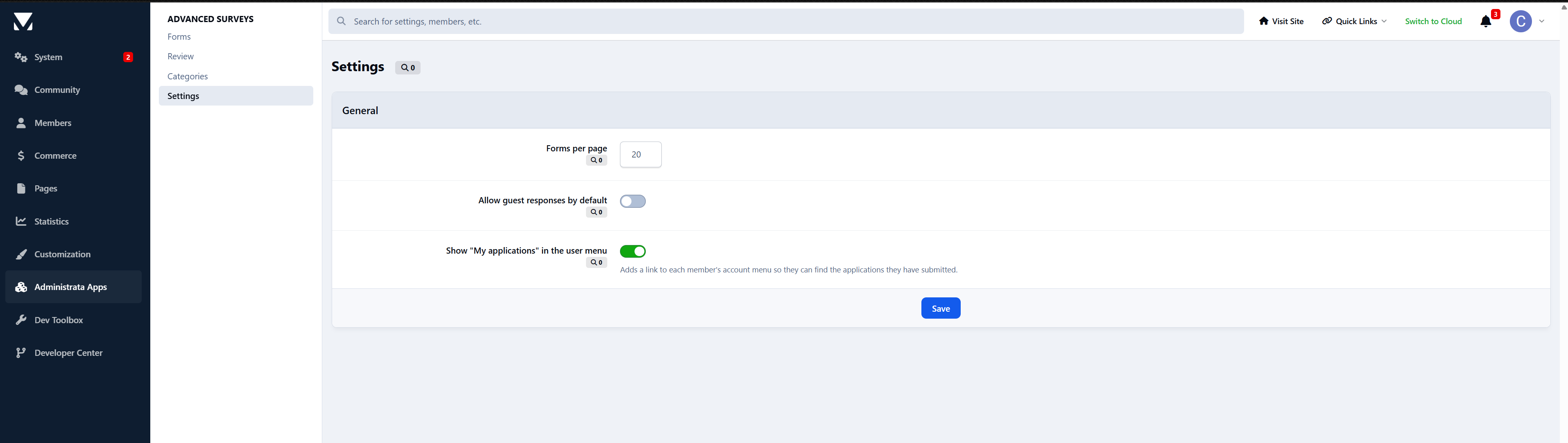
Guests can be allowed or blocked globally, and any form can require sign-in on its own.
Response controls
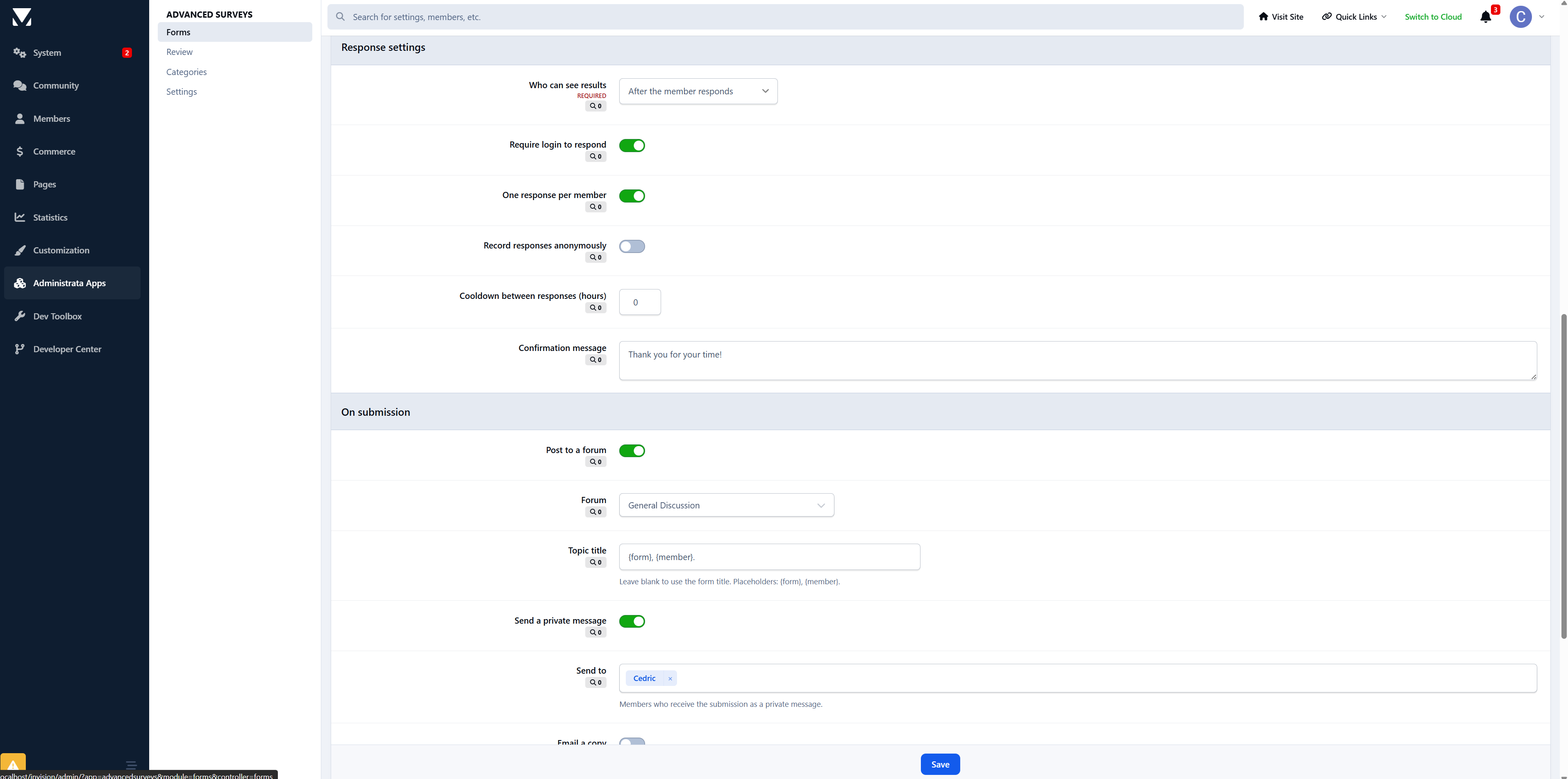
Fine-tune how each form behaves:
Require login, or allow guests
One response per member, or allow repeats
Set a cooldown before a member can respond again
Schedule opening and closing dates
Show a custom confirmation message after submission
Notifications
Advanced Surveys uses the notification system, with inline, email, and push support. Members and staff can be notified about:
New responses on a form they own or manage
A survey closing soon
Results becoming available
A new application waiting for review
An application being approved
An application being rejected
A background task handles closing reminders and results notifications automatically.
Built into Invision, not beside it
Global search and activity stream integration
Following, with notifications on new activity
Moderation, hiding, and reporting through the standard tools
A followable, permission-aware hub with a hero and live stats for open forms, total responses, and completed counts
A Recent Surveys widget you can place anywhere blocks are supported, including Pages layouts
Admin control panel
Visual question builder with question type, required toggle, help text, reordering, and conditional visibility
Cross-form application review queue
Category management with permissions, colors, and icons
Per-question chart selection on the results side
CSV export of responses
Settings for guest access, per-page counts, and the member-facing applications link
Granular admin restrictions for forms, categories, and settings, so you can give staff exactly the access they need
Perfect for
Advanced Surveys & Forms is ideal for:
Community feedback and opinion polls that deserve more than a one-line poll
Staff recruitment and volunteer applications, end to end
Club membership and event intake
Onboarding questionnaires with branching that adapts to each member
Teams that want clean, shareable charts instead of another spreadsheet
Communities that need some answers public and others locked to staff
Advanced Surveys & Forms 1.0 is just the start. Need a question type or workflow it does not cover yet? Let me know.
-
 1
1
There are no reviews to display.