Invision Community 5
- Category Admin & Mod Tools
- Downloads 71
- Compatibility IC5: 5.0.0+
- Updated
Overview
A complete provider directory and custom work pipeline with guided requests, private discussions, quotes, payments, delivery tracking, and verified client reviewsDescription
Custom work for your community, from first request to five-star review
Commissions is a complete provider directory and client work pipeline for Invision Community v5.
Showcase the people who build for your community, allow members and guests to request custom work through a guided intake process, send quotes, collect payment through Commerce or externally, deliver the work, and gather the reviews that help providers win their next job.
Full demo on https://administrata.net/commissions/
How it works
Providers apply and you decide who gets approved.
Approved providers appear in a public directory alongside their services, portfolio, rating, and Software Marketplace listings. Anyone who needs work completed can choose a specific provider or submit a general request.
After completing a short intake form, the client enters a private request thread where the entire job takes place:
Initial discussion
Scope and quotation
Quote acceptance
Payment
Work in progress
Delivery
Client review
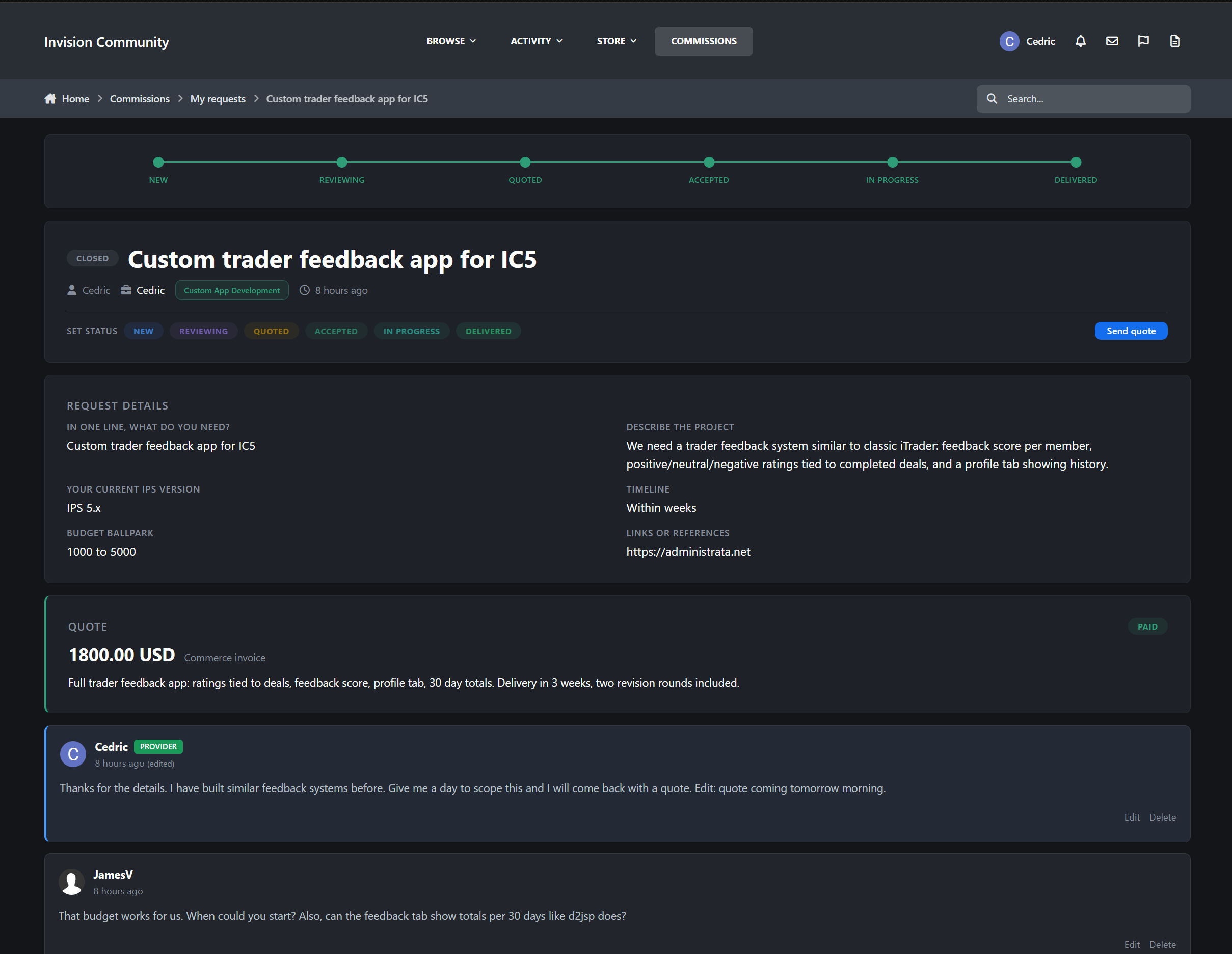
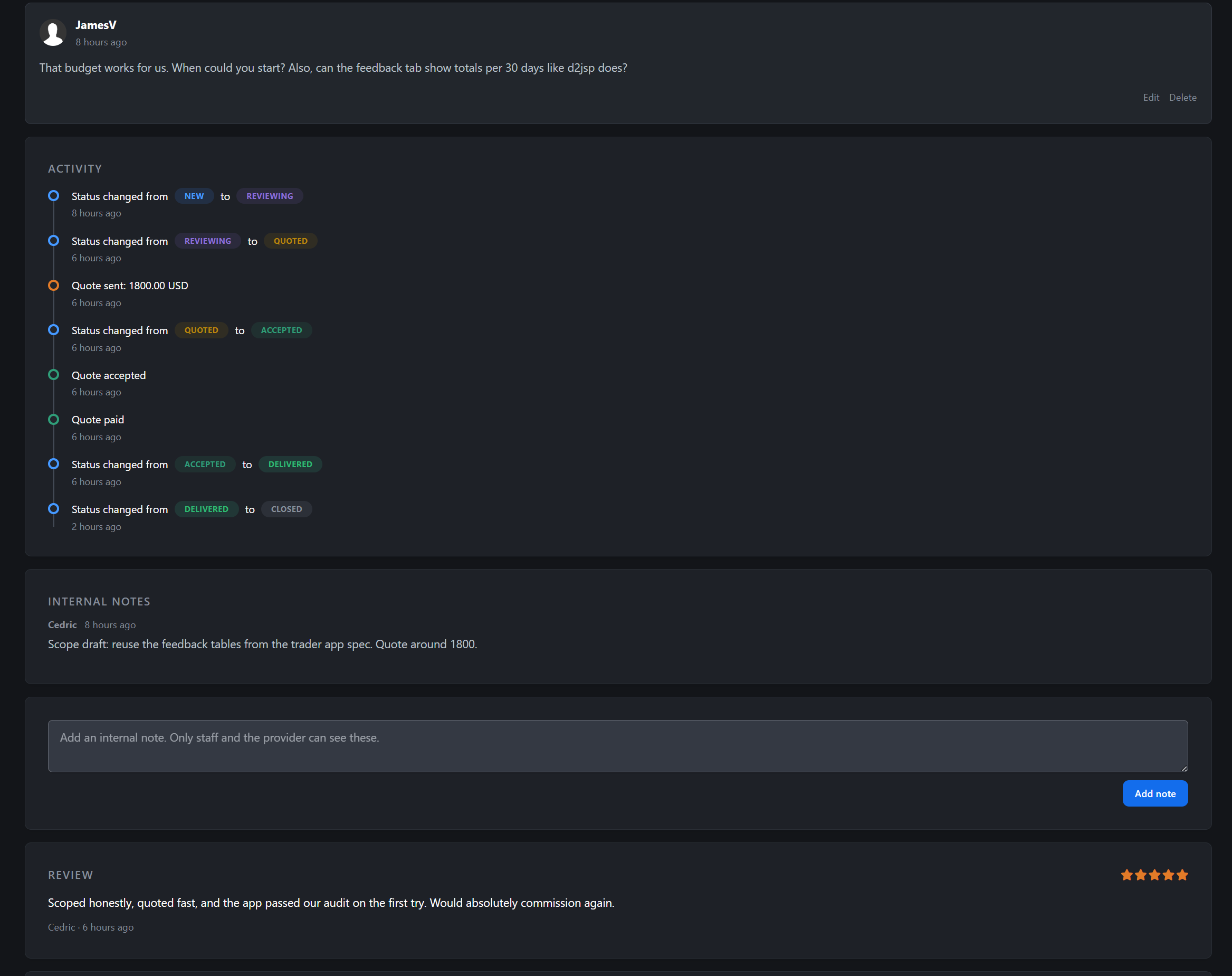
Every step remains visible in one place. A progress tracker at the top of each request shows exactly where the job stands, while an activity timeline records every status change, quotation, acceptance, and payment event.
Nobody has to ask, “Where are we with this?”
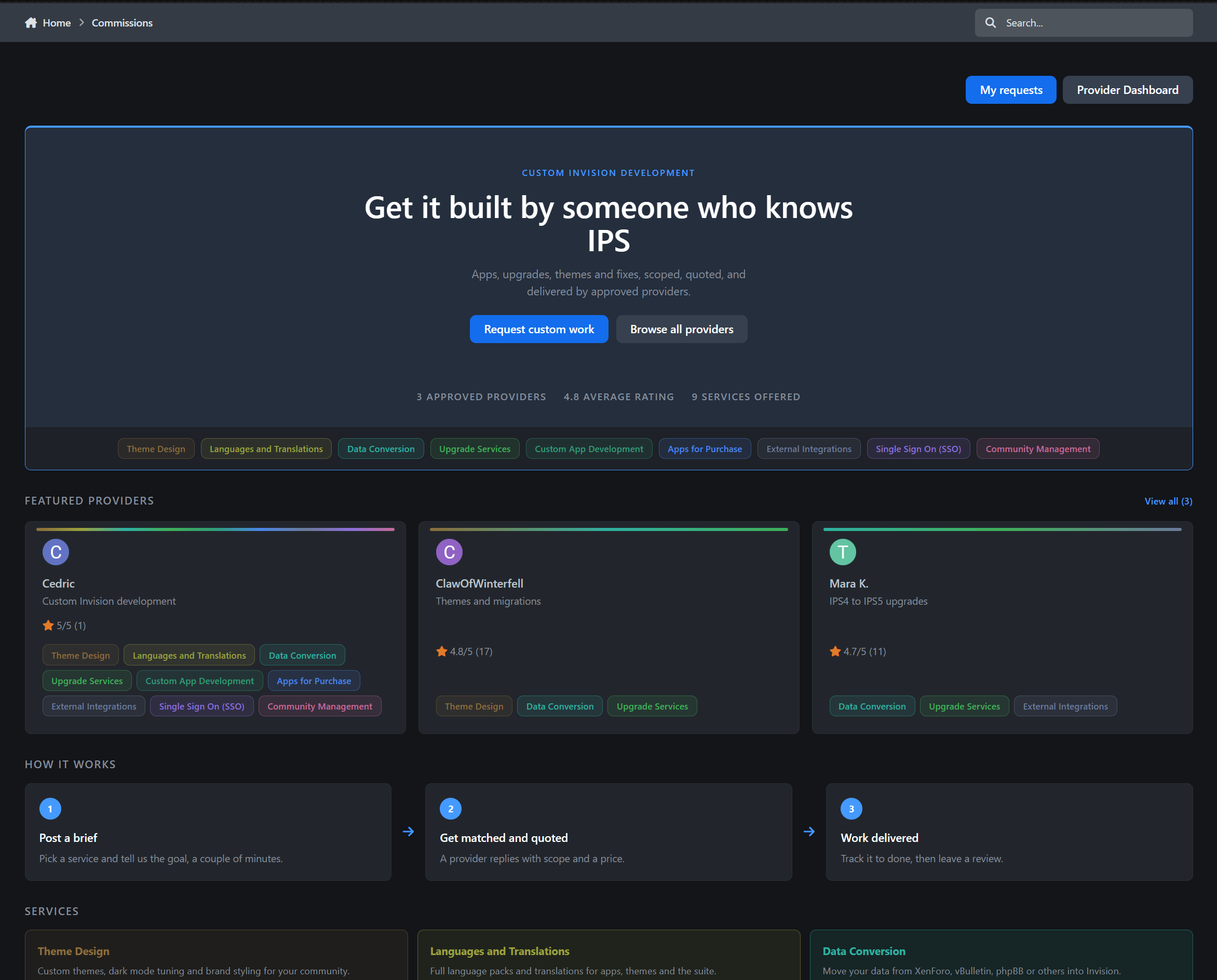
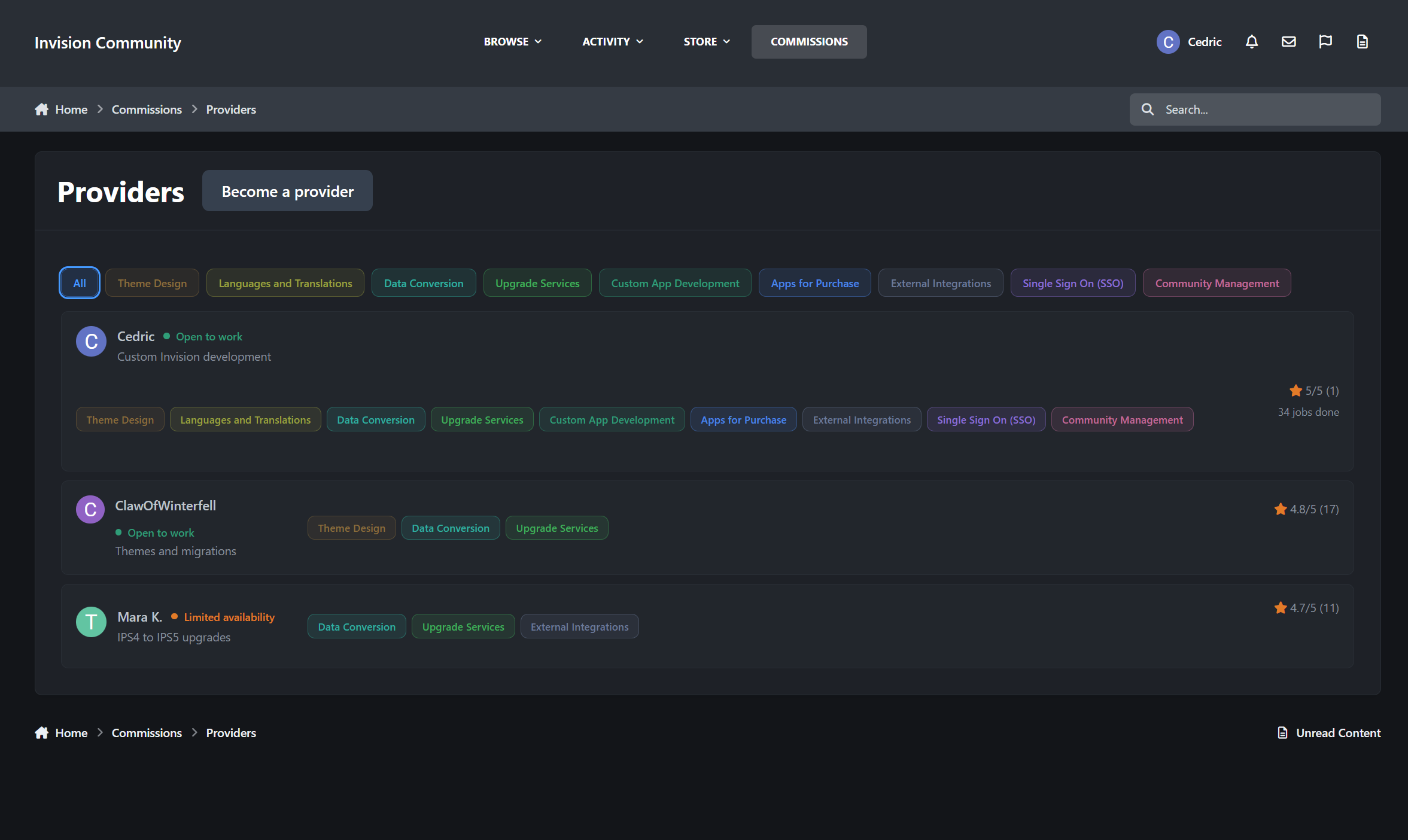
The provider directory
The directory hub welcomes visitors with live statistics, including:
The number of approved providers
Their average rating
The number of available services
Featured providers receive distinctive cards with a colour rail automatically generated from the services they offer. Every provider card feels different without requiring anyone to design it manually.
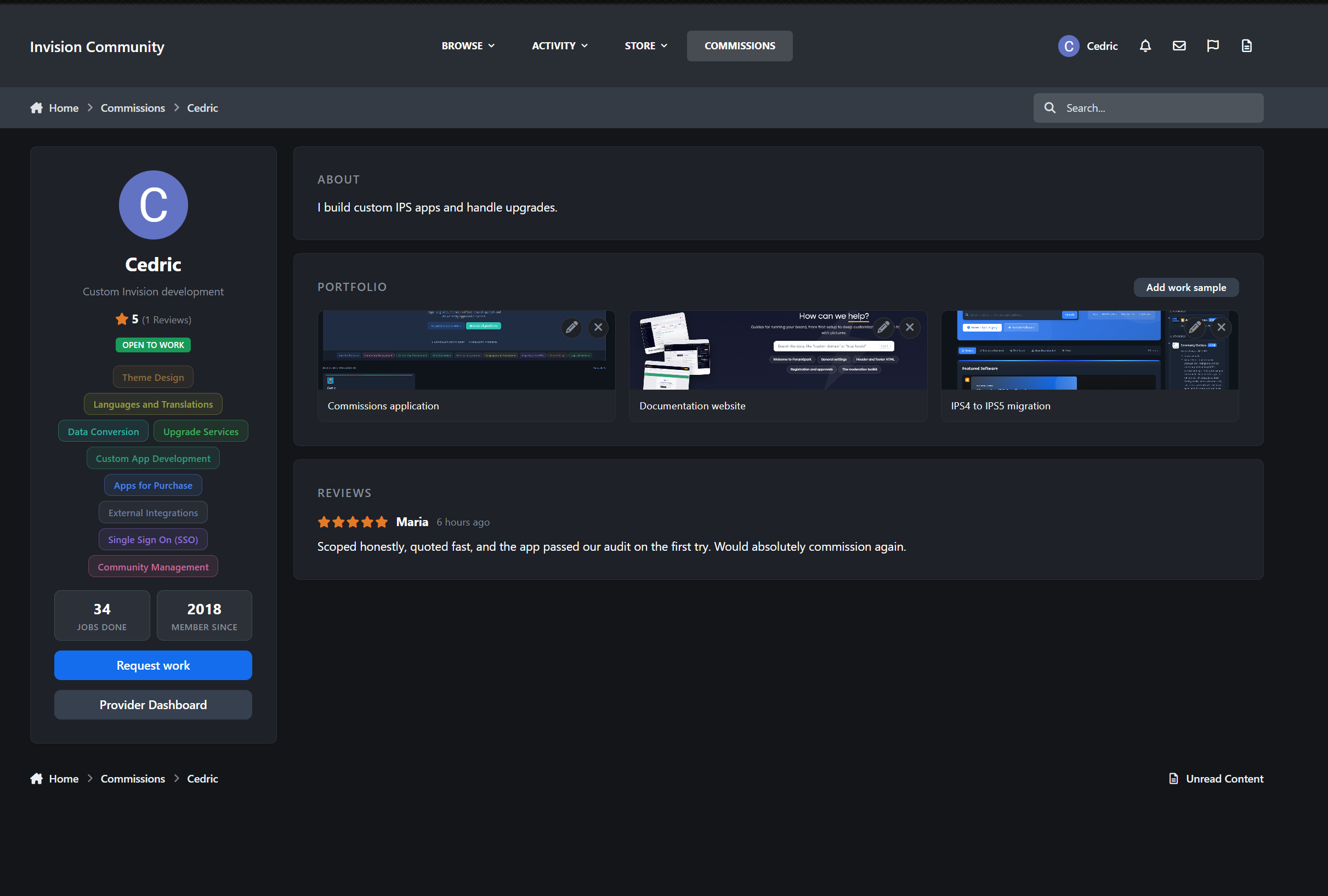
Complete provider profiles
Every approved provider receives a dedicated public profile containing:
A sticky identity panel with their avatar, headline, star rating, availability, and services
A rich-text About section using the full Invision editor
An unlimited portfolio with real image uploads
Their Software Marketplace files
Reviews from completed work
A prominent Request work button that starts a job with them in two clicks
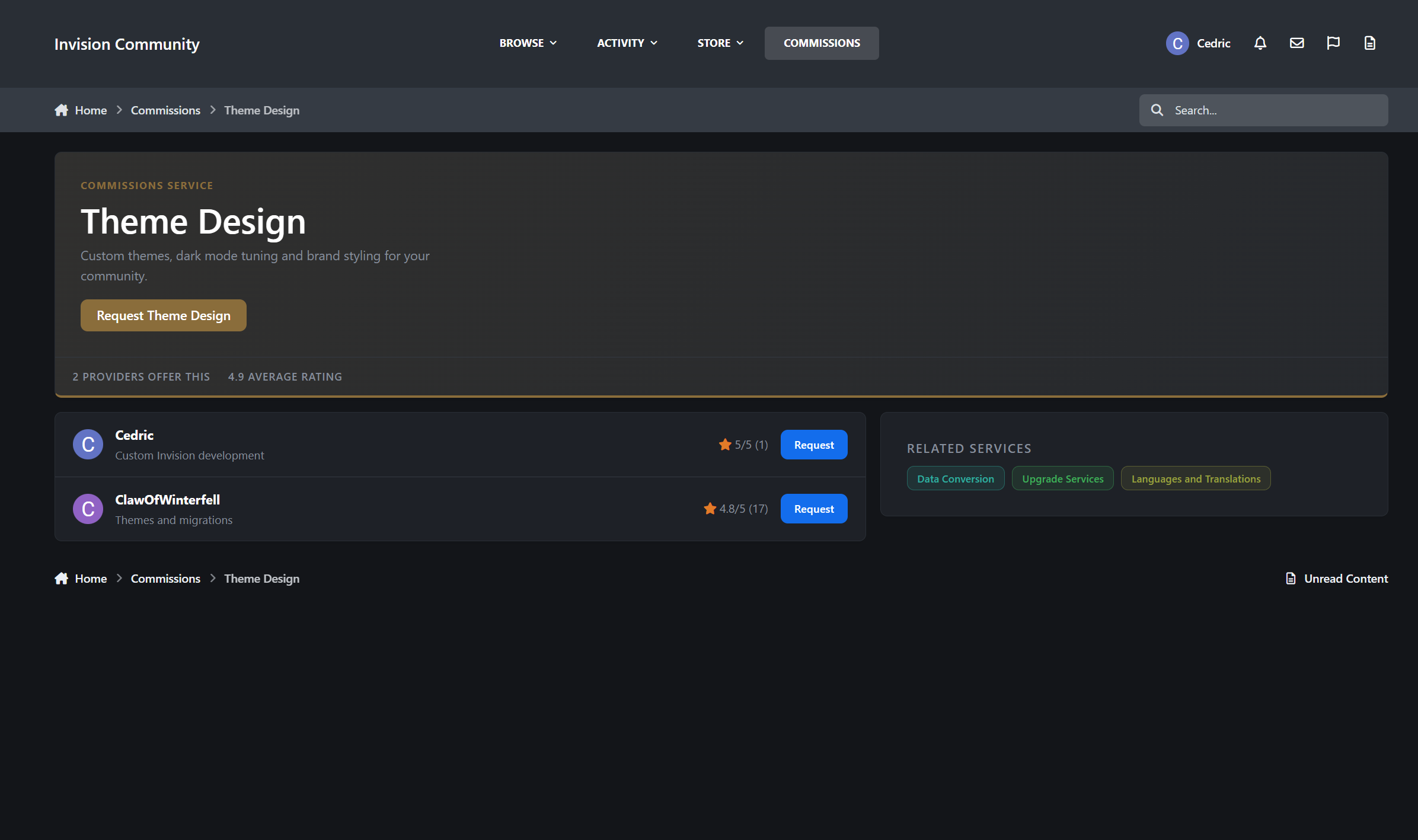
Public service pages
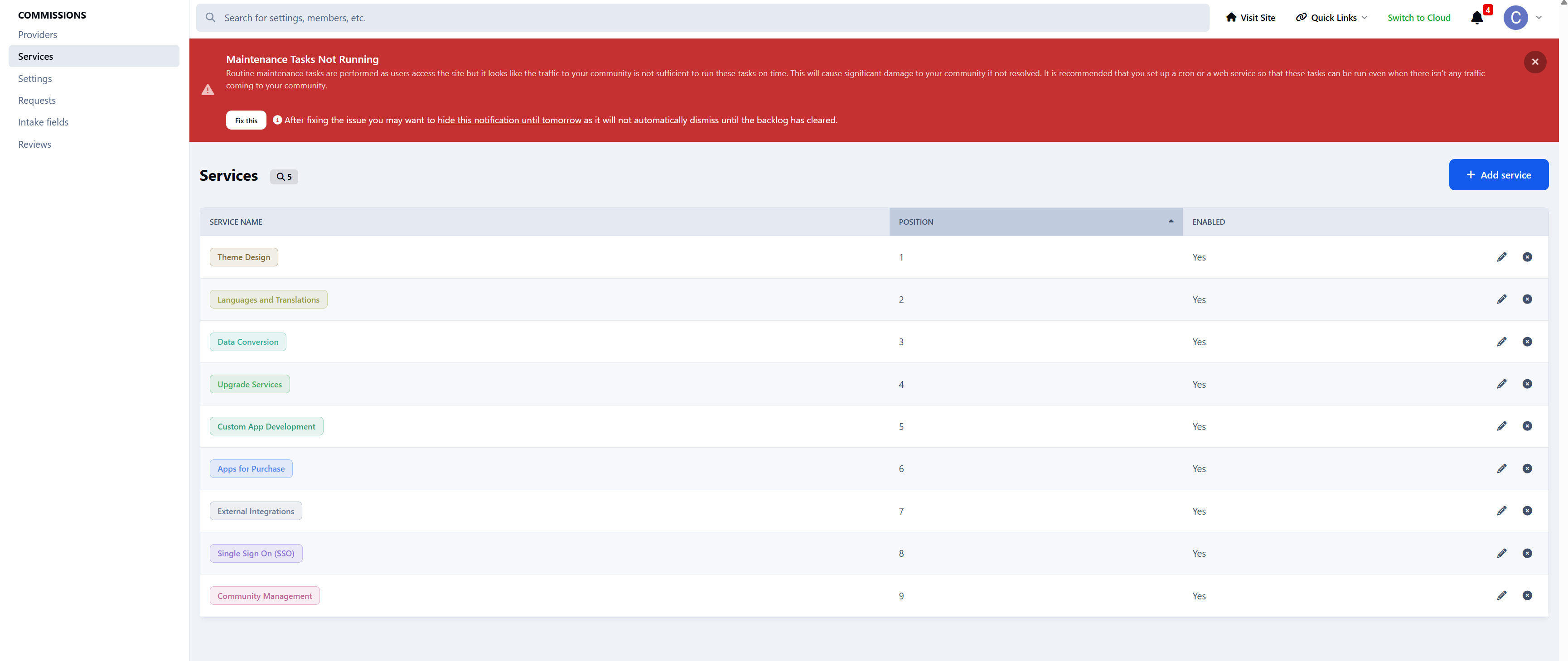
Services are created and managed by administrators in the ACP. Each service can have its own colour and description.
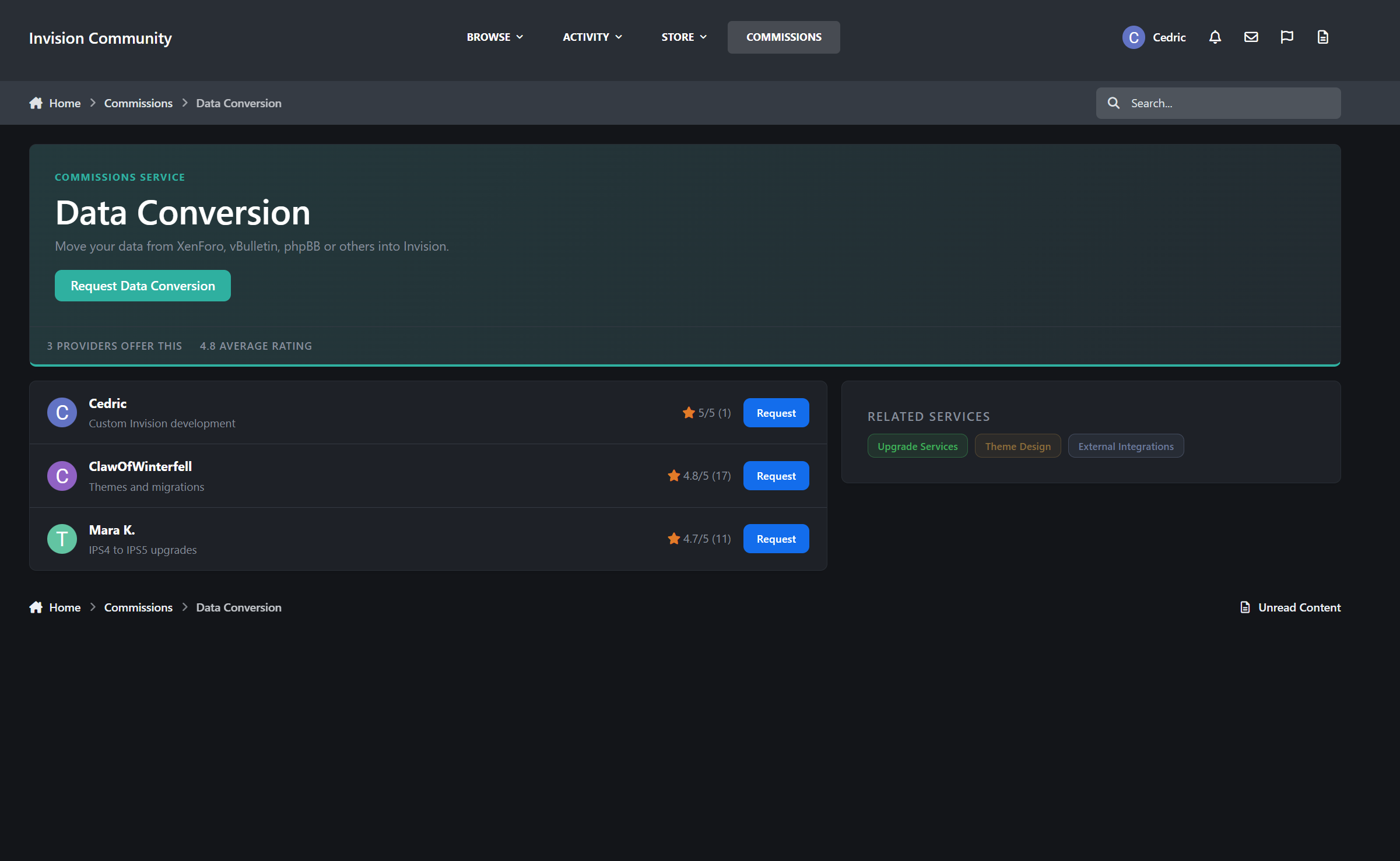
Every service also receives a dedicated public landing page containing:
A tinted service hero
Live trust and activity statistics
Providers offering that service
The latest relevant review
Structured data for search engines
Aggregate star-rating data
Nine services means nine search-friendly landing pages that you never have to write or maintain manually.
The request pipeline
Requests are built as native Invision content items.
That means every request conversation includes the functionality your members already understand:
Replies
Editing and edit history
Deletion
Reactions
Reporting
Attachments through the standard editor
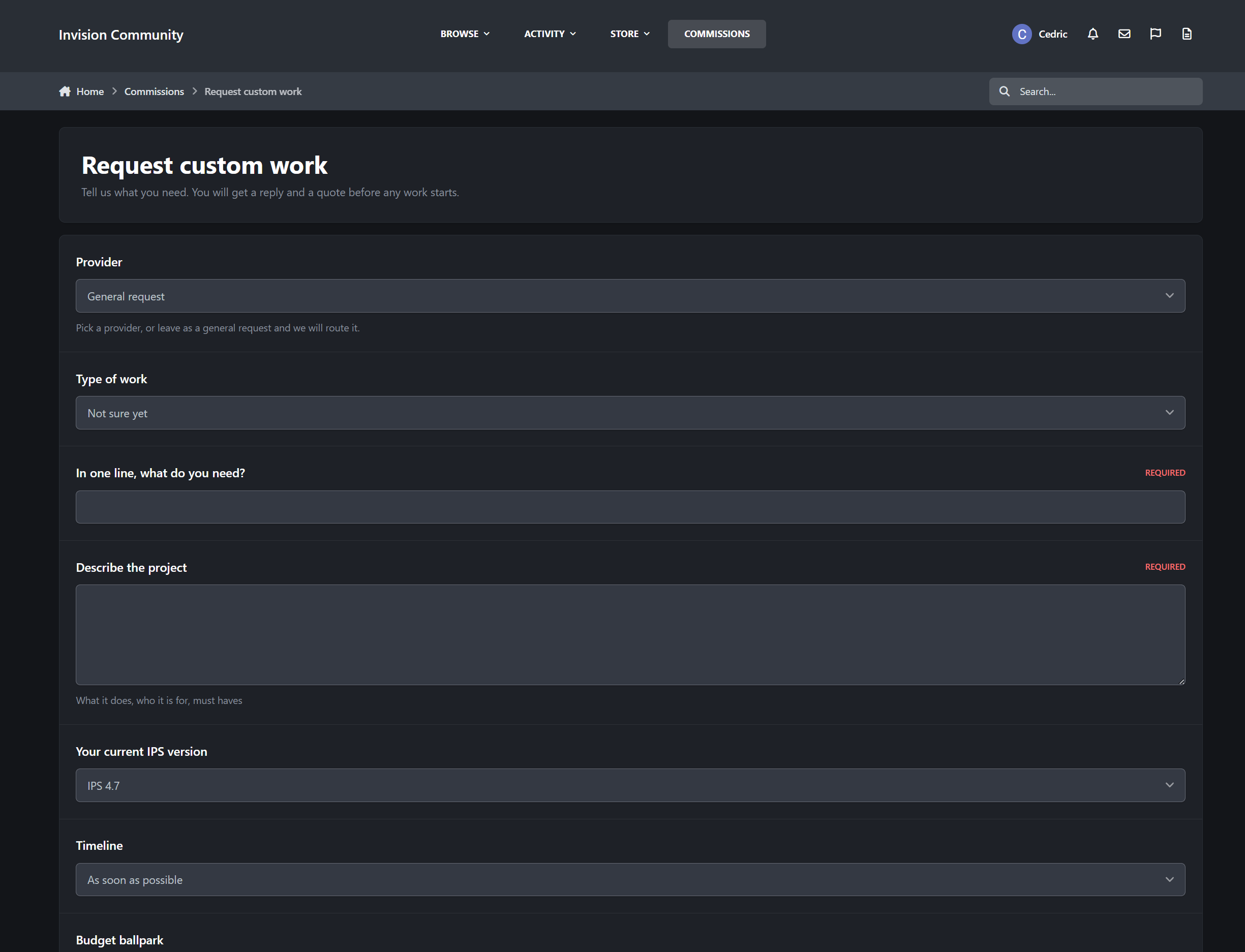
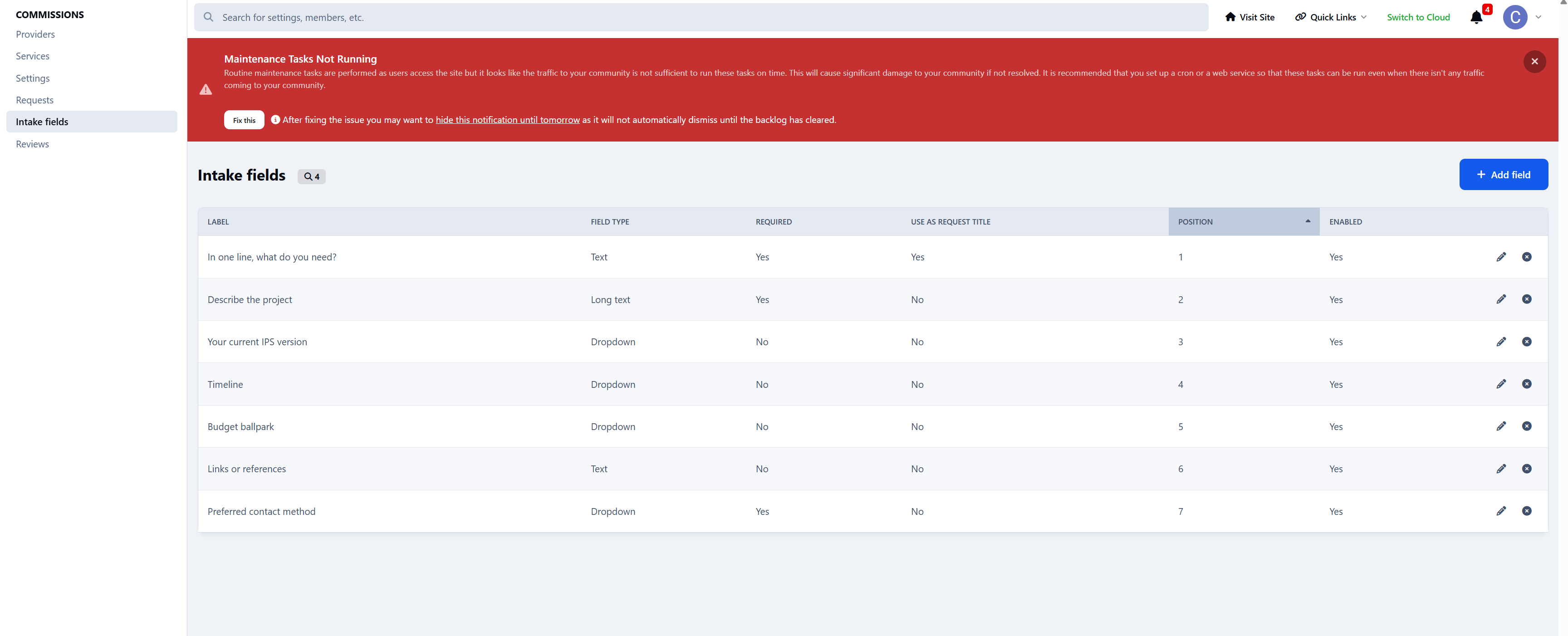
A flexible intake form
You control the request intake form.
Create fields in the ACP, decide which ones are required, and choose which field becomes the request title. Clients can upload screenshots, specifications, archives, documents, and other supporting files directly with their request.
Full guest access
Guests are treated as first-class clients.
When a guest submits a request, they receive a private magic link by email. That link becomes their key to the entire request thread.
Without creating an account, guests can:
Read provider replies
Respond to the conversation
Accept or decline quotations
Follow the progress of the job
Leave a review after delivery
Access control is enforced server-side for every action.
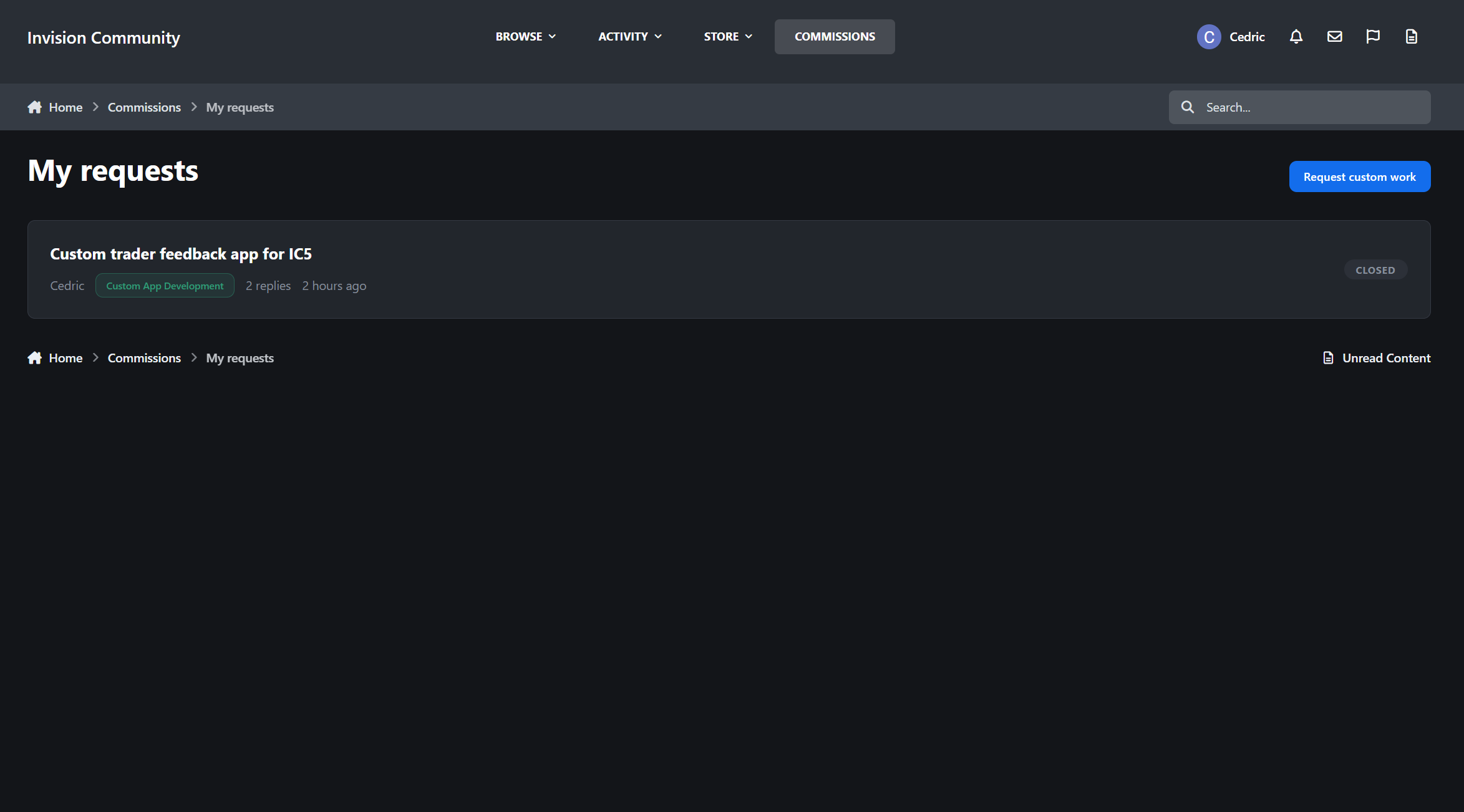
My Requests portal
Registered members receive a dedicated My Requests portal where they can follow all their active and completed work.
Each request page includes:
A clickable progress tracker covering New, Reviewing, Quoted, Accepted, In Progress, and Delivered
The complete intake submission and attachments
The client-provider conversation
Visually accented provider replies
An activity timeline of status changes, quotations, and payments
Internal notes visible only to staff and the assigned provider
Quotes and payments
When the scope is clear, the provider can send a formal quotation containing:
The quoted amount
The currency
What is included
Payment instructions
The client can accept or decline the quote directly from the request page, including guest clients using their magic link.
Three payment methods
Administrators control which payment methods are available.
Arranged manually
Suitable for bank transfers, cash payments, existing client arrangements, or any payment handled outside the community.
External payment link
Providers can supply a PayPal, Stripe, payment portal, or invoice URL.
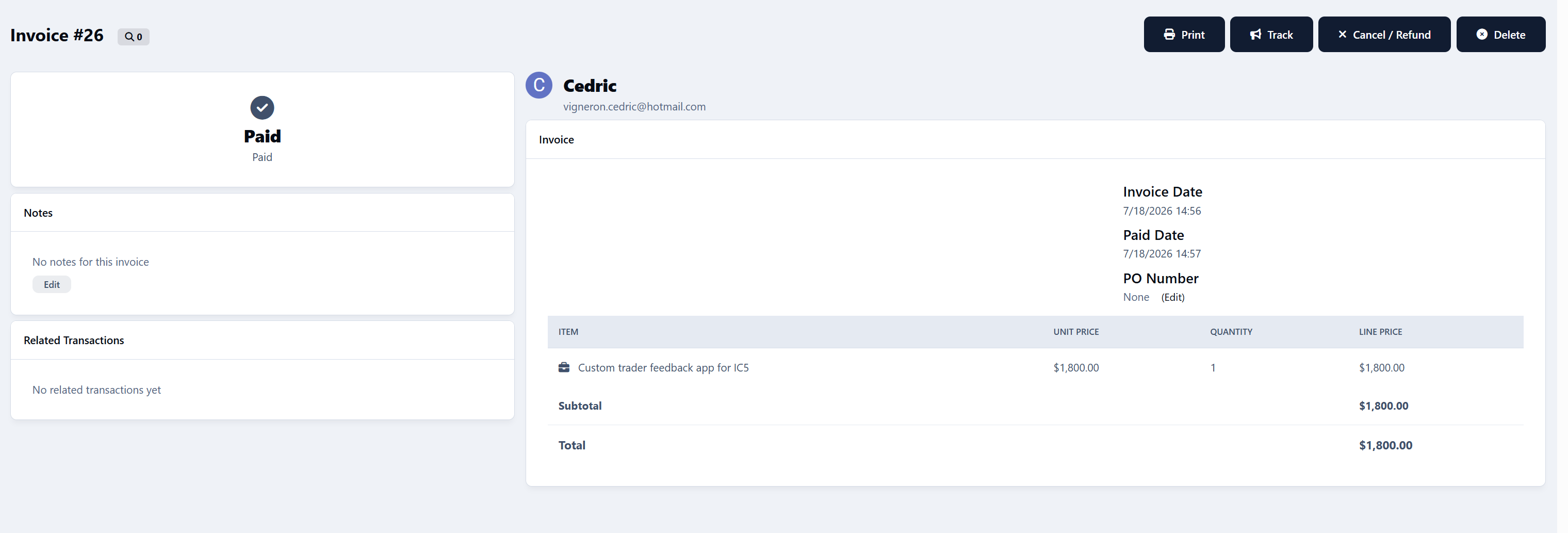
Commerce invoice
Accepting the quotation generates a real Commerce invoice. The client is sent directly to checkout, and the quote is automatically marked as paid when the invoice payment is completed.
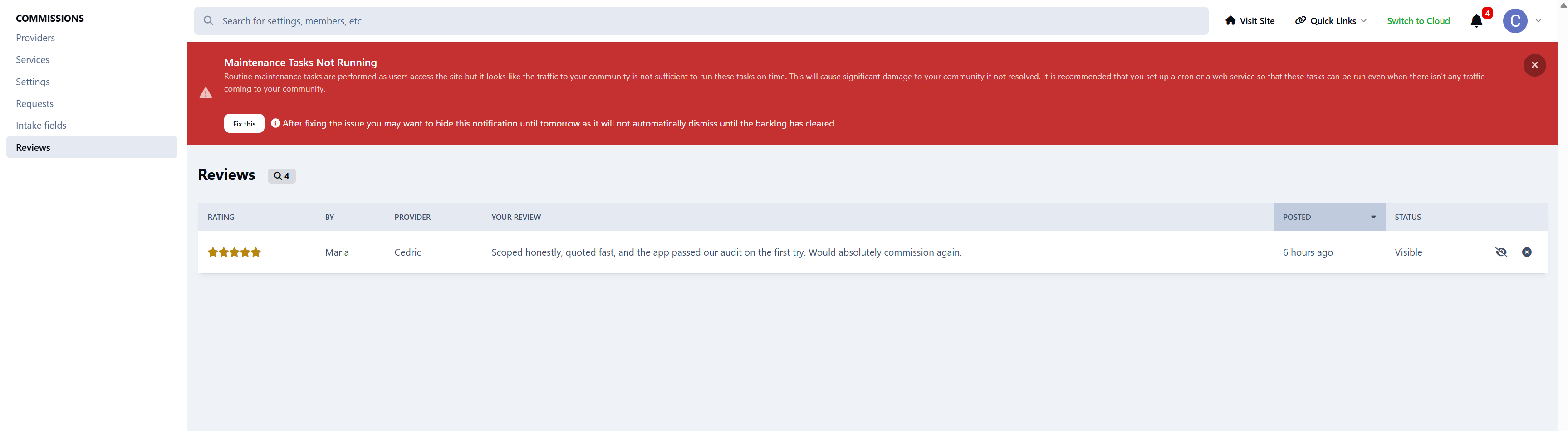
Reviews that mean something
Delivering a request triggers a review invitation, both on the request page and by email.
The client can rate the provider out of five stars and describe their experience. Reviews are automatically included in the provider’s public rating and displayed throughout the directory wherever that provider appears.
Legacy reviews
Members can also review work completed before Commissions was installed.
Legacy reviews are held for staff approval before publication, preventing providers from fabricating an established track record.
When a review is hidden or deleted, the provider’s rating is recalculated immediately.
The provider dashboard
Providers manage their work and public presence from a single dashboard.
Business overview
The dashboard includes statistic tiles for:
Requests awaiting a reply
Open jobs
Work currently in progress
The provider’s average rating
Work queue
Requests are ordered by how long the client has been waiting, with clear Awaiting your reply indicators so providers immediately know where their attention is needed.
Profile and portfolio management
Providers can also manage:
Their public profile
Their rich-text About section
Their availability
Their services
Their service ordering
Their portfolio images and entries
Service ordering controls the provider’s card colours and badge order throughout the community without requiring a separate drag-and-drop interface.
Automatic reminders
A daily background task keeps the pipeline moving.
It can:
Remind providers about requests awaiting their reply
Re-invite clients to review delivered work
Automatically close delivered requests after a configurable period
Each reminder and closure window can be configured independently.
Providers across your community
Approved providers remain visible beyond the directory.
They receive:
A teal Provider badge on their member profile, beside See my activity
A Provider chip in forum posts, supported in both classic and slim post layouts
A Provider button on their member hovercard
Every badge and button links directly to the provider’s public profile.
That turns every useful post they make into a quiet advertisement for their services.
Notifications
Commissions uses the notification system with both inline and email delivery, supported by dedicated email templates.
Clients are notified about
New replies
Request status changes
New quotations
Payment updates
Review invitations
Providers are notified about
New requests
Client replies
Quote acceptance or rejection
Completed payments
New reviews
Guests are notified by email
Guest clients receive all relevant updates by email, together with the magic link that gives them secure access to their request.
Admin control panel
Administrators receive complete control over the provider directory and request pipeline.
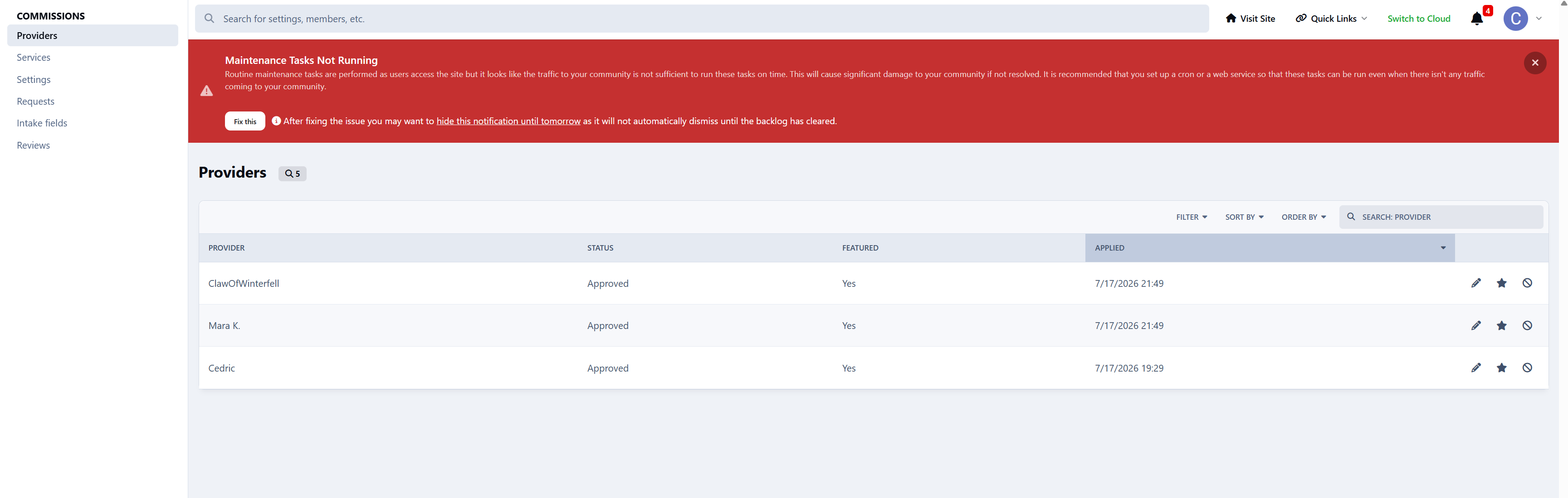
Provider management
Approve, decline, suspend, feature, and edit providers through a complete management interface covering everything from their profile information to their jobs-completed counter.
Services manager
Create services, assign colours, and write the descriptions used across provider profiles and public service pages.
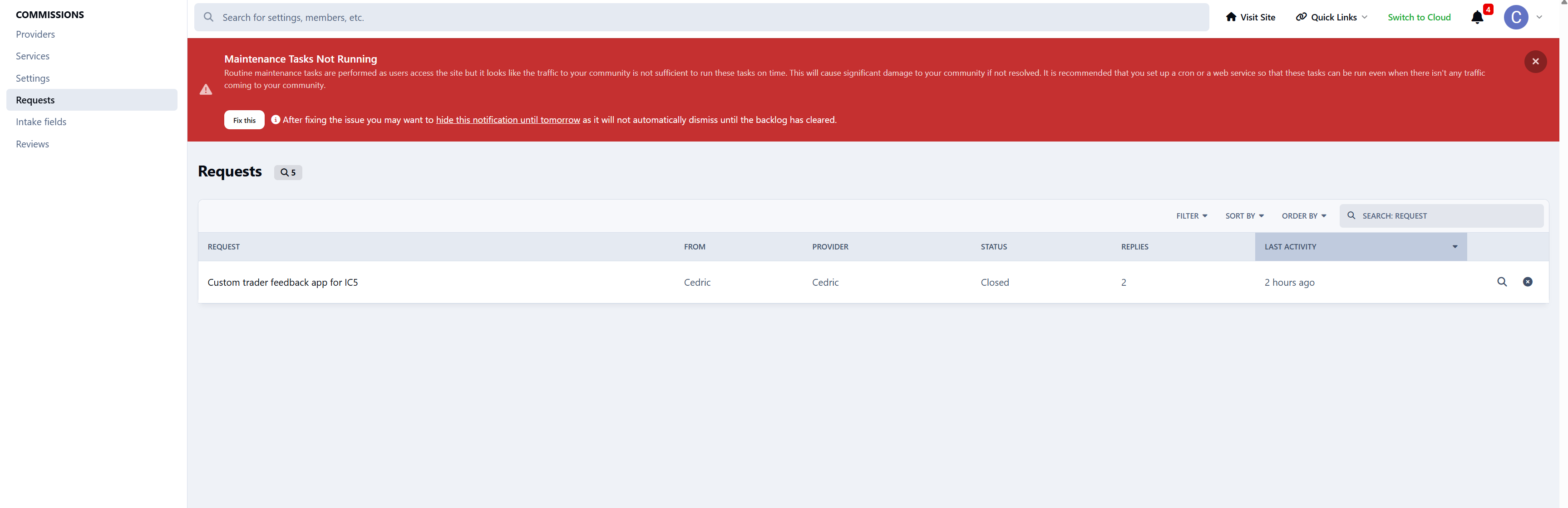
Request management
View the complete request pipeline with:
Per-status filters
Quick search
Client and provider details
Current quotation and payment status
Intake fields
Create and organise the fields used in the custom-work request form.
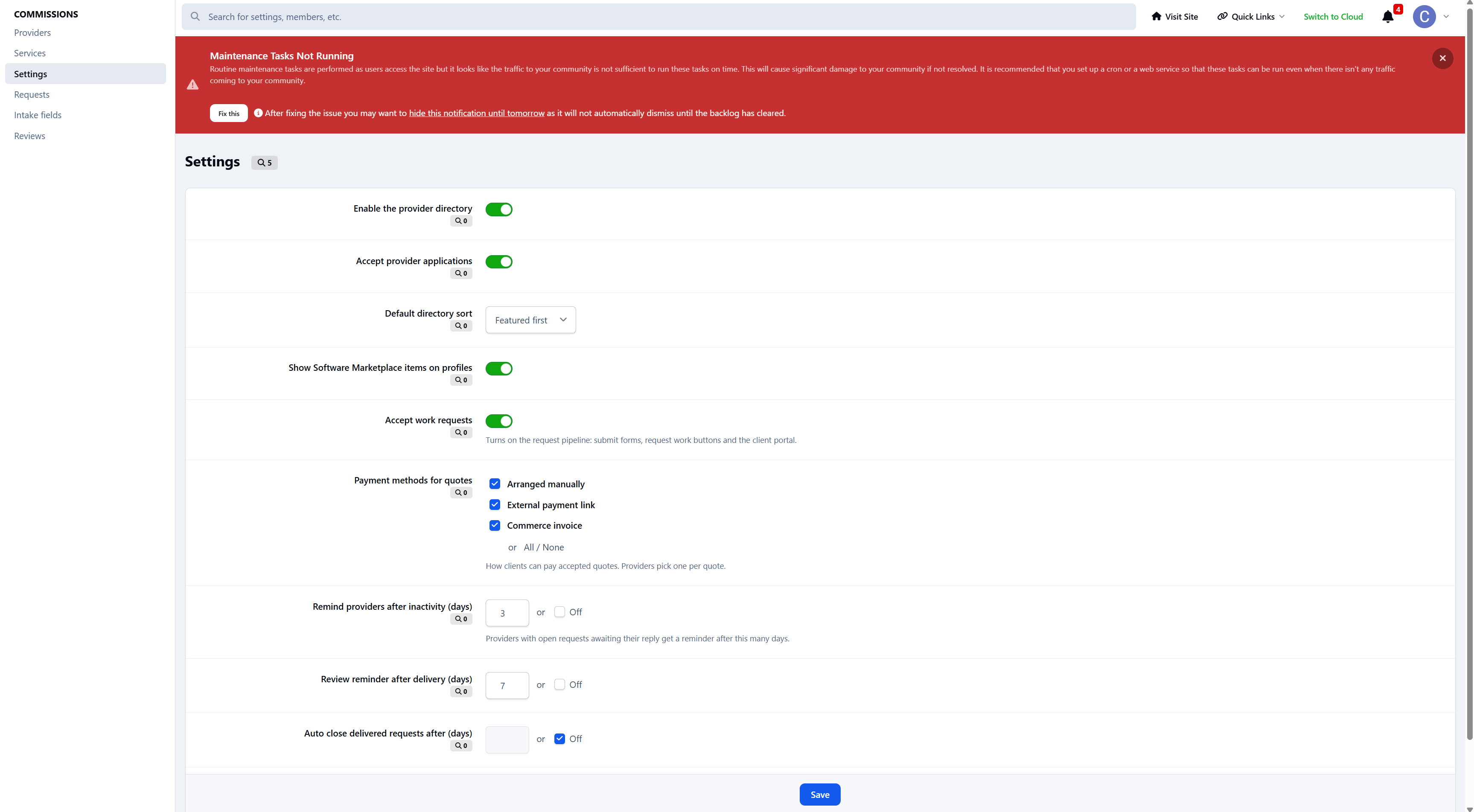
Application settings
Control:
Directory visibility
Provider applications
Available payment methods
Reminder windows
Review invitations
Automatic request closure
Perfect for
Commissions is ideal for:
Site owners who sell custom work and want intake, quoting, payment, and delivery in one pipeline
Networks with multiple trusted freelancers who each deserve their own storefront
Communities tired of custom-work requests being scattered across private messages, forum topics, email, and external payment services
Commissions 1.0 brings providers, clients, requests, quotations, payments, delivery, and reviews into one professional workflow. Need a workflow it does not cover yet? Let me know.
-
 1
1
There are no reviews to display.