Invision Community 5
- Category Admin & Mod Tools
- Downloads 98
- Compatibility IC5: 5.0.0+
- Updated


Overview
Turn Your Forum Into a Creator-Powered Monetization PlatformDescription
PayWall Topics brings real monetization into Invision Community v5.
Members can sell locked premium content directly inside forum topics, fully integrated with IPS Commerce.
Sell guides, tutorials, exclusive insights, premium discussions, downloads, and private resources without sending users anywhere else.
Give your members the ability to earn and your platform the ability to scale.
Core Monetization Features
PayWall Topic Creation
When permitted, members can create topics with locked premium content using:
Rich text editor
Images, videos, etc.
Attachments
Custom pricing per topic
Premium links
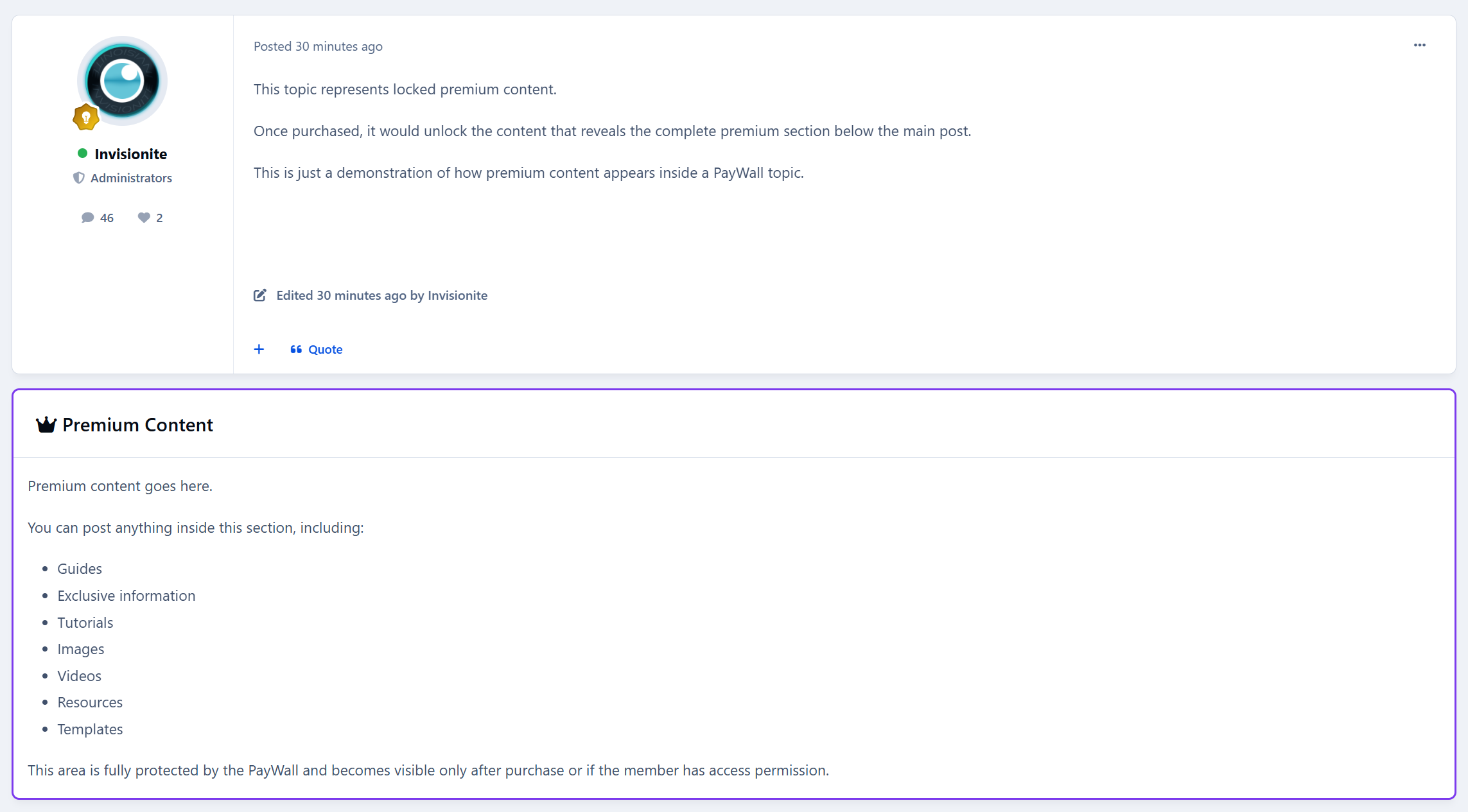
The premium block appears directly inside the topic after the first post.
IPS Commerce Integration
Full checkout flow powered by IPS Nexus invoices with proper gateway support.
One-Time Purchase Model
Pay once
Permanent access
No subscriptions
No renewals
Simple and clean.
Seller Account Credit + Commission
Revenue is automatically credited to the topic creator’s Commerce account balance.
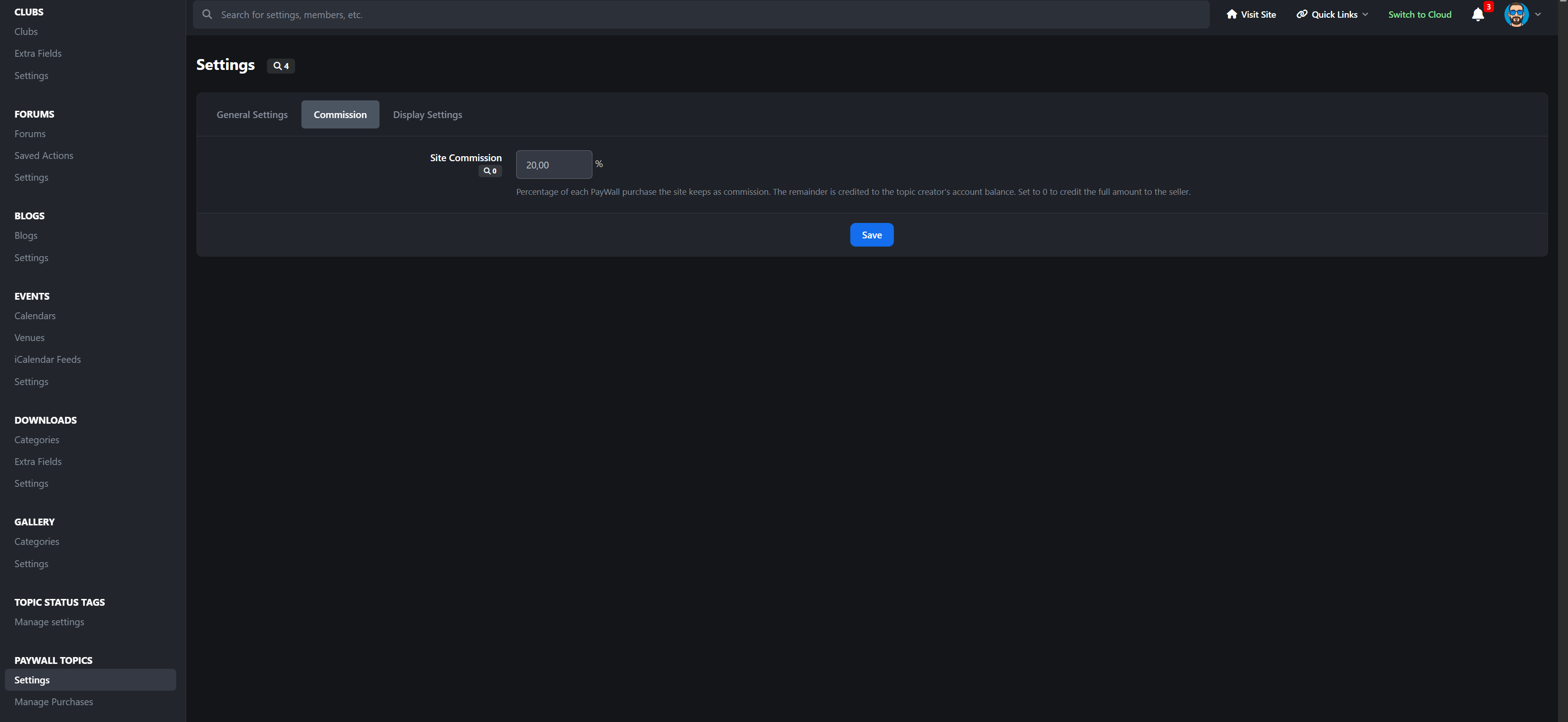
You set the platform commission from 0–100%.
The system automatically calculates the split and credits the seller’s net amount.
Transparent. Automated. Built for real marketplaces.
Access Control
Granular permission system designed for production communities.
Forum-Based Gating
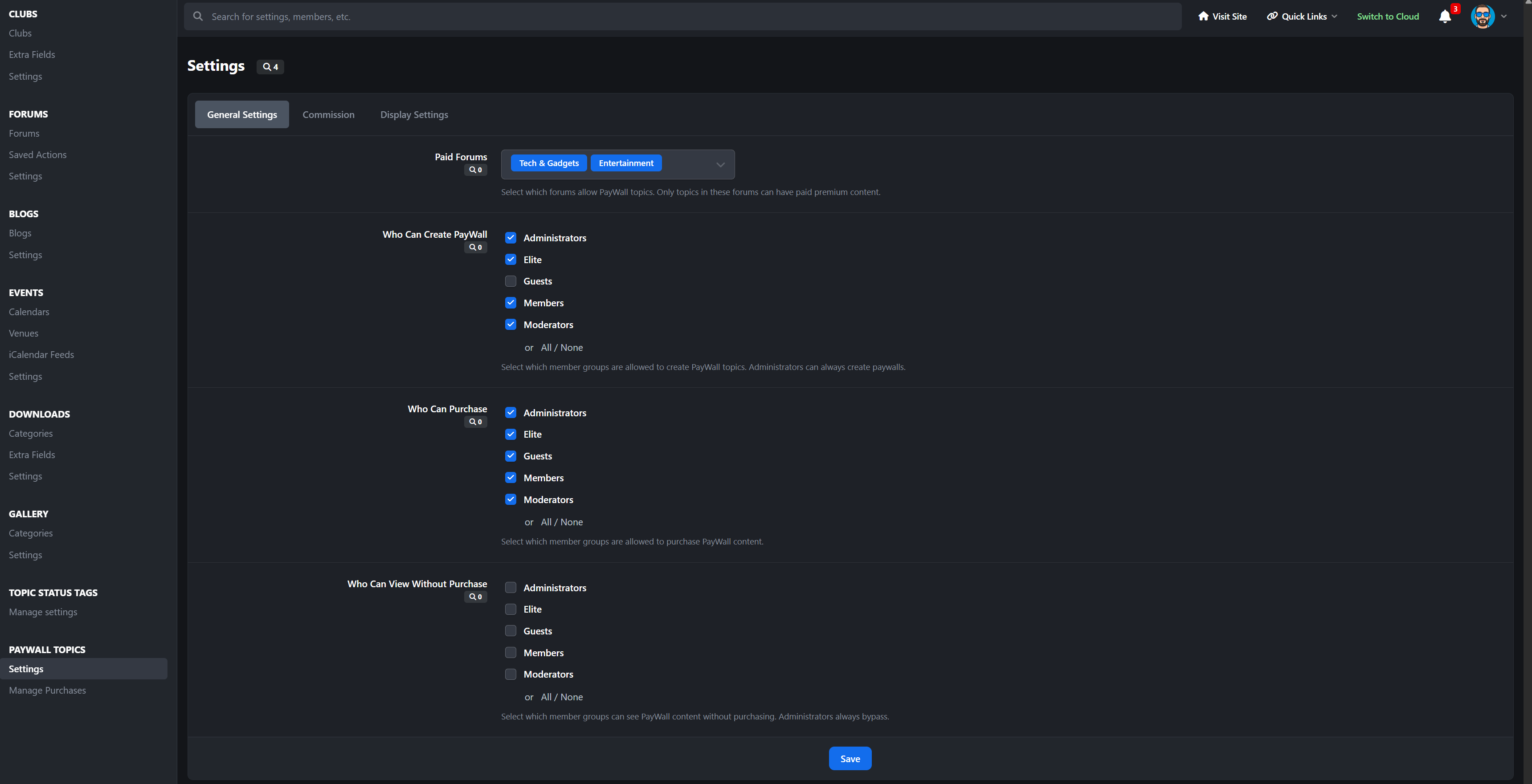
Select exactly which forums allow PayWall topics.
Group Permissions
Separate controls for:
Who can create paywalls
Who can purchase
Who can bypass and view free
Frontend Experience
Clean, modern, and fully integrated into the topic view.
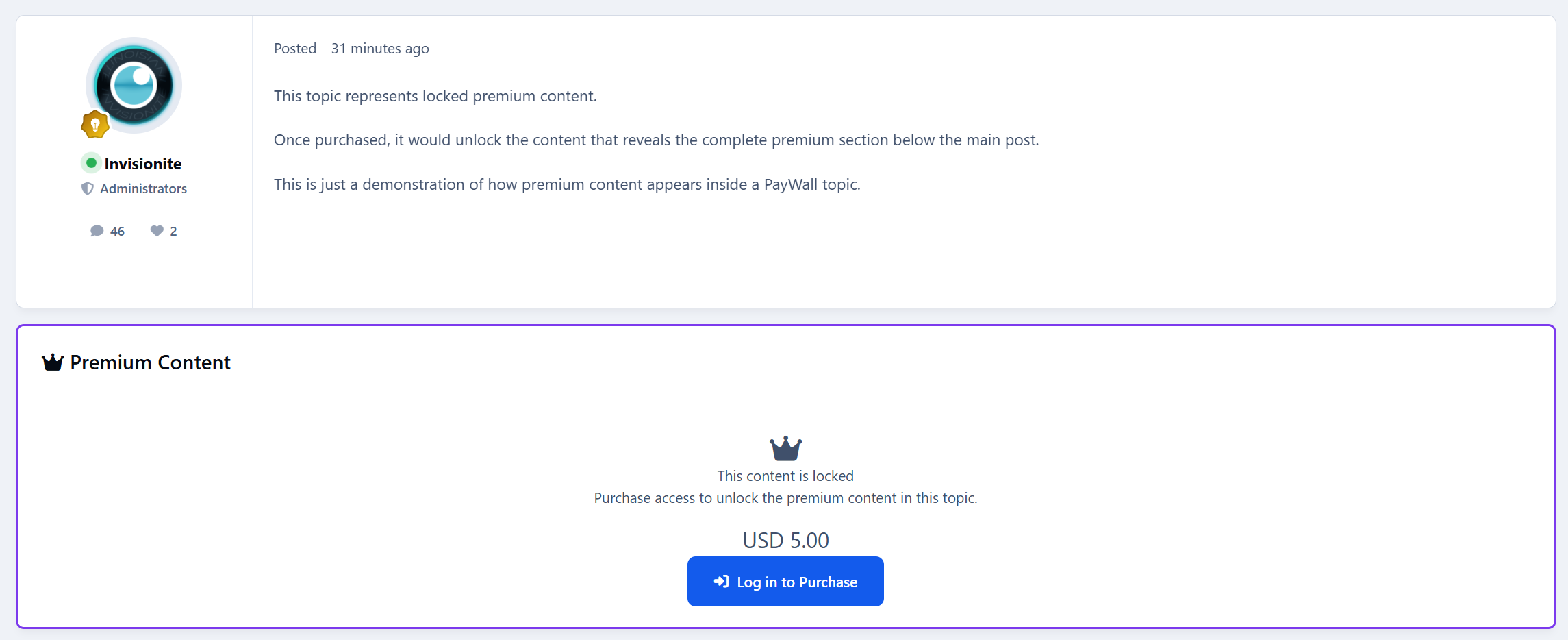
PayWall Block
A purple-bordered premium content block injected after the first post, featuring:
Lock icon
Price display
Purchase button
Custom lock message
It feels native, not bolted on.
Unlocked View
Purchased or bypassed users see the full rich-text premium content inline, exactly where it belongs.
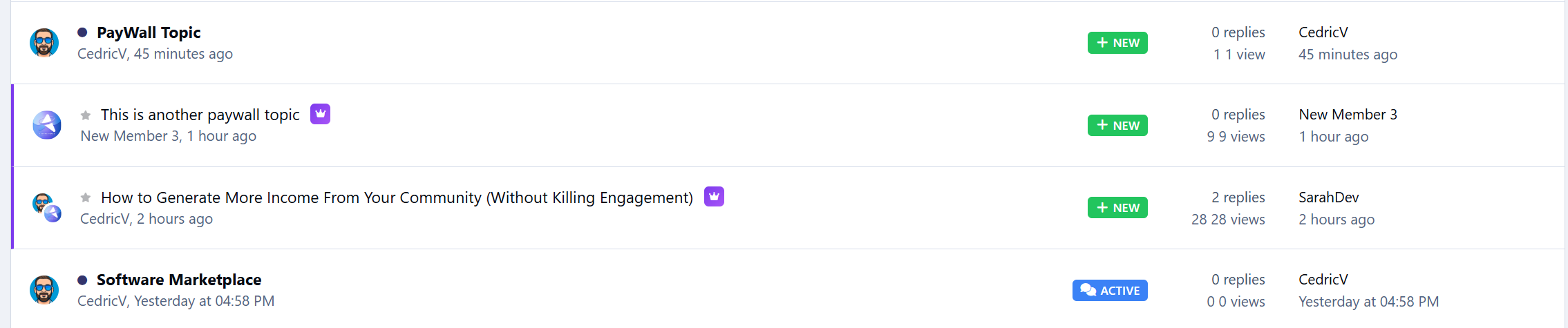
Crown Badge
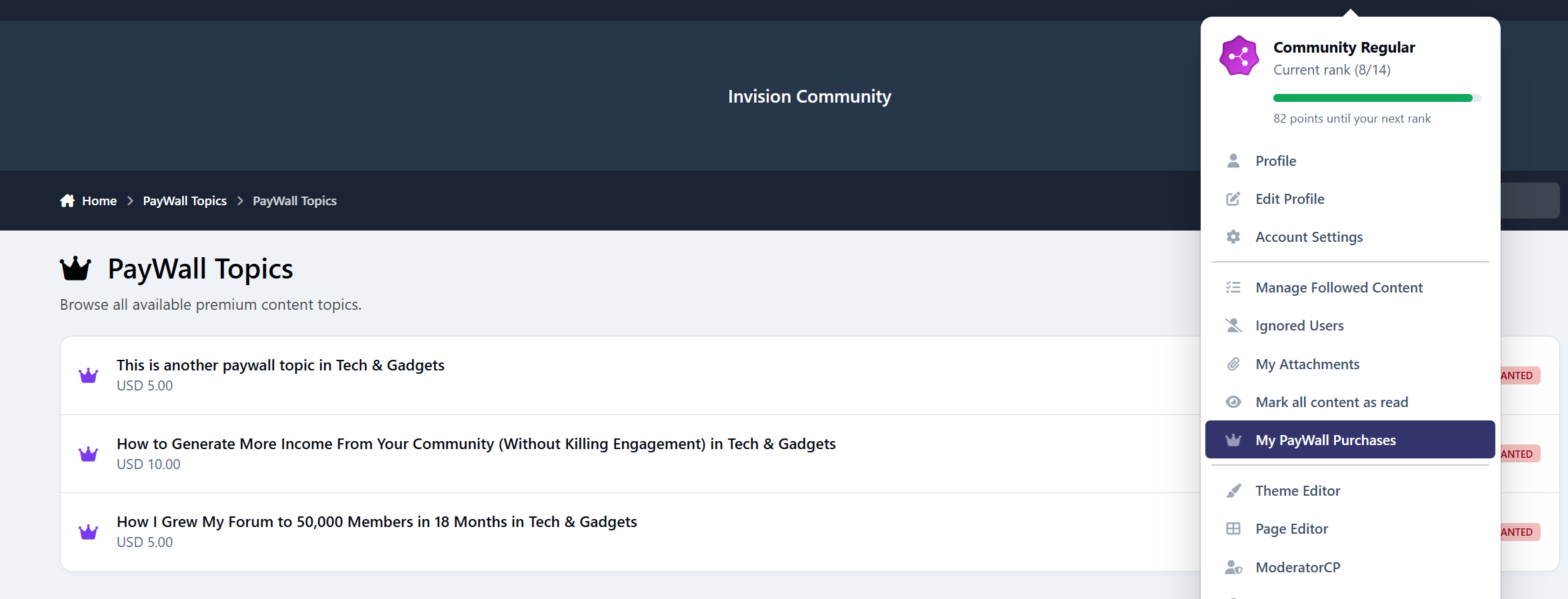
PayWall topics display a crown badge in topic listings for instant visibility.
Custom Lock Message
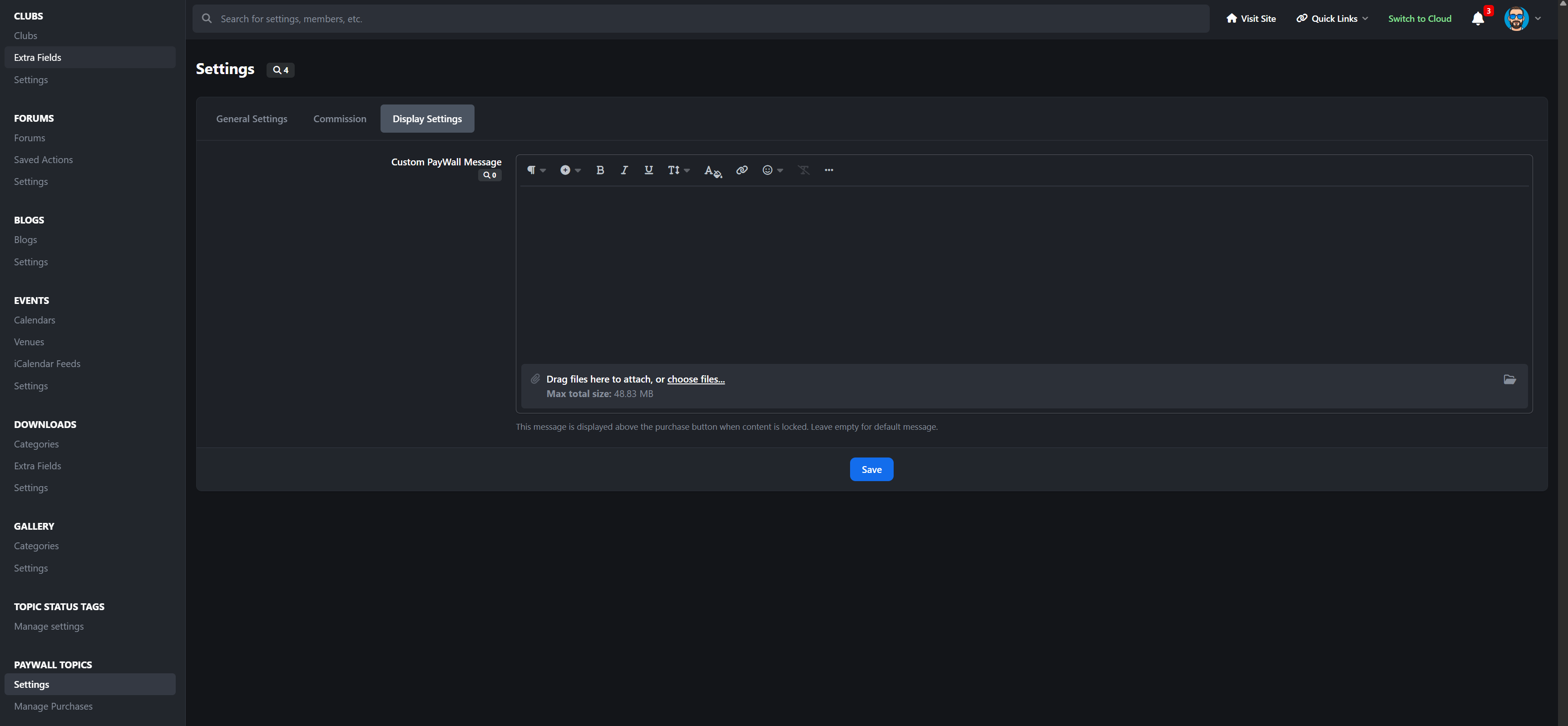
Admins can configure the lock message using a rich text editor. Add formatting, links, persuasion copy, anything you need.
Guest Handling
Guests see a clear “Log in to Purchase” button instead of checkout.
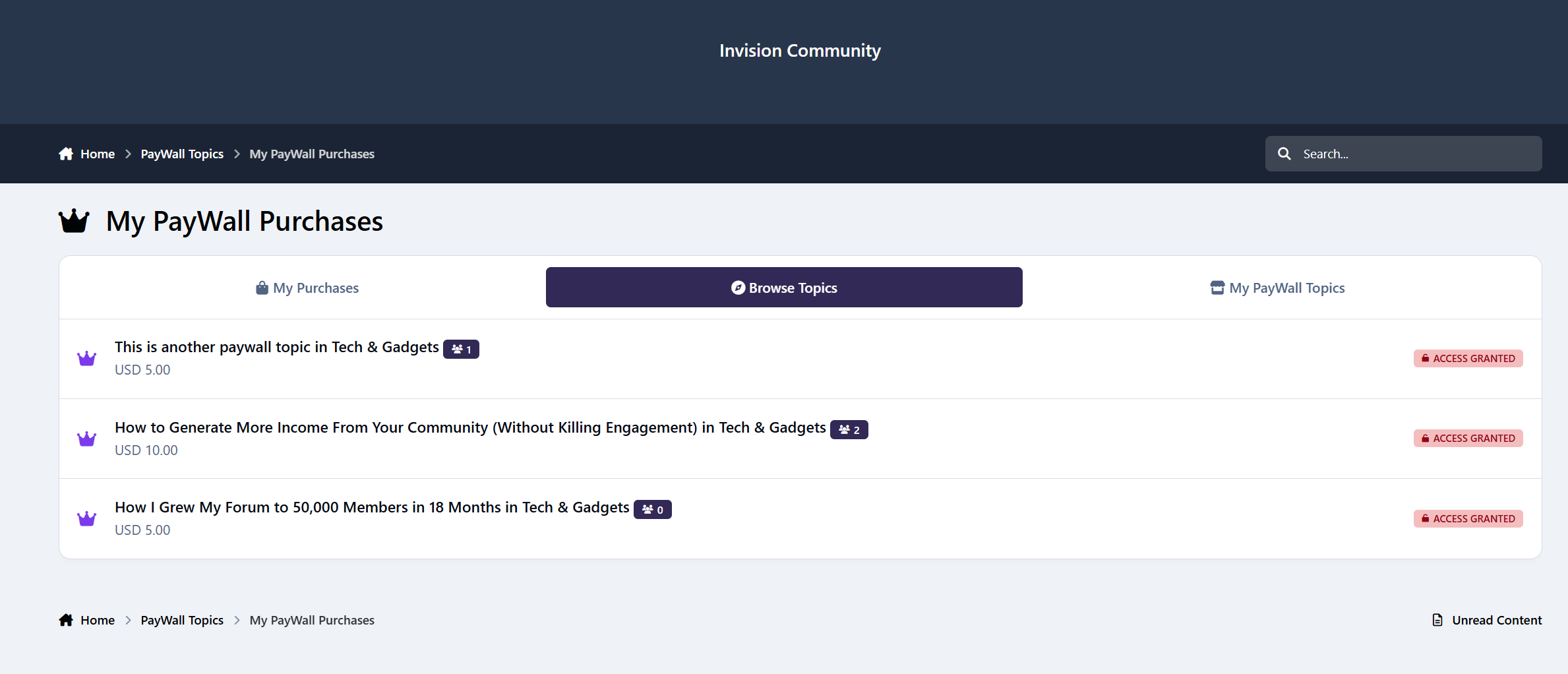
Member Dashboard
Members and sellers get a dedicated PayWall control center.
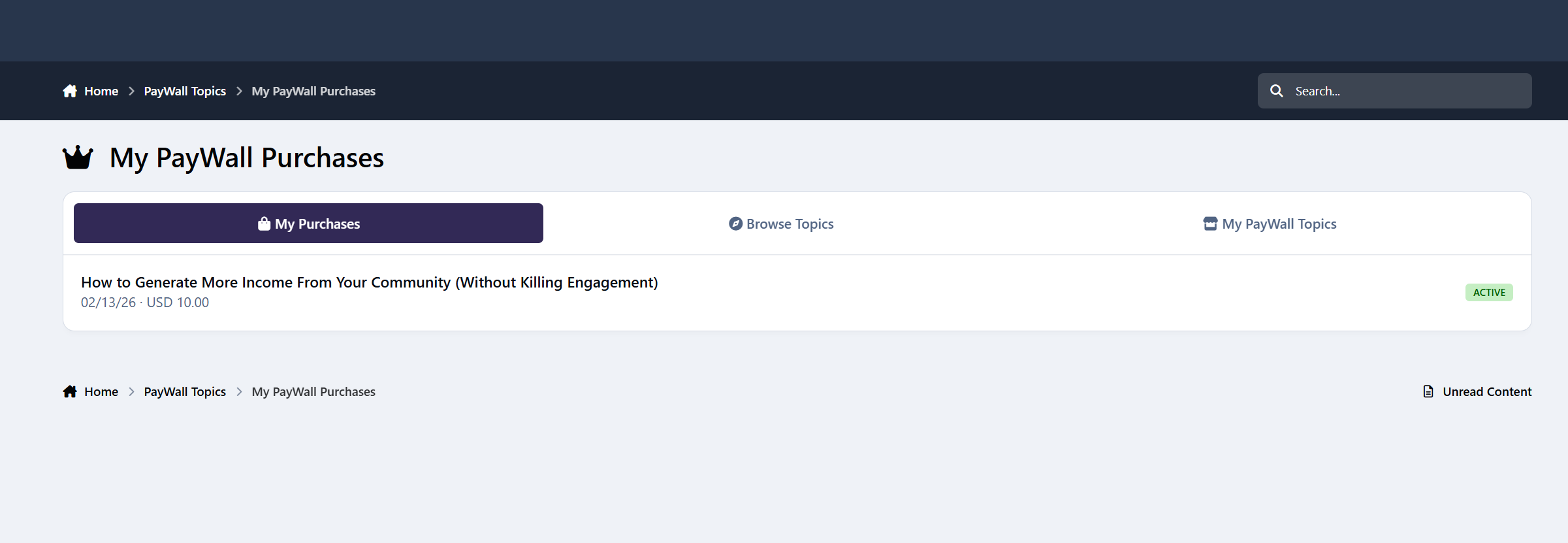
My Purchases
Members can see:
Purchased topics
Status
Price
Date
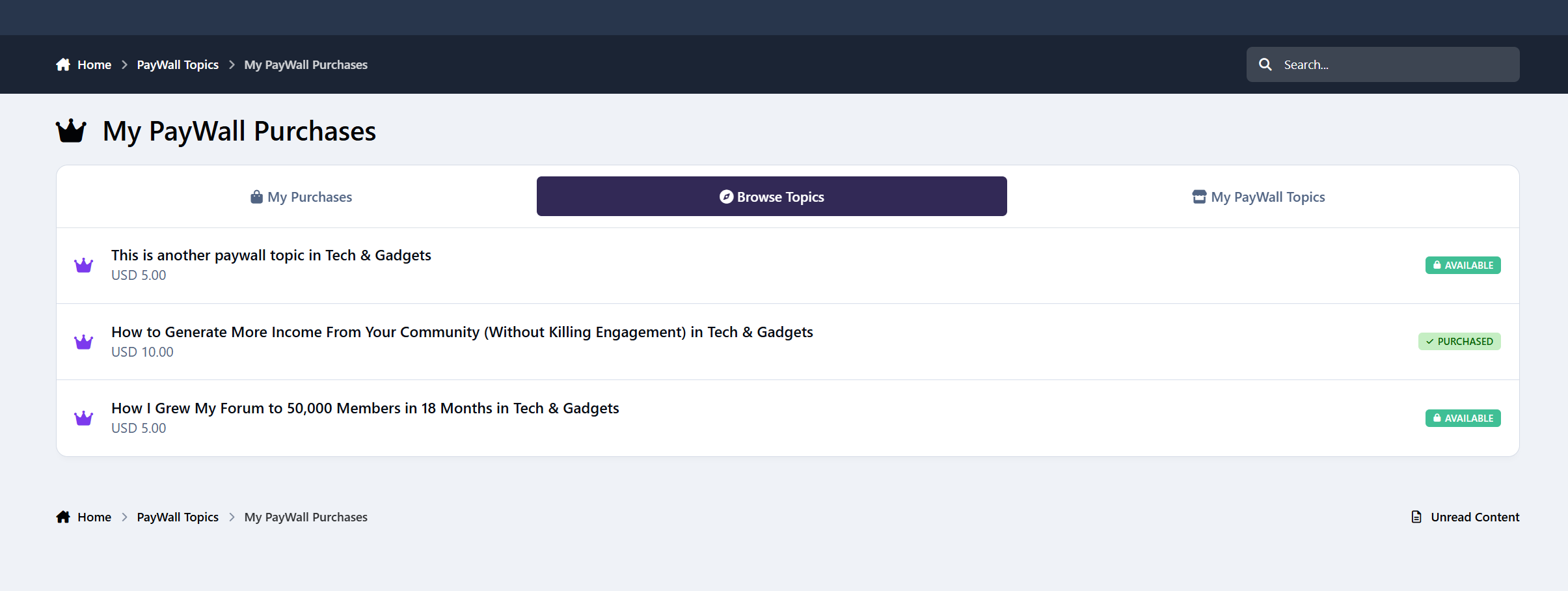
Browse Topics Directory
Lists all available PayWall topics with clear status badges:
Purchased
Access Granted
Available
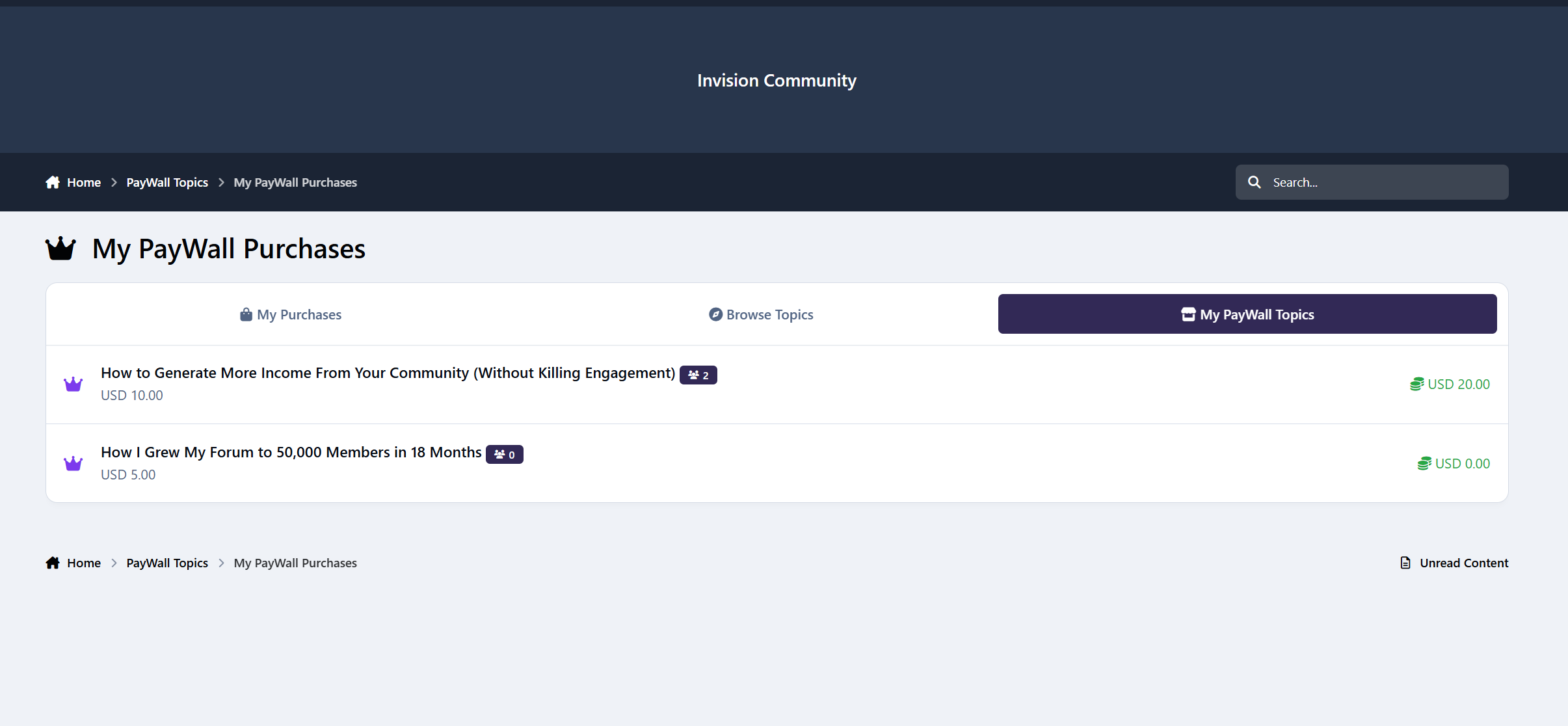
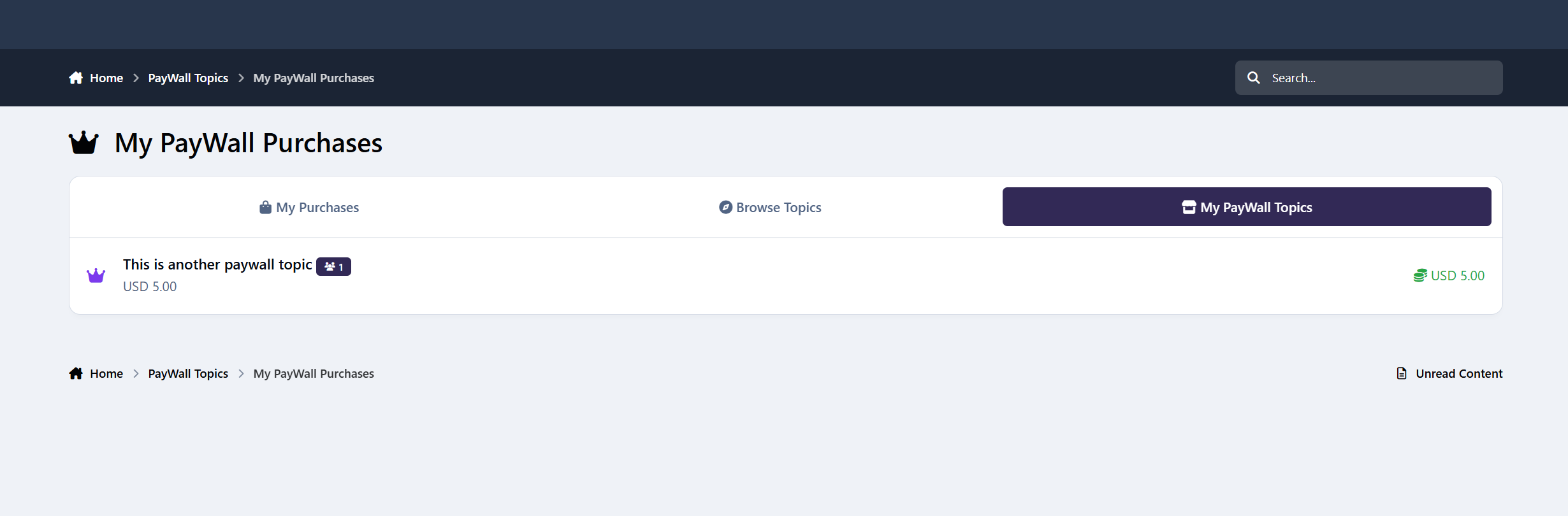
My PayWall Topics
Sellers can view:
Their topics
Buyer count badges
Who bought their topics
Earnings
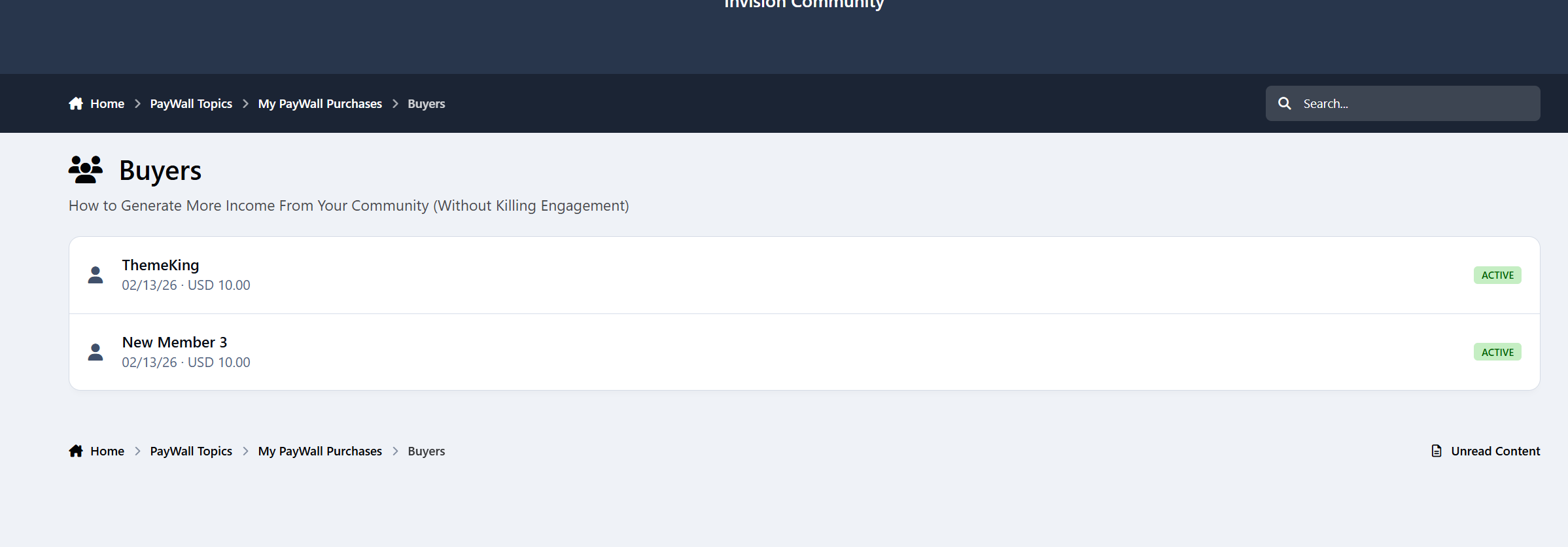
Buyers List
Sellers and admins can click the buyer badge to see exactly who purchased each topic.
Admins also see buyer counts across all topics.
Standalone Directory
PayWall Topics Directory
A dedicated /paywall/ page listing all premium topics with:
Forum name
Price
Purchase status
Monetization becomes discoverable instead of hidden inside random threads.
Notifications
Built-in notification system keeps everyone informed.
Buyer Notification
Sent instantly after successful purchase.
Seller Notification
Sent to topic creators when someone purchases their content.
Members can enable or disable PayWall notifications in their notification settings.
Admin Control Panel
Full IPS-native ACP experience.
General Settings
Forum selection
Group permissions for create, purchase, and bypass
Commission Settings
Set site commission percentage
Display Settings
Custom PayWall lock message editor
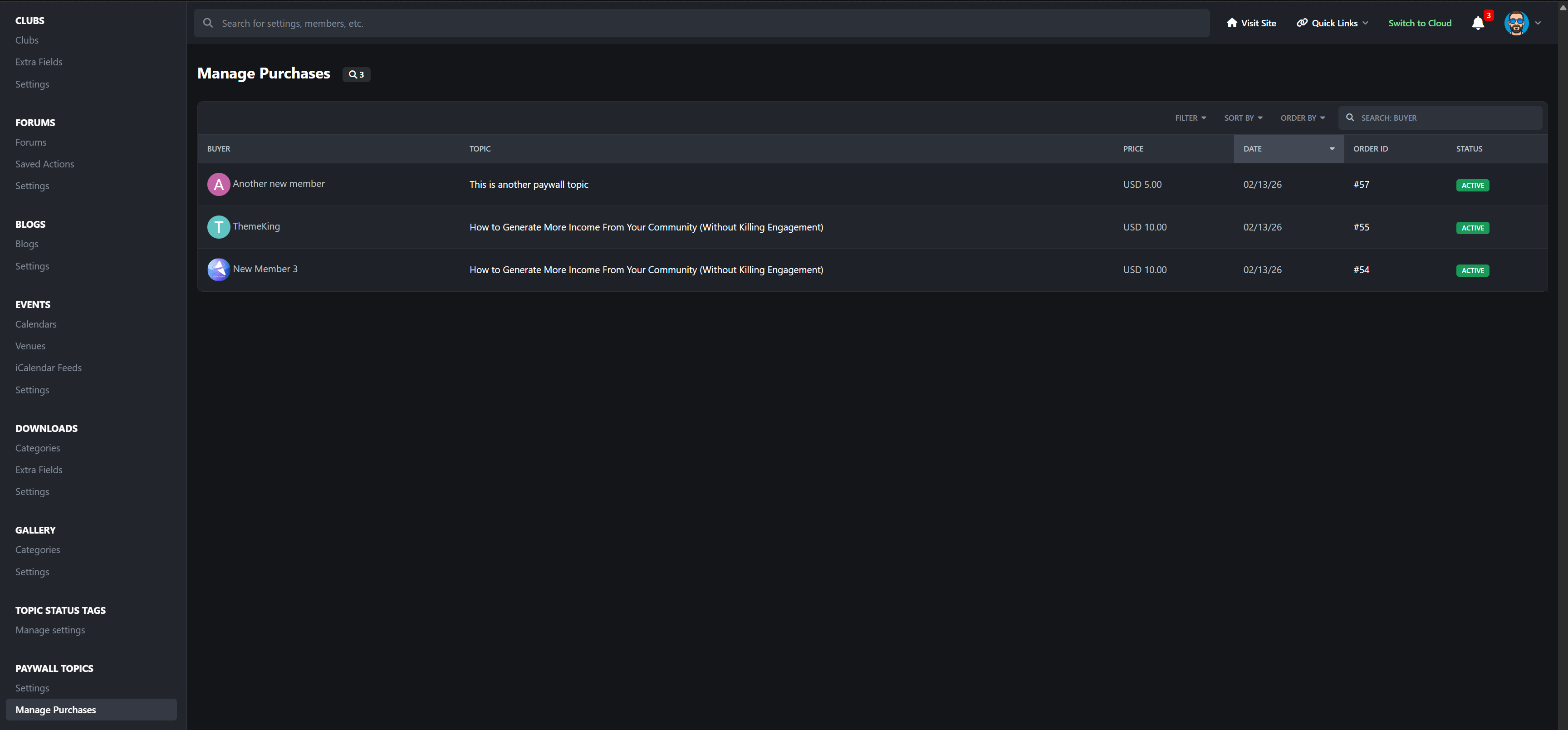
Manage Purchases
Complete purchase table including:
Member
Topic
Price
Date
Invoice ID
Active status
Perfect For
Premium guide communities
Trading and investment forums
Business and entrepreneurship boards
Education platforms
Creator-driven ecosystems
Digital resource hubs
Knowledge marketplaces
If your community produces value, PayWall Topics turns that value into revenue without changing how your forum works.
This is not a cosmetic add-on.
It adds a full creator monetization layer to Invision Community.
Create an account or sign in to leave a review
There are no reviews to display.