Topic Status Tags
Invision Community 5
- Category Admin & Mod Tools
- Downloads 122
- Compatibility IC5: 5.0.0+
- Updated
Overview
See which conversations matter - before you clickDescription
Every forum has this moment.
You open a topic list.
You see dozens of discussions.
And you pause.
Is this topic new?
Is it still active?
Has it gone quiet?
Is it already dead?
Dates and reply counts don’t really answer that.
Topic Status Tags does.
It adds simple, automatic labels to topics so members instantly understand the state of a conversation - without digging into timestamps or guessing from numbers.
Small change.
Much clearer browsing.
Introducing: Topic Status Tags
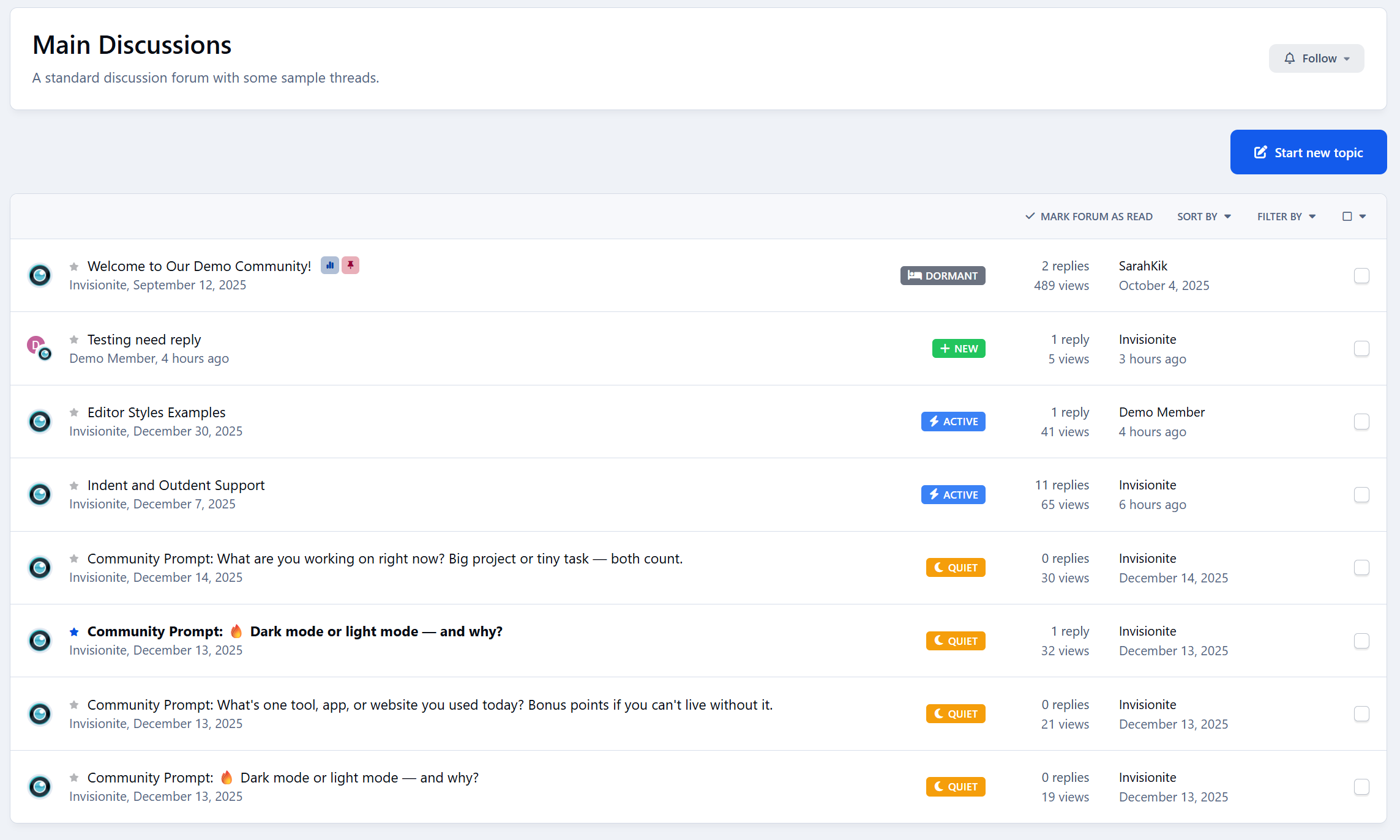
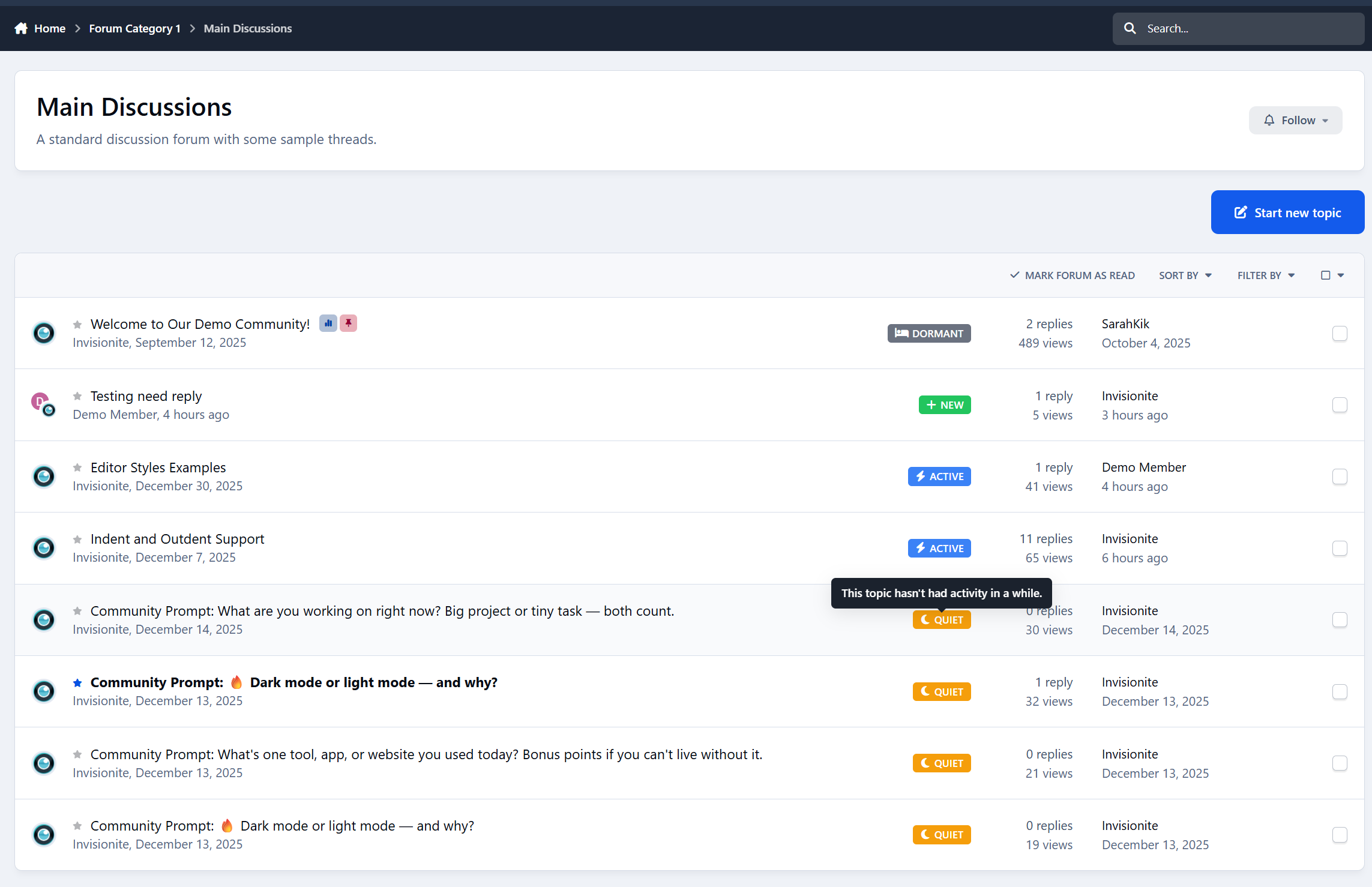
Topic Status Tags helps your community understand discussions at a glance by automatically labeling topics based on activity.
Each topic is given a clear status:
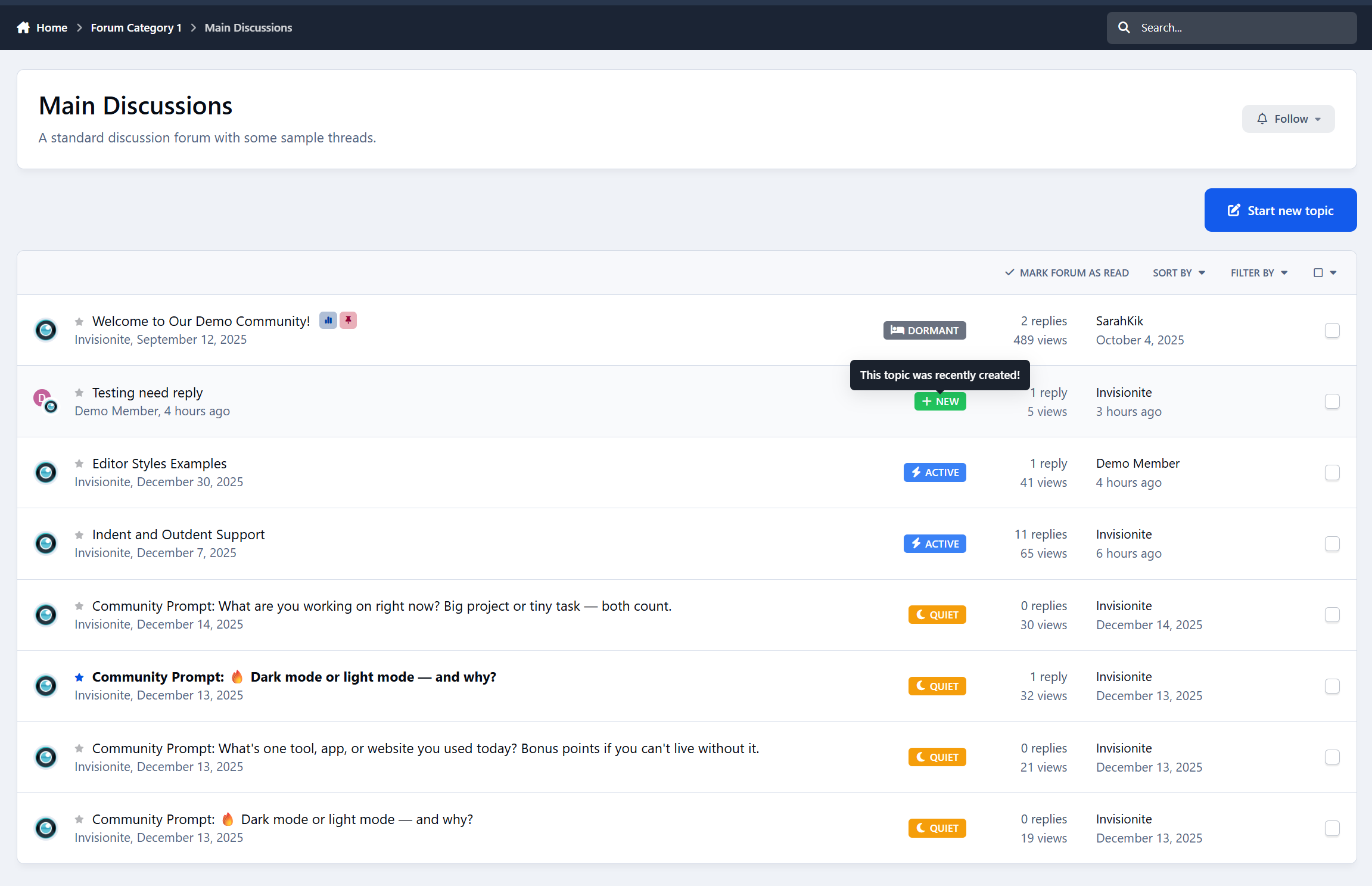
New - recently created
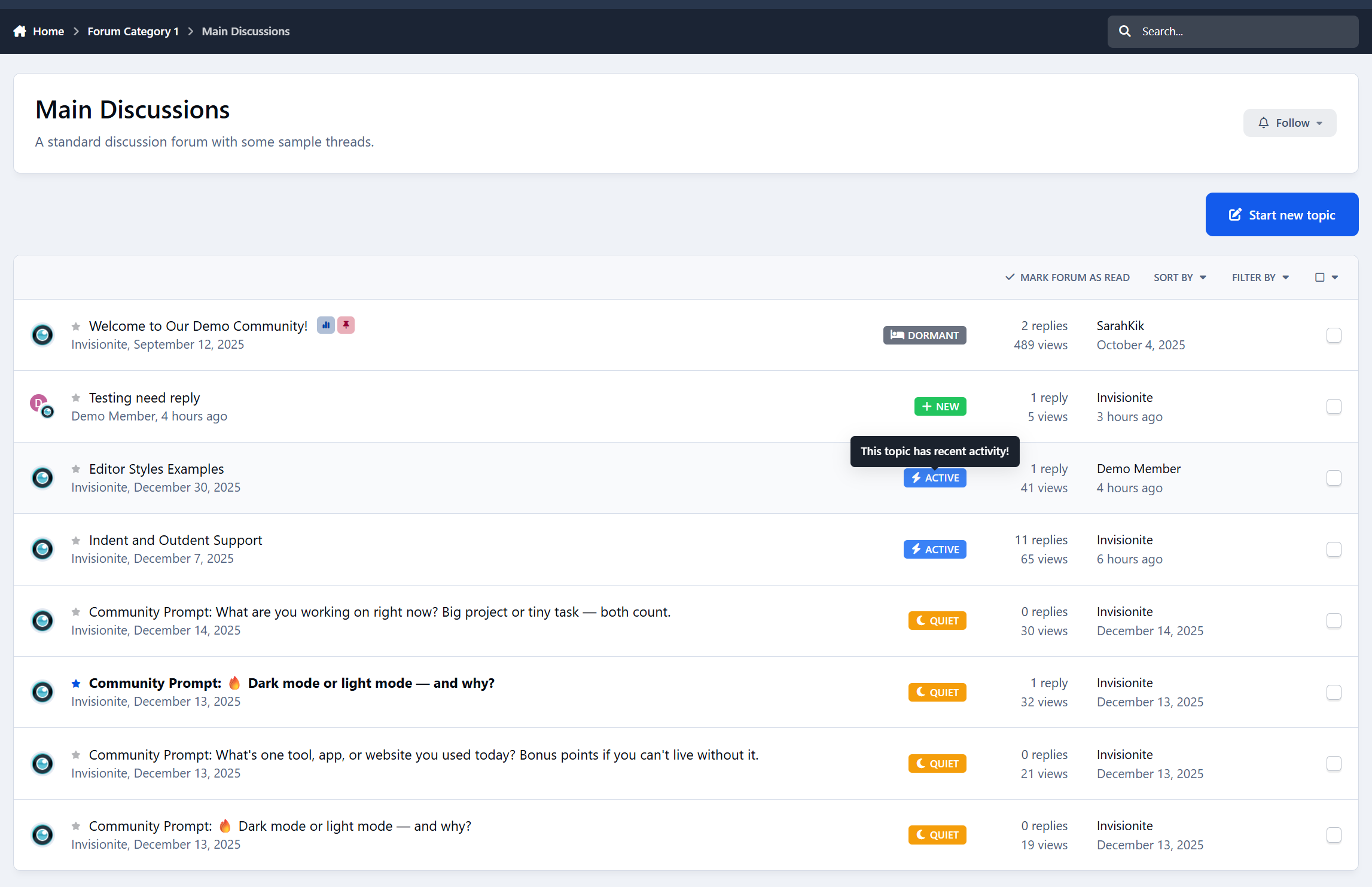
Active - still receiving replies
Quiet - slowed down
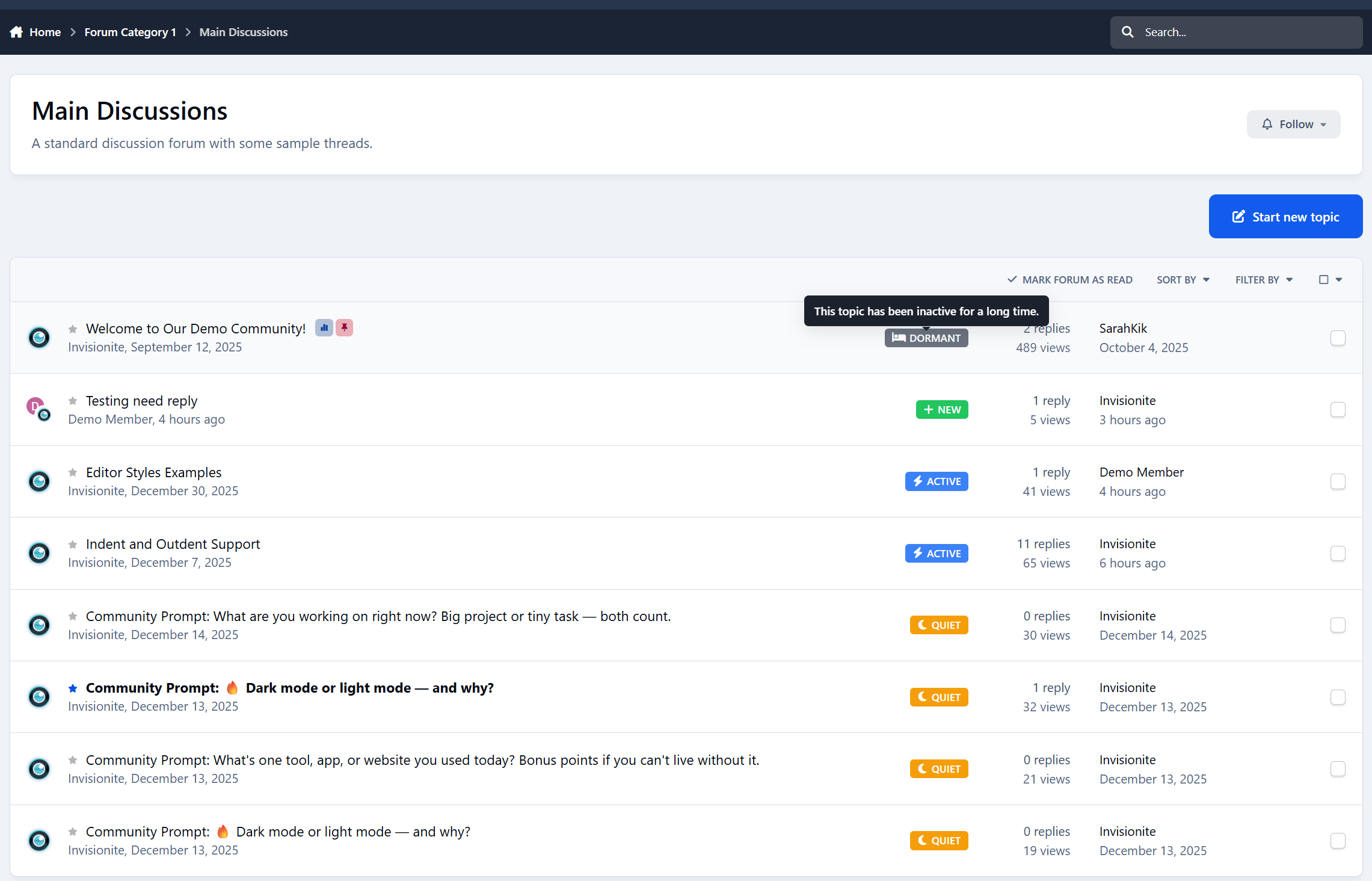
Dormant - long inactive
The status updates automatically as activity changes, so discussions naturally move through different states over time.
No manual tagging.
No moderation work.
It just stays accurate.
No More Guessing From Dates
Right now, members have to interpret:
“Posted 3 days ago”
“Last reply 2 weeks ago”
“12 replies”
Topic Status Tags turns that into something instantly readable.
A quick glance tells members:
Which discussions are worth jumping into
Which ones are slowing down
Which ones are probably finished
Browsing feels easier.
Forums feel more alive.
Clear Signals, Not Clutter
Topic Status Tags is designed to stay out of the way.
You get:
One status per topic
Subtle badges that don’t overwhelm the list
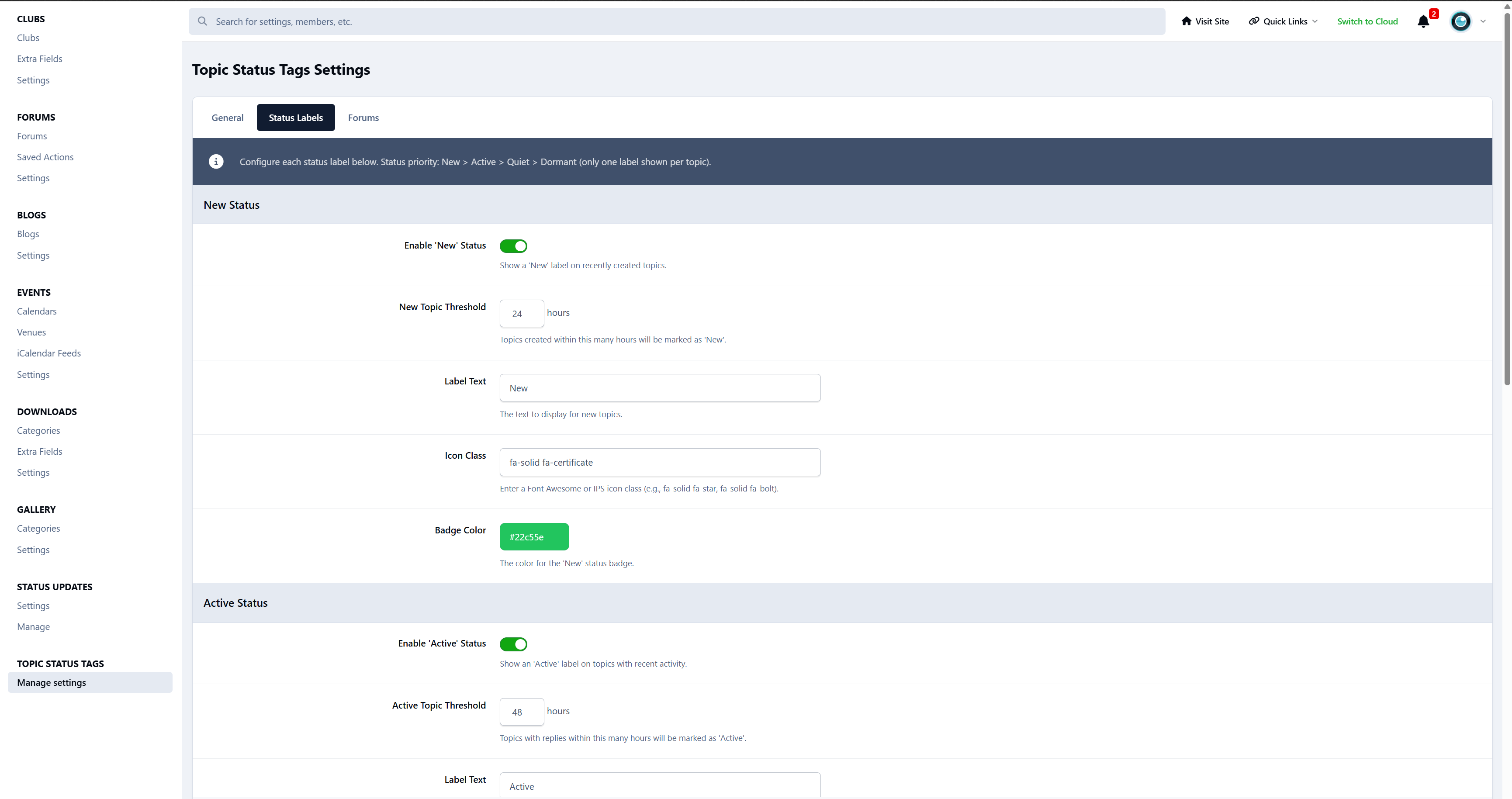
Clear priority so labels never conflict
Admins stay in control:
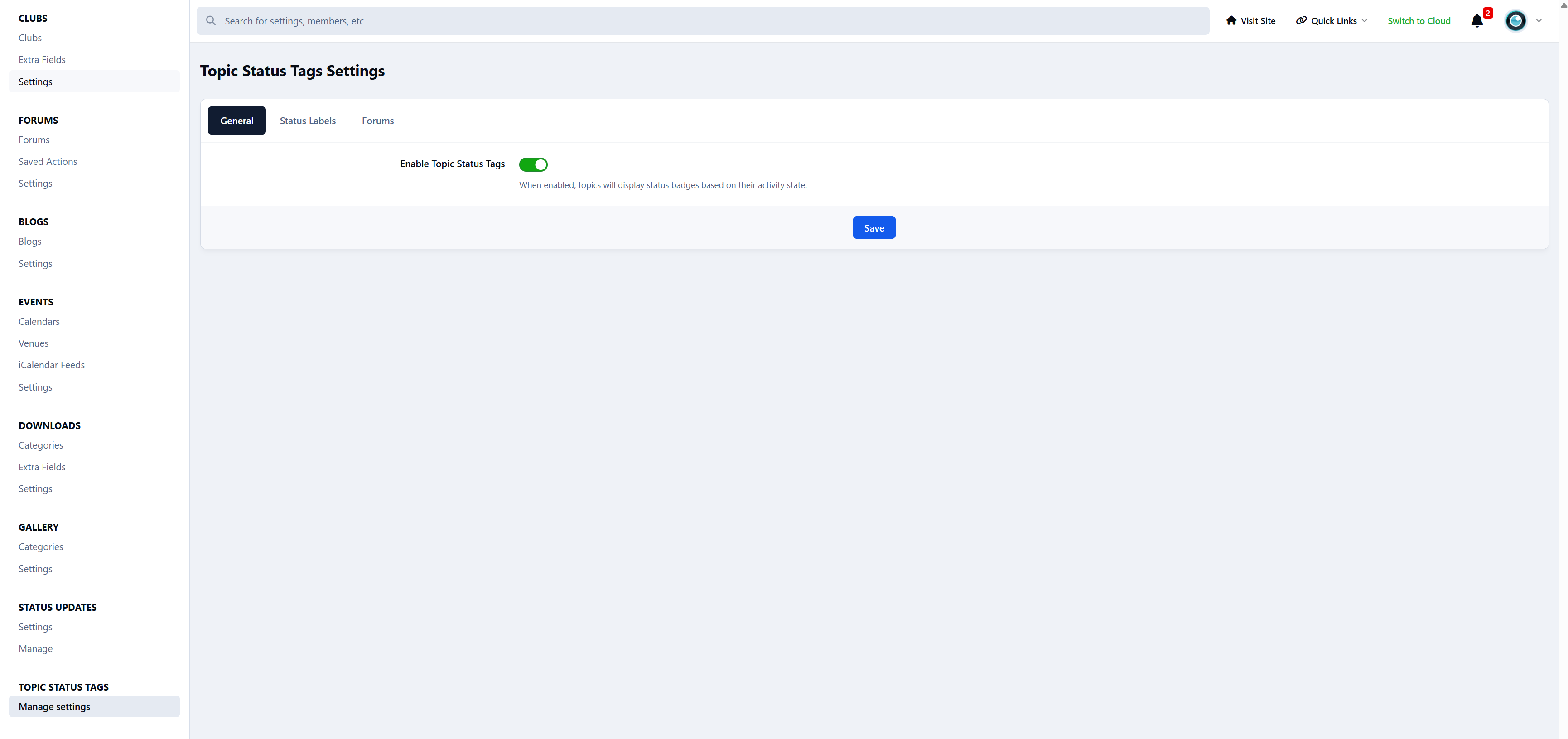
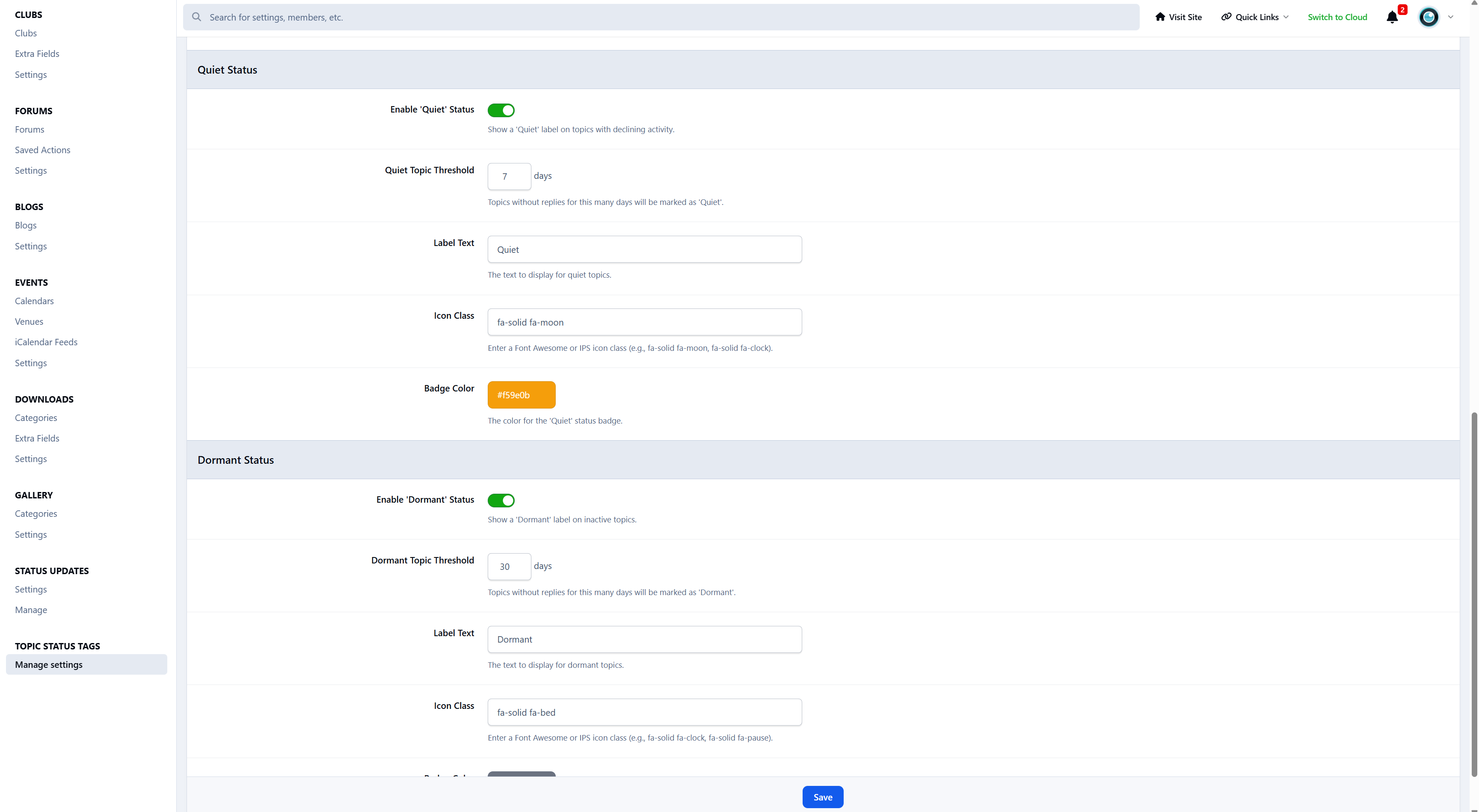
Enable or disable individual statuses
Adjust how long topics stay New or Active
Decide when discussions become Quiet or Dormant
Customize the wording and appearance
The result is clarity - not noise.
Why Your Community Should Use Topic Status Tags
Members scan forums faster
Discussions feel easier to understand
Active topics stand out naturally
Quiet forums feel less “dead”
You’re not pushing people to engage.
You’re simply making activity easier to read.
Designed to Feel Native
Topic Status Tags blends seamlessly into your community.
It:
Fits naturally into topic lists
Uses familiar, clean styling
Works on desktop and mobile
Doesn’t change how discussions work
Members don’t notice a new feature.
They just feel more confident choosing what to read and reply to.
Who Is Topic Status Tags For?
Topic Status Tags is ideal for:
Discussion communities
Support forums
Knowledge-sharing boards
Any forum with conversations at different activity levels
If your members browse topic lists often, this improves their experience immediately.
Create an account or sign in to leave a review
There are no reviews to display.