Automated Newsletter
Invision Community 5
- Category Advertising & Marketing
- Downloads 167
- Compatibility IC5: 5.0.0+
- Updated
Overview
The most powerful newsletter & digest system for Invision Community 5Description
Automated Newsletter
The most powerful newsletter & digest system for Invision Community 5
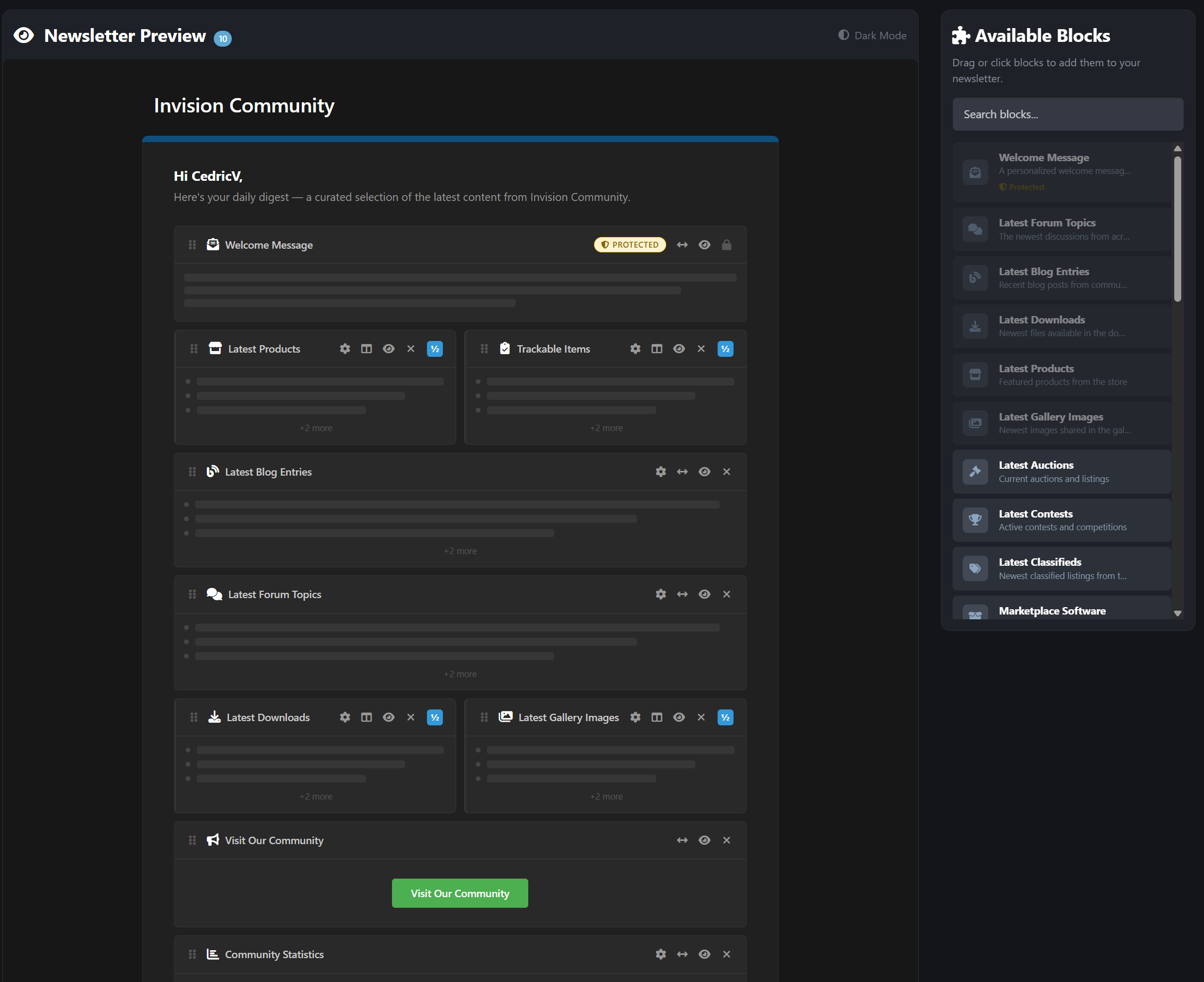
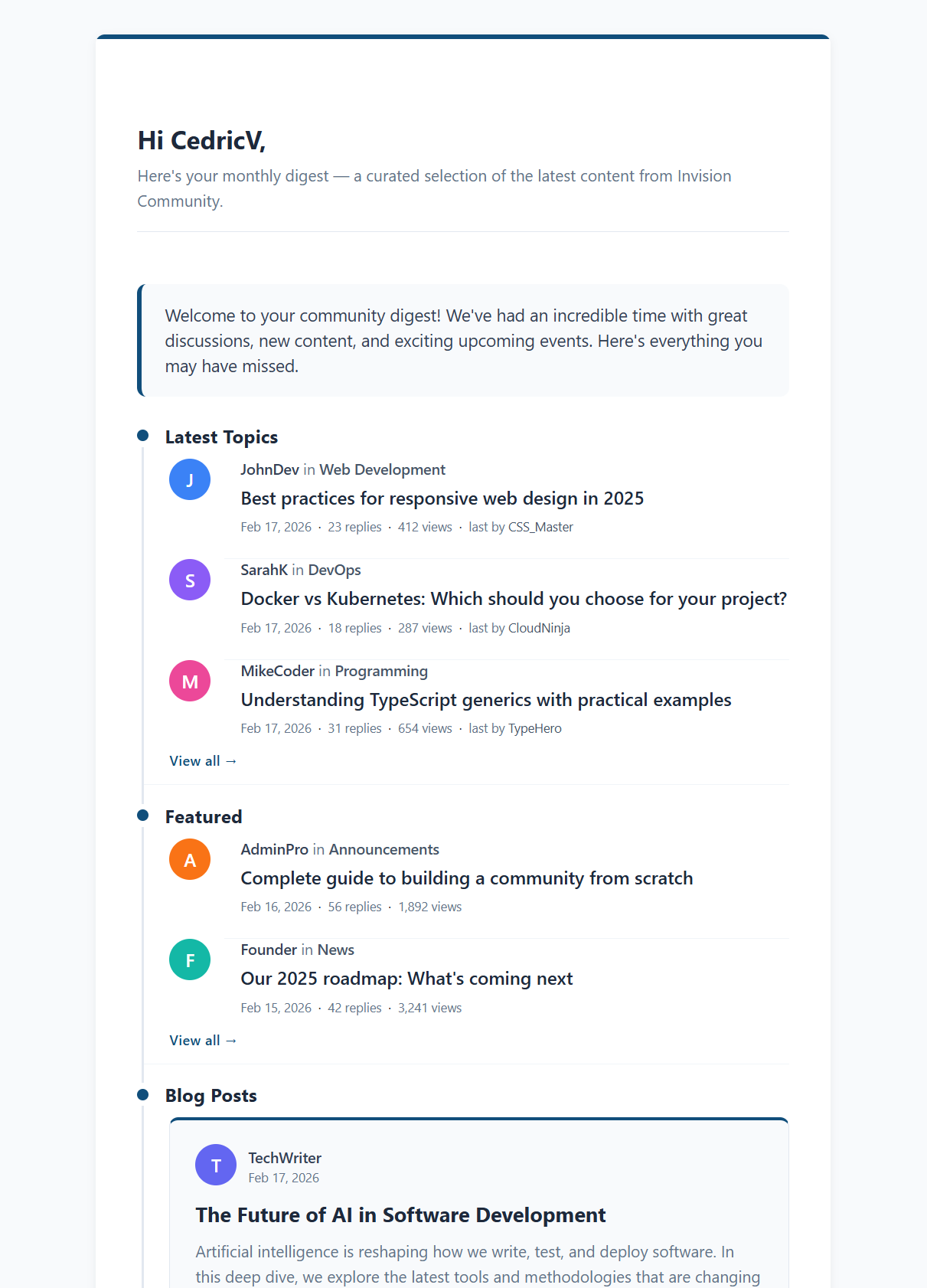
A powerful, fully block-based automated newsletter system for Invision Community 5 that lets administrators create structured, scheduled digests using native IPS email formatting.
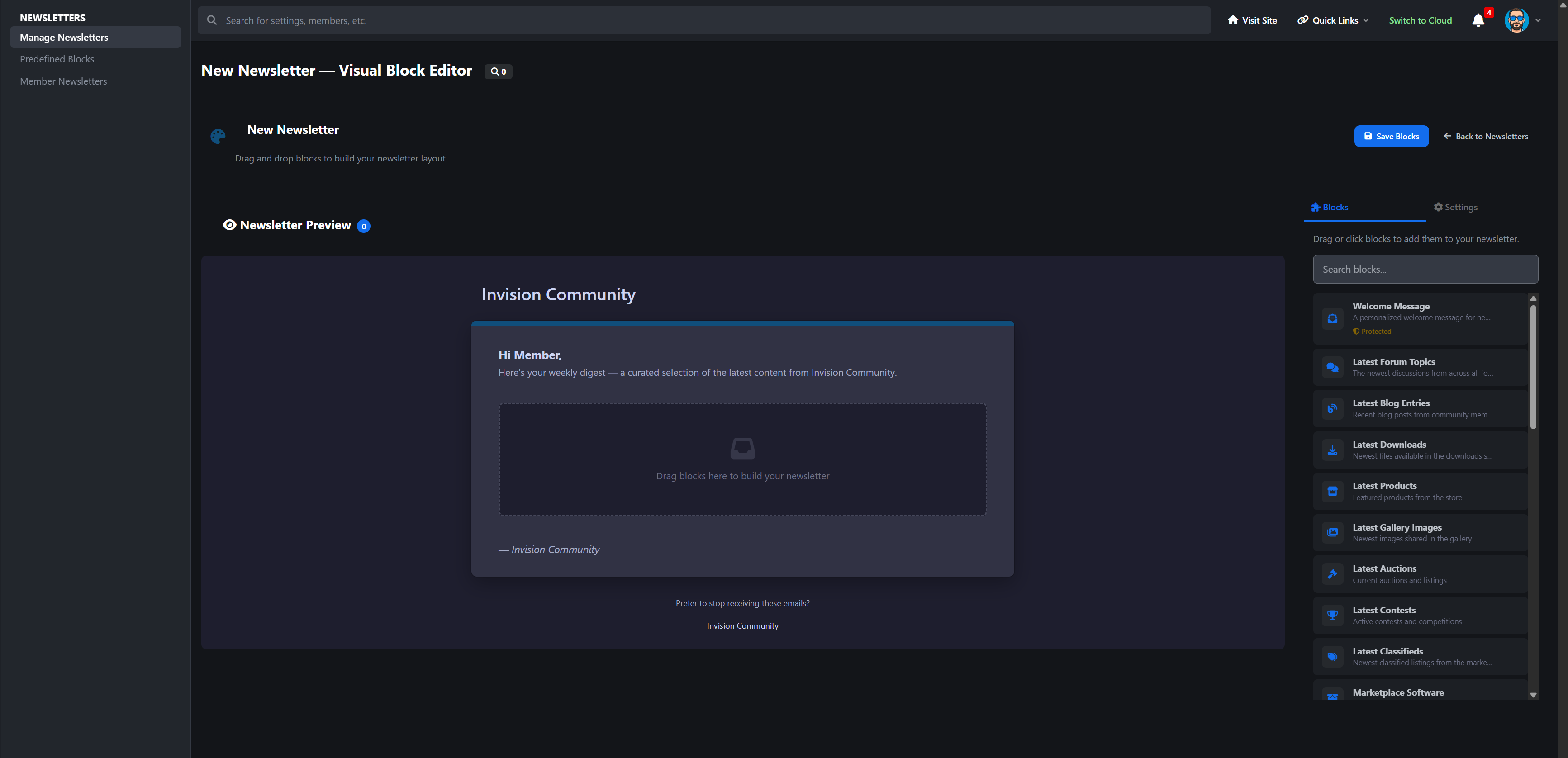
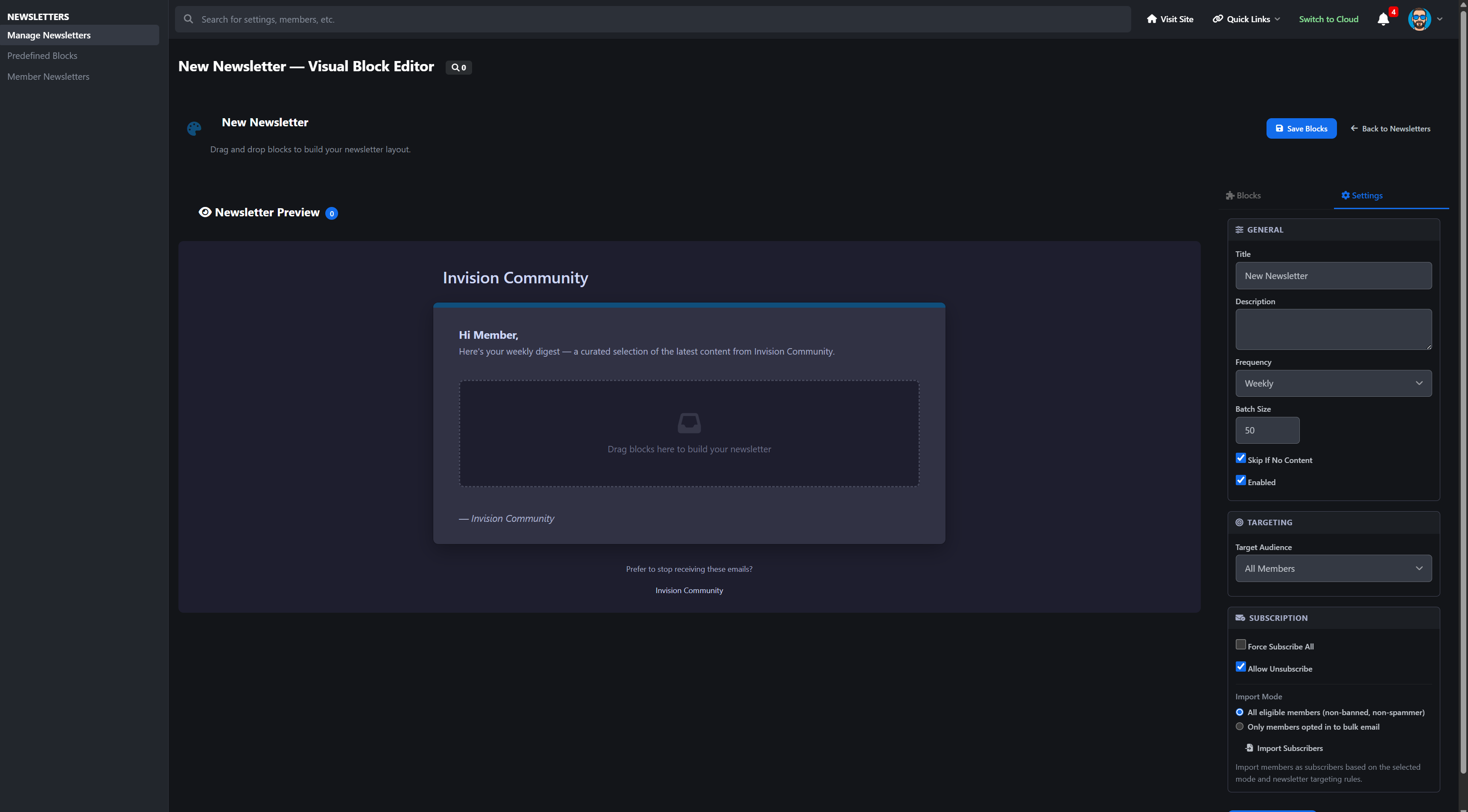
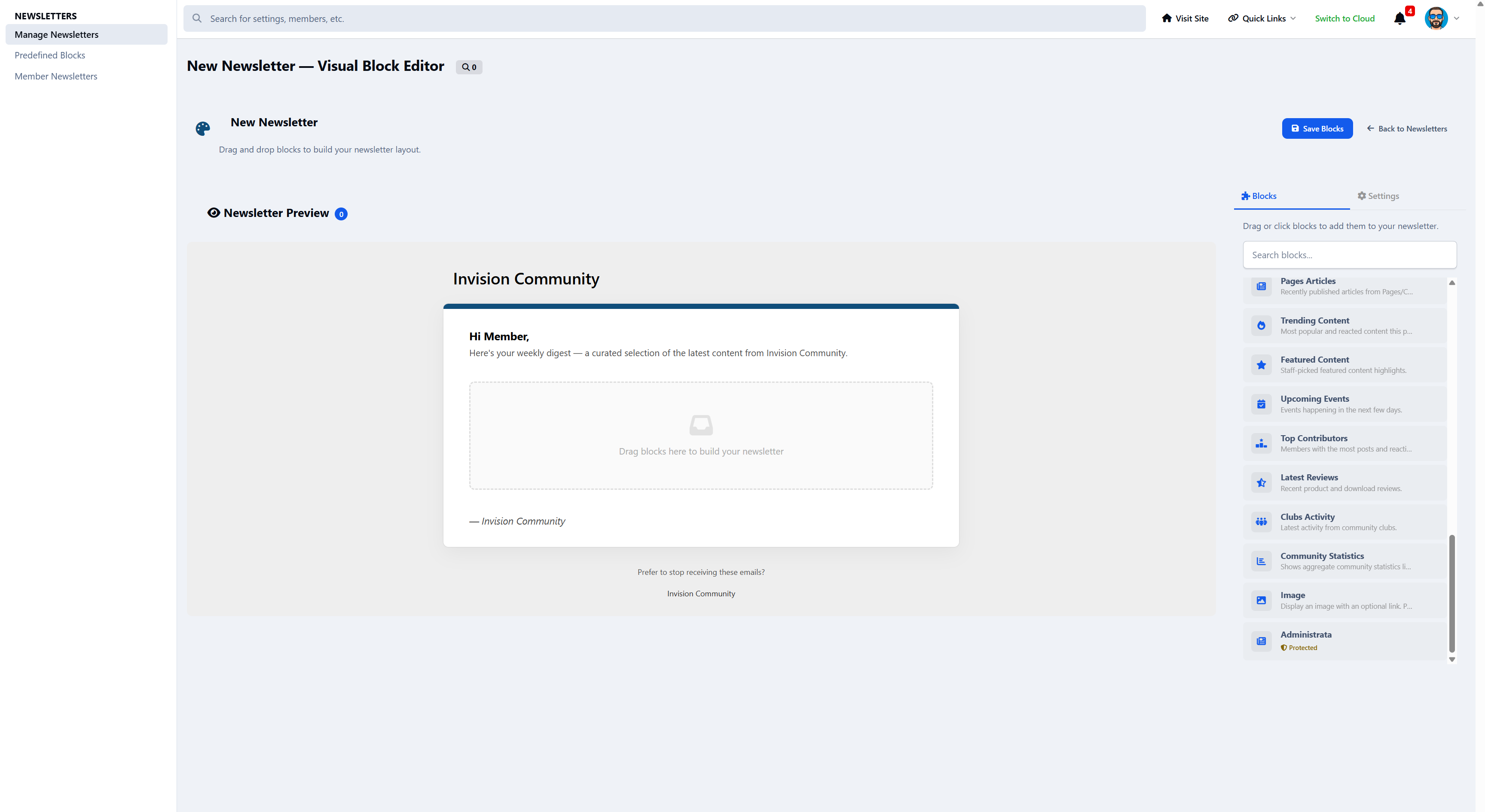
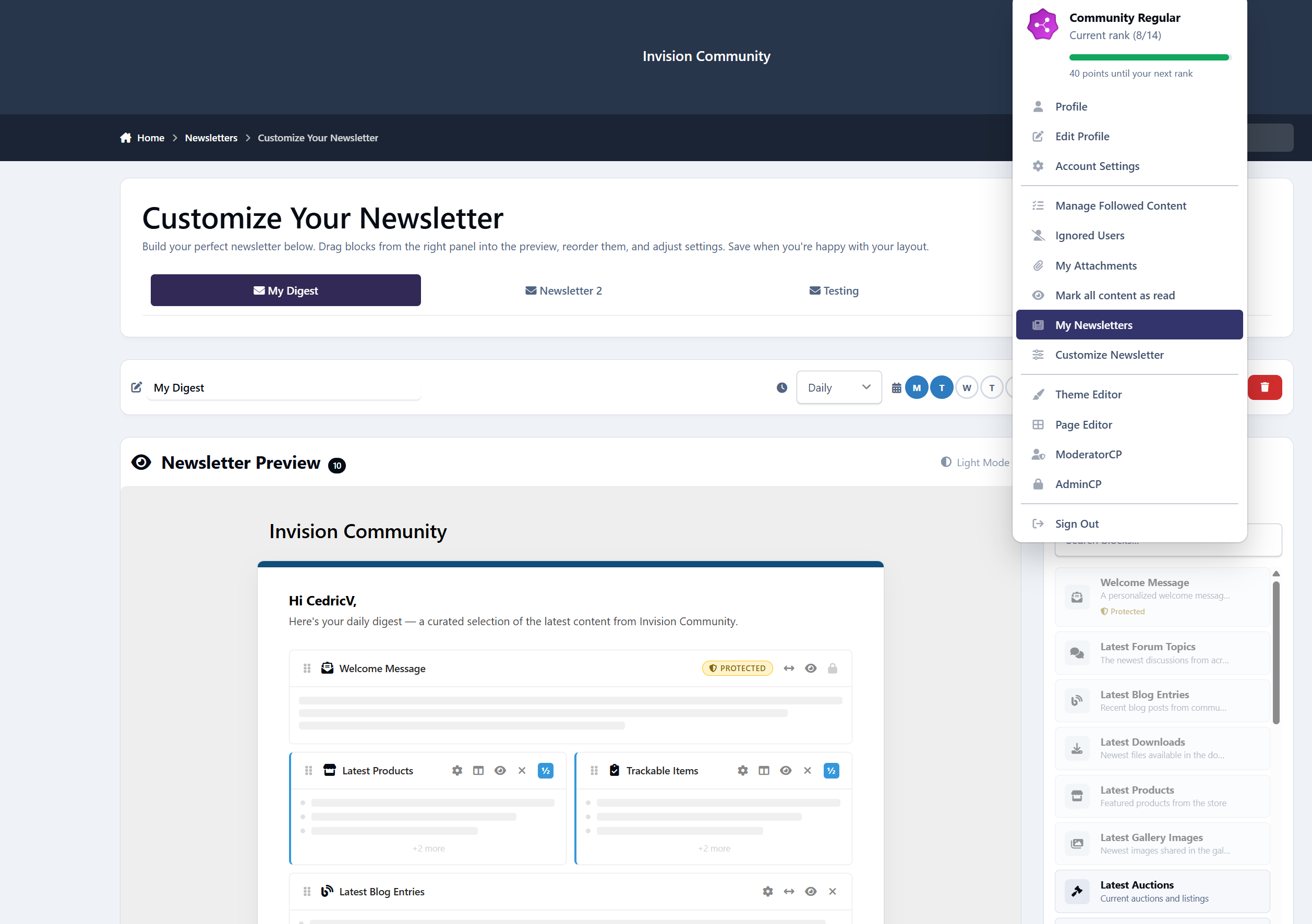
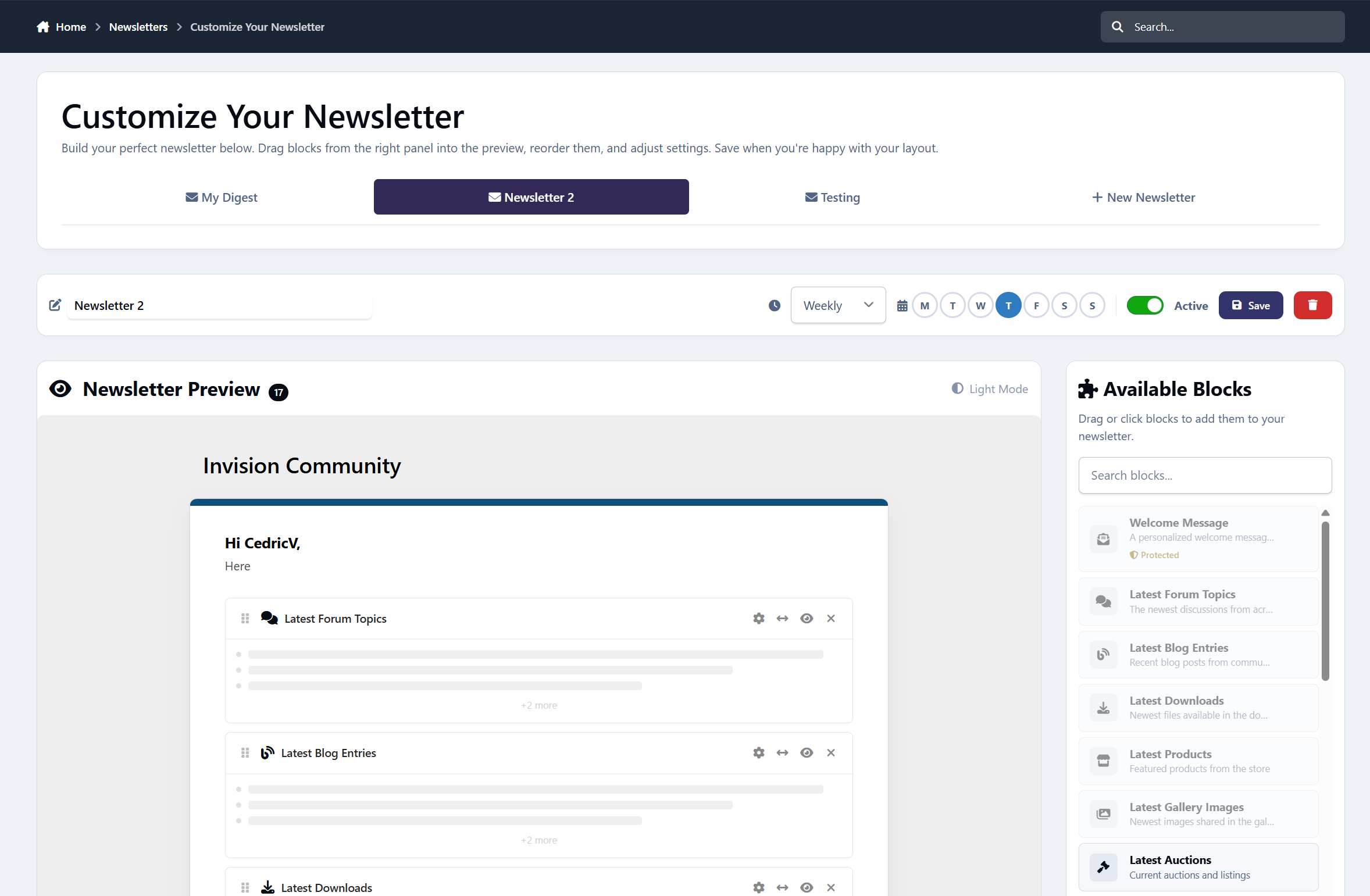
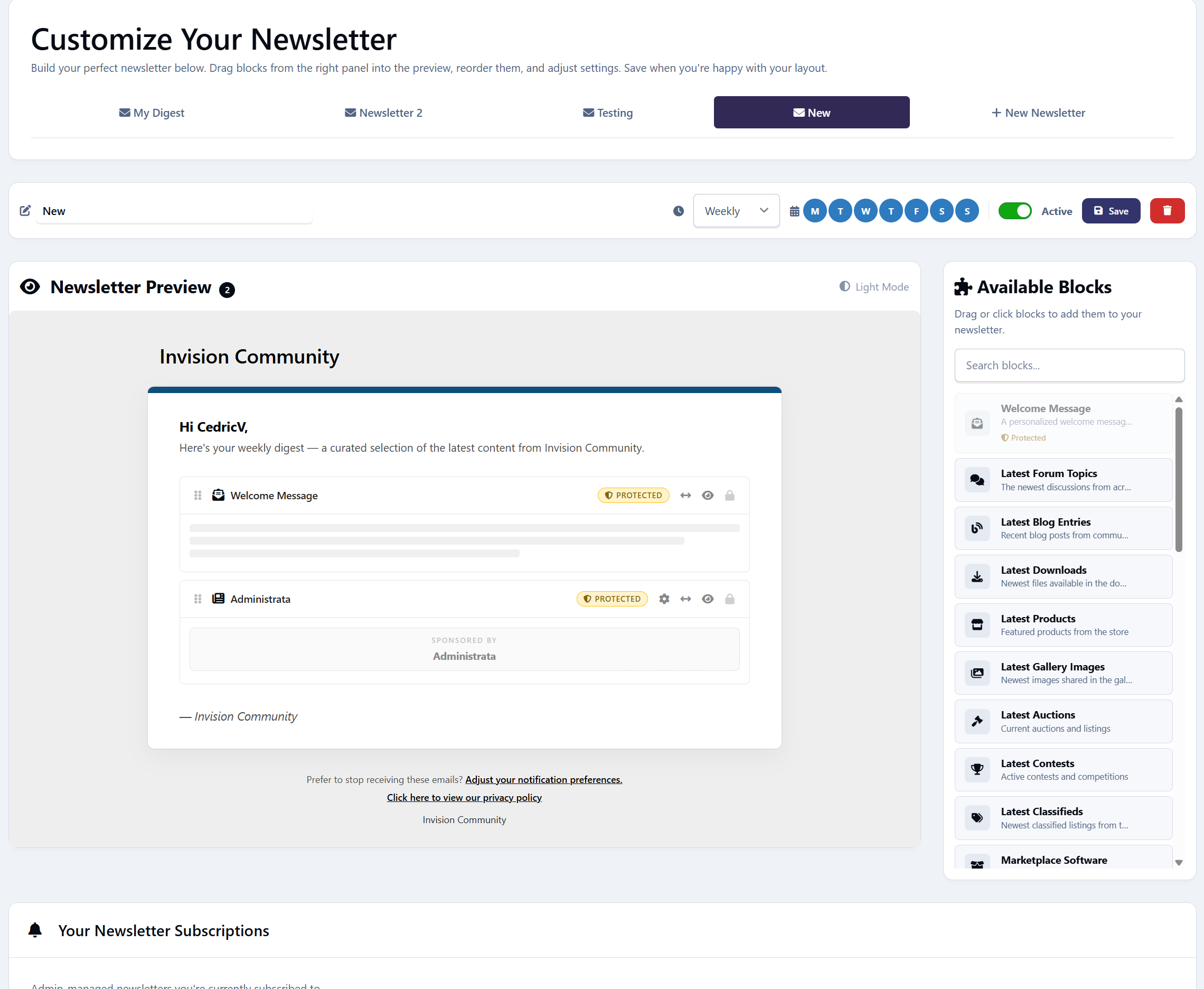
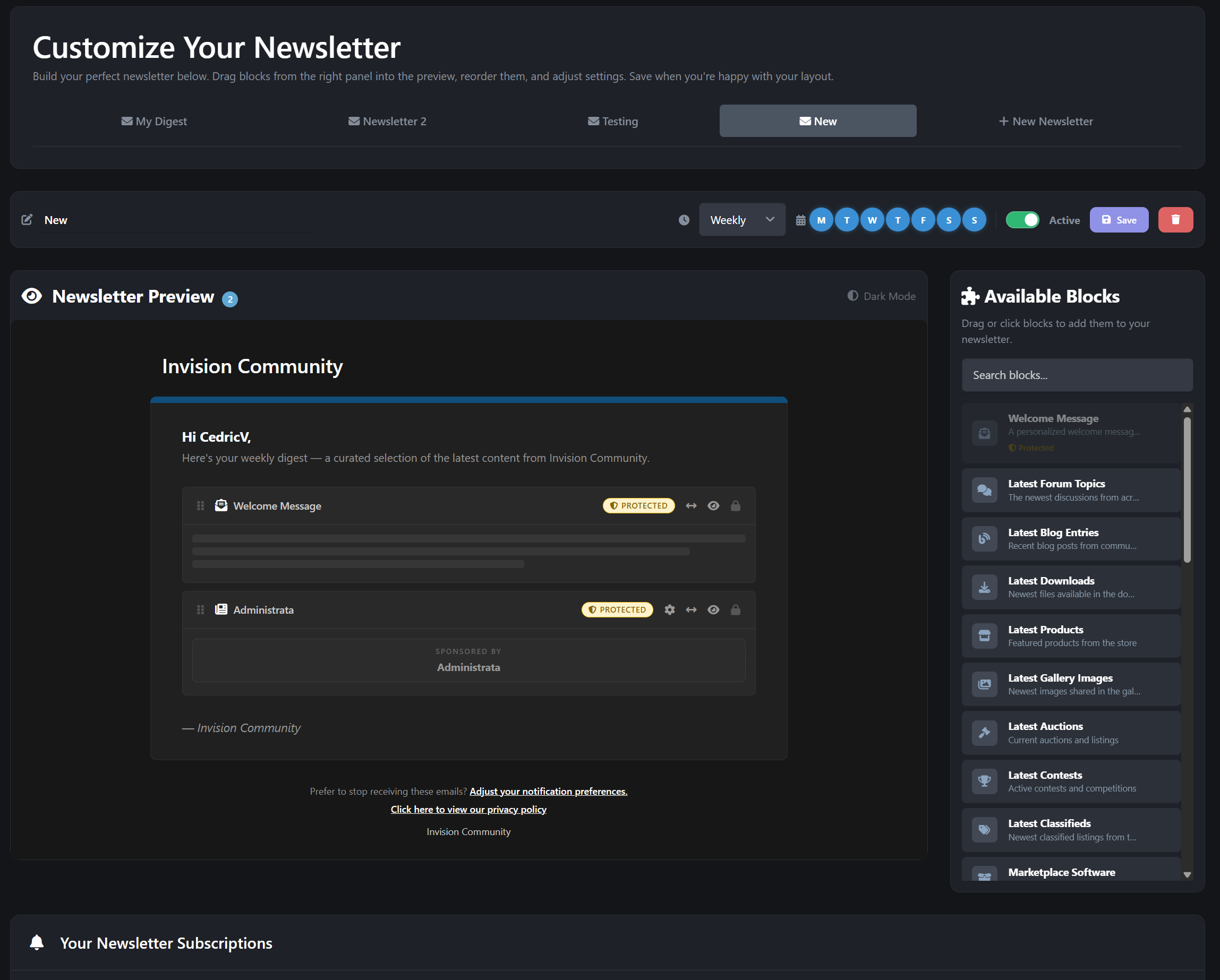
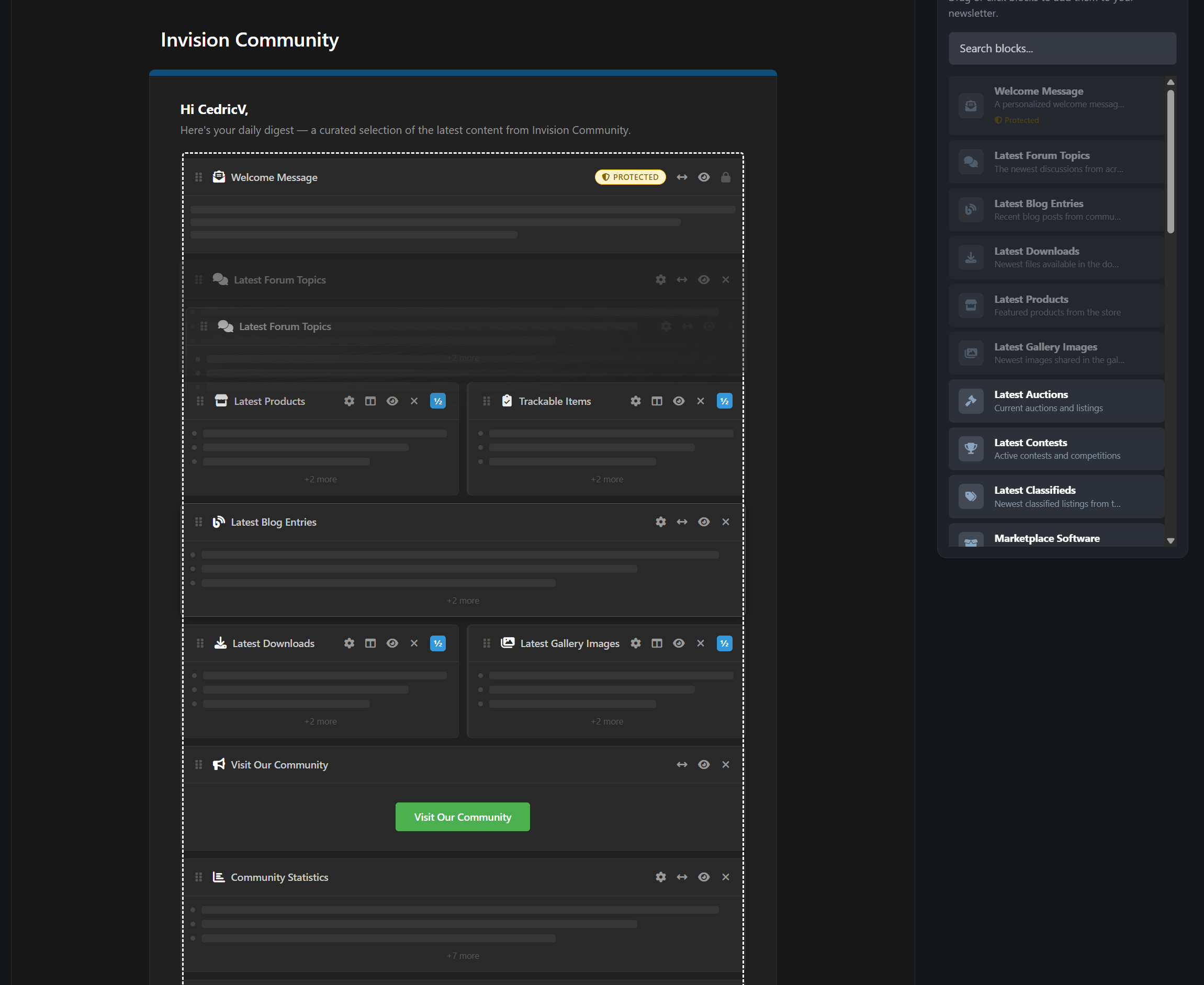
Supports both official admin newsletters and customizable member-created digests, all delivered through IPS’s built-in email system without altering core templates. Simply create your newsletter by drag & dropping blocks inside the live preview. Even supporting 2-column design.
Core Features
Automated recurring newsletters - daily, weekly, monthly, or custom intervals
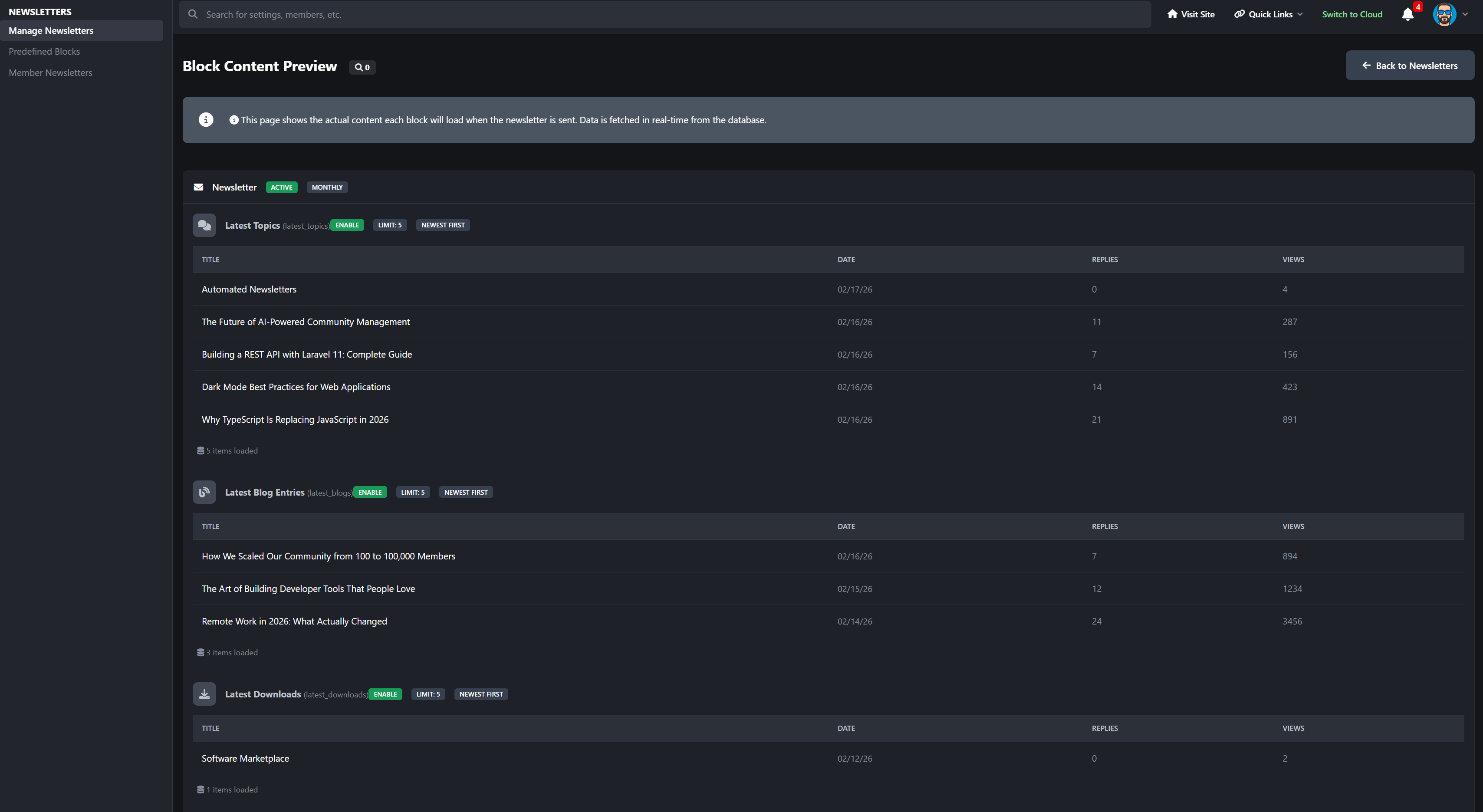
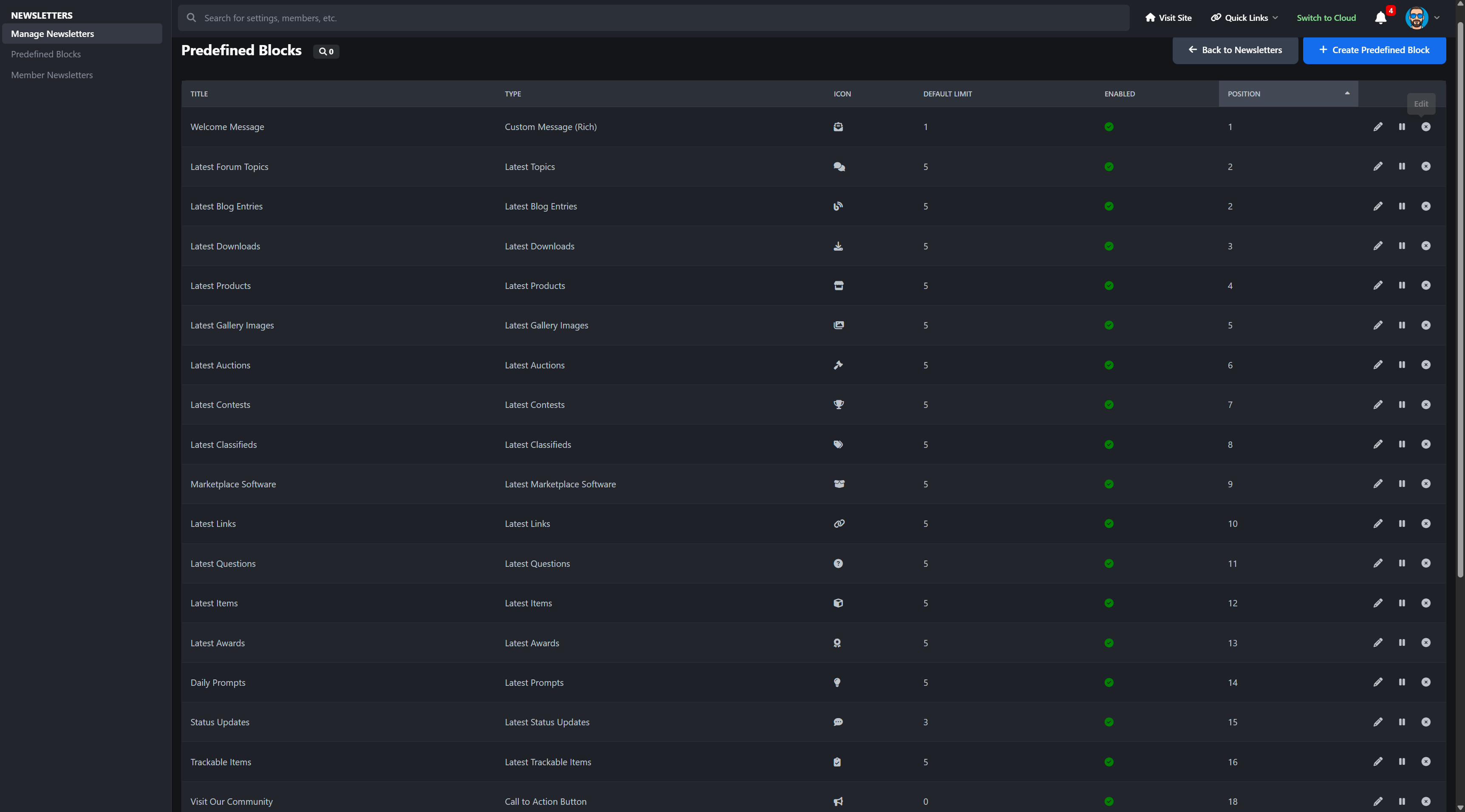
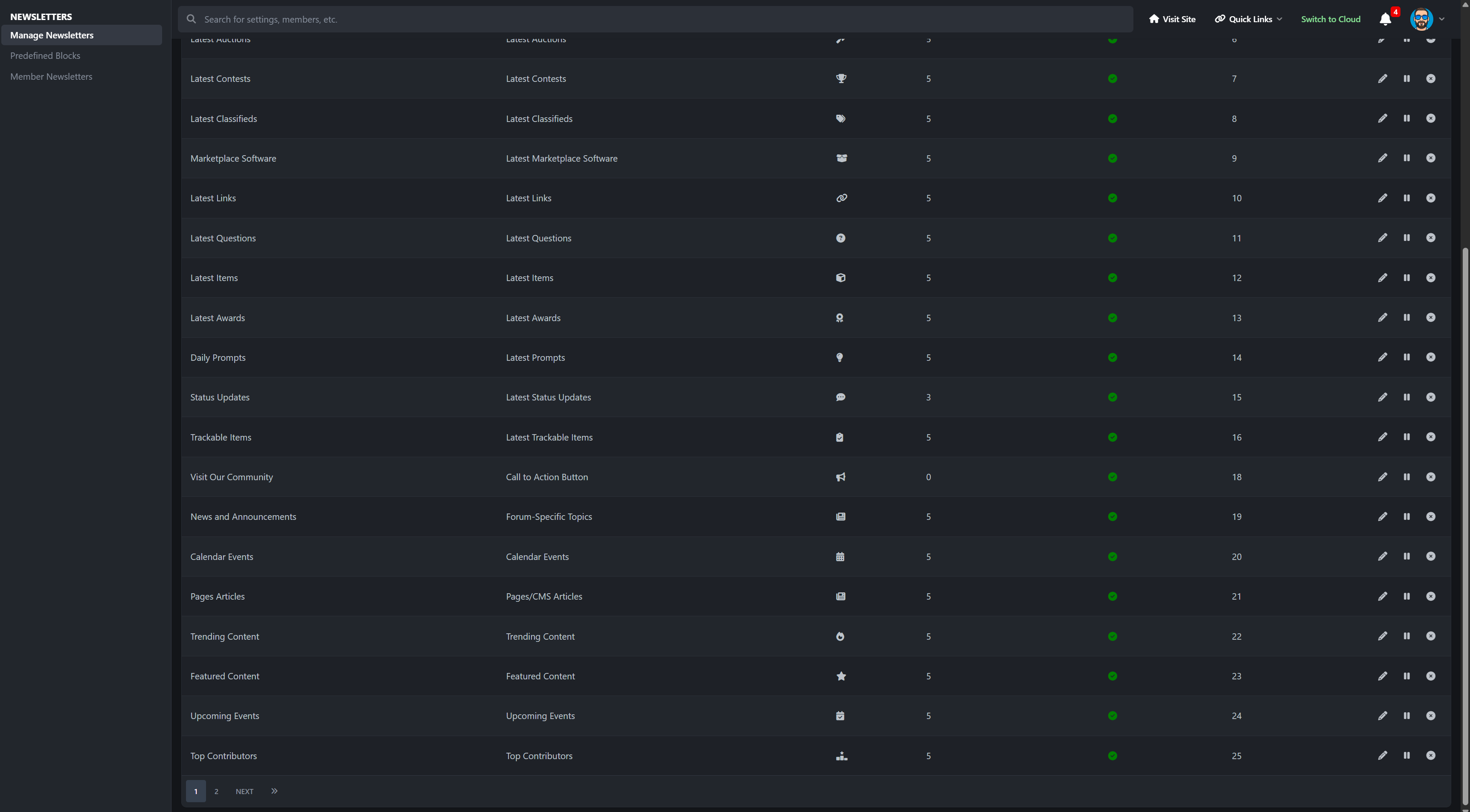
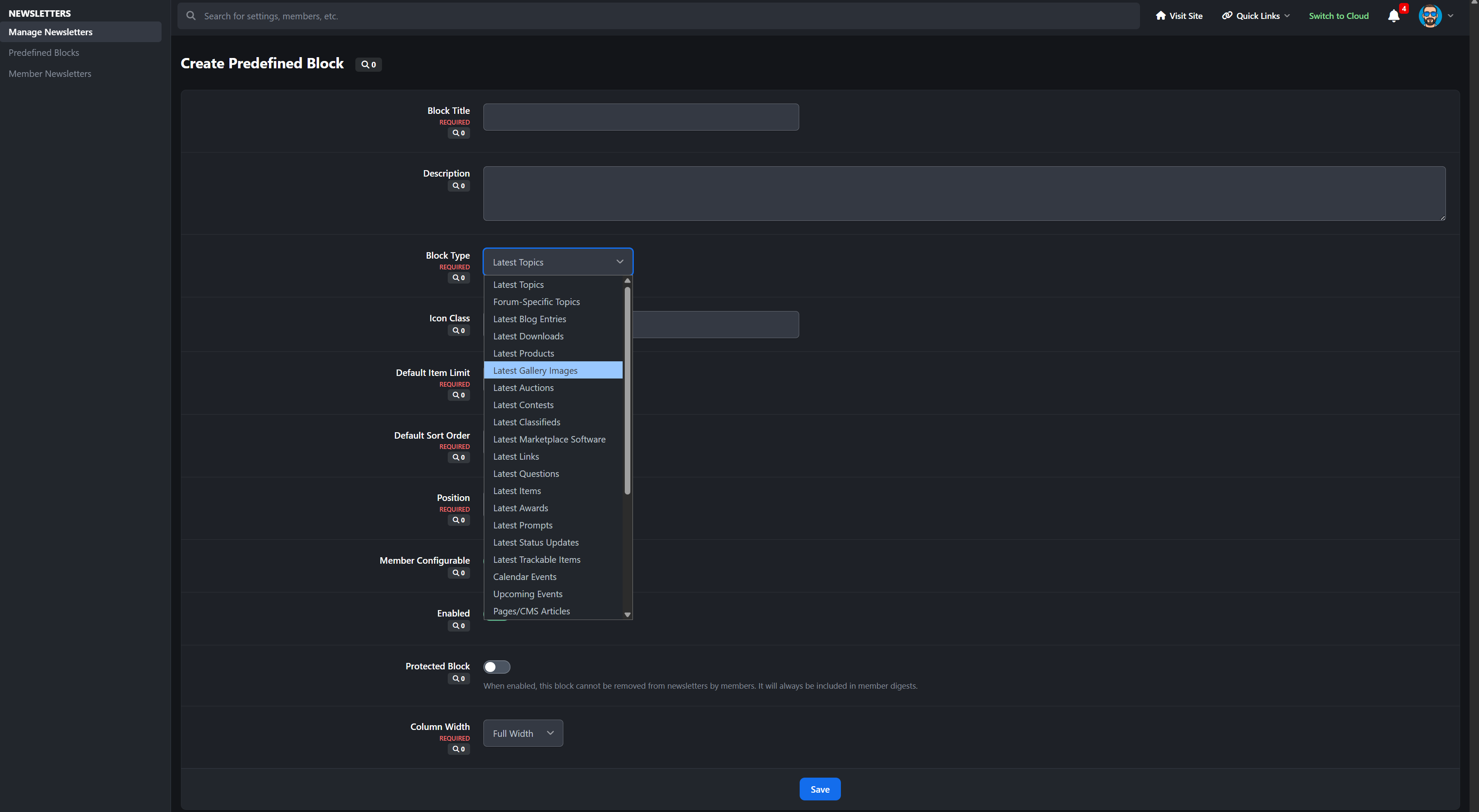
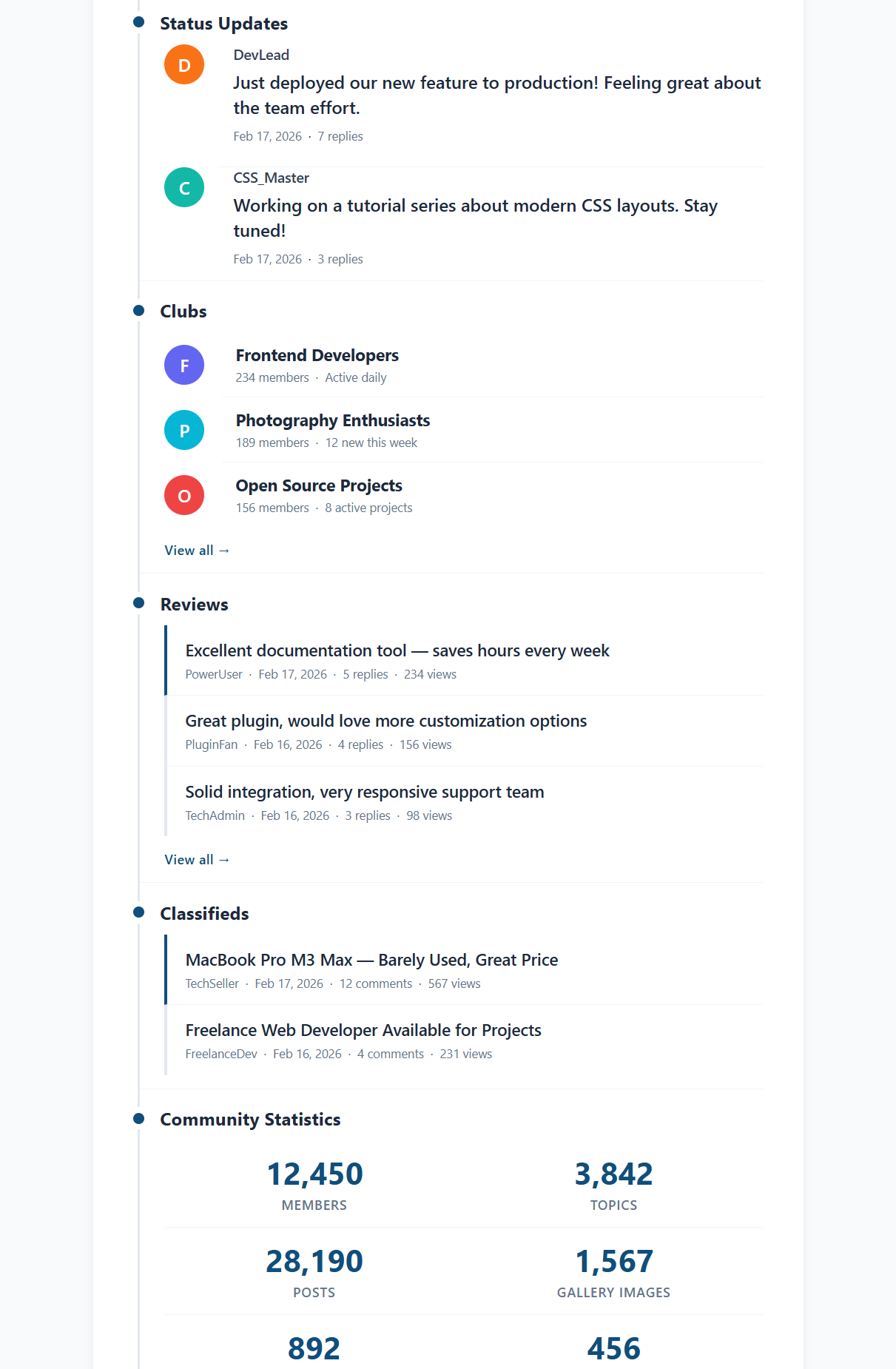
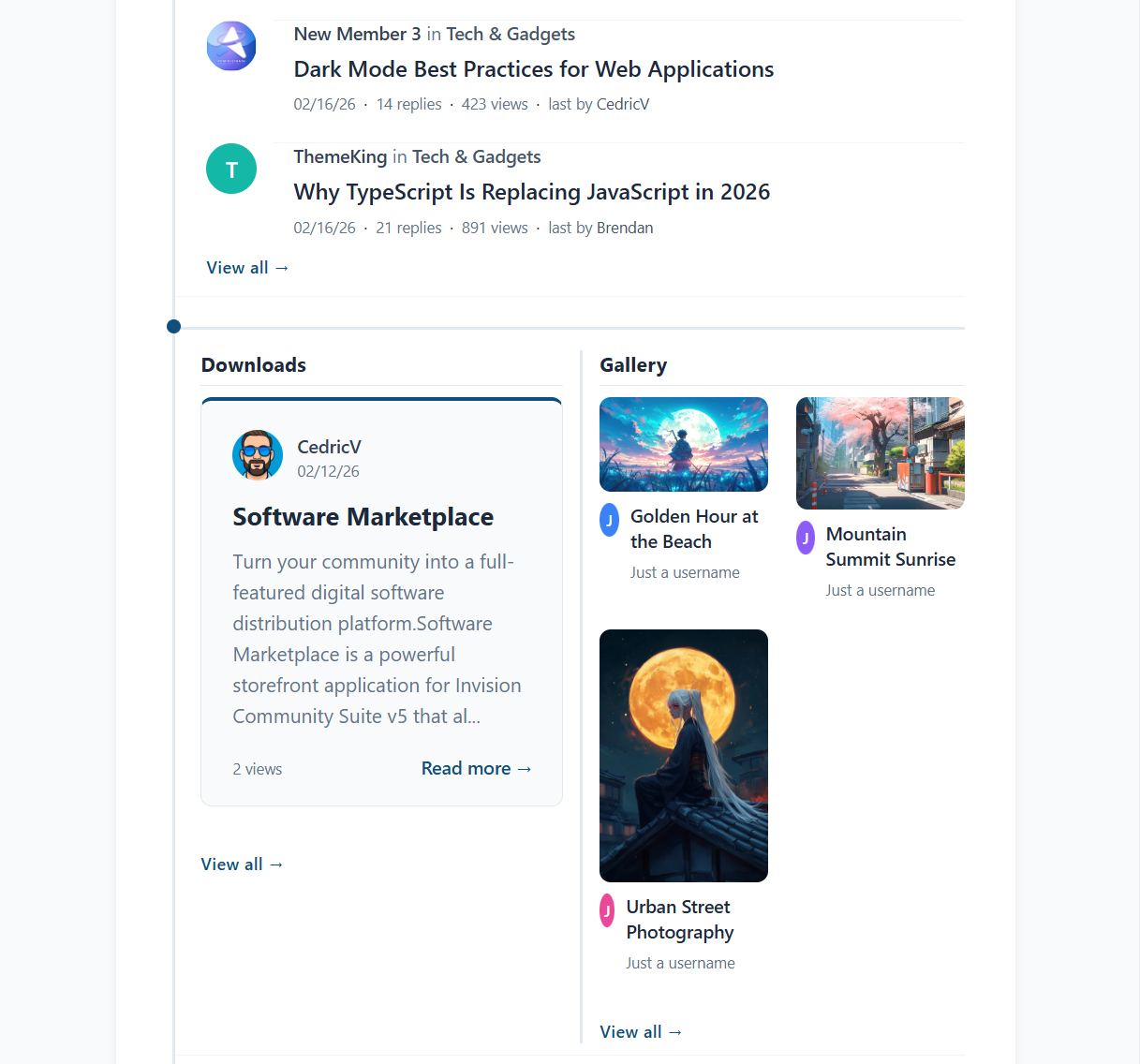
31 content block types pulling live data from major IPS applications
Visual drag-and-drop newsletter builder (admin & member)
Send-day scheduling - restrict sends to specific weekdays
Smart skip-empty - automatically skips sending when no new content exists
Two-column email layouts with side-by-side block support
Dark mode email preview inside the customizer
Configurable batch size per newsletter for server-friendly sending
31 Content Block Types
Pull live content dynamically from across your community:
Core IPS Applications
Forums + Specific forums selection
Blogs
Downloads
Gallery
Calendar
Commerce / Products
CMS / Pages Articles
Extended Content Support
Auctions
Contests
Classifieds
Marketplace
Links
Questions (Q&A)
Awards
Daily Prompts
Status Updates
Trending Content
Featured Content
Upcoming Events
Top Contributors
Recent Reviews
Active Clubs
Trackable Items (followed content)
Utility Blocks
Custom Text
Welcome Message
Call-to-Action Button
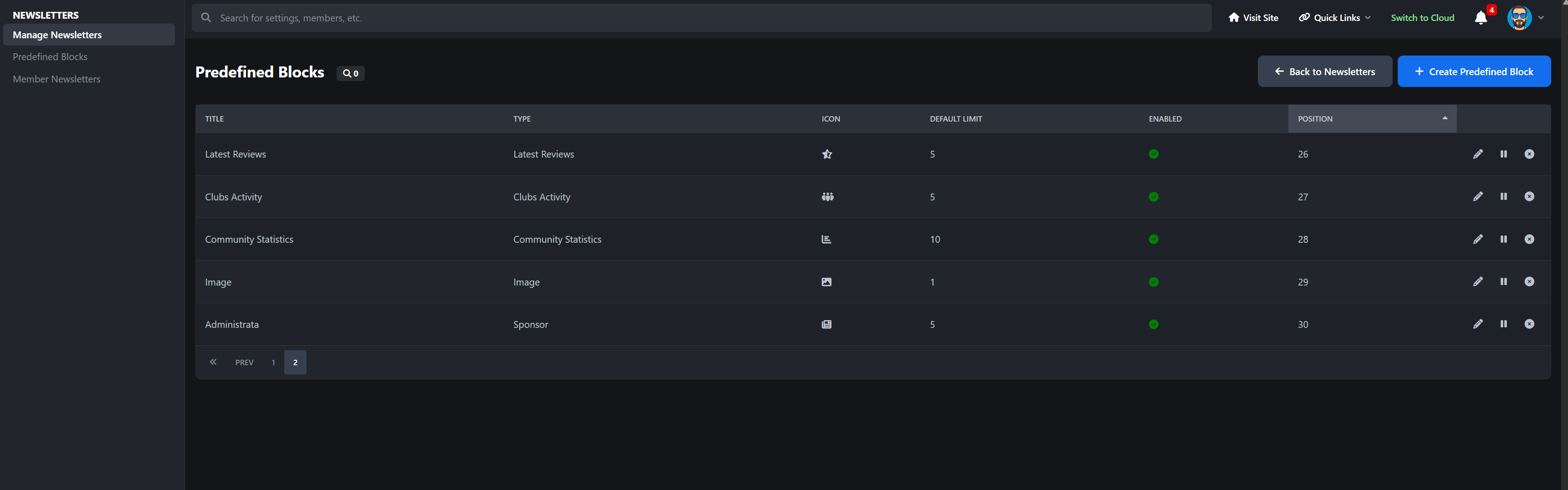
Sponsor / Advertiser Block
Image Block (with upload support)
Community Statistics Dashboard
Need compatibility with another 3rd-party app? I’m happy to add it. Feel free to post a feature request. Note: Depending on your installed 3rd party apps, your amount may be limited.
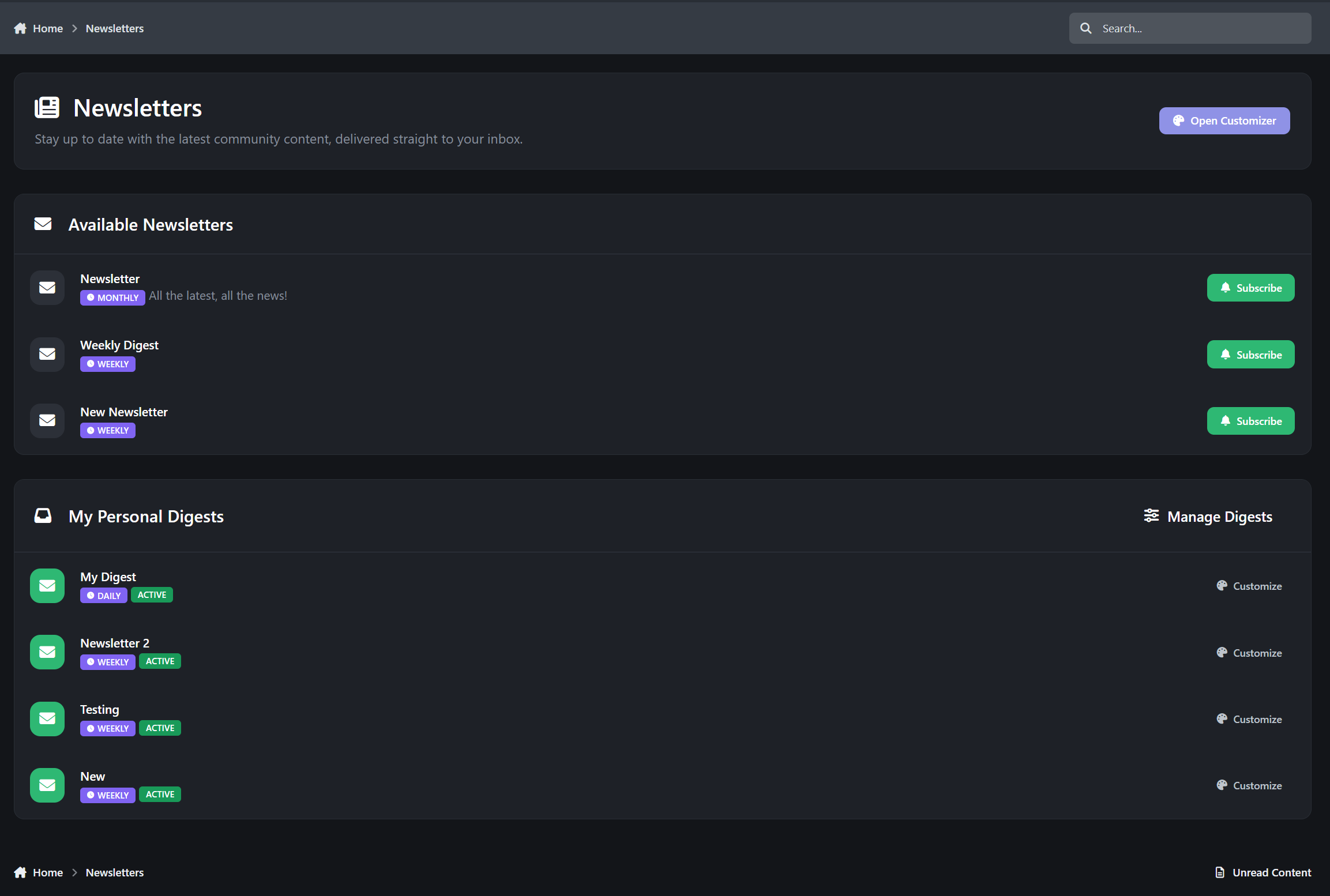
Member Personal Digests
Give your members control over what they receive.
Members can:
Create their own personalized newsletters
Use the drag-and-drop block customizer (front end)
Select content types
Configure limits and sorting
Choose frequency and send-days
Create up to 10 personal digests
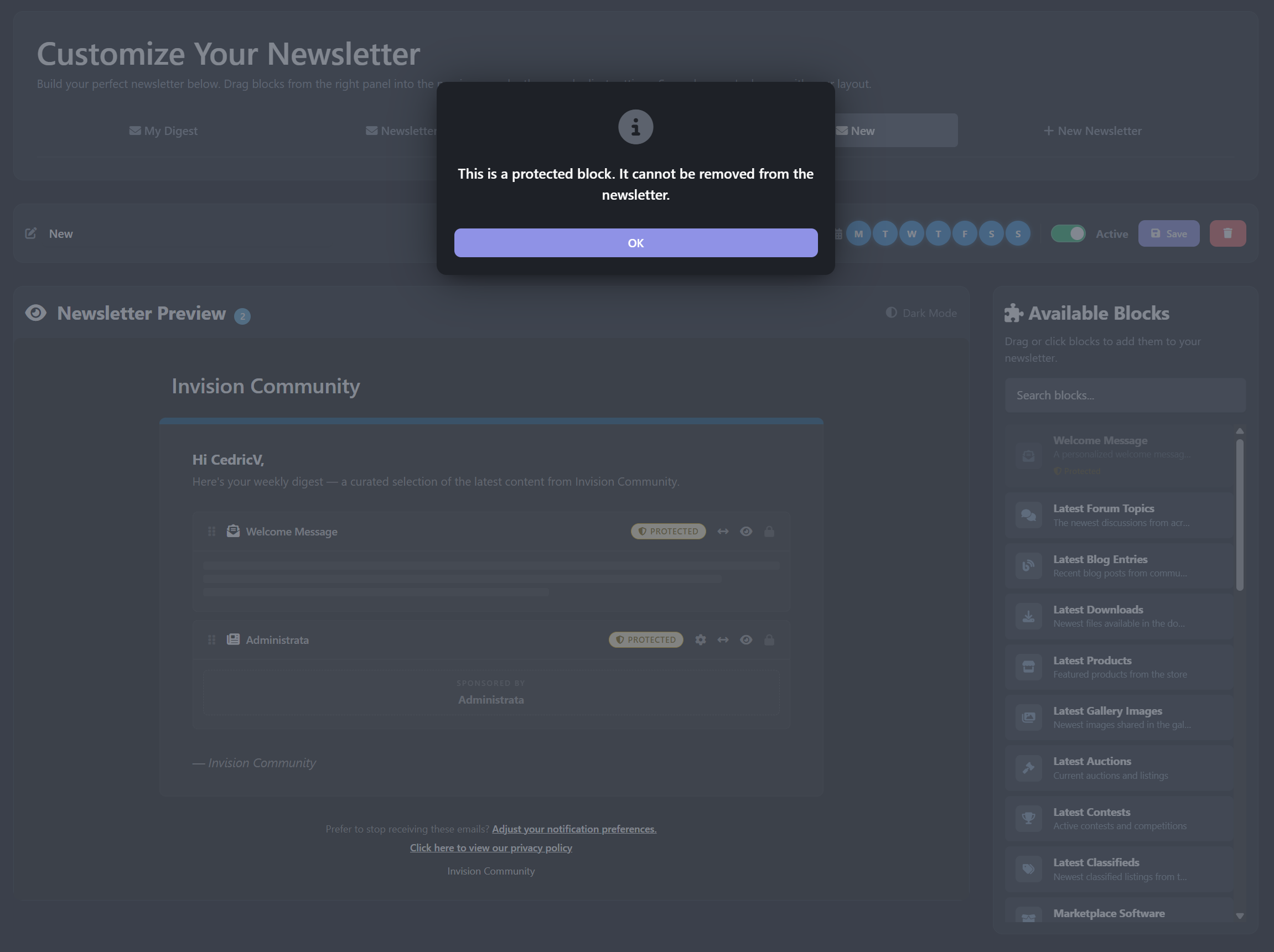
Protected blocks ensure essential content always appears. These are automatically added when a member creates a new newsletter and cannot be disabled.
Each digest is fully independent with its own schedule.
Admin Newsletter Management
Powerful, intuitive control panel inside ACP:
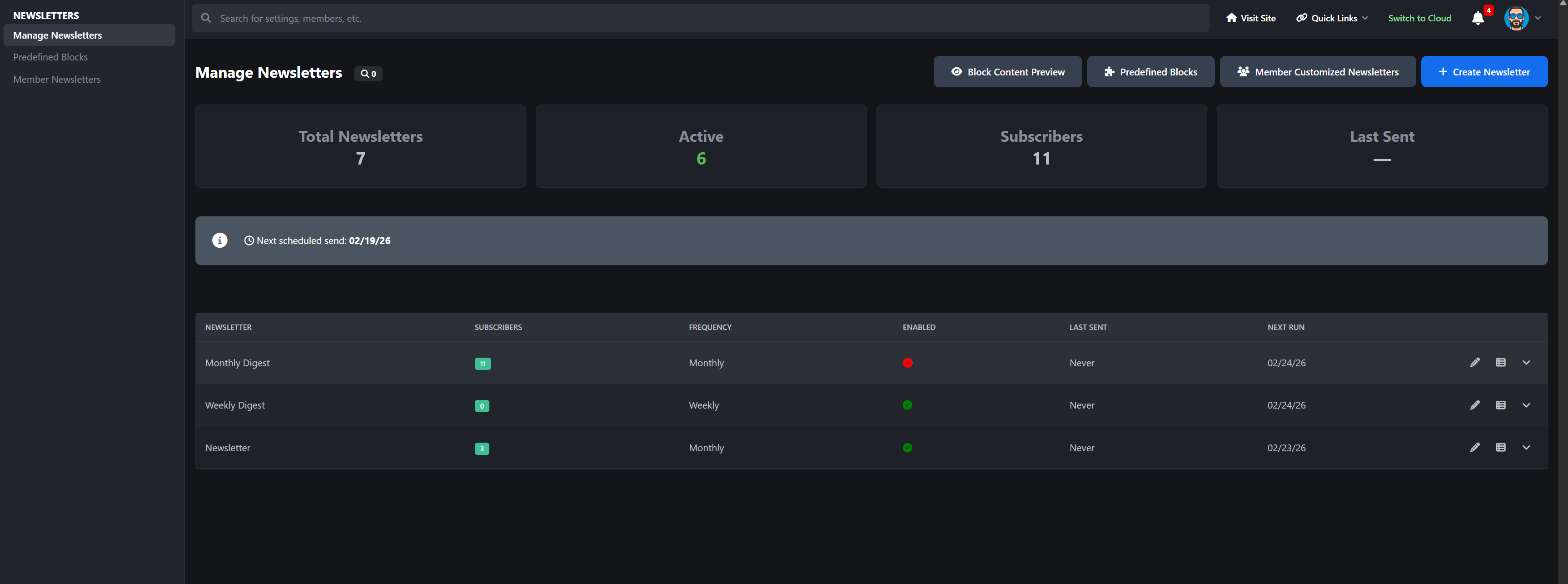
Dashboard Overview
Total newsletters
Active newsletters
Subscriber counts
Send history
Per Newsletter Controls
Visual block customizer
Target by:
All members
Specific groups
Individual members
Force-subscribe option (mandatory newsletters)
One-click test email
Preview before send
Send now
Duplicate newsletter with all blocks
Import subscribers from targeting rules or IPS Bulk Email opt-ins
Logging
Complete send log
HTML content snapshots
Error tracking
Perfect For
Large communities
News & content-driven forums
Commerce-based sites
Membership communities
Private communities
Growing IPS sites that want structured communication
-
 3
3
Create an account or sign in to leave a review
There are no reviews to display.