Community Activity
Invision Community 5
- Category Analytics & Stats
- Downloads 172
- Compatibility IC5: 5.0.0+
- Updated
Overview
Give your community a heartbeat your members actually want to check.Description
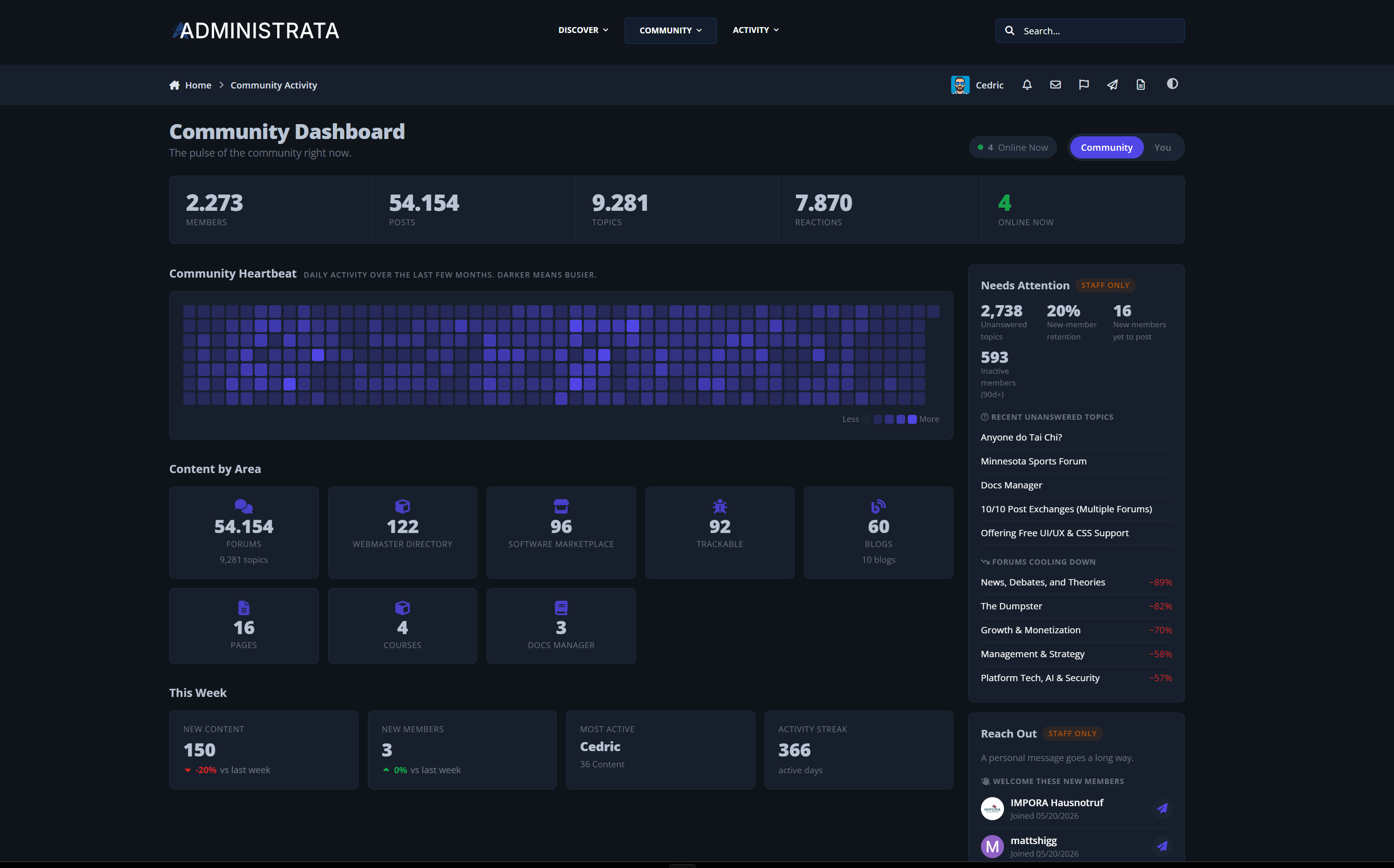
Community Activity is a front-end statistics and engagement dashboard for Invision Community Suite v5. It turns the data your community already produces into a polished, public-facing experience: growth trends, a year-long contribution heatmap, top members and content, cross-application breakdowns, personal scorecards, staff-only outreach tools, and automatic engagement notifications. It complements the built-in board statistics instead of replacing them, and it looks like a native part of your community from the first page load.
Live demo: Community Activity
A Real Dashboard, Not a Buried Stats Page
A polished single-page dashboard at a clean URL:
/community-activity/Live headline totals: members, content, reactions, and who is online right now
A full-year contribution Heartbeat, similar to a contribution graph, so momentum is visible at a glance
Sections animate in as you scroll, without slowing the page down
Light and dark mode aware, fully responsive, and motion-reduced for accessibility
Your statistics stop being an admin afterthought and become a destination.
Community Insights at Every Angle
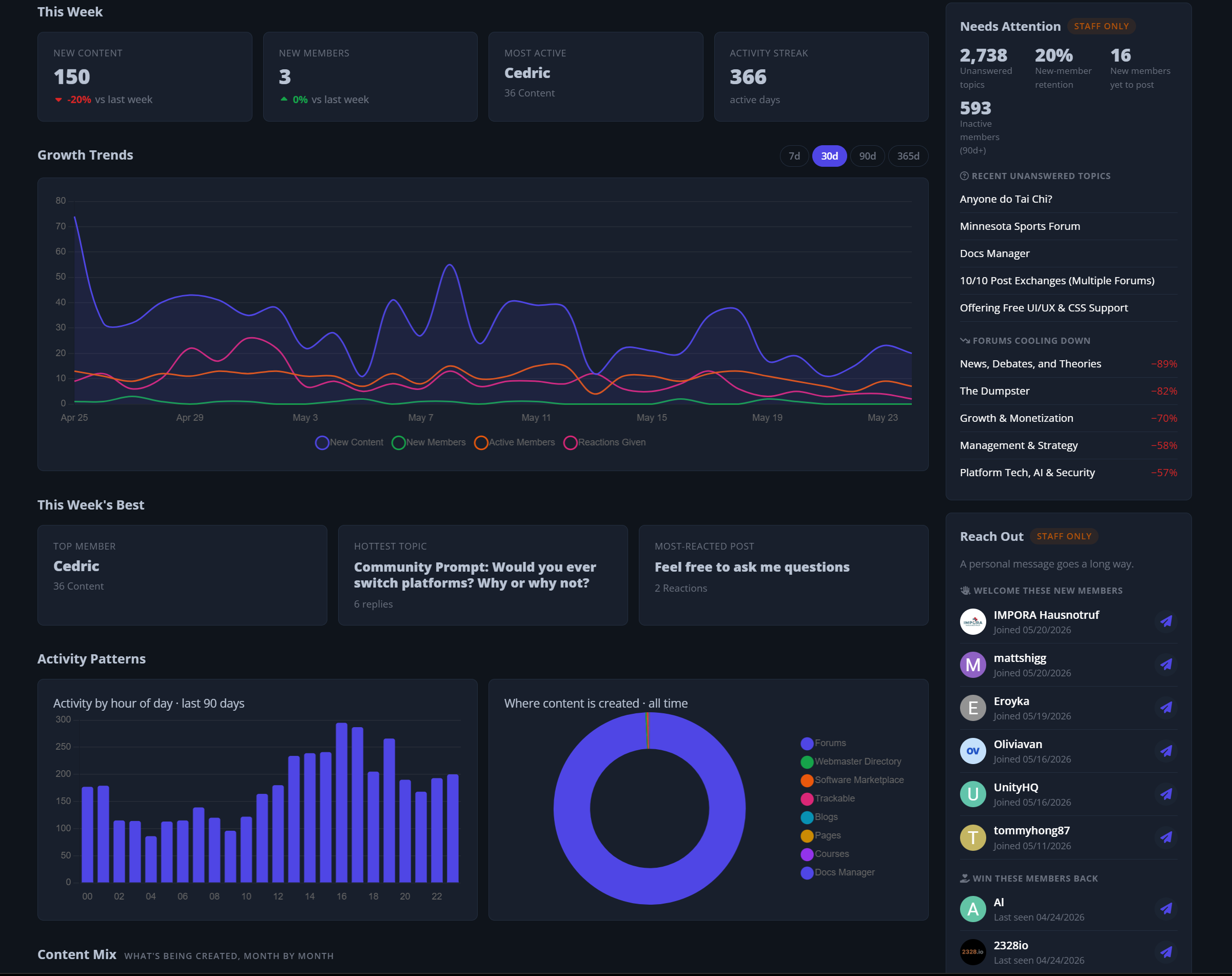
Growth Trends: a multi-line chart of content, members, active members, and reactions, with instant 7, 30, 90, and 365 day range switching
Activity Patterns: when your community is most active by hour of day
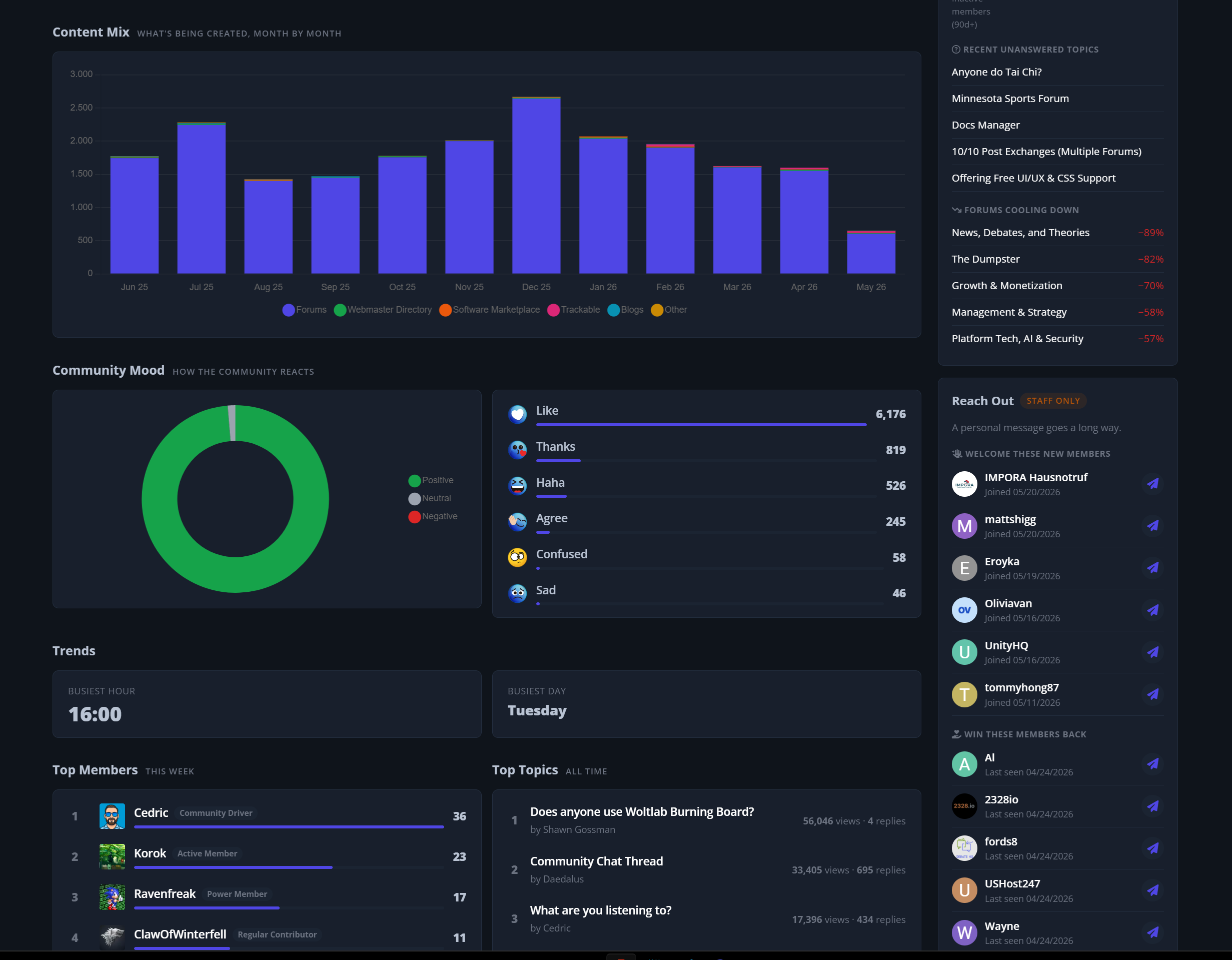
Community Mood: how members react, with a positive, neutral, and negative sentiment split
Content Mix: what is being created across your community month by month
Content by Area: a breakdown across Forums, Gallery, Downloads, Blogs, and more
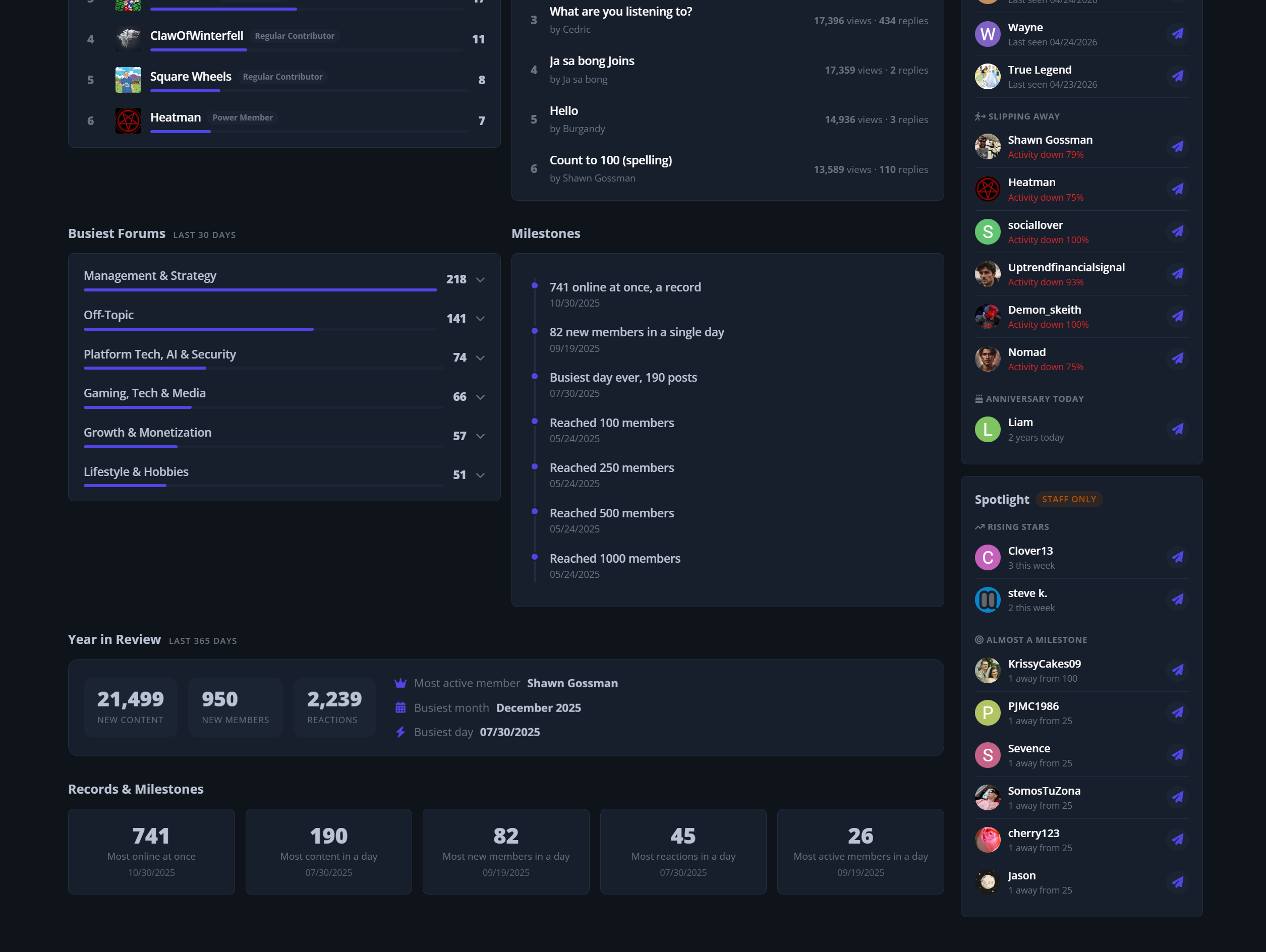
Top Members, Top Topics, and Busiest Forums: quick views of what and who is driving activity
Records and Milestones: all-time high-water marks plus a celebratory Year in Review
Everything is permission-aware, so members only see content they are allowed to see.
A Personal Scorecard for Every Member
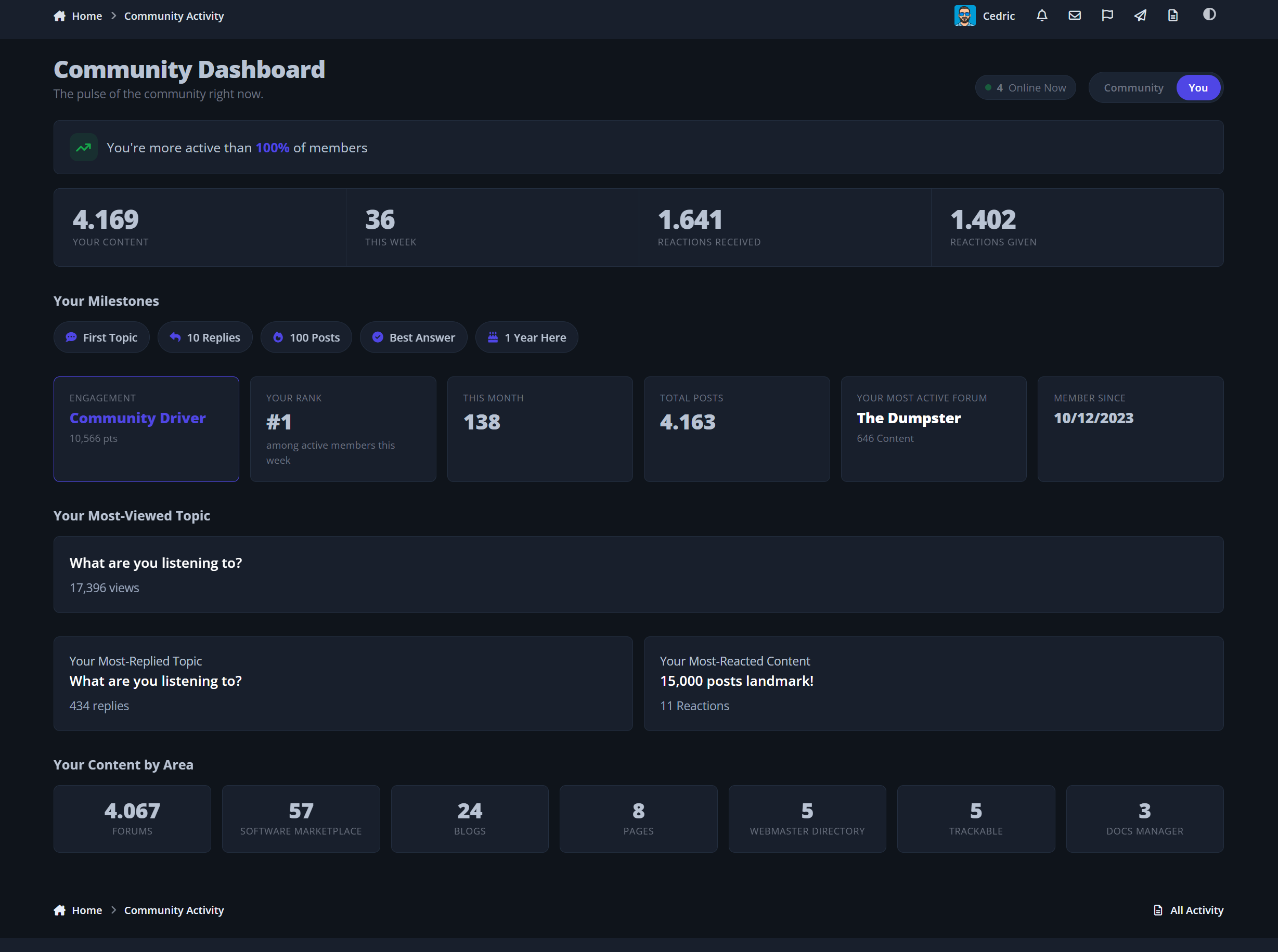
The You tab turns participation into something members care about:
"You are more active than X percent of members"
Personal milestone badges: first topic, ten replies, one hundred posts, best answer, and one-year anniversary
A friendly engagement level, from Quiet Reader up to Community Driver
Your rank this week, posts this month, most-viewed topic, most-reacted content, and your contribution breakdown
Every member gets a reason to come back and watch their numbers climb.
Smart Staff Tools That Drive Retention
When a moderator or admin opens the dashboard, a staff-only sidebar appears with practical, one-click actions:
Needs Attention: unanswered topics, retention signals, first posts with no reply, and cooling-down forums
Reach Out: welcome new members, win back quiet ones, catch power members who are slipping away, and congratulate anniversaries, each with a quick message action
Spotlight: rising stars and members who are one or two posts away from a milestone
Spot the people who need a nudge before you lose them, and recognize the ones carrying your community.
Automatic Engagement Notifications
Six built-in notification types keep members coming back:
Post of the week, personal milestones, activity streaks, weekly recap, ranking updates, and community milestones
Never about the past. Installing the app records the current state silently and only notifies on new activity, so nobody gets flooded with alerts about old events
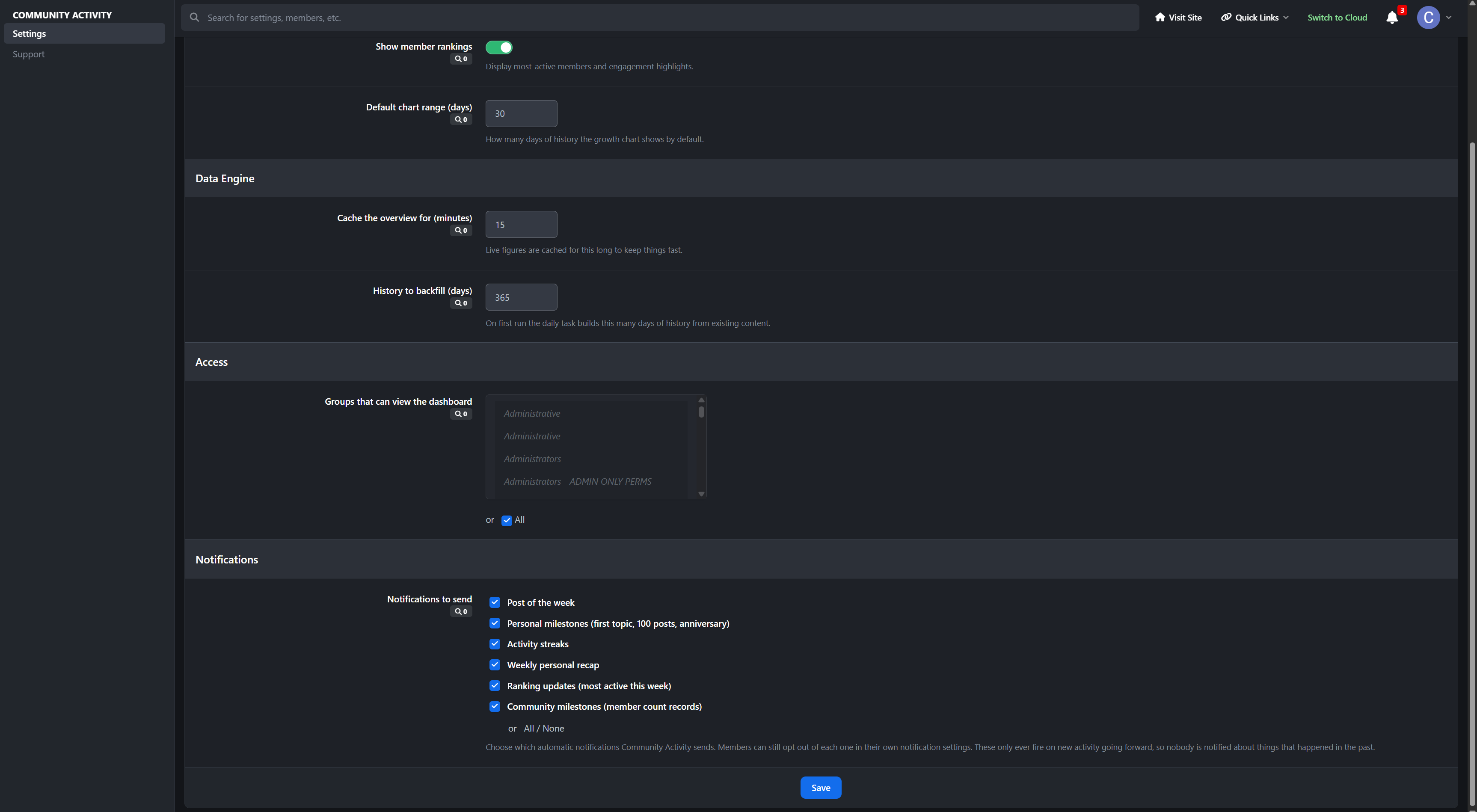
You choose which types are sent community-wide
Members stay in control and can opt out of any type
They carry your site favicon, so they clearly feel like part of your community
Automated encouragement that never feels spammy.
Built to Be Fast and Self-Sufficient
Aggregate-first design with a daily background task, so the dashboard stays instant even on busy communities
A bundled charting library served locally, with no external dependencies
Builds up to a year of history automatically, so the Heartbeat and Growth charts have data immediately
A front-end widget with two layouts, sidebar and horizontal, for any block area
Native AdminCP settings, group-based access control, and an in-panel support page
No external services, no tracking, and no new personal data collected. It reads what Invision already stores.
Perfect For
Communities that want members to feel their own progress
Forums looking to boost retention and repeat visits
Staff teams who want actionable health signals at a glance
Any community that wants its statistics to feel like part of the site
Community Activity gives your community a living dashboard that members enjoy, staff rely on, and that runs itself. Take a look at the demo and see it in action.
-
 2
2
Create an account or sign in to leave a review
There are no reviews to display.