[IC5] Animora theme
- Category Themes
- Downloads 127
- Compatibility IC5: 5.0.0+
- Updated
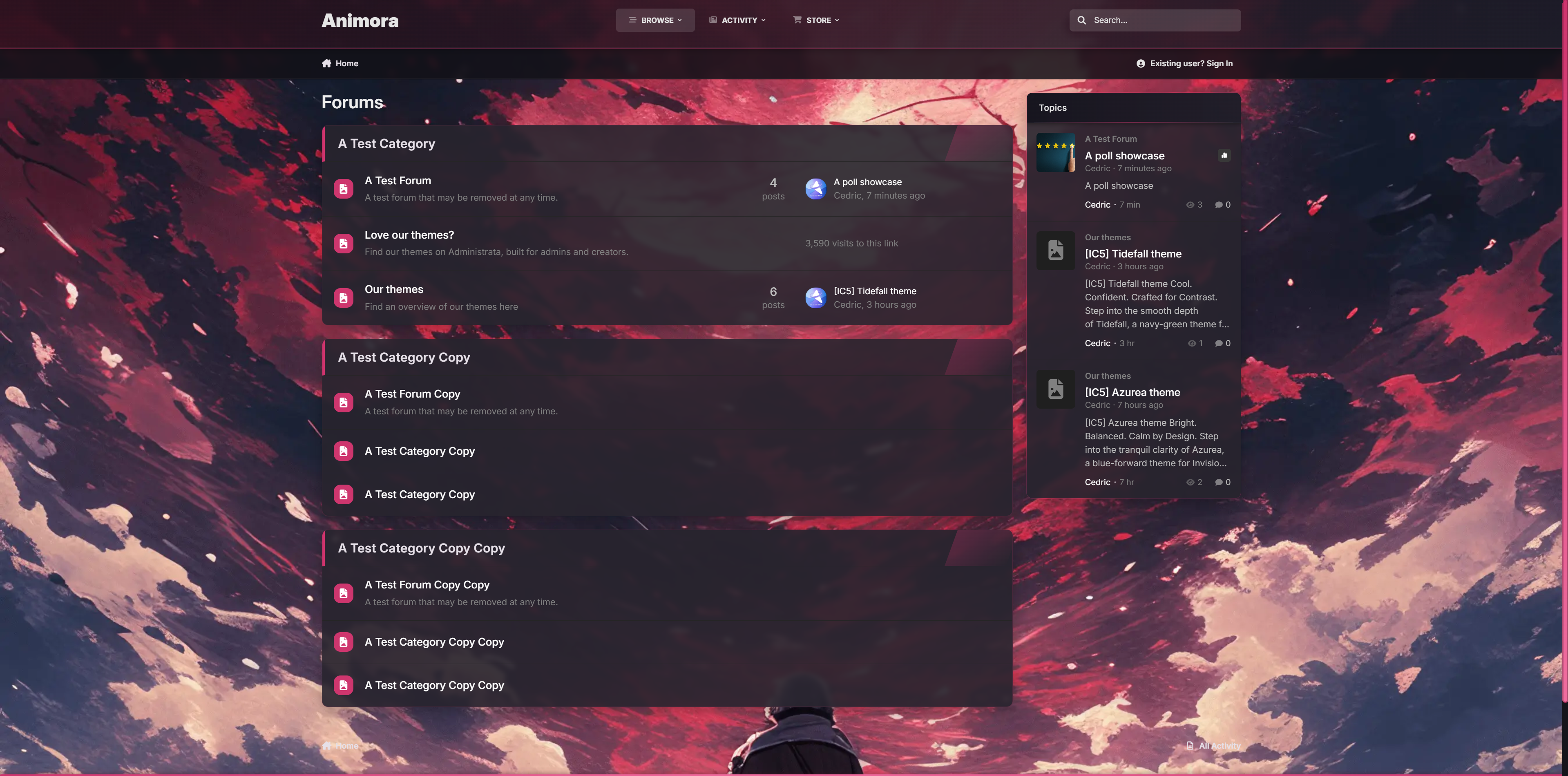
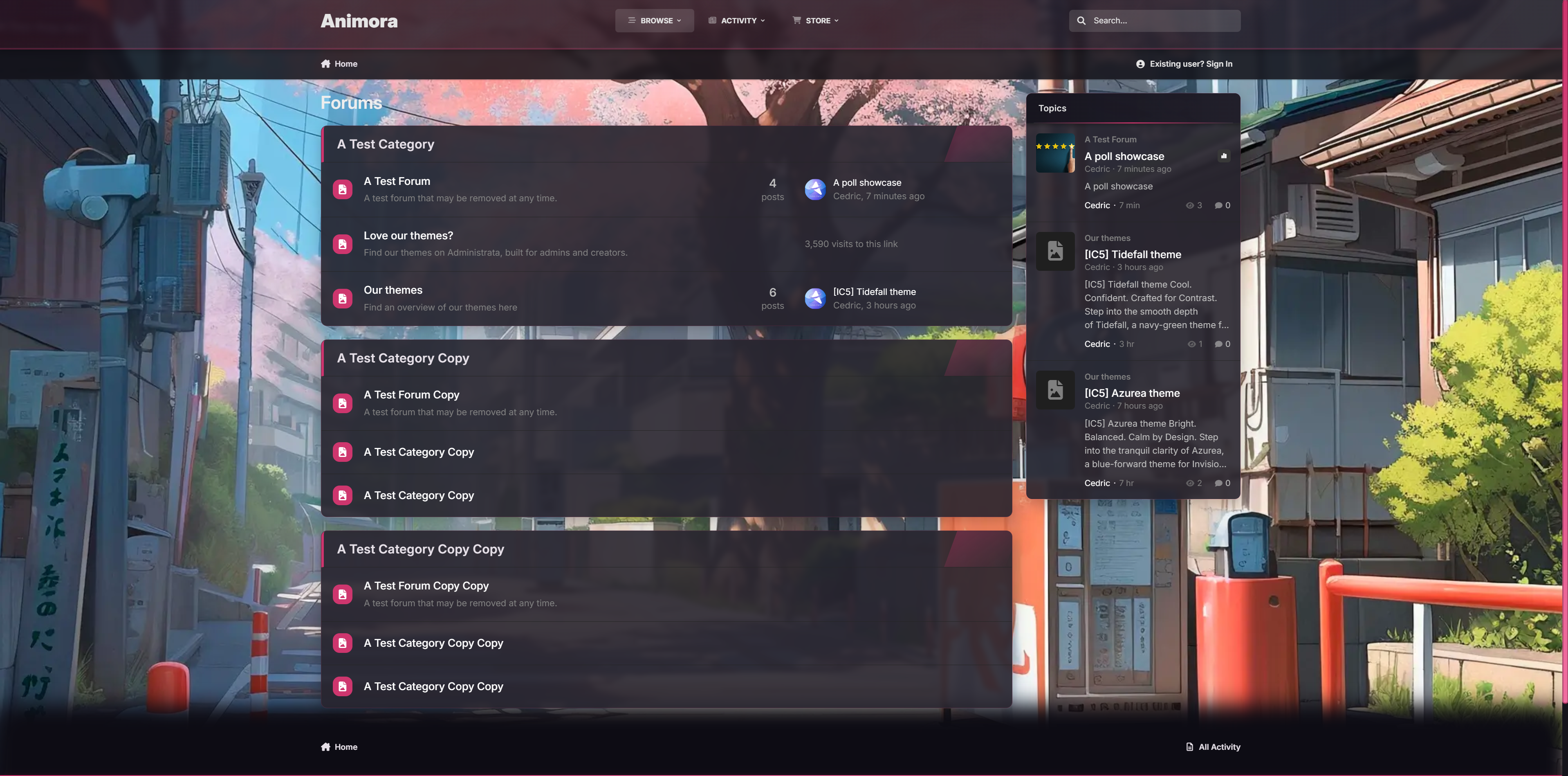
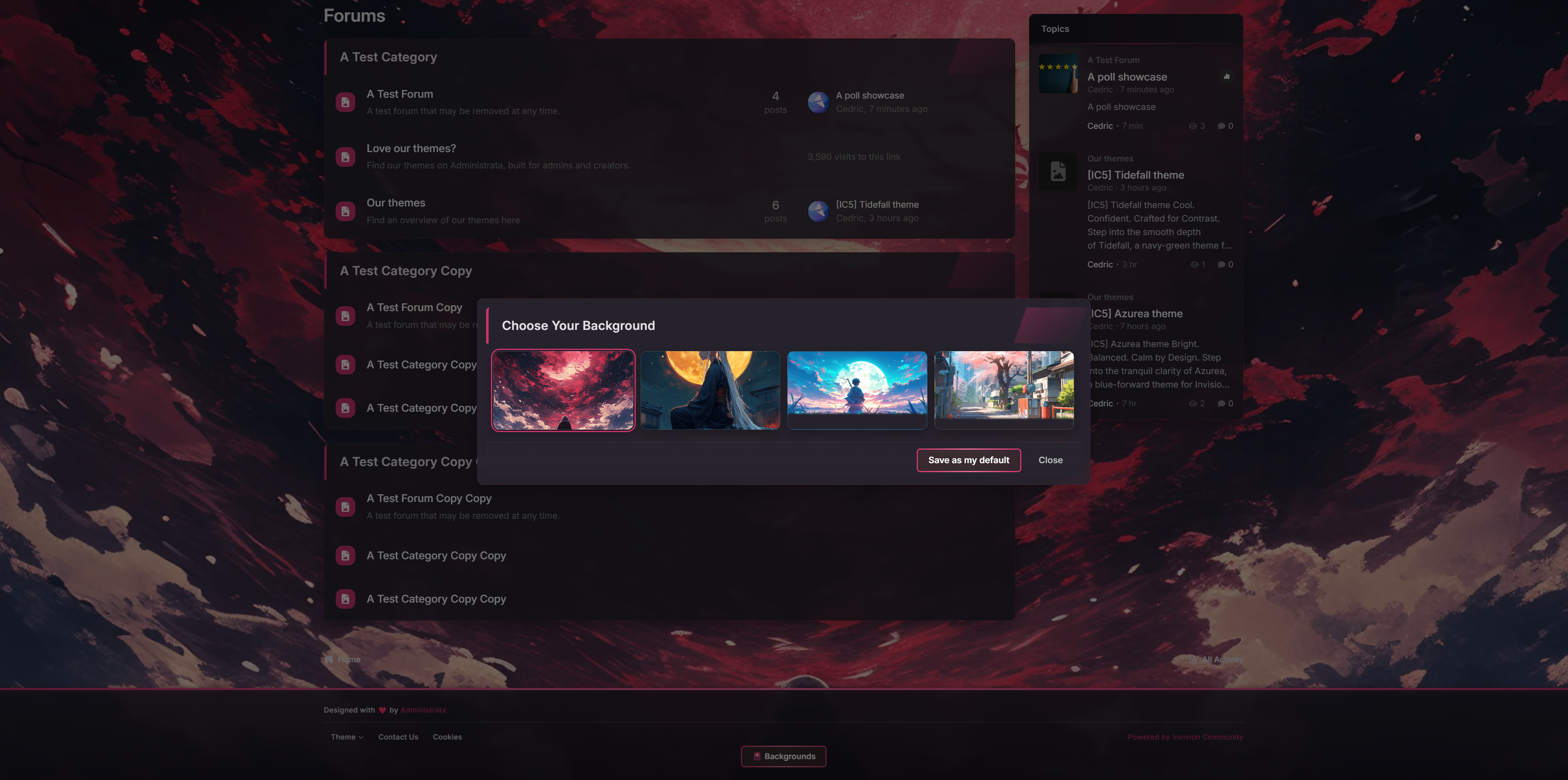
Description
Confident. Atmospheric. Built to glow.
Welcome to Animora, a bold yet inviting theme for Invision Community v5 inspired by the ambiance of animated landscapes. With smooth blurs, glowing accents, and a selectable background system, Animora gives your forum a sense of motion and personality without sacrificing readability or performance.
Perfect when you're building a cozy creative space, an anime community, or just want something that feels alive, Animora blends beauty with usability in all the right ways.
Demo: Select Animora from the theme switcher.
✔️ Background Selector System
Let your members personalize their view. Choose from 4 animated-style background scenes.
✔️ Floating Glass Interface
Light blurs, glowing buttons, and modern transparency give everything a soft, premium touch.
✔️ Warm Highlighting & Accent Glow
From buttons to borders, subtle pink gradients add a radiant glow that lifts the design without overpowering it.
✔️ Fully Responsive Picker UI
The background selector opens in a modal-style overlay, works on all devices, and adapts with custom scrollbars and animated highlights.
✔️ Pink Line Borders & Pill Headers
Widgets and boxes feature frosted edges with glowing trims for structure and contrast.
✔️ Optional Background Sync
Users can preview backgrounds instantly.
Ideal for communities that love expressive visuals but want to stay sleek and usable.
If you would like to have different backgrounds, feel free to ask for a how-to.
Create an account or sign in to leave a review
There are no reviews to display.