Themes
-
IPS5.0.0+
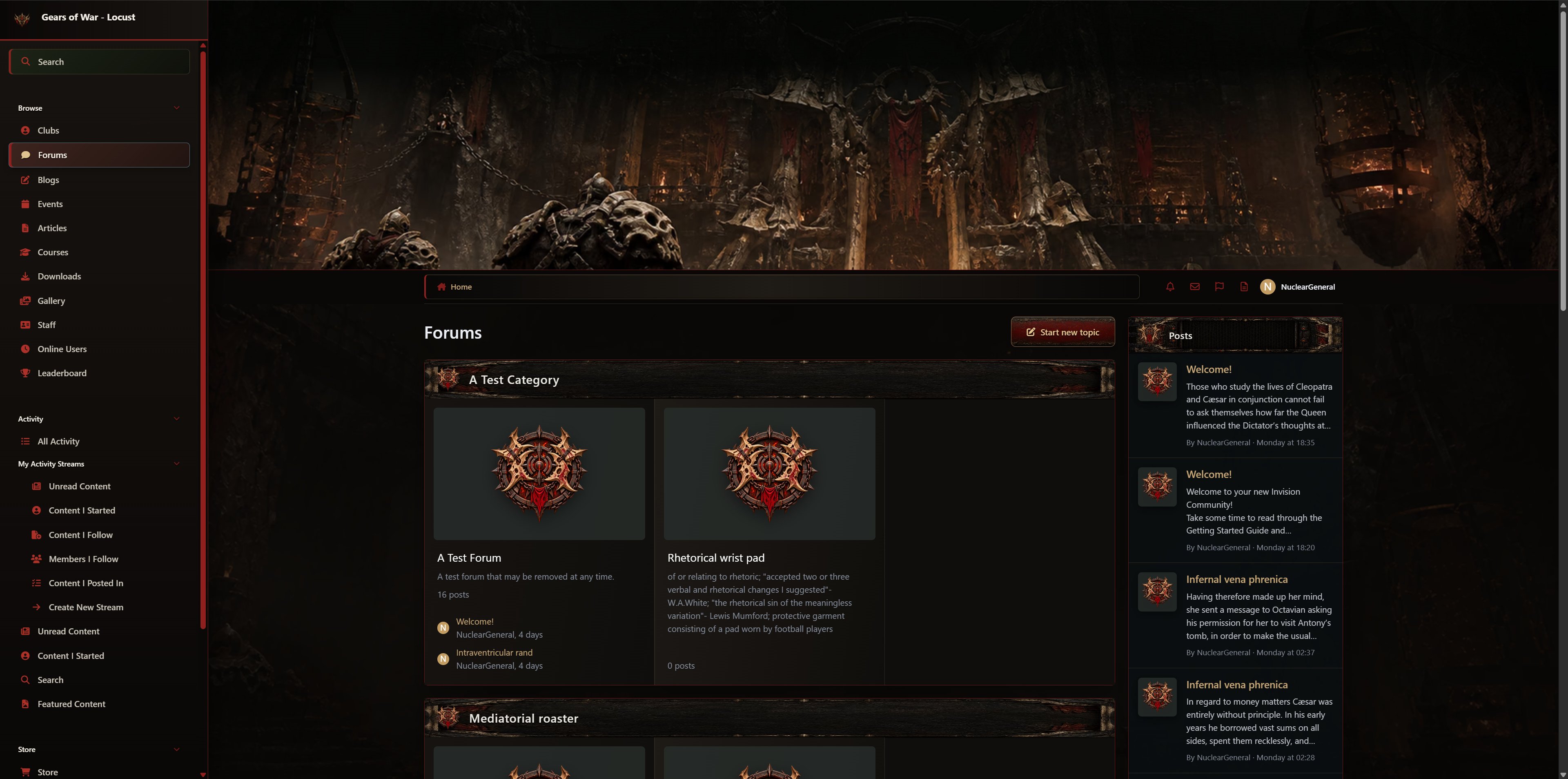
Descend beneath the surface with an imposing Locust-inspired theme built from carved stone, bone armor, oxidized iron, chains, furnace embers, dusty ochre, and deep blood-red war markings. Its subterranean fortress atmosphere gives your community a brutal and ancient character distinct from the mechanical COG and luminous Lambent designs.
Rugged borders, reinforced panels, brutalist insignias, and worn metal textures create a sense of weight throughout the interface. Content surfaces remain calm and near-black so posts, articles, messages, and application data stay easy to read, while bone, bronze, ochre, and blood-red accents establish a clear hierarchy around them.
The visual treatment reaches across Forums, Downloads, Gallery, Blogs, Events, Courses, Commerce, Pages, Messenger, profiles, and clubs. Custom fallback images replace generic application artwork, while themed buttons, menus, alerts, application insignias, widget frames, cover photos, and editor and forum-post watermarks reinforce the Locust identity throughout the platform.
Responsive mastheads are individually composed for desktop, tablet, and mobile rather than relying on one image for every display. The theme supports both Classic and Sidepanel layouts while preserving the familiar Invision Community functionality, including responsive menus, sticky message navigation, editors, dropdowns, forms, moderation tools, and official application behaviors.
-
IPS5.0.00+
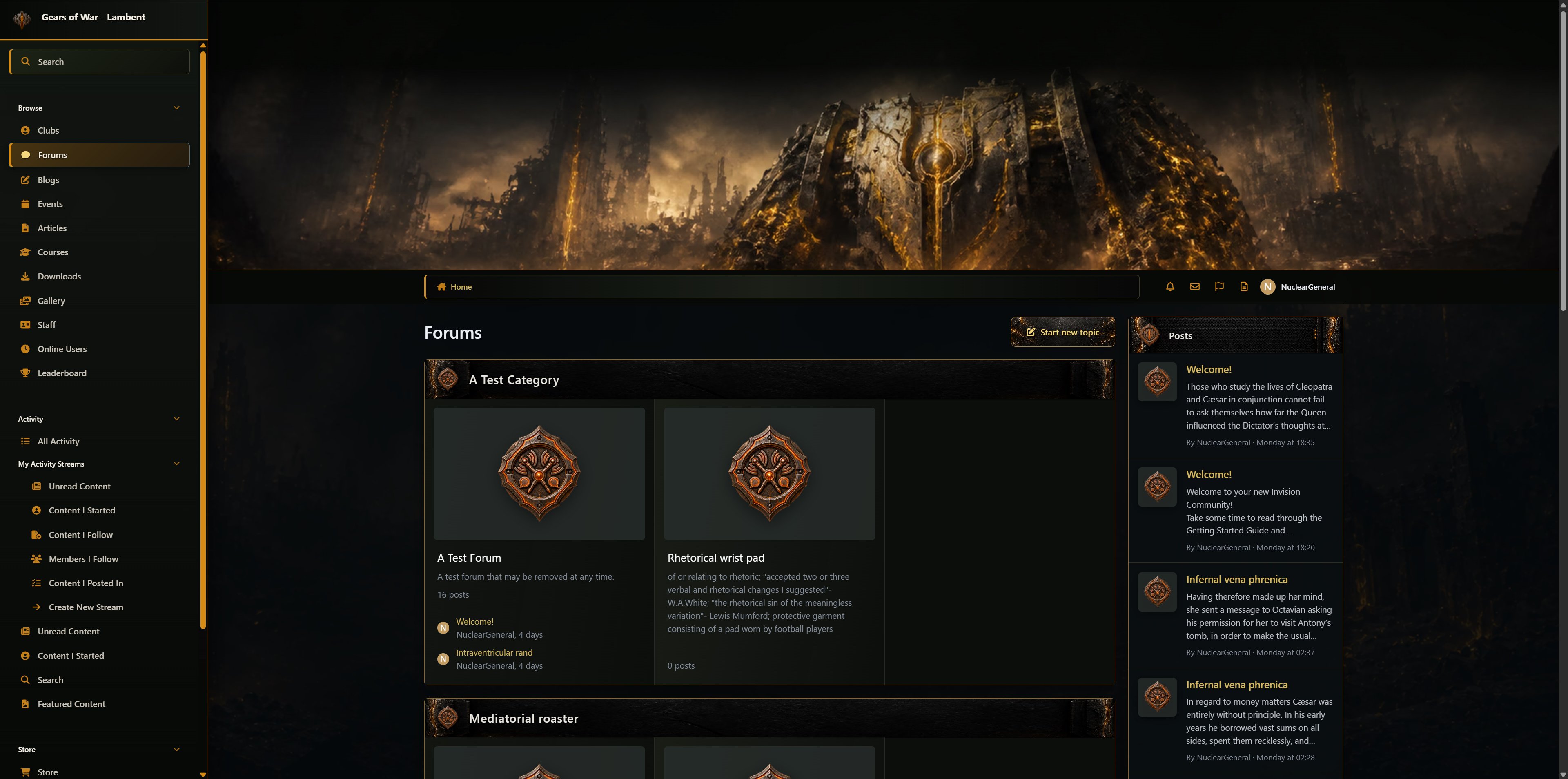
Transform your community with the dangerous energy of the Lambent. This theme combines scorched gunmetal, fractured industrial armor, smoky surfaces, drifting ash, and luminous Imulsion-inspired fissures to create the appearance of a battlefield being consumed from within.
Glowing amber and molten-gold accents flow through the interface as active borders, icons, links, controls, and structural highlights. These brighter elements are carefully restrained so they stand out against the charred olive-black surfaces without overwhelming page content or reducing readability during longer visits.
The Lambent identity carries throughout Forums, Downloads, Gallery, Blogs, Events, Courses, Commerce, Pages, Messenger, profiles, and clubs. The package includes application-specific insignias, fallback artwork, themed cover images, textured button families, distinctive header frames, editor and post watermarks, menus, alerts, popovers, and consistent interactive states.
Separate desktop, tablet, and mobile artwork ensures the corruption-inspired scenery remains dramatic and properly framed across responsive layouts. Classic and Sidepanel configurations are both supported, with the original Invision Community behavior preserved for navigation, editors, messaging, sticky elements, moderation controls, forms, and official applications.
-
IPS5.0.0+
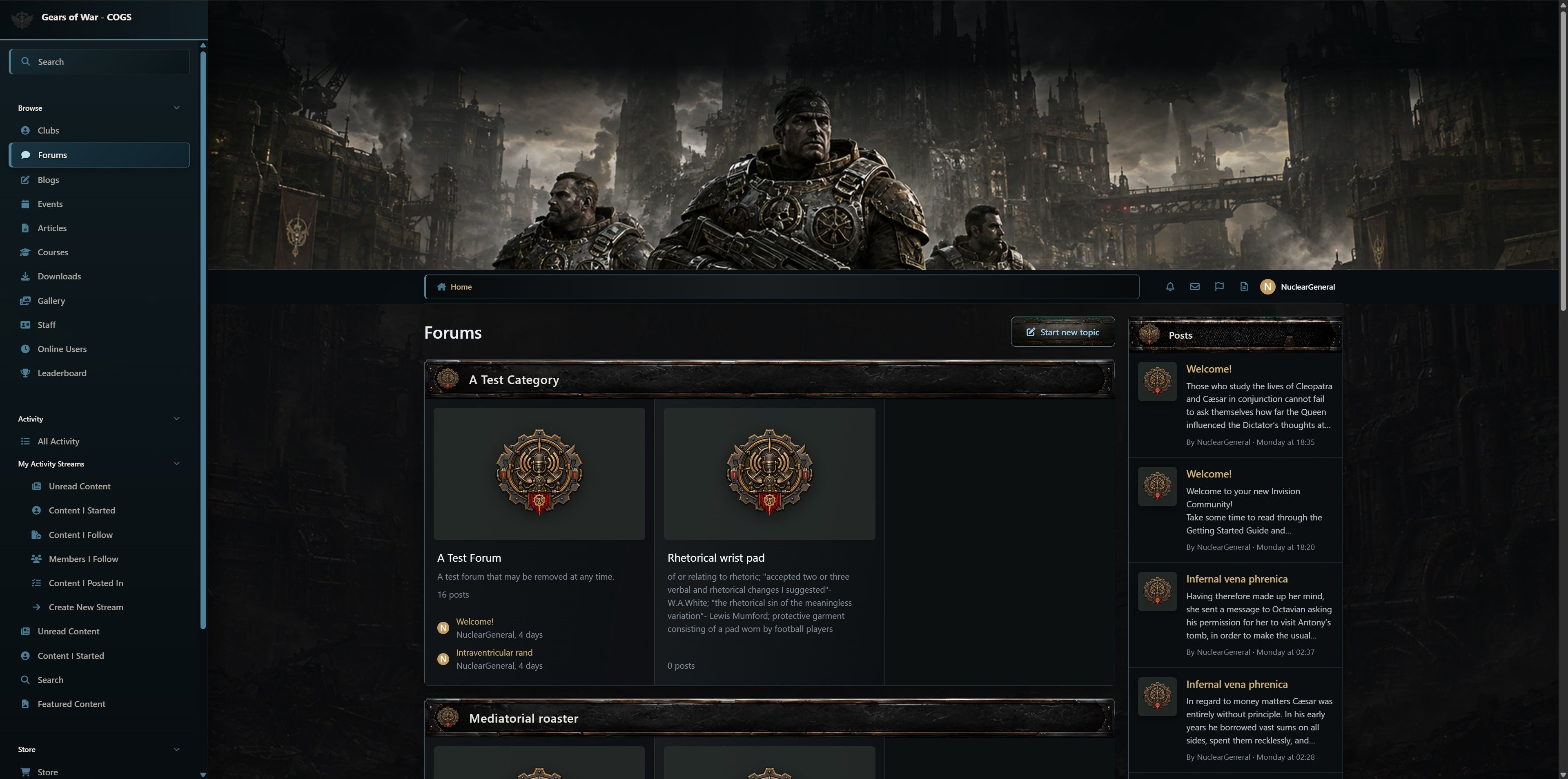
Bring the disciplined strength of the COG to your Invision Community with a dark, industrial design inspired by massive military engineering, battle-worn armor, and fortified command centers. Layered gunmetal surfaces, scratched steel, recessed panel seams, rivets, and subtle mechanical detailing give the interface a powerful presence without making it feel cluttered.
Cool blue-steel accents define navigation, borders, icons, selected items, and primary actions, while aged brass provides restrained secondary emphasis. Bone-white text and warm gray supporting copy remain highly readable against the near-black content surfaces. Crimson is reserved for errors and destructive actions, giving every color a clear purpose within the design.
The theme extends consistently across Forums, Downloads, Gallery, Blogs, Events, Courses, Commerce, Pages, Messenger, profiles, and clubs. Custom application insignias, fallback images, textured buttons, reinforced widget headers, editor and post watermarks, menus, popovers, alerts, and navigation elements make the entire platform feel like one unified experience.
Dedicated desktop, tablet, and mobile mastheads help the artwork remain properly composed at every screen size. Both Classic and Sidepanel layouts are supported while retaining the familiar functionality of Invision Community, including responsive navigation, sticky Messenger elements, editors, dropdown menus, moderation tools, and application-specific controls.
-
IPS5.0.0+
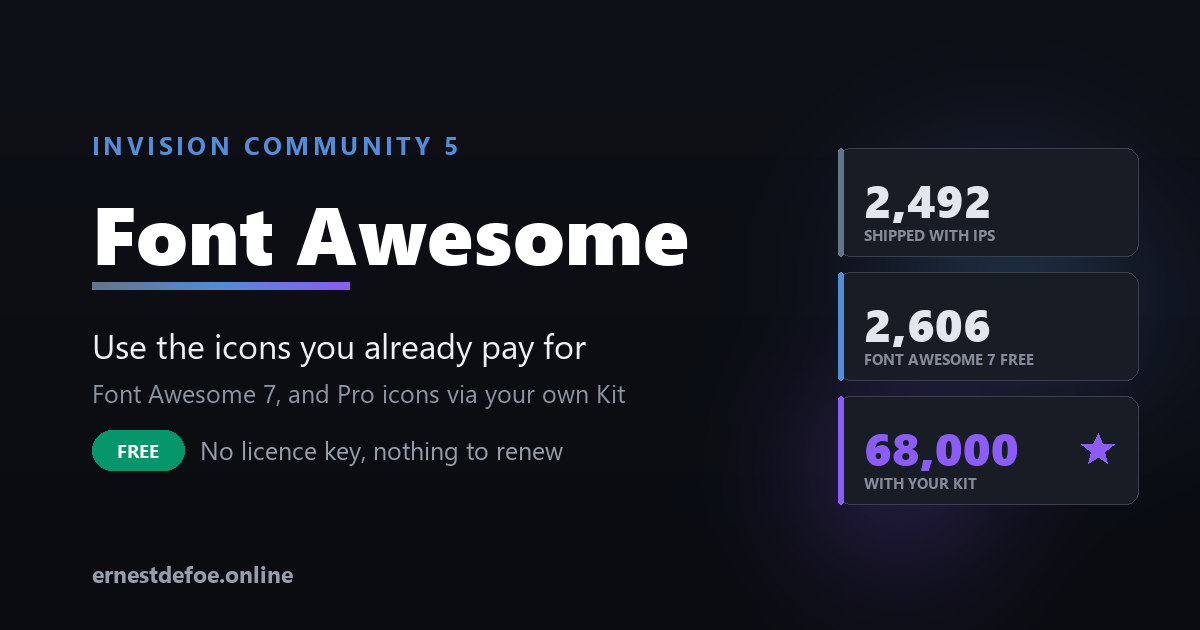
Font Awesome — use the icons you already pay for
Invision Community ships Font Awesome 6 Free and gives you no way to change it. If you have a Font Awesome Pro subscription, none of it works here. If you want an icon added since 2024, it isn't there.
This is a small, free application that fixes both.
It costs nothing. There is no licence key and nothing to renew. If you use Kit mode you are using the Font Awesome subscription you already have — this simply lets Invision Community see it.
Two modes
Mode
What you get
Font Awesome 7 Free
2,606 icons instead of 2,492 — 115 more than Invision ships. No account needed.
Your Kit
The full Pro set — around 68,000 icons across six styles, plus Sharp and Duotone if your plan includes them.
Both load from Font Awesome's own CDN, not a third-party mirror.
Kit setup is one field
Paste your Kit ID and save. It accepts whatever you have to hand — the bare ID, the kit URL, or the entire <script> tag copied from your Font Awesome dashboard. There is a Test the connection button that tells you what actually loaded before you go looking at your site.
Nothing breaks
This is the part worth understanding, because it is why the application is safe to install on a live community.
Invision Community loads its own Font Awesome from a core template that offers no way to remove it. Rather than edit that file — which an upgrade would overwrite — this loads afterwards and takes precedence.
That has a real benefit beyond upgrade safety. Font Awesome 7 dropped exactly one icon that existed in 6 (fa-vector-square). Because Invision's copy is still underneath, that icon keeps working. An application that replaced Font Awesome outright would have broken it silently on every site using it.
The cost is about 70KB of stylesheet that goes unused. That is the trade, stated plainly.
What you control
Which mode — Free 7 or your Kit
Which release of Font Awesome 7
Whether the AdminCP uses it too, or stays exactly as Invision ships it
Turn it off at any time and you are back to stock, immediately
Requirements
Invision Community 5.0 or newer (self-hosted)
For Kit mode: a Font Awesome account with a published kit. Free plans have kits too.
Outbound HTTPS from visitors' browsers to Font Awesome's CDN
No core files are edited, no database tables are created, and nothing is stored except your settings.
-
IPS5.0.0+
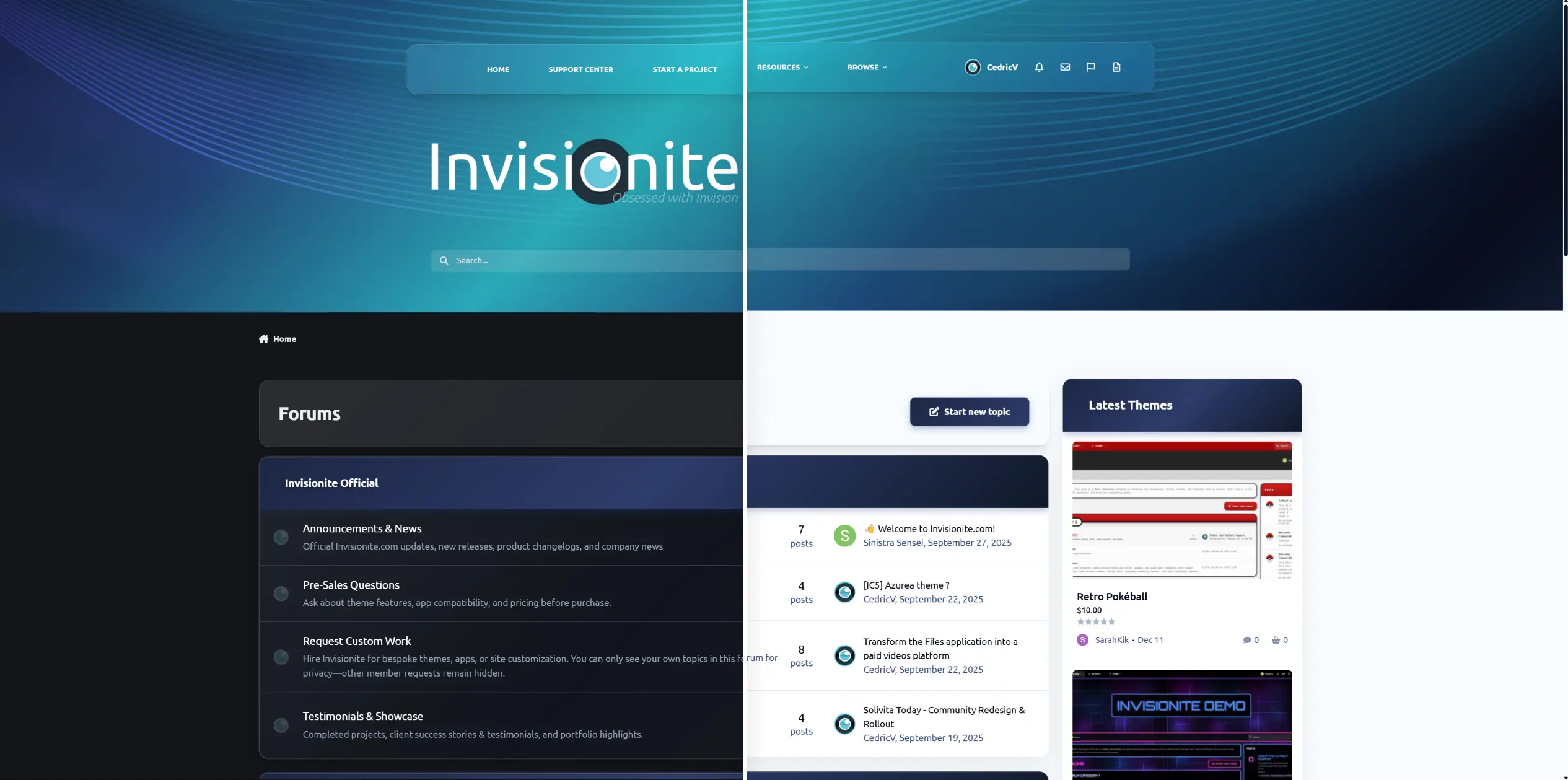
Aqualis is the former Invisionite theme, now fully released for free and available. Fair warning: this theme does not play nice with a lot of navigation items.
Demo
Built with a modern ocean-inspired gradient, soft glass navigation, and a clean professional layout, this theme delivers a premium look without being overdesigned.
Features
Animated gradient hero header (animation can be simply disabled)
Glass-style navigation bar
Dark & light compatible design
Styled widgets & forum categories
Custom footer section (easily customizable)
Clean typography and spacing
Fully responsive
Design Style
Aqualis blends deep navy tones with aqua highlights and smooth wave accents.
It’s ideal for:
Community forums
Tech projects
Creative platforms
Premium product showcases
-
IPS5.0.0+
Theme Profiles is a simple styling tool for who don’t want to install or manage multiple themes, or those who prefer a clean, minimal, and hassle-free experience.
Instead of switching themes or editing custom.css, you create CSS profiles and change your site's appearance instantly. You can create profiles for seasons, special events, or different design styles, then switch between them with one click.
No duplicated themes, no broken updates, no wasted time. One theme. Multiple styles.
Note: The application works best with the IPS Default Theme.
You can also download ready-made profile presets here:
https://ipsappzone.com/file/67-profile-presets-for-themeprofiles/
Demo:
https://demo.ipsappzone.com
(Scroll down to the footer and select Styles)
-
IPS5.0.0+
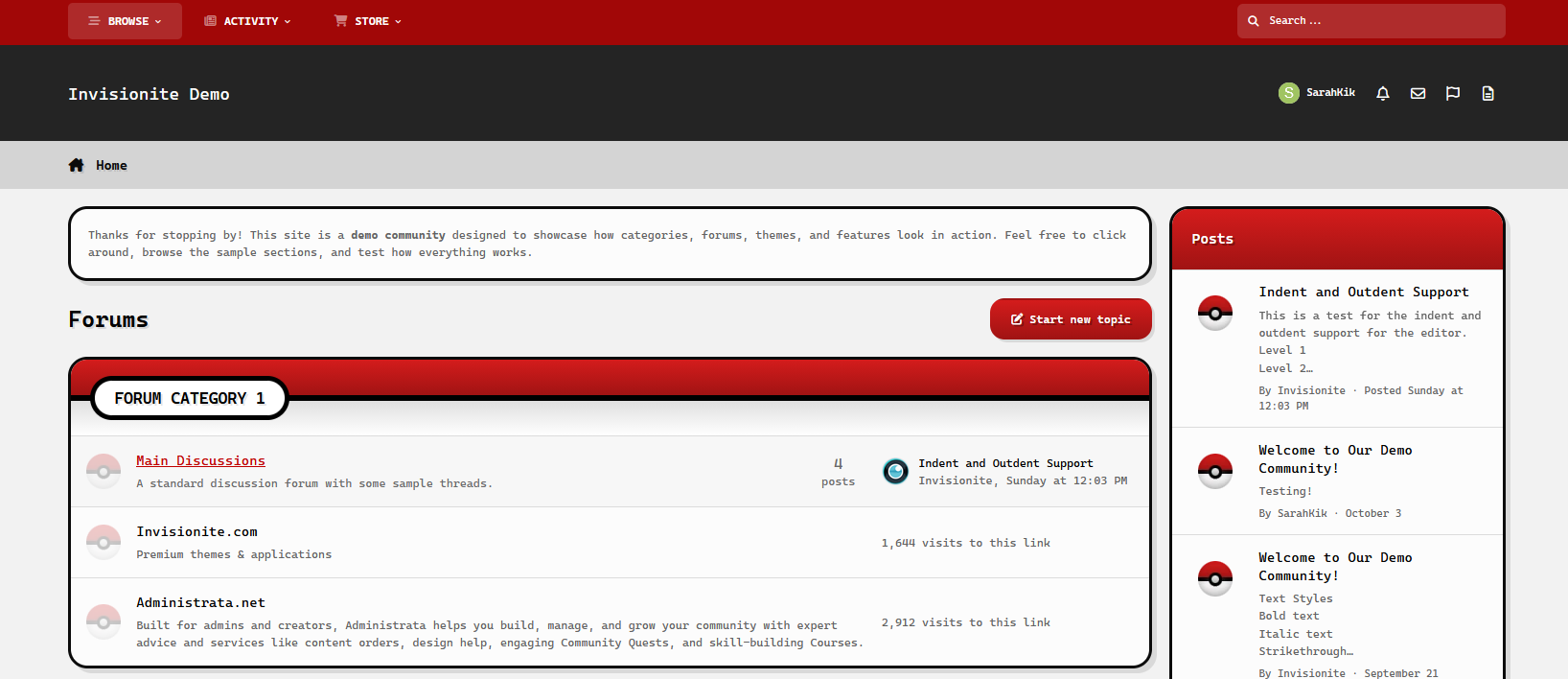
Retro Pokéball — A Pokémon Theme for Invision Community v5
Retro Pokéball is a simple theme inspired by the well loved Pokémon franchise.
Live Demo (select Retro Pokéball)
Highlights
Sleek and clean
Simple, sleek and easy to navigate while clearly paying homage to the series without being overwhelmed.
Nostalgic vibes
The colour scheme, blocky texts and accents are reminiscent of classic video games.
Built for Invision Community v5
Developed using v5’s updated template structure, ensuring modern design standards, improved responsiveness, and compatibility with all core apps.
What’s Included
Complete Invision Community v5 theme
Styled widgets and forum containers
Forum icons and accents
-
IPS5.0.0+
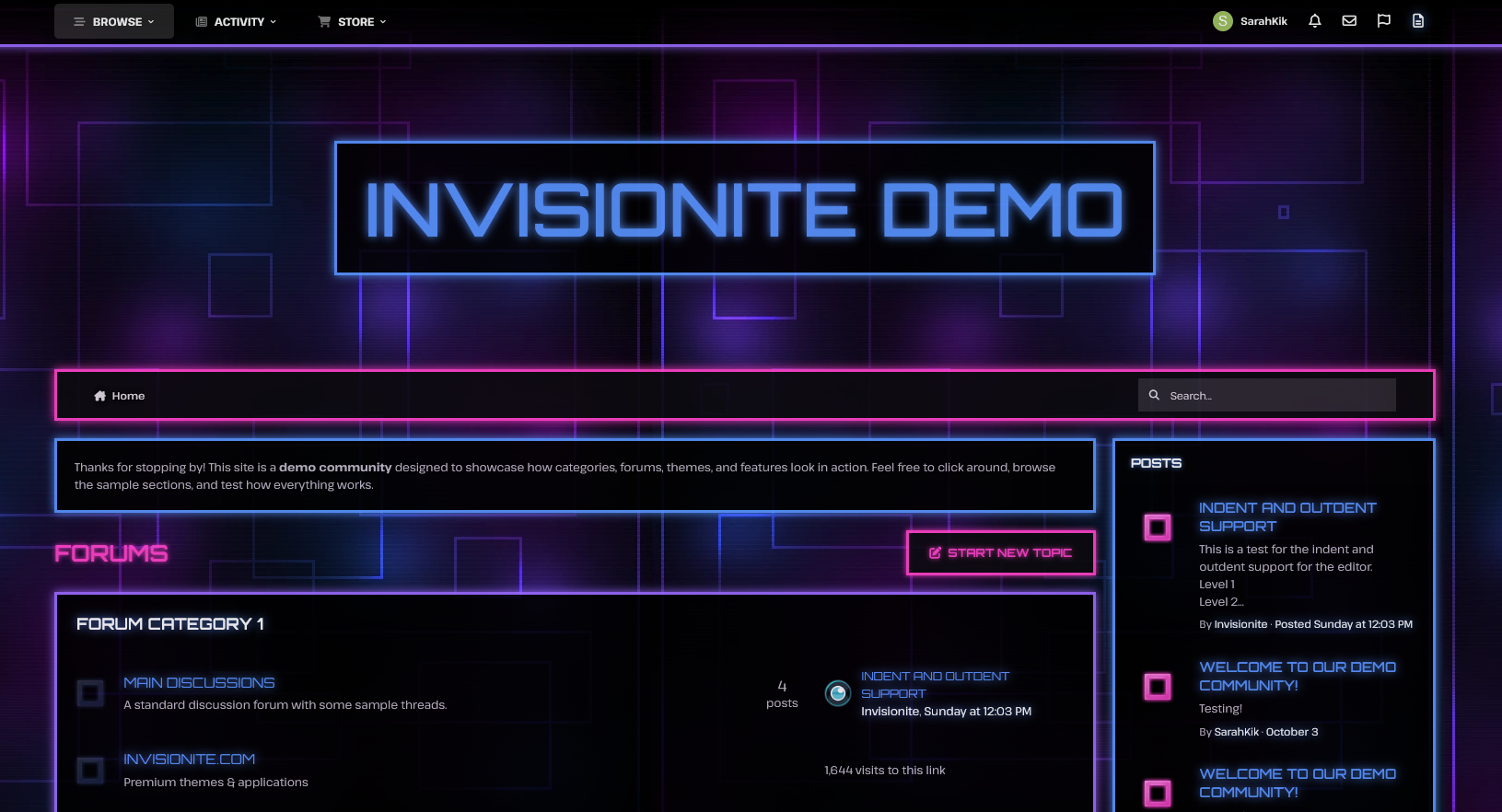
Neon Glow — A Techy Theme for Invision Community v5
Neon Glow is a dramatic, high energy theme with Tron-esque vibes- perfect for communities focused on futuristic sci fi genres, technology, gaming, cyberpunk rpgs and more!
Live Demo (select Neon Glow)
Highlights
Glows & animation
Vibrant glows of blue, pink and purple highlights important content and the animation back and forth blends all three colours.
Energetic and edgy
Neon colours dominate the theme against a dark, grid interface like background for a bold, contrasting aesthetic.
Built for Invision Community v5
Developed using v5’s updated template structure, ensuring modern design standards, improved responsiveness, and compatibility with all core apps.
What’s Included
Complete Invision Community v5 theme
Custom background artwork, forum icons and accents
Styled widgets and forum containers
-
IPS5.0.0+
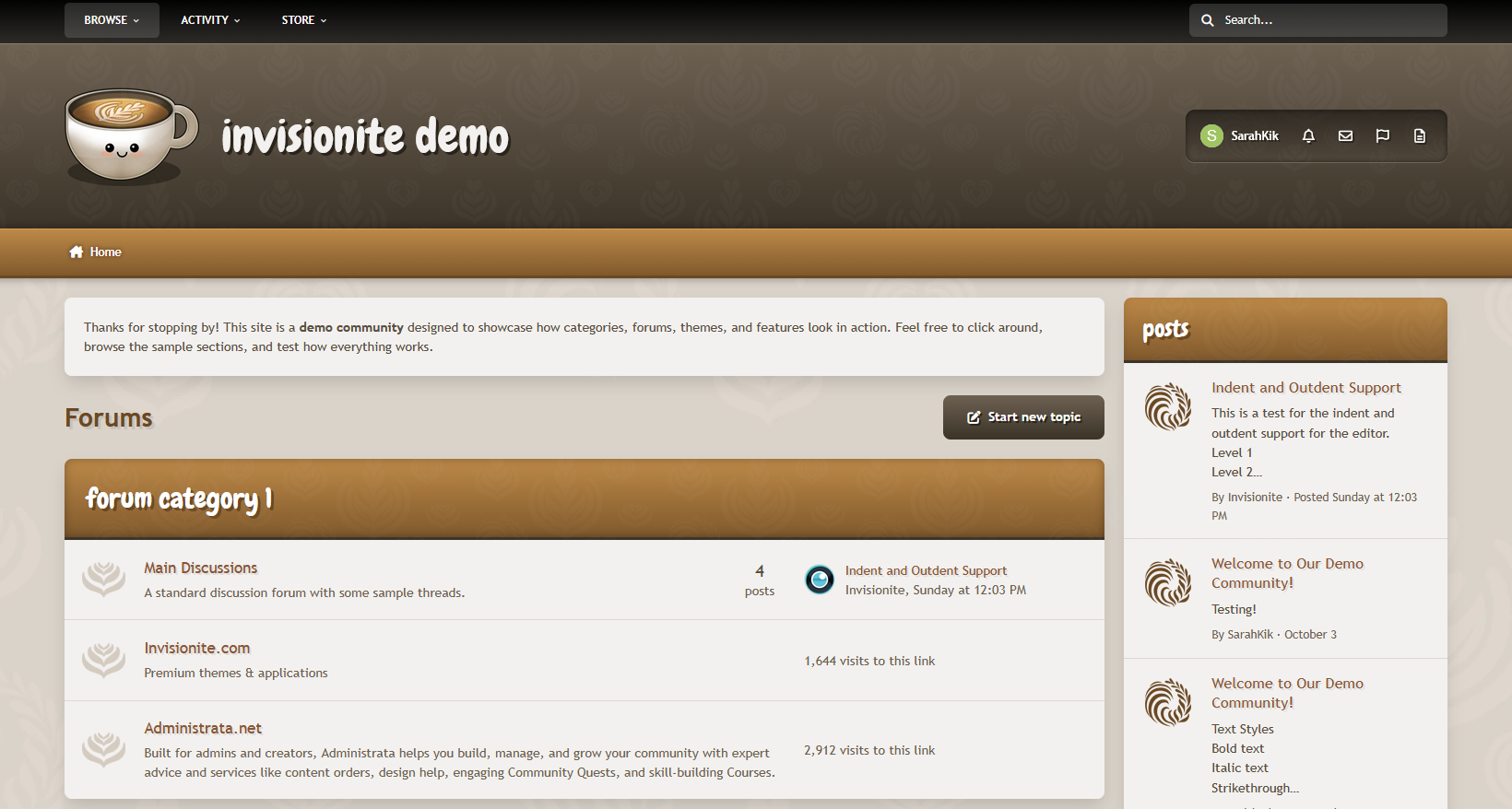
Oh-la-latte — A Cozy Theme for Invision Community v5
Oh-la-latte is a warm coffee inspired theme that uses neutral, soft colours for an inviting feel.
Live Demo (select Oh-la-latte)
Highlights
Friendly, playful and relaxed
Decorative icons and a cute, smiley logo to help communities feel more inviting and warm, like a nice hot cup of coffee!
Cozy layout
The warm browns, caramel hues, and creamy beige colours blend together smoothly for a comfortable mood.
Easy to navigate, clean and readable
Elements are easy on the eyes while remaining content focused, and subtle background patterns add texture without being too distracting.
Built for Invision Community v5
Developed using v5’s updated template structure, ensuring modern design standards, improved responsiveness, and compatibility with all core apps.
What’s Included
Complete Invision Community v5 theme
Custom header, footer, and background artwork
Styled widgets and forum containers
Forum icons and accents
-
IPS5.0.0+
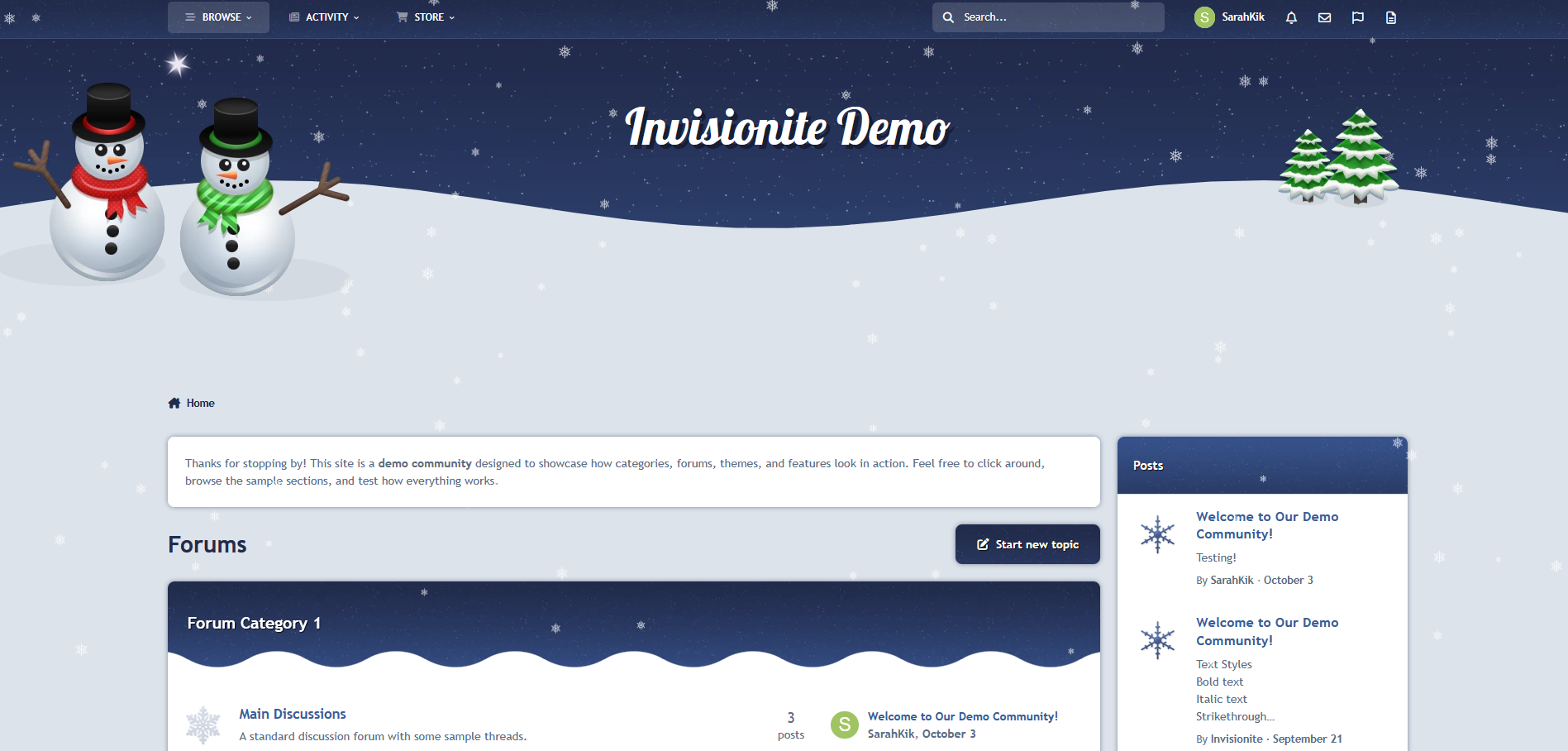
Winter Wonderland — A Wonderful Seasonal Theme for Invision Community v5
Winter Wonderland is a charming take on a classical winter scene with rolling hills of soft snow and a star covered night sky!
Live Demo (select Winter Wonderland)
Highlights
A calm theme
Inspired by a crisp winter night, Winter Wonderland uses a mixture of navy blues and whites to keep things cool.
Falling snow effect
Falling snowflakes immerses users in a winter atmosphere, but this fun feature can still be toggled on and off via the button on the bottom of the page!
Custom seasonal touches
Decorative snowflakes, cheerful friendly snowmen and snow covered trees add pops of colour while still fitting into the theme.
Built for Invision Community v5
Developed using v5’s updated template structure, ensuring modern design standards, improved responsiveness, and compatibility with all core apps.
What’s Included
Complete Invision Community v5 theme
Custom artwork, forum icons and accents
Styled widgets and forum containers
Falling snowflakes by Cedric
-
IPS5.0.0+
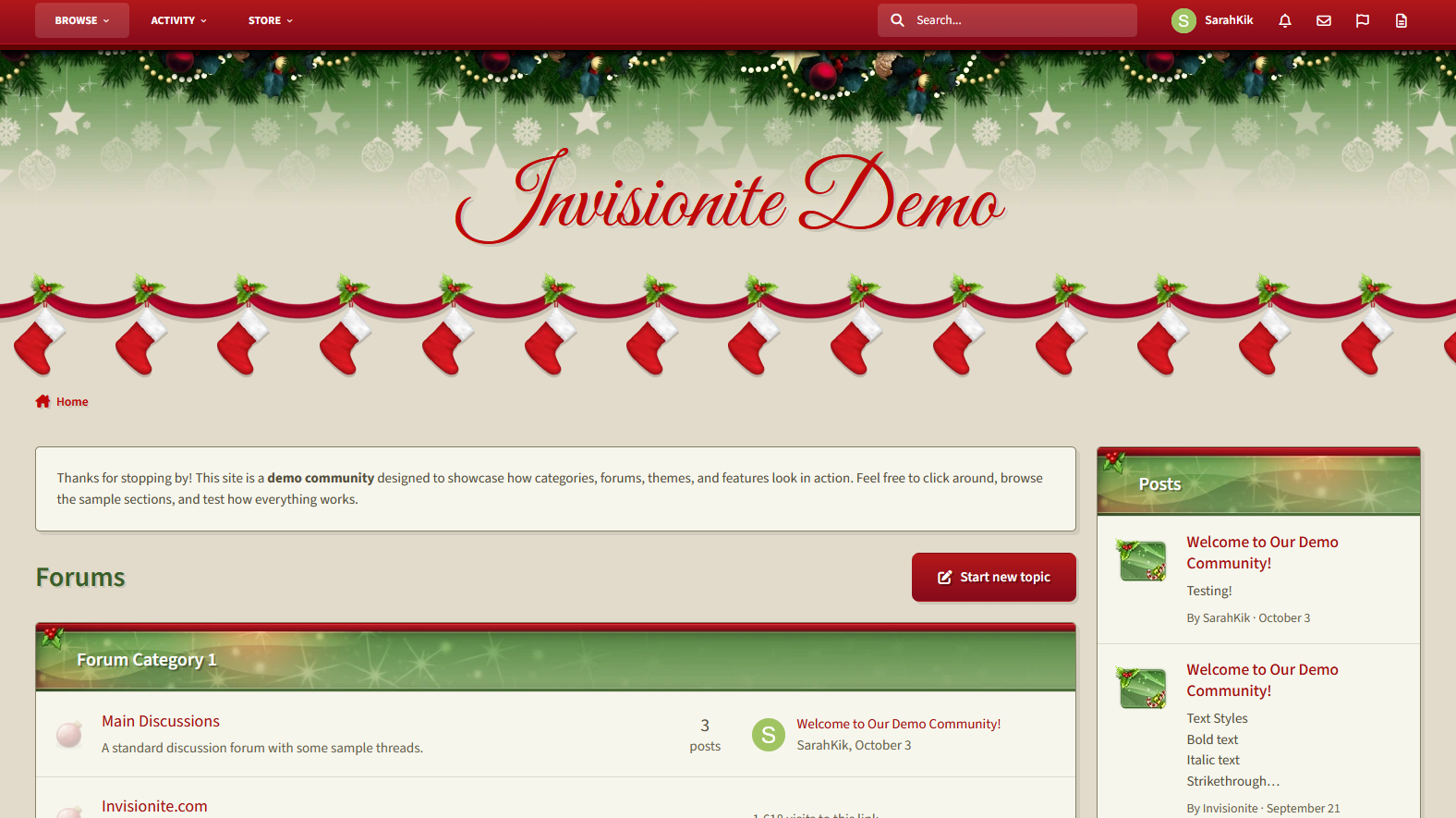
Merry Christmas — A Cheery Seasonal Theme for Invision Community v5
Merry Christmas is a warm, inviting theme for the holiday season!
Live Demo (select Merry Christmas)
Highlights
Cozy layout
The pale soft green is easy on the eyes while the pops of red and green are distinct, cheery and vibrant.
Custom seasonal touches
Stockings are hung with care, and decorations of holly, bulbs and subtle stars make this theme magical like the season!
Built for Invision Community v5
Developed using v5’s updated template structure, ensuring modern design standards, improved responsiveness, and compatibility with all core apps.
What’s Included
Complete Invision Community v5 theme
Styled widgets and forum containers
Custom header, forum icons and accents
-
IPS5.0.0+
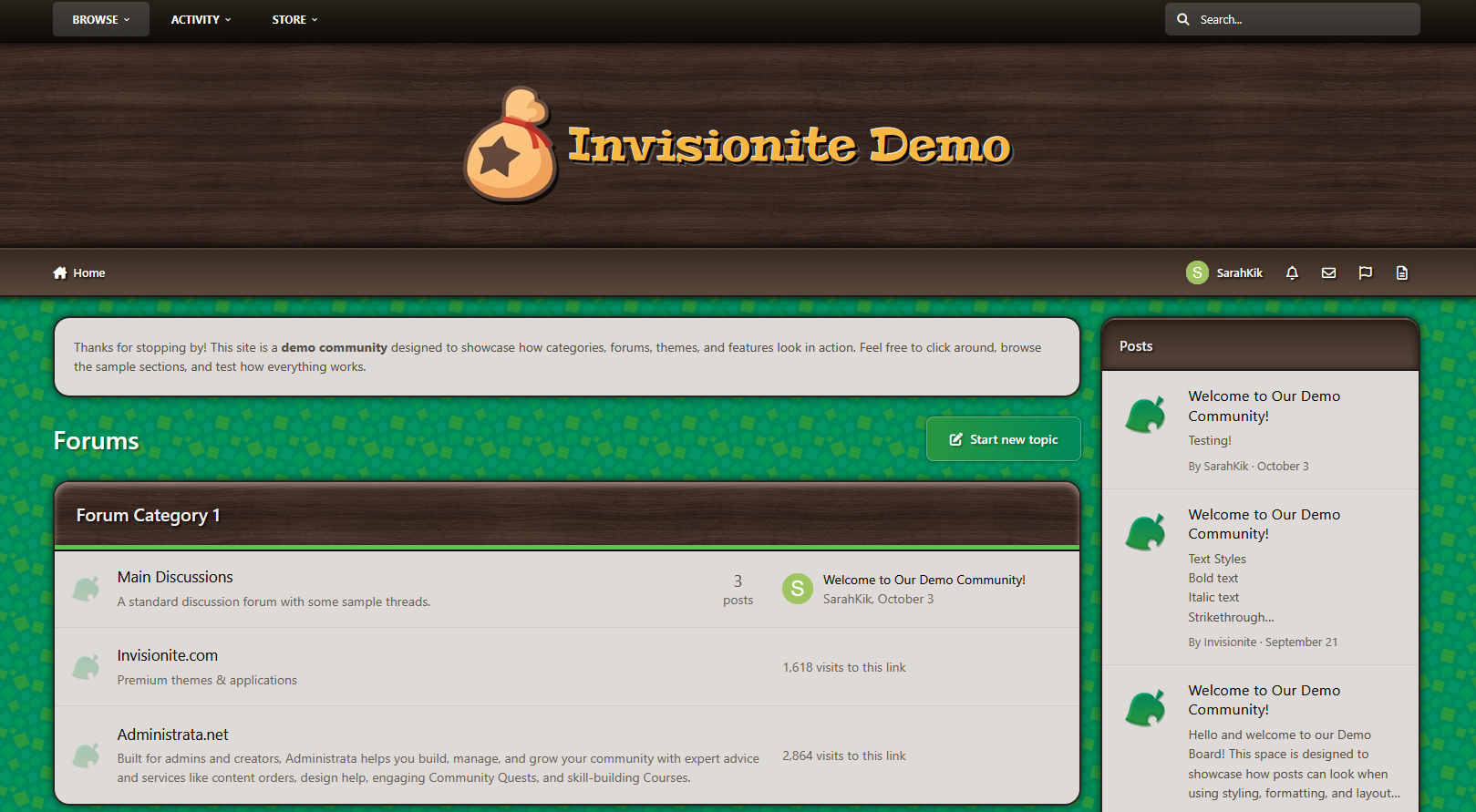
Animal Crossing — A Cozy Theme for Invision Community v5
Animal Crossing is inspired by the friendly neighbourhood series of the same name, and could pair well with town roleplays or other farming/village games!
Live Demo (select Animal Crossing)
Highlights
Nice Mediums
This theme offers a "day" and "night" version that are both simple and easy on the eyes, neither are too bright nor too dark, for a relaxing feel.
Inspired without overwhelm
Even if you're unfamiliar with the series, this theme can be used to provide a comfy homey aesthetic that's easy to navigate.
Built for Invision Community v5
Developed using v5’s updated template structure, ensuring modern design standards, improved responsiveness, and compatibility with all core apps.
What’s Included
Complete Invision Community v5 theme
Styled widgets and forum containers
Custom backgrounds, forum icons and accents
-
IPS5.0.0+
Frostee — A Chilly Theme for Invision Community v5
Frostee is a light, fresh and airy theme that's perfect for welcoming the cold seasons with icy blue tones and fun snowflakes!
Live Demo (select Frostee)
Highlights
Fun winter aesthetic
Cool icy blues, frosty whites, smooth cool gradients and snowflakes make a perfect theme for the chilly season.
Clean and crisp
Like the cold winter air, this theme is clean and fresh with easy readable blues that contrast against the snowy white backgrounds.
Built for Invision Community v5
Developed using v5’s updated template structure, ensuring modern design standards, improved responsiveness, and compatibility with all core apps.
What’s Included
Complete Invision Community v5 theme
Styled widgets and forum containers
Forum icons and accents
-
IPS5.0.0+
Acid — A Radioactive Theme for Invision Community v5
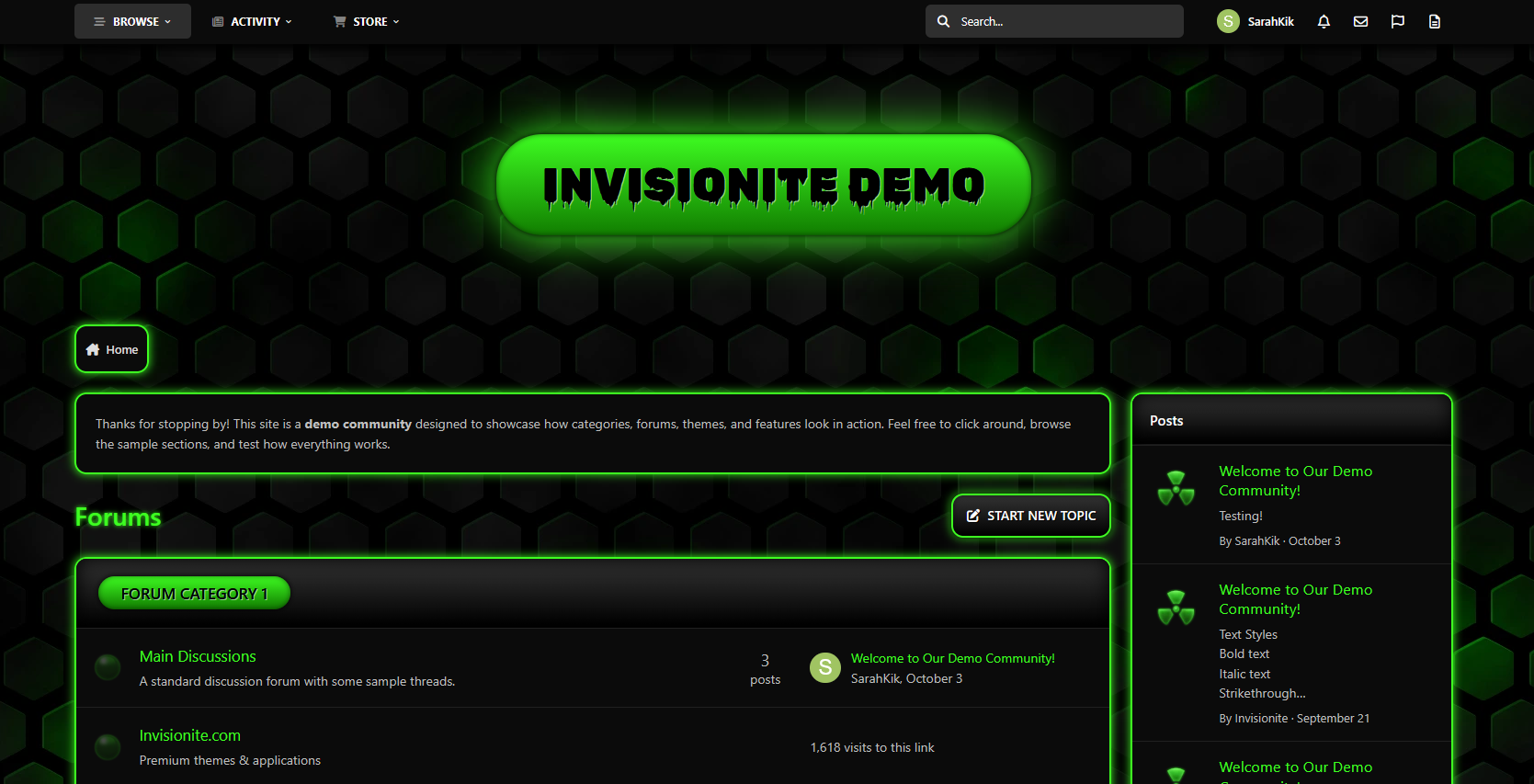
Acid is a dark theme with toxic green glows, perfect for a gaming clans, tech communities, sci-fi fan forums and more!
Live Demo (select Acid)
Highlights
Neon cyber aesthetic
The dark theme and green glow feel mysterious, edgy, and slightly ominous, but also energetic and immersive.
Sleek meets biohazard
Content remains easy to read and navigate while still providing a radioactive, tech hub vibe.
Built for Invision Community v5
Developed using v5’s updated template structure, ensuring modern design standards, improved responsiveness, and compatibility with all core apps.
What’s Included
Complete Invision Community v5 theme
Styled widgets and forum containers
Custom background, forum icons and accents
-
IPS5.0.0+
Blood Red — A Vampiric Theme for Invision Community v5
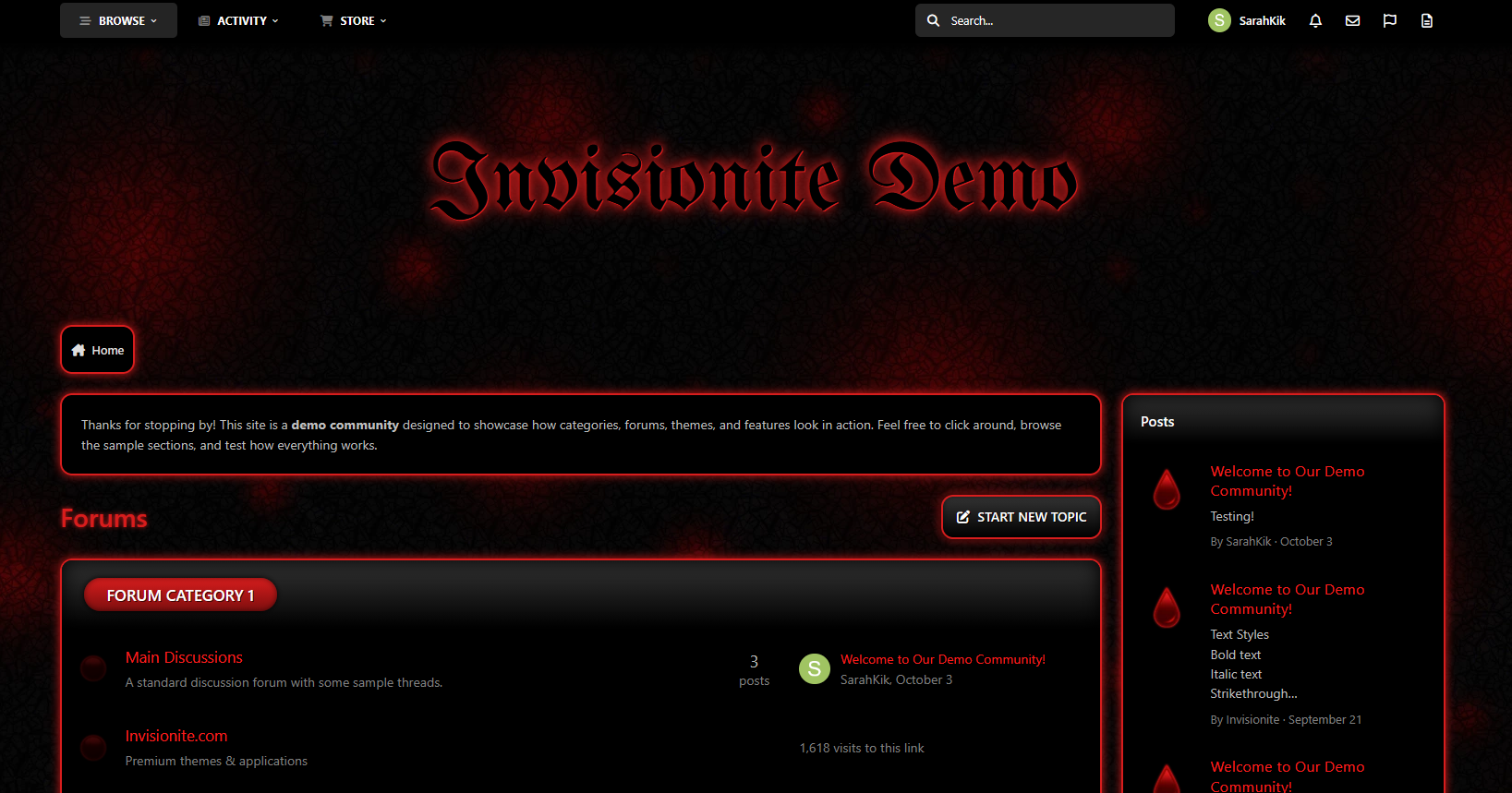
Blood Red is a red counterpart to Acid, this time decked out with a creepy dark background and pops of vibrant crimson; perfect for communities dedicated to vampire related franchises or horror forums!
Live Demo (select Blood Red)
Highlights
Gothic fantasy
The dark textured background with glows of blood red provides a moody, broody atmosphere.
Vampire vibes
Blood drops and a medieval, bold header font with a sinister red glow embraces a look you might find in vampire coven interiors.
Moody and stylish
The visual tone feels both elegant and menacing, finding balance between gothic luxury and supernatural dread.
Built for Invision Community v5
Developed using v5’s updated template structure, ensuring modern design standards, improved responsiveness, and compatibility with all core apps.
What’s Included
Complete Invision Community v5 theme
Styled widgets and forum containers
Custom background, forum icons and accents