Invision Community 5
- Category Widgets
- Downloads 121
- Compatibility IC5: 5.0.0+
- Updated
Overview
A playful theme with colours and images reminiscent of good, warm days lounging on the beach!Description
Just Beachy — A Summer Theme for Invision Community v5
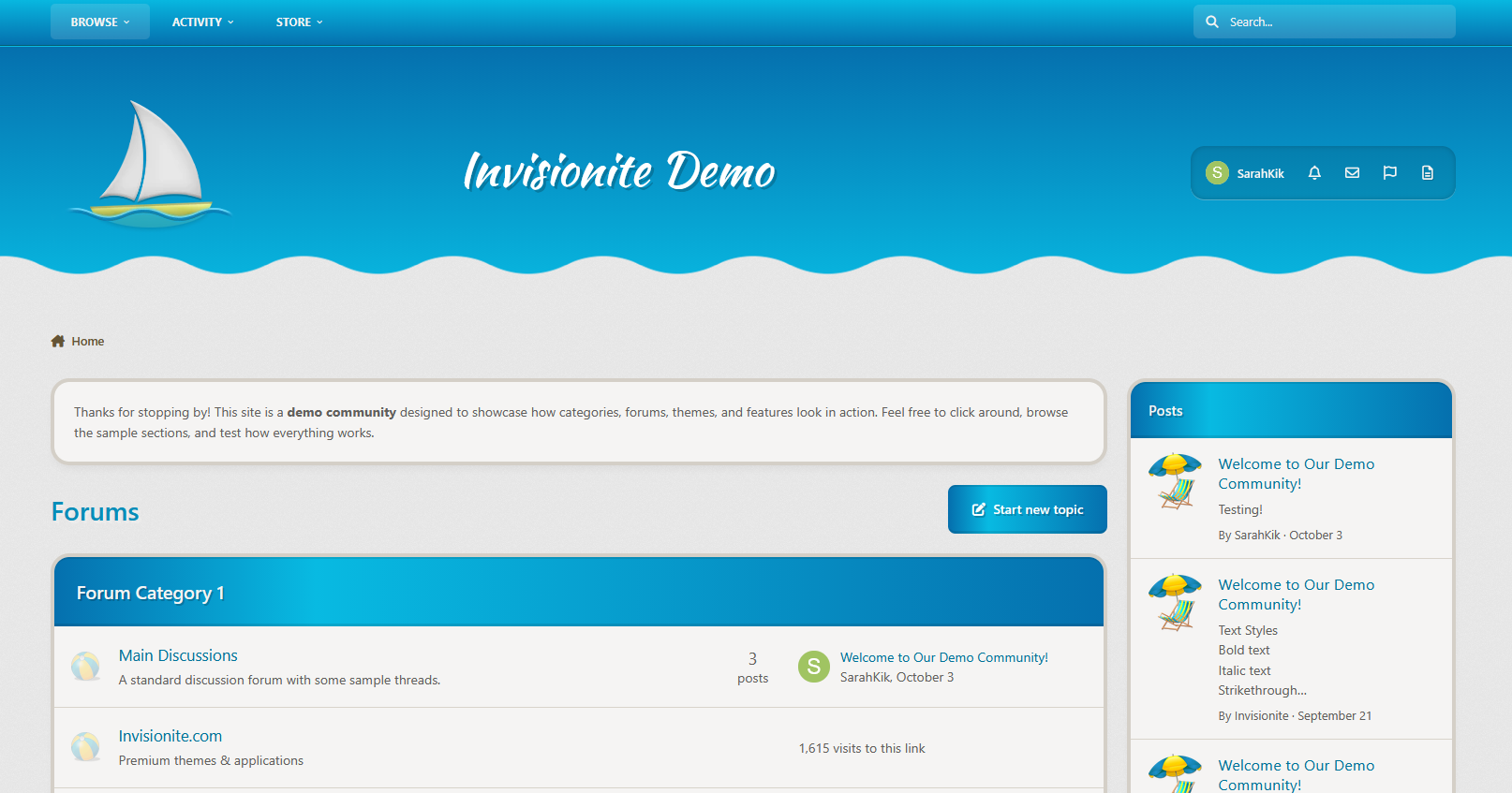
Just Beachy is a playful theme with colours and images reminiscent of good, warm days lounging on the beach!
Live Demo (select Just Beachy)
Highlights
Light and inviting
Just Beachy uses a soft light base paired with fun summer colours to make it pleasant to read but still eye catching.
Fun and Playful
A sailboat, beach ball and lawn chair with an umbrella are used to decorate the theme and some drawn artwork in the sand gives it a wholesome touch!
Built for Invision Community v5
Developed using v5’s updated template structure, ensuring modern design standards, improved responsiveness, and compatibility with all core apps.
Perfect for Summer or off season events
It's a great theme if you have the winter blues or want to celebrate the summer season!
What’s Included
Complete Invision Community v5 theme
Styled widgets and forum containers
Custom forum icons and accents
Create an account or sign in to leave a review
There are no reviews to display.