Admin & Mod Tools
-
IPS5.0.0+
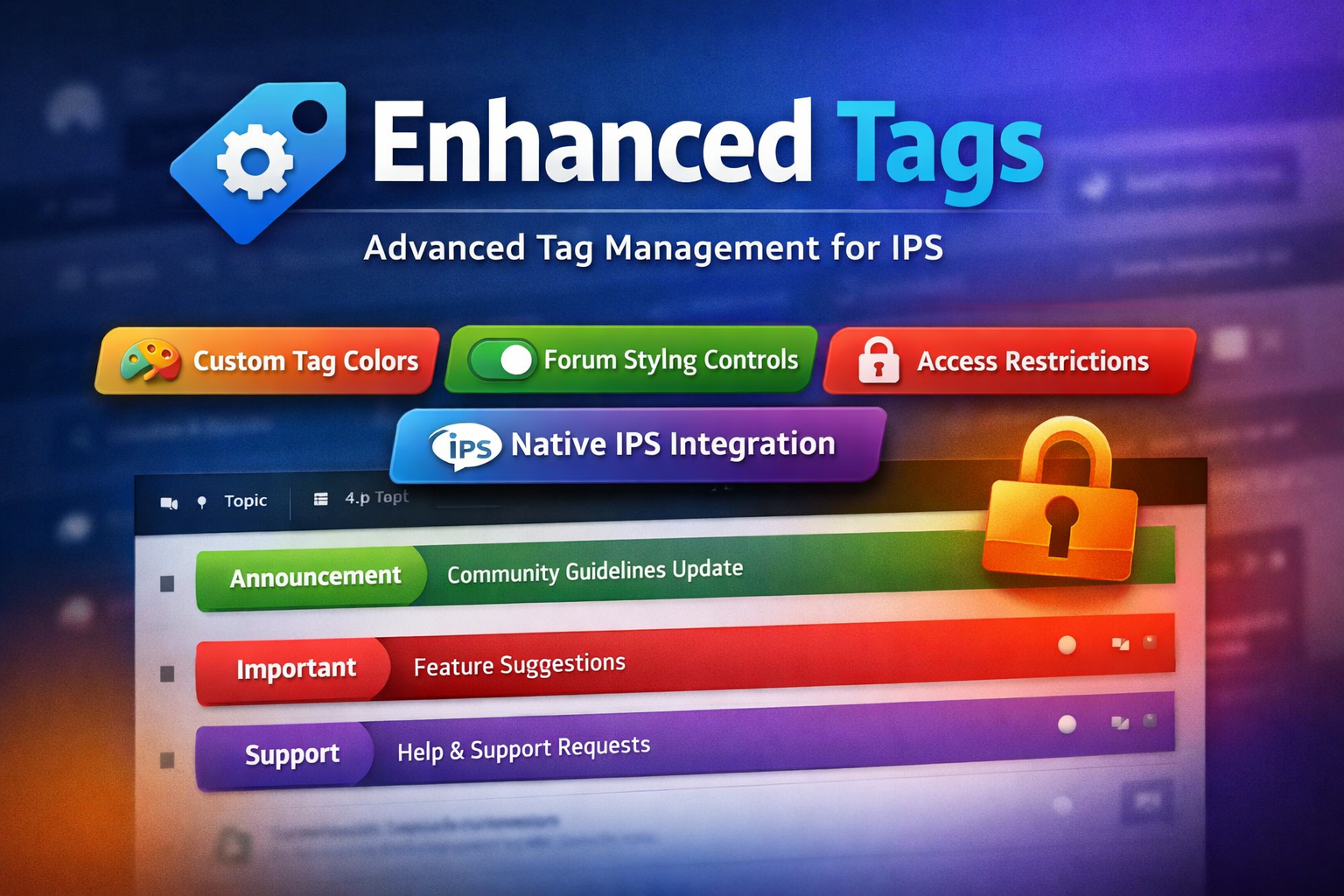
Seamlessly integrated and globally styled, Enhanced Tags allows you to transform tags from simple labels into meaningful visual and organizational elements across your community.
Key Features
Native IPS Integration
Fully integrated with the default IPS 5 Tags system
Manage all enhancements directly from the same admin module used for standard tags
No duplicate systems or separate workflows
Custom Tag Styling
Assign a custom label color to each tag
Tag styles are applied consistently across all community pages
Optional controls to:
Enable or disable border color styling
Enable or disable background color styling
Forum & Topic Visual Enhancements
Apply tag colors to:
Topics/posts in forum views
Individual topic views
Improve content scanning and visual hierarchy for users
Granular Access Control
Restrict access to tag pages by specific user groups
Prevent selected groups from reaching or viewing tag-related pages
Why Enhanced Tags?
Improves content visibility and organization
Adds brand-consistent visual identity to tags
Gives admins fine-grained control without breaking IPS core behavior
Ideal for communities that rely heavily on tagging for navigation or moderation
-
IPS5.0.0+
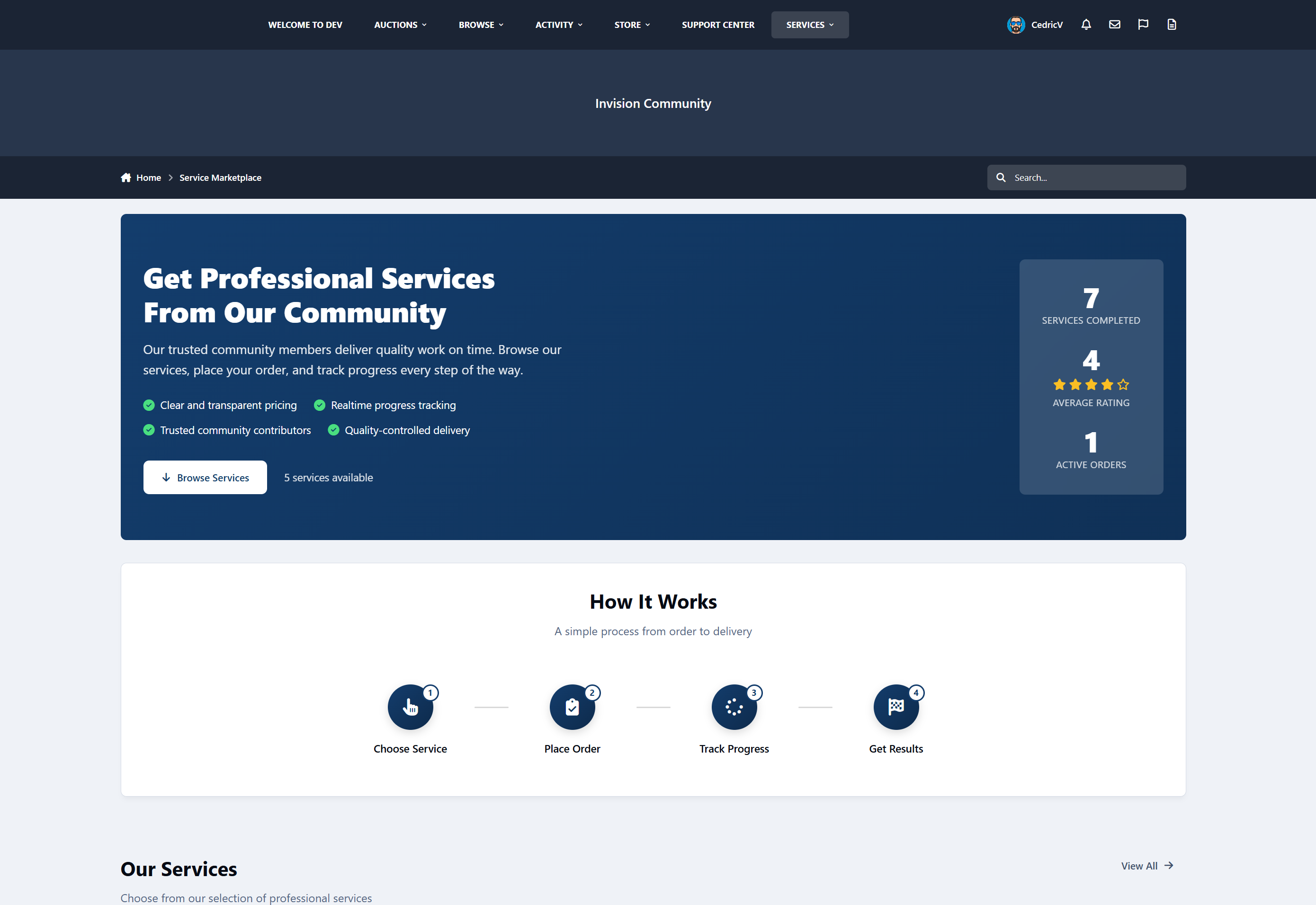
Service Manager is a complete service-order and task-fulfilment system for Invision Community v5.
It allows communities to sell structured services, assign work to staff or providers, track progress, manage commissions, and collect public feedback - all inside the IPS ecosystem.
You can offer things like:
Content services
Moderation teams
Design or development services
Consulting
Community management
Coaching
Support services
etc
Service Manager provides a professional, automated workflow to monetize your community’s expertise.
What Service Manager Does
For Customers
Browse service packages
Place structured orders
Track progress in real time
Communicate with staff
Leave public feedback
For Workers
View available task units
Claim and complete work
Track earnings
View performance statistics
Receive secure account credit payouts
For Admins
Create and manage service packages
Control commission and system rules
View all orders
Monitor staff performance
Access financial reports
Configure the entire system
Service Packages
Admins can create fully configurable service packages with:
Categories
Pricing
Images
Rich text descriptions
Estimated completion time
Task unit quantities
Custom fields (13 types)
Enable/disable controls
Per-package rules
Each purchase automatically creates a Service Order and splits it into Task Units for workers to claim.
Automated Workflow
Customer purchases a service
Payment is confirmed via Nexus
A service order is created
Task units are generated
Workers claim units
Work is completed
Earnings are credited
Customer leaves feedback
All activity is logged, tracked, and secure.
Built-In Communication
Customer to staff messaging
Internal staff notes
Message editing (15-minute window)
Order activity timeline
Notification system
Financial System
Configurable commission system
Earnings ledger
Automatic credit to Nexus accounts
Financial overview in the ACP
Worker performance statistics
Date range filtering
Feedback System
One review per completed order
Publicly visible feedback
Marketplace integration
Automated 3-day reminder
Dashboards
Customer Dashboard
Order history
Status tracking
Feedback submission
Worker Dashboard
Available work
Active work
Earnings overview
Performance statistics
Admin Control Panel
Order management
Financial reports
Staff performance
System settings
Widgets
Open Orders Counter
Recent Feedback Display
No private data is exposed.
Fully Customizable Marketplace Landing Page
Service Manager includes a fully configurable marketplace landing page that lets you control how your services are presented to visitors.
From the Admin Control Panel, you can customize:
Hero section (title, subtitle, benefits)
“How it works” steps
Trust and transparency content
Social proof (stats and testimonials)
Final call-to-action section
Each section can be enabled, disabled, and edited without touching any code, making it easy to adapt the marketplace to any service type or community style.
32+ Configurable Settings
Commission percentage
Worker group eligibility
Maximum claims per worker
Auto-splitting rules
Auto-credit behavior
Feedback reminder delay
Marketplace visibility
Terminology customization
All system terminology can be renamed, for example:
Package => Job
Worker => Staff
Task Unit => Task
Order => Project
Feedback => Review
No logic changes required.
Nexus Commerce Integration
Custom invoice item type
Supports all Nexus payment methods
Free packages supported
Invoice cancellation handling
Automatic order creation
Coming Soon
Front-end service creation: Allow members to create and sell their own services
Worker ratings and reviews: Customers can rate individual workers.
Dispute and refund system: Handle service issues and payment disputes
Worker / Provider Directory
Public profiles showing:
Services offered
Ratings
Reviews
Performance history
-
IPS5.0.0+
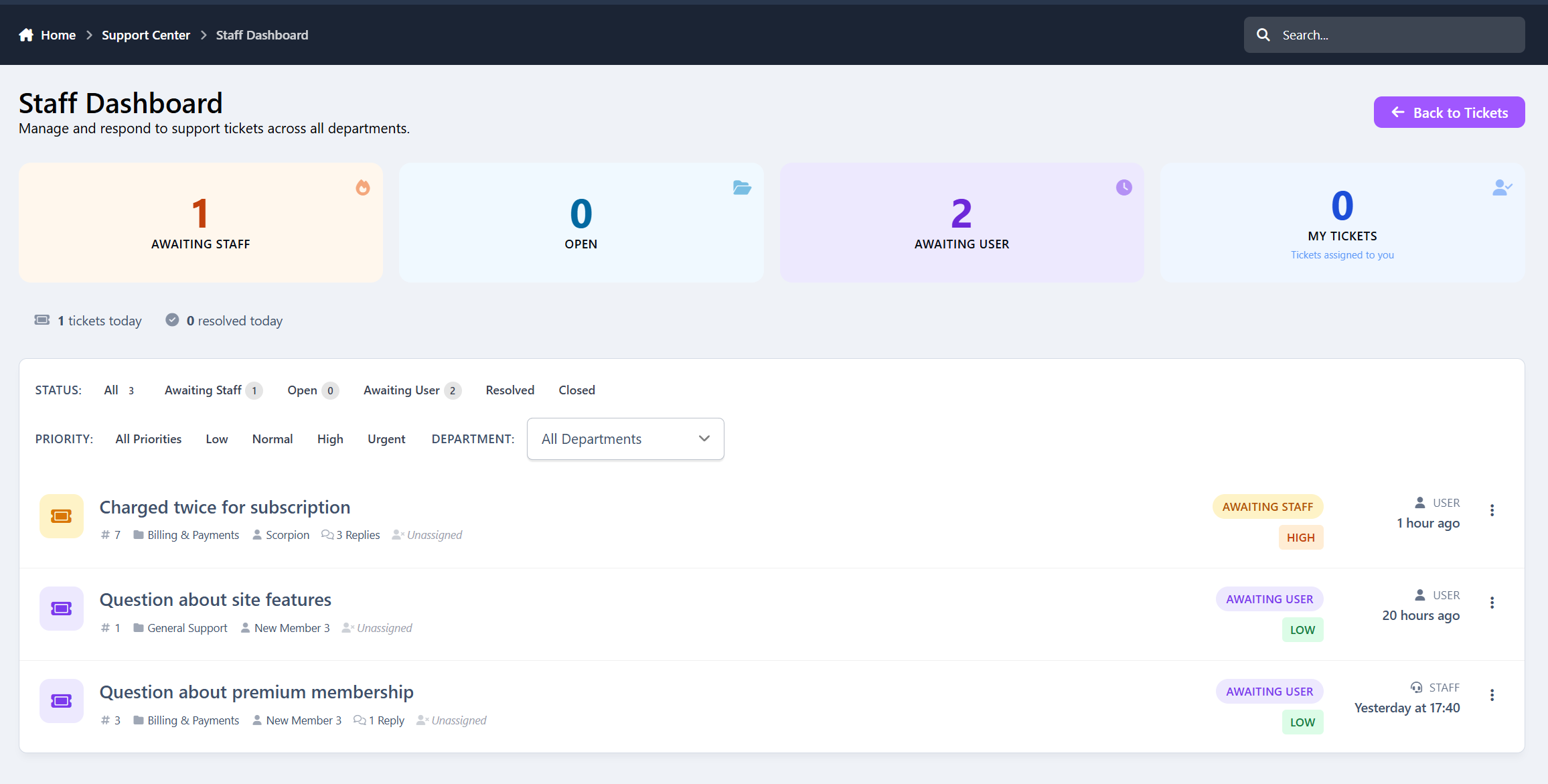
Support Tickets is a full-featured helpdesk and ticket management application built specifically for Invision Community 5.
It gives communities, SaaS platforms, and marketplaces a clean, structured way to handle user support, billing issues, reports, and internal requests - all inside their existing IPS ecosystem.
From simple support questions to urgent billing problems, everything is organized, trackable, and easy to manage.
Support Tickets is perfect for:
Communities & Forums
Handle member support, reports, and account issues professionally.
SaaS Platforms
Manage customer support, bug reports, and feature requests.
Marketplaces
Resolve disputes, billing problems, and seller/buyer questions.
Membership Sites
Support premium users with structured ticket workflows.
If you run anything that involves users, payments, or support, this app fits right in.
Core Features
Ticket - Main support request with 5 statuses
Department - Organize tickets by support category
Reply - Threaded staff & user responses
Priority - Low / Normal / High / Urgent
Canned Responses - Quick staff replies
Notes - Internal staff-only comments
Logs - Full activity tracking
Admin & Staff Tools
Full ticket management (view, reply, assign, delete, close)
Department management with staff group assignments
Priority system with color-coded levels
Canned response management
Statistics dashboard with date filtering
Configurable settings for fine-tuning
Staff dashboard with filters (status, priority, department, assigned)
User Features
Submit support tickets from the front-end
Track ticket status and replies
Reply to staff responses
View ticket history
Upload attachments
Staff Workflow
Assign tickets to yourself
Change status, priority, and department
Add internal notes
View full activity history
Use canned responses
Staff-only dashboard
Automation & Notifications
Auto-close inactive tickets
4 notification types
Custom email templates
Navigation menu integration
Clean, Modern Interface
Support Tickets is designed to feel:
Professional
Clean
Easy to scan
Optimized for staff workflows
Friendly for users
No clutter, no confusion - just efficient support management.
-
IPS5.0.0+
Every forum has this moment.
You open a topic list.
You see dozens of discussions.
And you pause.
Is this topic new?
Is it still active?
Has it gone quiet?
Is it already dead?
Dates and reply counts don’t really answer that.
Topic Status Tags does.
It adds simple, automatic labels to topics so members instantly understand the state of a conversation - without digging into timestamps or guessing from numbers.
Small change.
Much clearer browsing.
Introducing: Topic Status Tags
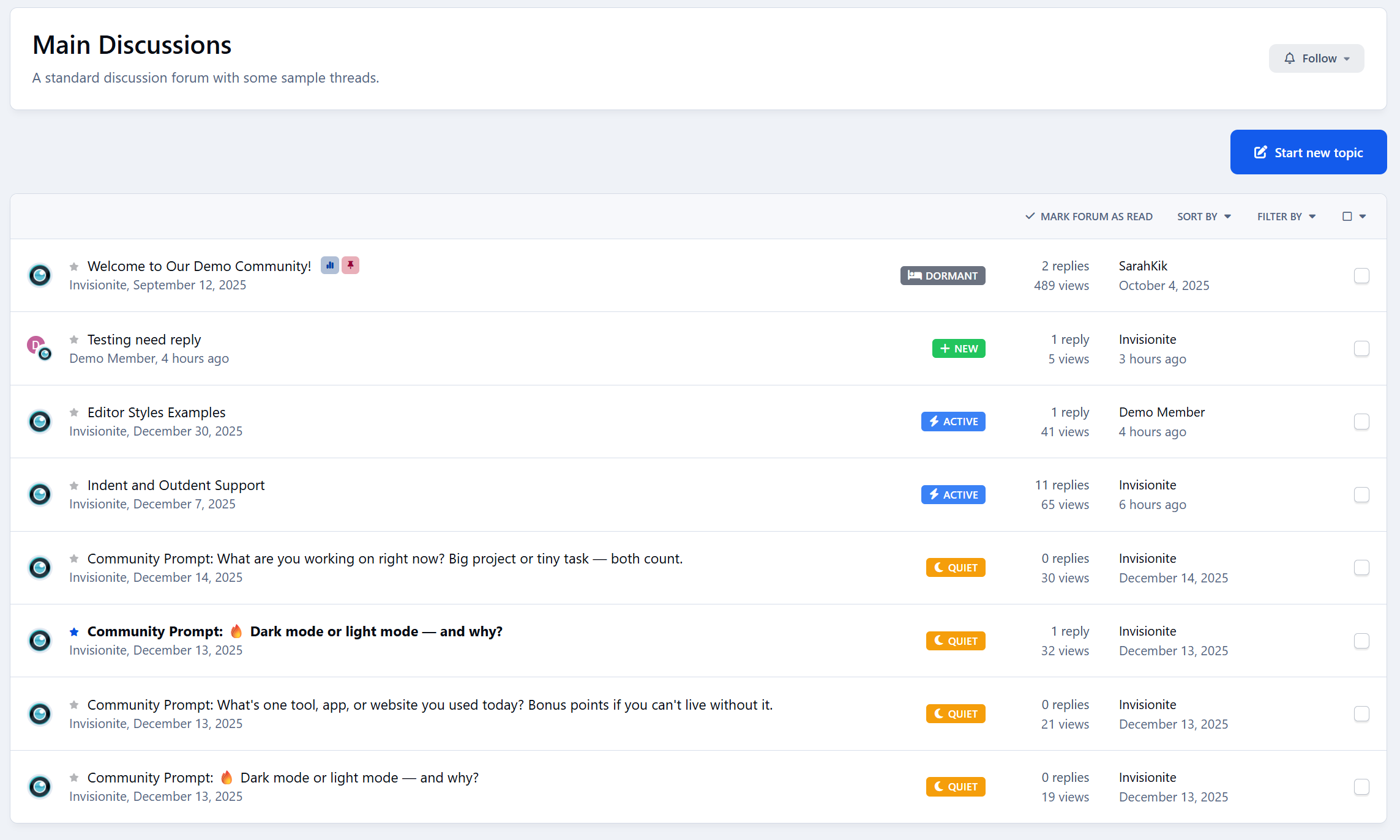
Topic Status Tags helps your community understand discussions at a glance by automatically labeling topics based on activity.
Each topic is given a clear status:
New - recently created
Active - still receiving replies
Quiet - slowed down
Dormant - long inactive
The status updates automatically as activity changes, so discussions naturally move through different states over time.
No manual tagging.
No moderation work.
It just stays accurate.
No More Guessing From Dates
Right now, members have to interpret:
“Posted 3 days ago”
“Last reply 2 weeks ago”
“12 replies”
Topic Status Tags turns that into something instantly readable.
A quick glance tells members:
Which discussions are worth jumping into
Which ones are slowing down
Which ones are probably finished
Browsing feels easier.
Forums feel more alive.
Clear Signals, Not Clutter
Topic Status Tags is designed to stay out of the way.
You get:
One status per topic
Subtle badges that don’t overwhelm the list
Clear priority so labels never conflict
Admins stay in control:
Enable or disable individual statuses
Adjust how long topics stay New or Active
Decide when discussions become Quiet or Dormant
Customize the wording and appearance
The result is clarity - not noise.
Why Your Community Should Use Topic Status Tags
Members scan forums faster
Discussions feel easier to understand
Active topics stand out naturally
Quiet forums feel less “dead”
You’re not pushing people to engage.
You’re simply making activity easier to read.
Designed to Feel Native
Topic Status Tags blends seamlessly into your community.
It:
Fits naturally into topic lists
Uses familiar, clean styling
Works on desktop and mobile
Doesn’t change how discussions work
Members don’t notice a new feature.
They just feel more confident choosing what to read and reply to.
Who Is Topic Status Tags For?
Topic Status Tags is ideal for:
Discussion communities
Support forums
Knowledge-sharing boards
Any forum with conversations at different activity levels
If your members browse topic lists often, this improves their experience immediately.
-
IPS5.0.x
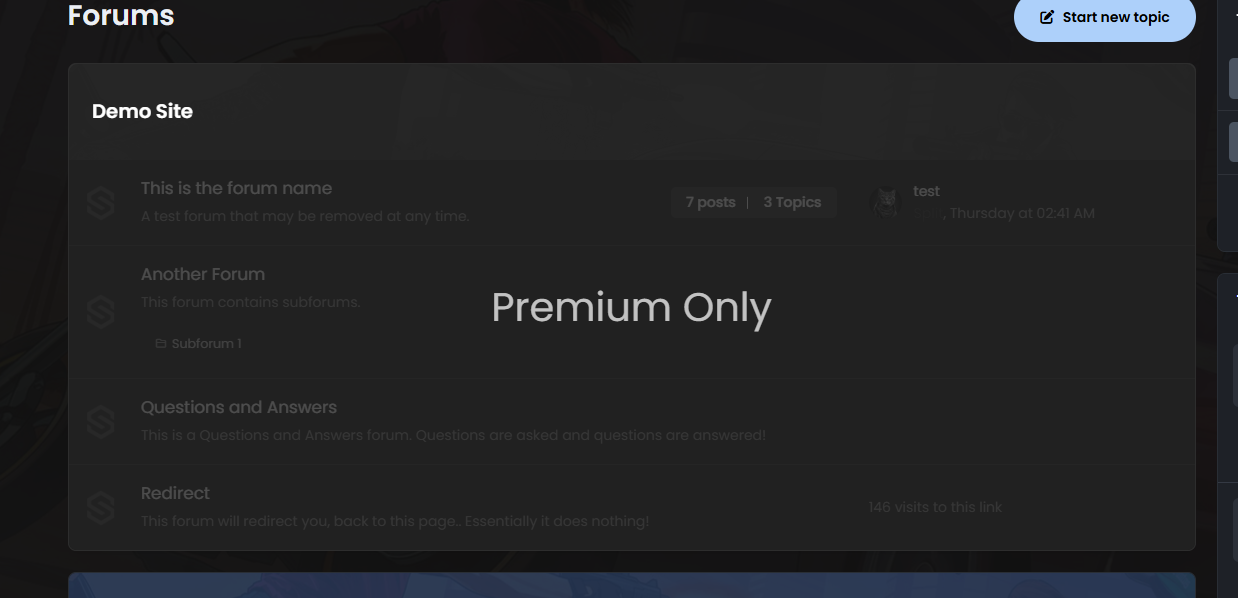
Forum Category Overlay adds a customizable visual lock to restricted categories. Users without permission will see dimmed categories with a message such as Customers Only, while still being unable to access them.
-
IPS5.0.10+
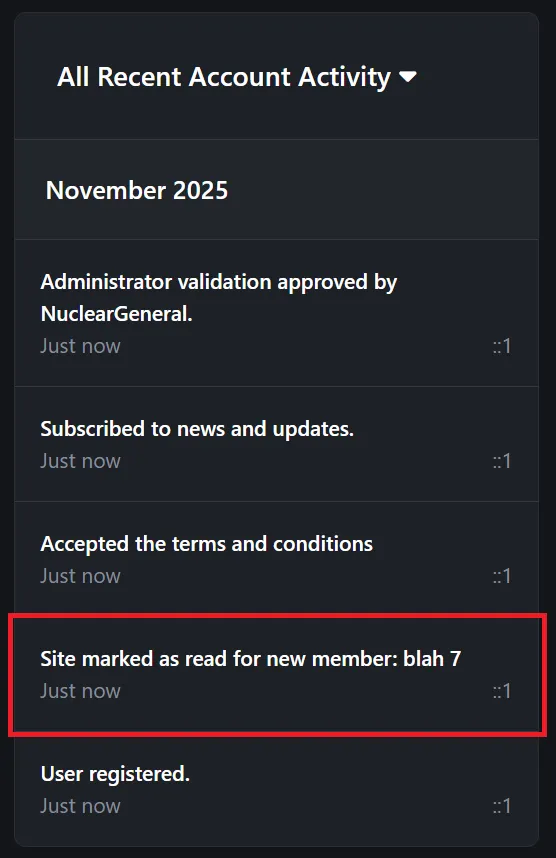
Automatically marks all content as read for newly registered members, providing them with a clean slate and preventing notification overload. When enabled, new members will start with a fresh experience without being overwhelmed by existing unread content. This feature can be toggled on or off through the ACP settings, and all actions are logged in the member's account history for administrative tracking.
-
IPS5.0.0
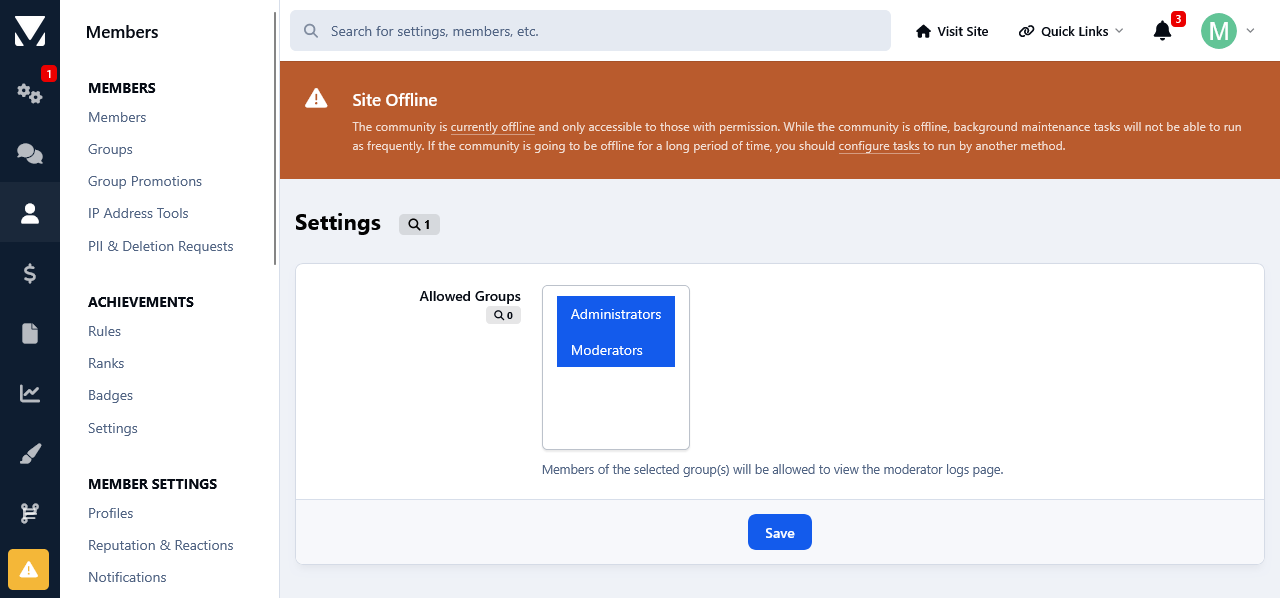
This app will display the Moderator Logs on the front side linked to the Navigation. This can come in handy if you want to display it to your Staff without giving them Admin Panel access. The access is group permission based.
-
IPS5.0.0
This app allows your staff, with the appropriate permissions, to see topic viewers/readers as well as track your members topic viewing/reading behavior.
Topic readers will be displayed on topic view. Only unique views are logged. This means that whenever someone visits a topic, their latest visit will be logged and displayed.
To track members topic reading history, go to their profiles where a new tab has been added called: Recent Viewed Topics.
And as last, but not least, topic view logs can be kept permanently or pruned after a certain amount of time.
-
IPS5.0.0
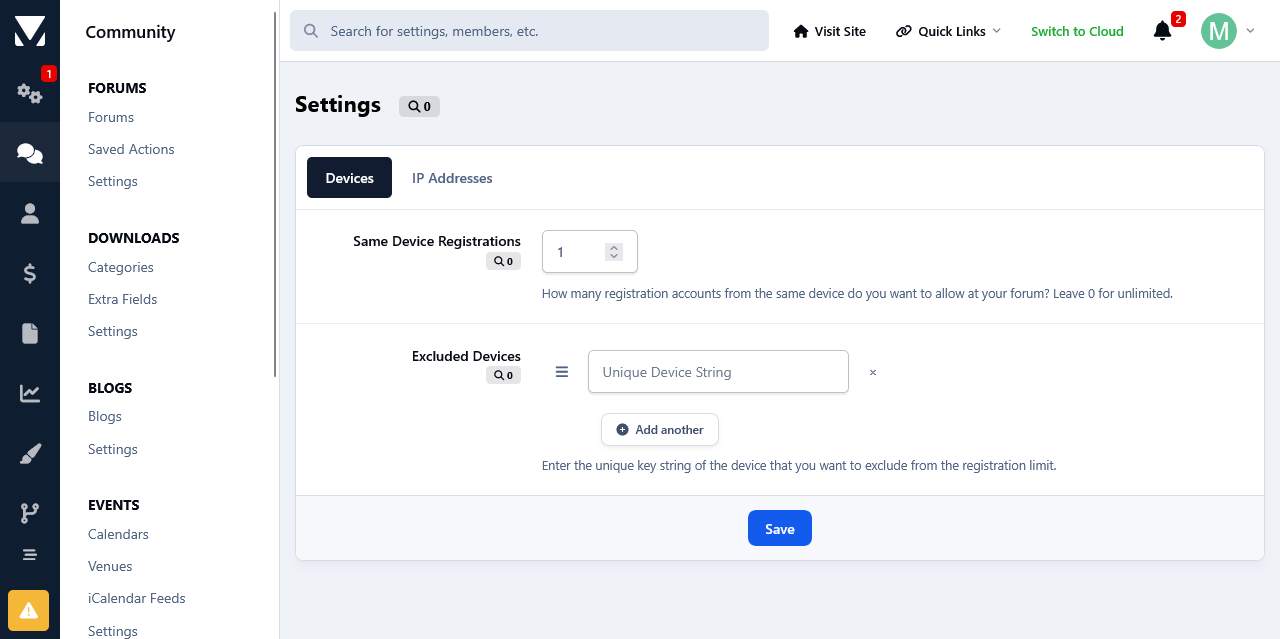
This app will limit the number of accounts that users can register from the same device and/or ip address. Devices and/or IP Addresses can be excluded from this restriction at the app's settings page.
-
IPS5.0.0
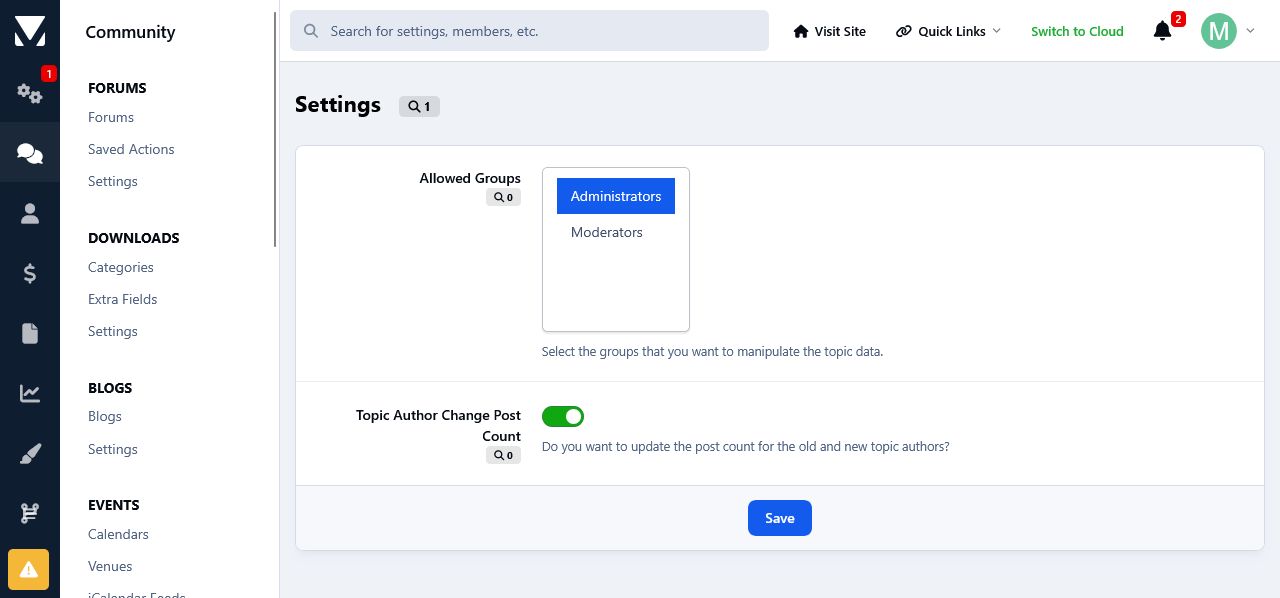
This app will allow the admins and your staff, with the appropriate permissions, to change several topic data such as views, author and start date.
Permissions:
You can set the permissions at the app 's settings page which can be found at your Admin Panel->Community->Manipulate Topic Data.
Members with the permissions to change topic data, will see 3 new links added inside the Moderation Actions drop down list. The are as follow:
1) Change Views:
When clicked upon it will display the current views for that topic with the option to add to them.
2) Change Author:
When clicked upon it will display the topic author with the option to select a new author. After the changes are saved, the topic info will be updated accordingly to reflect the new author. The new changes will be updated in the search and activity page as well.
You have the options to decrease old author 's post count and increase the post count of the new author.
3) Change Start Date:
When clicked upon it will display the topic start date with the option to select a new date. After the changes are saved, the topic info will be updated accordingly to reflect the new start date. The new changes will be updated in the search and activity page as well.
Moderator Log:
All the aforementioned topic changes will be logged in the Moderator Log page in the admin panel.
-
IPS5.0.0
This app will list all of your database tables at its settings in your Admin Panel.
Table Structure Details:
You can view the structure of each database table as well as other details, such as how many rows do they have, their collation and engine type. The date when the table was first added to the database and when it was last modified.
Commands:
You can run several commands such as Showing the create structure of tables, Checking tables, Repair and Optimizing.
Details:
A list of your database details such as the total tables, its size and how much free size is left is available as well.
This can be very useful imo especially if you don't have direct access to the server, and no utilities such as phpMyAdmin are installed. Or if you aren't very comfortable with dealing with the database from phpmyadmin for fear of messing things up, you can use this app as there is Zero chance of messing anything.
It can also come in handy if you have installed a lot of third party custom stuff like apps, plugins etc over the years and you want to have a clear overview of your database. You can do that with ease without having to go to your phpmyadmin.
-
IPS5.0.0+
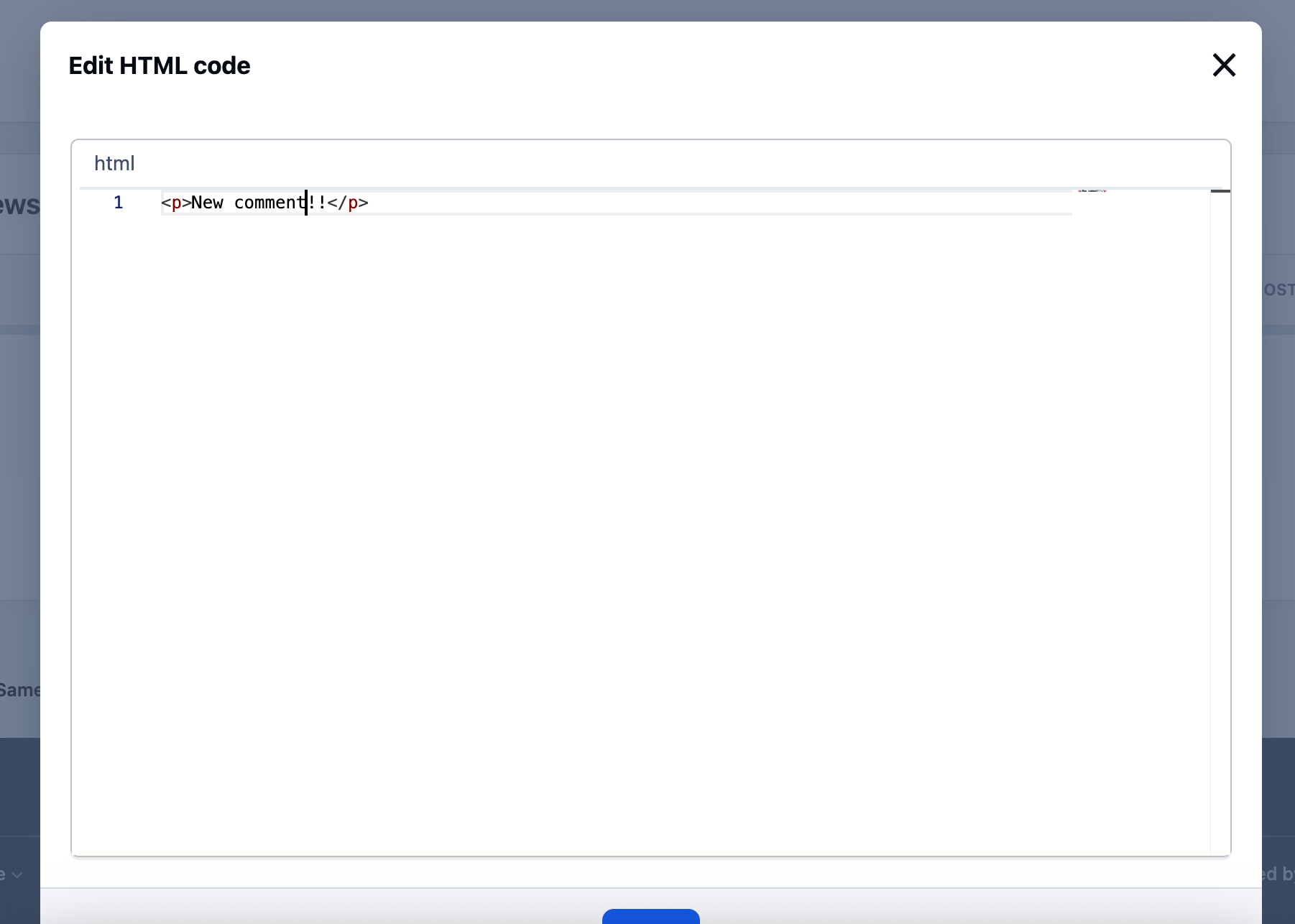
Created to replace the outdated Edit HTML of posts.
Possibilities:
Select users/groups (only admins) that can change HTML code.
Enable/disable logging.
Add/remove icon next to the link.
Supports applications:
Pages
Forums
Commerce
Events
Blogs
Personal Messages
Gallery
Downloads
-
IPS5.0.0
.
This app will monitor your forum and list all changes done to the files within a time frame set by the admin. It will also scan all folders and files inside your forum folder for any potential malicious code and/or backdoor scripts.
File Change Detection:
If the files that have been listed as modified, haven't been changed by you yourself and/or haven't been updated automatically by the system, it could indicate that your forum most likely has been tampered with. Those files might have been changed to include malicious code.
In addition to an existed file being changed/modified, the upload of new file(s) is detected too.
In that case it would be best to immediately check the file(s) in question and contact your host so they can look into the unauthorized file changes and take the necessary actions to plugin the point of entry.
Potential Backdoor Scanning:
What Is a Backdoor?
A backdoor is malicious code injected to valid file(s) of whatever scripts one is running on their server space, as only one short line of code that looks rather innocent. Or, a backdoor can be a standalone file as well.
They are left behind by hackers once they breach the security of a website to make sure they can get back in even after you secure your website. i.e. it allows them unauthorized and often unrestricted access to a compromised site. Unless you can remove the backdoor(s), there's no stopping them.
Backdoors are hidden from view, and made to look like legitimate files and therefore it can be extremely difficult to find. And that's where this app comes in.
It will scan all lines of code on every single file inside your forum folder for exploitable PHP Functions, PHP Code Execution, Command Execution and Filesystem Functions.
A few Examples:
The mod scans for a very wide array of php&filesystem functions, code&command executions. Below are few of them along with how they can be exploited by hackers.
Command Execution!
exec - Returns last line of commands output
passthru - Passes commands output directly to the browser
system - Passes commands output directly to the browser and returns last line
shell_exec - Returns commands output
popen - Opens read or write pipe to process of a command
proc_open - Similar to popen() but greater degree of control
pcntl_exec - Executes a program
PHP Code Execution!
Apart from eval there are other ways to execute PHP code: include/require can be used for remote code execution in the form of Local File Include and Remote File Include vulnerabilities.
assert() - identical to eval()
preg_replace('/.*/e',...) - /e does an eval() on the match
create_function()
include()
include_once()
require()
require_once()
Disguised Malicious Code
The use of eval(base64_decode(....)) or eval(gzinflate(base64_decode(..))) which are intended to disguise the nature of the malicious code.
The use of str_rot13 which is heavily used in pair with base64_decode. This too is used to disguise the nature of the malicious code.
False Positives:
All the aforementioned php functions, commands, executions etc are all legit. Ips and all the other php/mysql forum/cms scripts etc make use of them. But unfortunately they are also the most commonly used functions by the bad actors to inject malicious code. Therefore there will be false positives reports.
If you see your forum files mentioned as containing the aforementioned code, you can ignore it. But if any of the forum files is reported as recently modified file(s) by the app and you haven't touched the file(s) in question, then you should check it immediately as the chances are that it's foul play.
-
IPS5.0.0
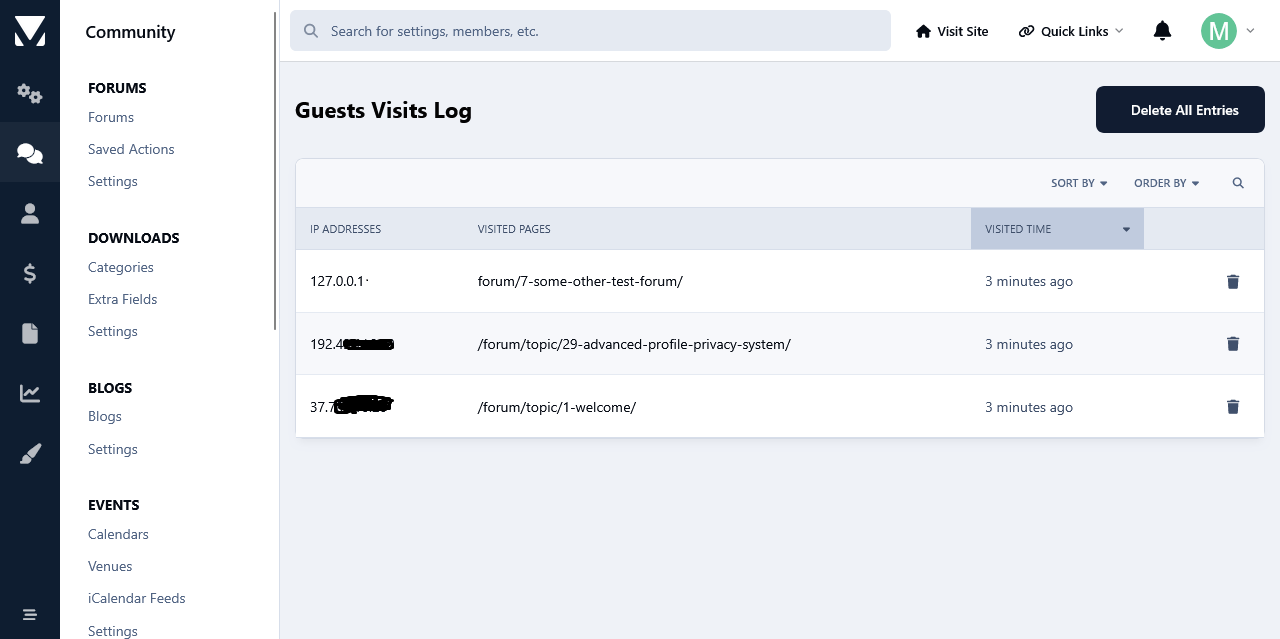
This app will log all guests visits at your forum from the moment that it's installed and it will display them in the app's log page. Like that you will have an overview as to what pages hold the interest of your guests. Logs can be then searched based on ip addresses and visit time frame.
Another feature of this app is the use cookies to limit the number of times that your guests can view pages at your forum. The limit will be for a day, after which it will expire and it will be repeated again after the number of page view limit has been reached again. The whole idea behind this concept is to hopefully motivate guests to register.
The search bots will not be impacted by this when it comes to spidering your site, because usually bots do not generally use cookies. However, this is an on/off setting.