Admin & Mod Tools
-
IPS5.0.0
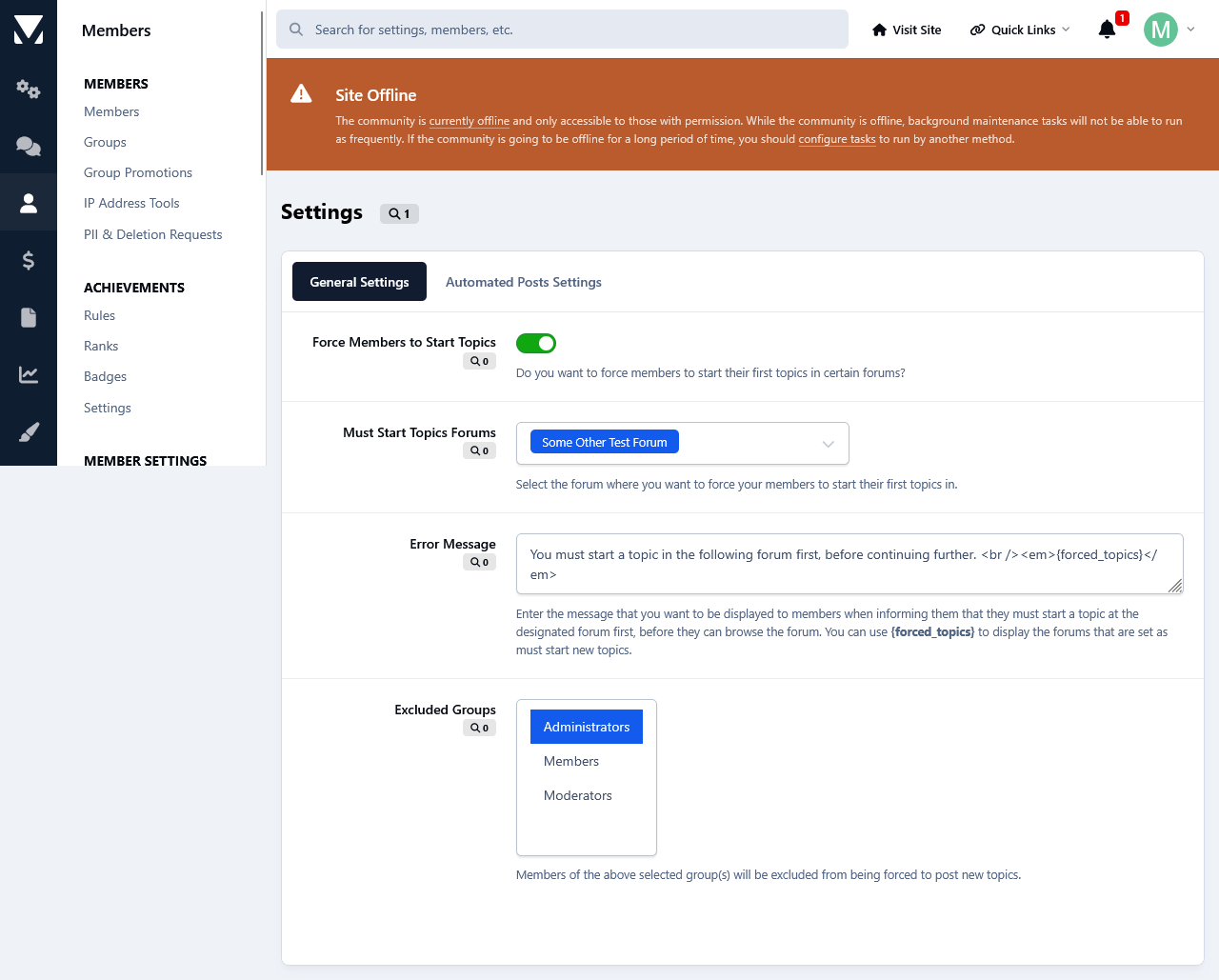
This app will force members to make their first topic in the forum of your choice in order to browse the forums and topics at your forum.
From the app's settings you can enable/disable the app, select the forum where you want your members to post their first topic, enter your custom error message and exclude groups from this restriction.
-
IPS5.0.0
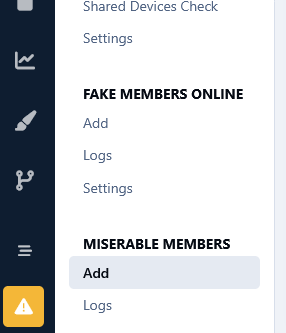
This app will subject your troublesome/annoying users to page delays, blank pages and redirects with the aim of making them leave your forum and never come back. This is much better than banning them imho.
Options:
Minimum Loading Delay (seconds). (This field holds the percentage of minimum delays of forum loading.)
Maximum Loading Delay (seconds). (This field holds the percentage of minimum delays of forum loading.)
Blank Pages Chance. (This field holds the percentage of displaying blank pages.)
Redirection URL. (This field holds the url for the redirection.)
-
IPS5.0.0
Do you have important topics at your forum, and you want to be sure that your members and/or guests really read them? Then this app can come in handy as it will help you with that.
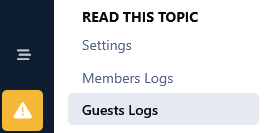
It will force your members as well as guests to read a particular topic and only then can they enter the forums and/or the other topics.
Setting a topic as must read can be done separately for members and guests. i.e. You can set one topic as must read for your members, and another one for your guests. Topics are hidden in the activity and search pages for members/guests till they read the forced topics.
You can exclude certain groups and ip addresses from being forced to read topics. You can also enter a custom error message to be displayed to members/guests when informing them that they must read first the forced topic before they can read the rest of the topics.
All the options are set at the app 's settings page.
Each time a member/guest will read the topic that has been set as must read, the action will be logged and be available to the admins so they can keep track of things. For guests, their ip is logged. The members log can be searched for members and time frame, whereas the guests log can be searched for ip addresses and time frame.
If you want a particular member to re-read the must read topic, all you can do is delete their forced topic entry from the logs. Or you can delete the whole log for a do over of forced readings again. The same goes for guests logs too.
Logs can be kept permanently or pruned after a certain amount of time.
-
IPS5.0.0
This app adds a new tab containing all the members marked as spammers at your forum, to the Member Management section in the Moderator CP. It might come in handy especially if you have a large number of spammers, as it allows the admins to get some help in managing them from their staff members without giving them access to the Admin Panel.
Permissions:
This app adds a new permission tab to the Moderator Permissions. To select the staff members that you want to manage spammers at the Moderator CP, set the permission: Can manage spammers from the Mod CP? to Yes and save the changes.
Settings:
From the app 's settings page you can decide if you want to either delete or hide spammers content.
IP Address Check:
Moderators with permissions to view the ip addresses can check the ip addresses of the spammers.
Bulk Deletion:
All spammers shown at the ModCP can be deleted in bulk through the selection check boxes.
Settings:
You can either delete or hide the content of members marked as spammer when they are deleted from the ModCP.
Moderator Log:
Whenever a member is approved the action will be logged in the Moderator Log page.
-
IPS5.0.x
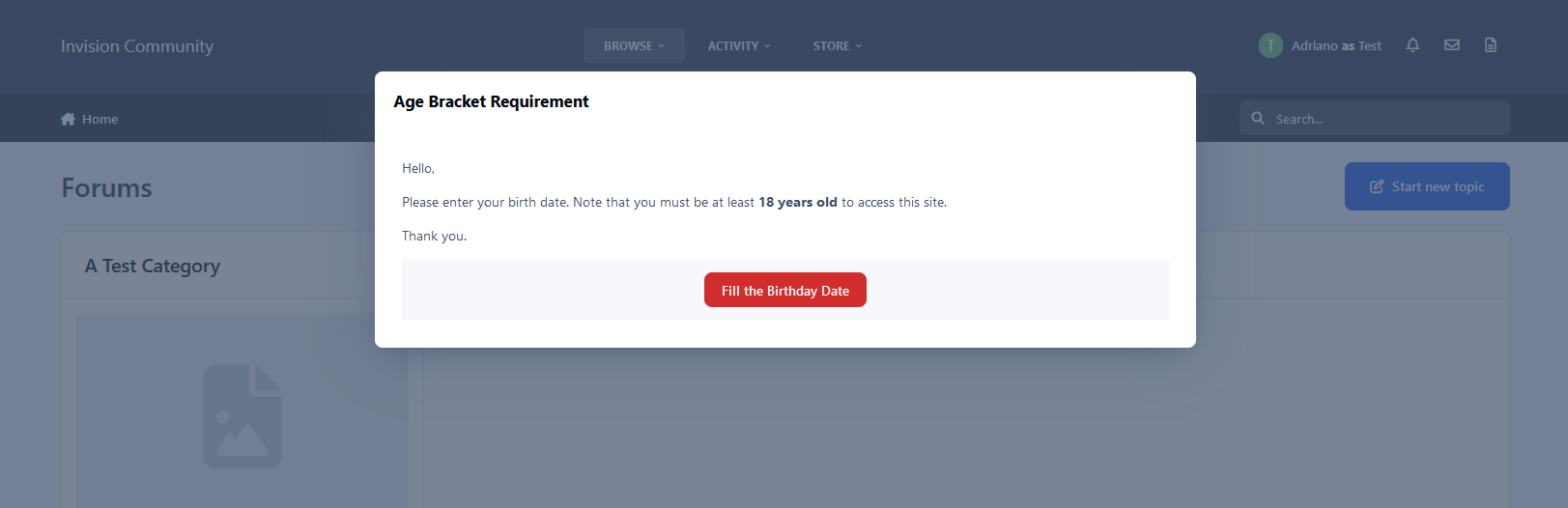
This application will require that members fill in their birth date on the Register Screen and in their Profile.
Only new accounts meeting the minimum age requirement will be accepted.
Registered users will be unable to proceed further until they provide their birth date.
Settings:
Age bracket required.
Groups that must fill in their birth date (existing members).
The message is displayed to registered members (this field is translatable, allowing you to customize the message for each language).
-
IPS5.0.x
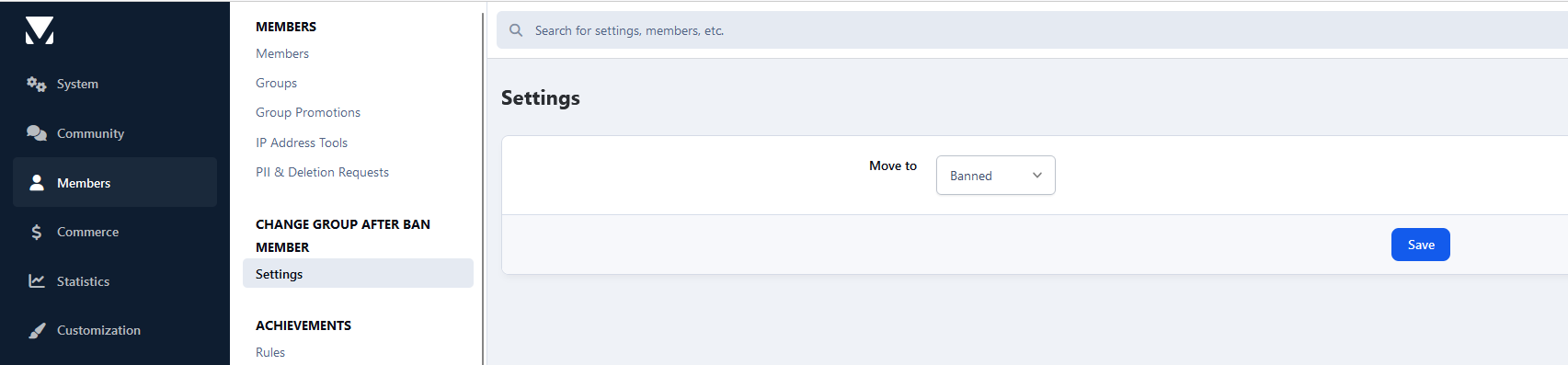
This application will give the admin the ability to choose a group to move the member when:
An administrator bans the member permanently on their ACP profile
A moderator bans the member via the Warn System by choosing the option Suspend from accessing the site -> Indefinitely.
Setting:
Group to move the members
-
IPS5.0.0+
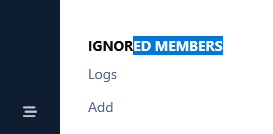
This app will add 2 features to the Ignore System. One is an overview log where the admins will be able to see who ignored whom. The other feature will allow the admin(s) to force members to ignore each other by adding them to members ignore list.
-
IPS5.0.0
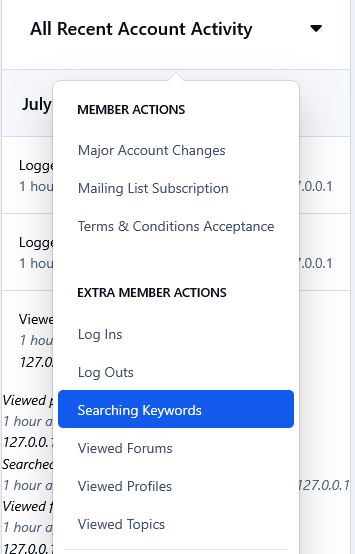
This app will log 6 extra actions of your members and it will display them in their All Recent Account Activity block when viewing a member at the Admin Panel. The extra actions are as follow.
1. Searching Keywords
Whenever a member will search for something in your forum, the keyword/phrase will be logged and displayed on their recent account activity. This can come in handy imo, as it will show you what your members are looking for, so you can make adjustments/changes accordingly to attract more members and get better results.
2) Profile Viewing
Whenever a member will view someone 's profile.
3) Forum Viewing
Whenever a member will visit a forum.
4) Topic Viewing
Whenever a member will visit a topic.
5) Log In
Whenever a member logs in the forum.
6) Log Out
Whenever a member logs out of the forum.
Note:
All these extra actions mentioned above, will be logged and displayed on members history from the time that the app is installed.
-
IPS5.0.0
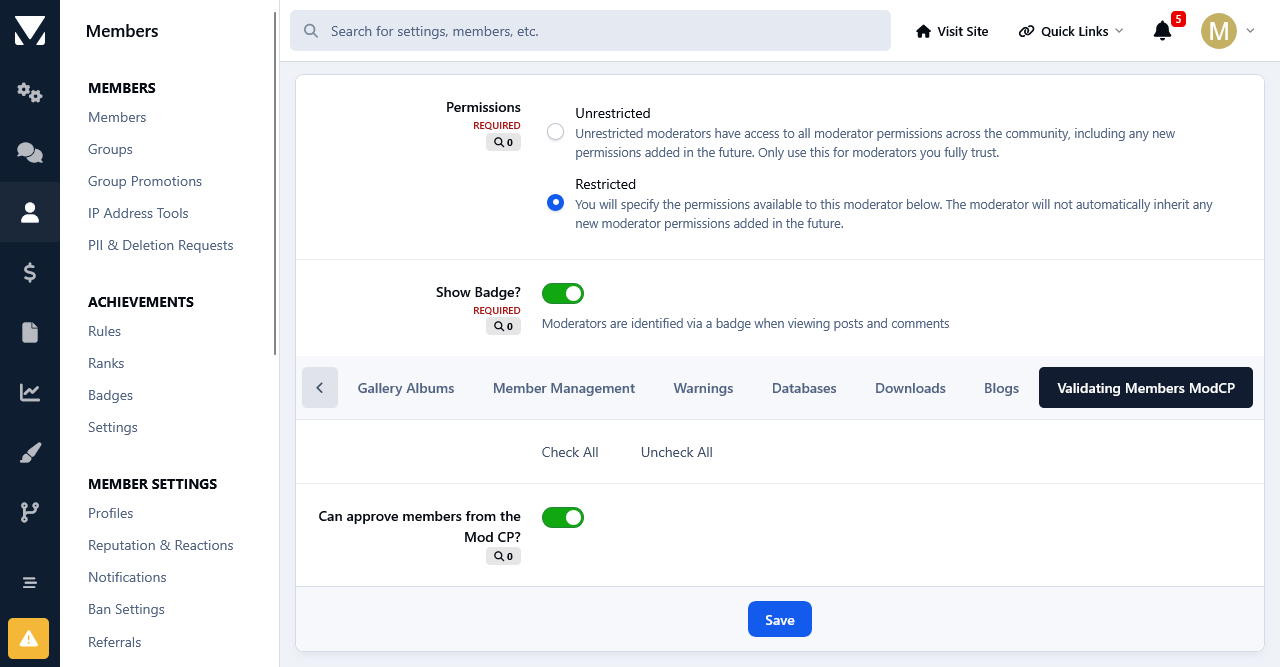
This app adds a new tab at the Member Management section in the Moderator CP of all the validating members at your forum. It might come in handy especially if you have a large number of validating members, as it allows the admins to get some help in managing them from their staff members without giving them access to the Admin Panel.
Permissions:
This app adds a new permission tab to the Moderator Permissions. To select the staff members that you want to manage the validating members at the Moderator CP, set the permission: Can the approve members from the Mod CP? to Yes and save the changes.
Options:
Moderators have 2 options when managing the validating members. Those who are allowed to edit members will be able to edit them, those with permissions to view the ip addresses can check the ips of the validating members.
Multiple Approval& Deletion Selection:
There is also a quick multiple approval selection checkbox that will allow for a quick approval and/or deletion of all selected validating members.
Moderator Log:
Whenever a member is approved and/or deleted from the ModCP the action will be logged in the Moderator Log page.
-
IPS5.0.0+
Key Features:
✅ Auto Welcome - Automatically creates a welcome topic when a new member registers, helping foster engagement (you can choose to create a new topic or reply to an existing topic when welcoming new members)
✅ Auto Reply - Automatically respond to new topics with a predefined message, perfect for support forums to confirm message receipt.
✅ Restrict Consecutive Posts - Prevent users from posting multiple consecutive replies. A user must wait for another member to reply before they can post again in the same topic, reducing spam and encouraging balanced discussions.
✅ Topic Rules - Define and display custom rules for specific topics, ensuring users understand and follow guidelines before participating.
✅ Auto Pin - Automatically pin a topic when it reaches a predefined number of replies, keeping important discussions visible.
✅ Auto Lock - Automatically lock a topic when it reaches a set number of replies or after X days. Useful for limiting discussions in announcements, event promotions, job postings, or special offers to avoid irrelevant comments.
✅ Auto Delete - Permanently removes inactive topics based on the last post date (per-forum settings, with an option to exclude pinned/featured topics), helping keep the forum clean and efficient.
✅ Change Author - Change the author of a topic to another user, useful for content management or ownership transfers.
✅ Change Date - Easy to change topic's date.
✅ Edit title silently - Edit topic title without adding logs or history.
-
IPS5.0.x
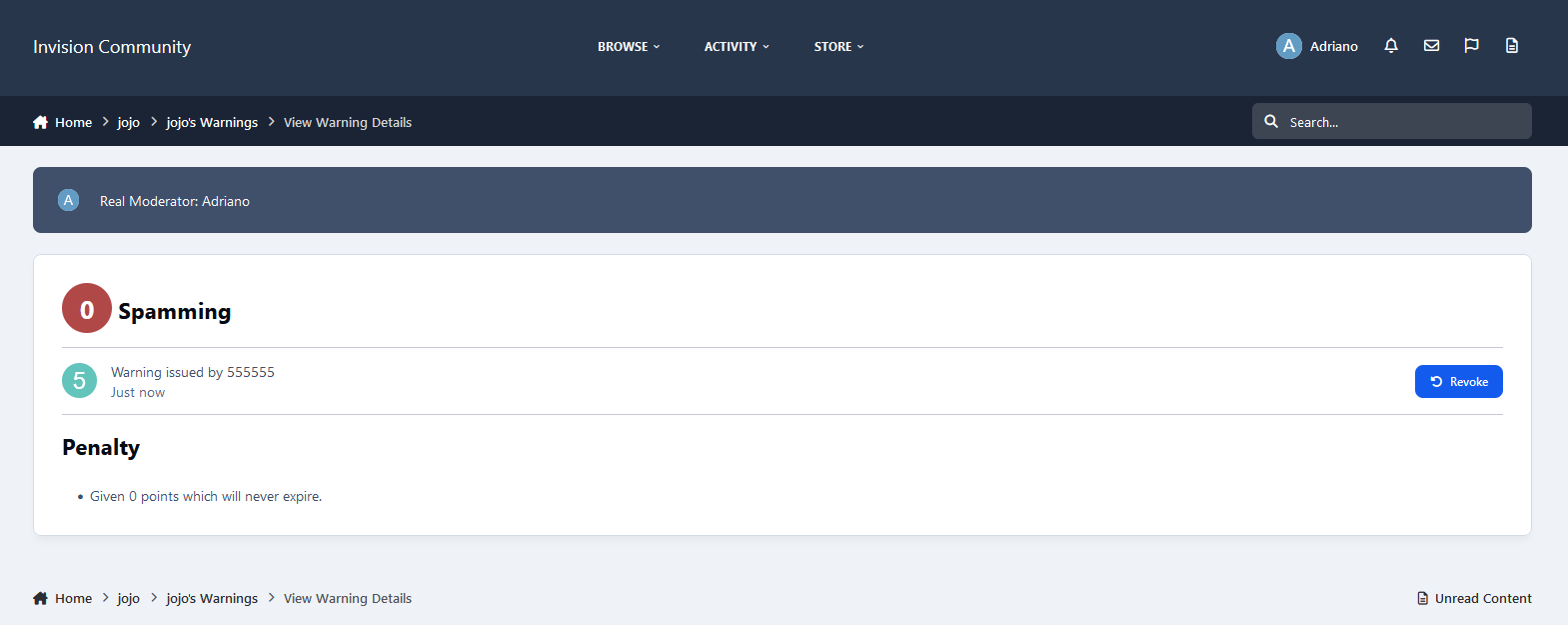
This application will preserve the identity of your moderators by using a generic user as the author of warnings.
Notes:
Only moderators with permission Can issue warnings? can view the real moderator on warning details.
Warned members will not be aware of the real moderator who issued the warning: the user will not see the moderator's identity in the warning details or the email notification they receive.
The generic moderator does not have to be a moderator; you can choose a regular member.
Real moderators will be back on the application uninstall.
NOTE:
Since hooks cannot be used, this version removes the option to set a moderator per warning reason.
-
IPS5.0.0
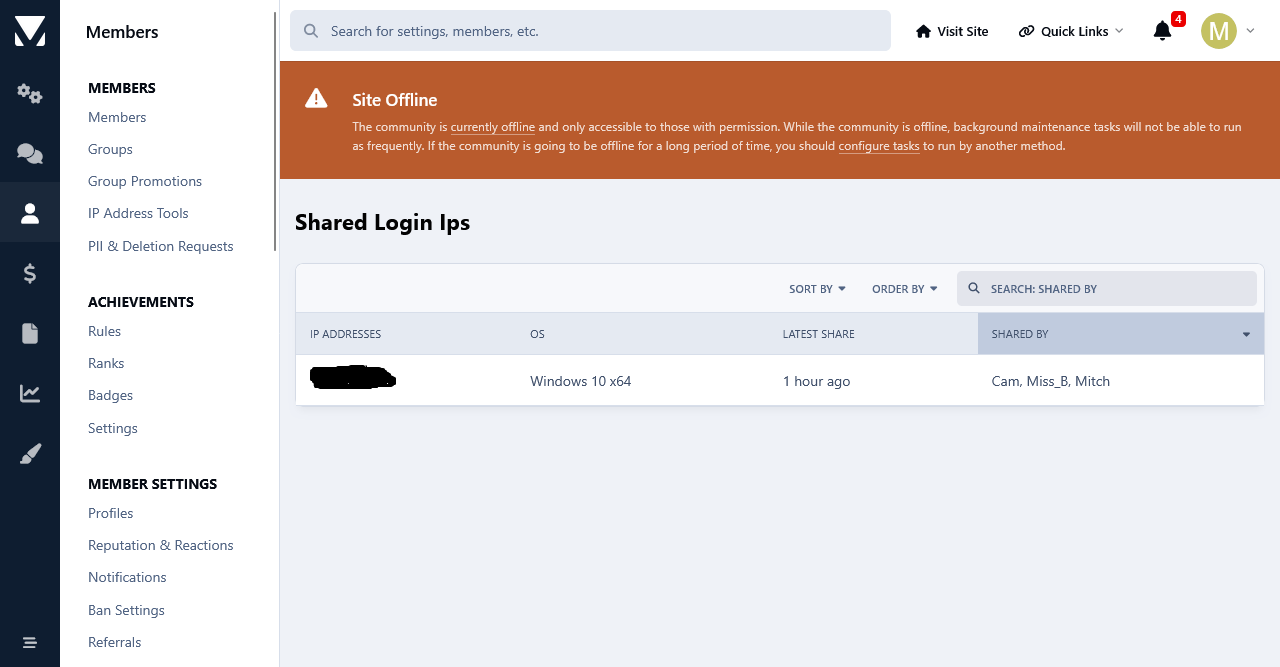
This app adds a new table to the database that will log all future log ins to your forum. Each time an user will log in to your forum, a unique cookie will be added to members devices and then it will be stored in the app 's table. The cookie expiration date is set to one year and its unique string is associated with the users device used to log in.
Their ip address will be stored as well. The app will scan its database table and list all users who have logged in multiple times from the same device and ip. Like that you can see who has shared their login details with other users. The cookie detection method is the most accurate method.
Both shared login detection methods have a quick search option where you can search the results based on members names.
Important:
The detection starts from the moment that the app is installed. Past detection is not logged due to the fact that the app uses its own database table to store shared logins.
-
IPS5.0.0
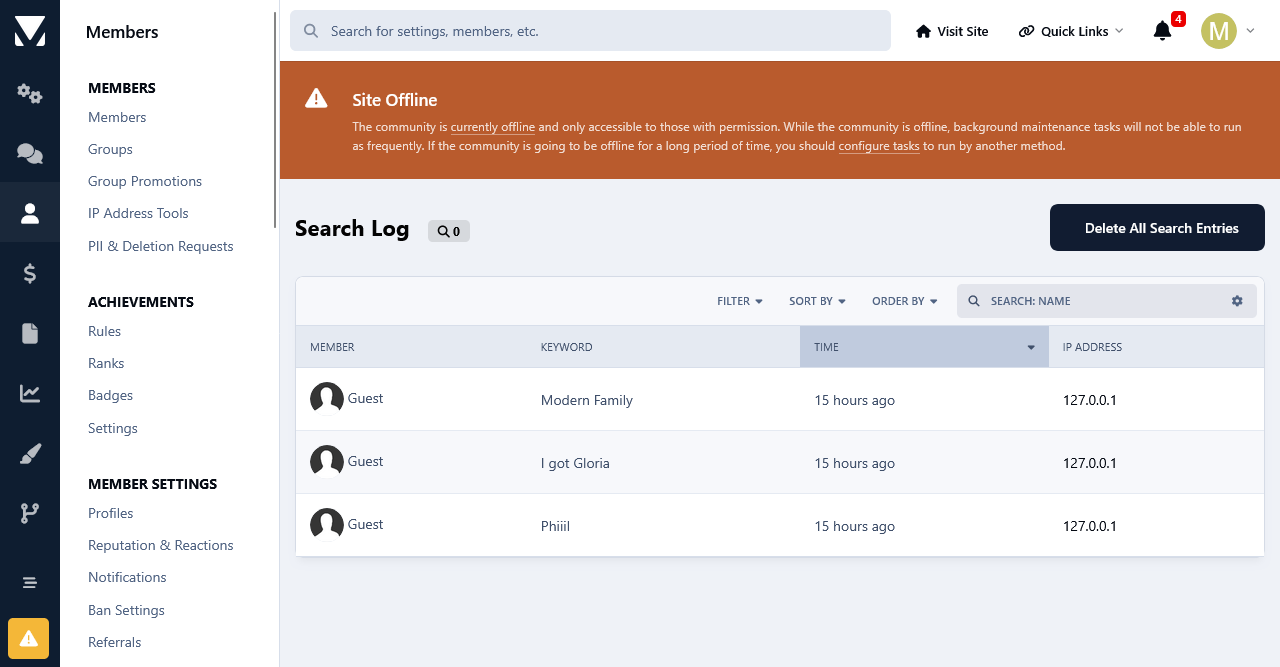
This app will will log all the keywords used by your members and guests alike to search at your forum.
You can filter the search keywords for members and guests.
You can search for all the keywords that were used used by members, search terms. ip addresses and a time frame.
Important:
The logging of the search keywords will start from the moment that the app is installed. Past search keywords not logged due to the fact that the app uses its own database table to store the search data.
Price: 17 Euro.
Payment Method: Paypal Only.
-
IPS5.0.x
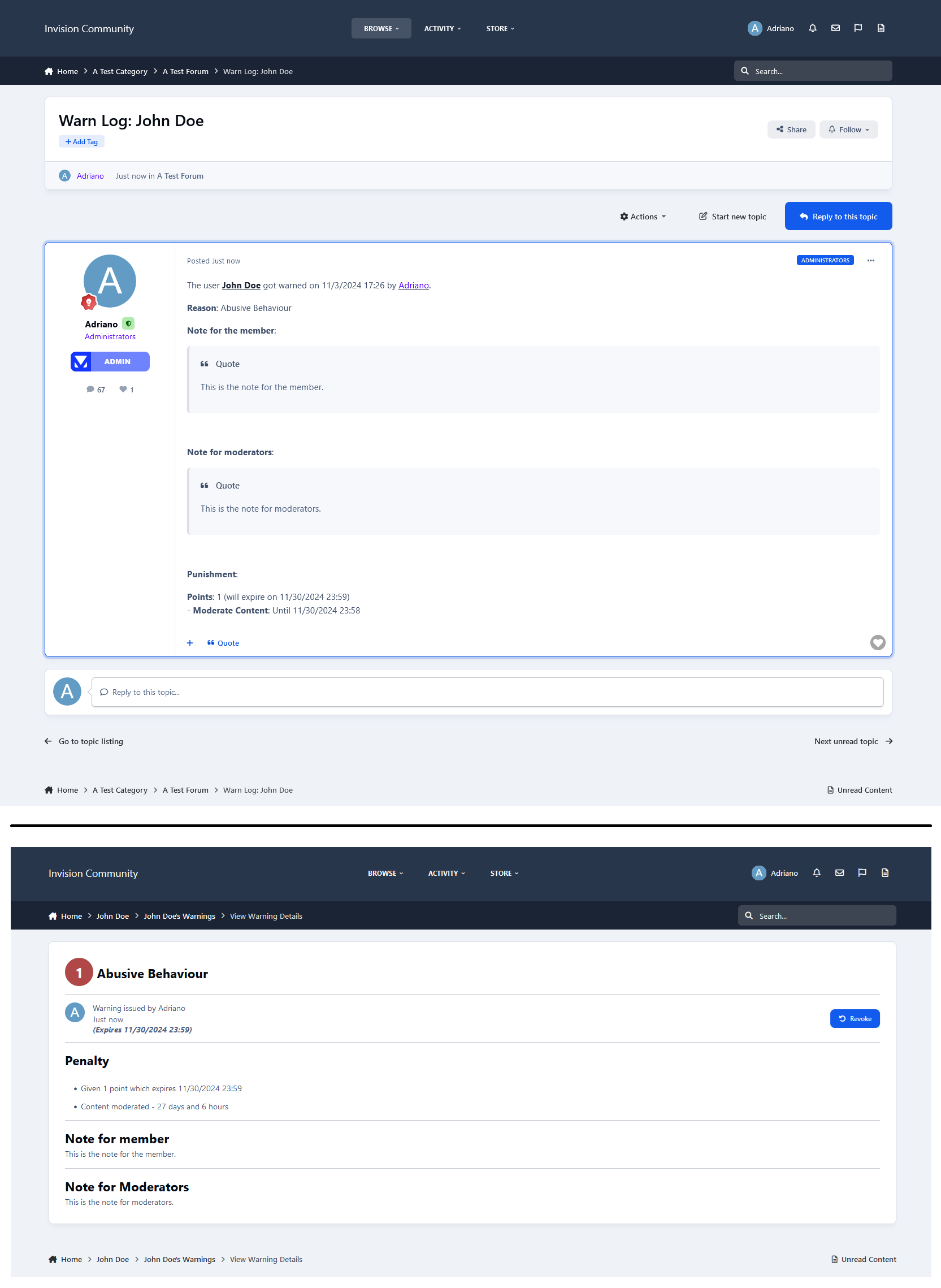
This application generates a new topic each time a user receives a warning. For users who have been previously warned, it will add a new post to their existing topic.
Settings:
Topic/Post Author
Topic Title
Post Content, with several variables to be used
Increment the author content count
Forum (where to create the topic/posts)
Groups (users for whom a topic will be created upon receiving a warning)
-
IPS5.0.x
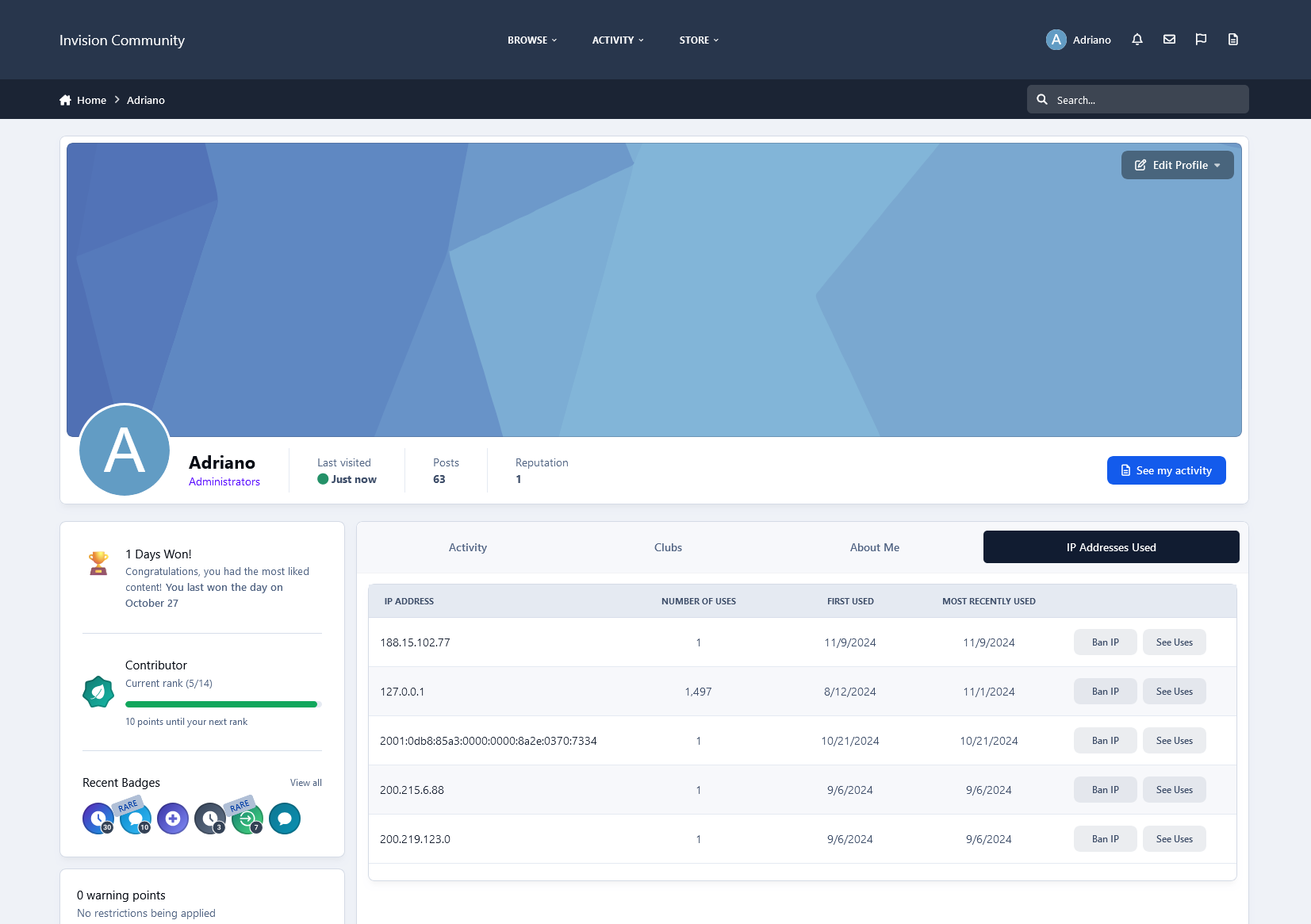
With the appropriate 'Can Use IP Tools?' permission, moderators can now view all IP addresses associated with a member directly from their profile in a dedicated tab. This feature also enables moderators to ban these IPs directly from the same screen, accessible on the forum side. Only moderators with the 'Can Use IP Tools?' permission will see this IP address list, which will appear as a link on the member's profile card.
Setting:
Allow profile owner to view the list: only moderators with permission Can use IP tools? enabled can view the IP Addresses list. If you enable this, the profile owner will also be able to view the IP Addresses list, but he won't see the links to BAN the IP and to USAGES of the IP.