Admin & Mod Tools
-
IPS5.0.0+
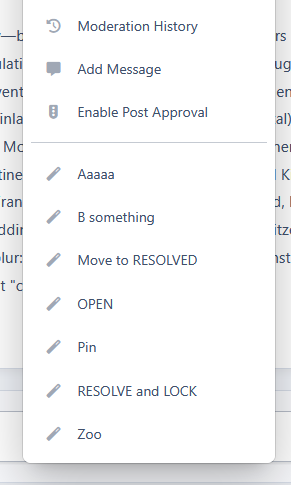
This app automatically sorts Saved Actions alphabetically in the topic moderation menu, making moderation faster and more organized.
-
IPS5.0.0+
Trackable for Invision Community 5
Bugs, features, tasks, and reminders. All tracked in one place.
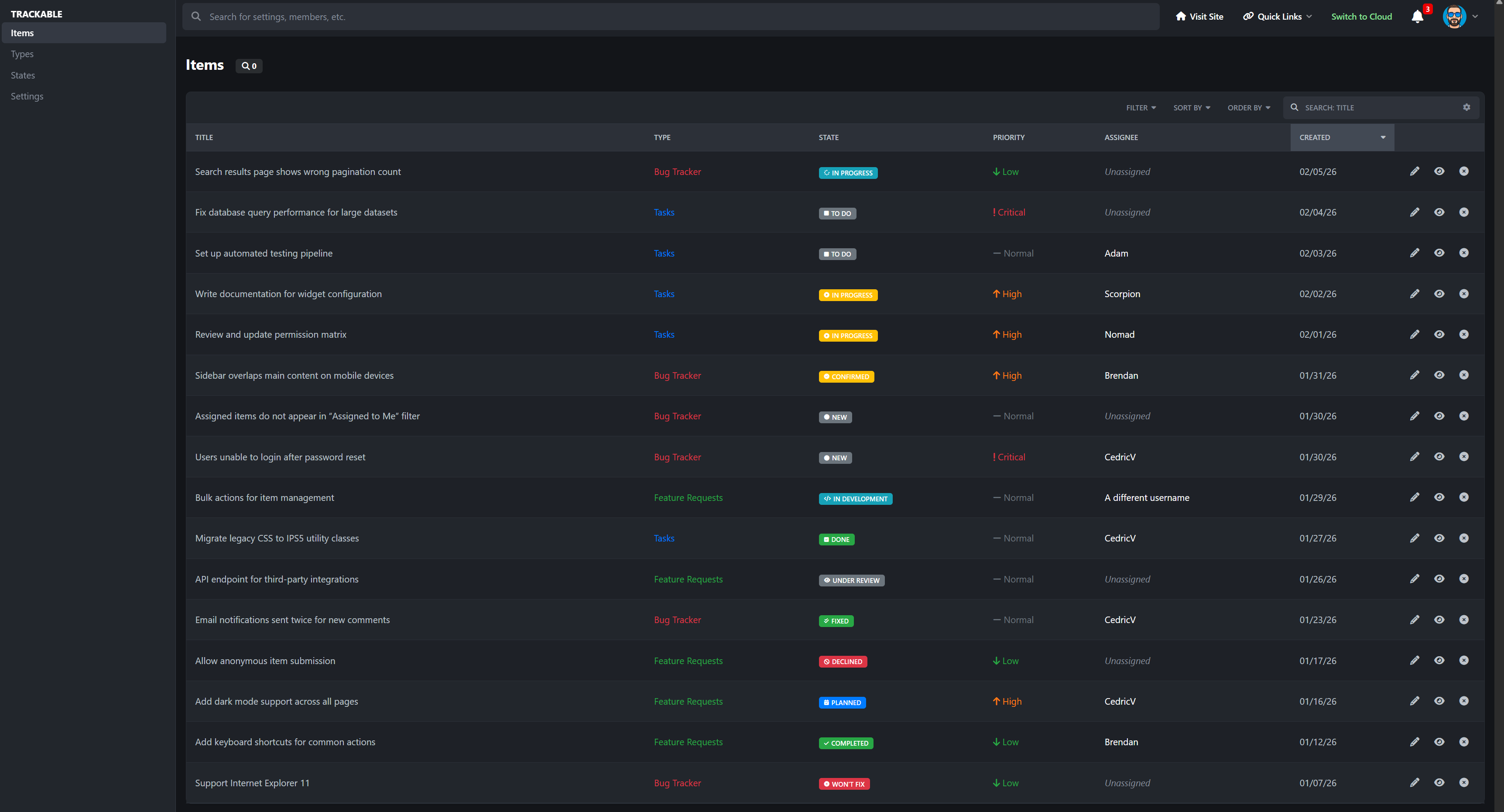
Running a community or project usually means juggling bug reports, feature ideas, staff tasks, and personal notes across forum posts, messages, and spreadsheets. Trackable replaces all of that with one structured system built directly into Invision Community.
Trackable lets you create clear, organized items with states, priorities, ownership, history, and optional discussion, so nothing gets lost and everyone knows what is happening.
Why Trackable is Useful
As a bug tracker:
Members can submit bug reports with priority, detailed descriptions, and optional discussion. Staff can assign bugs, move them through states like Open, In Progress, and Fixed, and keep a full history of changes. No more guessing what was fixed or forgotten.
For feature requests
Feature ideas stay organized instead of buried in forum threads. Members can vote on requests, staff can respond, and progress is visible from suggestion to completion. This makes it easy to see what the community actually wants.
For tasks and internal work
Track staff tasks, moderation follow-ups, content plans, or admin reminders. Assign items, set due dates, and see workloads at a glance. It works just as well for private staff use as it does for public tracking.
Features
Flexible item types like Bug Reports, Feature Requests, Tasks, or Reminders
Priority levels with clear visual indicators
Assign items to members with proper permissions
Per-type workflows with custom states
Public, shared, or private visibility options
Voting for feature requests and ideas
Watch items and get notified when things change
In-app comments or linked forum discussions
Full activity timeline showing every change
Clean browse pages, filters, and personal dashboards
Powerful admin tools for managing everything from one place
If you run a community that needs structure without complexity, Trackable gives you clarity, accountability, and visibility without forcing you to rely on external tools or messy forum threads.
-
IPS5.0.0+
Instead of the default “all-or-nothing” messaging behavior, this application allows you to define exactly which member groups a user can start conversations with, and which groups they are allowed to reply to, directly from the ACP group settings.
This makes it ideal for communities that require structured communication flows, such as support forums, moderated platforms, educational communities, or role-based environments.
Key Features
Control which groups a user can start new messages to
Control which groups a user can reply to messages from
Fully managed from the ACP Groups form (no separate configuration pages)
Enforced at runtime to prevent unauthorized messaging
Seamless integration with the IPS 5 Messenger interface
Use Cases
Allow members to message staff, but not other members
Restrict new users from initiating conversations while allowing replies
Enable support-only messaging channels
Enforce role-based or hierarchy-based communication rules
Restricted Messenger adds the control layer that serious communities need, without changing how messaging feels for users.
-
IPS5.0.0+
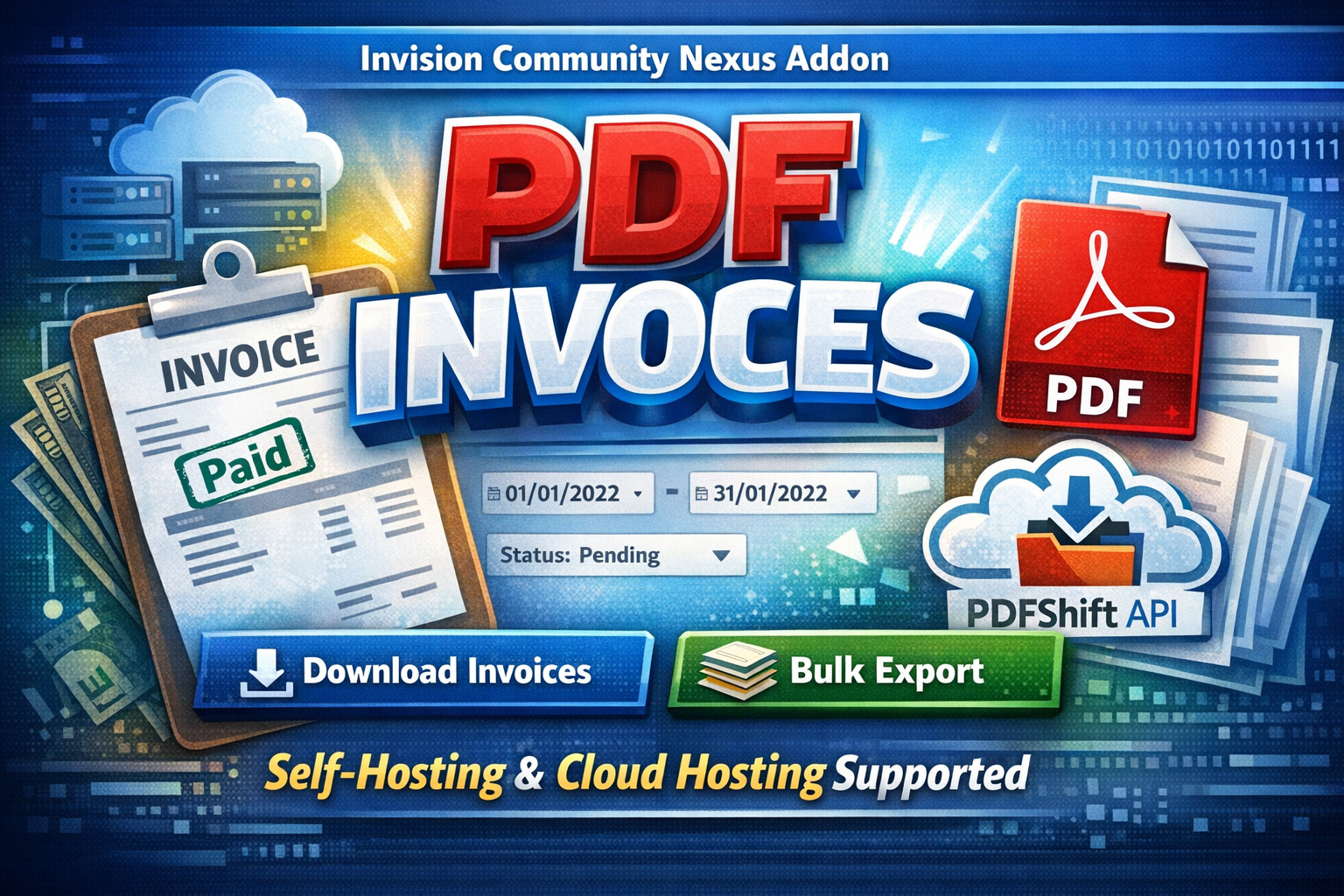
PDF Invoices is a powerful IPS Nexus addon that allows administrators to generate professional PDF invoices directly from the ACP.
Designed to work seamlessly on both self-hosted and IPS Cloud environments, the application intelligently switches between:
Dompdf for self-hosting
PDFShift API for cloud hosting (where some PHP functions are restricted)
This guarantees reliable PDF generation regardless of your hosting type.
With advanced filtering options, bulk export capabilities, and clean invoice formatting, managing customer invoices becomes fast, simple, and professional.
Key Features
✅Download single invoice as PDF
✅Bulk download invoices by date range
✅Filter by invoice status (Paid, Pending, Canceled, etc.)
✅Supports Nexus invoice structure
✅Automatic detection of hosting environment
✅Dompdf support for self-hosting
✅PDFShift API integration for IPS Cloud
✅Clean, printable invoice layout
✅Optimized for large invoice volumes
✅Secure & admin-only access
✅Easy installation & configuration
Requirements
Invision Community 5.x
Nexus app enabled
PHP 8.1+ (self-hosting)
PDFShift API key (for cloud hosting)
Use Cases
Accounting & finance teams
Monthly invoice archiving
Customer invoice re-sending
Bulk reporting
Tax documentation
Migration or backups
-
IPS5.0.0+
This tiny application displays the total number of members on your board.
Settings:
Display only members with completed registration
Exclude banned members
Display friendly numbers
This will display 25k instead of 25,000.
-
IPS5.0.0+
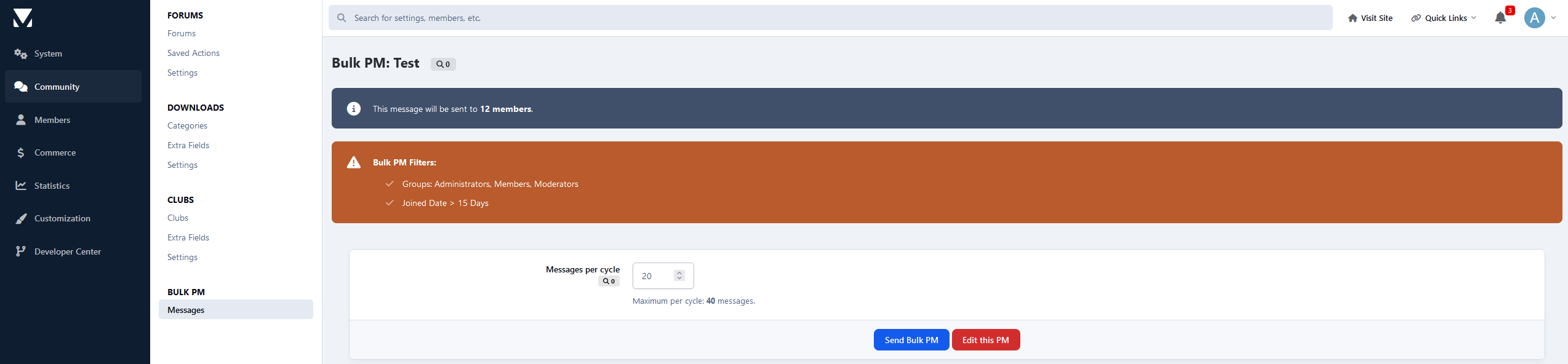
This application enables admins to send bulk private messages to targeted user groups.
PM Settings:
Author
Allow reply & add a copy to the author's Inbox folder
Title
Content
PM Filters:
Groups to send the PM
Include Secondary Groups
Content Count
Reputation Points
Joined Date
Last Visit to the Site
Profile Fields:
You can filter members by profile fields
-
IPS5.0.0+
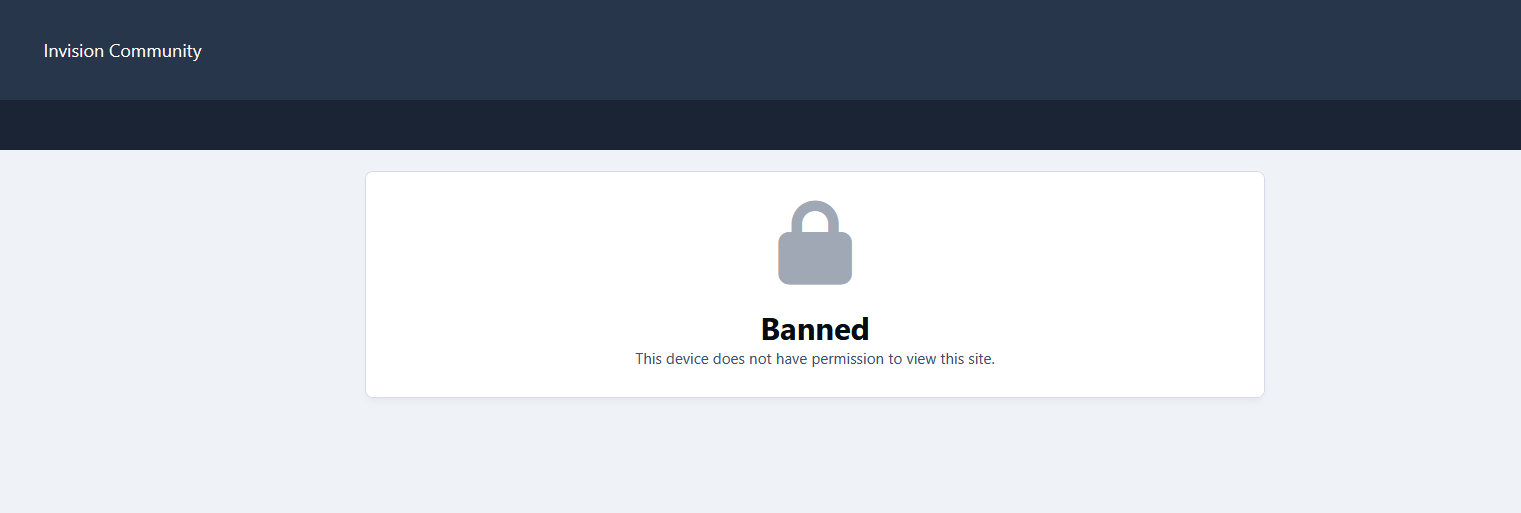
With the new moderator permissions, this application enables moderators to ban or unban members' devices.
Moderators can manage devices in two ways:
Member Profiles: A new tab in each member’s profile allows moderators to view and ban their devices.
Moderator Control Panel (CP): A dedicated tab displays all banned devices across the community.
Note:
IPS stores members' devices in cookies, so this resource may not be so accurate for advanced users, as they can clear their cookies and regain access to the board. It should be used in conjunction with the account banning.
-
IPS5.0.4+
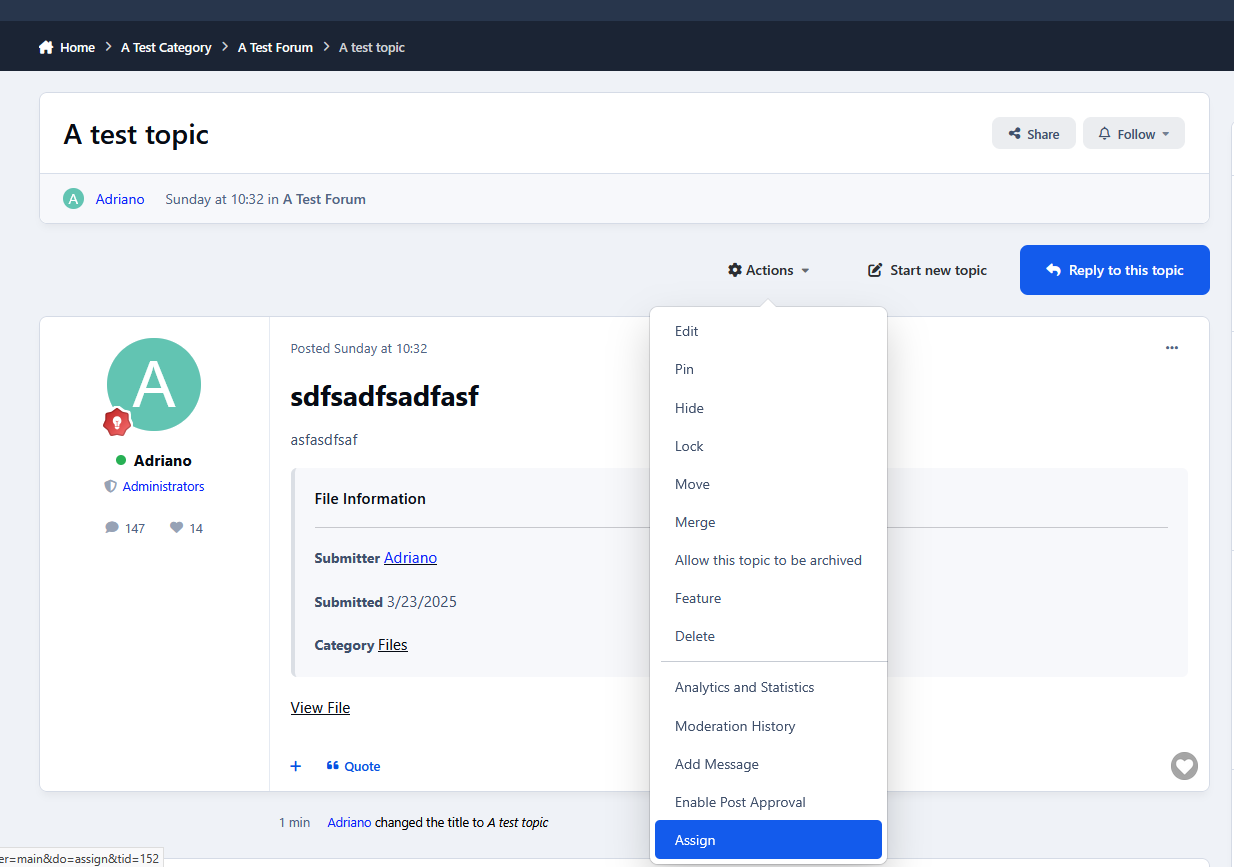
This application will add the ability to assign specific moderators to topics, ensuring faster response times and the best possible resolutions for each topic. Its design is visually inspired by the Assign Topics to Moderators feature from the IPS Cloud.
Features:
Moderator permission to choose who can assign moderators to topics
Moderator permission to choose who can unassign moderators to topics, beyond the assigned member
Forums where the feature will work
Moderator CP area and Admin CP page to display the assignments
Notification to the assigned moderator upon topic assignment
Requirements:
Forums app
-
IPS5.0.0+
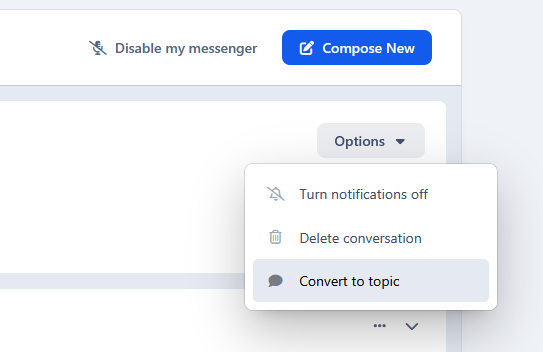
This application allows private messages to be converted into forum topics. Useful if you run a support forum and users keep sending private messages instead of using the forum for support.
Conversion options:
Select the forum where the topic will be created
Apply tags (if enabled)
Leave the conversation after conversion
Settings:
Choose which member groups are allowed to convert messages into topics
-
IPS5.0.0+
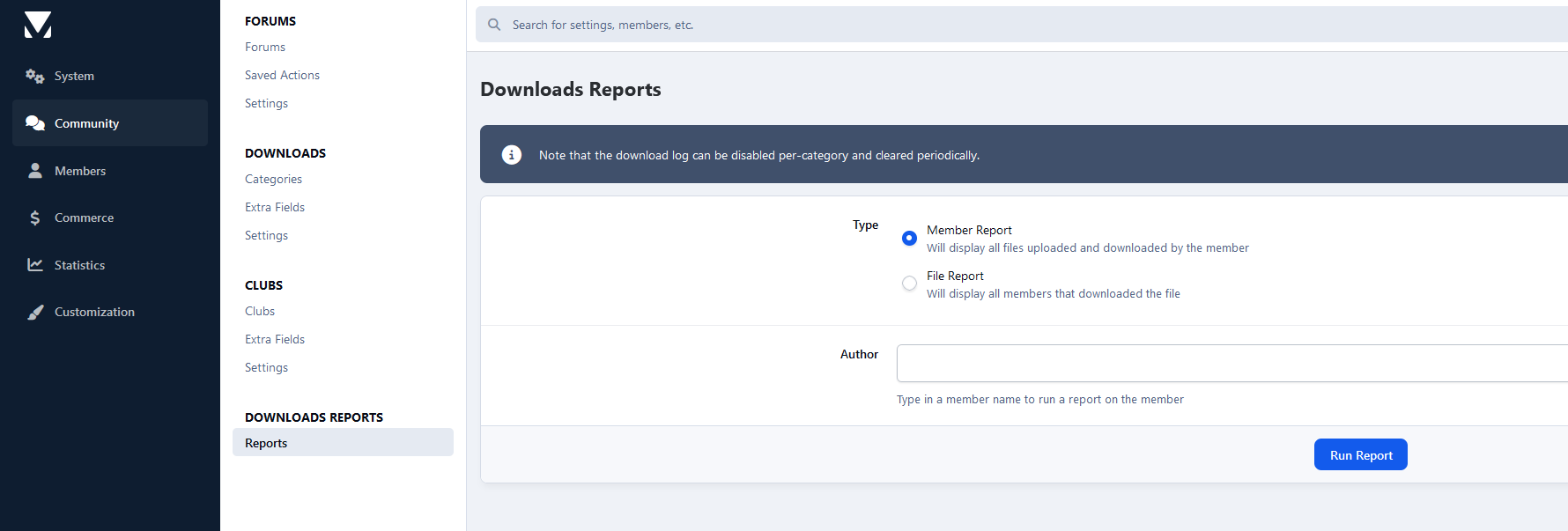
This application will restore a feature from IP. Download 2.5.X (IP.Board 3.4) will display files and member reports.
Reports:
File:
All members who downloaded a file
Member:
All files a member has uploaded
All files a member has downloaded
-
IPS5.0.0+
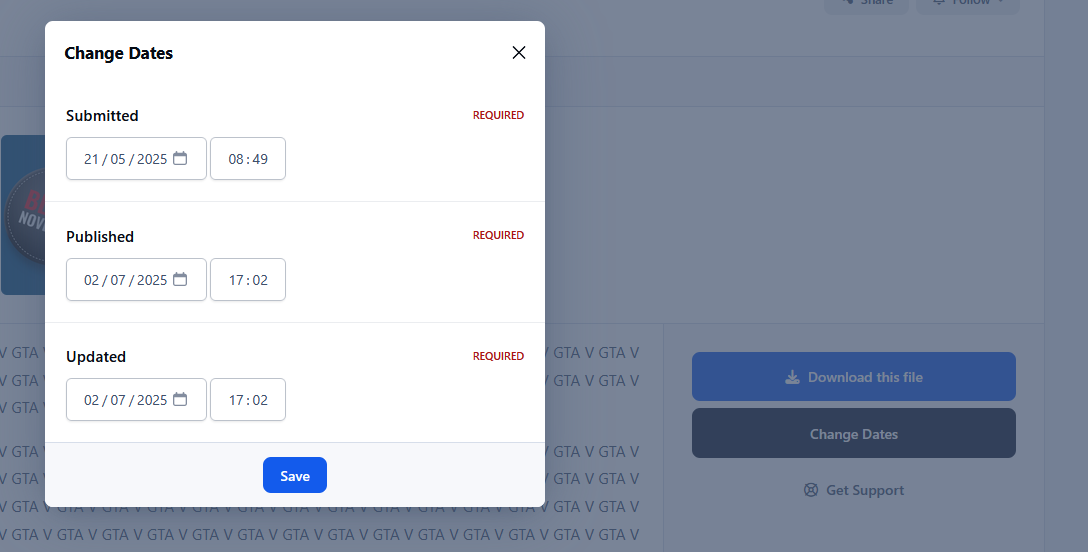
This application will add a new moderator permission to allow moderators to change file dates: submitted, updated, and published.
Requirement:
Downloads app
-
IPS5.0.6+
This application allows admins (with the Can sign in as members permission enabled) to quickly log in as any member from the front end, without needing to access the Admin Control Panel.
-
IPS5.0.4+
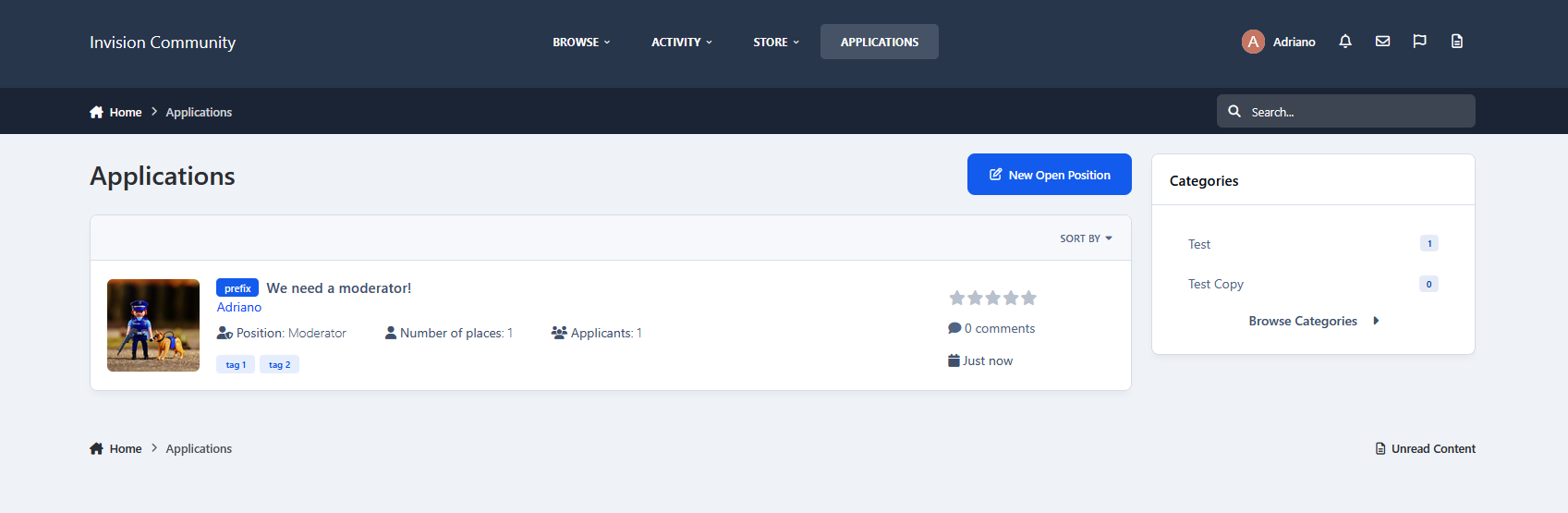
Are you looking for staff? Developers? Designers? Or anything else? This application will help admins/moderators to find people to help on their boards.
Here's a quick rundown of some of the features of this resource:
Ability to create categories/subcategories
Extra Fields
In Position form
In the Application form
Ability to create open positions in draft mode and choose a date to automatically publish it
Module to add Positions on ACP (moderator, web designer, developer, etc)
Ability to inform how many places the position has. Example: You can create an application record to "hire" 3 moderators.
Ability to move the "winner" member to a chosen group (you inform the group when you're adding the application record)
Ability to restrict the application by Content count, Reputation points/likes, Number of days as a member, Minimum age, and groups
Ability to create a topic at every new application submission.
The module on ModeratorCP to view all pending records from all applications
Compatible with the most important features from IPS 4.2 (Recommended Comments, Content Message, Reactions, Member History, Richer Embeds, etc.)
Integrated into the framework: Tag system, Follow System, Report system, Search system, Share Links, etc.
Moderator actions on applications, comments, and reviews
Moderator permission to approve/reject applications
Ability to create RSS feeds from member applications
Compatibility with Achievements
Compatibility with Webhooks
Etc.
-
IPS5.0.6+
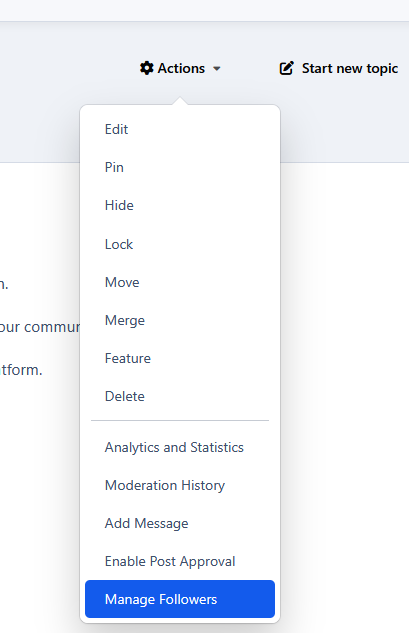
This application allows admins and moderators to manage followers, adding or removing them through the Admin CP or the front-end, for forums, categories, and their content (topics, downloads, blog entries, gallery images, etc.) across the suite.
Compatible with:
Forums
Downloads
Gallery
Blogs
Calendar
Pages
-
IPS5.0.0+
Ignore Preferences gives your members full control over their browsing experience. This app lets each user decide what content they personally want to hide.
No drama. No clutter. Just a cleaner, more enjoyable community.
What It Does
Members can:
Hide entire forums
Ignore specific topics
Filter out posts using keywords or phrases
Everything is 100% personal and fully reversible.
Forum Filtering
Don’t care about certain sections anymore?
Members can hide whole forums with one click.
Features:
Ignore any forum or category
Button appears directly on forum pages
Easy “Stop Ignoring” option
Perfect for keeping feeds relevant and clutter-free.
Topic Filtering
Seen enough of a certain topic?
Users can ignore individual topics too.
Features:
Ignore button in topic header
Hidden from forum listings
Removed from activity feeds
Reversible anytime
Great for avoiding repetitive or unwanted discussions.
Keyword Filtering
This is where personalization really shines.
Members can block posts containing specific words or phrases.
Features:
Add custom keywords or phrases
Case-insensitive matching
Hidden posts show a clear notice
“Show this post” option if they change their mind
Ideal for avoiding spoilers, drama, politics, or any unwanted topics.
Where Filtering Works
Ignore Preferences works across your entire community:
Forum index
Topic listings
Activity / Discover feed
Widgets
Topic posts (for keywords)
Content is still accessible via direct links - because this is about personal choice, not censorship.
Member-Friendly Interface
Members get a dedicated Preferences Page with:
Tabs for Forums, Topics, and Keywords
Easy removal buttons
Keyword manager
Clear item lists with links
Bonus: Easy access for ignoring members
Everything is simple and intuitive.
Admin Control
You stay in control with:
Enable/disable each filter type
Set limits per user
Optional filtering for notifications & search
Full flexibility for your community’s needs
Why Use Ignore Preferences?
Because not every member wants to see everything.
This app:
Improves user experience
Reduces frustration
Encourages longer visits
Keeps feeds relevant
Respects personal choice
Smarter personalization.