Integrations
-
IPS5.0.0+
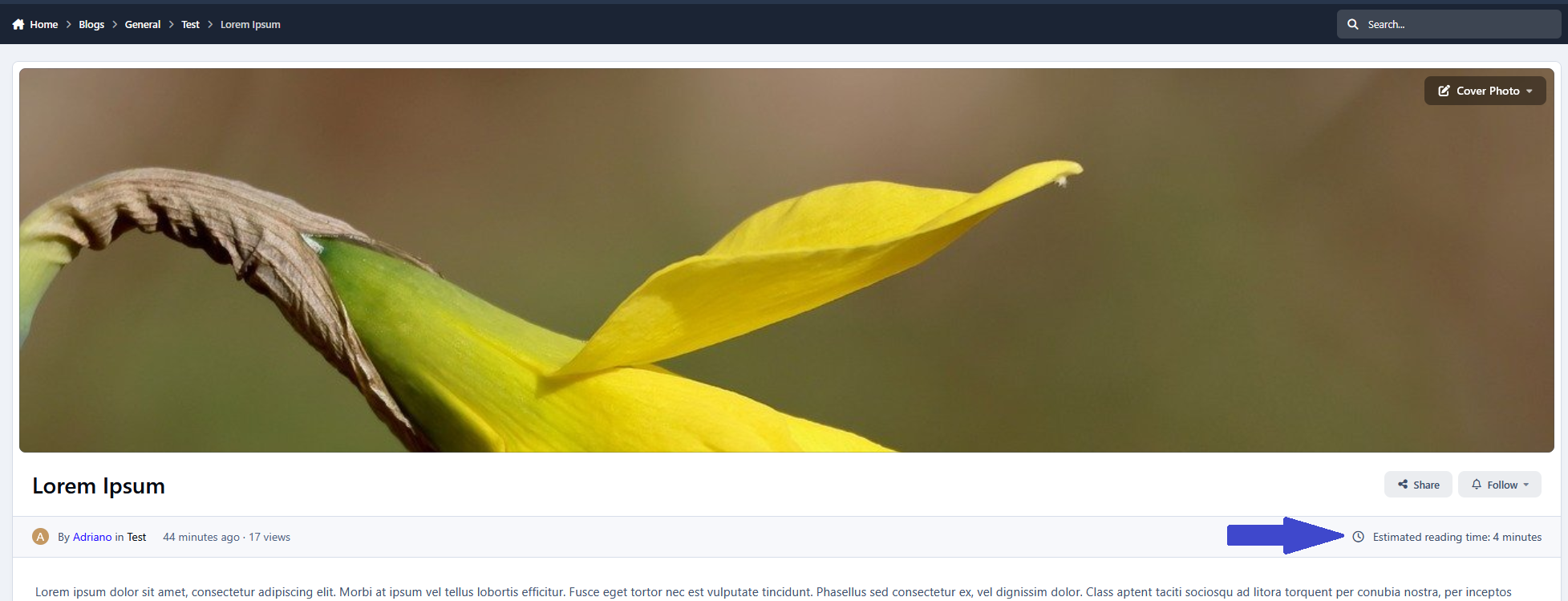
Blog Entry Reading Time displays an estimated reading time on each entry, so members can instantly see how long it may take to read the full entry from start to finish. The estimate is calculated using the entry’s entire content (including comments) and is shown directly on the entry page.
Settings
This app includes flexible configuration options:
Cache Expiration Time – controls how long reading time values are cached.
Words Per Minute – adjust the reading speed used for the calculation.
Allowed Groups – choose which member groups can see the reading time.
Smart Cache Invalidation
To keep the estimate accurate, the cache is automatically rebuilt whenever the entry is updated:
A new comment has been added
A comment is deleted
A comment visibility state changes (hidden/unhidden)
This keeps reading time accurate at all times without slowing your community.
-
IPS5.0.0+
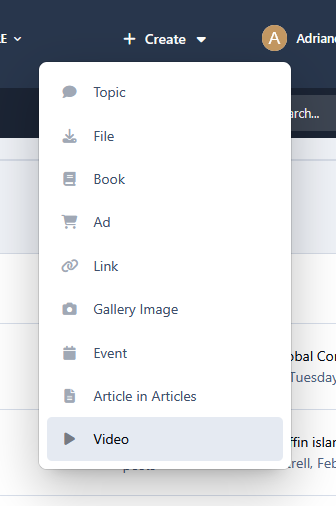
This app restores a feature from IPS4 that was removed in IPS5: the centralized +Create menu. It automatically adds menu entries for all official IPS applications (except Courses), allowing users to create content across your community quickly.
Moderators:
Moderators with the proper permissions can also create announcements and alerts directly from the menu, streamlining site management and community engagement.
3rd-party developers:
Developers can use IPS5 extensions to add their own applications to the menu, making it fully customizable and future-ready.
-
IPS5.0.0+
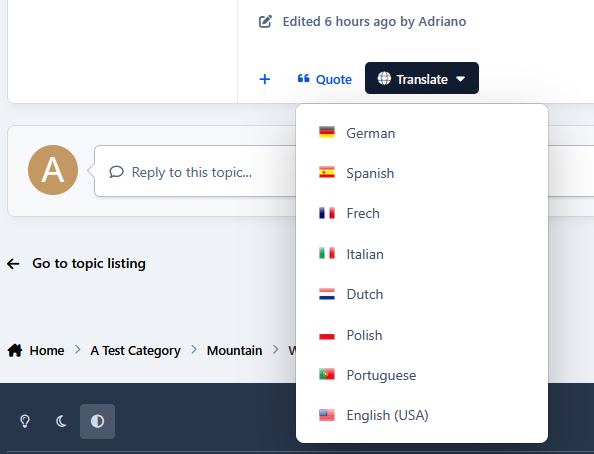
Translate Posts lets your community translate forum posts instantly with a single click. A simple language menu is added directly to posts, making multilingual discussions easy and seamless. The app supports multiple languages, including English, Spanish, Portuguese, French, German, Italian, Dutch, Swedish, Norwegian, Danish, Finnish, Polish, Czech, Hungarian, Romanian, and Greek. Actually, it can use any language available on Google Translate. For better performance, translations are cached, so once a post is translated, it loads instantly on future views. The cache is automatically refreshed when the original content is edited.
Settings:
Google Translate API key
Languages availables
Cache
Groups
Forums
-
IPS5.0.0+
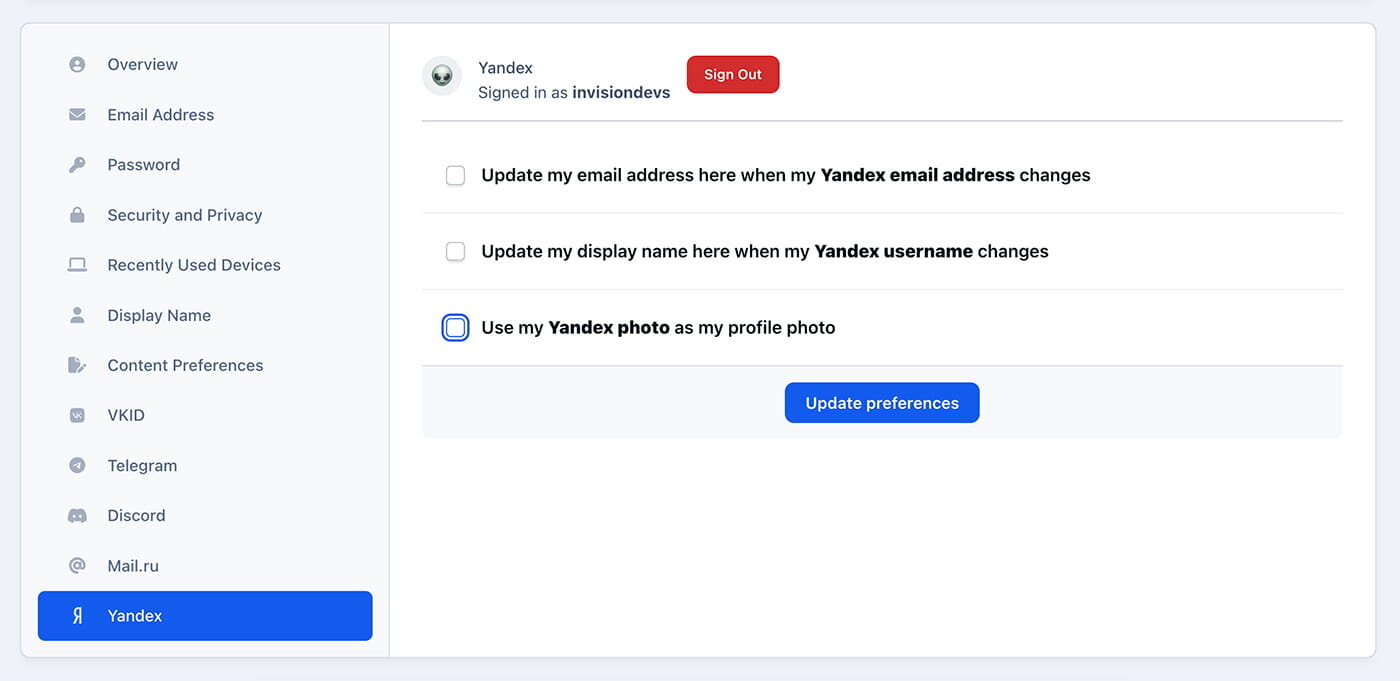
The application allows you to set up authorization via Yandex account.
-
IPS5.0.0+
Gravatar is widely adopted and used by millions of users across the web, making it a familiar and low-friction option for profile photos.
Gravatar Support adds optional Gravatar integration to your Invision Community, allowing members to automatically use their Gravatar as a profile photo.
When enabled, it automatically grabs their Gravatar if they haven’t uploaded a custom avatar/photo. Uploaded profile photos are always respected and never overridden. For communities with existing users, an optional ACP conversion tool lets administrators safely enable Gravatar for eligible members with a single click.
The app is lightweight, non-intrusive, and fully compatible with Invision Community v5.
Key features:
Global ACP toggle for Gravatar support
Safe fallback to default IPS avatars
Optional ACP tool to enable Gravatar for existing members
No impact on uploaded profile photos
Perfect for communities that want effortless profile photos with zero disruption.
-
IPS5.0.0+
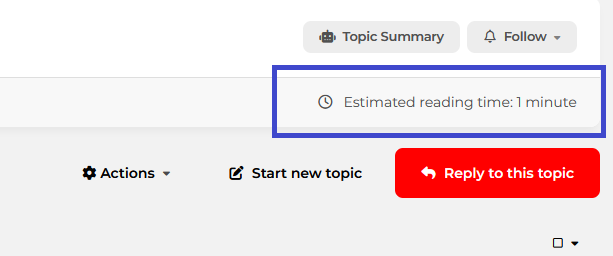
Topic Reading Time displays an estimated reading time on each topic, so members can instantly see how long it may take to read the full discussion from start to finish. The estimate is calculated using the topic’s entire content (including replies) and is shown directly on the topic page.
Settings
This app includes flexible configuration options:
Cache Expiration Time – controls how long reading time values are cached.
Words Per Minute – adjust the reading speed used for the calculation.
Allowed Groups – choose which member groups can see the reading time.
Allowed Forums – select which forums the reading time will be displayed in.
Smart Cache Invalidation
To keep the estimate accurate, the cache is automatically rebuilt whenever the topic is updated:
A new post has been added
A post is deleted
A post visibility state changes (hidden/unhidden)
This keeps the reading time accurate at all times, without slowing down your community.
-
IPS5.0.0+
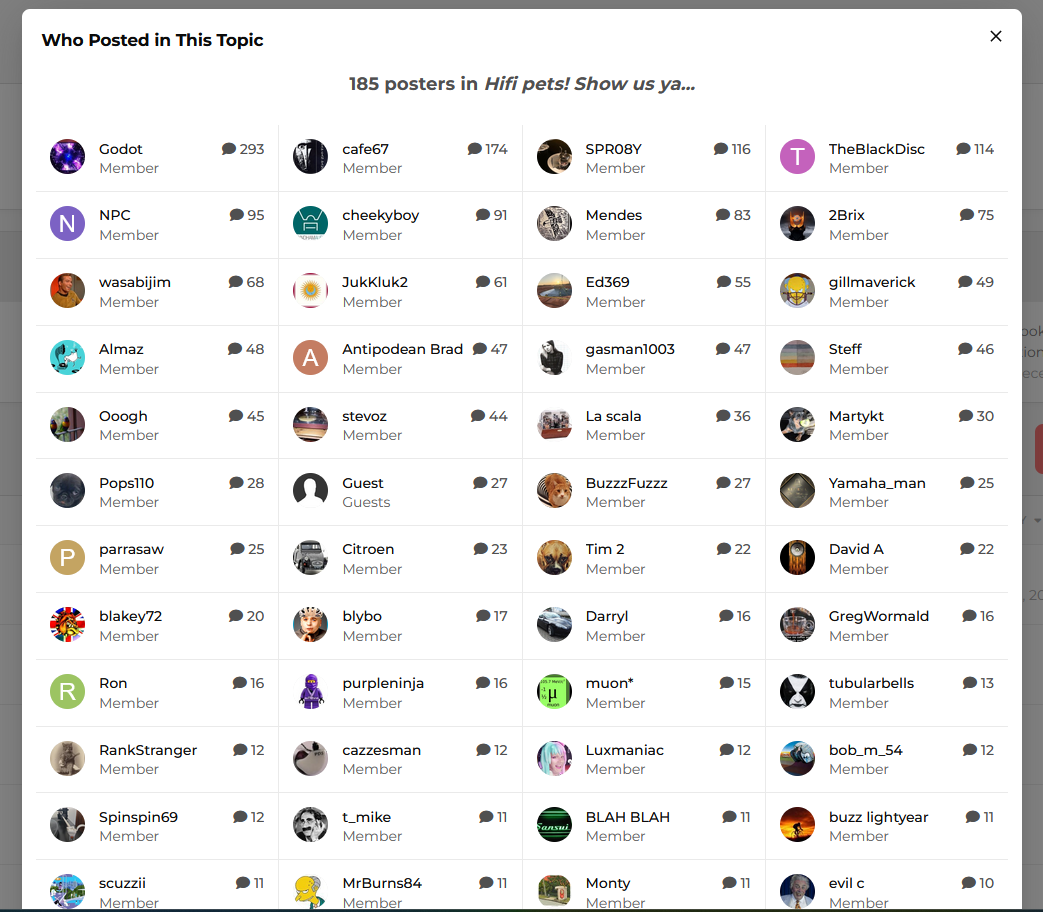
This application adds a link in the forum view (classic or snippet) that opens a pop-up listing all users who posted in the topic, along with their post counts.
Setting:
Groups allowed to view the pop-up.
Requirement:
Forums app.
-
IPS5.0.0+
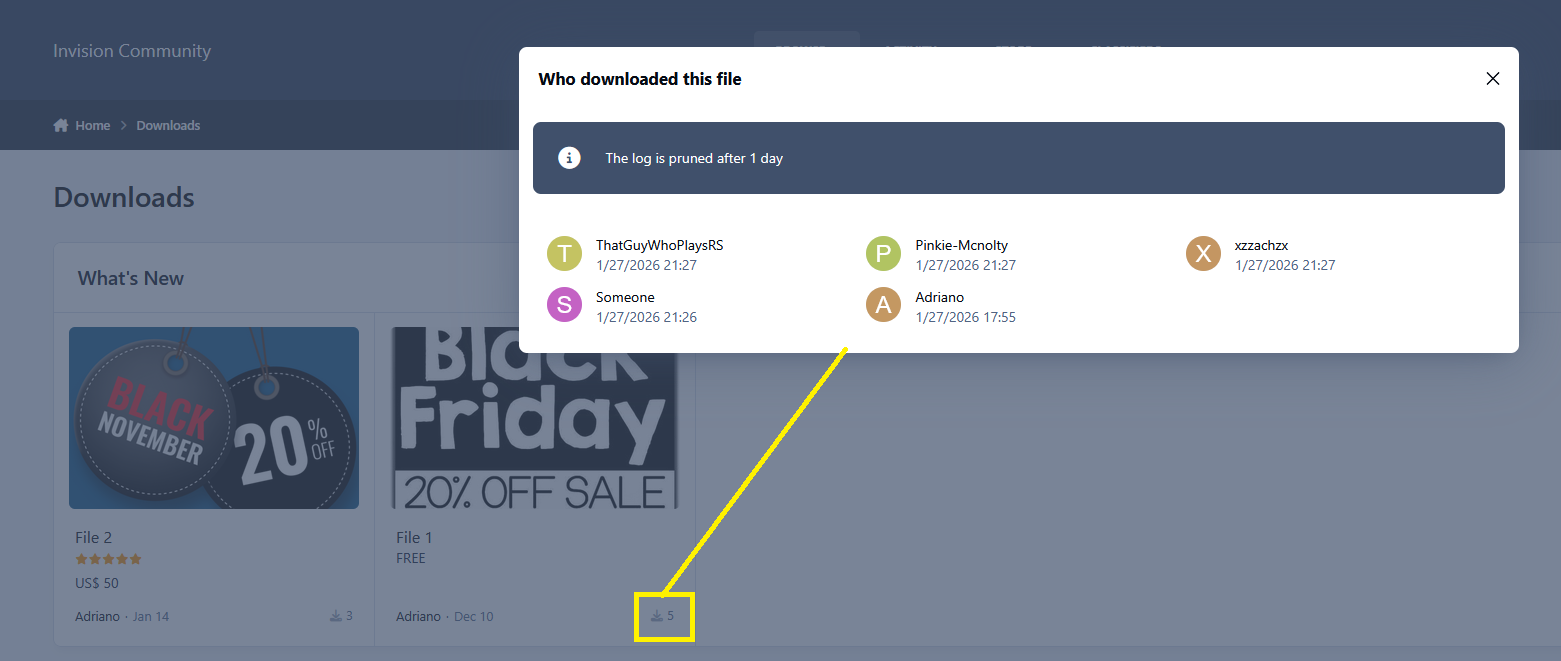
This application will add a link to a pop-up to display a list of all members who have downloaded the file. The pop-up link appears in index blocks and Downloads widgets and is only available to users who are allowed to see who downloaded the file. The link will appear on the download count for the file, as shown below:
Requirement:
Downloads app
-
IPS5.0.0+
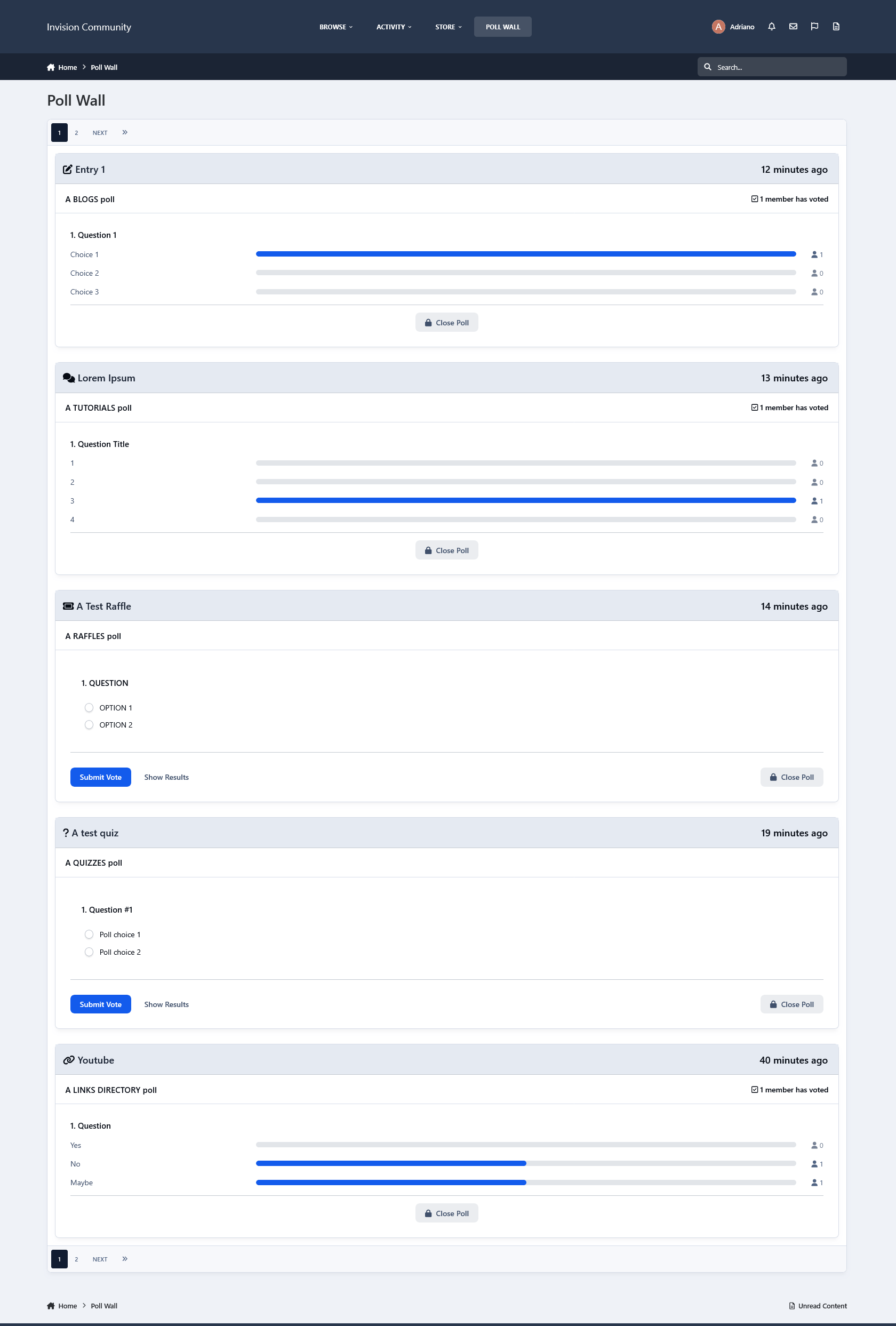
This application will create a poll wall to list polls from all applications that support polls, such as Forums, Blogs, Raffles, Quizzes, Videos Directory, Games, Tutorials, Movies, Music, Lyrics, Links Directory, and Crowdfunding, among others.
Users with permission will be able to vote and view poll results.
-
IPS5.0.0+
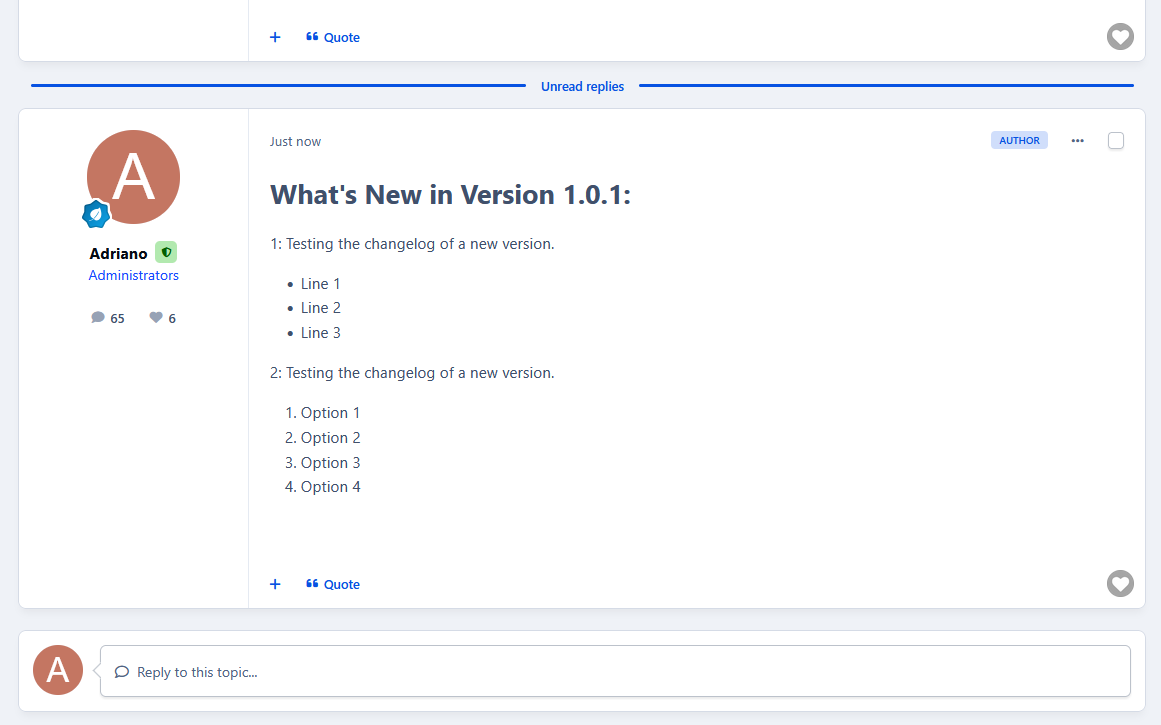
This application automatically generates a new post in the support topic whenever the file is updated with a new version.
Setting:
Enable Auto-Posting in Support Topics
Post Template
Requirement:
Downloads app
Forums app
-
IPS5.0.0+
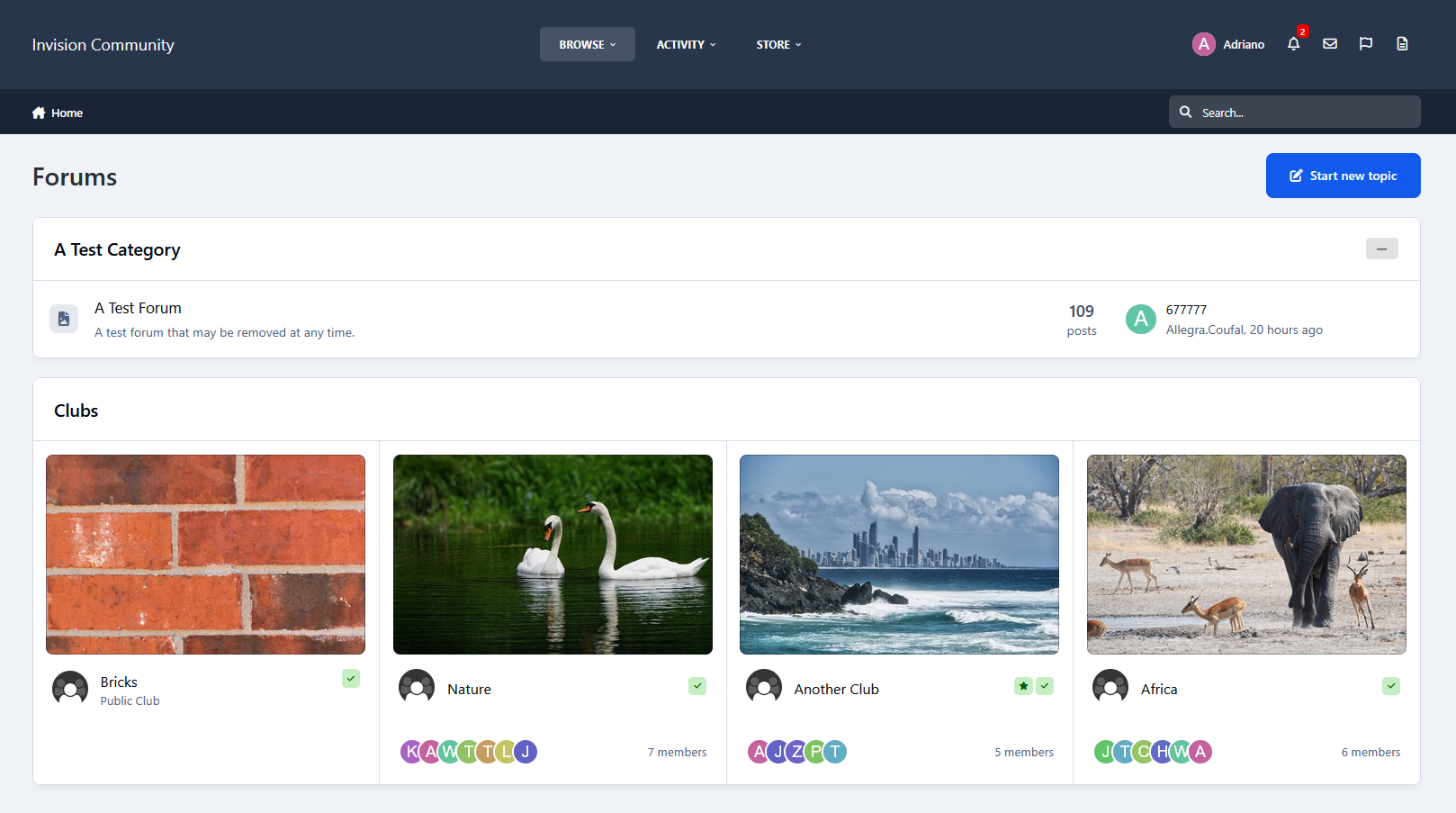
According to your settings, this application will display, at the bottom of pages, club cards throughout the community or on specific application pages. Users will see the Clubs they have permission to view.
Settings:
Where to display: everywhere or in specific applications (Forums, Gallery, Blogs, Downloads, Tutorials, Videos Directory, Raffles, etc).
Number of club cards to display
Sort Clubs by Latest Activity, Most Members, Most Content, Latest Created, or Name
Type of Clubs to show: All Clubs; Clubs NOT featured; ONLY featured clubs
Show only Clubs that the user is a member of
Show block to specific groups
Note:
It doesn't require the club setting Show Club Content Areas to be set to Throughout the community.
-
IPS5.0.4+
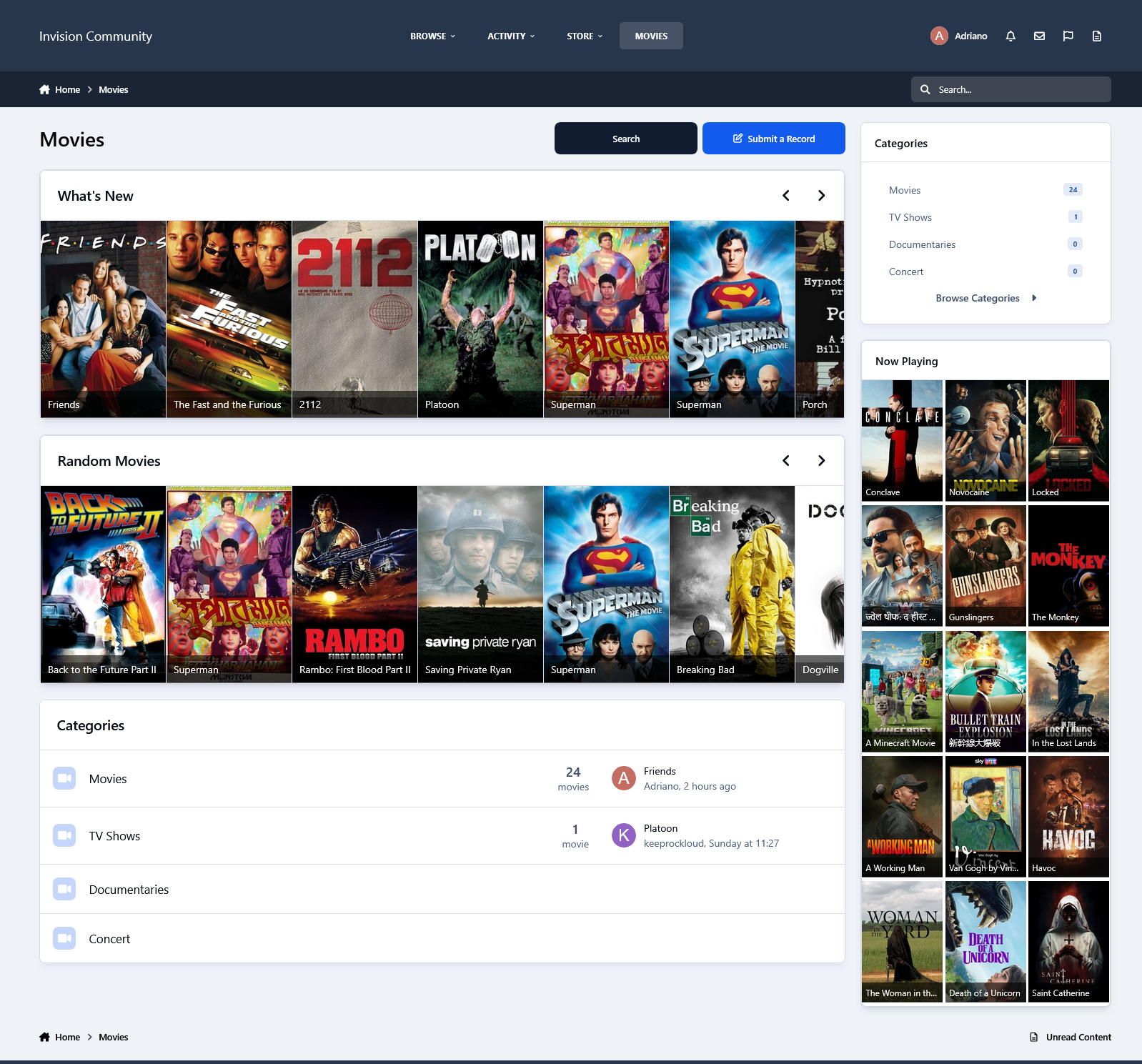
This resource uses The Movie Database API to grab data from Movies/TV Shows to your site.
All you have to do is type a word from the movie/TV show title and then a list of matches will show up. From now on, with just a click, you will have the submission form:
Title
Subtitle, if available
Description
Poster
Status
Release Date (for Movies)
Genres
Language
Homepage
IMDB link
Budget
Revenue
Running Time for movies or Episode Time for TV shows
Season (for TV Show)
Number of episodes (for TV Show)
Tabs:
You will also have tabs to display:
Cast (with a link to a popup listing all their data)
Crew (with a link to a popup listing all their data)
Trailers (with videos from Youtube)
Latest Reviews on TMDB
Similar Movies or Similar TV Shows (will list all similar movies/TV shows and again with a click, you can have them in your database)
All the tabs, except Information (the main one with the movie/TV show description), can be disabled via setting.
TMDB API Key:
You can get your free API Key on the TMDB site: https://www.themoviedb.org/settings/api
Multi-Language:
TMDB supports 62 languages. You just have to choose the one in the ACP setting.
Other features:
Fully integrated into the framework: Rest API, categories, extra fields, notifications, search, tags, follow, reactions, promote, etc.
Settings:
Settings to control the app behavior in several places/situations.
-
IPS5.0.4+
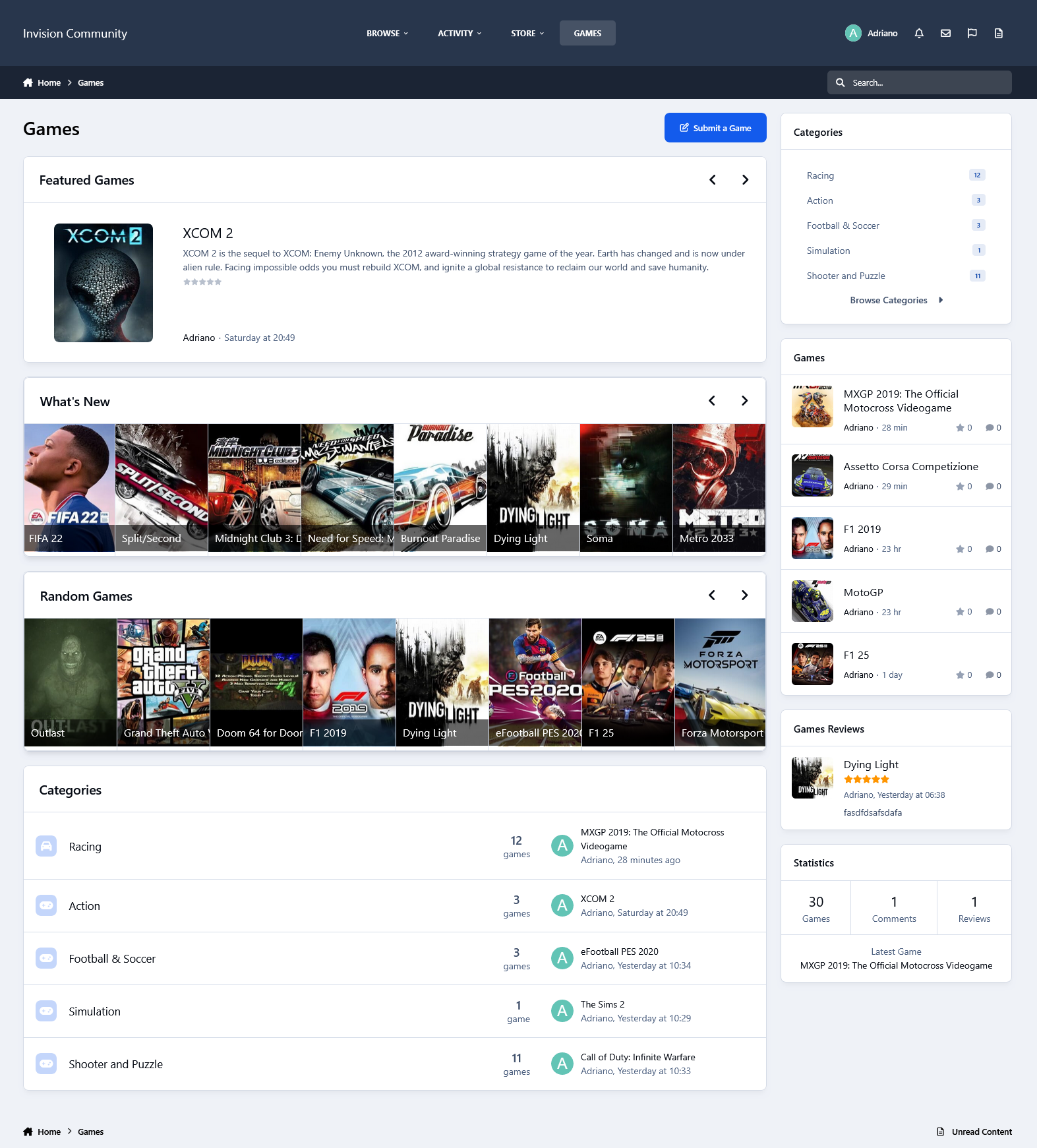
This resource uses the IGDB API to grab data from games for your site.
All you have to do is type a word from the game title, and then a list of matches will show up. From now on, with just a click, you will have in the submission form:
Title
Storyline, if available
Description
Status
Genres
Themes
Websites
Modes
Multiplayer modes
Platforms
Player perspectives
Videos
Similar games
Tabs:
You will also have tabs to display:
Game Information
Screenshots
Videos
Similar Games
Settings allow you to disable all the tabs except Information (the main one with the game description).
IGDB API Key:
To use the IGDB API, you must have a Twitch Account. The IGDB.com API is free for non-commercial usage under the terms of the Twitch Developer Service Agreement.
Sign up with Twitch for a free account
Ensure you have Two Factor Authentication enabled
Register your application
Manage your newly created application
Generate a Client Secret by pressing [New Secret]
Take note of the Client ID and Client Secret
Enter the Client ID and Client Secret in the app settings on Admin CP
Other features:
Fully integrated into the framework: Rest API, categories, extra fields, notifications, search, tags, follow, reactions, promote, etc.
Settings:
Settings to control the app's behavior in several places/situations.
-
IPS5.0.4+
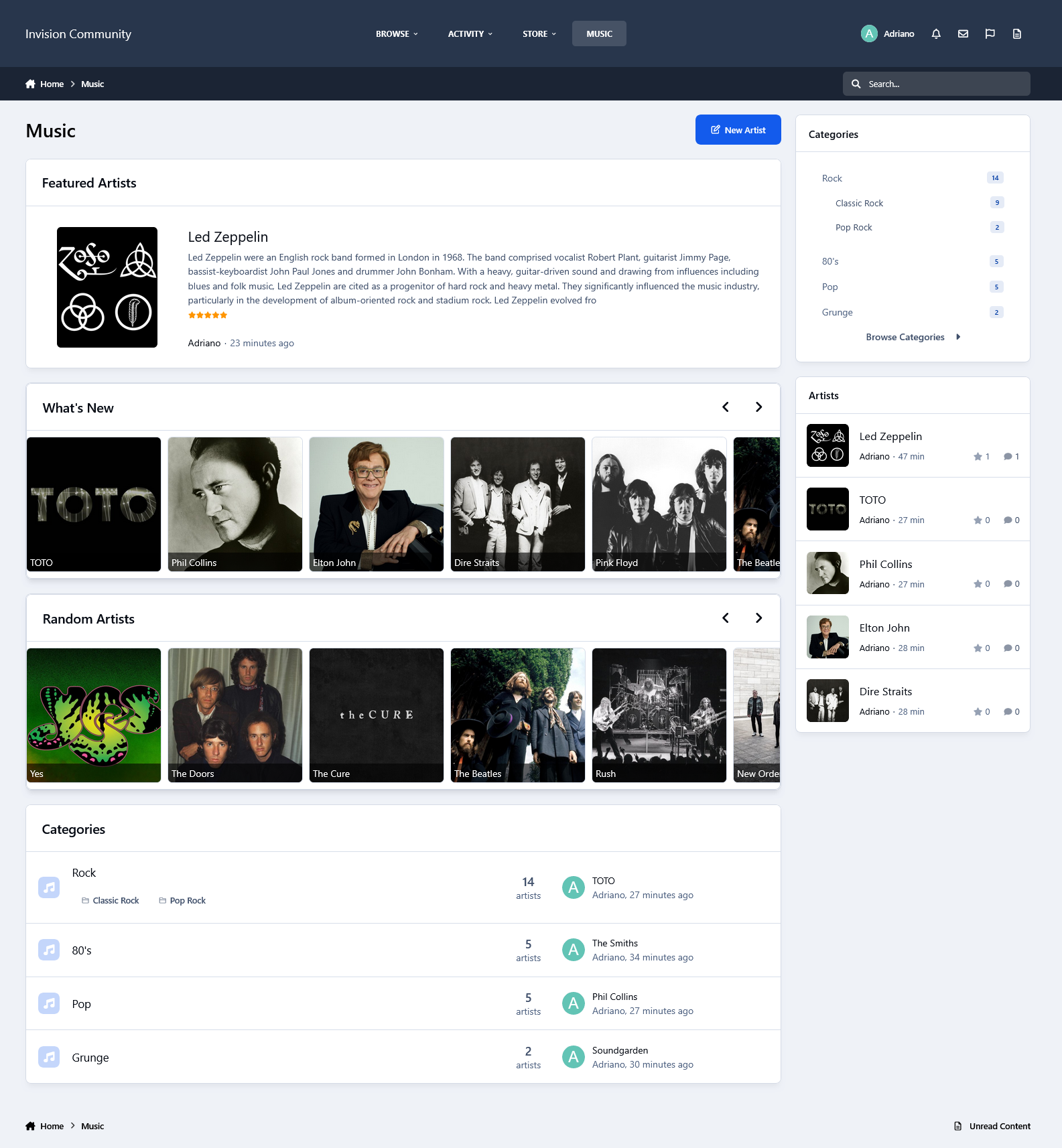
This resource uses the Spotify API to grab data from artists for your site.
IMPORTANT NOTICE: Please do not purchase this application if you do not agree with the terms. All sales are final and non-refundable.
Spotify does not provide artist biographies, monthly listeners, photos, and playlists in their api endpoints anymore.
You will have to get the biography elsewhere (Google, Wikipedia, official site, etc.) and paste it into the editor.
Photos and playlists are manually added now.
Music integrates with Perplexity AI to automatically retrieve the artist’s biography when creating a record
All you have to do is type a word from the artist's name, and then a list of matches will appear. From now on, with just a click, you will have to submit the form:
Name
Main Photo
Global Chart Position
Followers
Popularity
Genres
Spotify link
Social Media links (X, Facebook, and Instagram) if available
Tabs:
You will also have tabs to display:
Photos from the artist in a grouped lightbox
Albums (linked to Spotify)
Playlists (linked to Spotify)
Popular Releases (linked to Spotify)
Related Artists
The tabs ALBUMS, POPULAR RELEASES, and RELATED ARTISTS are Ajax-loaded and represent the artist's current state on Spotify.
Other features:
Fully integrated into the framework: Rest API, categories, extra fields, notifications, search, tags, follow, reactions, promote, etc.
Settings:
Settings to control the app's behavior in several places/situations.
-
IPS5.0.0+
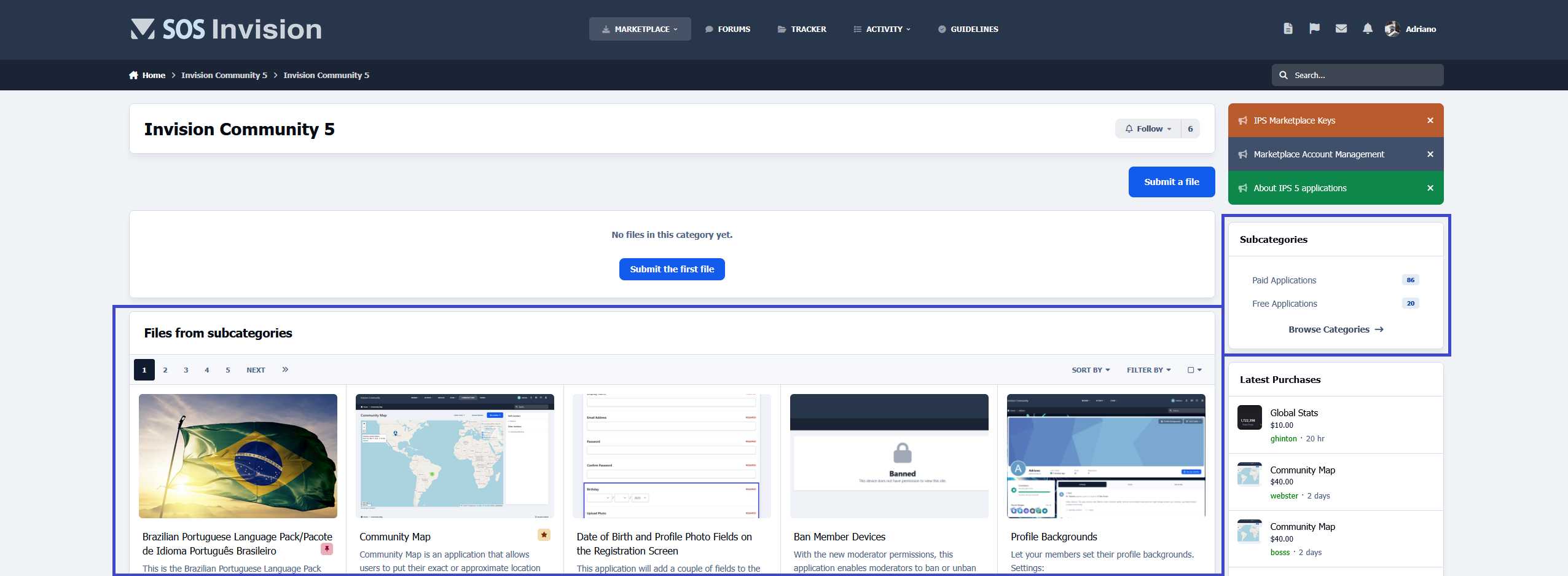
This application will display files from subcategories when the category you're browsing hasn't files.
It is compatible with the layout chosen for the categories (table or grid).
Requirement:
Downloads app