Member Tools
-
IPS5.0.19
Community Essentials
Essential tools and enhancements to customize and improve your community experience.
Community Essentials is an application for Invision Community 5 that bundles multiple features into a single, lightweight package. Every feature has its own settings page in the AdminCP and works out of the box — no core file edits, no complicated setup.
Group Legend
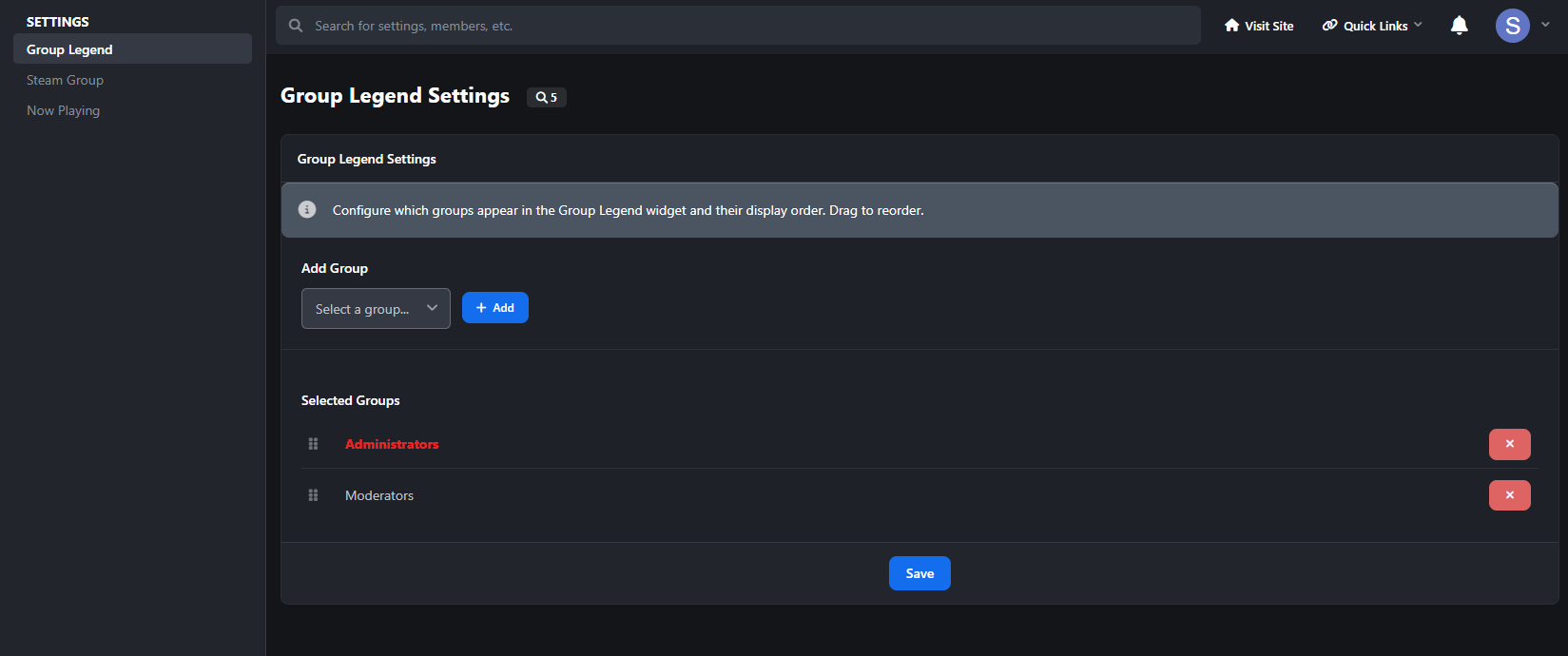
A color-coded legend of your member groups, displayed as a sidebar widget. Admins pick which groups to show and drag them into the desired display order. Each group appears with its formatted name and color styling. Clicking a group name takes visitors to a member search filtered by that group.
Choose which groups appear in the legend
Drag-and-drop reordering
Sidebar widget with static caching for performance
Steam Group
Display your Steam community group's live information in a beautiful sidebar widget. Enter your Steam group's custom URL name or numeric ID, and the widget pulls live data from Steam's public feed. Toggle exactly which info to show and pick from four visual themes.
Four themes included: Steam (classic dark blue gradients and teal accents), Modern (clean light design with purple accents), Pulse (cyberpunk HUD style with terminal-style stat readouts and scan line animations), and Aurora (hero banner with animated gradient background, orbiting avatar ring, and shimmer text).
Configurable elements you can toggle on/off: Group Name, Group Avatar, Total Members, Members Online, Members In Game, Members In Chat, Join Group Button.
Now Playing
Let members showcase what they're listening to or watching directly on their profile page. Members paste a YouTube or Spotify link on a dedicated settings page. When someone visits their profile, they see an embedded player with a branded header (platform icon + "Now Playing" label). An optional autoplay toggle lets the music start automatically.
Supports YouTube (videos, shorts, music, embeds) and Spotify (tracks, albums, playlists, episodes).
For members: dedicated settings page, autoplay toggle, "Now Playing" button in the profile header for quick access, and a "Set Now Playing" prompt on their own profile when no URL is set (invisible to others).
For admins: set a default URL that shows on profiles of members who haven't picked their own, control which member groups can use the feature, and add it to the site's main navigation menu. Spotify embeds automatically adjust their height — compact for single tracks, taller for albums and playlists.
-
IPS5.0.0+
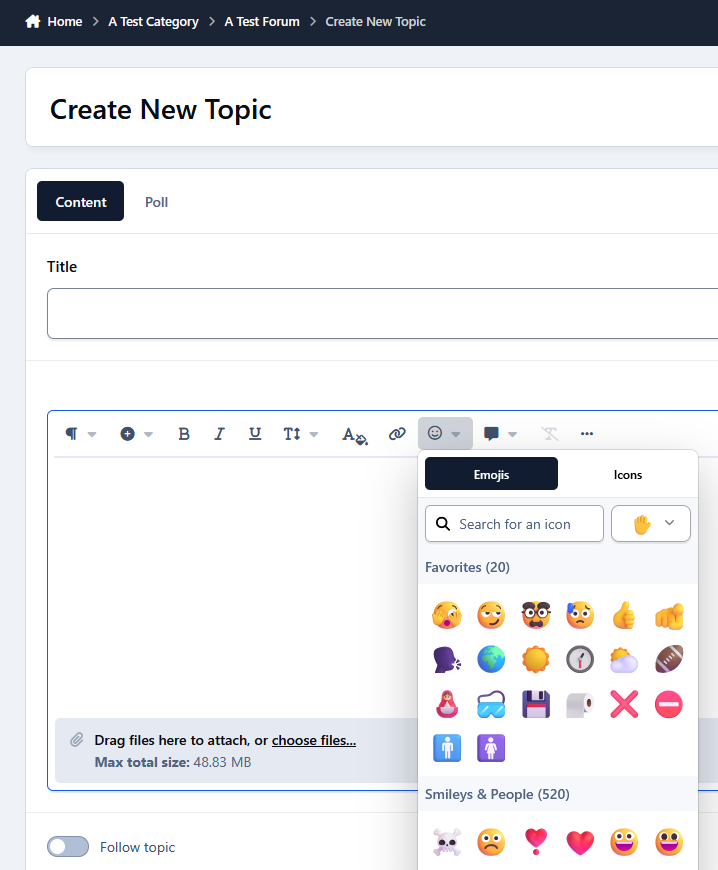
Favorite Emojis lets members save their most-used emojis and access them instantly from a Favorites section at the top of the IPS emoji picker. Members manage their favorites from Account Settings, while admins can define the maximum number of favorites and which groups can use the feature.
Features
Personal favorite emojis
Favorites shown at the top of the editor picker
Native IPS emoji picker integration
Quick add/remove
Maximum favorites setting
Group restrictions
Supports native and custom emojis
-
IPS5.0.0+
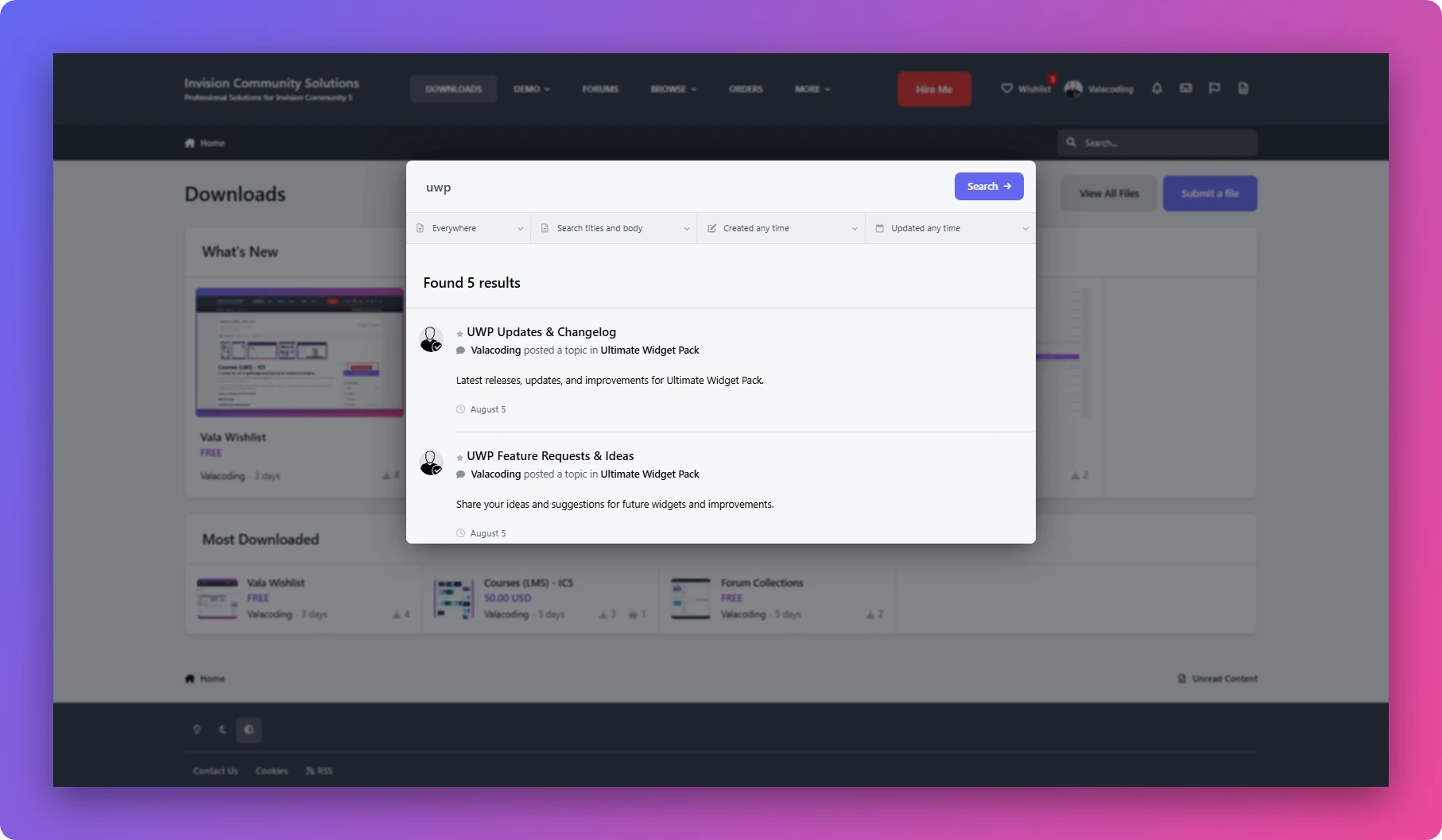
Live Search enhances the default Invision Community search experience with fast, AJAX-powered results without requiring users to leave the search interface.
It works seamlessly on desktop and mobile, supports the native IPS search filters, and automatically updates results as users type.
Features:
⚡ Instant AJAX search results
🔎 Search as you type
📱 Fully responsive — Desktop & Mobile
🎯 Works with native IPS search filters
🚀 Lightweight and easy to install
🎨 Designed to integrate naturally with IPS
Free to use, built by ValaCoding.
-
IPS5.0.0+
Wishlist
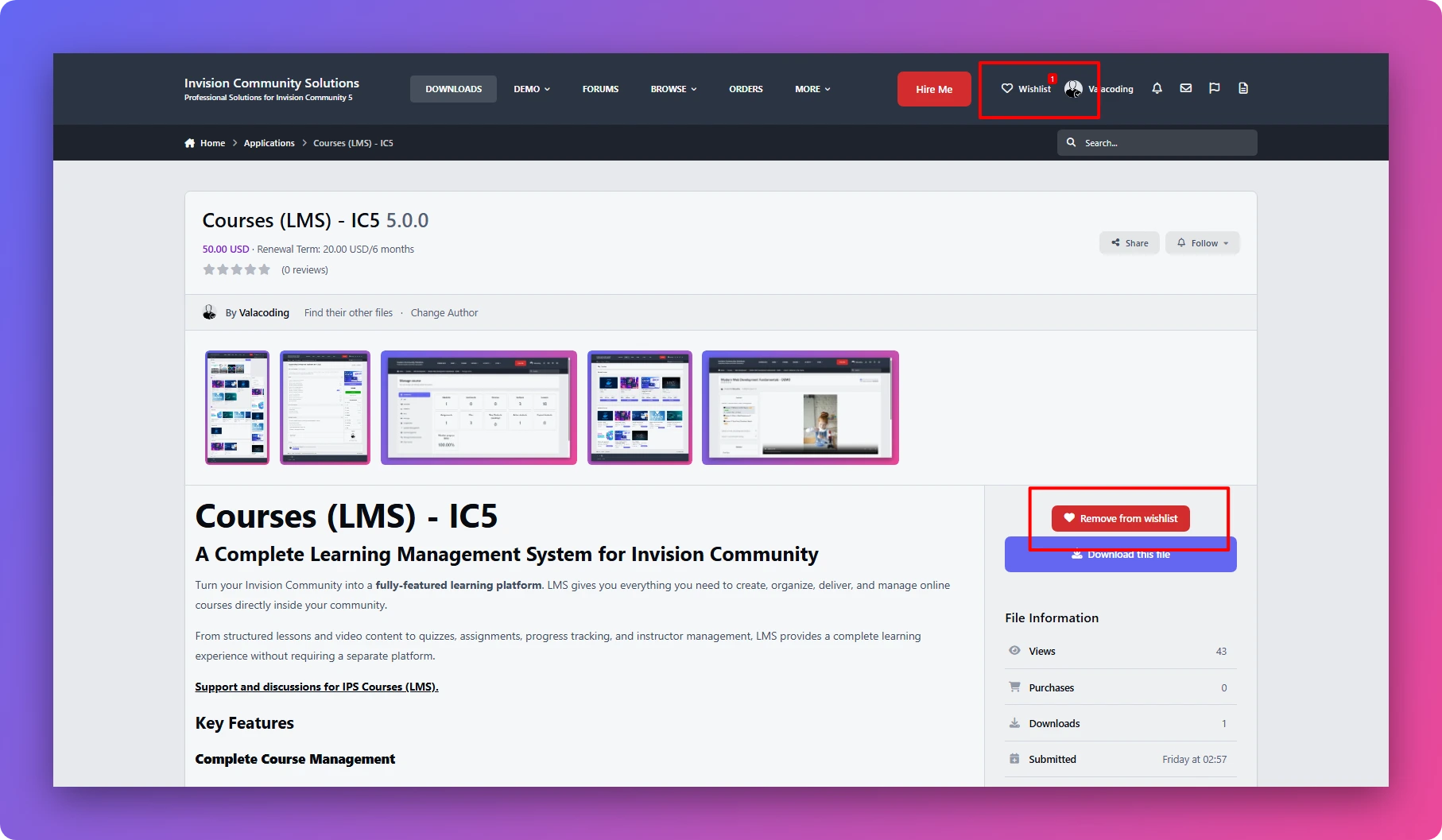
A lightweight wishlist solution for IPS communities. Users can save their favorite files with a fast AJAX add/remove experience and manage all saved items in a dedicated wishlist page.
Current version supports IPS Downloads only
Initial Version 1.0.0
------------------------------
What's New in Version 1.0.1
Update
Fixed a minor compatibility issue.
Improved extension stability and performance
------------------------------
-
IPS5.0.0+
Story
Bring Social Media-Style Stories to Your Community
Give your members a more engaging way to share photos and videos with temporary, visual stories. Story brings a familiar social-media experience directly into your IPS community, while giving administrators full control over how stories are created, displayed, and accessed.
Support and discussions for Story
Key Features
Photo & Video Stories
Let members create and share photo and video stories directly from your community.
Three Story Feeds
Give members different ways to discover stories with three dedicated widgets:
All Members Stories — Show stories from across your community.
Follower Stories — Show stories from members the current user follows.
Following Stories — Display stories based on the user's following relationships.
Story Titles & Links
Make stories more than just visual content. Members can add a title and clickable link to their stories, making them useful for sharing content, announcements, products, or external pages.
IPS Reputation & Reactions
Let members interact with stories using the familiar IPS Reputation system. Stories can receive reactions just like other community content.
Fully Responsive
Stories are designed to work smoothly across desktop, tablet, and mobile devices, providing a consistent experience on every screen size.
Customizable Layout & Display
Choose how stories are presented with multiple layout and display settings, allowing you to adapt the experience to your community's design.
Story View Counts
Keep track of engagement with story view counts, giving members and administrators insight into how many people have viewed a story.
Powerful Permissions
Get complete control over who can use and access the Story system.
Configure permissions for:
Who can create stories
Who can view stories
Which member groups have access
Who can interact with stories
And more
Built for IPS Communities
Story combines the familiar experience of social-media stories with the flexibility of Invision Community's permissions, reputation, and member system.
Give your community a more visual and interactive way to share content—while keeping full control over who can create, view, and interact with stories.
Support and discussions for Story
-
IPS5.0.0+
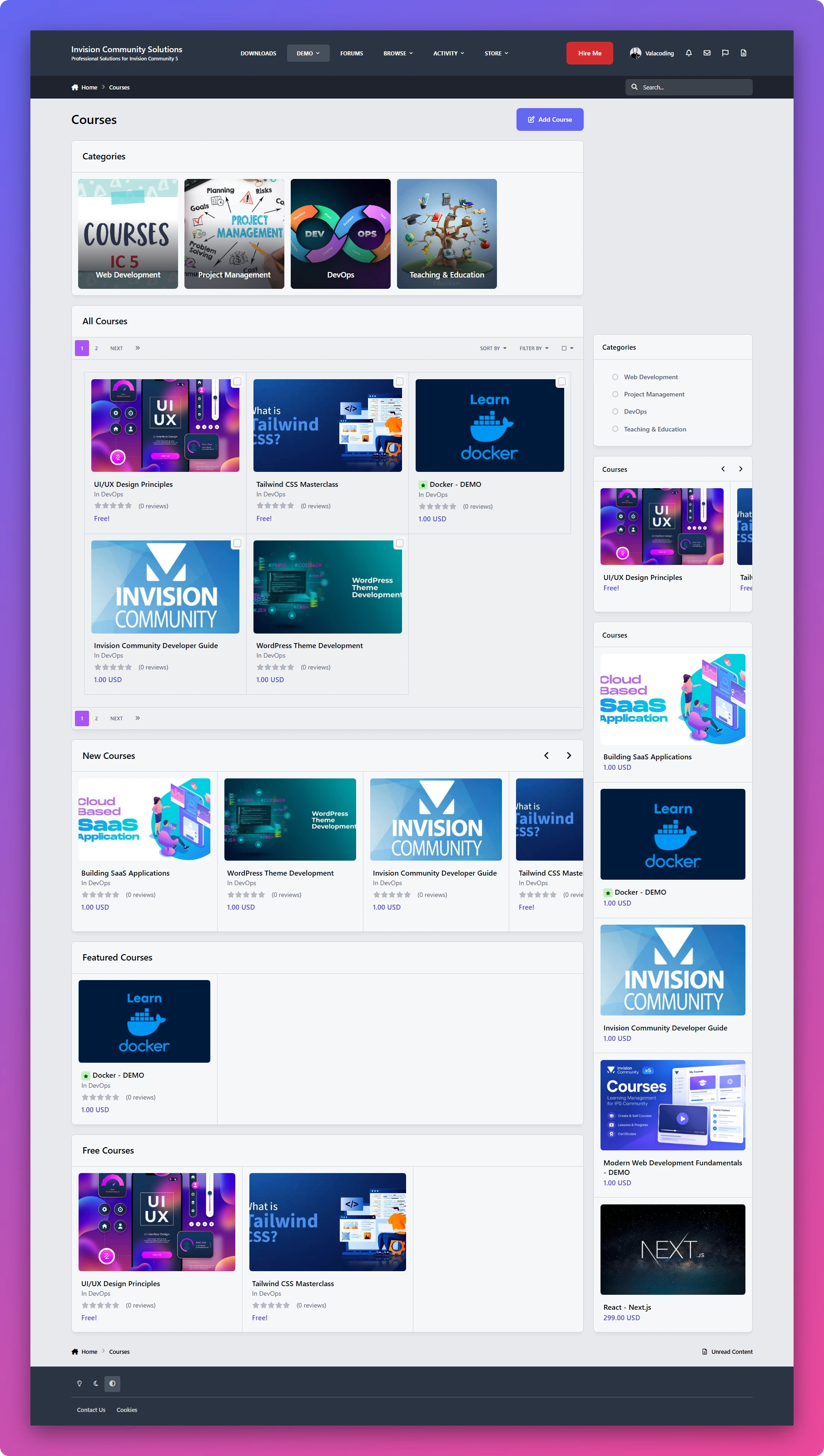
Courses (LMS) - IC5
A Complete Learning Management System for Invision Community
Turn your Invision Community into a fully-featured learning platform. LMS gives you everything you need to create, organize, deliver, and manage online courses directly inside your community.
From structured lessons and video content to quizzes, assignments, progress tracking, and instructor management, LMS provides a complete learning experience without requiring a separate platform.
Support and discussions for IPS Courses (LMS).
Key Features
Complete Course Management
Create and manage courses with titles, descriptions, categories, lessons, and course content. Organize your courses into a structured learning experience that is easy for members to follow.
Multiple Lesson Types
Build different types of learning content using three dedicated lesson types:
Text Lessons — Create rich learning content using the full capabilities of the IPS editor.
Video Lessons — Deliver video-based lessons directly to your students.
Assignments — Give students practical tasks and allow them to upload their work and files for submission.
Built-in Quizzes & Exams
Test your students' knowledge with built-in quizzes and exams.
LMS supports:
Multiple-choice questions
True / False questions
Quiz-based assessments
Student results and progress tracking
Student Progress Tracking
Members can easily see their enrolled courses and track their learning progress.
Display:
Enrolled courses
Course completion percentage
Lesson progress
Completed content
This gives students a clear overview of where they are and what they still need to complete.
Instructor Panel
Give instructors their own dedicated management area where they can create and manage their courses and learning content without needing full administrator access.
Course Categories
Organize your courses into categories to make large course libraries easier to navigate and discover.
Powerful Permissions
LMS comes with a flexible permission system that gives administrators complete control over the learning platform.
Control things such as:
Who can create courses
Who can use free courses
Who can access courses
Who can create and manage course content
Instructor permissions
Student permissions
And more
Free & Paid Learning Experiences
Create courses with different access models and control exactly which member groups can access free course content.
This makes LMS suitable for both community-based education and more structured learning platforms.
Structured Learning Experience
Organize your courses into a clear progression of courses → lessons → quizzes and assignments, giving students a consistent learning path from beginning to completion.
Designed for Invision Community
LMS is built around the IPS ecosystem, allowing you to combine your members, groups, permissions, and community experience with a complete online learning system.
Whether you're building a training platform, educational community, course marketplace, internal learning system, or community-based academy, LMS gives you the foundation to build it directly inside your Invision Community.
Support and discussions for IPS Courses (LMS).
🚀 Coming Soon
Course Certificates
Reward your students with professional certificates of completion when they successfully complete a course
-
IPS5.0.0+
A proper arcade for your community. 51 games in the box, real leaderboards, member duels, over 3000+ imported games or upload your own.
You install it and the arcade is already full. 51 HTML5 games ship in the download, sorted into Action, Classics, Puzzle, Skill and Cards, every one of them license cleared, mobile fitted and wired to a working leaderboard from the first minute. No empty shell to fill in yourself.
The games
51 bundled HTML5 games included in the download, playable the moment you install. Nothing to download separately, nothing hosted on someone else's server.
Import thousands more through the built in providers: GamePix, Gamezop, GameMonetize, OnlineGames, HTMLGames and MadKidGames. Point it at a provider, browse the catalog, and bring games in with their artwork.
Upload your own game packs as zip files. Pack folders carry a manifest, so the same folder installs whether it ships in the download or gets uploaded later. Your imported packs live outside the app folder, so an app update never wipes them.
One click image backfill for any imported game that came in without a thumbnail, so your grid never has blank tiles.
More game packs coming from me in the near future.
Scores, champions and the scoreboard
A leaderboard on every game, weekly best and all time. Your own rank is highlighted even when you are sitting outside the top five, so there is always a number to beat.
Champions and crowns. Hold the top score on a game and you hold its crown. The Hall of Fame shows who wears the most.
A live scoreboard on the arcade home page showing scores as they land and who is playing right now, refreshed on an interval you set. No page reload needed.
Newest Champions and Most Played feeds so the arcade always feels active.
Members competing with each other
Challenges and duels. A member can throw down a one on one duel or open a challenge anyone can join, on any game, for a set number of days.
Credit wagers. If you run the Credits app, challengers can stake credits. The opponent matches the stake to accept, and the winner takes the pot. Fully optional, and it degrades gracefully if you do not use credits. More app bridges coming soon (Questline, etc.)
Automatic forum topics. Every challenge that goes live can post a topic in a forum you choose, and the result gets posted as a reply when it ends. You pick which forum and which account posts them.
Nudges. A quick poke to a friend, or a call out to the current champion that their throne is up for grabs. Small social hooks that keep people coming back.
Talk about the games
Discussions under every game. Members post score screenshots, react, quote, mention each other, and the whole thing uses the same comment system as the rest of your community. Reports, edits, deletes and staff moderation all work exactly the way your team already expects.
This matters most for imported provider games that do not expose a score. Even without a leaderboard, the game still has a lively discussion under it.
Reactions on the games themselves, so a great game can rack up likes the same as any other content.
Rewards and light monetization
Reward members for playing. With the Credits app connected, playing a game can pay out credits, with a daily cap per member per game so nobody farms it.
Charge to play if you would rather gate certain games behind a credit cost. Your call, per game.
Your own launch promos. Show one of your own text blurbs on the launch screen before a game starts, for a couple of seconds. This is your promo, your link, your wording.
In the Admin CP
Analytics dashboard with plays today, this week and all time, scores, distinct players, crowns awarded and open reports, a 30 day activity chart, and a per game table with champions and sparklines.
Bulk game management to move, enable or disable many games at once, built for the day you import a big batch into the wrong category.
Categories, settings, interstitial promos and the provider importer, all native ACP pages using the standard forms and tables.
Broken game alerts so your team hears about a reported game.
Fair warning: Provider games & larger TAR file
Provider games almost never hand their score back to the page, and I am not going to pretend otherwise. Arcade ships a passive listener called Score Radar that watches for a score signal while members play an imported game. If a game does broadcast (but very rarely), the radar reports it in the ACP and you can confirm it to switch on a real leaderboard for that game. If a game stays silent after a number of plays, the ACP tells you plainly that it will never be captured. I scanned thousands of provider titles building this, and the honest result is that the bundled and packed games are your leaderboard content. The imported ones are there for volume and for the discussion threads. Radar is there so that on the day a provider does expose a score, you can use it. Additionally, the TAR file is 12.6MB big. Make sure your upload limits are raised as it's default 8MB.
Requirements
Invision Community 5
The Credits app is optional. Wagers, play rewards and play costs use it if it is installed. Everything else works without it.
Beta
This is a public beta. What I want from a beta is real installs on real communities so the edges I cannot see get found. If you buy in during beta you get the app at its beta price, every update through to the stable release, and a direct line to me for anything that breaks or anything you want added. Tell me what your members do with it.
-
IPS5.0.0+
Nobody scrolls past a board that moves
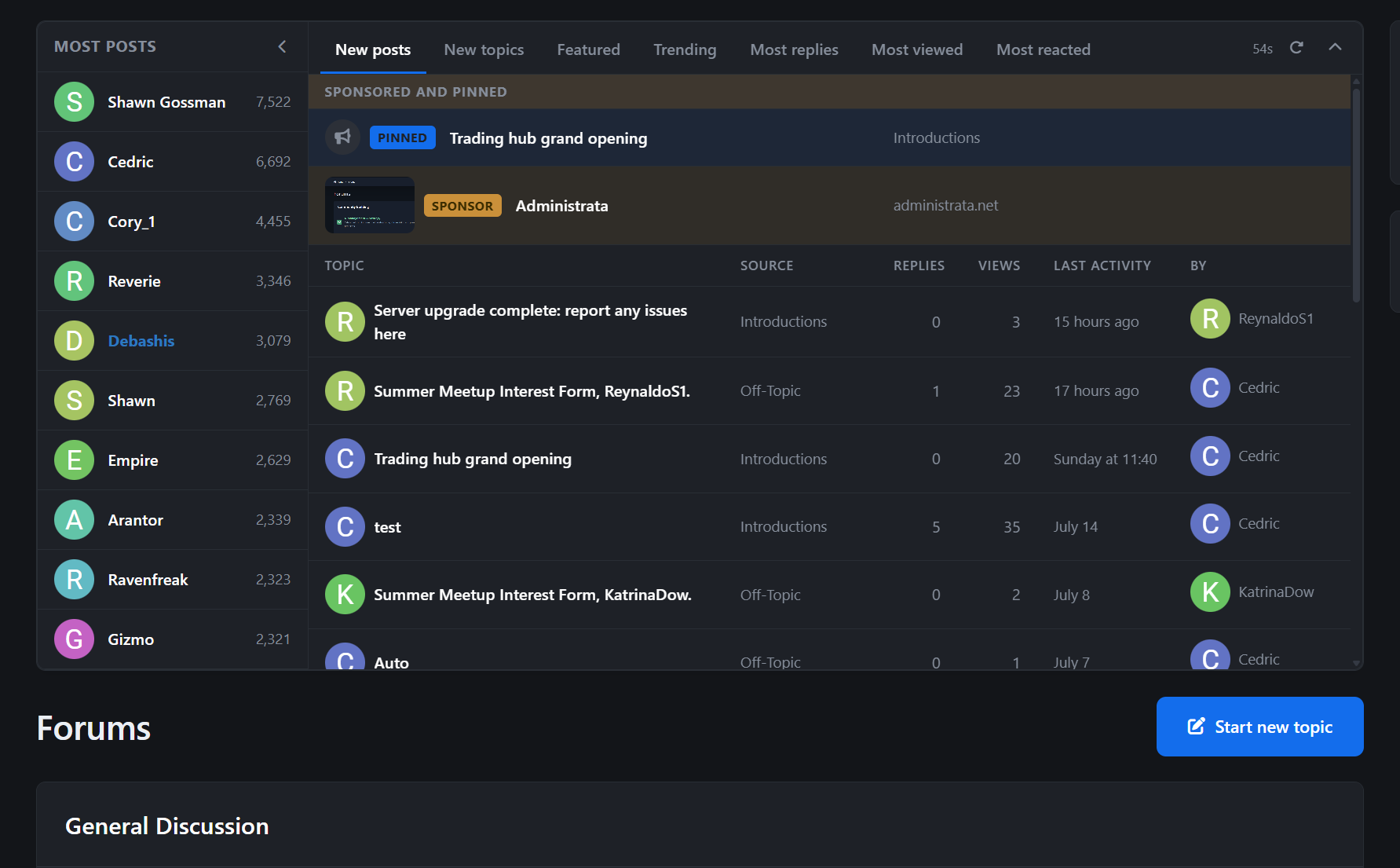
Topboard puts a live activity board at the top of your community: the newest posts, discussions heating up right now, your most active members, and sponsored slots you can sell to help fund it all.
It refreshes itself while people read, and turns some of the most valuable screen space on your site into something members watch and sponsors can pay for.
Demo: https://demo.invisionite.com/
The problem
A forum index is a list of containers. The actual life of your community, the reply posted forty seconds ago, the topic that suddenly took off, the member on a posting streak, is buried one click deeper.
Visitors land on your busiest page and see furniture.
Monetizing that page is its own headache. Banner ads look like ads, so people learn to ignore them or block them outright. Selling placements manually means invoices, start dates in spreadsheets, expiry dates to remember, and renewal reminders someone eventually forgets to send.
Topboard fixes both halves: it surfaces the activity and runs the sponsorship pipeline for you.
Three looks, one widget
Every widget instance gets its own style:
Native Feed: clean stacked rows that feel like part of the rest of your community.
Classic Table: the column-based statistics board forum veterans remember, with topic, forum, replies, views, activity, and last poster. On phones it restacks into tidy rows instead of forcing a sideways scroll.
Spotlight: card-based headline slots with full-image sponsor cards and text overlaid on the artwork.
Eight tabs, plus two of your own
New posts, New topics, Featured, Latest files, Trending, Most replies, Most viewed, and Most reacted.
Choose the tabs you want for each widget, set the number of items, and limit them to selected forums if needed.
You can also add up to two custom tabs with your own label and forum selection. An Introductions tab for greeters, a Marketplace tab for traders, or whatever fits your community.
Trending and Most reacted rank content within a time window you control, so they reward what is happening now instead of what happened in 2019.
Alive without a reload
A countdown sits in the tab bar and Topboard refreshes itself on schedule while keeping the reader on the tab they were viewing. Impatient members get a manual refresh button too.
Members who do not care about the board can collapse it into a slim strip. The Top Members panel folds away separately, letting the activity area use the full width.
Both choices are remembered per device.
A collapsed board also stops refreshing and stops counting impressions. No wasted requests and no phantom ad views.
Headline slots
Above the tabs sit your promoted rows: pinned topics you want seen and sponsored placements you have sold, each with its own label chip.
A slot can point to an internal topic or work as a completely standalone external ad with its own title, description, link, and image.
Images appear as neat thumbnails in Native Feed and Classic Table, and become full-image cards in Spotlight.
Sponsored slots can also be hidden from selected member groups, which gives you an easy premium perk: upgrade and the ads disappear.
Monetize the app without any effort
With Commerce installed, Topboard becomes self-service advertising.
You create the packages: price, duration, slot type, label, and an optional Most popular highlight.
Members buy through the campaign storefront, pay using your normal Commerce checkout, and then submit the topic or advertisement they want to promote through a guided form.
Nothing goes live automatically. Every submission goes through staff approval first.
Once approved, Topboard handles the schedule. Campaigns start, run, expire, and become available for renewal without you tracking dates manually.
Numbers a sponsor can trust
Impressions are counted from the reader's browser, deduplicated per visitor with a cooldown, and only counted while the board is actually visible on screen.
Clicks pass through a tracked redirect.
Every slot gets daily impression and click data alongside its lifetime totals.
Sponsors see their own report card at /campaigns, with stat tiles, click-through rate, a 14-day chart, and a renewal button that extends an active campaign or relaunches an expired one through normal checkout.
You get the same picture across the entire site in the ACP Performance dashboard: totals, a 30-day chart, and every campaign with its own sparkline.
Top members included
A ranked member panel, based on posts or reputation, sits beside the activity tabs like the classic statistics boxes many communities used for years.
A standalone Top Members widget is included for sidebars too.
In short
Topboard is a live, tabbed activity board with three display styles, eight activity sources, custom forum tabs, a Top Members panel, and promoted headline slots.
Behind it sits impression and click tracking, self-service Commerce campaigns with staff approval, sponsor-facing performance charts and renewals, and an ACP dashboard that shows you the whole picture.
The front of your community, finally earning its keep.
-
IPS5.0.0+
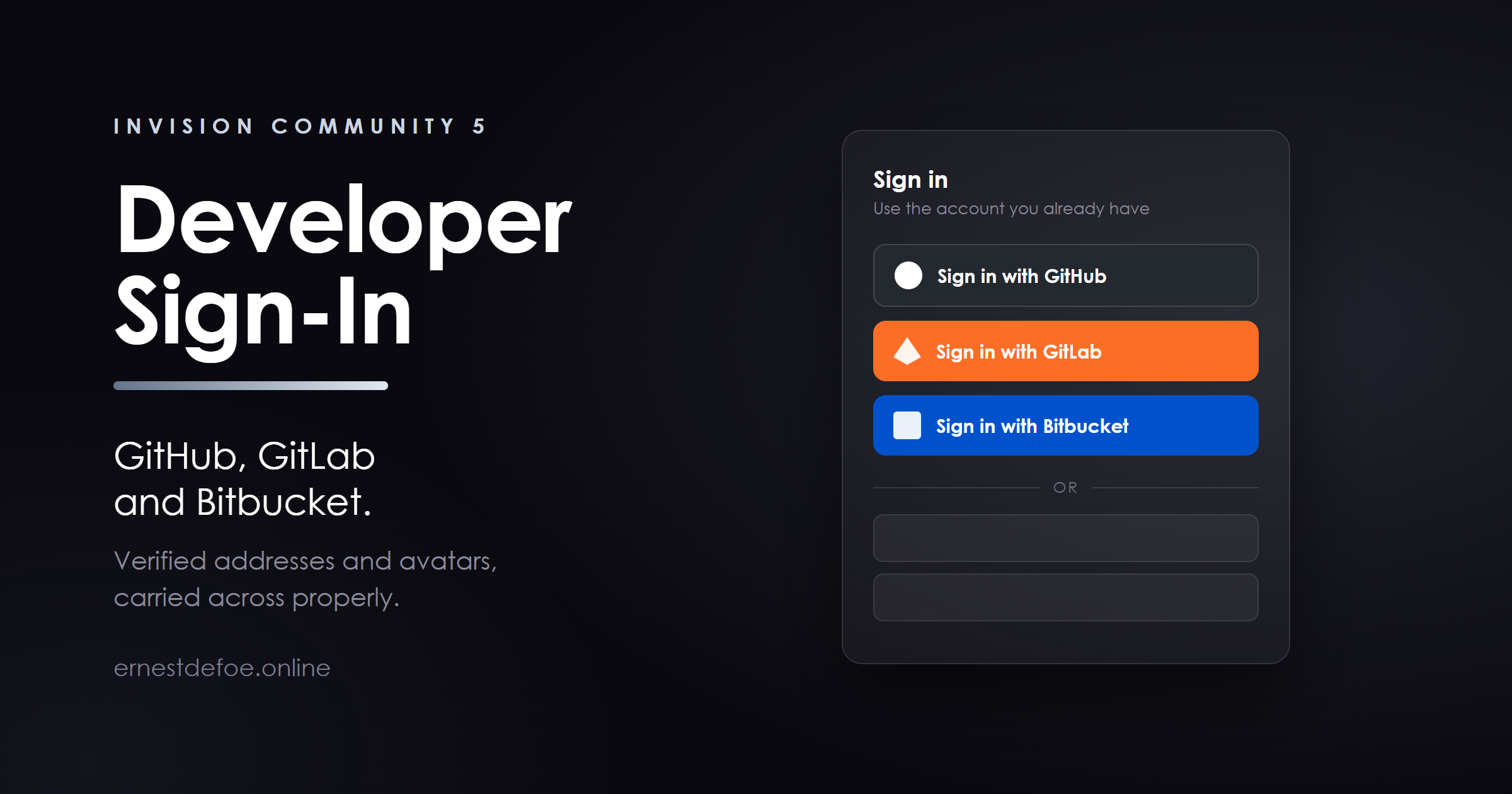
Developer Sign-In
Let your members sign in with GitHub, GitLab or Bitbucket — the accounts they already have, on the platforms they already use every day.
Invision Community ships sign-in handlers for Facebook, Google, Microsoft, LinkedIn, Apple and X. Excellent for a general community. Not much use if your members are developers.
Who this is for
Software and open-source communities — support forums, plugin and mod communities, anywhere the conversation is about code. Homelab, self-hosting and sysadmin communities, where a GitHub account is more universal than a Facebook one. Companies running their own GitLab. A community that self-hosts its forum very often self-hosts its GitLab too, and this connects the two. Your instance address is a field on the settings screen. Game and modding communities whose members publish their work on one of these platforms already. What it does
Three providers, one application. Enable one, two or all three. Each is a separate sign-in button with its own credentials, and each can be turned on and off independently. Verified email addresses, carried across. This is the part that is fiddly to do by hand — see below. Avatars and names come across too, and you decide whether the provider's name is used or the member picks their own. Works alongside everything else. Passwords, existing social logins and any other handler carry on exactly as they are. A member can link a provider to an account they already have, from their account settings, and unlink it there just as easily. Self-hosted GitLab is supported properly, not as an afterthought — every address the handler uses is built from the instance you name. The email problem, and why it is worth paying to skip
Invision Community includes a generic OAuth handler that can, in principle, be pointed at anything. The reason people give up on it for these three platforms is the email address.
PlatformWhat actually happens GitHubThe profile carries only the public address, and most developers keep theirs private — so it arrives empty. The real address needs a second request, a specific permission, and filtering down to the one that is both primary and confirmed. BitbucketThe profile carries no address at all. Same story: a second request, and permissions that have to be set on the application itself rather than asked for at sign-in. GitLabStraightforward — provided you ask for the right scope. Get this wrong and sign-in still appears to work. Members simply arrive with no email address and are asked to type one, which is exactly the friction you installed a one-click sign-in to remove.
An unverified address is never accepted. Only an address the provider itself confirms as belonging to the account holder is used. Anything less would let somebody register an account elsewhere against one of your members' addresses and land on their community account.
What it does not do
It does not import repositories, issues or commits, and it does not post anything to your community. It does not sync organisations, teams or repository access to member groups. It does not replace your existing sign-in methods. It adds to them. Requirements
Invision Community 5. A free OAuth application on each platform you want to offer — a few minutes each, and the setup guide walks through all three with the exact values to paste. No cron job, no theme edit, and no third-party service beyond the platforms themselves. -
IPS5.0.0+
Works with: Realtime, Live Notifications, Chat, Chat Calls and the Chat Bundle — all of which need this to deliver anything live. Live Topics can use it but does not require it. Nothing else needs it, and on its own it adds no feature to your community.
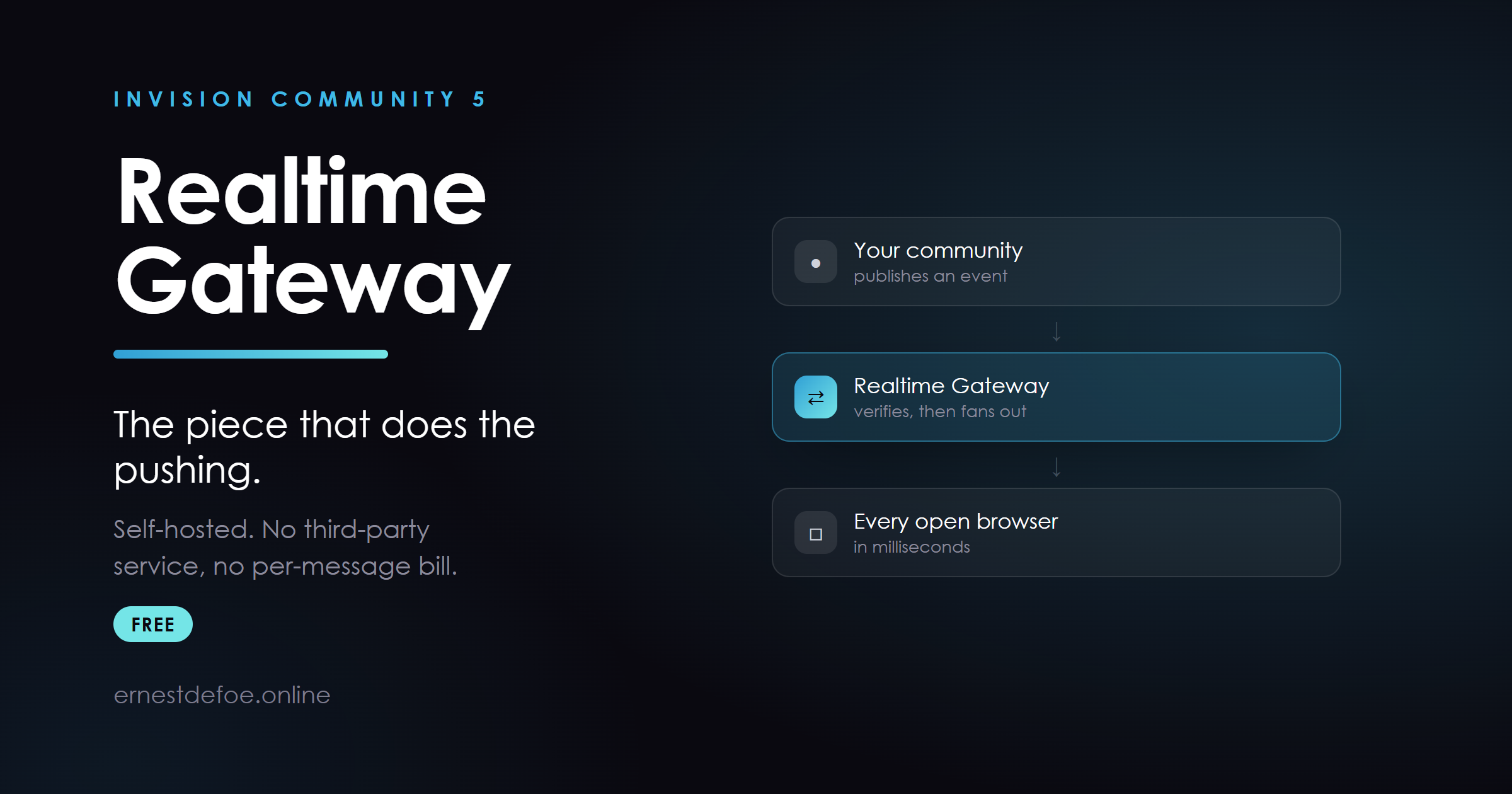
Realtime Gateway
Free. The small WebSocket server that Realtime, Live Notifications, Chat and Chat Calls all push through. If you own any of those, this is the piece that runs alongside your community and delivers to browsers.
It has always shipped inside the Realtime download. It now has a listing of its own, because a shared dependency deserves its own version number.
Why it is separate
Several applications depend on this one file, and it changes when any of them gains a new kind of channel. Buried inside another product's download, its version was whatever you happened to download last — and the only notice you got was a paragraph in somebody else's changelog.
That matters more than it sounds, because of how the gateway fails. An older gateway does not reject a channel it does not recognise. It drops it in silence: no error, no log line, nothing in the browser console. The socket stays open and looks perfectly healthy, and the feature simply never does anything.
With its own listing you can see at a glance whether yours is current, and you get told when it is not.
What it is
About 250 lines of Node.js. No database, no state on disk, nothing to back up. Subscribes to your Valkey/Redis, fans messages out to the browsers that are entitled to them. Verifies every connection against an HMAC signature your community generates. It knows nothing about your permissions — your server decides who may hear what, and the gateway only checks the signature. Ships with a Dockerfile, a package.json and an .env.example. Docker or plain Node, whichever you prefer. If it goes down your community carries on normally; realtime features simply stop updating until it is back. You need this if you run
Realtime — live topics, presence, typing indicators Live Notifications — notifications the moment they are sent Chat — private messages and rooms Chat Calls — voice and video, through the same connection Chat uses Chat Bundle — both of the above Live Topics can use it and does not require it: without a gateway it falls back to a timed refresh, so it works either way and simply feels less immediate.
Nothing else I publish needs it, and it does nothing on its own. If you do not own one of the applications above, there is nothing here to install.
Already have it?
The copy attached to the Realtime listing is the same file. Take whichever is newer — they are built together and released together. Going forward this listing is the one to watch.
-
IPS5.0.0+
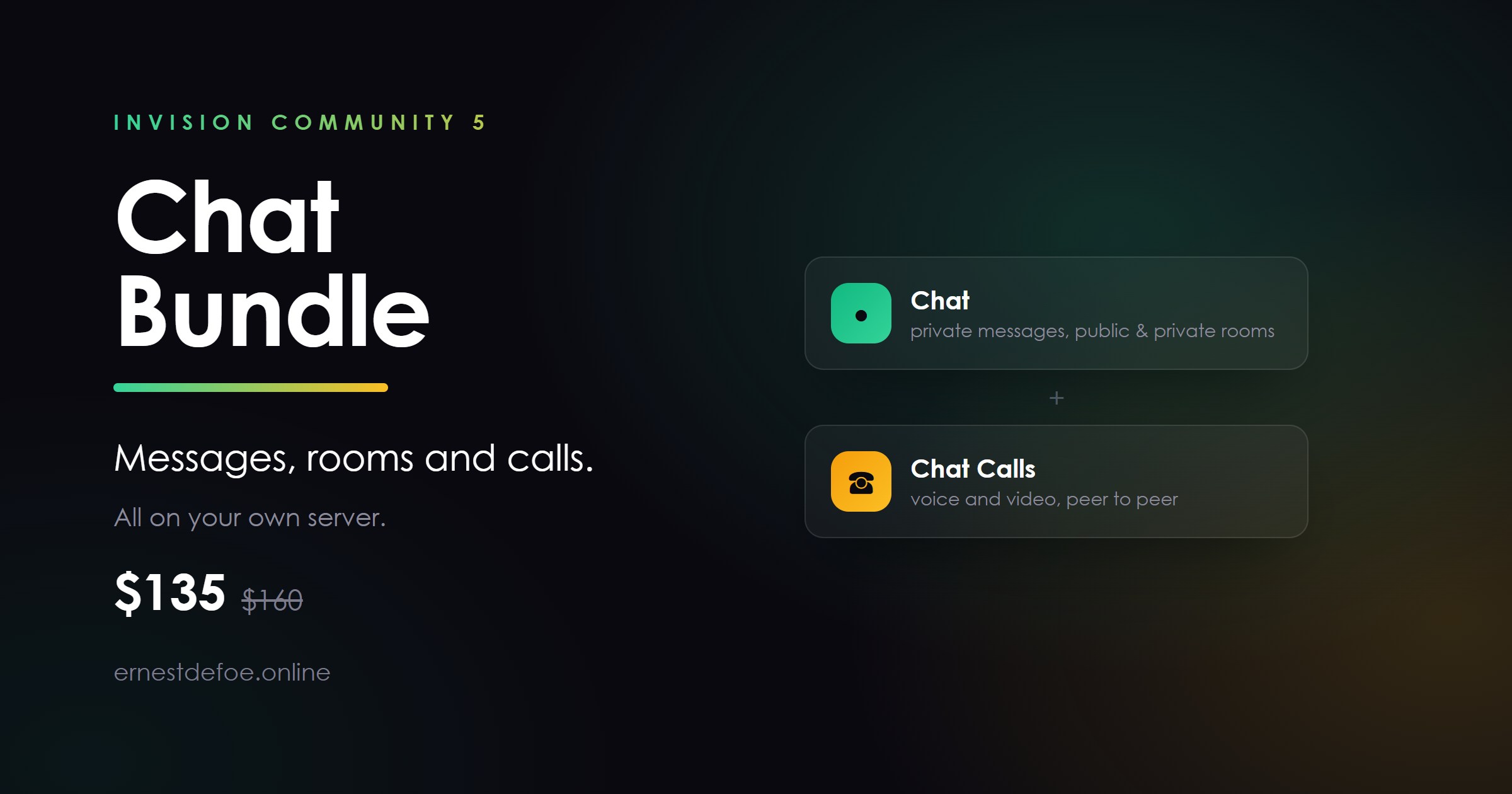
Chat Bundle
Chat and Chat Calls together — messages, rooms, and voice and video calling, all on your own server.
$135 instead of $160 bought separately, and $50 every six months instead of $60. The same two applications, the same files, one purchase.
What you get
ApplicationWhat it doesOn its own ChatA launcher on every page. Private messages, public rooms, invite-only private rooms, typing indicators, images and files, moderation.$95 + $35/6mo Chat CallsVoice and video calling from any one-to-one conversation. Peer to peer, never recorded, never through your server.$65 + $25/6mo Also included: a ready-made coturn setup for calls, which is the part most people would otherwise spend an afternoon on.
Why they are sold together
Calls are an add-on to Chat and do nothing without it. If you want calling at all, you need both — so this is simply the cheaper way to buy them.
If you only want text chat, buy Chat on its own. Nothing here is held back from it.
Requirements
Invision Community 5 Realtime, with a current gateway. The gateway is free and has its own listing. HTTPS, for calls — browsers refuse microphone and camera access on an insecure page. A TURN server for calls. The setup is included and takes about ten minutes. Worth knowing before you buy
Calling is one to one in this version. Group calling needs a different piece of server software with real processing cost, and is planned rather than promised. Chat needs a live connection. There is no polling fallback, deliberately — a chat that refreshes every thirty seconds is a slow forum, not a chat. Without Realtime connected the launcher does not appear at all. Nothing leaves your server. No third-party chat service, no per-message pricing, no monthly bill that grows with your community. -
IPS5.0.0+
Community Experts — free
Invision Community has a Community Experts feature. Members you name as experts get a badge on their posts in the forums they actually know about, and get an email when a question in one of those forums goes unanswered.
It is Cloud only. On a self-hosted community it is switched off, and there is no setting anywhere that turns it on.
This does not imitate that feature. It completes it.
Almost all of Community Experts is already sitting in your installation, doing nothing:
The badgeThe graduation-cap badge, its styling, and the follow-this-expert button are all core templates that already ship with your community. The emailThe "questions waiting for you" email — both the HTML and plain-text versions — is a core template. The unsubscribe linkCore already knows how to handle it and which preference to change. The dataCore already has the table that records who is an expert in which forum, and the member settings for opting out and being blocked. What is missing is the switch. Every one of those pieces is behind a check for the Cloud platform, so none of them can ever run. This application supplies what is missing and uses core's own badge, core's own email, core's own unsubscribe handling and core's own table. The practical result: what your members see is the real feature, not a lookalike. And because the assignments live in core's own table, a community that later moves to Invision Community Cloud finds its experts already in place.
Named per forum, which is the whole point
Somebody who knows billing inside out is not an authority on off-topic. Experts are named per forum and the badge only appears where they actually are one — a badge that follows a member everywhere is worth considerably less than one that does not.
Naming experts automatically, if you want to
Off by default. When enabled, anyone who clears both of these tests in a forum is given the badge there:
Accepted answers in that forum. Replies of theirs that somebody marked as the answer. This is the strongest evidence available, because the person with the problem said so. Posts in that forum. A second test, so one lucky answer is not enough on its own. Both are counted inside the forum, deliberately. Promoting on a site-wide reputation score or post count measures how much somebody posts, not what they know — on a community whose busiest forum is off-topic, that names the most prolific chatterer an authority on billing. The admin screen lists everyone who currently meets the tests whether or not automatic naming is switched on, so you can see exactly who the rule would pick before trusting it with the decision. Nobody is ever removed automatically: taking a badge away stays a decision a person makes.
Emails that produce answers
Once an hour, experts are emailed about questions in their forums that nobody has answered. It skips anything they started, anything they have already replied to, and anything they have already been told about — an expert is never sent the same question twice. One email lists several questions rather than sending several emails.
Members can turn it off from their own notification settings, or from the link in the email itself. Both routes work because both are core's.
Also
An audit trail of who was named or removed, when, and by whom — with automatic changes marked as such and the reason recorded. Members can opt out of being shown as an expert without losing their assignments. Administrators can block a member from ever showing as an expert. Restrict by group, so the badge can only reach the people you intend. No core files are edited. Upgrading Invision Community will not break it. Honest about the limits
Forums only. Experts are named against forums, because that is what core's own data does. Automatic naming needs "solved" enabled in a forum. Without accepted answers there is no evidence to promote on, so nobody is ever named automatically in a forum that does not use it. Naming people by hand works everywhere. The emails need a working task scheduler. Without one, nothing is sent. Three language strings belong to core's namespace. They have to, because they are the strings for core's own email, which does not ship with them. If you ever migrate to Invision Community Cloud, uninstall this application first — see the setup guide. Requirements
Invision Community 5.0 or newer (self-hosted) The Forums application A running task scheduler, for the emails and for automatic naming Free. No key, no account, no external service.
-
IPS5.0.0+
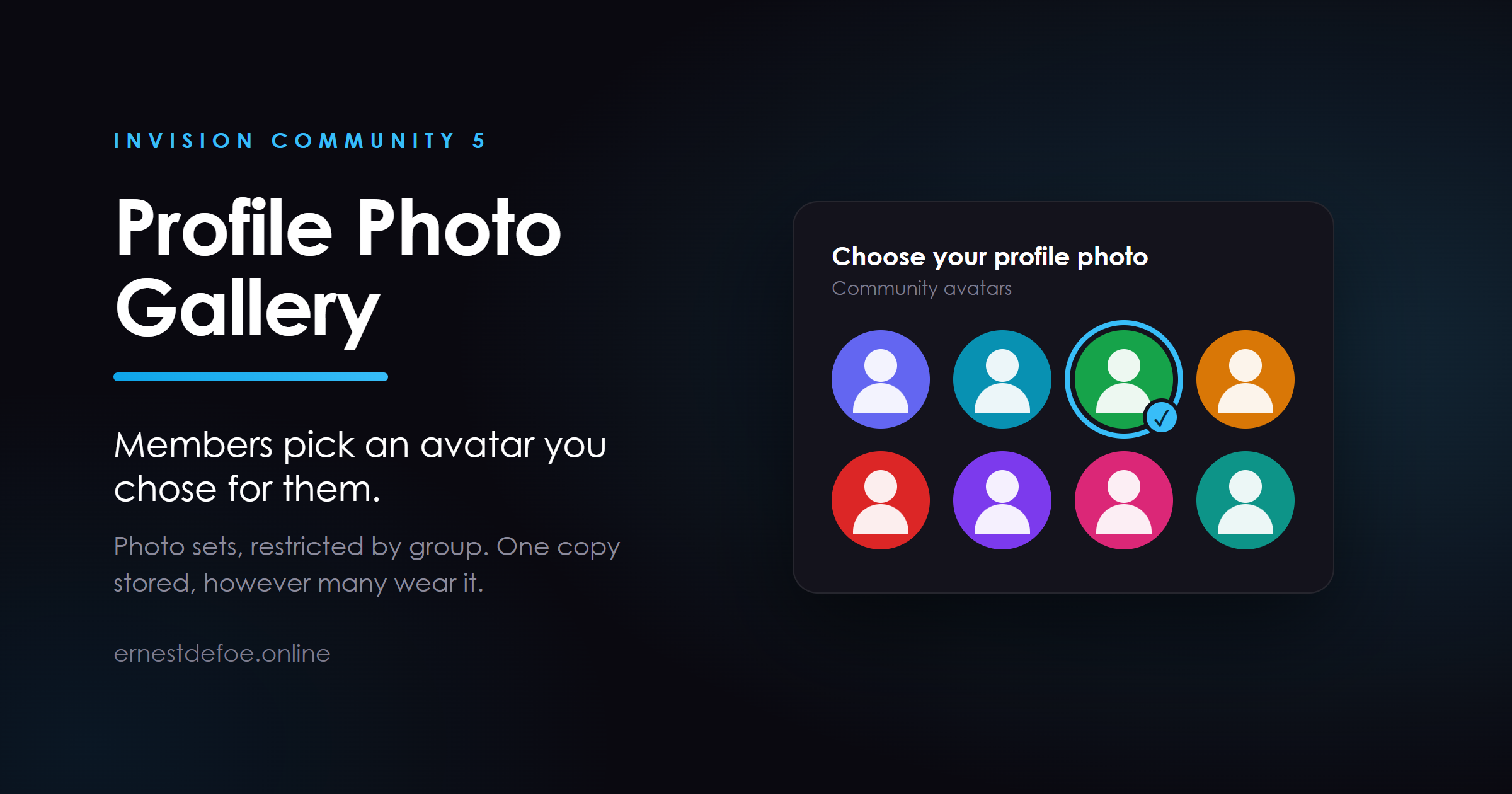
Profile Photo Gallery
Give your members a set of profile photos to choose from, instead of leaving every avatar to whatever they happen to upload.
You supply the photos. Members pick one from their account settings, and it becomes their profile photo everywhere on the community — topics, profiles, the member list, hovercards, notifications.
Why communities want this
Younger or moderated communities where letting members upload arbitrary images is a moderation problem you would rather not have. Themed communities — a game, a show, a team — where a set of house avatars is part of the character of the place. Anyone tired of the letter avatar. Most members never set a photo at all. A row of ready-made ones they can pick with a single click converts far better than an upload form. What it does
Photo sets. Group your photos however you like — "Mascots", "Seasonal", "Staff" — each with its own heading that members see. Restrict a set to member groups. Staff-only avatars, supporter-only avatars, a set that only appears for a promoted group. Secondary groups count, so a member given a staff group as a secondary sees the staff photos. Members choose from their account settings, in a tab alongside Email Address and Password, where they already go to change things about their account. One click to change, one click to remove. The photo they are wearing is marked, so it is obvious what they have. See what is actually being used. Every photo in the AdminCP shows how many members are wearing it, and deleting one that is in use warns you first. Upload in bulk. Select a folder's worth of images at once; they are resized on the way in. How it stores them
One copy of each photo, shared by everyone who chose it — not a duplicate per member. A community of five thousand members wearing twenty avatars stores twenty images.
It uses the same mechanism Invision Community's own Gallery application uses for this, so photos work everywhere a profile photo appears, with no theme edits and no template hooks. They can also be moved to S3 or any other storage you have configured, from the AdminCP screen you already use for that.
What it does not do
It does not remove or replace your members' ability to upload their own photo. That stays exactly as your group settings have it — the gallery is an additional way to get one, not a restriction. If you want uploads switched off, that is a group setting in Invision Community itself. It does not import photos from anywhere. You upload the images you want offered. Requirements
Invision Community 5. Nothing else. No third-party service, no cron job, no theme changes. Invision Community offers a profile photo gallery on its Cloud Team, Business and Enterprise plans. This brings the same idea to a self-hosted community.
-
IPS5.0.0+
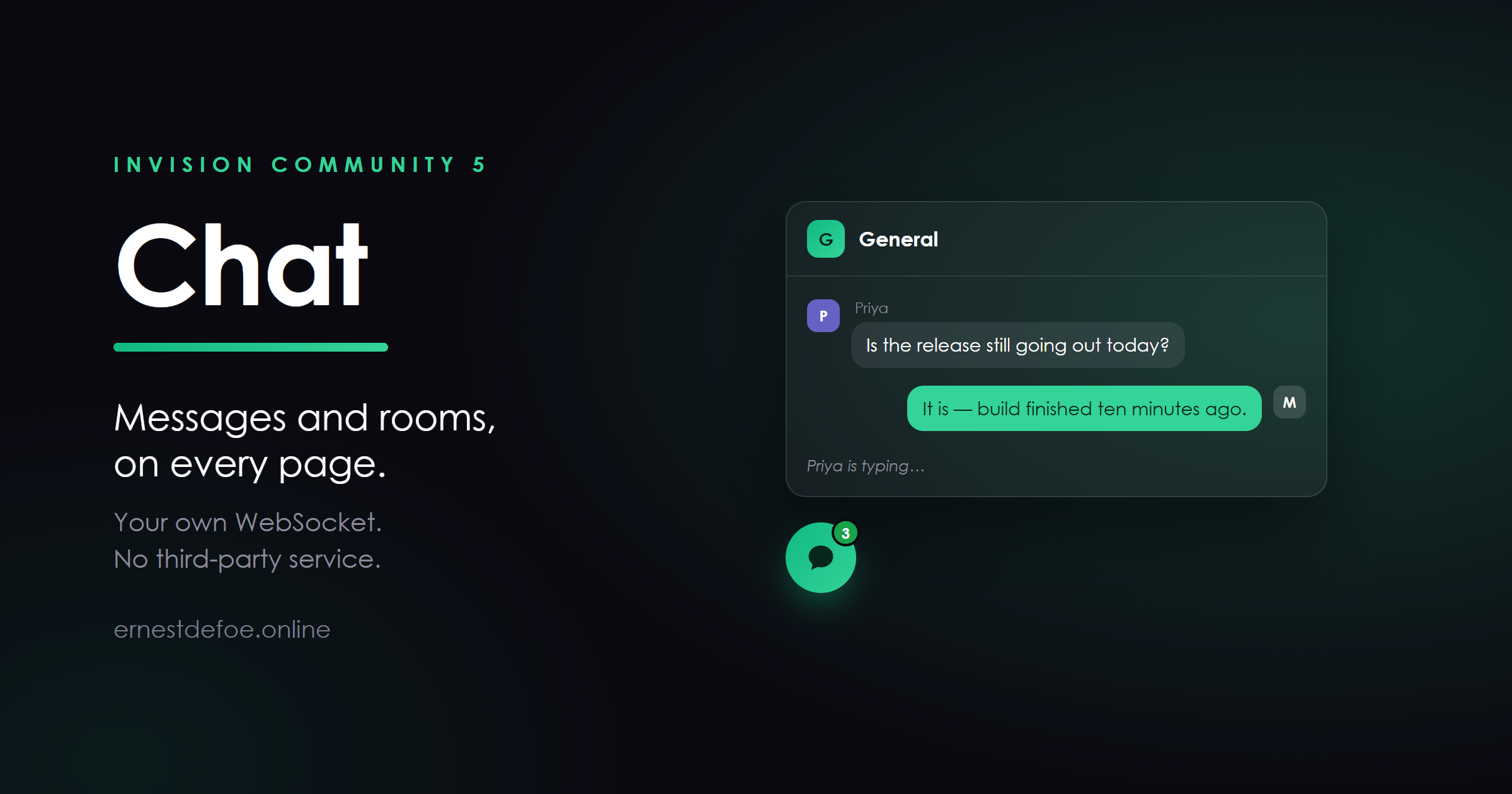
Chat
A chat launcher on every page of your community. Members message each other privately, join public rooms, or start invite-only rooms of their own — without leaving the page they were reading.
It runs on your own server, over your own WebSocket. There is no third-party chat service in the loop, no per-message pricing, and no monthly bill that grows with your community.
What members get
A launcher that is always there. Bottom corner of every page, with an unread count. Open it and their conversations and rooms are right there. Private messages. One to one, with history. Start one from the list of who is online. Public rooms. You create these in the AdminCP and choose which groups may enter. Private rooms. Invite-only, owned by whoever made them. Give a group permission to create their own, or keep it to staff. Typing indicators, so a conversation has a rhythm rather than a series of surprises. Images and files. Pictures appear inline; documents arrive as a labelled link. It works on a phone. The floating window becomes a full-screen panel rather than a postage stamp. What you get
Per-group permissions. Who can use chat at all, and who can create rooms. Off for every group until you say otherwise. Moderation. A "Can moderate chat" permission that reaches every room, including private ones. Delete anything, mute anyone. Room owners manage their own. Invite, remove and mute inside a room they created — and nothing outside it. Attachments live where your files live. S3, R2, Backblaze, FTP, or local disk. Whatever you have already configured. Core's ignore list is honoured, in both directions. Members browsing anonymously are never listed. They asked not to be seen. Private by construction
Every channel a browser is allowed to listen on is decided by your server and cryptographically signed. The WebSocket gateway verifies that signature and knows nothing about rooms or permissions — so there is only ever one copy of the rules.
That applies to public rooms as much as private ones. It would be simpler to let the gateway wave through anything that looks like a room, but the same shortcut would wave through a private room to anybody who guessed a number. It does not.
Requirements
Invision Community 5 Realtime, installed and connected, with its gateway deployed Audio and video
Voice and video calling is a separate add-on, sold on its own or bundled with this. Chat ships the extension points it needs, so installing the add-on makes a call button appear — and not installing it leaves no trace of a missing feature.
-
IPS5.0.0+
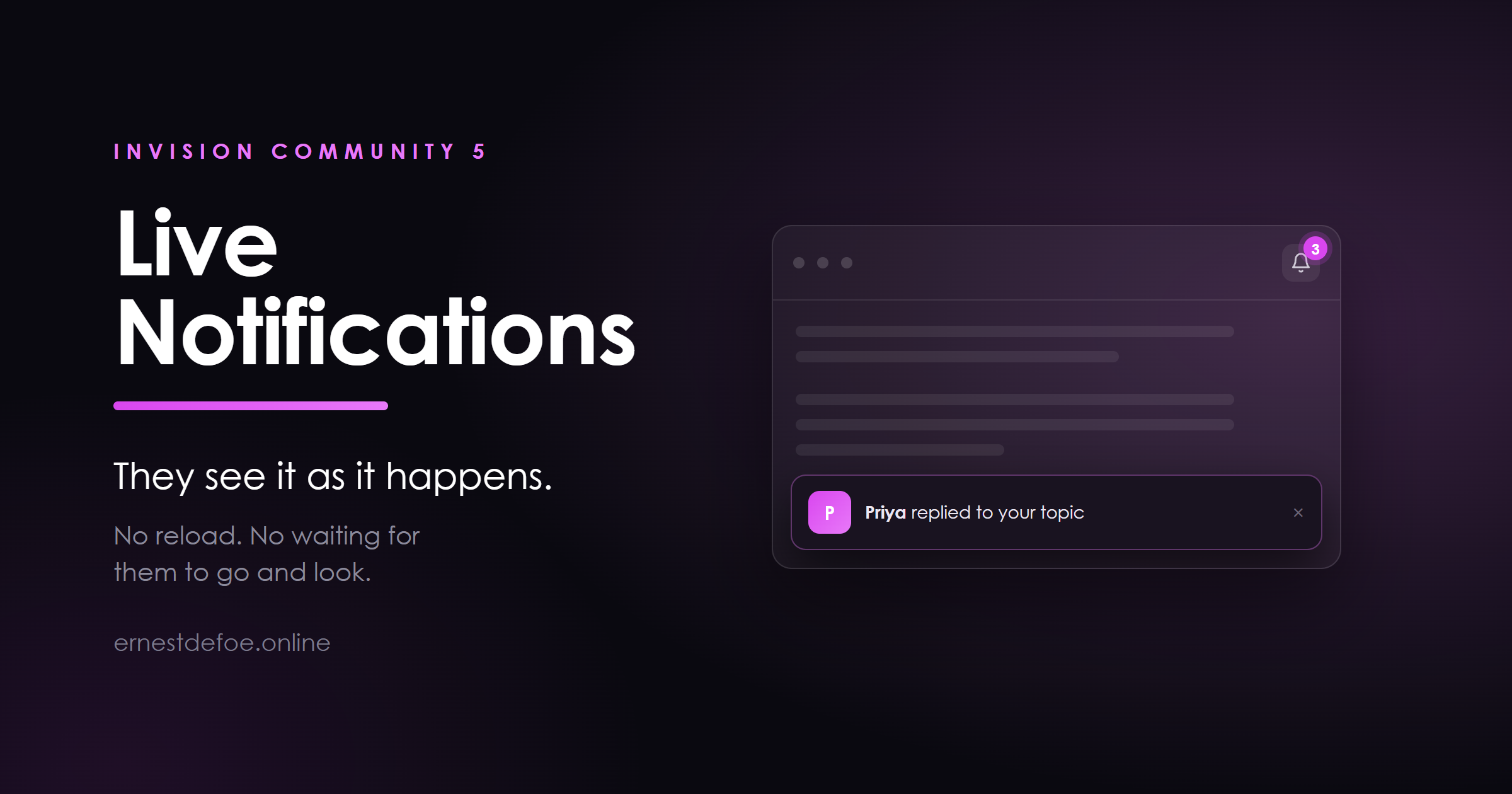
Live Notifications
Invision Community only checks for notifications when a member opens the notification menu. Anything that happens while they are reading a page — a reply to their topic, a mention, a quote — sits there unseen until they navigate or reload.
Live Notifications shows it at the time. A small toast slides in at the corner of the page, the bell count updates to match, and the member carries on reading.
What it does
Notifications appear as they happen. No reload, no navigation, no waiting for the member to go looking. The bell stays honest. The counter in the header is updated from the same figure, so the badge and the menu can never disagree. It reads like a notification, not an advert. A photo, one line of text, and a dismiss button. It fades after a few seconds, and hovering it stops the clock so nobody loses a message they were mid-way through reading. Click to go straight there. The toast is a link to whatever caused it. Optional chime. Off by default. When switched on it is a short two-note tone generated in the browser — nothing to download, and nothing to host. Instant with Realtime, still useful without it
Installed alongside Realtime, notifications arrive over the existing WebSocket the moment they are sent — typically inside a few seconds, with no polling at all.
Without Realtime the application still works. It falls back to a light periodic check on an interval you set, so members see notifications while they read rather than only when they go looking. The AdminCP tells you plainly which of the two is happening, rather than leaving you to guess.
Built to stay out of the way
Nothing is loaded for guests. A signed-out visitor gets no extra script at all. A background tab is never polled. Members with twelve tabs open do not generate twelve times the traffic. Members on a live connection are never polled at all. Reduced-motion preferences are honoured, and the toast is announced politely to screen readers rather than interrupting mid-sentence. Light and dark are both handled. Private by construction
The live message that reaches a browser contains nothing — no title, no author, no link. It says only "look again". The notification itself is then fetched through Invision's own permission-checked endpoint, so a member can never be pushed something they are not allowed to read, even if a channel were somehow joined by the wrong person.
Each member listens on their own channel, and the permission to join it is cryptographically signed by your server for that one member. There is no shared feed to eavesdrop on.
Requirements
Invision Community 5 Optional: Realtime (with its gateway deployed) for instant delivery. Without it, the fallback check is used instead.