Social Networks
-
IPS5.0.0+
ChatPro Watch Together brings synchronized video entertainment directly into your ChatPro rooms, allowing members to watch and enjoy videos together in real time while chatting.
Key Features
Synchronized Group Playback: Watch videos in perfect sync with everyone in the room—videos play, pause, and advance together automatically.
Seamless YouTube Integration: Paste and play links instantly from standard YouTube videos and YouTube Shorts.
Shared Playlist Queue: Queue up multiple videos for continuous, uninterrupted group watching.
Full Host Controls: Room managers can lock the playlist, reorder items via drag-and-drop, delete tracks, or click any video to switch playback instantly for all viewers.
Individual Volume & Mute: Viewers can freely adjust sound or mute audio for themselves without affecting other members.
Smart Mode Switching: Seamlessly toggle between Watch Together mode and standard Chat mode at any time.
Requirements
Invision Community: 5.x
Applications: ChatPro and RTHub installed & active.
-
IPS5.0.0+
Voice Rooms for ChatPro brings real-time, Clubhouse-style interactive audio spaces directly into your chat rooms. It enables members to connect, request speaker seats on a virtual stage, and engage in crystal-clear live voice discussions seamlessly.
Key Features:
Built on top of the modern LiveKit WebRTC framework, ensuring industry-grade, ultra-low latency, and high-performance audio communication.
Supports up to 8 dedicated speaker seats for active presenters, with intuitive empty seat claiming indicators.
Real-time Speaker Highlighting: Dynamic visual glow effects that highlight who is speaking for natural, fluid conversations.
Empower room owners and moderators to manage the stage by muting individuals, kicking users from seats, or toggling the stage on and off.
Perfect for hosting live podcasts, interactive Q&A sessions, community meetups, or gaming voice chats right inside your platform.
-
IPS5.0.0+
Moment is a premium social microblogging application designed to bring a fast-paced, interactive microblogging experience directly to your IPS site. With a modern, highly engaging interface, Moment empowers your members to share quick thoughts, media, and build lively discussions effortlessly.
Demo: https://demo.ipsappzone.com/moment/
Key Features
Dynamic Feed & Real-Time Updates
A clean, responsive timeline that gathers all community updates in one place.
Fully integrated with RTHub for instant real-time updates (via Pusher/Ably/Centrifugo) without page refreshes.
Infinite scroll support to smoothly load more posts as users browse down the feed.
Threaded Discussions & Reactions
Keep conversations organized with nested replies.
Sort replies by "Recent" or "Top" to easily follow the best discussions.
Full support for native IPS reactions.
Rich Content Creation
Upload photos, galleries, and videos with automatic Grid/Carousel layouts and built-in lightbox support.
Record and attach voice notes directly to posts or replies for a personal touch.
Built-in GIPHY integration to search and insert GIFs instantly.
User mentions (@mention) to tag and notify other community members.
Automatic URL parsing that instantly embeds pasted Invision Community links.
Discovery & Virality
Organize updates with topics and find content easily with built-in search.
Dedicated sidebar widget showcasing the most popular and active topics.
Repost/Share other members' updates to your own feed.
Private bookmark system allowing members to save posts to a personal folder to read, watch, or listen to later.
Privacy Options
Choose who can see your updates with Public or Private (Only Me) settings.
Advanced integration with the Friends application to support "Friends only" posts and a dedicated Friends feed.
Moderation & Group Permissions
Fully customizable member group settings: control who can post, comment, upload media, or record voice.
Includes built-in moderation tools such as post locking, reporting, and hiding content.
Why Choose Moment?
Boosts Engagement: The instant, short-form nature of the feed encourages users to post more frequently than traditional forums.
Mobile-First Design: Fully responsive and optimized for mobile screens, offering an app-like experience.
-
IPS5.0.0+
Rather than replacing Invision’s own native embed support, the app works as a controlled enhancement layer. It improves how standalone social URLs are detected, rendered, cached, and handled when an embed cannot load.
Supported handling includes YouTube, Vimeo, Facebook, SoundCloud, Spotify, TikTok, and X/Twitter, with provider-aware logic instead of a one-size-fits-all approach.
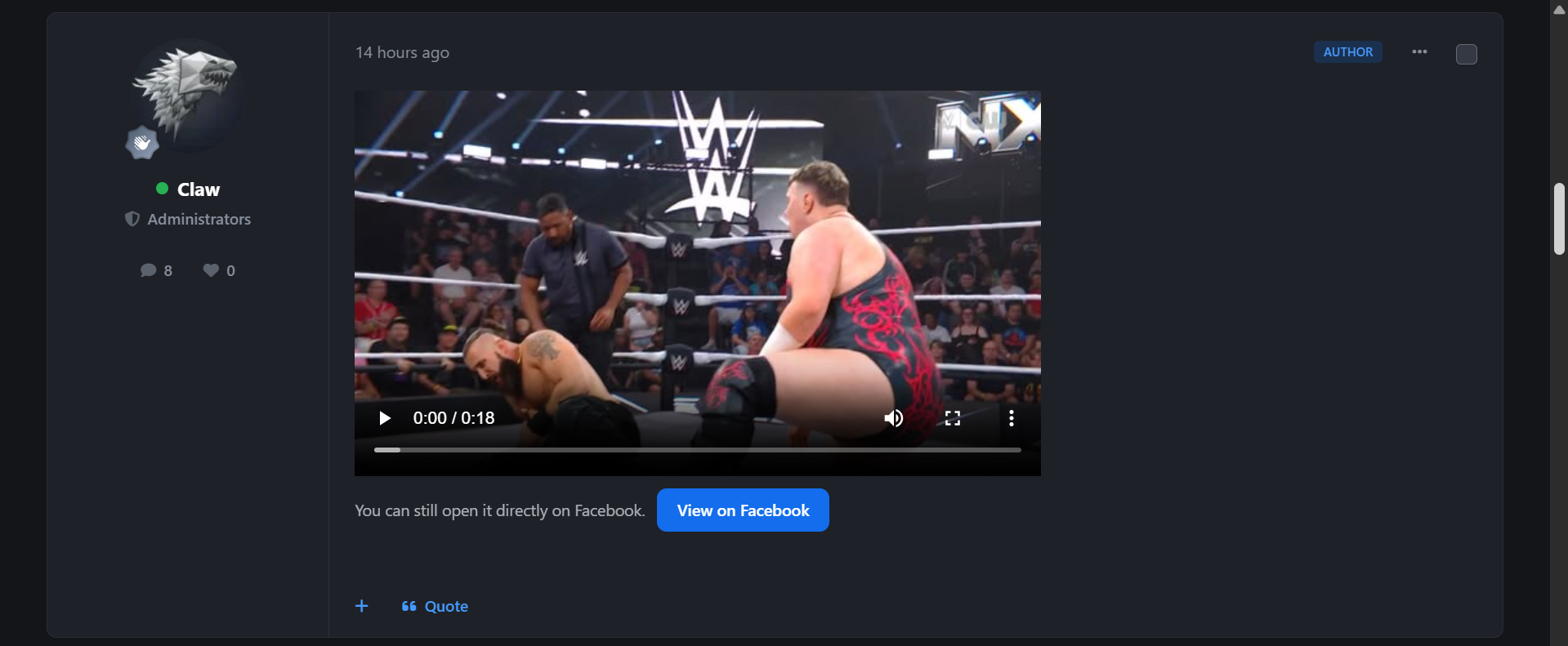
The app focuses especially on better Facebook handling, including posts, videos, reels, watch links, share links, permalink/story links, and fb.watch short links.
If content is private, restricted, removed, unsupported, or unavailable, Native Social Embeds can show a clean fallback card with the original source link, rather than leaving users with a broken or empty embed.
Core features include:
Enhanced native social embed handling
Provider-specific embed logic
Cleaner standalone URL detection
Responsive native-looking embed cards
Lazy loading support
Optional click-to-load embeds
Visible fallback cards for failed embeds
Original source-link preservation
Advanced Facebook link handling
Embed result caching for performance
Failed-embed caching to reduce repeat checks
Per-post and per-page embed limits
AdminCP provider controls
Cache and fallback settings
Diagnostics for embed status and failures
Native Social Embeds is built for communities that want social media content to feel more polished, reliable, and naturally integrated, while keeping administrators in control and avoiding broken embed experiences.
More unsupported native social embeds will be added whenever possible, without an increase in price. This resource will stay locked in at the price of $15.
I am happy to listen to feedback, suggestions and offer help via the support topic.
-
IPS5.0.0
Live Activity is a live activity feed that broadcasts events across your entire website as they happen - bringing your community to life and boosting engagement instantly.
🚀 Key Features
Flexible Event Types (fully customizable per application)
New content: posts, comments, reviews
New member registrations
New rank achievements
New club creations
New club memberships
New purchases (supports Nexus-integrated applications)
Versatile Notification Styles
Top Ticker with two modes: Marquee or Slide Down
Bottom Toast with adjustable left/right positioning
Customizable elements: show/hide avatar, username, and profile link
Connection Methods
Ajax polling every X seconds (default, works out of the box)
Optional real-time support via RTHub (Pusher/Ably/Centrifugo integration for instant updates)
Optimized for a smooth and seamless experience across both desktop and mobile devices.
live_demo_1.mp4
live_demo_2.mp4
-
IPS5.0.0x
This application allows administrators to manage shared social links centrally, control where they appear, and offer members their own profile-level social presence where enabled.
The application also adds support for eBay, Mastodon, Patreon, Reddit, Snapchat, Strava, Telegram, Threads, and WhatsApp, while allowing fully custom social networks to be created using Font Awesome, SVG, or a standard image.
Rather than relying on scattered template edits or one-off theme customisations, Social Profiles Enhancer keeps social output self-contained within the application, making it easier to manage across the front end and AdminCP.
Bonus! The sidebar widget has 5 different layouts: pill buttons, compact grid, icons row, spotlight list and metro tiles.
Core application features
Centralised shared social profile management
Manage shared social links from the AdminCP
Define common social destinations for community-wide display
Keep social output consistent across multiple front-end areas
Update shared links without manual template edits
Custom social network support
Use built-in social networks
Create custom social networks
Define custom titles, keys, and display behaviour
Support uploaded icons/images for custom networks
Maintain a cleaner, more tailored social set for your site
Front-end display integration
Optional header social links output
Optional footer social links output
Optional widget-based social links display
Optional member profile social output where enabled
Social output remains application-controlled rather than theme-fragmented
Widget preset support
Create and manage widget presets from the AdminCP
Reuse saved widget configurations more easily
Keep widget presentation more consistent across placements
Simplify repeat widget setup for different areas of the site
Display and styling features
Flexible presentation across multiple areas
Shared links can be presented in the header
Shared links can be presented in the footer
Social links can be displayed through dedicated widgets
Member-facing social areas can be presented more cleanly on profile surfaces
More polished social icon presentation
Consistent icon styling across supported outputs
Hover and focus states for interactive clarity
Cleaner idle-state presentation for header and footer icons
Better visual consistency between light and dark mode
Cleaner AdminCP presentation
Dedicated AdminCP areas for:
Shared Links and Display
Widget Presets
Social Networks
Social Profiles
Improved structure for managing settings, presets, and output locations
More deliberate page flow compared with ad-hoc template-based approaches
Member social profile support
Members can manage their own social links where permitted
Social links can be shown on profile-related areas
Profile output can be integrated into the member experience more naturally
Member-facing management is kept separate from shared admin-managed links
Profile visibility and presentation control
Control whether member social links are publicly visible
Keep shared/admin-managed links separate from member-managed links
Allow social profile presentation without cluttering the main profile layout
Configuration and management features
Admin-controlled behaviour
Configure display locations through application settings
Control the shared social profile output centrally
Manage available networks from one place
Keep application behaviour self-contained and easier to maintain
I am happy to listen to feedback, suggestions and offer help via the support topic.
-
IPS5.0.0+
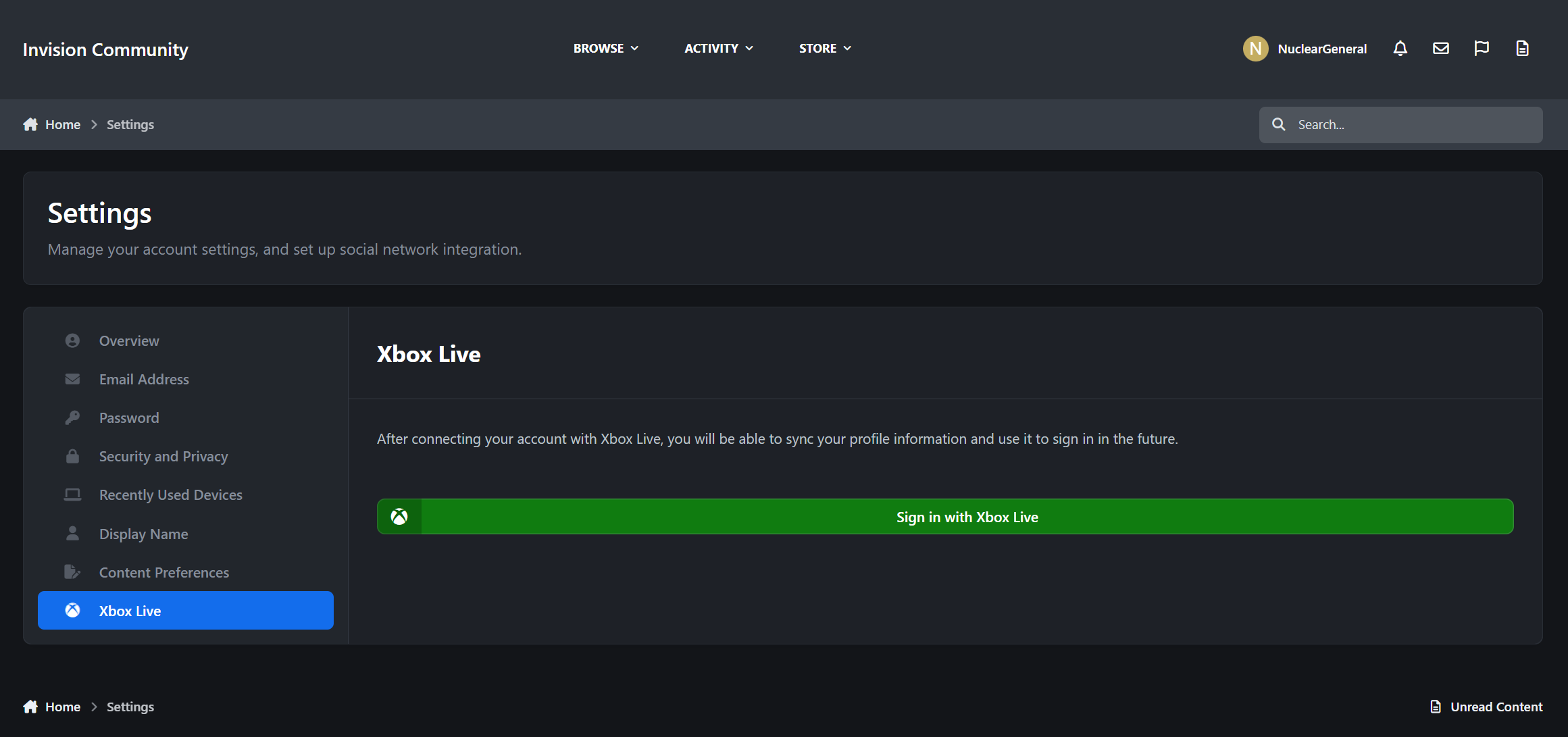
Introducing "Sign in with Xbox Live!"
Xbox Live Login brings secure Microsoft account authentication to Invision Community 5 with a clean, native login flow. Members can sign in with Xbox Live, optionally sync their display name/photo, and view a dedicated profile tab—while admins control visibility by group.
What It Does
Adds Xbox Live as a first‑class login method
Supports profile name/photo sync
Optional Xbox Live profile tab
Key Features
OAuth 2.0 login via Microsoft Entra
Clean UCP integration for account linking
Best For
Gaming communities
Xbox‑focused clans and forums
Communities wanting modern social login
Setup
Register a Microsoft Entra ID app (https://portal.azure.com/)
Select "Personal microsoft accounts only"
Add Client ID/Secret in Login Methods
More Features Coming Soon!
-
IPS5.0.0+
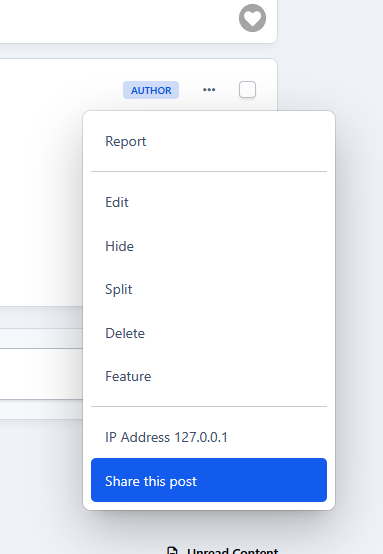
This application adds a Share This Post link to posts that are not visible to guests, to easily and quickly copy the post URL. Because IPS does not provide this option, users must manually copy the post URL from the post date, meaning registered users lose the ability to easily share posts when guest access is restricted.
-
IPS5.0.0+
ChatPRO Doodle is an add-on for Chatbox PRO that lets users draw simple doodles directly inside conversations. It makes chatting more expressive and fun by allowing quick hand-drawn sketches with basic colors. Because sometimes a doodle says more than a thousand words. ✏️😊
Demo: https://demo.ipsappzone.com/chatpro/
(Click the Trial account button in the top-right corner to create a trial account and test the demo application)
-
IPS5.0.0+
ChatPro is the next generation of our chat solutions, built completely from scratch.
It preserves what worked best in previous products while introducing modern features designed for today's communication needs with a strong focus on simplicity, usability, and intuitive management.
⚡ Connectivity
AJAX Short Polling: Stable and reliable across all hosting environments
AJAX Long Polling: Faster message delivery, near real-time experience
RTHub Integration: High-performance real-time chat with reduced server load and improved responsiveness
Please note that AJAX connections do not work on IPS Cloud
💬 Chat & Interaction
Public Chat Rooms: Admin-managed rooms with rules, scheduling, and group-based permissions
Private Chat (1–1): Direct messaging between members
Group Chat: Create private group conversations with ease
Club Chat: Dedicated chat rooms for clubs and communities
Message Replies: Reply directly to specific messages
Reactions: React to messages with emojis to boost engagement
Typing Indicators: See when other users are typing
Pin Messages: Highlight important messages by pinning them to the top of the chat
Notification Controls: Enable or disable chat notifications per user
Self-Destruct Messages: Allows messages to be automatically deleted after a specified period of time.
Legacy Plugin Support: Compatible with existing plugins from Chatbox Free and Chatbox Plus
📎 Message Content & Moderation
A lightweight editor with just the right features:
Automatically renders emojis, images, videos, audio, and rich media instantly when you paste a link
Supports essential Markdown formatting such as Ctrl + B, Ctrl + I, and Ctrl + Shift + X
File & Media Uploads: Upload and share images, videos, audio files, and attachments
Message Search: Quickly find past conversations
Auto-Delete Messages: Automatically remove messages after a defined period
Message Reporting: Report inappropriate or abusive content
Ignore Users: Hide messages from unwanted users
Flood Control: Prevent spam by limiting message frequency
🎛️ Interface & Integration
Global Chat Window: Floating chat accessible from all pages
Embeddable Chat Widget: Easily integrate chat into any page or layout
Modern Responsive UI: Clean, mobile-friendly interface optimized for all devices
🚀 Discover ChatPro add-ons!
Download high-quality addons to extend features, boost performance, and customize your ChatPro experience.
https://ipsappzone.com/tags/chatpro-addons/
👀 DEMO
https://demo.ipsappzone.com/chatpro/
(Click the Trial account button in the top-right corner to create a trial account and test the demo application)
-
IPS5.0.0+
This application will get topics from selected forums or clubs, and display as a feed with essential enhancements:
Quick reply.
Reactions.
Ajax Paginations.
Ajax for edit/delete/hide/unhide/lock/unlock options
Option to set widget's title.
Option to set how topics should be loaded per page.
Option to truncate lines.
Option to enable/disable rich text.
Option to show/hide the topic's title.
Automated title. User will no need to enter the title when posting a new topic.
Creating multiple feeds and easy to manage them in different groups.
Each feed has a unique page with friendly URL.
Ability to use a Widget to display a feed.
Supports Clubs.
(Required Forums app)
-
IPS5.0.0+
About This Application
This LennyFace application is designed to seamlessly integrate with IPS Editor, Chatbox+, and Chatbox Free, allowing users to quickly access and insert LennyFace emoticons into their conversations. Whether you're replying to a post, chatting, or customizing messages, this tool makes it effortless to add personality to your text.
Key Features & Benefits
✅ Easy Access – Quickly insert LennyFace.
✅ Group Organization – LennyFaces are categorized for better navigation.
✅ Recently Used – The app remembers your most used emoticons for quick reuse.
✅ IPS Editor Integration – Works smoothly within the IPS text editor.
✅ Chatbox+ & Chatbox Free Support – Enhance your chat experience with expressive ASCII art.
✅ Easy Management – Add, edit, and organize LennyFace emoticons with ease.
✅ Export & Import – Save and share your collection by exporting LennyFaces to XML. Easily restore or import whenever needed.
Start using it now and make your conversations more fun and engaging! 🎭✨
🐼 Demo Chatbox+: https://demo.ipsappzone.com/chatbox/room/1-public/
🐼 Demo Chatbox Free: https://demo.ipsappzone.com/bimchatbox/
After purchasing, go to Docs tab to download and import a LennyFaces pack with nearly 300 icons ᕙ(▀̿ĺ̯▀̿ ̿)ᕗ
-
IPS5.0.0+
This application allows you to showcase testimonials on your site.
Demo: http://demo.ipsappzone.com/testimonials/
Main Features:
Engaging Testimonial Sliders in widget: Choose from 3 sleek slider styles to display testimonials beautifully.
Flexible Sorting: by newest, oldest, or randomize.
Responsive Design: Looks great on desktops, tablets, and mobile devices for a seamless experience.
Category Support: Organize testimonials into relevant categories to help users find what they need.
Permission Control: Set permissions for viewing, submitting, and managing testimonials.
Approval Options: Enable moderation so testimonials can be approved by moderators.
Customizable Fields: Toggle titles, ratings, and additional info like company, job, and website.
Complete Management: Easily edit, show/hide, or delete testimonials as needed.
RSS Feeds: Provide up-to-date testimonials via RSS.
-
IPS5.0.0+
Community Prompts — Better Conversations, Every Day
Keeping a community active isn’t always about big features.
Sometimes it’s just about giving people something easy to respond to.
Introducing: Community Prompts
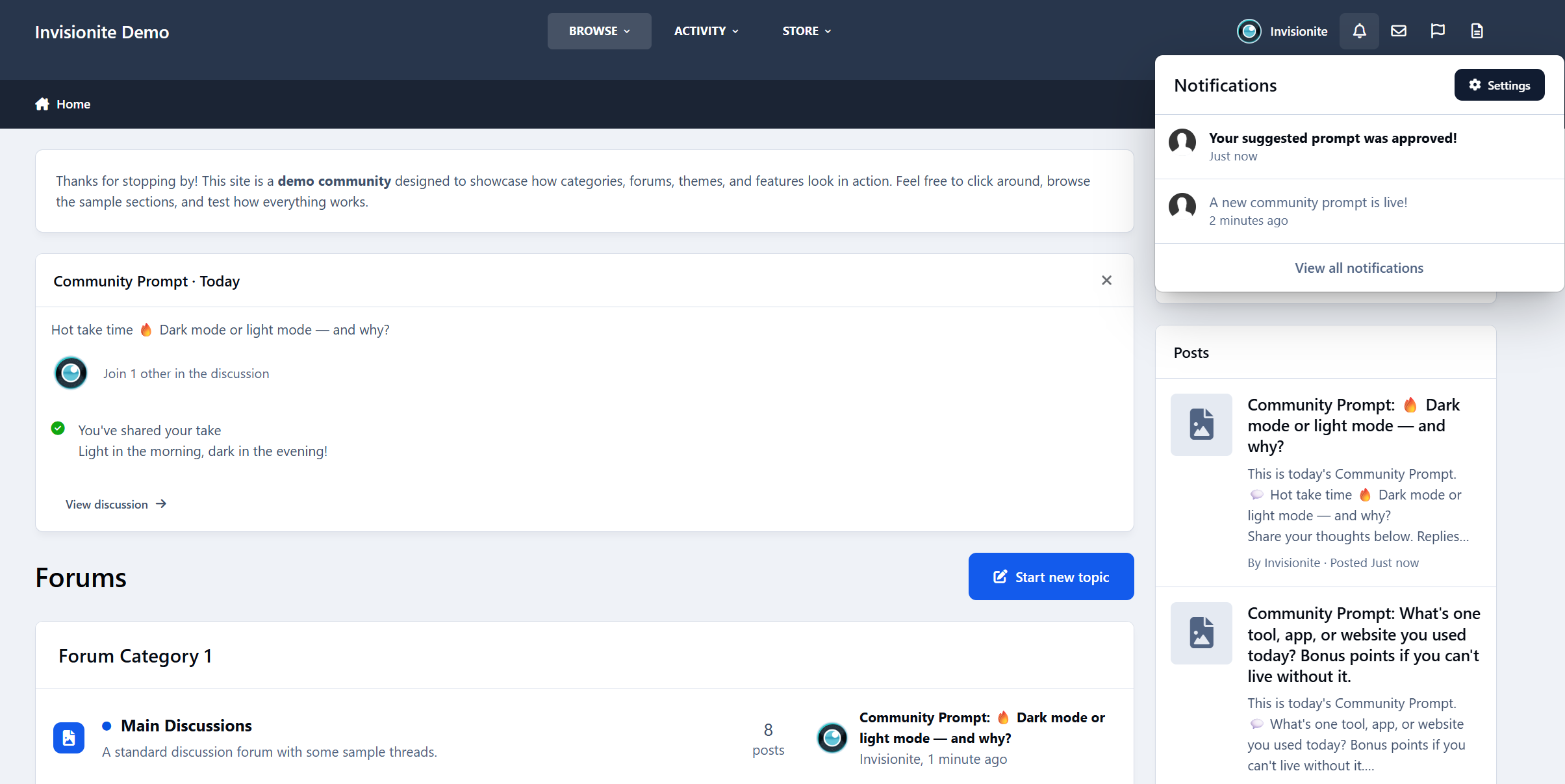
Community Prompts lets you post short, low-effort questions to your community - daily, weekly, or whenever you choose - and gives members an easy way to jump in without overthinking it.
No pressure. No long posts required. Just a simple prompt and a conversation that grows naturally.
Features:
Daily/Weekly rotating community prompts to engage members
Optional automatic topic creation.
10 premade prompts to get started
Prompt approval queue for administrators
Notification system:
Notifies members when a new community prompt is live
Notifies members when their suggested prompt is approved/denied
ACP setting to enable/disable new prompt notifications
Batch notification delivery for performance (with notification count updates)
ACP management:
Add, edit, delete, and activate prompts
View and manage prompt responses
Settings section for notification preferences
Widget for displaying today’s prompt and recent responses
Current prompt page
Responses page
History page
Clean integration with IPS navigation
So… what can you actually use it for?
A lot, as it turns out. It's exceptionally powerful.
Here are some of the most common (and effective) ways your community could use it for.
Community Icebreakers
For new or quiet communities, starting a conversation can feel awkward.
Prompts work as soft icebreakers:
“How did you find this community?”
“Where are you posting from today?”
“What’s one thing you’re hoping to learn here?”
New members don’t have to create a full thread or introduction.
They just reply - and suddenly they’re part of the conversation.
Micro-Surveys (Without Survey Fatigue)
Instead of formal polls or surveys, prompts let you ask questions casually.
Examples:
“Do you prefer shorter or longer tutorials?”
“What feature should we improve next?”
“Dark mode or light mode?”
You get real feedback, but it feels like a conversation - not a questionnaire.
When auto-topics are enabled, replies are automatically collected into a discussion thread you can review later.
Content Seeding Tool
Every community has days where things feel… quiet.
Community Prompts helps you seed discussion without forcing it:
“What’s one challenge you’re facing right now?”
“Share one tip you wish you knew earlier.”
“What are you working on this week?”
Members don’t have to think of something to post — the prompt does the work for them.
Culture Steering (Without Rules or Lectures)
You can subtly shape the tone of your community just by asking the right questions.
For example:
“Help someone today with advice you wish you had.”
“What’s one positive thing you’ve seen in the community recently?”
“What’s a beginner mistake we can help people avoid?”
No enforcement. No announcements.
Just gentle direction that encourages the kind of replies you want to see more of.
Events & Announcements Companion
Prompts work beautifully alongside announcements and launches.
Instead of one-way posts:
“We just launched a new feature - what do you think so far?”
“How are you using the update?”
“What should we focus on next?”
The announcement goes out as usual, and the prompt gives people a place to respond naturally.
Education & Learning Reinforcement
For learning communities, prompts act as lightweight reflection tools:
“What’s one thing you learned today?”
“Which part of the lesson was confusing?”
“What would you explain differently to a beginner?”
This encourages active thinking and peer-to-peer help - without turning learning into homework.
Creator & Expert Visibility
Prompts are a great way to surface experienced members without putting them on the spot.
Examples:
“What’s one mistake beginners should avoid?”
“What would you do differently if you started today?”
Experts reply naturally, newer members learn, and knowledge gets shared without formal roles or titles.
A Lightweight Social Feed (Forum-Friendly)
Some communities want short-form interaction without turning into a chat app.
Community Prompts creates a controlled, low-noise feed:
One prompt at a time
Focused discussion
No endless scrolling
It feels modern, but still fits naturally into a forum environment.
A Living Community Archive
Over time, prompts become a snapshot of your community:
Opinions changing
Tools evolving
Trends appearing
Ask the same prompt once a year and you’ll literally see growth and change - all stored neatly in auto-created discussion topics.
How It Works (At a Glance)
Prompts appear via widgets on the forum index
Members reply directly from the prompt
Optional automatic discussion topics collect replies
Admins can manually or let the time automatically rotate prompts
Members can suggest and vote on future prompts
Everything stays lightweight and easy to manage.
Smart Topic Creation
Community Prompts handles discussion topics intelligently to avoid clutter and keep conversations relevant:
If a discussion topic already exists for a prompt and is still recent, it will be reused, with a short notice added to let members know the prompt is live again.
If a topic exists but hasn’t been active for over six months, a new discussion topic will be created.
If no topic exists for the prompt, a new topic will be created automatically.
This keeps your forums tidy, avoids duplicate threads, and ensures recurring prompts always feel fresh and relevant.
Final Thought
Community Prompts isn’t about forcing activity.
It’s about lowering the barrier so conversations happen naturally.
A simple question.
A few replies.
A community that feels alive again.
If you’ve ever thought “people just need a reason to post” - this is that reason.
-
IPS5.0.0+
Bring your chats to life with voice! This app enables users to effortlessly record and send voice messages in Chatbox or Chatbox Free.
Features:
Voice messages are saved as MP3 files for convenience and compatibility.
Flexible permissions: Control who can use the feature.
Customizable options to enable voice messaging in specific rooms, conversations, or clubs.
Set a maximum recording time to suit your needs.