Jump to content
View in the app

A better way to browse. Learn more.

Invision Marketplace

A full-screen app on your home screen with push notifications, badges and more.

To install this app on iOS and iPadOS
  1. Tap the Share icon in Safari
  2. Scroll the menu and tap Add to Home Screen.
  3. Tap Add in the top-right corner.
To install this app on Android
  1. Tap the 3-dot menu (⋮) in the top-right corner of the browser.
  2. Tap Add to Home screen or Install app.
  3. Confirm by tapping Install.

Everything you need for your community

We will be moving to a new server soon, some downtime is expected.

Everything you need for your community

 Loading...
 Loading...
 Loading...
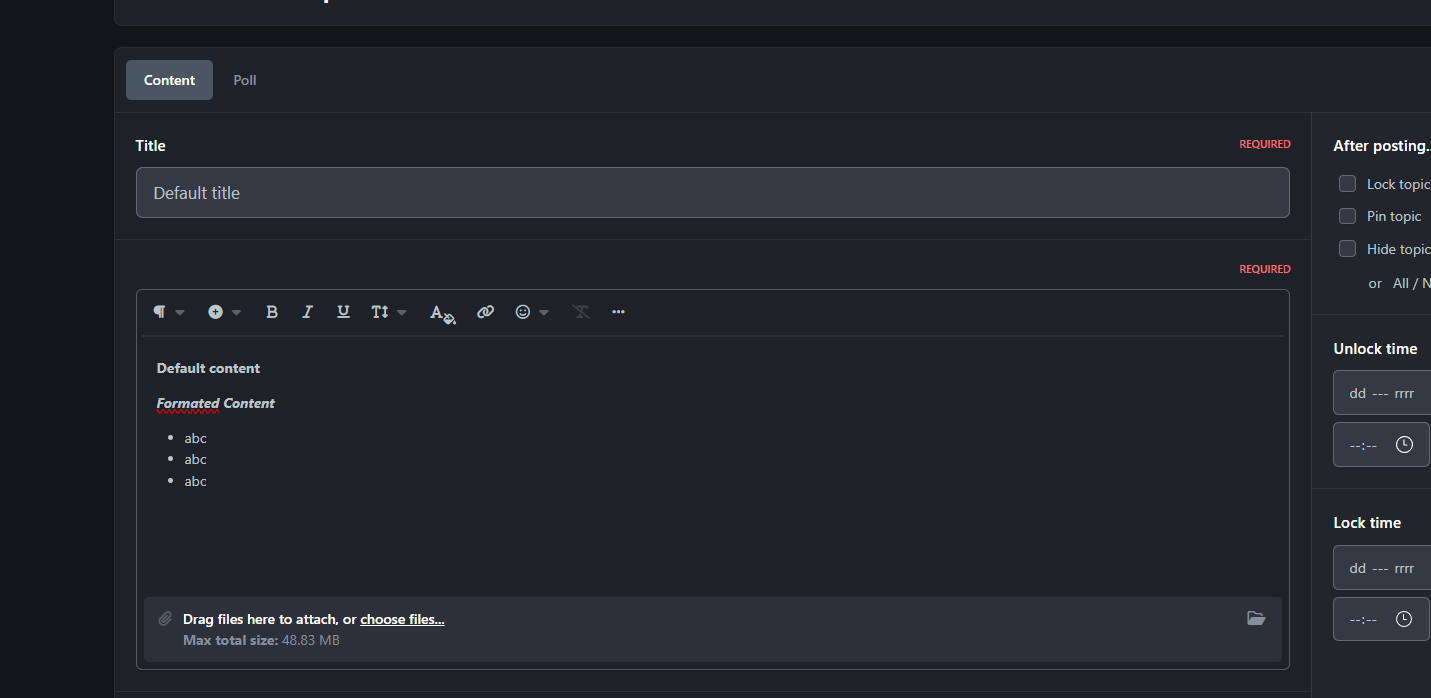
🔹 Topic Presets is a smart autofill tool designed for forums that require structured topic formats. It allows administrators to define preset templates for topic creation, ensuring consistency and clarity across user submissions.
🧩 Whether it's support requests, recruitment threads, or bug reports - users simply select a preset, and the topic fields are automatically populated with the required format. No more confusion, no more formatting errors.
✨ Key Features:
Admin-defined topic templates
One-click autofill for users
Ideal for forums with strict posting guidelines
Reduces moderation workload and improves user experience
IPS5.0.x
🔹 Topic Presets is a smart autofill tool designed for forums that require structured topic formats. It allows administrators to define preset templates for topic creation, ensuring consistency and clarity across user submissions.
🧩 Whether it's support requests, recruitment threads, or bug reports - users simply select a preset, and the topic fields are automatically populated with the required format. No more confusion, no more formatting errors.
✨ Key Features:
Admin-defined topic templates
One-click autofill for users
Ideal for forums with strict posting guidelines
Reduces moderation workload and improves user experience
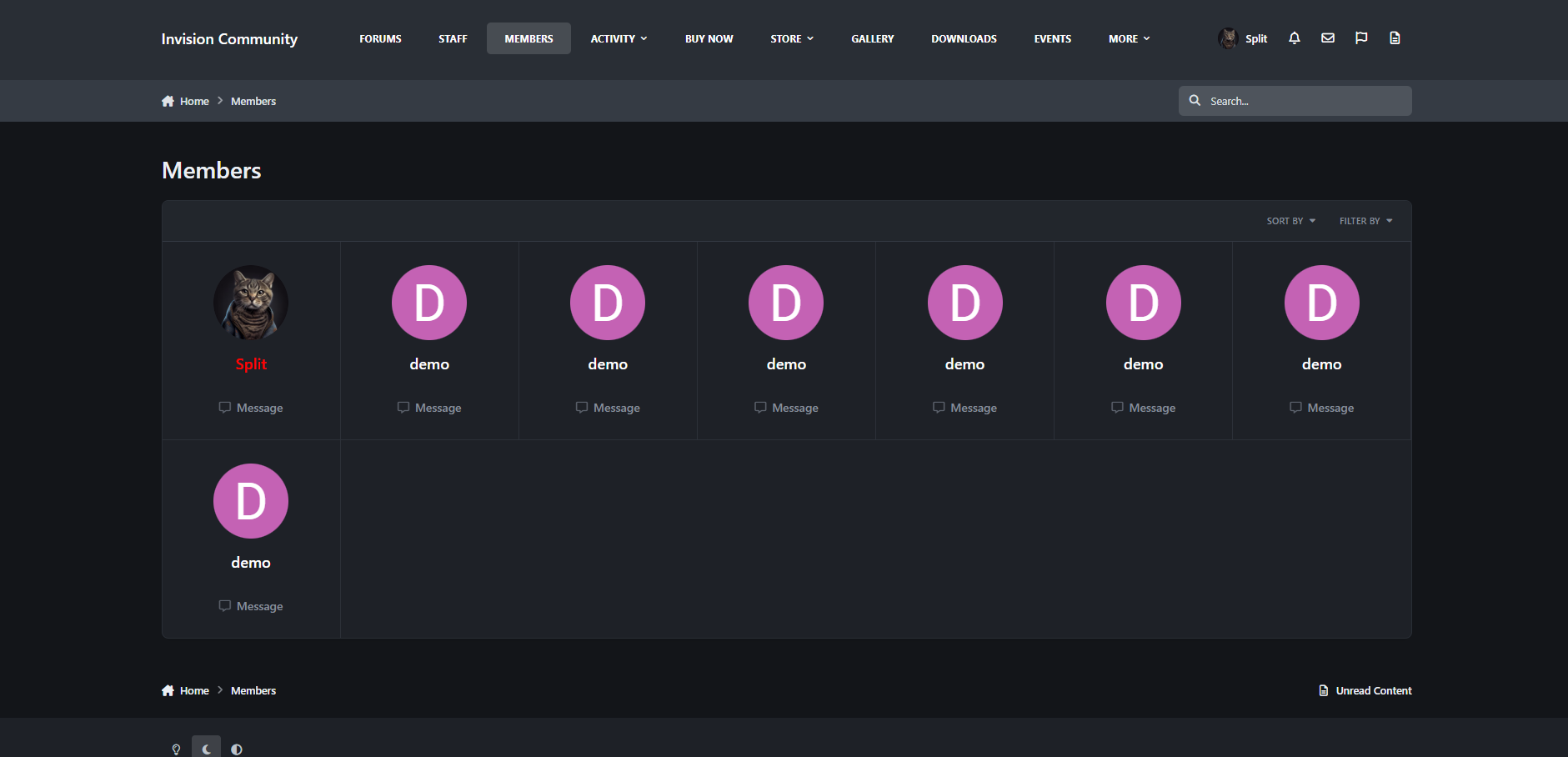
The Members Page is a lightweight and functional app for Invision Community 5 that restores the tab that displays a list of all users, missing in IPS5. Since ICS5 no longer has a "Members" page by default, this app re-introduces it in a modern, streamlined format.
This gives your community a clear, easily accessible member list that allows users to find each other faster, browse profiles, and build greater engagement with the service.
IPS5.0.x
The Members Page is a lightweight and functional app for Invision Community 5 that restores the tab that displays a list of all users, missing in IPS5. Since ICS5 no longer has a "Members" page by default, this app re-introduces it in a modern, streamlined format.
This gives your community a clear, easily accessible member list that allows users to find each other faster, browse profiles, and build greater engagement with the service.
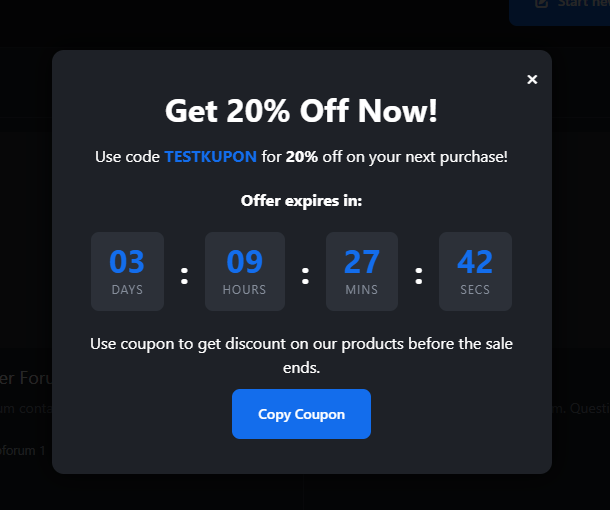
Coupon Popup with Countdown is a lightweight yet powerful marketing tool designed for Invision Community 5. It allows you to display an eye‑catching, fully customizable popup that promotes a coupon code along with a live countdown timer. Perfect for flash sales, limited‑time offers, seasonal promotions, or any event where urgency drives conversions.
Key Features
Customizable Coupon Code Set any coupon text you want to promote. The popup includes a built‑in “Copy” button, making it effortless for users to grab the code.
Live Countdown Timer Create urgency with a real‑time countdown showing days, hours, minutes, and seconds. Ideal for time‑limited promotions.
Flexible Styling Options Customize the popup’s title, description, button text, and colors to match your theme or branding.
Mobile‑Friendly Design The popup is fully responsive and works seamlessly across all devices.
Lightweight & Optimized Minimal performance impact, clean JavaScript, and isolated logic to avoid conflicts with other scripts.
Use Cases
Flash sales
Holiday promotions
Limited‑time discounts
New product launches
Community events or milestones
Why This App?
This application helps you boost engagement and conversions by combining a visually appealing popup with the psychological power of countdown urgency. It’s simple to configure, easy to manage, and integrates smoothly with IPS5.
IPS5.0.x
Coupon Popup with Countdown is a lightweight yet powerful marketing tool designed for Invision Community 5. It allows you to display an eye‑catching, fully customizable popup that promotes a coupon code along with a live countdown timer. Perfect for flash sales, limited‑time offers, seasonal promotions, or any event where urgency drives conversions.
Key Features
Customizable Coupon Code Set any coupon text you want to promote. The popup includes a built‑in “Copy” button, making it effortless for users to grab the code.
Live Countdown Timer Create urgency with a real‑time countdown showing days, hours, minutes, and seconds. Ideal for time‑limited promotions.
Flexible Styling Options Customize the popup’s title, description, button text, and colors to match your theme or branding.
Mobile‑Friendly Design The popup is fully responsive and works seamlessly across all devices.
Lightweight & Optimized Minimal performance impact, clean JavaScript, and isolated logic to avoid conflicts with other scripts.
Use Cases
Flash sales
Holiday promotions
Limited‑time discounts
New product launches
Community events or milestones
Why This App?
This application helps you boost engagement and conversions by combining a visually appealing popup with the psychological power of countdown urgency. It’s simple to configure, easy to manage, and integrates smoothly with IPS5.
This plugin adds a customizable snow effect to your website, bringing a festive and wintery atmosphere.
Key features:
Attach snow to specific elements – choose from a list of available page elements and have the snow appear only on them.
Lightweight and easy to use – adds visual flair without slowing down your site.
Perfect for adding a seasonal touch or holiday spirit to your website with precise control over where the effect appears.
IPS5.0.x
This plugin adds a customizable snow effect to your website, bringing a festive and wintery atmosphere.
Key features:
Attach snow to specific elements – choose from a list of available page elements and have the snow appear only on them.
Lightweight and easy to use – adds visual flair without slowing down your site.
Perfect for adding a seasonal touch or holiday spirit to your website with precise control over where the effect appears.
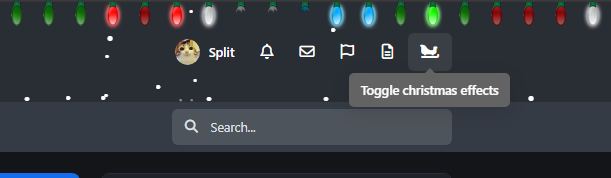
Holiday Addons is a lightweight and easy-to-use application that adds festive, seasonal visual effects to your website. With just a few clicks, you can bring a warm and wintery atmosphere to your community.
Current features include:
Falling Snow Effect – fully customizable (amount, speed, direction, flake style)
Classic Holiday Lights – animated decorative lights that gently blink to create a cozy holiday ambiance
Smashable Lights – interactive lights that break when hovered over, providing a playful effect
Widgets Decoration – extra decorations and visual options for widgets
Main Widgets and Sidebar Widgets Decorations – decorate both main widgets and sidebar elements for a complete festive look
Easter Eggs – hidden surprises and interactive elements for users to discover
Personalizable Switcher – a flexible toggle that lets users enable or disable specific effects according to their preferences
More decorations and visual options are coming soon to give you even greater flexibility in styling your site for the holiday season.
A perfect solution if you want to quickly and beautifully decorate your forum or website — without complexity or hassle.
IPS5.0.x
Holiday Addons is a lightweight and easy-to-use application that adds festive, seasonal visual effects to your website. With just a few clicks, you can bring a warm and wintery atmosphere to your community.
Current features include:
Falling Snow Effect – fully customizable (amount, speed, direction, flake style)
Classic Holiday Lights – animated decorative lights that gently blink to create a cozy holiday ambiance
Smashable Lights – interactive lights that break when hovered over, providing a playful effect
Widgets Decoration – extra decorations and visual options for widgets
Main Widgets and Sidebar Widgets Decorations – decorate both main widgets and sidebar elements for a complete festive look
Easter Eggs – hidden surprises and interactive elements for users to discover
Personalizable Switcher – a flexible toggle that lets users enable or disable specific effects according to their preferences
More decorations and visual options are coming soon to give you even greater flexibility in styling your site for the holiday season.
A perfect solution if you want to quickly and beautifully decorate your forum or website — without complexity or hassle.
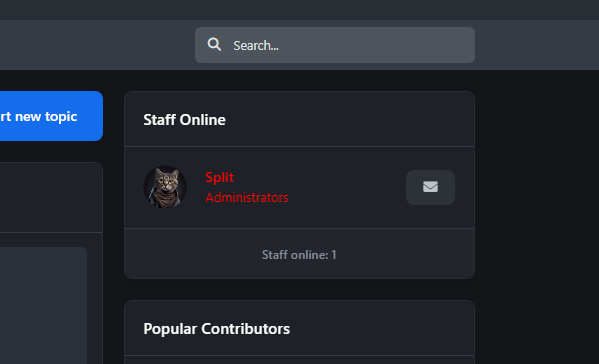
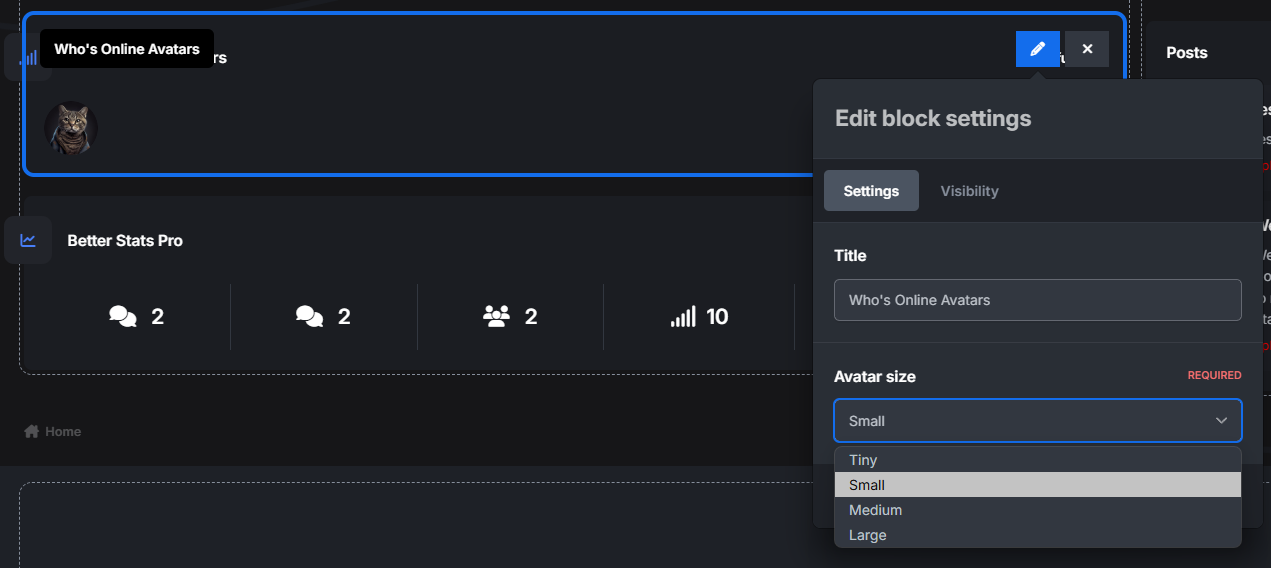
The app adds a widget with the ability to set groups from which to retrieve active users. More updates coming soon.
IPS5.0.x
The app adds a widget with the ability to set groups from which to retrieve active users. More updates coming soon.
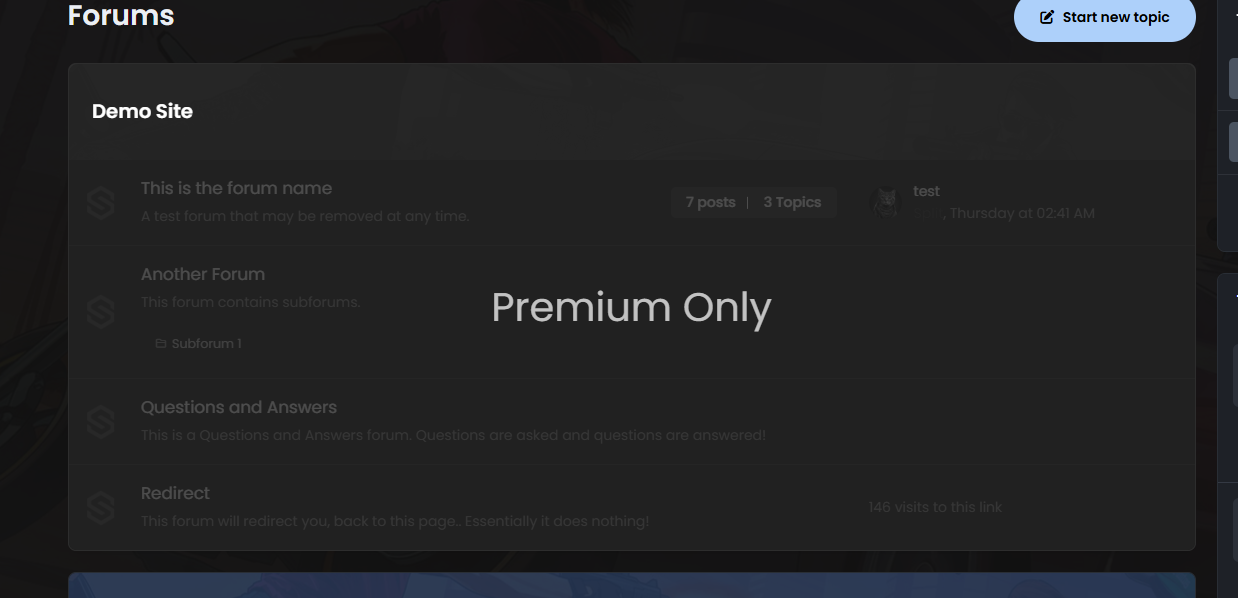
Forum Category Overlay adds a customizable visual lock to restricted categories. Users without permission will see dimmed categories with a message such as Customers Only, while still being unable to access them.
IPS5.0.x
Forum Category Overlay adds a customizable visual lock to restricted categories. Users without permission will see dimmed categories with a message such as Customers Only, while still being unable to access them.
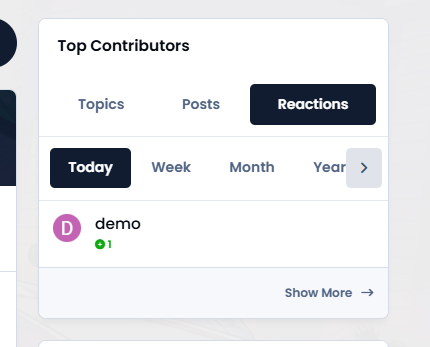
The app adds a new widget that works similarly to Top Contributors, but also displays topics and posts with sorting options.
IPS5.0.x
The app adds a new widget that works similarly to Top Contributors, but also displays topics and posts with sorting options.
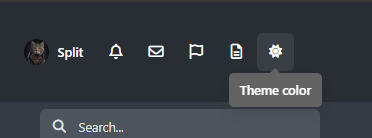
The app adds a theme selector to the top panel, giving users a quick and convenient way to switch between themes. It uses the original theme changer code and bypasses the “system” appearance option in the footer.
Advantages:
Bypasses footer theme changes – avoids conflicts with the default footer theme selector.
One-click theme switching – no dropdown menus; the theme changes instantly with a single click.
Settings are remembered – user preferences are saved for future visits.
Uses original IC5 JavaScript code – fully compatible with Invision Community 5, ensuring stability and reliability.
This makes theme switching faster, cleaner, and more user-friendly for your community.
IPS5.0.x
The app adds a theme selector to the top panel, giving users a quick and convenient way to switch between themes. It uses the original theme changer code and bypasses the “system” appearance option in the footer.
Advantages:
Bypasses footer theme changes – avoids conflicts with the default footer theme selector.
One-click theme switching – no dropdown menus; the theme changes instantly with a single click.
Settings are remembered – user preferences are saved for future visits.
Uses original IC5 JavaScript code – fully compatible with Invision Community 5, ensuring stability and reliability.
This makes theme switching faster, cleaner, and more user-friendly for your community.
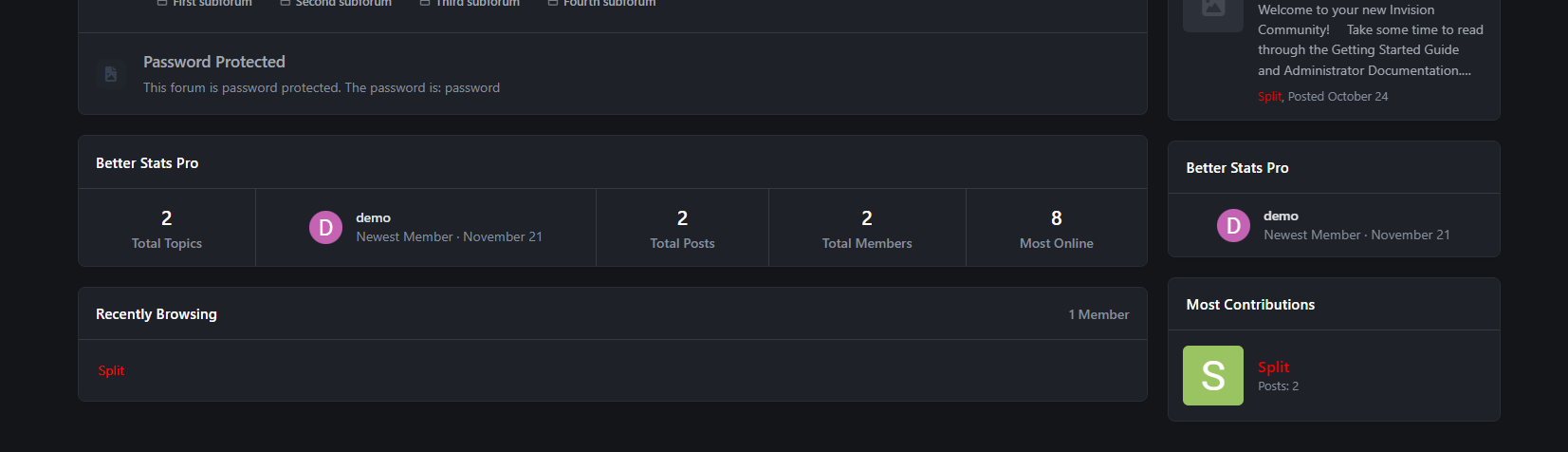
Better Stats Pro is an advanced application that integrates the functionality of two built-in widgets: "Member Statistics" and "Forum Statistics", creating one comprehensive widget. It is an extended version of my free plugin "Better Statistics".
In this version, users can sort/add/remove tiles according to their preferences.
Tiles list:
Total posts [Forums app required]
Total topics [Forums app required]
Total members
Most online
Newest member
Total reactions
Total bans
Space
Total files [Downloads app required]
Total downloads files [Downloads app required]
Total views files [Downloads app required]
Total images [Gallery app required]
Total images comments [Gallery app required]
Total albums [Gallery app required]
Total blogs [Blog app required]
Total blog entries [Blog app required]
Total pages comments [Pages app required]
Total pages views [Pages app required]
IPS5.0.x
Better Stats Pro is an advanced application that integrates the functionality of two built-in widgets: "Member Statistics" and "Forum Statistics", creating one comprehensive widget. It is an extended version of my free plugin "Better Statistics".
In this version, users can sort/add/remove tiles according to their preferences.
Tiles list:
Total posts [Forums app required]
Total topics [Forums app required]
Total members
Most online
Newest member
Total reactions
Total bans
Space
Total files [Downloads app required]
Total downloads files [Downloads app required]
Total views files [Downloads app required]
Total images [Gallery app required]
Total images comments [Gallery app required]
Total albums [Gallery app required]
Total blogs [Blog app required]
Total blog entries [Blog app required]
Total pages comments [Pages app required]
Total pages views [Pages app required]
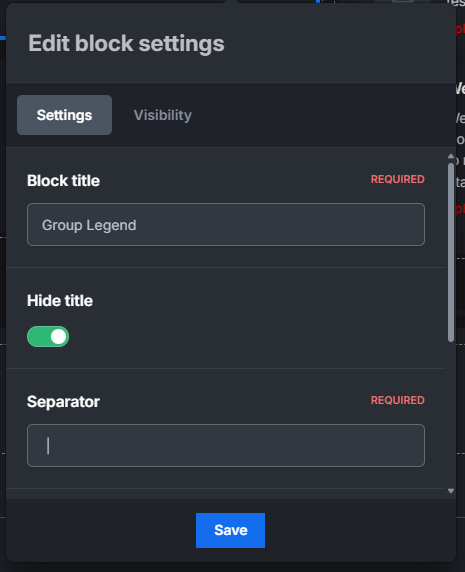
This modification adds a legend to groups set by the site owner.
IPS5.0.x
This modification adds a legend to groups set by the site owner.
The Toggle Sidebar Widgets plugin for IPS5 allows users to collapse and expand sidebar panels with a smooth animation effect. This feature enhances user experience by providing a cleaner and more organized interface, reducing clutter when panels are not needed. Users can toggle individual widgets using a dedicated button, ensuring efficient space utilization while maintaining accessibility to content. The plugin remembers user preferences, so hidden widgets remain collapsed upon revisiting the page.
IPS5.0.x
The Toggle Sidebar Widgets plugin for IPS5 allows users to collapse and expand sidebar panels with a smooth animation effect. This feature enhances user experience by providing a cleaner and more organized interface, reducing clutter when panels are not needed. Users can toggle individual widgets using a dedicated button, ensuring efficient space utilization while maintaining accessibility to content. The plugin remembers user preferences, so hidden widgets remain collapsed upon revisiting the page.

Top Developers

Last reviews

Applications Directory

A complete and convenient directory of applications for Invision Community, with categorization and sorting options.

Ratings and feedback

Only verified and trusted reviews!

Add new Application

Any developer can add their application to this directory.

You need to create account

Configure browser push notifications

Chrome (Android)
  1. Tap the lock icon next to the address bar.
  2. Tap Permissions → Notifications.
  3. Adjust your preference.
Chrome (Desktop)
  1. Click the padlock icon in the address bar.
  2. Select Site settings.
  3. Find Notifications and adjust your preference.