Jump to content
View in the app

A better way to browse. Learn more.

Invision Marketplace

A full-screen app on your home screen with push notifications, badges and more.

To install this app on iOS and iPadOS
  1. Tap the Share icon in Safari
  2. Scroll the menu and tap Add to Home Screen.
  3. Tap Add in the top-right corner.
To install this app on Android
  1. Tap the 3-dot menu (⋮) in the top-right corner of the browser.
  2. Tap Add to Home screen or Install app.
  3. Confirm by tapping Install.

Everything you need for your community

We will be moving to a new server soon, some downtime is expected.

Everything you need for your community

 Loading...
 Loading...
 Loading...
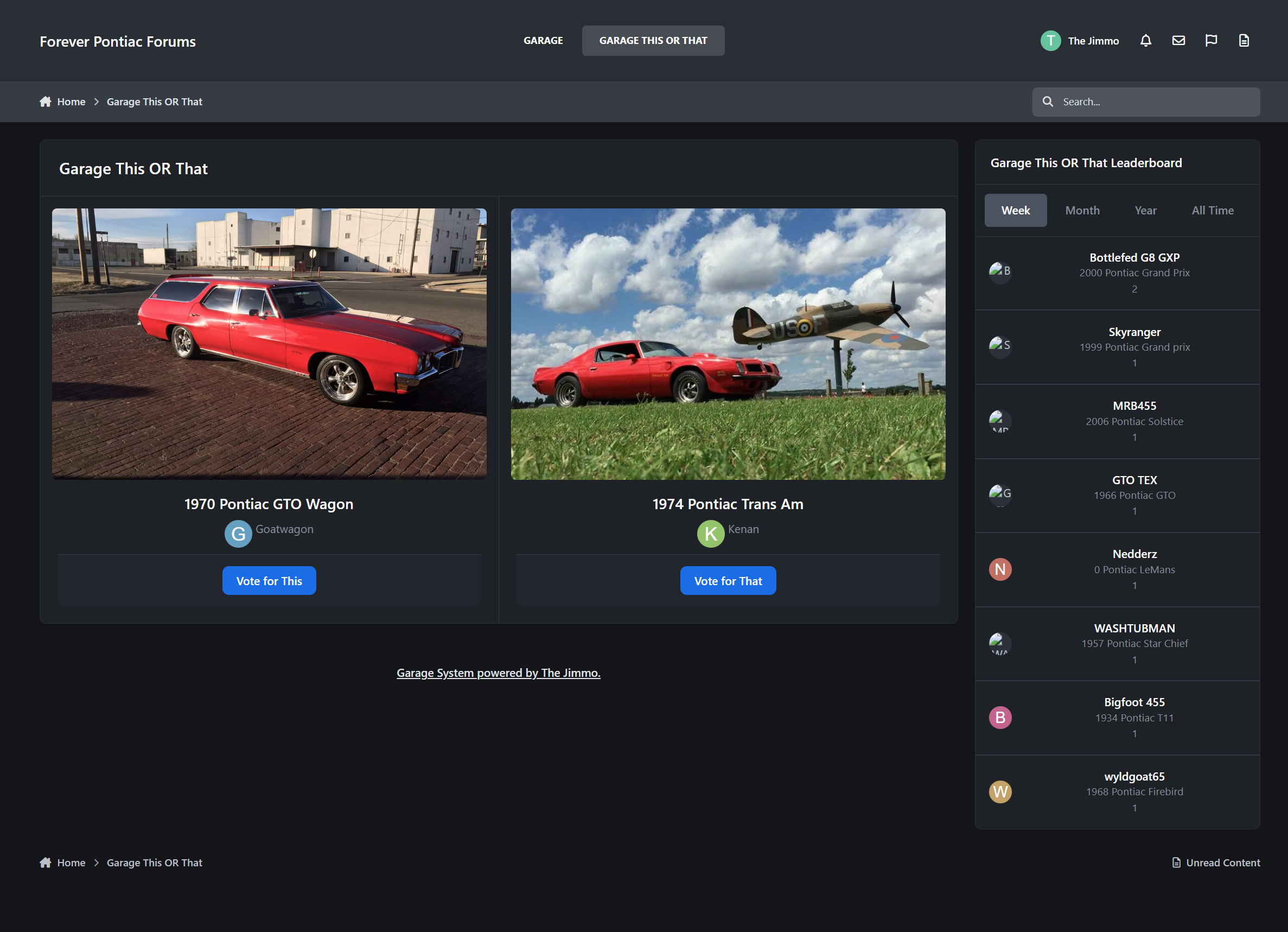
Garage This OR That is a fun game based upon the Garage application. Its will randomly select vehicles from the garage and put them up against each other for users to go and vote on which one they like better.
Features:
Keep track of wins and losses.
Widget to show a leaderboard of top vehicles.
Show in vehicle's garage listing their score, losses, and loss ratio.
Algorithm attempts to prioritize those with lower scores to keep vehicles showing fresh.
Coming Soon:
See what top makes/models are in your garage.
Detailed user breakdown of what makes/models they beat most and lose to most.
IPS5.0.0+
Garage This OR That is a fun game based upon the Garage application. Its will randomly select vehicles from the garage and put them up against each other for users to go and vote on which one they like better.
Features:
Keep track of wins and losses.
Widget to show a leaderboard of top vehicles.
Show in vehicle's garage listing their score, losses, and loss ratio.
Algorithm attempts to prioritize those with lower scores to keep vehicles showing fresh.
Coming Soon:
See what top makes/models are in your garage.
Detailed user breakdown of what makes/models they beat most and lose to most.
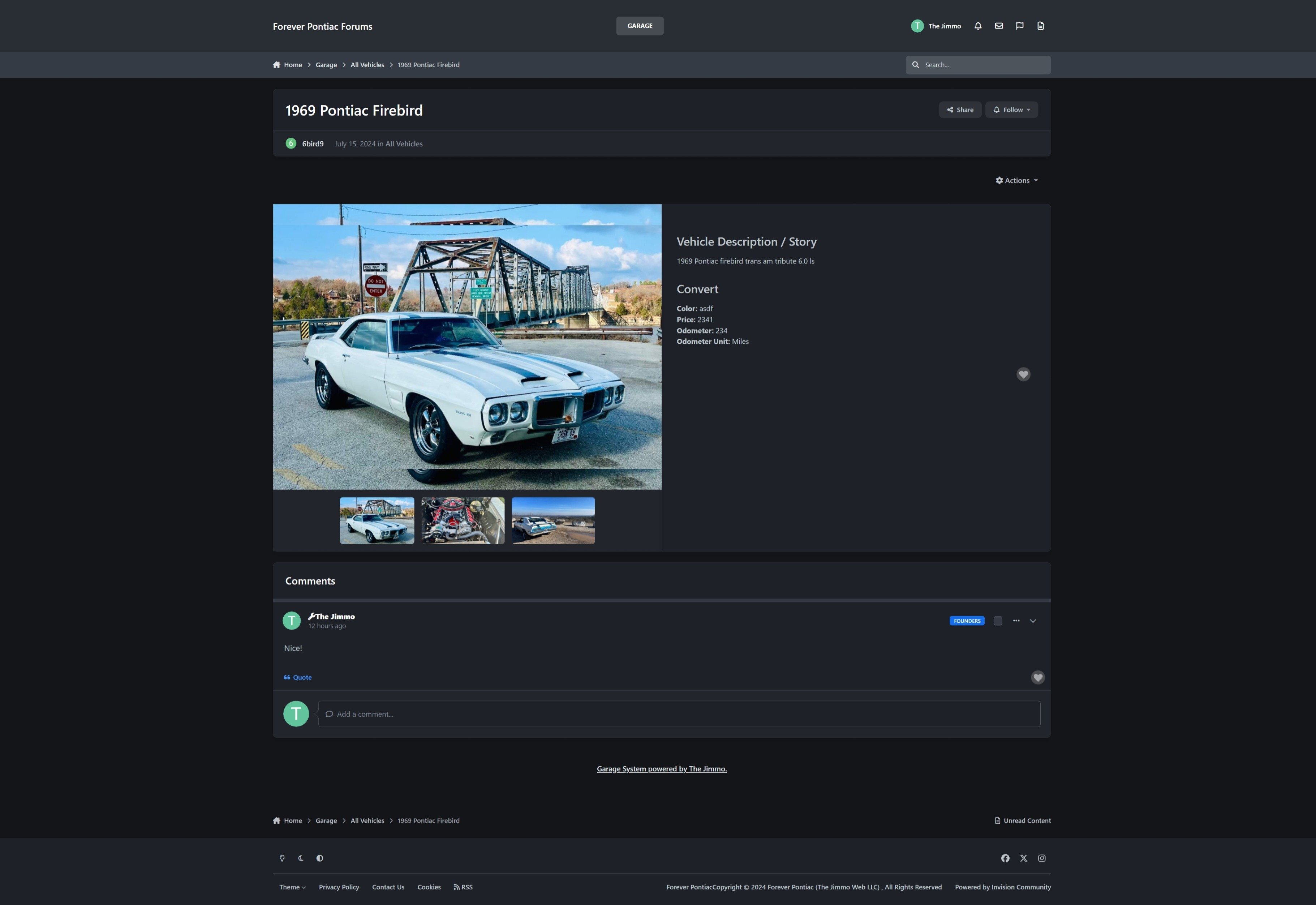
Garage allows users to create online "garages" on your community. Users can share information about their cars, upload photos, and other users can make comments.
Features:
Organize vehicles into like categories.
Create your own Make/Model lists or allow for open insert by the user.
Create custom fields for vehicles (e.g. vehicle trim, color, engine, etc... the sky is the limit!)
Users can upload multiple photos to their vehicle.
Comment with other users.
Share their vehicle in a topic via an embed.
Statistics related to all vehicles, most popular make/model, and more.
Vehicle content is searchable.
If you utilize DevFuse's Collection application in version 4, you can purchase the following migration application to transfer the data:
https://software.thejimmo.com/files/file/2-garage-migration/

IPS5.0.0+
Garage allows users to create online "garages" on your community. Users can share information about their cars, upload photos, and other users can make comments.
Features:
Organize vehicles into like categories.
Create your own Make/Model lists or allow for open insert by the user.
Create custom fields for vehicles (e.g. vehicle trim, color, engine, etc... the sky is the limit!)
Users can upload multiple photos to their vehicle.
Comment with other users.
Share their vehicle in a topic via an embed.
Statistics related to all vehicles, most popular make/model, and more.
Vehicle content is searchable.
If you utilize DevFuse's Collection application in version 4, you can purchase the following migration application to transfer the data:
https://software.thejimmo.com/files/file/2-garage-migration/

Top Developers

Last reviews

Applications Directory

A complete and convenient directory of applications for Invision Community, with categorization and sorting options.

Ratings and feedback

Only verified and trusted reviews!

Add new Application

Any developer can add their application to this directory.

You need to create account

Configure browser push notifications

Chrome (Android)
  1. Tap the lock icon next to the address bar.
  2. Tap Permissions → Notifications.
  3. Adjust your preference.
Chrome (Desktop)
  1. Click the padlock icon in the address bar.
  2. Select Site settings.
  3. Find Notifications and adjust your preference.









