Jump to content
View in the app

A better way to browse. Learn more.

Invision Marketplace

A full-screen app on your home screen with push notifications, badges and more.

To install this app on iOS and iPadOS
  1. Tap the Share icon in Safari
  2. Scroll the menu and tap Add to Home Screen.
  3. Tap Add in the top-right corner.
To install this app on Android
  1. Tap the 3-dot menu (⋮) in the top-right corner of the browser.
  2. Tap Add to Home screen or Install app.
  3. Confirm by tapping Install.

Everything you need for your community

We will be moving to a new server soon, some downtime is expected.

Everything you need for your community

 Loading...
 Loading...
 Loading...
This application will allow members to purchase files for other members. A new option to choose a member will appear on the checkout screen (Step 1) for those who can buy for others.
Setting:
Groups allowed to use the feature.
IPS5.0.x
This application will allow members to purchase files for other members. A new option to choose a member will appear on the checkout screen (Step 1) for those who can buy for others.
Setting:
Groups allowed to use the feature.
This application will require that members fill in their birth date on the Register Screen and in their Profile.
Only new accounts meeting the minimum age requirement will be accepted.
Registered users will be unable to proceed further until they provide their birth date.
Settings:
Age bracket required.
Groups that must fill in their birth date (existing members).
The message is displayed to registered members (this field is translatable, allowing you to customize the message for each language).
IPS5.0.x
This application will require that members fill in their birth date on the Register Screen and in their Profile.
Only new accounts meeting the minimum age requirement will be accepted.
Registered users will be unable to proceed further until they provide their birth date.
Settings:
Age bracket required.
Groups that must fill in their birth date (existing members).
The message is displayed to registered members (this field is translatable, allowing you to customize the message for each language).
This application will give the admin the ability to choose a group to move the member when:
An administrator bans the member permanently on their ACP profile
A moderator bans the member via the Warn System by choosing the option Suspend from accessing the site -> Indefinitely.
Setting:
Group to move the members
IPS5.0.x
This application will give the admin the ability to choose a group to move the member when:
An administrator bans the member permanently on their ACP profile
A moderator bans the member via the Warn System by choosing the option Suspend from accessing the site -> Indefinitely.
Setting:
Group to move the members
This application will add a new Contact Us form.
Features:
Ability to use permission-based departments, so you can choose which user groups can use each department.
Ability to send to everyone in any group by department
Ability to add several emails by department
Post topic to forum by department (Forums required)
Ability to add Extra Fields to the form and choose their position (before or after regular fields)
Custom email template
IPS5.0.x
This application will add a new Contact Us form.
Features:
Ability to use permission-based departments, so you can choose which user groups can use each department.
Ability to send to everyone in any group by department
Ability to add several emails by department
Post topic to forum by department (Forums required)
Ability to add Extra Fields to the form and choose their position (before or after regular fields)
Custom email template
Users will be moved to a chosen group or have their secondary groups changed after purchasing a file.
Requirements:
Downloads app
Settings:
Type of group to update: primary or secondary groups
Source groups
Destination group
IPS5.0.x
Users will be moved to a chosen group or have their secondary groups changed after purchasing a file.
Requirements:
Downloads app
Settings:
Type of group to update: primary or secondary groups
Source groups
Destination group
This application allows you to display members celebrating their birthdays who meet the following criteria:
Content Item Count
Reputation Points
Achievements Points
Active in the latest X days
Groups
Two widgets:
All members celebrating birthdays on the day or forthcoming days
Show a birthday greeting to the user celebrating their birthday
Note:
The widget will be visible only if the profile setting Enable birthdays? is set to:
Show birthdays to all in user profiles: will show the widget to everyone.
Show birthdays only to admins and the member themselves: will show the widget to admins only.
Disable birthdays in user profiles: The widget will not show at all.
IPS5.0.x
This application allows you to display members celebrating their birthdays who meet the following criteria:
Content Item Count
Reputation Points
Achievements Points
Active in the latest X days
Groups
Two widgets:
All members celebrating birthdays on the day or forthcoming days
Show a birthday greeting to the user celebrating their birthday
Note:
The widget will be visible only if the profile setting Enable birthdays? is set to:
Show birthdays to all in user profiles: will show the widget to everyone.
Show birthdays only to admins and the member themselves: will show the widget to admins only.
Disable birthdays in user profiles: The widget will not show at all.
This application will allow file submitters to view a list of purchasers of their files and optionally add the ability to add purchases for their files manually.
Requirements:
Commerce
Downloads, with the Commerce integration enabled.
Settings:
Files per page on the index listing
Purchases per page on file view
Groups allowed to use this feature
Allow file submitters to generate manual purchases for their files
Allow file submitters to enable/disable purchases in their resources
IPS5.0.x
This application will allow file submitters to view a list of purchasers of their files and optionally add the ability to add purchases for their files manually.
Requirements:
Commerce
Downloads, with the Commerce integration enabled.
Settings:
Files per page on the index listing
Purchases per page on file view
Groups allowed to use this feature
Allow file submitters to generate manual purchases for their files
Allow file submitters to enable/disable purchases in their resources
This application will let other users know you are away for a specific reason. Made specifically for moderation purposes, it can be used by any group to inform that you are away for a few days. Moderators with proper permission can set/remove the AWAY status from other users on their profiles or manage statuses on Moderator CP -> Member Management -> Away tab.
Settings:
Max number of days the AWAY status will remain. Display the full date format of the Away status
Display the full date format of the Away status
Make the AWAY REASON required
Show AWAY status in posts
Display the AWAY status at the top of all pages
Allow moderators to enable/disable AWAY status from other members?
Groups allowed to use the feature
IPS5.0.x
This application will let other users know you are away for a specific reason. Made specifically for moderation purposes, it can be used by any group to inform that you are away for a few days. Moderators with proper permission can set/remove the AWAY status from other users on their profiles or manage statuses on Moderator CP -> Member Management -> Away tab.
Settings:
Max number of days the AWAY status will remain. Display the full date format of the Away status
Display the full date format of the Away status
Make the AWAY REASON required
Show AWAY status in posts
Display the AWAY status at the top of all pages
Allow moderators to enable/disable AWAY status from other members?
Groups allowed to use the feature
This application will preserve the identity of your moderators by using a generic user as the author of warnings.
Notes:
Only moderators with permission Can issue warnings? can view the real moderator on warning details.
Warned members will not be aware of the real moderator who issued the warning: the user will not see the moderator's identity in the warning details or the email notification they receive.
The generic moderator does not have to be a moderator; you can choose a regular member.
Real moderators will be back on the application uninstall.
NOTE:
Since hooks cannot be used, this version removes the option to set a moderator per warning reason.
IPS5.0.x
This application will preserve the identity of your moderators by using a generic user as the author of warnings.
Notes:
Only moderators with permission Can issue warnings? can view the real moderator on warning details.
Warned members will not be aware of the real moderator who issued the warning: the user will not see the moderator's identity in the warning details or the email notification they receive.
The generic moderator does not have to be a moderator; you can choose a regular member.
Real moderators will be back on the application uninstall.
NOTE:
Since hooks cannot be used, this version removes the option to set a moderator per warning reason.
This application will give the admin the ability to create a TOP POSTER CONTENT block similar to the Popular Contributors block, using any of the content available on their board. You can use more than one block on every page.
Filters: The records can be filtered by:
Today
Week
Month
Year
All Time
Content Type: The following content will be automatically recognized and will be available to be used in blocks:
Forums: Top Topics Starter
Forums: Top Posters
Gallery: Top Images Submitter
Downloads: Top Files Submitter
Blog: Top Entries Starter
Calendar: Top Events Starter
Pages: Top Records Starter
Content Type - 3rd party: It will also work with any 3rd party app that meets the requirement for IPS4 Content Item, such as:
Tutorials
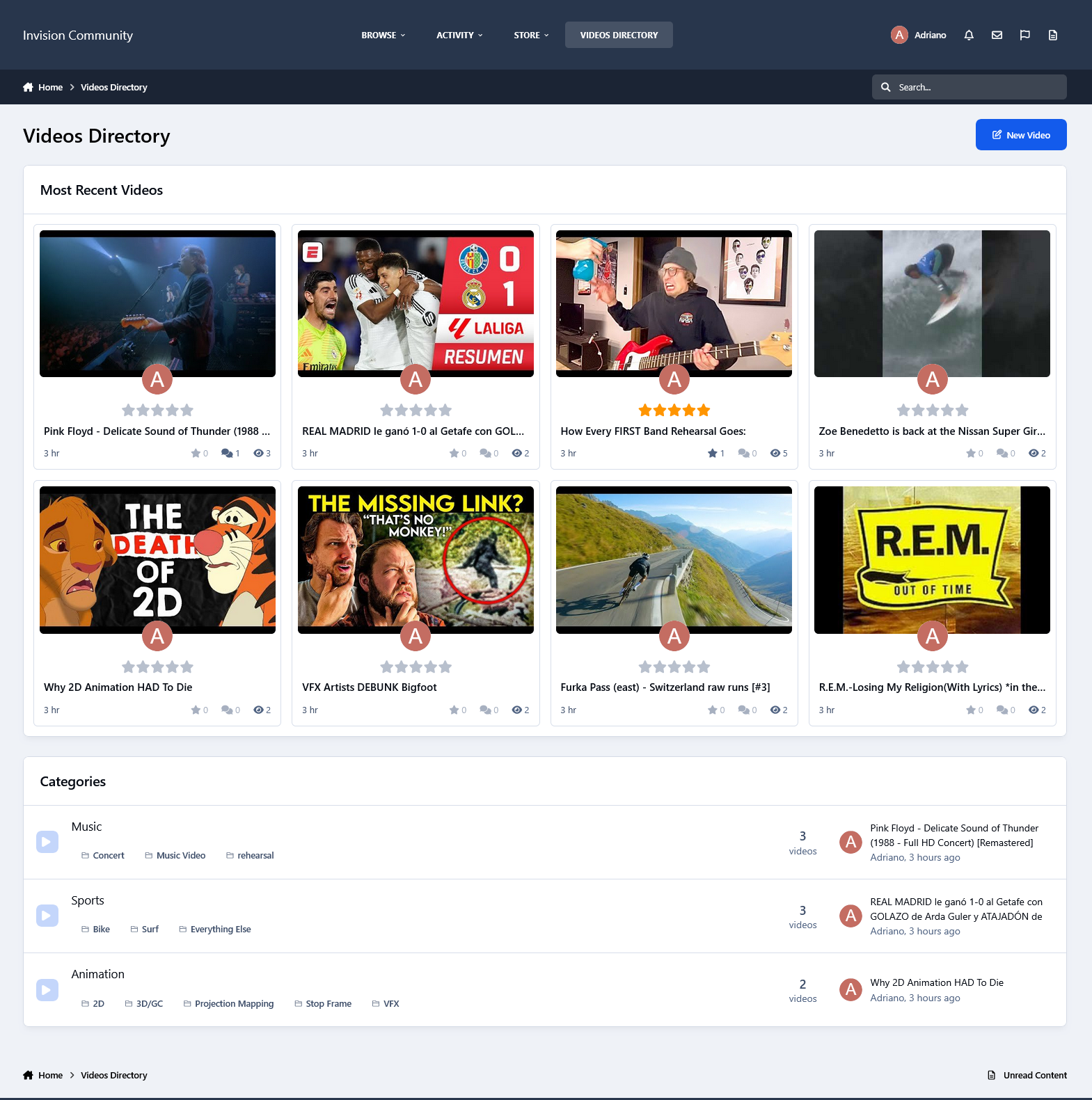
Videos Directory
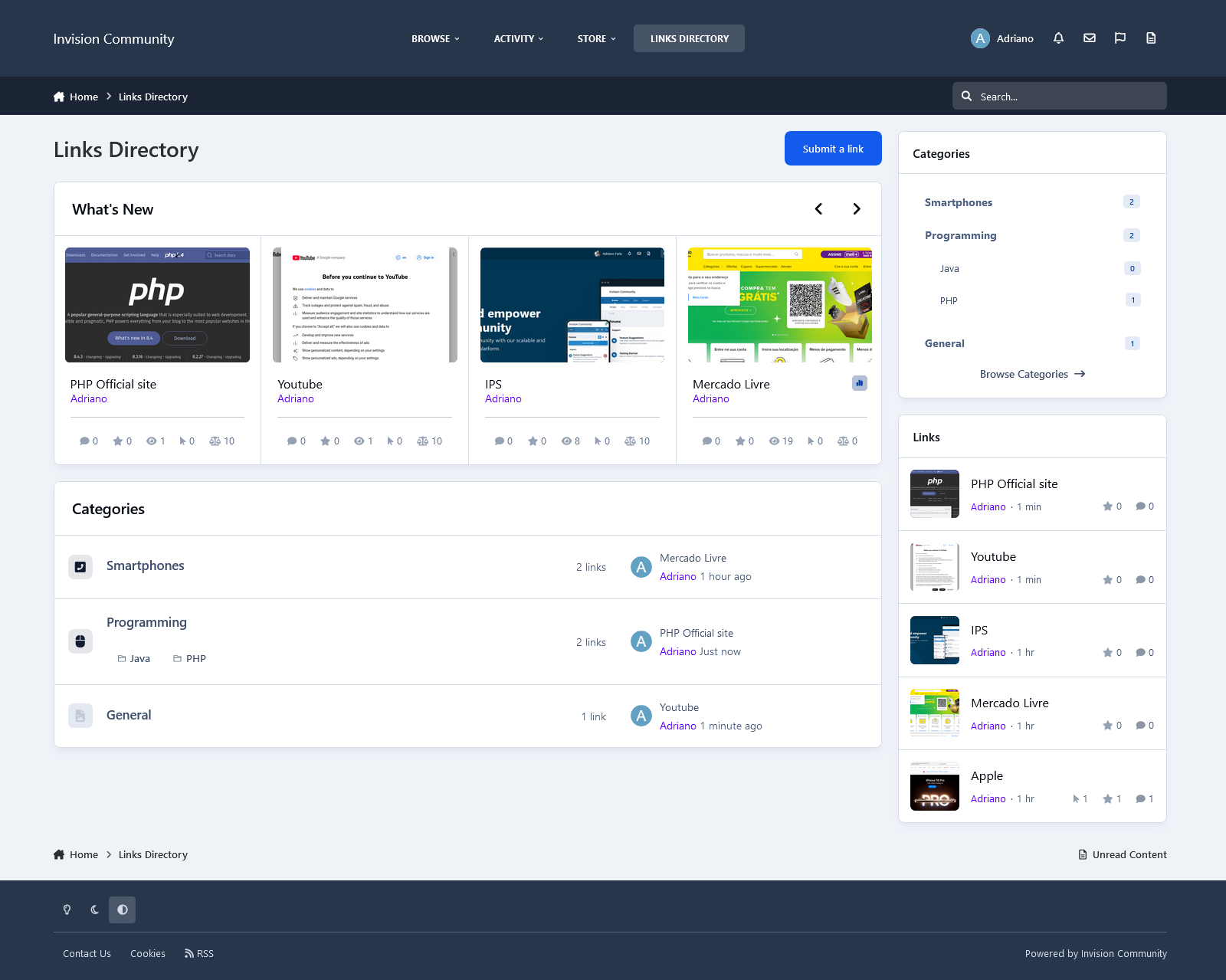
Links Directory
Movies
Games
Raffles
Quizzes
Recipes
Books
Etc.
Those options will appear if you have the application installed on your IPS5 installation.
Settings per widget block:
Block title
Number to show
Type of Content
Groups allowed to view the block
IPS5.0.x
This application will give the admin the ability to create a TOP POSTER CONTENT block similar to the Popular Contributors block, using any of the content available on their board. You can use more than one block on every page.
Filters: The records can be filtered by:
Today
Week
Month
Year
All Time
Content Type: The following content will be automatically recognized and will be available to be used in blocks:
Forums: Top Topics Starter
Forums: Top Posters
Gallery: Top Images Submitter
Downloads: Top Files Submitter
Blog: Top Entries Starter
Calendar: Top Events Starter
Pages: Top Records Starter
Content Type - 3rd party: It will also work with any 3rd party app that meets the requirement for IPS4 Content Item, such as:
Tutorials
Videos Directory
Links Directory
Movies
Games
Raffles
Quizzes
Recipes
Books
Etc.
Those options will appear if you have the application installed on your IPS5 installation.
Settings per widget block:
Block title
Number to show
Type of Content
Groups allowed to view the block
This application will create a widget to display the real-time Bitcoin Price Index (BPI) in USD, GBP, and EUR.
Widget configurations:
Choose the currencies to be displayed:
United States Dollar (USD)
British Pound Sterling (GBP)
Euro (EUR)
Display the last updated date
Display disclaimer
Note:
The support for this resource will continue as long as the API remains operational.
IPS5.0.x
This application will create a widget to display the real-time Bitcoin Price Index (BPI) in USD, GBP, and EUR.
Widget configurations:
Choose the currencies to be displayed:
United States Dollar (USD)
British Pound Sterling (GBP)
Euro (EUR)
Display the last updated date
Display disclaimer
Note:
The support for this resource will continue as long as the API remains operational.
This application generates a new topic each time a user receives a warning. For users who have been previously warned, it will add a new post to their existing topic.
Settings:
Topic/Post Author
Topic Title
Post Content, with several variables to be used
Increment the author content count
Forum (where to create the topic/posts)
Groups (users for whom a topic will be created upon receiving a warning)
IPS5.0.x
This application generates a new topic each time a user receives a warning. For users who have been previously warned, it will add a new post to their existing topic.
Settings:
Topic/Post Author
Topic Title
Post Content, with several variables to be used
Increment the author content count
Forum (where to create the topic/posts)
Groups (users for whom a topic will be created upon receiving a warning)
This application allows users to set up automatic replies for personal conversations when they're unavailable. A new option in Account Settings will allow selected user groups to activate the auto-reply feature and customize their response message. When enabled, users will see a global notification about the auto-reply, along with a link to disable it if needed.

Settings (Admin CP):
Display a warning to the user
Groups allowed to use this feature
Exempt groups
 
Settings (per user on Account Settings):
Enable Auto Reply
Auto reply content
IPS5.0.x
This application allows users to set up automatic replies for personal conversations when they're unavailable. A new option in Account Settings will allow selected user groups to activate the auto-reply feature and customize their response message. When enabled, users will see a global notification about the auto-reply, along with a link to disable it if needed.

Settings (Admin CP):
Display a warning to the user
Groups allowed to use this feature
Exempt groups
 
Settings (per user on Account Settings):
Enable Auto Reply
Auto reply content
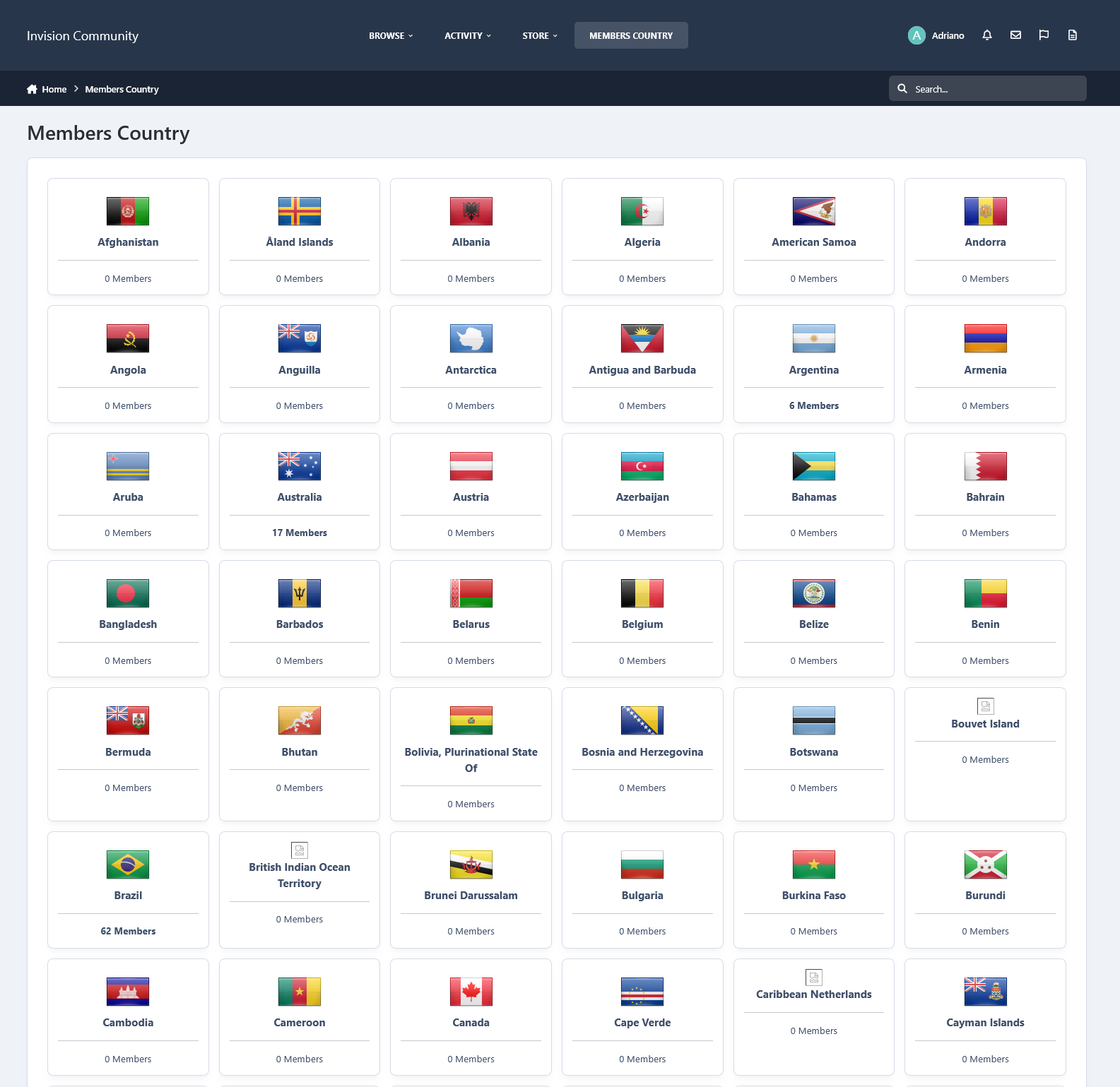
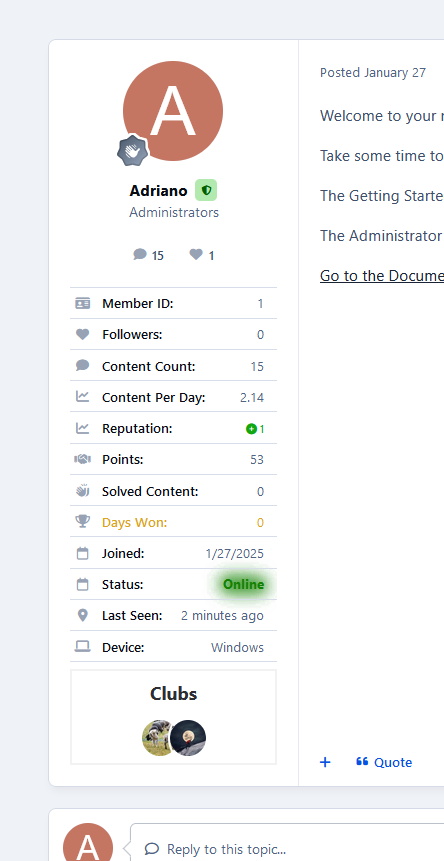
This application adds a tab to the navigation allowing your chosen member groups to view all your board members in a tidy grid view.
Features:
Adds a tab to the navigation bar
Shows a list of your registered members
Search the member's content at the click of a button
Display birthdays from the current day
Display the online status of members
Show a list of the member's information on your board
Shows the user's group
Shows the user's member ID
Shows the user's follower count
Shows the user's content count
Shows the user's post per day ratio
Shows the number of members of days the user has won
Shows the users' joined date
Shows the number of days the user has been registered to the site
Shows the member's online status
Shows the member's last activity
Shows the member's birthday
Shows the member's age
Shows the members' timezone
Shows the member's last used device
Show a list of the member clubs they have joined
All the information above can be shown or hidden in the ACP. You can also choose what user groups can view each bit of information
Sort the list by
Joined date
Post count
Username
Member Group
Custom sort by
Member name
Post count ( ANY, MORE THAN x AMOUNT, LESS THAN x AMOUNT, EXACTLY x AMOUNT )
Reputation points ( ANY, MORE THAN x AMOUNT, LESS THAN x AMOUNT, EXACTLY x AMOUNT )
Joined date ( BETWEEN )
Last visit ( BETWEEN )
Last post ( BETWEEN )
Choose which user groups can use/view the members tab
IPS5.0.x
This application adds a tab to the navigation allowing your chosen member groups to view all your board members in a tidy grid view.
Features:
Adds a tab to the navigation bar
Shows a list of your registered members
Search the member's content at the click of a button
Display birthdays from the current day
Display the online status of members
Show a list of the member's information on your board
Shows the user's group
Shows the user's member ID
Shows the user's follower count
Shows the user's content count
Shows the user's post per day ratio
Shows the number of members of days the user has won
Shows the users' joined date
Shows the number of days the user has been registered to the site
Shows the member's online status
Shows the member's last activity
Shows the member's birthday
Shows the member's age
Shows the members' timezone
Shows the member's last used device
Show a list of the member clubs they have joined
All the information above can be shown or hidden in the ACP. You can also choose what user groups can view each bit of information
Sort the list by
Joined date
Post count
Username
Member Group
Custom sort by
Member name
Post count ( ANY, MORE THAN x AMOUNT, LESS THAN x AMOUNT, EXACTLY x AMOUNT )
Reputation points ( ANY, MORE THAN x AMOUNT, LESS THAN x AMOUNT, EXACTLY x AMOUNT )
Joined date ( BETWEEN )
Last visit ( BETWEEN )
Last post ( BETWEEN )
Choose which user groups can use/view the members tab
This application lets users receive notifications whenever new topics matching their monitored keywords are created. Users can enter their keywords, which will be checked against the topic title, through a new module within the Account Settings section.
Administrators can view all keywords the members are using on an ACP module.
Settings:
Forums where new topics will be monitored
Groups allowed to monitor new topics
Maximum keywords allowed per member
IPS5.0.x
This application lets users receive notifications whenever new topics matching their monitored keywords are created. Users can enter their keywords, which will be checked against the topic title, through a new module within the Account Settings section.
Administrators can view all keywords the members are using on an ACP module.
Settings:
Forums where new topics will be monitored
Groups allowed to monitor new topics
Maximum keywords allowed per member

Top Developers

Last reviews

Applications Directory

A complete and convenient directory of applications for Invision Community, with categorization and sorting options.

Ratings and feedback

Only verified and trusted reviews!

Add new Application

Any developer can add their application to this directory.

You need to create account

Configure browser push notifications

Chrome (Android)
  1. Tap the lock icon next to the address bar.
  2. Tap Permissions → Notifications.
  3. Adjust your preference.
Chrome (Desktop)
  1. Click the padlock icon in the address bar.
  2. Select Site settings.
  3. Find Notifications and adjust your preference.