Jump to content
View in the app

A better way to browse. Learn more.

Invision Marketplace

A full-screen app on your home screen with push notifications, badges and more.

To install this app on iOS and iPadOS
  1. Tap the Share icon in Safari
  2. Scroll the menu and tap Add to Home Screen.
  3. Tap Add in the top-right corner.
To install this app on Android
  1. Tap the 3-dot menu (⋮) in the top-right corner of the browser.
  2. Tap Add to Home screen or Install app.
  3. Confirm by tapping Install.

Everything you need for your community

Everything you need for your community

 Loading...
 Loading...
 Loading...
Features:
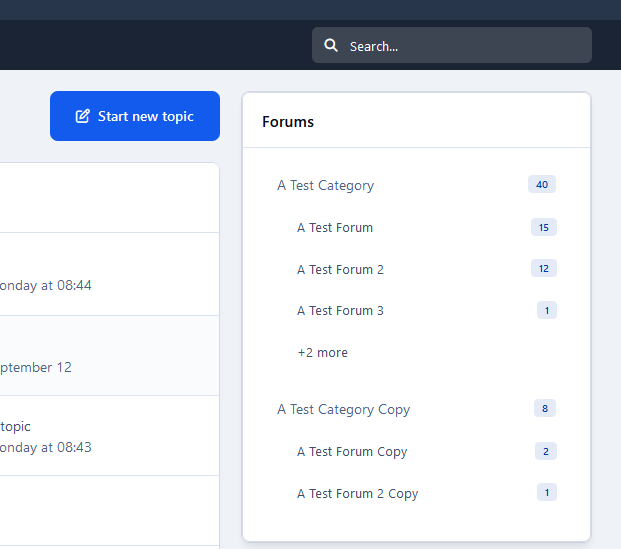
Display topic thumbnails in:
Forum index (feed mode not supported).
Forum view.
Tags view.
Topic Feed widget.
IPS Featured Content.
Clubs.
Support for additional apps: Quick Search, Featured Content Pro, Pro Stats
Allow topic authors or specified member groups to select thumbnails from:
Images within the topic content,
External URLs
Manual uploads.
Ability to generate thumbnails from YouTube, Vimeo, Dailymotion.
Support for Grid View mode.
Option to replace Forum Icons with Topic Thumbnails.
IPS5.0.0+
Features:
Display topic thumbnails in:
Forum index (feed mode not supported).
Forum view.
Tags view.
Topic Feed widget.
IPS Featured Content.
Clubs.
Support for additional apps: Quick Search, Featured Content Pro, Pro Stats
Allow topic authors or specified member groups to select thumbnails from:
Images within the topic content,
External URLs
Manual uploads.
Ability to generate thumbnails from YouTube, Vimeo, Dailymotion.
Support for Grid View mode.
Option to replace Forum Icons with Topic Thumbnails.
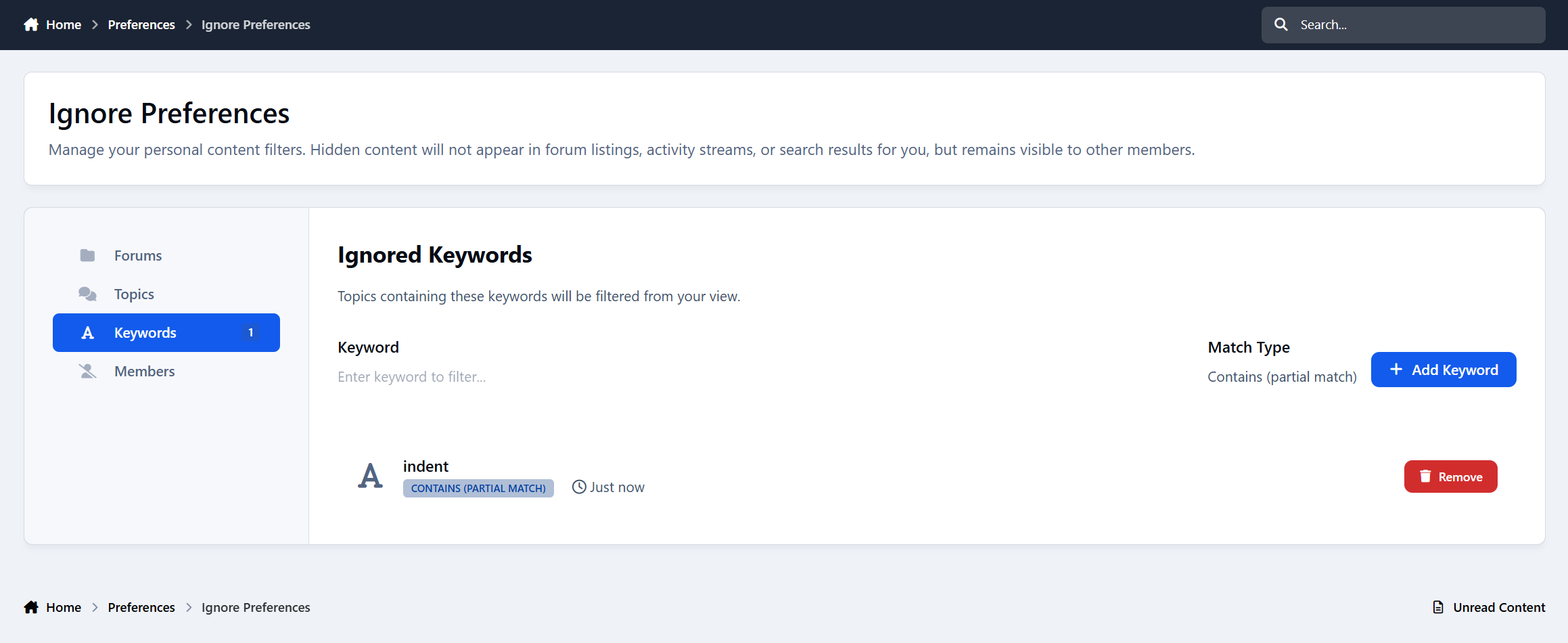
This app will add 2 features to the Ignore System. One is an overview log where the admins will be able to see who ignored whom. The other feature will allow the admin(s) to force members to ignore each other by adding them to members ignore list. 
IPS5.0.0+
This app will add 2 features to the Ignore System. One is an overview log where the admins will be able to see who ignored whom. The other feature will allow the admin(s) to force members to ignore each other by adding them to members ignore list. 
This app will log 6 extra actions of your members and it will display them in their All Recent Account Activity block when viewing a member at the Admin Panel. The extra actions are as follow.
1. Searching Keywords
Whenever a member will search for something in your forum, the keyword/phrase will be logged and displayed on their recent account activity. This can come in handy imo, as it will show you what your members are looking for, so you can make adjustments/changes accordingly to attract more members and get better results.
2) Profile Viewing
Whenever a member will view someone 's profile.
3) Forum Viewing
Whenever a member will visit a forum.
4) Topic Viewing
Whenever a member will visit a topic.
5) Log In
Whenever a member logs in the forum.
6) Log Out
Whenever a member logs out of the forum.
Note:
All these extra actions mentioned above, will be logged and displayed on members history from the time that the app is installed. 
IPS5.0.0
This app will log 6 extra actions of your members and it will display them in their All Recent Account Activity block when viewing a member at the Admin Panel. The extra actions are as follow.
1. Searching Keywords
Whenever a member will search for something in your forum, the keyword/phrase will be logged and displayed on their recent account activity. This can come in handy imo, as it will show you what your members are looking for, so you can make adjustments/changes accordingly to attract more members and get better results.
2) Profile Viewing
Whenever a member will view someone 's profile.
3) Forum Viewing
Whenever a member will visit a forum.
4) Topic Viewing
Whenever a member will visit a topic.
5) Log In
Whenever a member logs in the forum.
6) Log Out
Whenever a member logs out of the forum.
Note:
All these extra actions mentioned above, will be logged and displayed on members history from the time that the app is installed. 
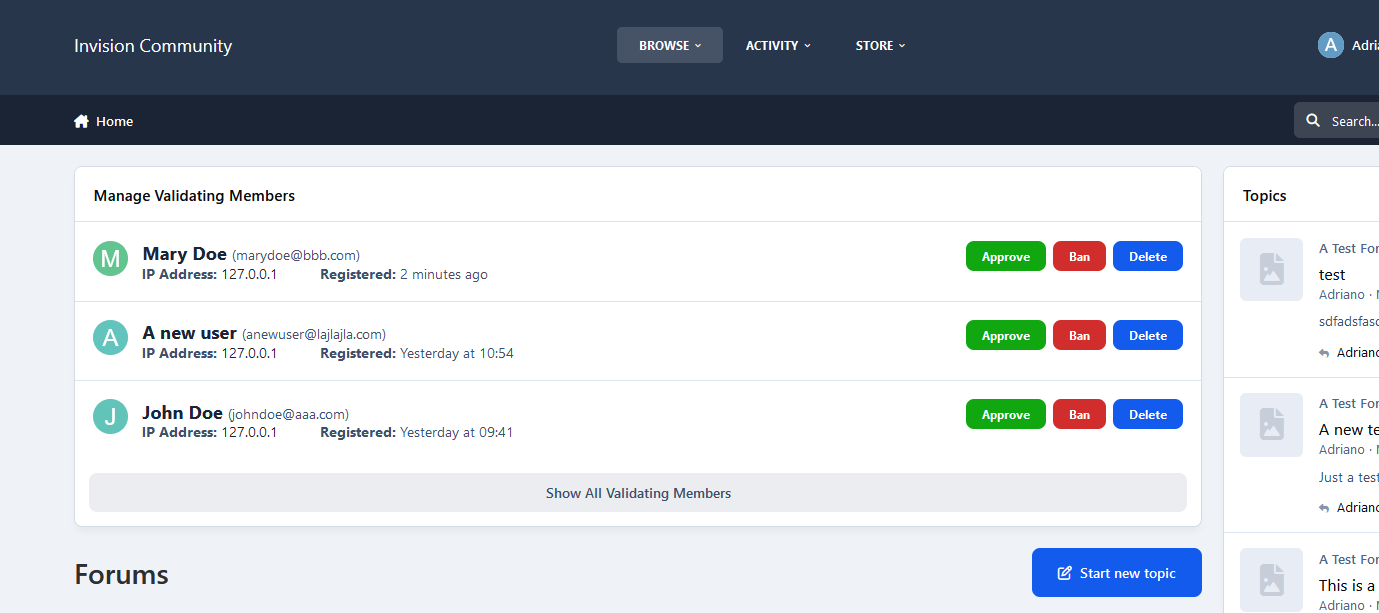
This app adds a new tab at the Member Management section in the Moderator CP of all the validating members at your forum. It might come in handy especially if you have a large number of validating members, as it allows the admins to get some help in managing them from their staff members without giving them access to the Admin Panel.
Permissions:
This app adds a new permission tab to the Moderator Permissions. To select the staff members that you want to manage the validating members at the Moderator CP, set the permission: Can the approve members from the Mod CP? to Yes and save the changes. 
Options:
Moderators have 2 options when managing the validating members. Those who are allowed to edit members will be able to edit them, those with permissions to view the ip addresses can check the ips of the validating members.
Multiple Approval& Deletion Selection:
There is also a quick multiple approval selection checkbox that will allow for a quick approval and/or deletion of all selected validating members. 
Moderator Log:
Whenever a member is approved and/or deleted from the ModCP the action will be logged in the Moderator Log page.
IPS5.0.0
This app adds a new tab at the Member Management section in the Moderator CP of all the validating members at your forum. It might come in handy especially if you have a large number of validating members, as it allows the admins to get some help in managing them from their staff members without giving them access to the Admin Panel.
Permissions:
This app adds a new permission tab to the Moderator Permissions. To select the staff members that you want to manage the validating members at the Moderator CP, set the permission: Can the approve members from the Mod CP? to Yes and save the changes. 
Options:
Moderators have 2 options when managing the validating members. Those who are allowed to edit members will be able to edit them, those with permissions to view the ip addresses can check the ips of the validating members.
Multiple Approval& Deletion Selection:
There is also a quick multiple approval selection checkbox that will allow for a quick approval and/or deletion of all selected validating members. 
Moderator Log:
Whenever a member is approved and/or deleted from the ModCP the action will be logged in the Moderator Log page.
Key Features:
✅ Auto Welcome - Automatically creates a welcome topic when a new member registers, helping foster engagement (you can choose to create a new topic or reply to an existing topic when welcoming new members)
✅ Auto Reply - Automatically respond to new topics with a predefined message, perfect for support forums to confirm message receipt.
✅ Restrict Consecutive Posts - Prevent users from posting multiple consecutive replies. A user must wait for another member to reply before they can post again in the same topic, reducing spam and encouraging balanced discussions.
✅ Topic Rules - Define and display custom rules for specific topics, ensuring users understand and follow guidelines before participating.
✅ Auto Pin - Automatically pin a topic when it reaches a predefined number of replies, keeping important discussions visible.
✅ Auto Lock - Automatically lock a topic when it reaches a set number of replies or after X days. Useful for limiting discussions in announcements, event promotions, job postings, or special offers to avoid irrelevant comments.
✅ Auto Delete - Permanently removes inactive topics based on the last post date (per-forum settings, with an option to exclude pinned/featured topics), helping keep the forum clean and efficient.
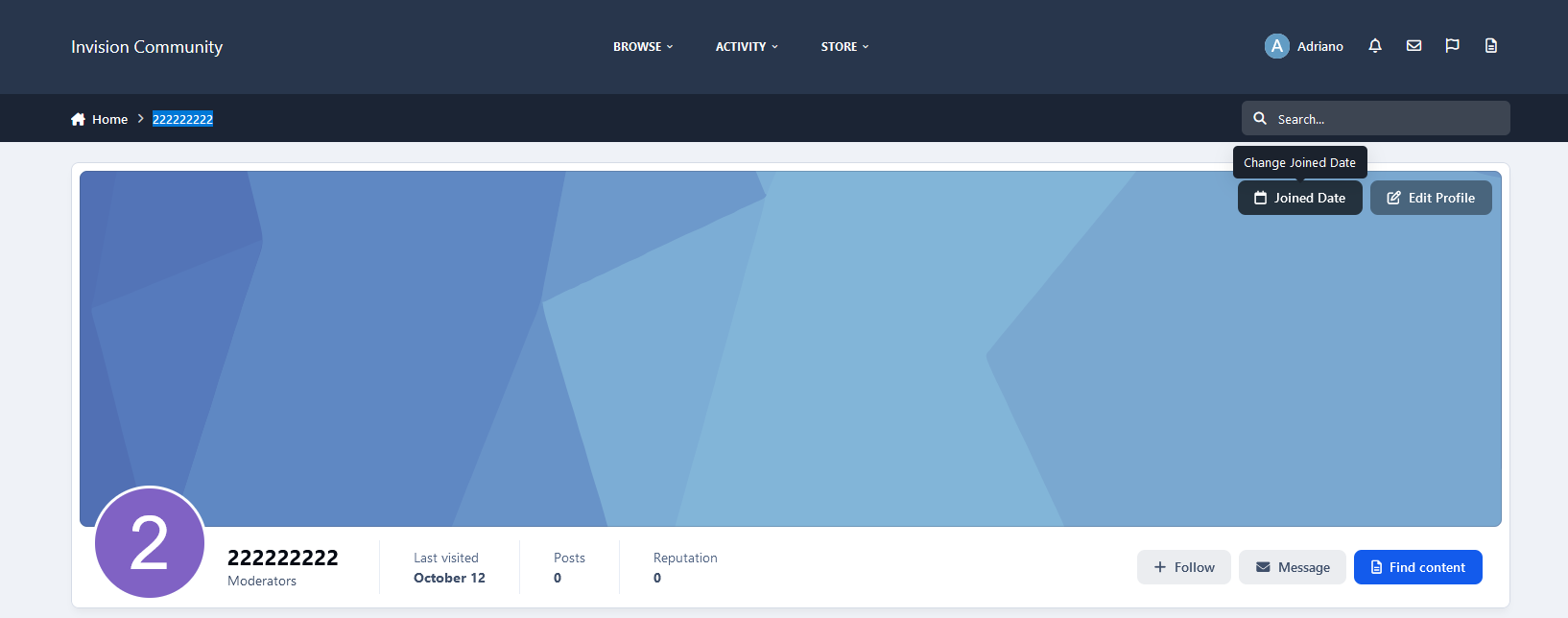
✅ Change Author - Change the author of a topic to another user, useful for content management or ownership transfers.
✅ Change Date - Easy to change topic's date.
✅ Edit title silently - Edit topic title without adding logs or history.
IPS5.0.0+
Key Features:
✅ Auto Welcome - Automatically creates a welcome topic when a new member registers, helping foster engagement (you can choose to create a new topic or reply to an existing topic when welcoming new members)
✅ Auto Reply - Automatically respond to new topics with a predefined message, perfect for support forums to confirm message receipt.
✅ Restrict Consecutive Posts - Prevent users from posting multiple consecutive replies. A user must wait for another member to reply before they can post again in the same topic, reducing spam and encouraging balanced discussions.
✅ Topic Rules - Define and display custom rules for specific topics, ensuring users understand and follow guidelines before participating.
✅ Auto Pin - Automatically pin a topic when it reaches a predefined number of replies, keeping important discussions visible.
✅ Auto Lock - Automatically lock a topic when it reaches a set number of replies or after X days. Useful for limiting discussions in announcements, event promotions, job postings, or special offers to avoid irrelevant comments.
✅ Auto Delete - Permanently removes inactive topics based on the last post date (per-forum settings, with an option to exclude pinned/featured topics), helping keep the forum clean and efficient.
✅ Change Author - Change the author of a topic to another user, useful for content management or ownership transfers.
✅ Change Date - Easy to change topic's date.
✅ Edit title silently - Edit topic title without adding logs or history.
Users will be moved to a chosen group or have their secondary groups changed after purchasing a file.
Requirements:
Downloads app
Settings:
Type of group to update: primary or secondary groups
Source groups
Destination group
IPS5.0.x
Users will be moved to a chosen group or have their secondary groups changed after purchasing a file.
Requirements:
Downloads app
Settings:
Type of group to update: primary or secondary groups
Source groups
Destination group
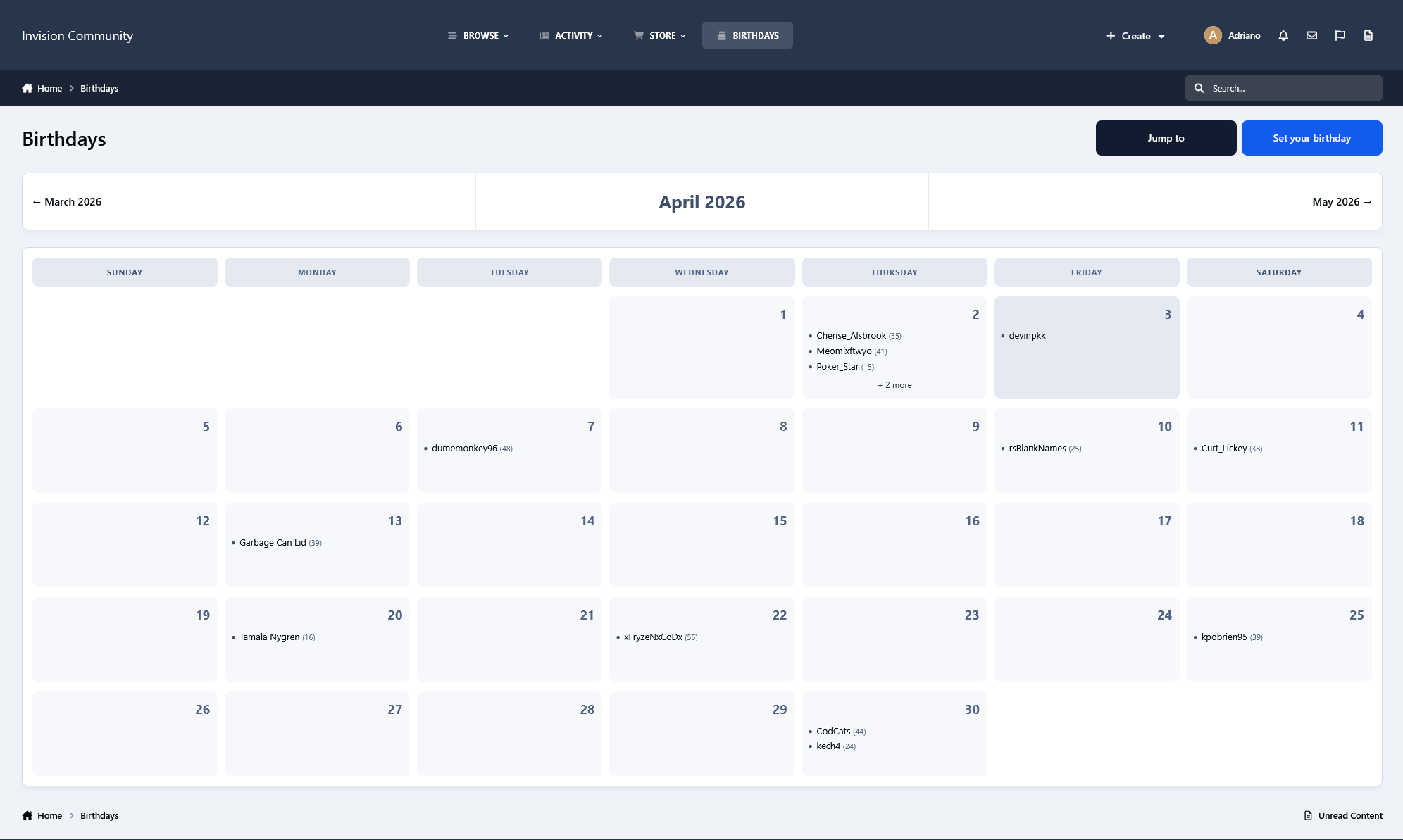
This application allows you to display members celebrating their birthdays who meet the following criteria:
Content Item Count
Reputation Points
Achievements Points
Active in the latest X days
Groups
Two widgets:
All members celebrating birthdays on the day or forthcoming days
Show a birthday greeting to the user celebrating their birthday
Note:
The widget will be visible only if the profile setting Enable birthdays? is set to:
Show birthdays to all in user profiles: will show the widget to everyone.
Show birthdays only to admins and the member themselves: will show the widget to admins only.
Disable birthdays in user profiles: The widget will not show at all.
IPS5.0.x
This application allows you to display members celebrating their birthdays who meet the following criteria:
Content Item Count
Reputation Points
Achievements Points
Active in the latest X days
Groups
Two widgets:
All members celebrating birthdays on the day or forthcoming days
Show a birthday greeting to the user celebrating their birthday
Note:
The widget will be visible only if the profile setting Enable birthdays? is set to:
Show birthdays to all in user profiles: will show the widget to everyone.
Show birthdays only to admins and the member themselves: will show the widget to admins only.
Disable birthdays in user profiles: The widget will not show at all.
This application will allow file submitters to view a list of purchasers of their files and optionally add the ability to add purchases for their files manually.
Requirements:
Commerce
Downloads, with the Commerce integration enabled.
Settings:
Files per page on the index listing
Purchases per page on file view
Groups allowed to use this feature
Allow file submitters to generate manual purchases for their files
Allow file submitters to enable/disable purchases in their resources
IPS5.0.x
This application will allow file submitters to view a list of purchasers of their files and optionally add the ability to add purchases for their files manually.
Requirements:
Commerce
Downloads, with the Commerce integration enabled.
Settings:
Files per page on the index listing
Purchases per page on file view
Groups allowed to use this feature
Allow file submitters to generate manual purchases for their files
Allow file submitters to enable/disable purchases in their resources
This application will let other users know you are away for a specific reason. Made specifically for moderation purposes, it can be used by any group to inform that you are away for a few days. Moderators with proper permission can set/remove the AWAY status from other users on their profiles or manage statuses on Moderator CP -> Member Management -> Away tab.
Settings:
Max number of days the AWAY status will remain. Display the full date format of the Away status
Display the full date format of the Away status
Make the AWAY REASON required
Show AWAY status in posts
Display the AWAY status at the top of all pages
Allow moderators to enable/disable AWAY status from other members?
Groups allowed to use the feature
IPS5.0.x
This application will let other users know you are away for a specific reason. Made specifically for moderation purposes, it can be used by any group to inform that you are away for a few days. Moderators with proper permission can set/remove the AWAY status from other users on their profiles or manage statuses on Moderator CP -> Member Management -> Away tab.
Settings:
Max number of days the AWAY status will remain. Display the full date format of the Away status
Display the full date format of the Away status
Make the AWAY REASON required
Show AWAY status in posts
Display the AWAY status at the top of all pages
Allow moderators to enable/disable AWAY status from other members?
Groups allowed to use the feature
This application will preserve the identity of your moderators by using a generic user as the author of warnings.
Notes:
Only moderators with permission Can issue warnings? can view the real moderator on warning details.
Warned members will not be aware of the real moderator who issued the warning: the user will not see the moderator's identity in the warning details or the email notification they receive.
The generic moderator does not have to be a moderator; you can choose a regular member.
Real moderators will be back on the application uninstall.
NOTE:
Since hooks cannot be used, this version removes the option to set a moderator per warning reason.
IPS5.0.x
This application will preserve the identity of your moderators by using a generic user as the author of warnings.
Notes:
Only moderators with permission Can issue warnings? can view the real moderator on warning details.
Warned members will not be aware of the real moderator who issued the warning: the user will not see the moderator's identity in the warning details or the email notification they receive.
The generic moderator does not have to be a moderator; you can choose a regular member.
Real moderators will be back on the application uninstall.
NOTE:
Since hooks cannot be used, this version removes the option to set a moderator per warning reason.
This application will give the admin the ability to create a TOP POSTER CONTENT block similar to the Popular Contributors block, using any of the content available on their board. You can use more than one block on every page.
Filters: The records can be filtered by:
Today
Week
Month
Year
All Time
Content Type: The following content will be automatically recognized and will be available to be used in blocks:
Forums: Top Topics Starter
Forums: Top Posters
Gallery: Top Images Submitter
Downloads: Top Files Submitter
Blog: Top Entries Starter
Calendar: Top Events Starter
Pages: Top Records Starter
Content Type - 3rd party: It will also work with any 3rd party app that meets the requirement for IPS4 Content Item, such as:
Tutorials
Videos Directory
Links Directory
Movies
Games
Raffles
Quizzes
Recipes
Books
Etc.
Those options will appear if you have the application installed on your IPS5 installation.
Settings per widget block:
Block title
Number to show
Type of Content
Groups allowed to view the block
IPS5.0.x
This application will give the admin the ability to create a TOP POSTER CONTENT block similar to the Popular Contributors block, using any of the content available on their board. You can use more than one block on every page.
Filters: The records can be filtered by:
Today
Week
Month
Year
All Time
Content Type: The following content will be automatically recognized and will be available to be used in blocks:
Forums: Top Topics Starter
Forums: Top Posters
Gallery: Top Images Submitter
Downloads: Top Files Submitter
Blog: Top Entries Starter
Calendar: Top Events Starter
Pages: Top Records Starter
Content Type - 3rd party: It will also work with any 3rd party app that meets the requirement for IPS4 Content Item, such as:
Tutorials
Videos Directory
Links Directory
Movies
Games
Raffles
Quizzes
Recipes
Books
Etc.
Those options will appear if you have the application installed on your IPS5 installation.
Settings per widget block:
Block title
Number to show
Type of Content
Groups allowed to view the block
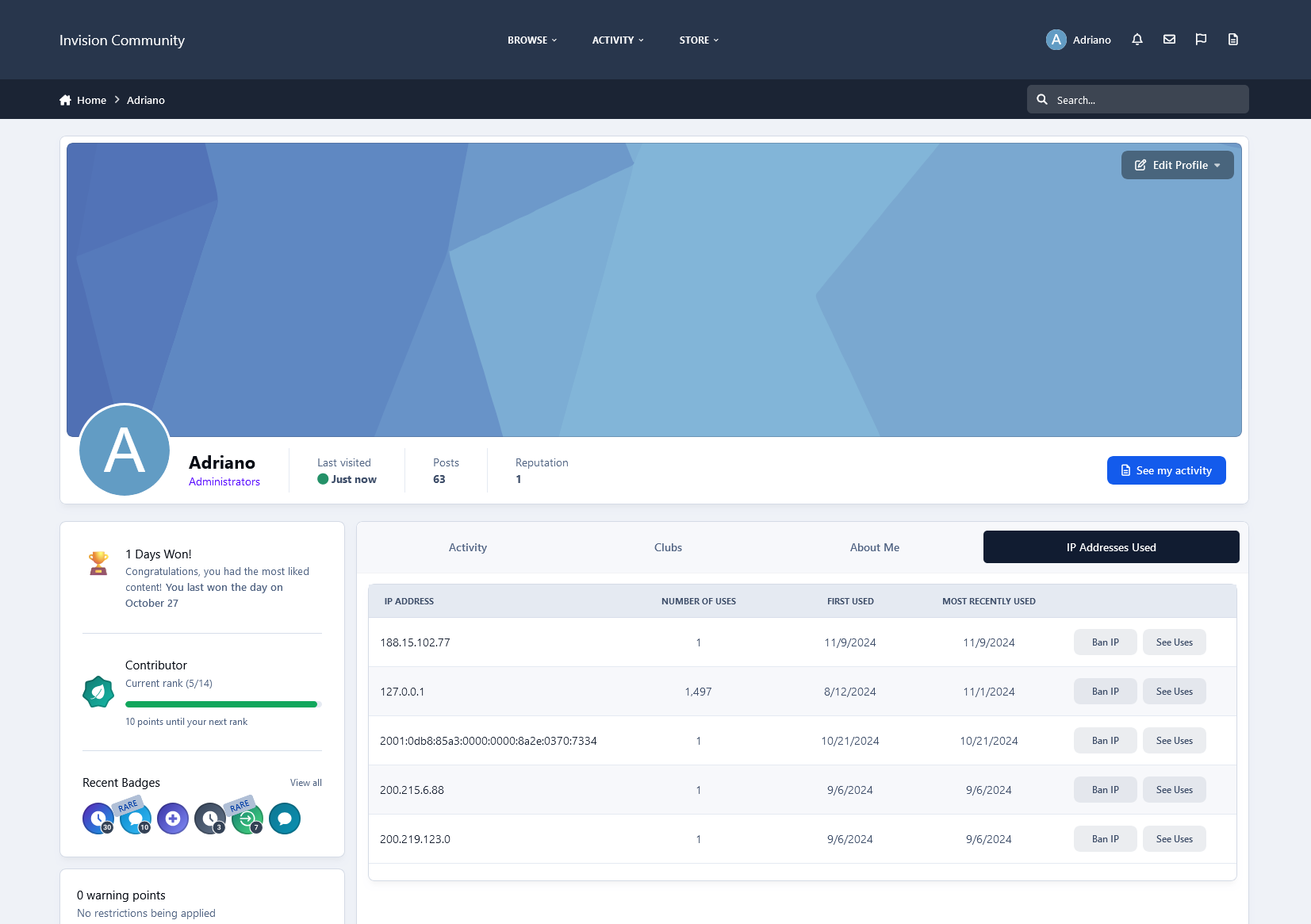
This app adds a new table to the database that will log all future log ins to your forum. Each time an user will log in to your forum, a unique cookie will be added to members devices and then it will be stored in the app 's table. The cookie expiration date is set to one year and its unique string is associated with the users device used to log in. 
Their ip address will be stored as well.  The app will scan its database table and list all users who have logged in multiple times from the same device and ip. Like that you can see who has shared their login details with other users. The cookie detection method is the most accurate method.
Both shared login detection methods have a quick search option where you can search the results based on members names.
Important: 
The detection starts from the moment that the app is installed. Past detection is not logged due to the fact that the app uses its own database table to store shared logins.
IPS5.0.0
This app adds a new table to the database that will log all future log ins to your forum. Each time an user will log in to your forum, a unique cookie will be added to members devices and then it will be stored in the app 's table. The cookie expiration date is set to one year and its unique string is associated with the users device used to log in. 
Their ip address will be stored as well.  The app will scan its database table and list all users who have logged in multiple times from the same device and ip. Like that you can see who has shared their login details with other users. The cookie detection method is the most accurate method.
Both shared login detection methods have a quick search option where you can search the results based on members names.
Important: 
The detection starts from the moment that the app is installed. Past detection is not logged due to the fact that the app uses its own database table to store shared logins.
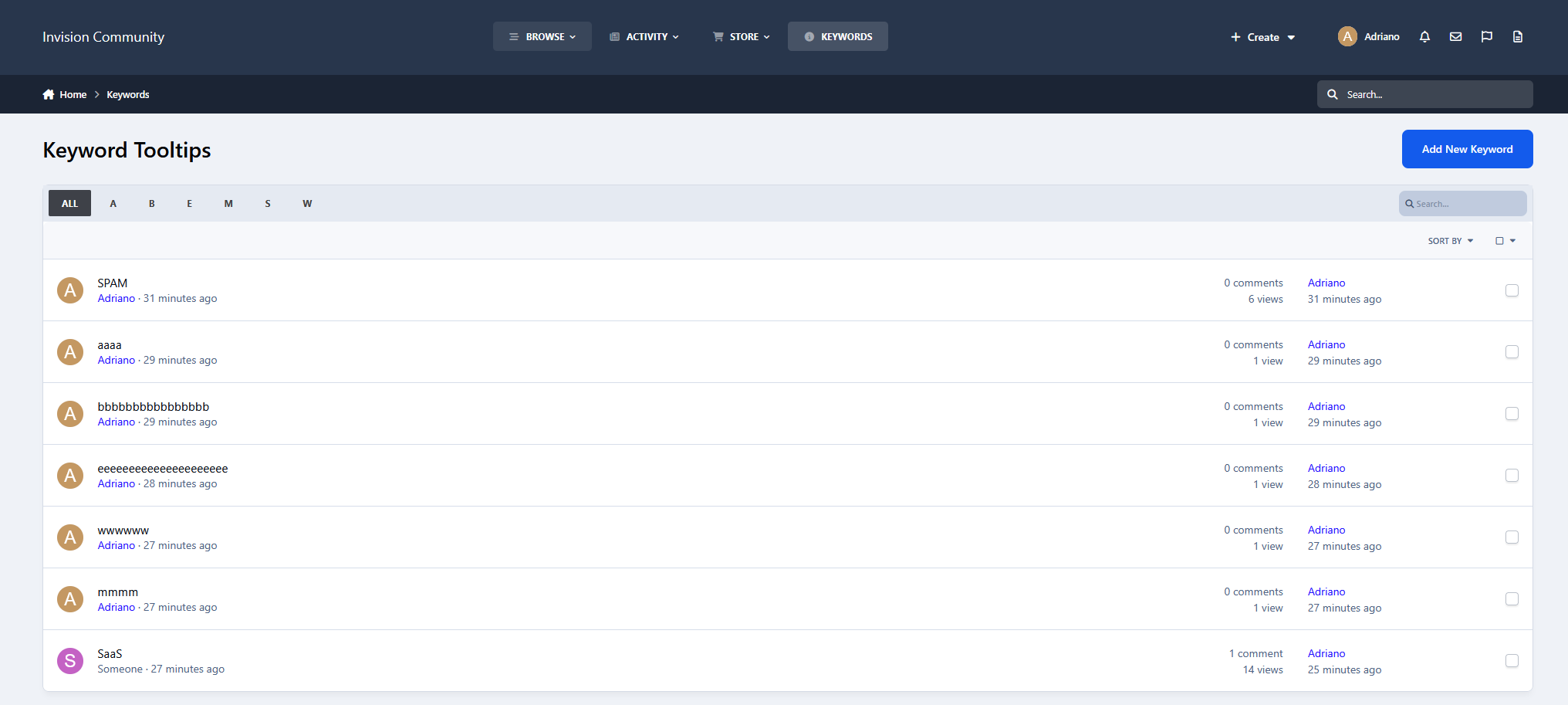
This app will will log all the keywords used by your members and guests alike to search at your forum. 
You can filter the search keywords for members and guests.
You can search for all the keywords that were used used by members, search terms. ip addresses and a time frame.
Important: 
The logging of the search keywords will start from the moment that the app is installed. Past search keywords not logged due to the fact that the app uses its own database table to store the search data.
Price: 17 Euro.
Payment Method: Paypal Only.


IPS5.0.0
This app will will log all the keywords used by your members and guests alike to search at your forum. 
You can filter the search keywords for members and guests.
You can search for all the keywords that were used used by members, search terms. ip addresses and a time frame.
Important: 
The logging of the search keywords will start from the moment that the app is installed. Past search keywords not logged due to the fact that the app uses its own database table to store the search data.
Price: 17 Euro.
Payment Method: Paypal Only.


Key Features:
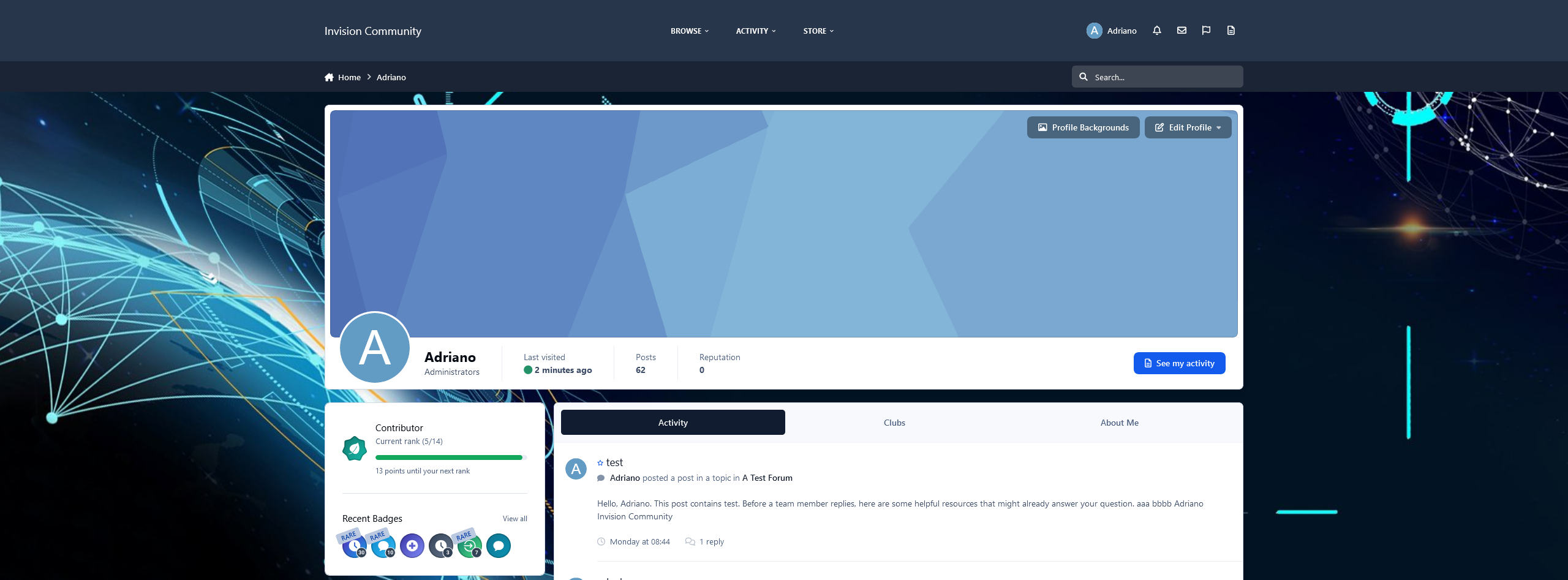
Custom Backgrounds: Let members personalize their profile with custom backgrounds that reflect their personality.
Favorite Song: Add a favorite song with a custom title and let others experience your vibe. Display it exactly how you want as a compact sidebar widget or a gorgeous header overlay with dynamic audio bars.
Notes with Style: Update moods, statuses, or share thoughts using text notes with support for emojis, Font Awesome icons, customizable background and text colors.
Photo Albums: Members can upload and showcase their favorite images in a beautiful album format.
All these features are conveniently displayed in a stylish sidebar, enhancing the visual appeal and interaction of profile pages. Admins can easily manage feature availability with ACP settings, enabling or disabling individual features for specific member groups.
Demo: https://demo.ipsappzone.com/profile/1-admin/
IPS5.0.0+
Key Features:
Custom Backgrounds: Let members personalize their profile with custom backgrounds that reflect their personality.
Favorite Song: Add a favorite song with a custom title and let others experience your vibe. Display it exactly how you want as a compact sidebar widget or a gorgeous header overlay with dynamic audio bars.
Notes with Style: Update moods, statuses, or share thoughts using text notes with support for emojis, Font Awesome icons, customizable background and text colors.
Photo Albums: Members can upload and showcase their favorite images in a beautiful album format.
All these features are conveniently displayed in a stylish sidebar, enhancing the visual appeal and interaction of profile pages. Admins can easily manage feature availability with ACP settings, enabling or disabling individual features for specific member groups.
Demo: https://demo.ipsappzone.com/profile/1-admin/
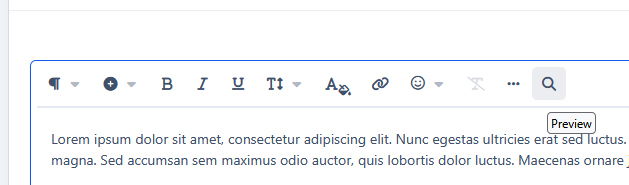
This is a lightweight application that integrates a translation tool directly into the Editor, allowing users to write content in their native language. With just one click, the app uses Gemini AI to instantly translate the text into your chosen target language.
IPS5.0.0+
This is a lightweight application that integrates a translation tool directly into the Editor, allowing users to write content in their native language. With just one click, the app uses Gemini AI to instantly translate the text into your chosen target language.

Top Developers

Last reviews

Applications Directory

A complete and convenient directory of applications for Invision Community, with categorization and sorting options.

Ratings and feedback

Only verified and trusted reviews!

Add new Application

Any developer can add their application to this directory.

You need to create account

Configure browser push notifications

Chrome (Android)
  1. Tap the lock icon next to the address bar.
  2. Tap Permissions → Notifications.
  3. Adjust your preference.
Chrome (Desktop)
  1. Click the padlock icon in the address bar.
  2. Select Site settings.
  3. Find Notifications and adjust your preference.