Jump to content
View in the app

A better way to browse. Learn more.

Invision Marketplace

A full-screen app on your home screen with push notifications, badges and more.

To install this app on iOS and iPadOS
  1. Tap the Share icon in Safari
  2. Scroll the menu and tap Add to Home Screen.
  3. Tap Add in the top-right corner.
To install this app on Android
  1. Tap the 3-dot menu (⋮) in the top-right corner of the browser.
  2. Tap Add to Home screen or Install app.
  3. Confirm by tapping Install.

Everything you need for your community

Everything you need for your community

 Loading...
 Loading...
 Loading...
This application adds the ability to schedule comments for any content type within your board, such as posts in topics and comments in Downloads, Blogs, Pages, Gallery, Events, and in all 3rd-party apps that support Comment systems, like Tutorials, Videos Directory, Links Directory, Games, Movies, Music, Lyrics, Staff Applications System, Raffles System, Quizzes, and several others.
Admin CP & Front End: You can choose the content item, type the comment content, and a date/time to post the comment. You can also change the schedule status to PAUSED, which means it won’t be posted while paused.
Admin CP: Beyond that, you can choose who will be the comment author and if you want to post it anonymously.
Front End: If you’re a user with permission to use the application (a moderator with proper permission or a user from chosen groups by the admin), you will be the content author. You can, however, choose if the comment will be posted anonymously if you have permission to do so.
Setting up a cron job is highly recommended to make sure the comment will be posted at the desired time.
Settings:
Task frequency (in minutes)
Number of days to delete completed schedules
Number of scheduled records to be displayed on ACP and in the front end
Type of user to use the schedule system: moderators or specific user groups
IPS5.0.x
This application adds the ability to schedule comments for any content type within your board, such as posts in topics and comments in Downloads, Blogs, Pages, Gallery, Events, and in all 3rd-party apps that support Comment systems, like Tutorials, Videos Directory, Links Directory, Games, Movies, Music, Lyrics, Staff Applications System, Raffles System, Quizzes, and several others.
Admin CP & Front End: You can choose the content item, type the comment content, and a date/time to post the comment. You can also change the schedule status to PAUSED, which means it won’t be posted while paused.
Admin CP: Beyond that, you can choose who will be the comment author and if you want to post it anonymously.
Front End: If you’re a user with permission to use the application (a moderator with proper permission or a user from chosen groups by the admin), you will be the content author. You can, however, choose if the comment will be posted anonymously if you have permission to do so.
Setting up a cron job is highly recommended to make sure the comment will be posted at the desired time.
Settings:
Task frequency (in minutes)
Number of days to delete completed schedules
Number of scheduled records to be displayed on ACP and in the front end
Type of user to use the schedule system: moderators or specific user groups
This resource will add a new area for admins to create interest. Members will be able to choose which ones they like the most, and then admins will be able to target Bulk Mail to specific audiences based on their interests.
You can also create a Profile Step Completion and set it to required to make members choose their interests.
IPS5.0.x
This resource will add a new area for admins to create interest. Members will be able to choose which ones they like the most, and then admins will be able to target Bulk Mail to specific audiences based on their interests.
You can also create a Profile Step Completion and set it to required to make members choose their interests.
Let your members set and display a video on their profiles.
Settings
Choose which user groups can use Profile Video
Choose which user groups can see the member's Video
Select the place to show the video:
Profile sidebar block
A new tab on the profile
Links Supported
Any link from YouTube, Twitch, or Vimeo will play via embedding the source URL
IPS5.0.x
Let your members set and display a video on their profiles.
Settings
Choose which user groups can use Profile Video
Choose which user groups can see the member's Video
Select the place to show the video:
Profile sidebar block
A new tab on the profile
Links Supported
Any link from YouTube, Twitch, or Vimeo will play via embedding the source URL
This application will allow admins and moderators to disable all email notifications from other members directly in their ACP and public profiles.
You must enable a new moderator permission if you want moderators to use the resource. All actions are logged.
An ACP module is also available to disable email notifications based on your criteria. You can filter members by:
Group (with the option to search also on secondary groups)
Content count
Reputation points
Achievements points
Member's joined date
Member's last visit date
Member's last post date
All profile fields
IPS5.0.6+
This application will allow admins and moderators to disable all email notifications from other members directly in their ACP and public profiles.
You must enable a new moderator permission if you want moderators to use the resource. All actions are logged.
An ACP module is also available to disable email notifications based on your criteria. You can filter members by:
Group (with the option to search also on secondary groups)
Content count
Reputation points
Achievements points
Member's joined date
Member's last visit date
Member's last post date
All profile fields
This application will allow users to choose groups in the register form during the registration process, OR on Account Settings if their groups are allowed to. The admin will set up which groups will be available on the registration screen/account settings.

IMPORTANT NOTICES:
The registration group/change of group on Account Settings will not be saved IF any attempt to exploit (try to change the Group ID) is detected. An error message will be displayed instead.
It is designed to work ONLY on the default IPS 5.X registration screen. It doesn't support social network registration (Facebook, X, etc.)
Compatible with Commerce, UNLESS you use the setting Move customer into group on a product/package in the registration screen. In this case, the group chosen on Commerce will OVERRIDE the group chosen by the user in this plugin. Pay attention to this item!
IPS5.0.x
This application will allow users to choose groups in the register form during the registration process, OR on Account Settings if their groups are allowed to. The admin will set up which groups will be available on the registration screen/account settings.

IMPORTANT NOTICES:
The registration group/change of group on Account Settings will not be saved IF any attempt to exploit (try to change the Group ID) is detected. An error message will be displayed instead.
It is designed to work ONLY on the default IPS 5.X registration screen. It doesn't support social network registration (Facebook, X, etc.)
Compatible with Commerce, UNLESS you use the setting Move customer into group on a product/package in the registration screen. In this case, the group chosen on Commerce will OVERRIDE the group chosen by the user in this plugin. Pay attention to this item!
This application will allow moderators with permission to MOVE CONTENT to also copy topics to the same forum, to another forum, or even to a Club topics feature.
Topic Info tab:
Choose the destination forum (it can be the same forum) or the club topics feature
Topic title: A pop-up appears with the current title, but you can type a new one
Topic author: A pop-up appears with the current author, but you can choose a new one
Topic State tab:
Allows you to start a new topic with the following states: locked, pinned, hidden, and featured
This tab will only appear if the moderator has any of the permissions: lock content, pin content, hide content or feature content. If the moderator has only one of them, only this one will appear.
Topic Replies tab:
Allows you to choose if you also want to copy the replies from the source topic. You also have the option to keep the original post's date, or it will have the current date/time on a new topic.
This tab will only appear if the source topic has replies.
Extra Data tab:
Option to copy topic prefixes and tags
Option to increment topic author content count.
If the source topic has a poll, it will display an option asking if you also want to copy the poll (not the votes, only questions and choices).
If the source topic has attachments, they will be added to the new topic as if they were added using the Insert existing attachment feature.
IPS5.0.6+
This application will allow moderators with permission to MOVE CONTENT to also copy topics to the same forum, to another forum, or even to a Club topics feature.
Topic Info tab:
Choose the destination forum (it can be the same forum) or the club topics feature
Topic title: A pop-up appears with the current title, but you can type a new one
Topic author: A pop-up appears with the current author, but you can choose a new one
Topic State tab:
Allows you to start a new topic with the following states: locked, pinned, hidden, and featured
This tab will only appear if the moderator has any of the permissions: lock content, pin content, hide content or feature content. If the moderator has only one of them, only this one will appear.
Topic Replies tab:
Allows you to choose if you also want to copy the replies from the source topic. You also have the option to keep the original post's date, or it will have the current date/time on a new topic.
This tab will only appear if the source topic has replies.
Extra Data tab:
Option to copy topic prefixes and tags
Option to increment topic author content count.
If the source topic has a poll, it will display an option asking if you also want to copy the poll (not the votes, only questions and choices).
If the source topic has attachments, they will be added to the new topic as if they were added using the Insert existing attachment feature.
This application will add the ability to display all posts made by a specific user in a topic. All the moderation and topic features are still available (except reply to the topic) for those who can use them.
IPS5.0.x
This application will add the ability to display all posts made by a specific user in a topic. All the moderation and topic features are still available (except reply to the topic) for those who can use them.
This plugin will create an auto-reply to topics posted in specific forums. A new tab will be added in Forums (Admin CP) so you can choose which forum will use the auto-reply.
Per forum settings:
Enable the Auto Reply
Increment Auto Reply Author content count
Lock the topic after the Auto Reply is posted
Auto Reply Author
Auto Reply Content
IPS5.0.x
This plugin will create an auto-reply to topics posted in specific forums. A new tab will be added in Forums (Admin CP) so you can choose which forum will use the auto-reply.
Per forum settings:
Enable the Auto Reply
Increment Auto Reply Author content count
Lock the topic after the Auto Reply is posted
Auto Reply Author
Auto Reply Content
This application will create an automatic post when moving a topic.
Settings:
Display the full path of the forums
Add links to the forums
Increment the author's content count
Type of post author
Current moderator
Specific member
Post Content
Moving Topic Form:
A new field is added to the moving topic form so the moderator will be able to choose if it creates the post or not, per topic
Note:
This is supposed to work ONLY in the topic view by clicking on MOVE in the Moderation Actions menu. It won't work in the forum view when you select one or more topics.
IPS5.0.x
This application will create an automatic post when moving a topic.
Settings:
Display the full path of the forums
Add links to the forums
Increment the author's content count
Type of post author
Current moderator
Specific member
Post Content
Moving Topic Form:
A new field is added to the moving topic form so the moderator will be able to choose if it creates the post or not, per topic
Note:
This is supposed to work ONLY in the topic view by clicking on MOVE in the Moderation Actions menu. It won't work in the forum view when you select one or more topics.
This application will display an overview of Badges and Achievements (rank progress and badges earned by the browsing member) in your community.
The Achievements tab won't appear to guests.
IPS5.0.x
This application will display an overview of Badges and Achievements (rank progress and badges earned by the browsing member) in your community.
The Achievements tab won't appear to guests.
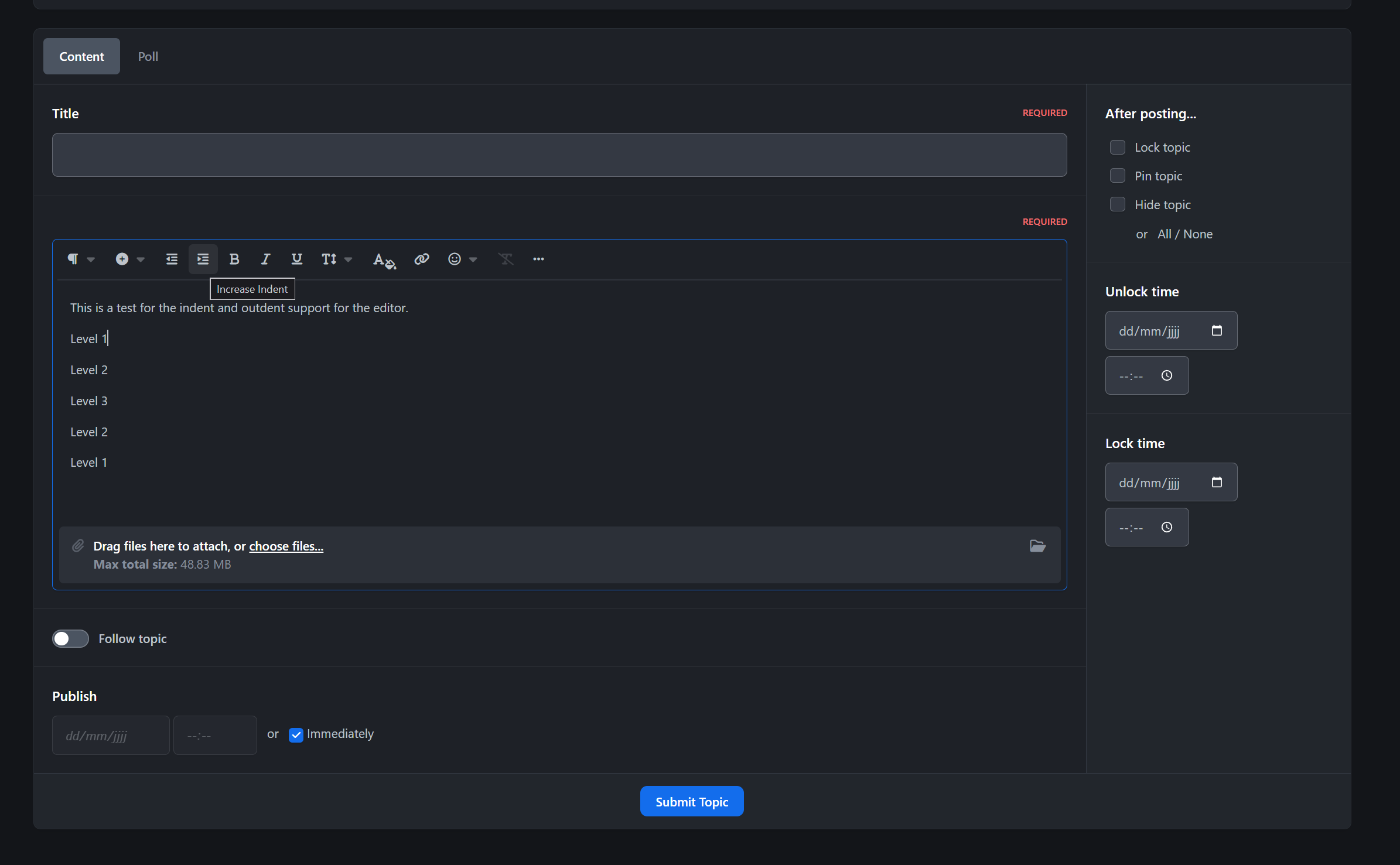
This resource will allow moderators, with proper permission, to change the date of the post.
Setup:
Admin CP, -> Members -> Staff -> Moderators. Edit moderators you want -> enable the Can change post date? permission.
Note:
Be careful when changing the date of a post. You can encounter issues when merging or splitting posts if you set a date that breaks the logical sequence of the post IDs within the topic.
IPS5.0.x
This resource will allow moderators, with proper permission, to change the date of the post.
Setup:
Admin CP, -> Members -> Staff -> Moderators. Edit moderators you want -> enable the Can change post date? permission.
Note:
Be careful when changing the date of a post. You can encounter issues when merging or splitting posts if you set a date that breaks the logical sequence of the post IDs within the topic.
This application will allow users to change PRIMARY member groups or add groups to SECONDARY groups in the Moderator Panel. Admins won't have their group changed.
Settings:
Staff Groups: these groups won't appear as an option to the moderator
Allowed groups: the groups can change member groups on ModeratorCP.
IPS5.0.x
This application will allow users to change PRIMARY member groups or add groups to SECONDARY groups in the Moderator Panel. Admins won't have their group changed.
Settings:
Staff Groups: these groups won't appear as an option to the moderator
Allowed groups: the groups can change member groups on ModeratorCP.
Who Viewed is a powerful activity tracking application that lets you see exactly who is viewing content across your community. Easily control which applications are tracked, which member groups are monitored, and who has permission to view visitor lists.
The application also includes an advanced Member View History system with dedicated profile tabs in both the ACP and Front-end. Gain deeper insights into member behavior through a detailed Activity Overview featuring Peak Activity Time, Last Activity, and Recent Interests tracking.
Supports: Forums, Pages, Download, Blog, Gallery, Calendar, Videobox, MangaHub, and more...
IPS5.0.0+
Who Viewed is a powerful activity tracking application that lets you see exactly who is viewing content across your community. Easily control which applications are tracked, which member groups are monitored, and who has permission to view visitor lists.
The application also includes an advanced Member View History system with dedicated profile tabs in both the ACP and Front-end. Gain deeper insights into member behavior through a detailed Activity Overview featuring Peak Activity Time, Last Activity, and Recent Interests tracking.
Supports: Forums, Pages, Download, Blog, Gallery, Calendar, Videobox, MangaHub, and more...
Active Viewers is an application that displays the list of members currently viewing specific content on your site with AJAX updates, helping users see who is engaging with discussions or browsing category.
Key Features:
Displays the list of members currently viewing specific content (Supports: Forums, Downloads, Pages, Blog, Gallery and Videobox).
In category view, shows the total number of users viewing each post.
Specify which member groups can use this feature.
Polling interval is configurable.
Polling pauses when the user is idle.
2 display layouts for the online members list.
Integrates with RTHub to use real-time services from Pusher or Ably.
This application does not work on IPS Cloud
IPS5.0.0+
Active Viewers is an application that displays the list of members currently viewing specific content on your site with AJAX updates, helping users see who is engaging with discussions or browsing category.
Key Features:
Displays the list of members currently viewing specific content (Supports: Forums, Downloads, Pages, Blog, Gallery and Videobox).
In category view, shows the total number of users viewing each post.
Specify which member groups can use this feature.
Polling interval is configurable.
Polling pauses when the user is idle.
2 display layouts for the online members list.
Integrates with RTHub to use real-time services from Pusher or Ably.
This application does not work on IPS Cloud

Top Developers

Last reviews

Applications Directory

A complete and convenient directory of applications for Invision Community, with categorization and sorting options.

Ratings and feedback

Only verified and trusted reviews!

Add new Application

Any developer can add their application to this directory.

You need to create account

Configure browser push notifications

Chrome (Android)
  1. Tap the lock icon next to the address bar.
  2. Tap Permissions → Notifications.
  3. Adjust your preference.
Chrome (Desktop)
  1. Click the padlock icon in the address bar.
  2. Select Site settings.
  3. Find Notifications and adjust your preference.