Jump to content
View in the app

A better way to browse. Learn more.

Invision Marketplace

A full-screen app on your home screen with push notifications, badges and more.

To install this app on iOS and iPadOS
  1. Tap the Share icon in Safari
  2. Scroll the menu and tap Add to Home Screen.
  3. Tap Add in the top-right corner.
To install this app on Android
  1. Tap the 3-dot menu (⋮) in the top-right corner of the browser.
  2. Tap Add to Home screen or Install app.
  3. Confirm by tapping Install.

Everything you need for your community

We will be moving to a new server soon, some downtime is expected.

Everything you need for your community

 Loading...
 Loading...
 Loading...
IMPORTANT
This only works for purchases made directly through the Downloads application, excluding Commerce Packages. Commerce must be used exclusively as the payment processor.
This application will add a widget to list the latest files purchased in Downloads by members.
Requirements:
Commerce
Downloads
Widget configurations:
Number of files to display
Groups that can view the block
IPS5.0.0+
IMPORTANT
This only works for purchases made directly through the Downloads application, excluding Commerce Packages. Commerce must be used exclusively as the payment processor.
This application will add a widget to list the latest files purchased in Downloads by members.
Requirements:
Commerce
Downloads
Widget configurations:
Number of files to display
Groups that can view the block
This application will display files from subcategories when the category you're browsing hasn't files.
It is compatible with the layout chosen for the categories (table or grid).
Requirement:
Downloads app
IPS5.0.0+
This application will display files from subcategories when the category you're browsing hasn't files.
It is compatible with the layout chosen for the categories (table or grid).
Requirement:
Downloads app
This application will allow you to charge your members to feature their files in Downloads for set periods.
Features
Allow uploaders to feature their file ( At a cost )
Create unlimited packages with different amounts of times the file is featured for
As soon as the purchase is complete, the file will be featured
Ability to add the file to the IPS5 feature FEATURED CONTENT page
The file will be removed from that page when the purchase expires
The file will be unfeatured after the purchase has expired
Set renewals to allow the members to keep their files featured
Requirements
Downloads app
Commerce app
IPS5.0.0+
This application will allow you to charge your members to feature their files in Downloads for set periods.
Features
Allow uploaders to feature their file ( At a cost )
Create unlimited packages with different amounts of times the file is featured for
As soon as the purchase is complete, the file will be featured
Ability to add the file to the IPS5 feature FEATURED CONTENT page
The file will be removed from that page when the purchase expires
The file will be unfeatured after the purchase has expired
Set renewals to allow the members to keep their files featured
Requirements
Downloads app
Commerce app
This application will add a new moderator permission to allow moderators to change file dates: submitted, updated, and published.
Requirement:
Downloads app
IPS5.0.0+
This application will add a new moderator permission to allow moderators to change file dates: submitted, updated, and published.
Requirement:
Downloads app
This application will display the country flag of users in several places of the entire suite, including third-party resources. It uses Geolocation to grab the country when a new user registers an account or when existing users log in on your board. Clicking on the flag will give you a list of all users from that country.
Important Notice:
IPS Geolocation is an active license perk so you need to have an active license to countries get picked by IP Address.
Usage:
New members: new members will have their country detected when they register the account
Existing members: Country will be recognized when a member is online or if allowed by the admin, go to Account Settings and pick your country.
Settings:
Display country flag everywhere: This option displays the country flag beside the user photo in several places on official apps like Forums, Gallery, Blogs, Pages, and Downloads, including its widgets and third-party resources. If disabled, it displays the country name + flag only on the user profile.
Groups allowed to change the country: users from selected groups can change their country on Account Settings. Sometimes Geolocation picks the wrong country, so the user will be able to fix it.
Notes:
Since IPS chose not to add a hook point in the userLink template, this app may not display the flag in the same locations as IPS4. Instead, flags will now appear wherever the userPhoto template is used.
The main page of this application uses flags from https://flagsapi.com/
IPS5.0.0+
This application will display the country flag of users in several places of the entire suite, including third-party resources. It uses Geolocation to grab the country when a new user registers an account or when existing users log in on your board. Clicking on the flag will give you a list of all users from that country.
Important Notice:
IPS Geolocation is an active license perk so you need to have an active license to countries get picked by IP Address.
Usage:
New members: new members will have their country detected when they register the account
Existing members: Country will be recognized when a member is online or if allowed by the admin, go to Account Settings and pick your country.
Settings:
Display country flag everywhere: This option displays the country flag beside the user photo in several places on official apps like Forums, Gallery, Blogs, Pages, and Downloads, including its widgets and third-party resources. If disabled, it displays the country name + flag only on the user profile.
Groups allowed to change the country: users from selected groups can change their country on Account Settings. Sometimes Geolocation picks the wrong country, so the user will be able to fix it.
Notes:
Since IPS chose not to add a hook point in the userLink template, this app may not display the flag in the same locations as IPS4. Instead, flags will now appear wherever the userPhoto template is used.
The main page of this application uses flags from https://flagsapi.com/
This application will allow members to submit job opportunities and curriculum vitae to help people find jobs.
Job Opportunity submissions:
You can build your forms with the fields you judge necessary.
Each form can be assigned to specific groups via permission.
You can add email addresses to be alerted when someone applies for a job opportunity.
Unlimited categories, plus the unlimited depth of parent-child relationships.
The ability to set a category as a container to other categories so it won't accept submissions.
Polls.
Extra fields (grouped).
Feature Color.
Icon.
Comments and Reviews.
Ability to choose which packages will work in the category, If you have Commerce installed.
Etc.
Curriculum Vitae submissions:
You can add the fields you judge as necessary.
You have permission to submit your CV and to view submitted CVs.
Search:
This application has an internal search so you can easily find job opportunities by:
Title
Category
Type
Country
State/Region
City
Work from home
Monetize your site:
You can create Packages to charge for job opportunity submissions, with renewals.
Package features:
Number of days to keep the submission active
Paid submissions with their cost
If submissions can be renewed, with the term and cost
Groups allowed to use that package
If new submissions will be pinned
Settings:
Settings to control the app's behavior in several places/situations.
IPS5.0.4+
This application will allow members to submit job opportunities and curriculum vitae to help people find jobs.
Job Opportunity submissions:
You can build your forms with the fields you judge necessary.
Each form can be assigned to specific groups via permission.
You can add email addresses to be alerted when someone applies for a job opportunity.
Unlimited categories, plus the unlimited depth of parent-child relationships.
The ability to set a category as a container to other categories so it won't accept submissions.
Polls.
Extra fields (grouped).
Feature Color.
Icon.
Comments and Reviews.
Ability to choose which packages will work in the category, If you have Commerce installed.
Etc.
Curriculum Vitae submissions:
You can add the fields you judge as necessary.
You have permission to submit your CV and to view submitted CVs.
Search:
This application has an internal search so you can easily find job opportunities by:
Title
Category
Type
Country
State/Region
City
Work from home
Monetize your site:
You can create Packages to charge for job opportunity submissions, with renewals.
Package features:
Number of days to keep the submission active
Paid submissions with their cost
If submissions can be renewed, with the term and cost
Groups allowed to use that package
If new submissions will be pinned
Settings:
Settings to control the app's behavior in several places/situations.
Enhance your user info panel with this powerful, fully customizable application for forum topic posts. You do not need to show all the information; you can choose to show or hide any one of them or just hide them for mobile viewing. You can also choose what user groups can see each piece of information.
User Info Panel
Edit the width of the user info panel between 200px and 350px
Profile Info
Show/Hide the user ID
Show/Hide the user group with color formatting
Personal Info
Show/Hide the user's birthday
Change the birthday view to show the member's age instead
Show/Hide the user joined date
Change the joined date to one saying "With Us For X Days"
Show/Hide the user's online status
Show/Hide the user's last activity
Show/Hide the users timezone
Show/Hide the user's follower count
Show/Hide the user's connected device
Content
Show/Hide the user post count
Show/Hide the user's post-per-day ratio
Show/Hide the user's reputation
Show/Hide the user's amount of leader board members of the day won
Show/Hide the Achievements
Choose to use a gold font for the member of the day
Show/Hide the user's solved content
Clubs
Show/Hide the user's clubs as icons at the bottom of the user info panel (The club name will appear on hover)
Change the size of the club's icons
IPS5.0.0+
Enhance your user info panel with this powerful, fully customizable application for forum topic posts. You do not need to show all the information; you can choose to show or hide any one of them or just hide them for mobile viewing. You can also choose what user groups can see each piece of information.
User Info Panel
Edit the width of the user info panel between 200px and 350px
Profile Info
Show/Hide the user ID
Show/Hide the user group with color formatting
Personal Info
Show/Hide the user's birthday
Change the birthday view to show the member's age instead
Show/Hide the user joined date
Change the joined date to one saying "With Us For X Days"
Show/Hide the user's online status
Show/Hide the user's last activity
Show/Hide the users timezone
Show/Hide the user's follower count
Show/Hide the user's connected device
Content
Show/Hide the user post count
Show/Hide the user's post-per-day ratio
Show/Hide the user's reputation
Show/Hide the user's amount of leader board members of the day won
Show/Hide the Achievements
Choose to use a gold font for the member of the day
Show/Hide the user's solved content
Clubs
Show/Hide the user's clubs as icons at the bottom of the user info panel (The club name will appear on hover)
Change the size of the club's icons
This application enables your community to use an invitation system for new registrations, which can be made mandatory based on your settings. When enabled, a valid invitation code will be required to create a new account in your community.

Public side features:
Users can send invitations on Account Settings → Invitations.
A new icon is added to the board top (beside Notifications and Messenger) to display the converted invitees and the user's number of invites. This icon also shows the remaining invitations for the member (just like how many users are online on Chat).
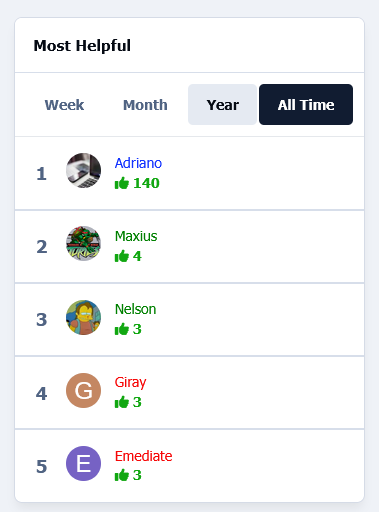
2 widgets: Top Inviters (per week, month, year, and general) and Latest Converted Invitees, which are invitations converted to membership.
Shows "Invited by" on the user profile and profile card (hover on the user link).
Tab on the user profile to display their invitees (converted invitations)
Notification to the member who invited someone when an account is created using their invitation
Campaigns:
You can bring the Invite System to the real world by using campaigns, where people can register using the same code for a given number of days or until a limit of registration is reached.
Campaigns DO NOT send emails. The purpose is to use its code somewhere else.
Campaigns are independent of the invitation system, so you can simply leave it disabled if you don't want to use it.
You can also use invitations and campaigns together.
More.
Settings:
Enable Invite System
Require an Invitation to Register an Account
Restore deleted or expired invitation
Display the pop-up Invitations link at the top.
Display the total remaining invitations
Invitation Expires after X days
Earn one Invitation at every X new piece of content posted
More.
ACP Features:
Invitations Management: a place where you can see the status of each invitation. The statuses are PENDING, CONVERTED, and EXPIRED. You can invite people, and delete or resend invitations. You can also create batch invitations to be used on a campaign or to be posted elsewhere. It won't send any emails.
Bonus form: you can give invitations to a specific member or a whole member group
Integration with Commerce
Notes:
It doesn't work in Commerce registration (if you have packages in the register screen).
Since hooks cannot be used, a few options have been removed in this version.
IPS5.0.0+
This application enables your community to use an invitation system for new registrations, which can be made mandatory based on your settings. When enabled, a valid invitation code will be required to create a new account in your community.
Public side features:
Users can send invitations on Account Settings → Invitations.
A new icon is added to the board top (beside Notifications and Messenger) to display the converted invitees and the user's number of invites. This icon also shows the remaining invitations for the member (just like how many users are online on Chat).
2 widgets: Top Inviters (per week, month, year, and general) and Latest Converted Invitees, which are invitations converted to membership.
Shows "Invited by" on the user profile and profile card (hover on the user link).
Tab on the user profile to display their invitees (converted invitations)
Notification to the member who invited someone when an account is created using their invitation
Campaigns:
You can bring the Invite System to the real world by using campaigns, where people can register using the same code for a given number of days or until a limit of registration is reached.
Campaigns DO NOT send emails. The purpose is to use its code somewhere else.
Campaigns are independent of the invitation system, so you can simply leave it disabled if you don't want to use it.
You can also use invitations and campaigns together.
More.
Settings:
Enable Invite System
Require an Invitation to Register an Account
Restore deleted or expired invitation
Display the pop-up Invitations link at the top.
Display the total remaining invitations
Invitation Expires after X days
Earn one Invitation at every X new piece of content posted
More.
ACP Features:
Invitations Management: a place where you can see the status of each invitation. The statuses are PENDING, CONVERTED, and EXPIRED. You can invite people, and delete or resend invitations. You can also create batch invitations to be used on a campaign or to be posted elsewhere. It won't send any emails.
Bonus form: you can give invitations to a specific member or a whole member group
Integration with Commerce
Notes:
It doesn't work in Commerce registration (if you have packages in the register screen).
Since hooks cannot be used, a few options have been removed in this version.
This application allows admins (with the Can sign in as members permission enabled) to quickly log in as any member from the front end, without needing to access the Admin Control Panel.
IPS5.0.6+
This application allows admins (with the Can sign in as members permission enabled) to quickly log in as any member from the front end, without needing to access the Admin Control Panel.
Linked Accounts enables your members to connect multiple accounts and switch between them seamlessly. You have full control over which user groups can utilize the Linked Accounts system and which groups are restricted from being linked. The POST AS feature allows users with linked accounts to create or reply to topics using any of their linked accounts. All actions are logged, providing you with a clear record of activities performed through linked accounts.
The Linked Accounts system is ideal for fan fiction forums, roleplaying communities, or anyone managing multiple accounts (e.g., John Doe, Administrator, Forum News).
Notes:
Linked Accounts is integrated into the Login system of IPS4, so to control the number of failed logins, Reset failed login count (minutes) on ACP -> Login Handlers -> Login Settings.
Since hooks cannot be used, the option to reply to topics using linked accounts has been removed in this version. You can only create topics using linked accounts from now on.
IPS5.0.6+
Linked Accounts enables your members to connect multiple accounts and switch between them seamlessly. You have full control over which user groups can utilize the Linked Accounts system and which groups are restricted from being linked. The POST AS feature allows users with linked accounts to create or reply to topics using any of their linked accounts. All actions are logged, providing you with a clear record of activities performed through linked accounts.
The Linked Accounts system is ideal for fan fiction forums, roleplaying communities, or anyone managing multiple accounts (e.g., John Doe, Administrator, Forum News).
Notes:
Linked Accounts is integrated into the Login system of IPS4, so to control the number of failed logins, Reset failed login count (minutes) on ACP -> Login Handlers -> Login Settings.
Since hooks cannot be used, the option to reply to topics using linked accounts has been removed in this version. You can only create topics using linked accounts from now on.
This application will allow users to create records from their preferred videos on YouTube (including regular and short videos), Vimeo, and Dailymotion, or even upload videos. The application automatically retrieves video thumbnails, so all you need to do is enter the video title, paste the URL, and optionally add a description—that's it.
Key features of this application include:
Integrated with the YouTube Data API to grab data from videos via search to add them quickly.
Two options to choose how the index will look like: Blocks or Tabs.
Unlimited categories with support for unlimited parent-child relationships.
Customizable category icons.
Flexible options to enable a comments and reviews system per category.
Ability to add polls to videos.
An Extra Fields group that can be used per category.
Additional Videos: videos added within a video.
The Profile tab displays the videos submitted by the profile owner.
Thumbnail management.
Several places to display advertisements.
Other features:
Integrated with the framework, including features such as search, tags, follow functionality, reactions, and more.
Integration to RSS/Atom Feed Imports.
Support for Rest API
Support for Webhooks
Settings:
Settings to control the application behavior in several places/situations.
Note:
This version does not include a converter for the old Videos application by Mike J. It will be reworked and added in a future update.
IPS5.0.4+
This application will allow users to create records from their preferred videos on YouTube (including regular and short videos), Vimeo, and Dailymotion, or even upload videos. The application automatically retrieves video thumbnails, so all you need to do is enter the video title, paste the URL, and optionally add a description—that's it.
Key features of this application include:
Integrated with the YouTube Data API to grab data from videos via search to add them quickly.
Two options to choose how the index will look like: Blocks or Tabs.
Unlimited categories with support for unlimited parent-child relationships.
Customizable category icons.
Flexible options to enable a comments and reviews system per category.
Ability to add polls to videos.
An Extra Fields group that can be used per category.
Additional Videos: videos added within a video.
The Profile tab displays the videos submitted by the profile owner.
Thumbnail management.
Several places to display advertisements.
Other features:
Integrated with the framework, including features such as search, tags, follow functionality, reactions, and more.
Integration to RSS/Atom Feed Imports.
Support for Rest API
Support for Webhooks
Settings:
Settings to control the application behavior in several places/situations.
Note:
This version does not include a converter for the old Videos application by Mike J. It will be reworked and added in a future update.
Links Directory is an application that provides your community with a member-driven web directory. Allow members to submit websites for approval in categories you define. Users can comment and rate other member’s submissions. You can also mark websites as official affiliates, fostering traffic between friends.
Features
Submit links to websites along with a title, description, and an image generated from extensible APIs: Sneak.pw, WebThumbnail, Thumbshots (requires an API Key), and Upload field. You can also save the image locally, which will reduce the API call. The image is updated when you update the link. The admin can choose if new links are moderated, per category.
Ability to charge per link, integrated into Commerce.
Submit comments to links. Admin can choose if new comments are moderated, per category.
Rate links using the star rating system used throughout the IPS4. Per category setting.
Integrates to Share Links to share or email inks.
Integrates to Google Maps if an address is provided in the link submission (IPS 4.1.13+: Google Map APIs now require an API key. Go to AdminCP -> System -> Community Enhancements to enable Google Maps support)
The ability for users to report potentially offensive content or broken links using the built-in Report Center
Search integration: search links along with the rest of your community’s content
Supports item marking, allowing your users to see what links have been added or commented on
Integrates into Activity Streams.
Supports the built-in tagging system including prefixes.
Support for notifications such as new links and comments on user links.
Ability to follow/like categories and individual links.
Unlimited categories of links, plus the unlimited depth of parent-child relationships
Category Icons
Drag & drop reordering of categories in the ACP.
Per-category permissions to show categories, view links, submit links, add comments, and avoid approval queues
Provide a “link back” code so other websites can link back to yours.
Mark links as official affiliates and display them in a different section on the Links Directory Index
Integrates into IPS4 Moderating system, which all common permissions, such as pin, unpin, delete, feature, move, etc.
Per-category Permissions allow you to specify which permission sets are allowed to view categories, view links, add links, edit links, comment, rate, and avoid moderation at a granular level.
Robust Admin Restrictions.
Integration with the Advertisement system
Integration with the Sitemap system to include links in your sitemap
Ability to create RSS feeds of all links
Integration with ACP Live Seach (Links categories)
Support Extra Fields so you can define different fields per category
Friendly URLs for links and categories
Ability to configure the Links Index page to display the blocks you want
And much, much more!
Notes
Each purchase entitles you to the use of Links on one Community installation.
IPS5.0.4+
Links Directory is an application that provides your community with a member-driven web directory. Allow members to submit websites for approval in categories you define. Users can comment and rate other member’s submissions. You can also mark websites as official affiliates, fostering traffic between friends.
Features
Submit links to websites along with a title, description, and an image generated from extensible APIs: Sneak.pw, WebThumbnail, Thumbshots (requires an API Key), and Upload field. You can also save the image locally, which will reduce the API call. The image is updated when you update the link. The admin can choose if new links are moderated, per category.
Ability to charge per link, integrated into Commerce.
Submit comments to links. Admin can choose if new comments are moderated, per category.
Rate links using the star rating system used throughout the IPS4. Per category setting.
Integrates to Share Links to share or email inks.
Integrates to Google Maps if an address is provided in the link submission (IPS 4.1.13+: Google Map APIs now require an API key. Go to AdminCP -> System -> Community Enhancements to enable Google Maps support)
The ability for users to report potentially offensive content or broken links using the built-in Report Center
Search integration: search links along with the rest of your community’s content
Supports item marking, allowing your users to see what links have been added or commented on
Integrates into Activity Streams.
Supports the built-in tagging system including prefixes.
Support for notifications such as new links and comments on user links.
Ability to follow/like categories and individual links.
Unlimited categories of links, plus the unlimited depth of parent-child relationships
Category Icons
Drag & drop reordering of categories in the ACP.
Per-category permissions to show categories, view links, submit links, add comments, and avoid approval queues
Provide a “link back” code so other websites can link back to yours.
Mark links as official affiliates and display them in a different section on the Links Directory Index
Integrates into IPS4 Moderating system, which all common permissions, such as pin, unpin, delete, feature, move, etc.
Per-category Permissions allow you to specify which permission sets are allowed to view categories, view links, add links, edit links, comment, rate, and avoid moderation at a granular level.
Robust Admin Restrictions.
Integration with the Advertisement system
Integration with the Sitemap system to include links in your sitemap
Ability to create RSS feeds of all links
Integration with ACP Live Seach (Links categories)
Support Extra Fields so you can define different fields per category
Friendly URLs for links and categories
Ability to configure the Links Index page to display the blocks you want
And much, much more!
Notes
Each purchase entitles you to the use of Links on one Community installation.
Visually based on the Providers Directory from IPS, this app will allow members to offer their services in your community. You can verify the record and allow members to bump their records, which will bring them to the top of the listing.
Features:
Integration with Commerce to charge for record submission
Flexible options to enable a comments and reviews system.
Extra Fields.
The Profile tab displays the record submitted by the profile owner.
Areas:
You can establish designated badges to refine and focus the organization of records.
Other Features:
Integrated with the framework, including features such as search, tags, follow functionality, reactions, and more.
Support to Rest API
Support for Webhooks
More...
Settings:
Settings to control the app behavior in several places/situations.
IPS5.0.4+
Visually based on the Providers Directory from IPS, this app will allow members to offer their services in your community. You can verify the record and allow members to bump their records, which will bring them to the top of the listing.
Features:
Integration with Commerce to charge for record submission
Flexible options to enable a comments and reviews system.
Extra Fields.
The Profile tab displays the record submitted by the profile owner.
Areas:
You can establish designated badges to refine and focus the organization of records.
Other Features:
Integrated with the framework, including features such as search, tags, follow functionality, reactions, and more.
Support to Rest API
Support for Webhooks
More...
Settings:
Settings to control the app behavior in several places/situations.
A full-featured Tutorials/Article system for your IPS Community.
Here's a quick rundown of some of the features of this application:
Fully compatible with the framework:
Clubs, Reactions, Recommended Comments, Follow categories and tutorials, Content Messages, Search, Tags, Reports, RSS Feed, RSS/Atom Feed Imports, Advertisement, Bulk Mail, Sitemap, etc.
Unlimited categories of articles, plus the unlimited depth of parent-child relationships
Category Image and Icon
Ability to use the comments system or support topics, or both
Per-category permissions to show categories, read articles, submit articles, add comments, and avoid approval queues
Extra Fields that can be used per category, grouped (just like profile fields)
Ability to create polls in tutorials
Group permissions on specific actions
Moderator actions on articles and comments
Ability to attach files to tutorials and comments
Ability to quickly convert a forum post into a new tutorial
Ability to copy a tutorial from one category to another or the same category
Friendly URLs for tutorials and categories
Ability to rate tutorials
Ability to follow categories and tutorials to receive notifications on updates
Tools to create topics for existing tutorials, make tutorials of topics, and rebuild support topics text if you have changed the template on Tutorials settings.
And much, much more!
IPS5.0.4+
A full-featured Tutorials/Article system for your IPS Community.
Here's a quick rundown of some of the features of this application:
Fully compatible with the framework:
Clubs, Reactions, Recommended Comments, Follow categories and tutorials, Content Messages, Search, Tags, Reports, RSS Feed, RSS/Atom Feed Imports, Advertisement, Bulk Mail, Sitemap, etc.
Unlimited categories of articles, plus the unlimited depth of parent-child relationships
Category Image and Icon
Ability to use the comments system or support topics, or both
Per-category permissions to show categories, read articles, submit articles, add comments, and avoid approval queues
Extra Fields that can be used per category, grouped (just like profile fields)
Ability to create polls in tutorials
Group permissions on specific actions
Moderator actions on articles and comments
Ability to attach files to tutorials and comments
Ability to quickly convert a forum post into a new tutorial
Ability to copy a tutorial from one category to another or the same category
Friendly URLs for tutorials and categories
Ability to rate tutorials
Ability to follow categories and tutorials to receive notifications on updates
Tools to create topics for existing tutorials, make tutorials of topics, and rebuild support topics text if you have changed the template on Tutorials settings.
And much, much more!
Are you looking for staff? Developers? Designers? Or anything else? This application will help admins/moderators to find people to help on their boards.
Here's a quick rundown of some of the features of this resource:
Ability to create categories/subcategories 
Extra Fields
In Position form
In the Application form
Ability to create open positions in draft mode and choose a date to automatically publish it 
Module to add Positions on ACP (moderator, web designer, developer, etc)
Ability to inform how many places the position has. Example: You can create an application record to "hire" 3 moderators.
Ability to move the "winner" member to a chosen group (you inform the group when you're adding the application record)
Ability to restrict the application by Content count, Reputation points/likes, Number of days as a member, Minimum age, and groups
Ability to create a topic at every new application submission.
The module on ModeratorCP to view all pending records from all applications
Compatible with the most important features from IPS 4.2 (Recommended Comments, Content Message, Reactions, Member History, Richer Embeds, etc.)
Integrated into the framework: Tag system, Follow System, Report system, Search system, Share Links, etc.
Moderator actions on applications, comments, and reviews
Moderator permission to approve/reject applications
Ability to create RSS feeds from member applications
Compatibility with Achievements
Compatibility with Webhooks
Etc.
IPS5.0.4+
Are you looking for staff? Developers? Designers? Or anything else? This application will help admins/moderators to find people to help on their boards.
Here's a quick rundown of some of the features of this resource:
Ability to create categories/subcategories 
Extra Fields
In Position form
In the Application form
Ability to create open positions in draft mode and choose a date to automatically publish it 
Module to add Positions on ACP (moderator, web designer, developer, etc)
Ability to inform how many places the position has. Example: You can create an application record to "hire" 3 moderators.
Ability to move the "winner" member to a chosen group (you inform the group when you're adding the application record)
Ability to restrict the application by Content count, Reputation points/likes, Number of days as a member, Minimum age, and groups
Ability to create a topic at every new application submission.
The module on ModeratorCP to view all pending records from all applications
Compatible with the most important features from IPS 4.2 (Recommended Comments, Content Message, Reactions, Member History, Richer Embeds, etc.)
Integrated into the framework: Tag system, Follow System, Report system, Search system, Share Links, etc.
Moderator actions on applications, comments, and reviews
Moderator permission to approve/reject applications
Ability to create RSS feeds from member applications
Compatibility with Achievements
Compatibility with Webhooks
Etc.

Top Developers

Last reviews

Applications Directory

A complete and convenient directory of applications for Invision Community, with categorization and sorting options.

Ratings and feedback

Only verified and trusted reviews!

Add new Application

Any developer can add their application to this directory.

You need to create account

Configure browser push notifications

Chrome (Android)
  1. Tap the lock icon next to the address bar.
  2. Tap Permissions → Notifications.
  3. Adjust your preference.
Chrome (Desktop)
  1. Click the padlock icon in the address bar.
  2. Select Site settings.
  3. Find Notifications and adjust your preference.