Jump to content
View in the app

A better way to browse. Learn more.

Invision Marketplace

A full-screen app on your home screen with push notifications, badges and more.

To install this app on iOS and iPadOS
  1. Tap the Share icon in Safari
  2. Scroll the menu and tap Add to Home Screen.
  3. Tap Add in the top-right corner.
To install this app on Android
  1. Tap the 3-dot menu (⋮) in the top-right corner of the browser.
  2. Tap Add to Home screen or Install app.
  3. Confirm by tapping Install.

Everything you need for your community

We will be moving to a new server soon, some downtime is expected.

Everything you need for your community

 Loading...
 Loading...
 Loading...
This app will add a new page to your forum linked to the navigation which will display the Most Replied Topics, Most Viewed Topics, Most Liked Topics and Most Topic Starters. A chart to display the new topics based on a time period is also available. Each block can be enabled/disabled individually. The topic viewing permissions are respected. Meaning users will not be able to see topics that they aren't supposed to. You can also select a forum or forums to exclude their topics from being displayed. Access to the page is group permission based.
IPS5.0.0
This app will add a new page to your forum linked to the navigation which will display the Most Replied Topics, Most Viewed Topics, Most Liked Topics and Most Topic Starters. A chart to display the new topics based on a time period is also available. Each block can be enabled/disabled individually. The topic viewing permissions are respected. Meaning users will not be able to see topics that they aren't supposed to. You can also select a forum or forums to exclude their topics from being displayed. Access to the page is group permission based.
This app will display the Moderator Logs on the front side linked to the Navigation. This can come in handy if you want to display it to your Staff without giving them Admin Panel access. The access is group permission based.
IPS5.0.0
This app will display the Moderator Logs on the front side linked to the Navigation. This can come in handy if you want to display it to your Staff without giving them Admin Panel access. The access is group permission based.
Just Beachy — A Summer Theme for Invision Community v5
Just Beachy is a playful theme with colours and images reminiscent of good, warm days lounging on the beach!
Live Demo (select Just Beachy)

Highlights
Light and inviting
Just Beachy uses a soft light base paired with fun summer colours to make it pleasant to read but still eye catching.
Fun and Playful
A sailboat, beach ball and lawn chair with an umbrella are used to decorate the theme and some drawn artwork in the sand gives it a wholesome touch!
Built for Invision Community v5
Developed using v5’s updated template structure, ensuring modern design standards, improved responsiveness, and compatibility with all core apps.
Perfect for Summer or off season events
It's a great theme if you have the winter blues or want to celebrate the summer season!

What’s Included
Complete Invision Community v5 theme
Styled widgets and forum containers
Custom forum icons and accents
IPS5.0.0+
Just Beachy — A Summer Theme for Invision Community v5
Just Beachy is a playful theme with colours and images reminiscent of good, warm days lounging on the beach!
Live Demo (select Just Beachy)

Highlights
Light and inviting
Just Beachy uses a soft light base paired with fun summer colours to make it pleasant to read but still eye catching.
Fun and Playful
A sailboat, beach ball and lawn chair with an umbrella are used to decorate the theme and some drawn artwork in the sand gives it a wholesome touch!
Built for Invision Community v5
Developed using v5’s updated template structure, ensuring modern design standards, improved responsiveness, and compatibility with all core apps.
Perfect for Summer or off season events
It's a great theme if you have the winter blues or want to celebrate the summer season!

What’s Included
Complete Invision Community v5 theme
Styled widgets and forum containers
Custom forum icons and accents
JuicyFruit — A Vibrant Theme for Invision Community v5
JuicyFruit is a theme that highlights vibrant colours while having the option of a light mode that's soft and inviting and a dark mode that's sleek and high contrast.
Live Demo (select JuicyFruit)

Highlights
Clean and fresh
JuicyFruit minimal and professional but visually structured for colours to pop and draw the eye in.
Built for Invision Community v5
Developed using v5’s updated template structure, ensuring modern design standards, improved responsiveness, and compatibility with all core apps.

What’s Included
Complete Invision Community v5 theme
Styled widgets and forum containers
Forum icons and accents
IPS5.0.0+
JuicyFruit — A Vibrant Theme for Invision Community v5
JuicyFruit is a theme that highlights vibrant colours while having the option of a light mode that's soft and inviting and a dark mode that's sleek and high contrast.
Live Demo (select JuicyFruit)

Highlights
Clean and fresh
JuicyFruit minimal and professional but visually structured for colours to pop and draw the eye in.
Built for Invision Community v5
Developed using v5’s updated template structure, ensuring modern design standards, improved responsiveness, and compatibility with all core apps.

What’s Included
Complete Invision Community v5 theme
Styled widgets and forum containers
Forum icons and accents
This app will give the members at your forum the possibility to leave reputations feedback to each other. Reputation feedback are positive,neutral and negative. After a member has received a reputation feedback, they will receive a notification letting them know about it. The Reputation notification can be enabled/disabled from members notification settings page. Depending on their permissions members can delete reputations that they have given themselves or all reputations.
Permissions:
You can set the permissions for groups to use it on a group per group basis. 
Restrictions:
Banned members can't receive reputation feedback.
The same goes for members that are on someone's ignore list.
Depending on the group permissions members can give the same member either only one specific reputation feedback or unlimited. 
Group based daily reputation feedback limit.
Group based negative feedback protection.
Privacy:
From their Account Settings->Reputation Privacy, members can set it so only their followers will be able to give them reputation feedback, everyone or disable it completely so none one will be able to send them reputations. Members with the appropriate permissions will still be able to give them reputation feedback regardless of the privacy setting.
Display:
A new page linked to the navigation manager has been added that will display all the reputation feedback that members have given and received. Reputations can be filtered based on their status and a search option is available for member to search through the reputations.
Three sidebar blocks are available that will list the most positive/negative members as well as a total of all reputations stats.
A new tab has been added on members profiles where they can see all reputations that they have received.
Members reputations stats will be displayed on their postbits.
Logs:
Whenever someone is deleting a reputation feedback, that action will be logged at the Moderators log page. 
IPS5.0.0
This app will give the members at your forum the possibility to leave reputations feedback to each other. Reputation feedback are positive,neutral and negative. After a member has received a reputation feedback, they will receive a notification letting them know about it. The Reputation notification can be enabled/disabled from members notification settings page. Depending on their permissions members can delete reputations that they have given themselves or all reputations.
Permissions:
You can set the permissions for groups to use it on a group per group basis. 
Restrictions:
Banned members can't receive reputation feedback.
The same goes for members that are on someone's ignore list.
Depending on the group permissions members can give the same member either only one specific reputation feedback or unlimited. 
Group based daily reputation feedback limit.
Group based negative feedback protection.
Privacy:
From their Account Settings->Reputation Privacy, members can set it so only their followers will be able to give them reputation feedback, everyone or disable it completely so none one will be able to send them reputations. Members with the appropriate permissions will still be able to give them reputation feedback regardless of the privacy setting.
Display:
A new page linked to the navigation manager has been added that will display all the reputation feedback that members have given and received. Reputations can be filtered based on their status and a search option is available for member to search through the reputations.
Three sidebar blocks are available that will list the most positive/negative members as well as a total of all reputations stats.
A new tab has been added on members profiles where they can see all reputations that they have received.
Members reputations stats will be displayed on their postbits.
Logs:
Whenever someone is deleting a reputation feedback, that action will be logged at the Moderators log page. 
Better Stats Pro is an advanced application that integrates the functionality of two built-in widgets: "Member Statistics" and "Forum Statistics", creating one comprehensive widget. It is an extended version of my free plugin "Better Statistics".
In this version, users can sort/add/remove tiles according to their preferences.
Tiles list:
Total posts [Forums app required]
Total topics [Forums app required]
Total members
Most online
Newest member
Total reactions
Total bans
Space
Total files [Downloads app required]
Total downloads files [Downloads app required]
Total views files [Downloads app required]
Total images [Gallery app required]
Total images comments [Gallery app required]
Total albums [Gallery app required]
Total blogs [Blog app required]
Total blog entries [Blog app required]
Total pages comments [Pages app required]
Total pages views [Pages app required]
IPS5.0.x
Better Stats Pro is an advanced application that integrates the functionality of two built-in widgets: "Member Statistics" and "Forum Statistics", creating one comprehensive widget. It is an extended version of my free plugin "Better Statistics".
In this version, users can sort/add/remove tiles according to their preferences.
Tiles list:
Total posts [Forums app required]
Total topics [Forums app required]
Total members
Most online
Newest member
Total reactions
Total bans
Space
Total files [Downloads app required]
Total downloads files [Downloads app required]
Total views files [Downloads app required]
Total images [Gallery app required]
Total images comments [Gallery app required]
Total albums [Gallery app required]
Total blogs [Blog app required]
Total blog entries [Blog app required]
Total pages comments [Pages app required]
Total pages views [Pages app required]
This modification adds a legend to groups set by the site owner.
IPS5.0.x
This modification adds a legend to groups set by the site owner.
The Toggle Sidebar Widgets plugin for IPS5 allows users to collapse and expand sidebar panels with a smooth animation effect. This feature enhances user experience by providing a cleaner and more organized interface, reducing clutter when panels are not needed. Users can toggle individual widgets using a dedicated button, ensuring efficient space utilization while maintaining accessibility to content. The plugin remembers user preferences, so hidden widgets remain collapsed upon revisiting the page.
IPS5.0.x
The Toggle Sidebar Widgets plugin for IPS5 allows users to collapse and expand sidebar panels with a smooth animation effect. This feature enhances user experience by providing a cleaner and more organized interface, reducing clutter when panels are not needed. Users can toggle individual widgets using a dedicated button, ensuring efficient space utilization while maintaining accessibility to content. The plugin remembers user preferences, so hidden widgets remain collapsed upon revisiting the page.
An application that combines the code from two built-in widgets called "Member Statistics" and "Forum Statistics" into one. It also has two built-in themes to change.
IPS5.0.x
An application that combines the code from two built-in widgets called "Member Statistics" and "Forum Statistics" into one. It also has two built-in themes to change.
This application adds a widget to the homepage that displays the latest updates from a given project.
 Functions:
Added new statuses (Success, Info, Error, etc.) with icons and colors
Adding new projects with icons
Multilingual support
Font Awesome support
 An option to configure JSON will be added soon.
This application adds a widget to the homepage that displays the latest updates from a given project.
 Functions:
Added new statuses (Success, Info, Error, etc.) with icons and colors
Adding new projects with icons
Multilingual support
Font Awesome support
 An option to configure JSON will be added soon.
Many people are looking for an equivalent of IPS Pages. My application allows you to add your own subpages with any content.
The current version is a bit poor but it will be enriched with additional functions, i.e.:
- PHP content support
- Password protection
Many people are looking for an equivalent of IPS Pages. My application allows you to add your own subpages with any content.
The current version is a bit poor but it will be enriched with additional functions, i.e.:
- PHP content support
- Password protection
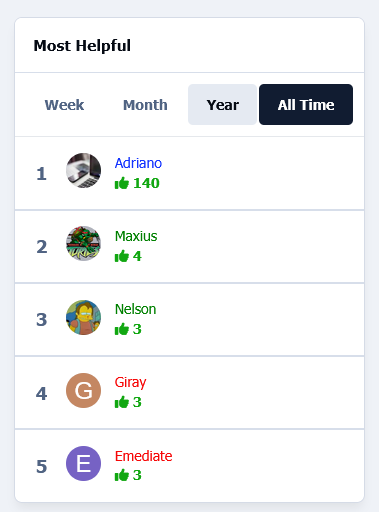
The app adds a new widget that works similarly to Top Contributors, but also displays topics and posts with sorting options.

Top Developers

Last reviews

Applications Directory

A complete and convenient directory of applications for Invision Community, with categorization and sorting options.

Ratings and feedback

Only verified and trusted reviews!

Add new Application

Any developer can add their application to this directory.

You need to create account

Configure browser push notifications

Chrome (Android)
  1. Tap the lock icon next to the address bar.
  2. Tap Permissions → Notifications.
  3. Adjust your preference.
Chrome (Desktop)
  1. Click the padlock icon in the address bar.
  2. Select Site settings.
  3. Find Notifications and adjust your preference.