Jump to content
View in the app

A better way to browse. Learn more.

Invision Marketplace

A full-screen app on your home screen with push notifications, badges and more.

To install this app on iOS and iPadOS
  1. Tap the Share icon in Safari
  2. Scroll the menu and tap Add to Home Screen.
  3. Tap Add in the top-right corner.
To install this app on Android
  1. Tap the 3-dot menu (⋮) in the top-right corner of the browser.
  2. Tap Add to Home screen or Install app.
  3. Confirm by tapping Install.

Everything you need for your community

Everything you need for your community

 Loading...
 Loading...
 Loading...
Workflows — when this happens, do that
Every community has jobs that get done by hand over and over. Tag the posts that mention billing. Message new members after their first post. Add buyers to a group. Push reports into the chat channel your team actually watches.
Workflows does them for you. You pick a trigger, add conditions if you need them, and choose what should happen.
28 things to trigger on
ContentPosted · edited · deleted · hidden, locked or pinned · moved · merged · split · reported MembersRegisters · validates · logs in · updates their profile · flagged as a spammer · reacts · follows · joins or leaves a club · RSVPs · completes a course CommercePurchase paid · about to expire · expired · renewed · cancelled OtherPoll voted · file downloaded · club created PagesSomebody presses a button you designed Every one of those is wired to a real Invision Community event and tested on an install with the first-party applications present. The trigger list only ever offers events that genuinely fire — you cannot save a rule that quietly never runs.
Buttons on a Pages record
Twenty-seven of those triggers are things your community does. The twenty-eighth waits for a person.
Design a button in the rule — its wording, its colour, an optional icon, which databases and categories it appears on, which groups can see and press it, and whether to ask for confirmation. What happens when it is pressed is the ordinary conditions and actions below. Approve and Reject on a bug tracker, Send back to the author on an article, a one-click Mark as answered.
Because it is a rule and not a template edit, a button can carry conditions, write to a Pages field, message the author, fire a webhook, and be changed by somebody who has never opened a theme.
Buttons run immediately rather than on the queue — you pressed it, so you are told what happened rather than waiting on a background task.
Conditions, so rules stay precise
Forum or category, author's group, post count, account age, content contains text, content matches a pattern, tagged with, title contains, is the first post in a topic.
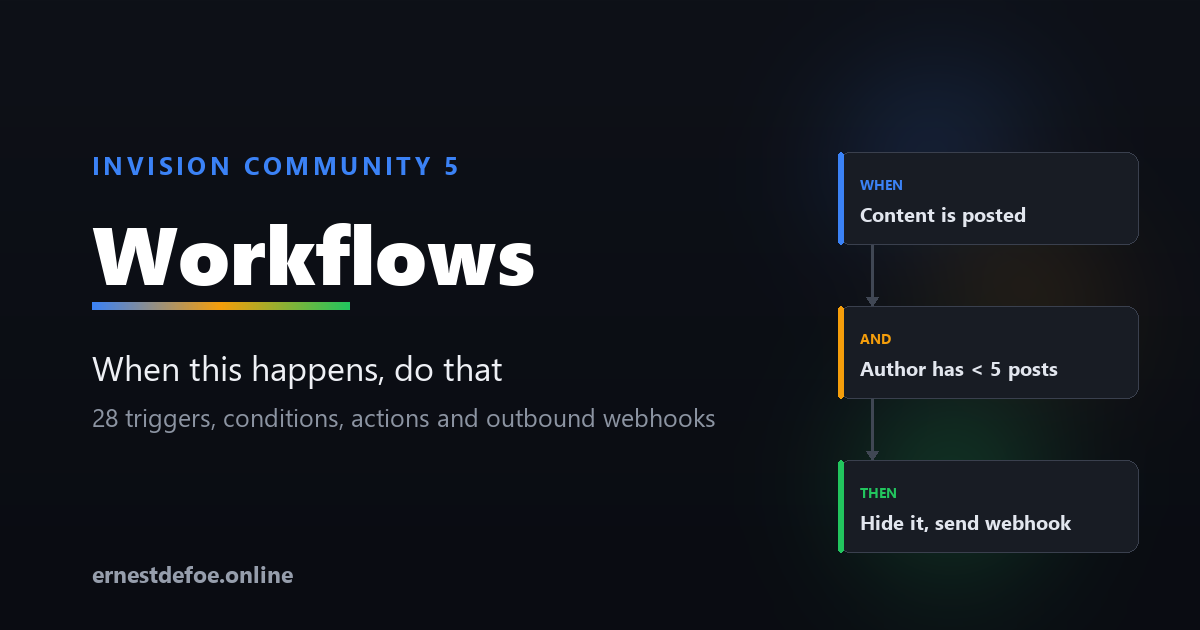
For example: when content is posted, and the author has fewer than 5 posts, and the content matches a URL pattern — hide it and send yourself a webhook. Actions
Lock, unlock, pin, unpin, hide, approve, add tags, add or remove a secondary group, award points, award a badge, send a private message, and send a webhook.
The webhook action is the important one
Anything your community does can be pushed to Zapier, Make, n8n, or your own code, as JSON. That means Workflows isn't limited to what this application can do — it's the bridge to everything else you already use.
Set a signing secret and each request is signed, so the receiving end can tell a genuine call from anyone who guessed the URL.
A run log that answers the real question
Rules engines fail when you can't tell why a rule didn't fire. Workflows records every evaluation, with the reason:
"Forum 'Introductions' is not in the selected list." "Bob has 3 posts; condition was at least 10." "Content does not contain \"refund\"." Filter by matched, skipped or errors, and by rule. Turn skipped logging on while you build a rule and off once it works.
Built not to get in the way
Nothing blocks posting. Conditions are evaluated inline because they're cheap; actions run on the background queue. A rule pointing at a slow webhook can never make a member wait, and an outage can't stop people posting. Loops are impossible. "When a post is created, post a reply" would take a site down. The engine refuses to re-enter an event it's already handling — that's built into its structure, not a setting you can get wrong. Only sensible options are offered. The builder hides conditions and actions the chosen trigger can't supply, so you're never offered "lock the topic" on a member-registered rule — there isn't one. Actions report what they actually did, not what they attempted — including when Invision Community declines something, and why. Rules run in order, and any rule can stop the ones after it. No core files are edited. Upgrading Invision Community won't break it. Requirements
Invision Community 5.0 or newer (self-hosted), with the Forums application Nothing else. No external service and no API key — unless you use the webhook action, which needs somewhere to send to. Commerce triggers require the Commerce application; club and course triggers require theirs. Everything else works on a stock install.

IPS5.0.0+
Workflows — when this happens, do that
Every community has jobs that get done by hand over and over. Tag the posts that mention billing. Message new members after their first post. Add buyers to a group. Push reports into the chat channel your team actually watches.
Workflows does them for you. You pick a trigger, add conditions if you need them, and choose what should happen.
28 things to trigger on
ContentPosted · edited · deleted · hidden, locked or pinned · moved · merged · split · reported MembersRegisters · validates · logs in · updates their profile · flagged as a spammer · reacts · follows · joins or leaves a club · RSVPs · completes a course CommercePurchase paid · about to expire · expired · renewed · cancelled OtherPoll voted · file downloaded · club created PagesSomebody presses a button you designed Every one of those is wired to a real Invision Community event and tested on an install with the first-party applications present. The trigger list only ever offers events that genuinely fire — you cannot save a rule that quietly never runs.
Buttons on a Pages record
Twenty-seven of those triggers are things your community does. The twenty-eighth waits for a person.
Design a button in the rule — its wording, its colour, an optional icon, which databases and categories it appears on, which groups can see and press it, and whether to ask for confirmation. What happens when it is pressed is the ordinary conditions and actions below. Approve and Reject on a bug tracker, Send back to the author on an article, a one-click Mark as answered.
Because it is a rule and not a template edit, a button can carry conditions, write to a Pages field, message the author, fire a webhook, and be changed by somebody who has never opened a theme.
Buttons run immediately rather than on the queue — you pressed it, so you are told what happened rather than waiting on a background task.
Conditions, so rules stay precise
Forum or category, author's group, post count, account age, content contains text, content matches a pattern, tagged with, title contains, is the first post in a topic.
For example: when content is posted, and the author has fewer than 5 posts, and the content matches a URL pattern — hide it and send yourself a webhook. Actions
Lock, unlock, pin, unpin, hide, approve, add tags, add or remove a secondary group, award points, award a badge, send a private message, and send a webhook.
The webhook action is the important one
Anything your community does can be pushed to Zapier, Make, n8n, or your own code, as JSON. That means Workflows isn't limited to what this application can do — it's the bridge to everything else you already use.
Set a signing secret and each request is signed, so the receiving end can tell a genuine call from anyone who guessed the URL.
A run log that answers the real question
Rules engines fail when you can't tell why a rule didn't fire. Workflows records every evaluation, with the reason:
"Forum 'Introductions' is not in the selected list." "Bob has 3 posts; condition was at least 10." "Content does not contain \"refund\"." Filter by matched, skipped or errors, and by rule. Turn skipped logging on while you build a rule and off once it works.
Built not to get in the way
Nothing blocks posting. Conditions are evaluated inline because they're cheap; actions run on the background queue. A rule pointing at a slow webhook can never make a member wait, and an outage can't stop people posting. Loops are impossible. "When a post is created, post a reply" would take a site down. The engine refuses to re-enter an event it's already handling — that's built into its structure, not a setting you can get wrong. Only sensible options are offered. The builder hides conditions and actions the chosen trigger can't supply, so you're never offered "lock the topic" on a member-registered rule — there isn't one. Actions report what they actually did, not what they attempted — including when Invision Community declines something, and why. Rules run in order, and any rule can stop the ones after it. No core files are edited. Upgrading Invision Community won't break it. Requirements
Invision Community 5.0 or newer (self-hosted), with the Forums application Nothing else. No external service and no API key — unless you use the webhook action, which needs somewhere to send to. Commerce triggers require the Commerce application; club and course triggers require theirs. Everything else works on a stock install.
Guardian — moderation that keeps your team away from the worst of it
Invision Community gives you the tools to remove bad content once somebody finds it. Guardian finds it first, ranks it by how bad it is, and puts it in one queue your moderators can actually work through.
And for the category of material nobody should have to look at, it does something different: it never shows it to them at all.
What it checks
Post text — spam, scams and phishing, harassment, hate, threats, and breaches of your rules. Paste your rules in and they are used when judging a post, so "against the rules" means yours rather than a generic idea of them.
Attached images — adult content, graphic violence, hate symbols, and images posted purely to advertise.
Known illegal material — attachments are matched against a vetted hash service you have arranged access to.
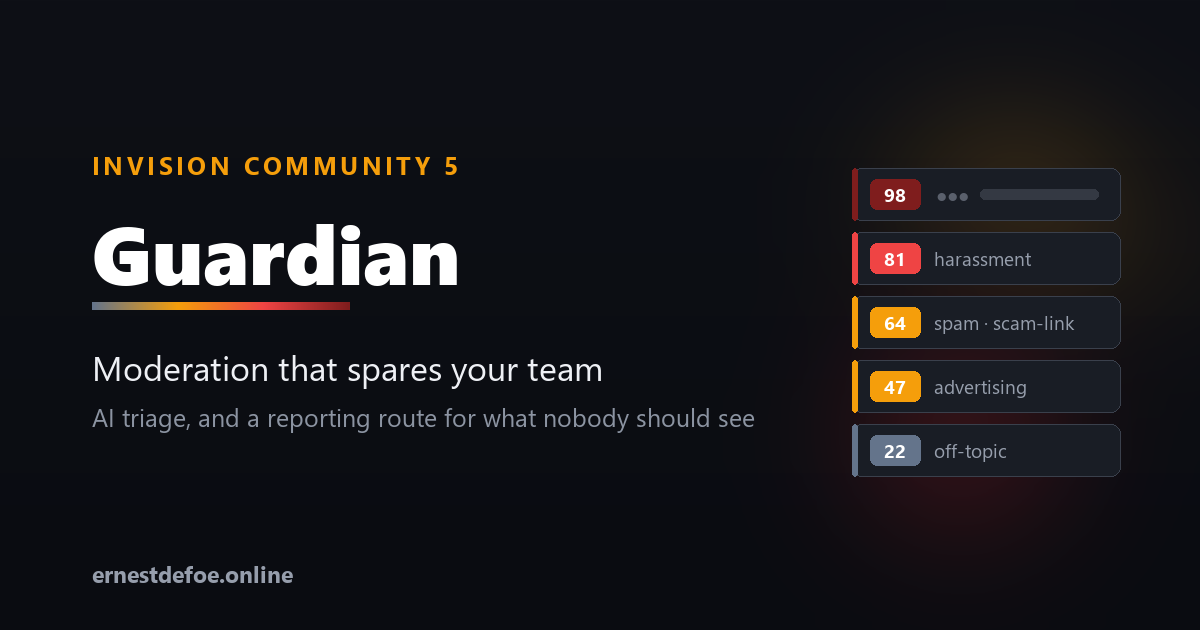
Everything is scored from 0 to 100. You choose the score at which something enters the queue, and the score at which it is hidden before a human sees it.
One queue, worst first
Flagged content arrives in a single triage screen ordered by severity, with the reason each check gave, the labels it applied, and the post excerpt. Two buttons: Looks fine puts it straight back, Keep hidden leaves it down. Cleared and removed items keep their own tabs so you have a record.
Guardian never deletes anything. Content is hidden using Invision Community's own moderation tools, so a wrong call is always reversible — and genuinely illegal material is preserved rather than destroyed, which matters if you later have to account for it.
The part that is handled differently
When an attachment matches a known-illegal hash set, Guardian does not treat it as a moderation decision, because it isn't one.
The post is hidden immediately and the file is preserved.
The queue entry shows no image, no post text, and no link to the content. There is no "view" button. Nobody on your team has to look at it in order to deal with it.
The identifying details — account, email, IP at the time of posting, timestamps, file hashes — are captured at the moment of detection, because by the time a report is filed the account may be gone and the IP record rotated away.
Clearing it is not offered. A moderator clicking "looks fine to me" is not the right way to overturn a hash match.
Reporting, wherever you are
Reporting duties are national, and the mechanisms differ. Guardian supports both shapes.
Destination
Region
How
NCMEC CyberTipline
United States
Filed directly from your server
Internet Watch Foundation
United Kingdom
Hotline form + reference recorded
Cybertip.ca
Canada
Hotline form + reference recorded
eSafety Commissioner
Australia
Hotline form + reference recorded
INHOPE network
International
Routes you to your national hotline
Your own endpoint
Any
Evidence package posted as JSON
Where an API exists, the file goes straight from your server to the destination — never downloaded, never emailed, never handed to a staff member to upload by hand. Guardian submits under your credentials; it never reports under its own identity.
Where one doesn't, Guardian links you to the right hotline for your jurisdiction and records the reference number you are given. The evidence is preserved and the audit trail comes out identical either way.
Costs you can actually control
A monthly spend limit. When it is reached the paid checks pause — but hash matching keeps running, because that is the one you least want switched off.
Separate models for text and images. Image checks are the expensive half; point them at a cheaper model without giving up text checking.
Skip established members. Set a post count above which members aren't scanned. New and guest accounts are always checked. This is the single biggest saving on a busy site.
Per-forum scope and trusted groups. Staff are always skipped.
The settings screen shows exactly what is running, how much you have spent this month, and how many images have been examined.
If you already run AI Assistant
Guardian works entirely on its own. But if AI Assistant is installed, one switch lets it use that application's provider, key and spend ledger — so you manage one key and one budget instead of two, and spend from both counts against the same limit. It is a convenience, never a dependency.
Built to stay out of the way
Nothing blocks posting. All checking happens on the background queue. An API outage means posts are unchecked, never that members can't post.
Silence is never read as safe. If a check cannot reach its service or the model refuses to assess something, that is recorded as needing a human — not quietly scored as clean.
No core files are edited. Upgrading Invision Community will not break it.
A full audit trail. Every decision, who made it, and when.
Requirements
Invision Community 5.0 or newer (self-hosted), with the Forums application
An API key from Anthropic or any OpenAI-compatible provider, for the text and image checks
For known-material matching and direct reporting: access to those services in your own name. Providers register with the relevant organisation themselves.
IPS5.0.0+
Guardian — moderation that keeps your team away from the worst of it
Invision Community gives you the tools to remove bad content once somebody finds it. Guardian finds it first, ranks it by how bad it is, and puts it in one queue your moderators can actually work through.
And for the category of material nobody should have to look at, it does something different: it never shows it to them at all.
What it checks
Post text — spam, scams and phishing, harassment, hate, threats, and breaches of your rules. Paste your rules in and they are used when judging a post, so "against the rules" means yours rather than a generic idea of them.
Attached images — adult content, graphic violence, hate symbols, and images posted purely to advertise.
Known illegal material — attachments are matched against a vetted hash service you have arranged access to.
Everything is scored from 0 to 100. You choose the score at which something enters the queue, and the score at which it is hidden before a human sees it.
One queue, worst first
Flagged content arrives in a single triage screen ordered by severity, with the reason each check gave, the labels it applied, and the post excerpt. Two buttons: Looks fine puts it straight back, Keep hidden leaves it down. Cleared and removed items keep their own tabs so you have a record.
Guardian never deletes anything. Content is hidden using Invision Community's own moderation tools, so a wrong call is always reversible — and genuinely illegal material is preserved rather than destroyed, which matters if you later have to account for it.
The part that is handled differently
When an attachment matches a known-illegal hash set, Guardian does not treat it as a moderation decision, because it isn't one.
The post is hidden immediately and the file is preserved.
The queue entry shows no image, no post text, and no link to the content. There is no "view" button. Nobody on your team has to look at it in order to deal with it.
The identifying details — account, email, IP at the time of posting, timestamps, file hashes — are captured at the moment of detection, because by the time a report is filed the account may be gone and the IP record rotated away.
Clearing it is not offered. A moderator clicking "looks fine to me" is not the right way to overturn a hash match.
Reporting, wherever you are
Reporting duties are national, and the mechanisms differ. Guardian supports both shapes.
Destination
Region
How
NCMEC CyberTipline
United States
Filed directly from your server
Internet Watch Foundation
United Kingdom
Hotline form + reference recorded
Cybertip.ca
Canada
Hotline form + reference recorded
eSafety Commissioner
Australia
Hotline form + reference recorded
INHOPE network
International
Routes you to your national hotline
Your own endpoint
Any
Evidence package posted as JSON
Where an API exists, the file goes straight from your server to the destination — never downloaded, never emailed, never handed to a staff member to upload by hand. Guardian submits under your credentials; it never reports under its own identity.
Where one doesn't, Guardian links you to the right hotline for your jurisdiction and records the reference number you are given. The evidence is preserved and the audit trail comes out identical either way.
Costs you can actually control
A monthly spend limit. When it is reached the paid checks pause — but hash matching keeps running, because that is the one you least want switched off.
Separate models for text and images. Image checks are the expensive half; point them at a cheaper model without giving up text checking.
Skip established members. Set a post count above which members aren't scanned. New and guest accounts are always checked. This is the single biggest saving on a busy site.
Per-forum scope and trusted groups. Staff are always skipped.
The settings screen shows exactly what is running, how much you have spent this month, and how many images have been examined.
If you already run AI Assistant
Guardian works entirely on its own. But if AI Assistant is installed, one switch lets it use that application's provider, key and spend ledger — so you manage one key and one budget instead of two, and spend from both counts against the same limit. It is a convenience, never a dependency.
Built to stay out of the way
Nothing blocks posting. All checking happens on the background queue. An API outage means posts are unchecked, never that members can't post.
Silence is never read as safe. If a check cannot reach its service or the model refuses to assess something, that is recorded as needing a human — not quietly scored as clean.
No core files are edited. Upgrading Invision Community will not break it.
A full audit trail. Every decision, who made it, and when.
Requirements
Invision Community 5.0 or newer (self-hosted), with the Forums application
An API key from Anthropic or any OpenAI-compatible provider, for the text and image checks
For known-material matching and direct reporting: access to those services in your own name. Providers register with the relevant organisation themselves.
Tag Colours — your tags, finally telling them apart
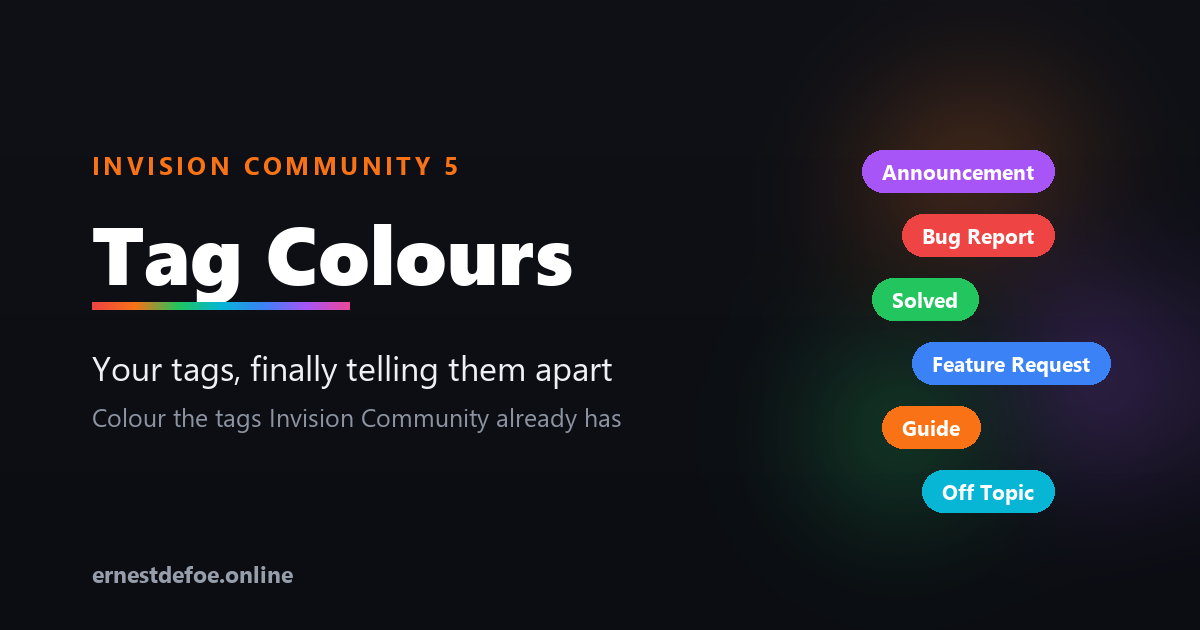
Invision Community already has tags. What it does not have is any way to make them look like anything. Every tag on your site is the same shape and the same grey, so a topic tagged Solved is visually identical to one tagged Urgent, and members read every label one at a time.
Tag Colours fixes that in about a minute.
Solved Bug Report Feature Request Announcement Off Topic
It builds on the tags you already have
This is not a replacement tag system. There is nothing to migrate, no second set of labels to maintain, and no new way for your members to tag things. It reads the tags already on your community and lets you pick a colour for each one.
Because it works with the built-in system, the colours turn up everywhere tags already appear — topic view, topic lists, search results, tag pages, and the Blogs, Calendar and Pages applications too.
Setting it up
The admin screen lists every tag actually in use on your community, most-used first, with a note of how many items carry it. Click a tag, pick a colour, done.
Or click Colour them for me and every uncoloured tag is given a distinct colour from a readable palette — a sensible starting point you can then adjust. It never overwrites a colour you chose yourself, and it will not hand two tags the same colour.
Three styles
Solid — the tag is filled with your colour
Soft — a tinted background with coloured text, for a lighter touch
Outline — a coloured border and text on a transparent background
Pick one and it applies to every coloured tag, so your tags stay consistent with each other whatever your theme looks like.
Readable by default
Choose a tag colour and the text colour is worked out for you, using the same contrast maths the accessibility guidelines use — dark text on light colours, light text on dark ones. You never end up with a yellow tag nobody can read. If you want to override it on a particular tag, you can.
Built to stay out of the way
No core files are edited and no templates are overridden, so upgrading Invision Community will not break it and will not undo your work.
One small stylesheet is added to the page, cached permanently by the browser and only re-fetched when you actually change a colour. There is no JavaScript and no per-page work.
Turning it off restores your theme's own tag styling immediately — and keeps your colour choices, so turning it back on picks up where you left off.
Uninstalling leaves no trace. Your tags are Invision Community's tags; only the colours belong to this application.
Requirements
Invision Community 5.0 or newer (self-hosted)
Nothing else — no external service, no API key, no background jobs
IPS5.0.0+
Tag Colours — your tags, finally telling them apart
Invision Community already has tags. What it does not have is any way to make them look like anything. Every tag on your site is the same shape and the same grey, so a topic tagged Solved is visually identical to one tagged Urgent, and members read every label one at a time.
Tag Colours fixes that in about a minute.
Solved Bug Report Feature Request Announcement Off Topic
It builds on the tags you already have
This is not a replacement tag system. There is nothing to migrate, no second set of labels to maintain, and no new way for your members to tag things. It reads the tags already on your community and lets you pick a colour for each one.
Because it works with the built-in system, the colours turn up everywhere tags already appear — topic view, topic lists, search results, tag pages, and the Blogs, Calendar and Pages applications too.
Setting it up
The admin screen lists every tag actually in use on your community, most-used first, with a note of how many items carry it. Click a tag, pick a colour, done.
Or click Colour them for me and every uncoloured tag is given a distinct colour from a readable palette — a sensible starting point you can then adjust. It never overwrites a colour you chose yourself, and it will not hand two tags the same colour.
Three styles
Solid — the tag is filled with your colour
Soft — a tinted background with coloured text, for a lighter touch
Outline — a coloured border and text on a transparent background
Pick one and it applies to every coloured tag, so your tags stay consistent with each other whatever your theme looks like.
Readable by default
Choose a tag colour and the text colour is worked out for you, using the same contrast maths the accessibility guidelines use — dark text on light colours, light text on dark ones. You never end up with a yellow tag nobody can read. If you want to override it on a particular tag, you can.
Built to stay out of the way
No core files are edited and no templates are overridden, so upgrading Invision Community will not break it and will not undo your work.
One small stylesheet is added to the page, cached permanently by the browser and only re-fetched when you actually change a colour. There is no JavaScript and no per-page work.
Turning it off restores your theme's own tag styling immediately — and keeps your colour choices, so turning it back on picks up where you left off.
Uninstalling leaves no trace. Your tags are Invision Community's tags; only the colours belong to this application.
Requirements
Invision Community 5.0 or newer (self-hosted)
Nothing else — no external service, no API key, no background jobs
Topic Summary — 108 minutes of thread, in 8
Every busy community has them: the 200-post thread nobody new will ever read. Topic Summary offers a short version built from the posts that actually mattered, so a newcomer can catch up in minutes instead of bouncing off a wall of replies.
Your topics are never altered. Nothing is deleted, nothing is hidden — it is simply an alternative way to read.
What your members see
On any topic long enough to warrant it, a quiet banner appears above the posts:
"This topic contains 154 posts and takes about 108 minutes to read. A summary of the most significant posts takes about 8 minutes."
One click and they get those posts, in the order they were written, with the opening post and the accepted answer clearly marked, and honest "19 posts skipped" markers between them so the conversation still makes sense. Every post links back to its place in the full topic.
How the significant posts are chosen
Significance blends two kinds of signal, which matters more than it sounds:
Engagement — reactions, quotes, "helpful" marks, featured posts, and the accepted answer
Structure — the opening post, how substantial a post is relative to the rest of that topic, and the topic starter returning with an update
Short "thanks" and "+1" replies are pushed down. The opening post and a marked answer are always included.
Blending both is deliberate. A younger community with few reactions would get nothing useful from an engagement-only score — the structural half means the summary is worth reading from day one.
Honest by design
No banner unless it helps. If the summary would not actually save reading time, nothing is shown.
Nothing is hidden from anyone. The summary only ever shows posts from a topic the member can already read, and always offers the full topic.
Skipped posts are admitted. Gaps are labelled rather than glossed over, so nobody is misled about what they have and have not seen.
What you control
How many posts a topic needs before a summary is offered
How many posts a summary contains
The reading speed used for the estimates
Turn the whole thing off at any time — your topics are untouched
The settings screen also shows how many of your topics are currently long enough to qualify, so you can pitch the threshold sensibly.
Requirements
Invision Community 5.0 or newer (self-hosted), with the Forums application
Nothing else — no external service, no API key, no background jobs to configure
Summaries are worked out on demand and nothing is stored, so there is no index to build and nothing to keep in sync.
It is upgrade-safe — it reads Invision Community's own data and never edits a single core file.
IPS5.0.0+
Topic Summary — 108 minutes of thread, in 8
Every busy community has them: the 200-post thread nobody new will ever read. Topic Summary offers a short version built from the posts that actually mattered, so a newcomer can catch up in minutes instead of bouncing off a wall of replies.
Your topics are never altered. Nothing is deleted, nothing is hidden — it is simply an alternative way to read.
What your members see
On any topic long enough to warrant it, a quiet banner appears above the posts:
"This topic contains 154 posts and takes about 108 minutes to read. A summary of the most significant posts takes about 8 minutes."
One click and they get those posts, in the order they were written, with the opening post and the accepted answer clearly marked, and honest "19 posts skipped" markers between them so the conversation still makes sense. Every post links back to its place in the full topic.
How the significant posts are chosen
Significance blends two kinds of signal, which matters more than it sounds:
Engagement — reactions, quotes, "helpful" marks, featured posts, and the accepted answer
Structure — the opening post, how substantial a post is relative to the rest of that topic, and the topic starter returning with an update
Short "thanks" and "+1" replies are pushed down. The opening post and a marked answer are always included.
Blending both is deliberate. A younger community with few reactions would get nothing useful from an engagement-only score — the structural half means the summary is worth reading from day one.
Honest by design
No banner unless it helps. If the summary would not actually save reading time, nothing is shown.
Nothing is hidden from anyone. The summary only ever shows posts from a topic the member can already read, and always offers the full topic.
Skipped posts are admitted. Gaps are labelled rather than glossed over, so nobody is misled about what they have and have not seen.
What you control
How many posts a topic needs before a summary is offered
How many posts a summary contains
The reading speed used for the estimates
Turn the whole thing off at any time — your topics are untouched
The settings screen also shows how many of your topics are currently long enough to qualify, so you can pitch the threshold sensibly.
Requirements
Invision Community 5.0 or newer (self-hosted), with the Forums application
Nothing else — no external service, no API key, no background jobs to configure
Summaries are worked out on demand and nothing is stored, so there is no index to build and nothing to keep in sync.
It is upgrade-safe — it reads Invision Community's own data and never edits a single core file.
Quests — give your members something to chase
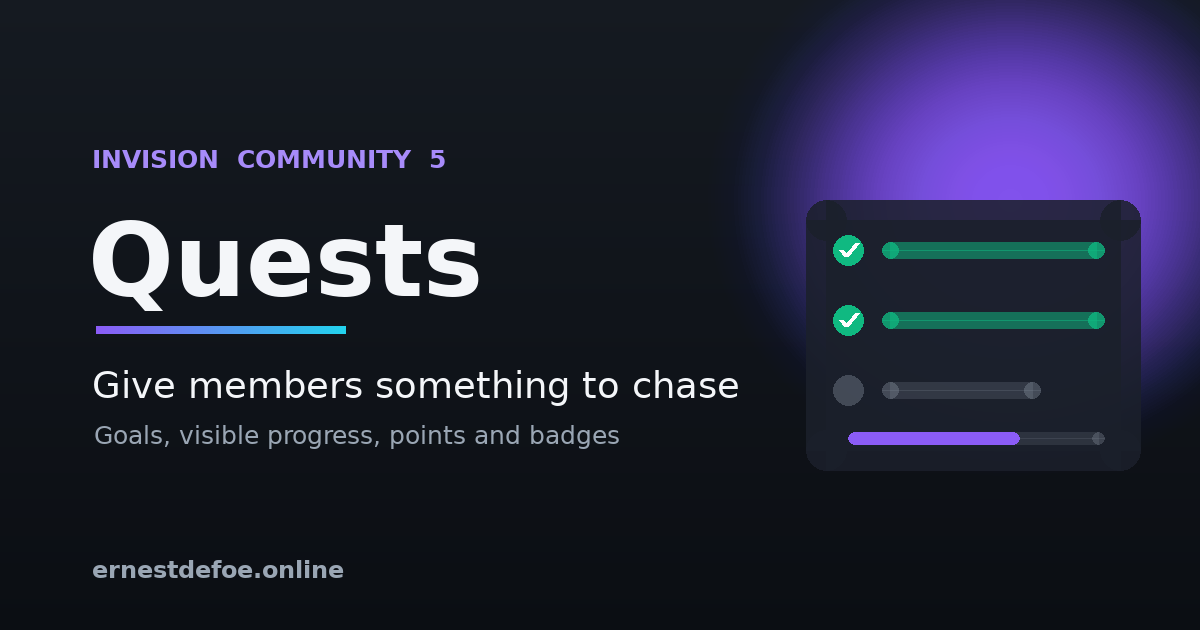
New members join, look around, and drift away because nothing tells them what to do next. Quests gives them a clear path: a set of goals, visible progress, and a reward when they finish.
Set up a quest once and it works retroactively — members who have been around for years see their real progress the moment you publish it.
How it works
Create a quest, then add the steps a member has to complete. A Getting Started quest might be: make 5 posts and upload a profile photo. A Community Regular quest might be: 100 posts, 5 topics started, 30 days as a member, and 10 reactions received.
Members see a board showing every quest, a progress bar, and a tick-list of the steps with their own numbers beside each one. There is nothing to claim and no button to press — progress updates as they take part, and rewards arrive on their own.
Eight goals to build from
Posts made
Topics started
Reactions received
Reactions given
Days as a member
Achievement points earned
Followers gained
Profile photo uploaded
Every one of these is read from activity your community already records. Nothing new is tracked, nothing needs backfilling, and switching the app on costs you no data.
Rewards that actually count
Finishing a quest awards your community's own achievement points and, if you like, an existing badge. Quest rewards flow straight into ranks, profiles and leaderboards — they are not a separate scoreboard sitting off to one side.
Each quest pays out exactly once. The completion is recorded before the reward is issued, so a member can never be paid twice.
What you control
Title, description and icon for each quest
Any number of steps, in the order you choose
How many achievement points completing it is worth
Which badge to award, if any
Whether the board is visible to signed-out visitors
Enable or disable a quest without deleting it
The admin screen shows how many members have finished each quest, so you can see which goals are landing and which are pitched too high.
Requirements
Invision Community 5.0 or newer (self-hosted), with the Forums application
Nothing else — no external service, no API key, no extra infrastructure
Built to stay out of the way
Progress is recalculated when a member posts, when they open the board, and by a nightly background task that catches time-based goals like "member for 30 days". Quest bookkeeping is wrapped so it can never interfere with someone posting.
It is upgrade-safe — it reads Invision Community's own data and never edits a single core file.
IPS5.0.0+
Quests — give your members something to chase
New members join, look around, and drift away because nothing tells them what to do next. Quests gives them a clear path: a set of goals, visible progress, and a reward when they finish.
Set up a quest once and it works retroactively — members who have been around for years see their real progress the moment you publish it.
How it works
Create a quest, then add the steps a member has to complete. A Getting Started quest might be: make 5 posts and upload a profile photo. A Community Regular quest might be: 100 posts, 5 topics started, 30 days as a member, and 10 reactions received.
Members see a board showing every quest, a progress bar, and a tick-list of the steps with their own numbers beside each one. There is nothing to claim and no button to press — progress updates as they take part, and rewards arrive on their own.
Eight goals to build from
Posts made
Topics started
Reactions received
Reactions given
Days as a member
Achievement points earned
Followers gained
Profile photo uploaded
Every one of these is read from activity your community already records. Nothing new is tracked, nothing needs backfilling, and switching the app on costs you no data.
Rewards that actually count
Finishing a quest awards your community's own achievement points and, if you like, an existing badge. Quest rewards flow straight into ranks, profiles and leaderboards — they are not a separate scoreboard sitting off to one side.
Each quest pays out exactly once. The completion is recorded before the reward is issued, so a member can never be paid twice.
What you control
Title, description and icon for each quest
Any number of steps, in the order you choose
How many achievement points completing it is worth
Which badge to award, if any
Whether the board is visible to signed-out visitors
Enable or disable a quest without deleting it
The admin screen shows how many members have finished each quest, so you can see which goals are landing and which are pitched too high.
Requirements
Invision Community 5.0 or newer (self-hosted), with the Forums application
Nothing else — no external service, no API key, no extra infrastructure
Built to stay out of the way
Progress is recalculated when a member posts, when they open the board, and by a nightly background task that catches time-based goals like "member for 30 days". Quest bookkeeping is wrapped so it can never interfere with someone posting.
It is upgrade-safe — it reads Invision Community's own data and never edits a single core file.
Give your community a pulse. Trending adds a placeable block that surfaces the topics gaining momentum right now — ranked by recent replies and reactions, with time decay so fresh bursts rise and stale-but-busy threads step aside. It's the "what's hot" list your members expect from modern platforms, running entirely on your own server.
Why you'll want it
Recency-weighted, not just a reply count. A scoring formula blends recent replies, recent reactions, and how long ago the last activity happened — so the list feels alive, not like an all-time leaderboard.
Place it anywhere. Drop the Trending block into any sidebar or block area with the block manager — forum index, a Pages page, wherever your members look.
Tune it to your community. Time window, reply/reaction weights, and a "gravity" time-decay control are all adjustable from the AdminCP. Fast-moving community? Tighten the window. Quiet niche? Widen it.
Privacy-aware. Only lists topics a guest can see, so nothing from private forums leaks into a public block.
Zero maintenance. A lightweight background task refreshes the list on Invision Community's existing task runner. No extra services, no cron to set up.
Upgrade-safe. Reads Invision Community's own forum data and never edits core files, so IPS updates won't break it.
How it works
Every ~20 minutes a background task scores recent topic activity and caches a ranked list. The block renders that list instantly — light on every page load, always current.
Requirements
Invision Community 5.0 or newer (self-hosted), with the Forums application
No third-party services; uses the task runner you already have
IPS5.0.0+
Give your community a pulse. Trending adds a placeable block that surfaces the topics gaining momentum right now — ranked by recent replies and reactions, with time decay so fresh bursts rise and stale-but-busy threads step aside. It's the "what's hot" list your members expect from modern platforms, running entirely on your own server.
Why you'll want it
Recency-weighted, not just a reply count. A scoring formula blends recent replies, recent reactions, and how long ago the last activity happened — so the list feels alive, not like an all-time leaderboard.
Place it anywhere. Drop the Trending block into any sidebar or block area with the block manager — forum index, a Pages page, wherever your members look.
Tune it to your community. Time window, reply/reaction weights, and a "gravity" time-decay control are all adjustable from the AdminCP. Fast-moving community? Tighten the window. Quiet niche? Widen it.
Privacy-aware. Only lists topics a guest can see, so nothing from private forums leaks into a public block.
Zero maintenance. A lightweight background task refreshes the list on Invision Community's existing task runner. No extra services, no cron to set up.
Upgrade-safe. Reads Invision Community's own forum data and never edits core files, so IPS updates won't break it.
How it works
Every ~20 minutes a background task scores recent topic activity and caches a ranked list. The block renders that list instantly — light on every page load, always current.
Requirements
Invision Community 5.0 or newer (self-hosted), with the Forums application
No third-party services; uses the task runner you already have
Bring the "live" experience of the big platforms to your self-hosted community — without paying for a cloud subscription. Realtime makes topics feel alive: new posts appear the instant they're written, members can see who's in the room, and a typing indicator lets conversations flow like chat. It all runs on your own server, with no third-party service in the loop.
Three features, one lightweight app
⚡ Live Topics — New replies and reactions arrive the moment they're posted. Instead of hammering refresh, members get a tasteful "3 new replies" bar that loads the latest with a tap.
👀 Real-Time Viewing — A live "…is also here" presence pill sits by the topic title, showing who else is reading this very second. It turns a quiet thread into a room.
⌨️ Real-Time Typing — When someone starts writing a reply, everyone else sees a subtle "…is typing" indicator. Fewer duplicate posts, and the natural rhythm people expect from modern chat.
Why members and admins love it
Instant, no refresh over a persistent WebSocket connection
Runs entirely on your infrastructure — no SaaS, no per-seat pricing, no data leaving your servers
Never gets in the way — if the service is down, the community keeps working; realtime just pauses
Upgrade-safe — listens to IPS content events, never edits core files
Light on resources — a tiny Node.js process handling thousands of concurrent readers
IPS5.0.0+
Bring the "live" experience of the big platforms to your self-hosted community — without paying for a cloud subscription. Realtime makes topics feel alive: new posts appear the instant they're written, members can see who's in the room, and a typing indicator lets conversations flow like chat. It all runs on your own server, with no third-party service in the loop.
Three features, one lightweight app
⚡ Live Topics — New replies and reactions arrive the moment they're posted. Instead of hammering refresh, members get a tasteful "3 new replies" bar that loads the latest with a tap.
👀 Real-Time Viewing — A live "…is also here" presence pill sits by the topic title, showing who else is reading this very second. It turns a quiet thread into a room.
⌨️ Real-Time Typing — When someone starts writing a reply, everyone else sees a subtle "…is typing" indicator. Fewer duplicate posts, and the natural rhythm people expect from modern chat.
Why members and admins love it
Instant, no refresh over a persistent WebSocket connection
Runs entirely on your infrastructure — no SaaS, no per-seat pricing, no data leaving your servers
Never gets in the way — if the service is down, the community keeps working; realtime just pauses
Upgrade-safe — listens to IPS content events, never edits core files
Light on resources — a tiny Node.js process handling thousands of concurrent readers
Typesense Search — instant results, typos forgiven
Community search should feel like the search bar on a modern app: results the moment you start typing, and the right answer even when the word is misspelled. Typesense Search brings that to Invision Community, powered by the open-source Typesense engine running on your own server.
Typical searches return in under 50 milliseconds — on a test community, 2ms.
What your members get
Typo tolerance. Search for "instalation" and still find every post about installation. Adjustable from forgiving to exact.
Instant results. Matching content appears as they type, before they press enter.
Filter by content type. Topics, posts, files, gallery images, blog entries — counted and filtered in a sidebar, so a busy result set narrows in one click.
Highlighted matches. Results show the phrase in context with the matched words marked, so members can see at a glance which result they want.
What you get
It indexes everything, automatically. Rather than hooking each application one by one, the app mirrors Invision Community's own search index — so every content type your community has installed is covered, including ones you add later.
Permissions are never guessed. Each document carries Invision Community's own permission tokens, and every search is filtered against the member's real access. Members see exactly what they are allowed to see and nothing more.
Keeps itself in sync. A background task pushes new and updated content every few minutes, removes content that has been deleted, and can rebuild the whole collection on demand.
A status panel that tells the truth. Connection state, Typesense version, documents indexed versus documents available, and time of last sync — all on one screen.
Your community keeps working
This app runs alongside your community's built-in search rather than replacing its internals. Switch on Use for the main search page and members who search are taken to the Typesense results page; switch it off and everything reverts to stock instantly. If the Typesense server is ever unavailable, your community carries on exactly as before.
That also means it is completely upgrade-safe: no core file is modified, so an Invision Community update can't break it and can't silently switch it off.
Requirements
Invision Community 5.0 or newer (self-hosted)
A Typesense server reachable from your community — it runs comfortably in a single small Docker container alongside your site, or on Typesense Cloud
An admin API key for that Typesense server
Setup is a few minutes: point the app at your server, save, and press Rebuild collection.
Why Typesense
Invision Community ships with MySQL search and supports Elasticsearch. Typesense sits between them — dramatically faster and more forgiving than MySQL, while being far lighter to run than Elasticsearch. It is open source, it is a single binary, and it will happily run in a few hundred megabytes of memory next to your community.
IPS5.0.0+
Typesense Search — instant results, typos forgiven
Community search should feel like the search bar on a modern app: results the moment you start typing, and the right answer even when the word is misspelled. Typesense Search brings that to Invision Community, powered by the open-source Typesense engine running on your own server.
Typical searches return in under 50 milliseconds — on a test community, 2ms.
What your members get
Typo tolerance. Search for "instalation" and still find every post about installation. Adjustable from forgiving to exact.
Instant results. Matching content appears as they type, before they press enter.
Filter by content type. Topics, posts, files, gallery images, blog entries — counted and filtered in a sidebar, so a busy result set narrows in one click.
Highlighted matches. Results show the phrase in context with the matched words marked, so members can see at a glance which result they want.
What you get
It indexes everything, automatically. Rather than hooking each application one by one, the app mirrors Invision Community's own search index — so every content type your community has installed is covered, including ones you add later.
Permissions are never guessed. Each document carries Invision Community's own permission tokens, and every search is filtered against the member's real access. Members see exactly what they are allowed to see and nothing more.
Keeps itself in sync. A background task pushes new and updated content every few minutes, removes content that has been deleted, and can rebuild the whole collection on demand.
A status panel that tells the truth. Connection state, Typesense version, documents indexed versus documents available, and time of last sync — all on one screen.
Your community keeps working
This app runs alongside your community's built-in search rather than replacing its internals. Switch on Use for the main search page and members who search are taken to the Typesense results page; switch it off and everything reverts to stock instantly. If the Typesense server is ever unavailable, your community carries on exactly as before.
That also means it is completely upgrade-safe: no core file is modified, so an Invision Community update can't break it and can't silently switch it off.
Requirements
Invision Community 5.0 or newer (self-hosted)
A Typesense server reachable from your community — it runs comfortably in a single small Docker container alongside your site, or on Typesense Cloud
An admin API key for that Typesense server
Setup is a few minutes: point the app at your server, save, and press Rebuild collection.
Why Typesense
Invision Community ships with MySQL search and supports Elasticsearch. Typesense sits between them — dramatically faster and more forgiving than MySQL, while being far lighter to run than Elasticsearch. It is open source, it is a single binary, and it will happily run in a few hundred megabytes of memory next to your community.
AI Assistant — support that answers while you sleep
Your members ask the same questions at 2am that you answer every morning. AI Assistant replies for you. Mention its account in any topic and it answers in seconds — grounded in your own community's content, in your own words, on your own terms.
It runs on your API key with your provider. No subscription to us, no per-seat pricing, no member data passing through a third party.
What it does
Answers @mentions. A member mentions the bot account in a topic and gets a real reply, posted as a real member — notifications, search indexing and counters all behave exactly as they should.
Learns from your community. Optional knowledge retrieval pulls the most relevant passages from elsewhere on your forum and gives them to the model before it answers, so replies cite what your community already knows instead of guessing.
Captures bugs and suggestions. Every answered post is classified. Bug reports and feature requests land in a triage queue in your AdminCP — and, above a confidence threshold you set, are filed straight to GitHub as issues with the forum permalink attached.
Shows you exactly what it costs. Every call is logged with token counts and real dollar cost, with a monthly budget cap that stops the assistant when it's reached.
You stay in control
Persona and house rules. A free-text field that shapes every answer — who the assistant is, what your community is about, what it must never say, and when to escalate to a human.
Choose your forums. Pick exactly which forums it answers in. Leave it unselected for all of them.
Choose your model. Anthropic (Claude) or any OpenAI-compatible endpoint — OpenAI, OpenRouter, Groq, Azure, or a model you host yourself.
Never guesses out loud. The assistant is instructed to say plainly when it doesn't know, and to ask for the detail it needs rather than inventing a setting or a version number.
Knowledge retrieval, three ways
Off — answers from the current topic alone.
Keyword — searches your community with MySQL full-text. Needs no extra API key and works the moment you switch it on.
Semantic — true meaning-based retrieval using Voyage AI or any OpenAI-compatible embeddings endpoint. Finds the right answer even when the member's words don't match your wording.
Semantic mode degrades gracefully: if the embeddings key is missing or the service is unreachable, it quietly falls back to keyword search rather than answering with nothing. New and edited posts are indexed automatically, and a background job builds the index for your existing content in batches.
Requirements
Invision Community 5.0 or newer (self-hosted), with the Forums application
An API key from Anthropic, OpenAI, or any OpenAI-compatible provider
Optional: a Voyage AI or OpenAI embeddings key for semantic retrieval
Optional: a GitHub token if you want bug reports filed automatically
Built to be safe
Slow model calls run in the background, so a member's post is never held up waiting for an answer, and a failed call never blocks a reply. The assistant will not answer its own posts, will not answer the same post twice, and stops entirely once your monthly budget is reached. It is upgrade-safe — it listens to Invision Community's own content events and never edits a single core file.
IPS5.0.0+
AI Assistant — support that answers while you sleep
Your members ask the same questions at 2am that you answer every morning. AI Assistant replies for you. Mention its account in any topic and it answers in seconds — grounded in your own community's content, in your own words, on your own terms.
It runs on your API key with your provider. No subscription to us, no per-seat pricing, no member data passing through a third party.
What it does
Answers @mentions. A member mentions the bot account in a topic and gets a real reply, posted as a real member — notifications, search indexing and counters all behave exactly as they should.
Learns from your community. Optional knowledge retrieval pulls the most relevant passages from elsewhere on your forum and gives them to the model before it answers, so replies cite what your community already knows instead of guessing.
Captures bugs and suggestions. Every answered post is classified. Bug reports and feature requests land in a triage queue in your AdminCP — and, above a confidence threshold you set, are filed straight to GitHub as issues with the forum permalink attached.
Shows you exactly what it costs. Every call is logged with token counts and real dollar cost, with a monthly budget cap that stops the assistant when it's reached.
You stay in control
Persona and house rules. A free-text field that shapes every answer — who the assistant is, what your community is about, what it must never say, and when to escalate to a human.
Choose your forums. Pick exactly which forums it answers in. Leave it unselected for all of them.
Choose your model. Anthropic (Claude) or any OpenAI-compatible endpoint — OpenAI, OpenRouter, Groq, Azure, or a model you host yourself.
Never guesses out loud. The assistant is instructed to say plainly when it doesn't know, and to ask for the detail it needs rather than inventing a setting or a version number.
Knowledge retrieval, three ways
Off — answers from the current topic alone.
Keyword — searches your community with MySQL full-text. Needs no extra API key and works the moment you switch it on.
Semantic — true meaning-based retrieval using Voyage AI or any OpenAI-compatible embeddings endpoint. Finds the right answer even when the member's words don't match your wording.
Semantic mode degrades gracefully: if the embeddings key is missing or the service is unreachable, it quietly falls back to keyword search rather than answering with nothing. New and edited posts are indexed automatically, and a background job builds the index for your existing content in batches.
Requirements
Invision Community 5.0 or newer (self-hosted), with the Forums application
An API key from Anthropic, OpenAI, or any OpenAI-compatible provider
Optional: a Voyage AI or OpenAI embeddings key for semantic retrieval
Optional: a GitHub token if you want bug reports filed automatically
Built to be safe
Slow model calls run in the background, so a member's post is never held up waiting for an answer, and a failed call never blocks a reply. The assistant will not answer its own posts, will not answer the same post twice, and stops entirely once your monthly budget is reached. It is upgrade-safe — it listens to Invision Community's own content events and never edits a single core file.
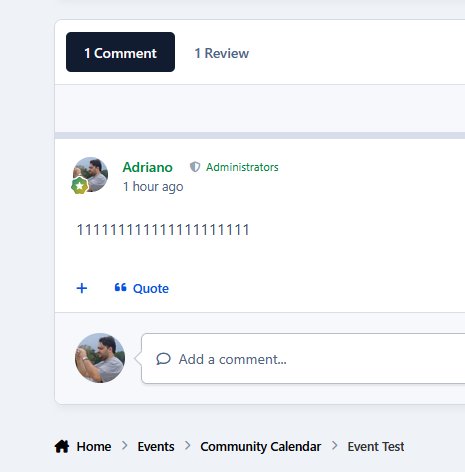
This application reorganizes the Comments and Reviews tabs so that Comments appears first and becomes the default tab.
Supported applications:
Downloads
Calendar Events
Gallery
Pages Databases
IPS5.0.0+
This application reorganizes the Comments and Reviews tabs so that Comments appears first and becomes the default tab.
Supported applications:
Downloads
Calendar Events
Gallery
Pages Databases
Custom work for your community, from first request to five-star review
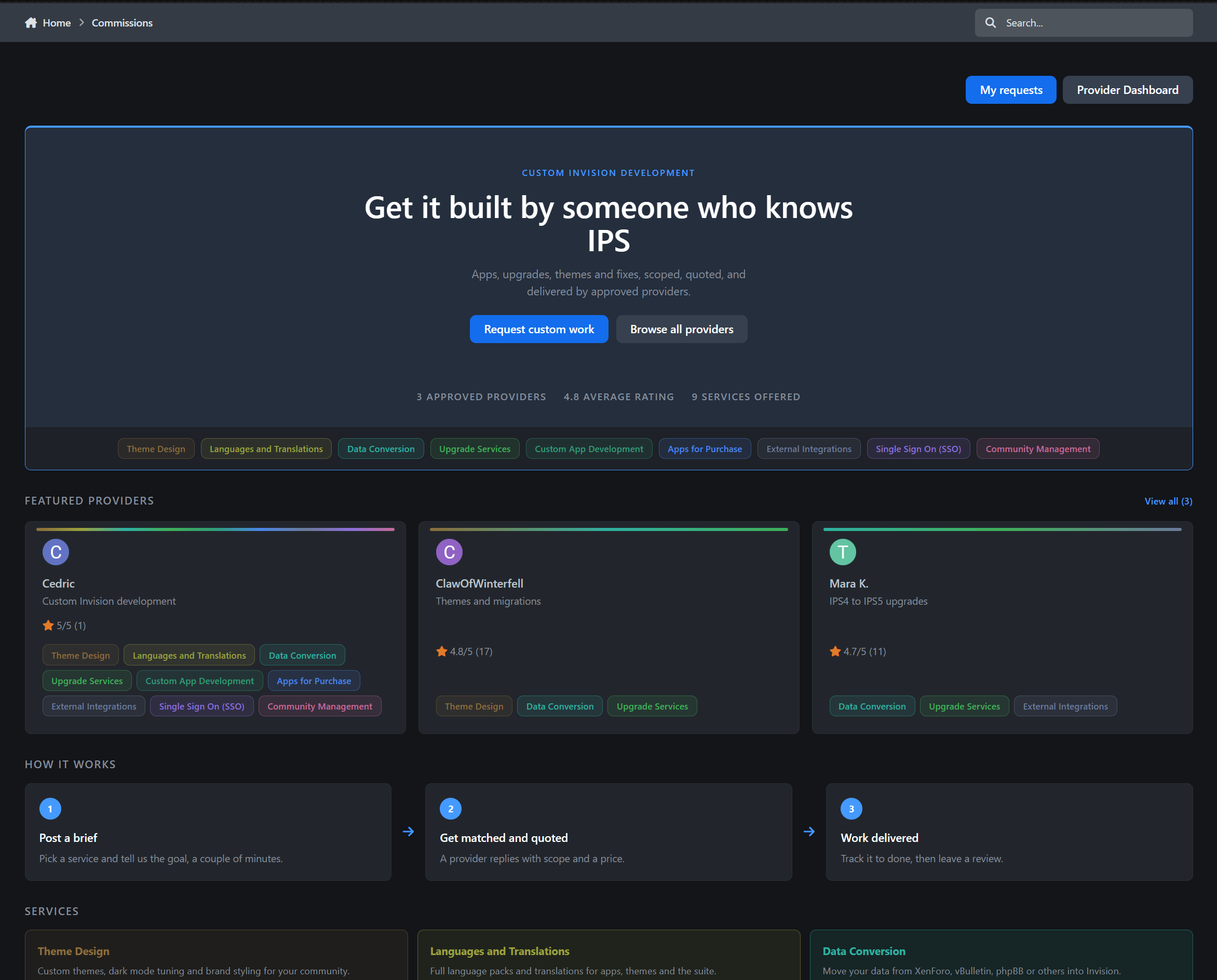
Commissions is a complete provider directory and client work pipeline for Invision Community v5.
Showcase the people who build for your community, allow members and guests to request custom work through a guided intake process, send quotes, collect payment through Commerce or externally, deliver the work, and gather the reviews that help providers win their next job.
Full demo on https://administrata.net/commissions/

How it works
Providers apply and you decide who gets approved.
Approved providers appear in a public directory alongside their services, portfolio, rating, and Software Marketplace listings. Anyone who needs work completed can choose a specific provider or submit a general request.
After completing a short intake form, the client enters a private request thread where the entire job takes place:
Initial discussion
Scope and quotation
Quote acceptance
Payment
Work in progress
Delivery
Client review
Every step remains visible in one place. A progress tracker at the top of each request shows exactly where the job stands, while an activity timeline records every status change, quotation, acceptance, and payment event.
Nobody has to ask, “Where are we with this?”

The provider directory
The directory hub welcomes visitors with live statistics, including:
The number of approved providers
Their average rating
The number of available services
Featured providers receive distinctive cards with a colour rail automatically generated from the services they offer. Every provider card feels different without requiring anyone to design it manually.

Complete provider profiles
Every approved provider receives a dedicated public profile containing:
A sticky identity panel with their avatar, headline, star rating, availability, and services
A rich-text About section using the full Invision editor
An unlimited portfolio with real image uploads
Their Software Marketplace files
Reviews from completed work
A prominent Request work button that starts a job with them in two clicks

Public service pages
Services are created and managed by administrators in the ACP. Each service can have its own colour and description.
Every service also receives a dedicated public landing page containing:
A tinted service hero
Live trust and activity statistics
Providers offering that service
The latest relevant review
Structured data for search engines
Aggregate star-rating data
Nine services means nine search-friendly landing pages that you never have to write or maintain manually.

The request pipeline
Requests are built as native Invision content items.
That means every request conversation includes the functionality your members already understand:
Replies
Editing and edit history
Deletion
Reactions
Reporting
Attachments through the standard editor

A flexible intake form
You control the request intake form.
Create fields in the ACP, decide which ones are required, and choose which field becomes the request title. Clients can upload screenshots, specifications, archives, documents, and other supporting files directly with their request.

Full guest access
Guests are treated as first-class clients.
When a guest submits a request, they receive a private magic link by email. That link becomes their key to the entire request thread.
Without creating an account, guests can:
Read provider replies
Respond to the conversation
Accept or decline quotations
Follow the progress of the job
Leave a review after delivery
Access control is enforced server-side for every action.

My Requests portal
Registered members receive a dedicated My Requests portal where they can follow all their active and completed work.
Each request page includes:
A clickable progress tracker covering New, Reviewing, Quoted, Accepted, In Progress, and Delivered
The complete intake submission and attachments
The client-provider conversation
Visually accented provider replies
An activity timeline of status changes, quotations, and payments
Internal notes visible only to staff and the assigned provider

Quotes and payments
When the scope is clear, the provider can send a formal quotation containing:
The quoted amount
The currency
What is included
Payment instructions
The client can accept or decline the quote directly from the request page, including guest clients using their magic link.

Three payment methods
Administrators control which payment methods are available.
Arranged manually
Suitable for bank transfers, cash payments, existing client arrangements, or any payment handled outside the community.
External payment link
Providers can supply a PayPal, Stripe, payment portal, or invoice URL.
Commerce invoice
Accepting the quotation generates a real Commerce invoice. The client is sent directly to checkout, and the quote is automatically marked as paid when the invoice payment is completed.

Reviews that mean something
Delivering a request triggers a review invitation, both on the request page and by email.
The client can rate the provider out of five stars and describe their experience. Reviews are automatically included in the provider’s public rating and displayed throughout the directory wherever that provider appears.

Legacy reviews
Members can also review work completed before Commissions was installed.
Legacy reviews are held for staff approval before publication, preventing providers from fabricating an established track record.
When a review is hidden or deleted, the provider’s rating is recalculated immediately.

The provider dashboard
Providers manage their work and public presence from a single dashboard.

Business overview
The dashboard includes statistic tiles for:
Requests awaiting a reply
Open jobs
Work currently in progress
The provider’s average rating

Work queue
Requests are ordered by how long the client has been waiting, with clear Awaiting your reply indicators so providers immediately know where their attention is needed.

Profile and portfolio management
Providers can also manage:
Their public profile
Their rich-text About section
Their availability
Their services
Their service ordering
Their portfolio images and entries
Service ordering controls the provider’s card colours and badge order throughout the community without requiring a separate drag-and-drop interface.

Automatic reminders
A daily background task keeps the pipeline moving.
It can:
Remind providers about requests awaiting their reply
Re-invite clients to review delivered work
Automatically close delivered requests after a configurable period
Each reminder and closure window can be configured independently.

Providers across your community
Approved providers remain visible beyond the directory.
They receive:
A teal Provider badge on their member profile, beside See my activity
A Provider chip in forum posts, supported in both classic and slim post layouts
A Provider button on their member hovercard
Every badge and button links directly to the provider’s public profile.
That turns every useful post they make into a quiet advertisement for their services.

Notifications
Commissions uses the notification system with both inline and email delivery, supported by dedicated email templates.
Clients are notified about
New replies
Request status changes
New quotations
Payment updates
Review invitations
Providers are notified about
New requests
Client replies
Quote acceptance or rejection
Completed payments
New reviews
Guests are notified by email
Guest clients receive all relevant updates by email, together with the magic link that gives them secure access to their request.

Admin control panel
Administrators receive complete control over the provider directory and request pipeline.

Provider management
Approve, decline, suspend, feature, and edit providers through a complete management interface covering everything from their profile information to their jobs-completed counter.

Services manager
Create services, assign colours, and write the descriptions used across provider profiles and public service pages.

Request management
View the complete request pipeline with:
Per-status filters
Quick search
Client and provider details
Current quotation and payment status

Intake fields
Create and organise the fields used in the custom-work request form.

Application settings
Control:
Directory visibility
Provider applications
Available payment methods
Reminder windows
Review invitations
Automatic request closure

Perfect for
Commissions is ideal for:
Site owners who sell custom work and want intake, quoting, payment, and delivery in one pipeline
Networks with multiple trusted freelancers who each deserve their own storefront
Communities tired of custom-work requests being scattered across private messages, forum topics, email, and external payment services


Commissions 1.0 brings providers, clients, requests, quotations, payments, delivery, and reviews into one professional workflow. Need a workflow it does not cover yet? Let me know.
IPS5.0.0+
Custom work for your community, from first request to five-star review
Commissions is a complete provider directory and client work pipeline for Invision Community v5.
Showcase the people who build for your community, allow members and guests to request custom work through a guided intake process, send quotes, collect payment through Commerce or externally, deliver the work, and gather the reviews that help providers win their next job.
Full demo on https://administrata.net/commissions/

How it works
Providers apply and you decide who gets approved.
Approved providers appear in a public directory alongside their services, portfolio, rating, and Software Marketplace listings. Anyone who needs work completed can choose a specific provider or submit a general request.
After completing a short intake form, the client enters a private request thread where the entire job takes place:
Initial discussion
Scope and quotation
Quote acceptance
Payment
Work in progress
Delivery
Client review
Every step remains visible in one place. A progress tracker at the top of each request shows exactly where the job stands, while an activity timeline records every status change, quotation, acceptance, and payment event.
Nobody has to ask, “Where are we with this?”

The provider directory
The directory hub welcomes visitors with live statistics, including:
The number of approved providers
Their average rating
The number of available services
Featured providers receive distinctive cards with a colour rail automatically generated from the services they offer. Every provider card feels different without requiring anyone to design it manually.

Complete provider profiles
Every approved provider receives a dedicated public profile containing:
A sticky identity panel with their avatar, headline, star rating, availability, and services
A rich-text About section using the full Invision editor
An unlimited portfolio with real image uploads
Their Software Marketplace files
Reviews from completed work
A prominent Request work button that starts a job with them in two clicks

Public service pages
Services are created and managed by administrators in the ACP. Each service can have its own colour and description.
Every service also receives a dedicated public landing page containing:
A tinted service hero
Live trust and activity statistics
Providers offering that service
The latest relevant review
Structured data for search engines
Aggregate star-rating data
Nine services means nine search-friendly landing pages that you never have to write or maintain manually.

The request pipeline
Requests are built as native Invision content items.
That means every request conversation includes the functionality your members already understand:
Replies
Editing and edit history
Deletion
Reactions
Reporting
Attachments through the standard editor

A flexible intake form
You control the request intake form.
Create fields in the ACP, decide which ones are required, and choose which field becomes the request title. Clients can upload screenshots, specifications, archives, documents, and other supporting files directly with their request.

Full guest access
Guests are treated as first-class clients.
When a guest submits a request, they receive a private magic link by email. That link becomes their key to the entire request thread.
Without creating an account, guests can:
Read provider replies
Respond to the conversation
Accept or decline quotations
Follow the progress of the job
Leave a review after delivery
Access control is enforced server-side for every action.

My Requests portal
Registered members receive a dedicated My Requests portal where they can follow all their active and completed work.
Each request page includes:
A clickable progress tracker covering New, Reviewing, Quoted, Accepted, In Progress, and Delivered
The complete intake submission and attachments
The client-provider conversation
Visually accented provider replies
An activity timeline of status changes, quotations, and payments
Internal notes visible only to staff and the assigned provider

Quotes and payments
When the scope is clear, the provider can send a formal quotation containing:
The quoted amount
The currency
What is included
Payment instructions
The client can accept or decline the quote directly from the request page, including guest clients using their magic link.

Three payment methods
Administrators control which payment methods are available.
Arranged manually
Suitable for bank transfers, cash payments, existing client arrangements, or any payment handled outside the community.
External payment link
Providers can supply a PayPal, Stripe, payment portal, or invoice URL.
Commerce invoice
Accepting the quotation generates a real Commerce invoice. The client is sent directly to checkout, and the quote is automatically marked as paid when the invoice payment is completed.

Reviews that mean something
Delivering a request triggers a review invitation, both on the request page and by email.
The client can rate the provider out of five stars and describe their experience. Reviews are automatically included in the provider’s public rating and displayed throughout the directory wherever that provider appears.

Legacy reviews
Members can also review work completed before Commissions was installed.
Legacy reviews are held for staff approval before publication, preventing providers from fabricating an established track record.
When a review is hidden or deleted, the provider’s rating is recalculated immediately.

The provider dashboard
Providers manage their work and public presence from a single dashboard.

Business overview
The dashboard includes statistic tiles for:
Requests awaiting a reply
Open jobs
Work currently in progress
The provider’s average rating

Work queue
Requests are ordered by how long the client has been waiting, with clear Awaiting your reply indicators so providers immediately know where their attention is needed.

Profile and portfolio management
Providers can also manage:
Their public profile
Their rich-text About section
Their availability
Their services
Their service ordering
Their portfolio images and entries
Service ordering controls the provider’s card colours and badge order throughout the community without requiring a separate drag-and-drop interface.

Automatic reminders
A daily background task keeps the pipeline moving.
It can:
Remind providers about requests awaiting their reply
Re-invite clients to review delivered work
Automatically close delivered requests after a configurable period
Each reminder and closure window can be configured independently.

Providers across your community
Approved providers remain visible beyond the directory.
They receive:
A teal Provider badge on their member profile, beside See my activity
A Provider chip in forum posts, supported in both classic and slim post layouts
A Provider button on their member hovercard
Every badge and button links directly to the provider’s public profile.
That turns every useful post they make into a quiet advertisement for their services.

Notifications
Commissions uses the notification system with both inline and email delivery, supported by dedicated email templates.
Clients are notified about
New replies
Request status changes
New quotations
Payment updates
Review invitations
Providers are notified about
New requests
Client replies
Quote acceptance or rejection
Completed payments
New reviews
Guests are notified by email
Guest clients receive all relevant updates by email, together with the magic link that gives them secure access to their request.

Admin control panel
Administrators receive complete control over the provider directory and request pipeline.

Provider management
Approve, decline, suspend, feature, and edit providers through a complete management interface covering everything from their profile information to their jobs-completed counter.

Services manager
Create services, assign colours, and write the descriptions used across provider profiles and public service pages.

Request management
View the complete request pipeline with:
Per-status filters
Quick search
Client and provider details
Current quotation and payment status

Intake fields
Create and organise the fields used in the custom-work request form.

Application settings
Control:
Directory visibility
Provider applications
Available payment methods
Reminder windows
Review invitations
Automatic request closure

Perfect for
Commissions is ideal for:
Site owners who sell custom work and want intake, quoting, payment, and delivery in one pipeline
Networks with multiple trusted freelancers who each deserve their own storefront
Communities tired of custom-work requests being scattered across private messages, forum topics, email, and external payment services


Commissions 1.0 brings providers, clients, requests, quotations, payments, delivery, and reviews into one professional workflow. Need a workflow it does not cover yet? Let me know.
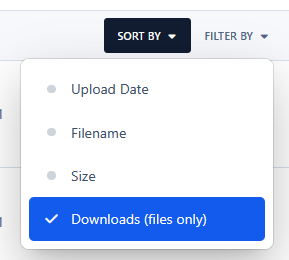
Sort Attachments by Downloads adds a new option to the Sort By menu on the Attachments page, allowing users to quickly sort attachments by the number of downloads in descending order. This option applies only to files, as images do not have download counts.
IPS5.0.0+
Sort Attachments by Downloads adds a new option to the Sort By menu on the Attachments page, allowing users to quickly sort attachments by the number of downloads in descending order. This option applies only to files, as images do not have download counts.
The gateway integrates Braintree Drop-in UI with the Commerce checkout process, allowing customers to enter payment details without sensitive card data passing through your community. Payments are processed through the Braintree GraphQL API and connected to the standard IC5 transaction workflow.
Key Features
Native integration with Invision Community 5 Commerce
Secure Braintree Drop-in payment form
Credit and debit card payments
Optional PayPal, PayPal Credit, and Venmo support
Optional 3D Secure verification
Separate authorization and capture workflow
Full and partial refunds
Transaction voiding and reversal
Fraud device data collection
Sandbox and production environments
Merchant account routing
Transaction amount, currency, and order verification
Direct links to transactions in the Braintree Control Panel
No sensitive card details stored or processed by Invision Community
Requirements
Invision Community 5 with Commerce
An active Braintree merchant account
Braintree public and private API keys
Appropriate Braintree permissions for creating, capturing, viewing, voiding, and refunding transactions
This application supports one-time payments. Recurring billing agreements are not currently supported.
IPS5.0.0+
The gateway integrates Braintree Drop-in UI with the Commerce checkout process, allowing customers to enter payment details without sensitive card data passing through your community. Payments are processed through the Braintree GraphQL API and connected to the standard IC5 transaction workflow.
Key Features
Native integration with Invision Community 5 Commerce
Secure Braintree Drop-in payment form
Credit and debit card payments
Optional PayPal, PayPal Credit, and Venmo support
Optional 3D Secure verification
Separate authorization and capture workflow
Full and partial refunds
Transaction voiding and reversal
Fraud device data collection
Sandbox and production environments
Merchant account routing
Transaction amount, currency, and order verification
Direct links to transactions in the Braintree Control Panel
No sensitive card details stored or processed by Invision Community
Requirements
Invision Community 5 with Commerce
An active Braintree merchant account
Braintree public and private API keys
Appropriate Braintree permissions for creating, capturing, viewing, voiding, and refunding transactions
This application supports one-time payments. Recurring billing agreements are not currently supported.
This application connects a Slack account to an IPS5 account. It allows users to sign up and sign in using their Slack account, as well as synchronize their display name and/or profile photo.
You must register your application at https://api.slack.com/apps to obtain:
Client ID
Client Secret
IPS5.0.0+
This application connects a Slack account to an IPS5 account. It allows users to sign up and sign in using their Slack account, as well as synchronize their display name and/or profile photo.
You must register your application at https://api.slack.com/apps to obtain:
Client ID
Client Secret
This application integrates Klarna Hosted Payment Page with IC5 Commerce, providing customers with a secure Klarna checkout experience while keeping payment statuses, captures, refunds, and transaction data synchronized with your community.
Key Features
Native integration with Invision Community 5 Commerce
Klarna Hosted Payment Page checkout
Playground and Production environments
European, North American, and Oceania API regions
Support for classic Klarna credentials and modern API keys
Automatic payment status synchronization
Secure return and server-to-server callback handling
Automatic order capture through IC5
Optional immediate capture through Klarna
Full and partial refunds from the IC5 AdminCP
Idempotency protection against duplicate captures and refunds
Callback signature validation and event deduplication
Amount and currency verification
Klarna Order ID, Capture ID, and session data stored with IC5 transactions
Detailed API error reporting and Klarna correlation IDs
Configurable payment categories, HPP title, and merchant logo
Public HTTPS callback URL support for production and local testing
Payment Flow
When a customer selects Klarna during checkout, the application creates a Klarna Payments session and securely redirects the customer to the Klarna Hosted Payment Page.
After the customer completes or cancels the payment, the application verifies the session directly with Klarna and updates the corresponding IC5 transaction. Payment callbacks are processed independently, allowing transactions to complete even if the customer closes the browser before returning to your community.
Security
Each payment session receives a unique callback secret. Incoming events are validated, deduplicated, and verified against Klarna before an IC5 transaction is approved.
The application also validates the order amount, currency, transaction reference, and Klarna order details before completing a payment.
Requirements
Invision Community 5
IC5 Commerce
An active Klarna merchant account
Klarna API credentials
A publicly accessible HTTPS website
A supported Klarna country, currency, and locale combination
Important Information
Recurring billing agreements and automatic subscription renewals are not currently supported.
Available Klarna payment options depend on your merchant agreement, customer location, purchase currency, and Klarna account configuration. Klarna approval is subject to Klarna’s own eligibility and risk assessment.
Support
The application includes both Playground and Production modes, making it possible to test the complete payment, capture, cancellation, and refund flow before enabling live transactions.
IPS5.0.0+
This application integrates Klarna Hosted Payment Page with IC5 Commerce, providing customers with a secure Klarna checkout experience while keeping payment statuses, captures, refunds, and transaction data synchronized with your community.
Key Features
Native integration with Invision Community 5 Commerce
Klarna Hosted Payment Page checkout
Playground and Production environments
European, North American, and Oceania API regions
Support for classic Klarna credentials and modern API keys
Automatic payment status synchronization
Secure return and server-to-server callback handling
Automatic order capture through IC5
Optional immediate capture through Klarna
Full and partial refunds from the IC5 AdminCP
Idempotency protection against duplicate captures and refunds
Callback signature validation and event deduplication
Amount and currency verification
Klarna Order ID, Capture ID, and session data stored with IC5 transactions
Detailed API error reporting and Klarna correlation IDs
Configurable payment categories, HPP title, and merchant logo
Public HTTPS callback URL support for production and local testing
Payment Flow
When a customer selects Klarna during checkout, the application creates a Klarna Payments session and securely redirects the customer to the Klarna Hosted Payment Page.
After the customer completes or cancels the payment, the application verifies the session directly with Klarna and updates the corresponding IC5 transaction. Payment callbacks are processed independently, allowing transactions to complete even if the customer closes the browser before returning to your community.
Security
Each payment session receives a unique callback secret. Incoming events are validated, deduplicated, and verified against Klarna before an IC5 transaction is approved.
The application also validates the order amount, currency, transaction reference, and Klarna order details before completing a payment.
Requirements
Invision Community 5
IC5 Commerce
An active Klarna merchant account
Klarna API credentials
A publicly accessible HTTPS website
A supported Klarna country, currency, and locale combination
Important Information
Recurring billing agreements and automatic subscription renewals are not currently supported.
Available Klarna payment options depend on your merchant agreement, customer location, purchase currency, and Klarna account configuration. Klarna approval is subject to Klarna’s own eligibility and risk assessment.
Support
The application includes both Playground and Production modes, making it possible to test the complete payment, capture, cancellation, and refund flow before enabling live transactions.

Top Developers

Last reviews

Applications Directory

A complete and convenient directory of applications for Invision Community, with categorization and sorting options.

Ratings and feedback

Only verified and trusted reviews!

Add new Application

Any developer can add their application to this directory.

You need to create account

Configure browser push notifications

Chrome (Android)
  1. Tap the lock icon next to the address bar.
  2. Tap Permissions → Notifications.
  3. Adjust your preference.
Chrome (Desktop)
  1. Click the padlock icon in the address bar.
  2. Select Site settings.
  3. Find Notifications and adjust your preference.